
Quick Answer:
For the best balance of visuals and performance in Forza Horizon 6, set Texture Quality and Geometry Quality to Extreme, while keeping Shadows and Reflections at Ultra. Enable DLSS 4.5 Super Resolution on "Quality" and use Frame Generation if you have an RTX 40 or 50 series card. For RTX 5090 owners, enabling Dynamic Multi Frame Generation 6X via the NVIDIA App is the key to exceeding 330 FPS at 4K.
Forza Horizon 6 has set a new benchmark for open-world racing, taking the festival to the neon-lit streets and scenic mountain passes of Japan. With the introduction of DLSS 4.5 and the power of the RTX 50 series, the game offers a level of immersion previously thought impossible. However, achieving that perfect 60 FPS—or even 230 FPS—requires a deep understanding of the game's complex graphics menu.

- ✅ Reduce Lag and High Ping.
✅ Boost FPS at the Same Time.
✅ Fix Crashing and Freezing Issues.
✅ Change Server without Latency.
✅ Boost Game Loading Speed. - ✅ Repair Game Disconnected Problems
Part 1: Forza Horizon 6’s Best Settings for PC—HUB Optimized
Part 2: Best Forza Horizon 6 Graphics Settings for FPS
Part 3: Best Graphics Settings for Low-End PCs
Part 4: FH6 Best Graphics Settings for 4K 230 FPS (RTX 50 Series)
Part 5: How to Enhance Your Game Experience with LagoFast Game Booster
Part 6: Eliminate Lag and Stuttering with LagoFast
Part 1: Forza Horizon 6’s Best Settings for PC—HUB Optimized
For most players, the goal is "HUB Optimized" settings—a configuration that retains 90% of the "Extreme" visual fidelity while providing a significant boost to frame rates. Forza Horizon 6 is highly scalable, but certain settings have a disproportionate impact on performance.
|
Setting |
Recommended Value |
Performance Impact |
|
Anisotropic Filtering |
16x |
Low |
|
Shadow Quality |
Ultra |
High |
|
Night Shadows |
On |
Medium |
|
Motion Blur Quality |
Ultra |
Low |
|
Texture Quality |
Extreme (8GB+ VRAM) |
VRAM Dependent |
|
Geometry Quality |
Extreme |
Medium |
|
Reflection Quality |
Ultra |
High |
|
Ray Tracing Quality |
Ultra (RTX Only) |
Very High |
|
DLSS Mode |
Quality |
Positive (FPS Boost) |
The "Extreme" preset in FH6 is breathtaking but can be overkill for many mid-range systems. By dropping Shadows and Reflections from Extreme to Ultra, you can often claw back 10-15% in performance without a noticeable loss in visual quality during high-speed racing.
Related Article: Best Forza Horizon 6 PC Settings: High FPS, Low Latency, and DLSS 4.5 Guide
Part 2: Best Forza Horizon 6 Graphics Settings for FPS
If you are a competitive racer or simply prefer the responsiveness of high refresh rates, you need to prioritize FPS over every blade of grass. In Forza Horizon 6, the most demanding settings are Ray Tracing, Shadows, and Environmental Geometry.
To maximize your FPS:
1. Disable Ray Tracing: While beautiful in the garage and for photo mode, Ray Tracing is the single biggest performance hog during actual gameplay.
2. Lower MSAA: If you are using DLSS or FSR, you can turn MSAA off entirely as the upscaling algorithms handle anti-aliasing more efficiently.
3. Reduce Particle Effects: In the rainy streets of Tokyo, particle quality can cause significant frame drops during large pack races. Set this to "Medium."
Part 3: Best Graphics Settings for Low-End PCs
Forza Horizon 6 is surprisingly well-optimized, but if you're running on older hardware like a GTX 1660 or an RTX 2060, you'll need to make some sacrifices. The key here is using Resolution Scaling.
- Resolution Scaling: Set this to AMD FSR 3.1 or Intel XeSS if you don't have an RTX card. Even on "Balanced" mode, these technologies can make the game playable on hardware that would otherwise struggle.
- World Detail: Set this to "Low" or "Medium." This reduces the draw distance of non-essential objects, which is a huge relief for older CPUs.
- Deformable Terrain: Set to "Low." While the mud and snow effects are cool, they require significant compute power.
Part 4: FH6 Best Graphics Settings for 4K 230 FPS (RTX 50 Series)
For the lucky few with an RTX 5080 or RTX 5090, Forza Horizon 6 is a playground of excess. NVIDIA's latest benchmarks show the RTX 5090 hitting an average of 337 FPS at 4K with maxed-out settings.
To achieve these numbers, you must leverage the full RTX stack:
- DLSS 4.5 Super Resolution: Set to "Quality."
- Multi Frame Generation: Enable this in-game to quadruple your base frame rate.
- Dynamic Multi Frame Generation 6X: This is a game-changer. By using the NVIDIA App Override, you can push the frame generation to a 6X mode, which synchronizes perfectly with 240Hz or 360Hz monitors for the smoothest racing experience ever seen on PC.
|
GPU |
Resolution |
Settings |
DLSS Mode |
Avg FPS |
|
RTX 5090 |
4K |
Extreme + RT |
DLSS 4.5 + 6X FG |
330+ |
|
RTX 5080 |
4K |
Extreme + RT |
DLSS 4.5 + 4X FG |
230+ |
|
RTX 4090 |
4K |
Extreme + RT |
DLSS 3.5 + FG |
160+ |
Part 5: How to Enhance Your Game Experience with LagoFast Game Booster
Even with the best graphics settings, your experience can be ruined by "micro-stutters" or high latency in the Horizon Life online world. This is where LagoFast (LagoFast Game Booster - Get No Lag and Lower Ping) Game Booster comes in. Unlike standard optimization tools, LagoFast is designed specifically for gamers to tackle both system-level bottlenecks and network instability.
LagoFast's FPS Boost feature works by reallocating your PC's resources. It suspends unnecessary background processes and optimizes your CPU's power plan, ensuring that every cycle is dedicated to rendering the beautiful Japanese landscapes of FH6. This is especially important when using Frame Generation, as any system-level stutter can be amplified by the AI-generated frames.
Part 6: Eliminate Lag and Stuttering with LagoFast
How to Use LagoFast Game Booster
Step 1: Click the Free Trial button to download and install LagoFast Free Trial.
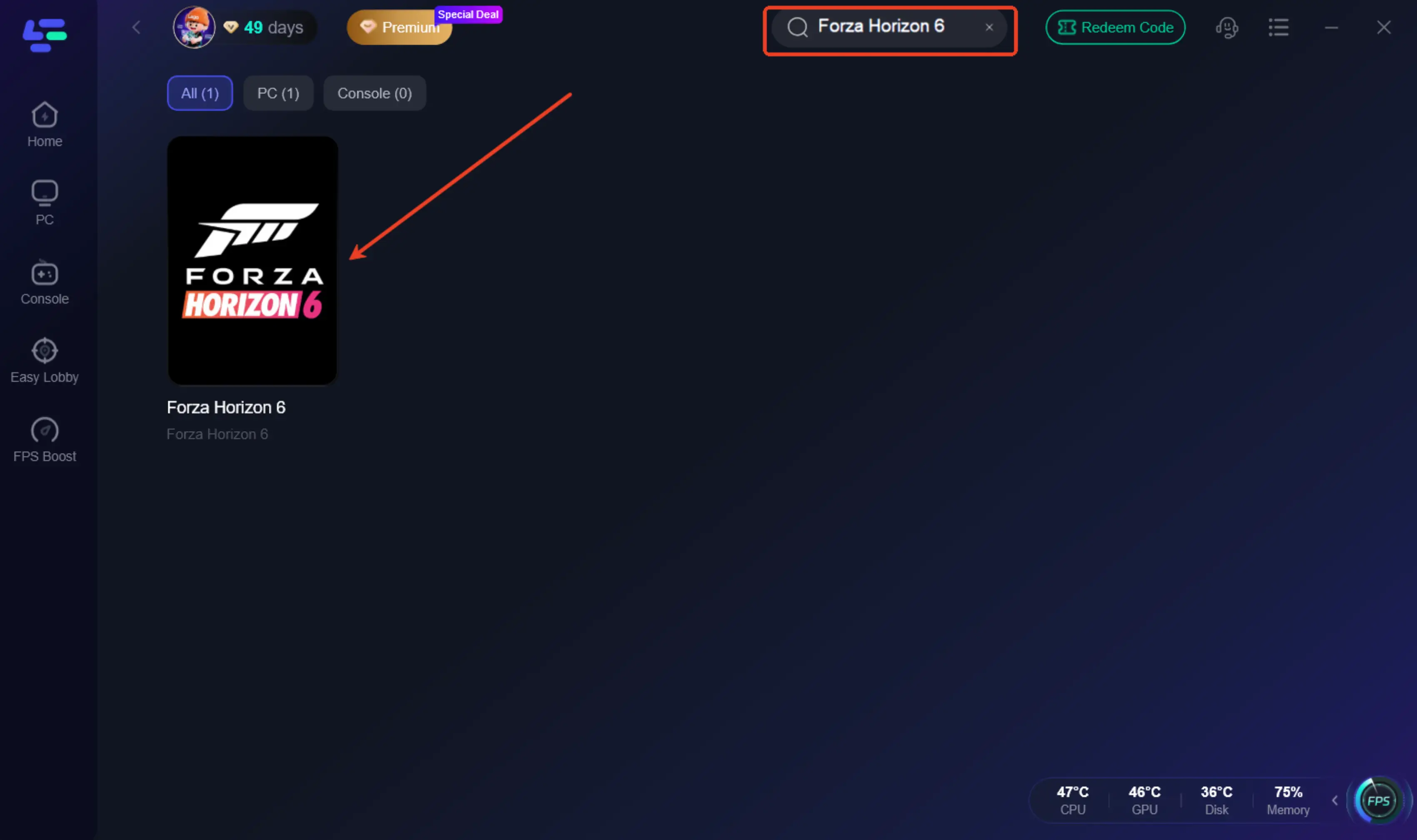
Step 2: Find Forza Horizon 6: Use the search bar to locate FH6 in the library.
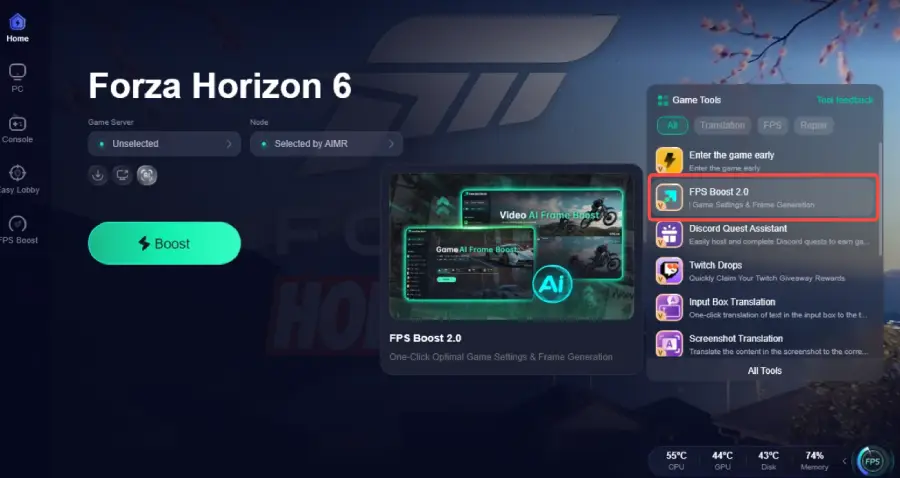
Step 3: Click the “FPS Boost 2.0” option in the bottom-right corner.
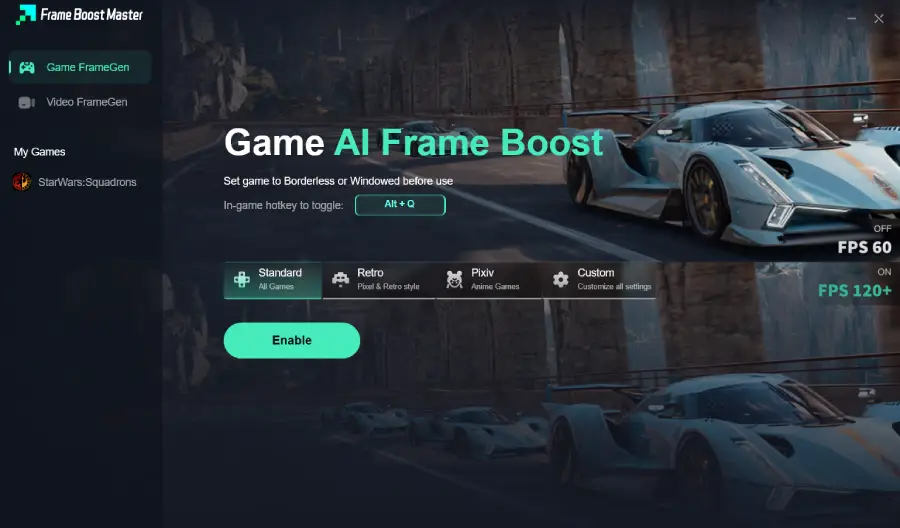
Step 4: Set the game to Borderless or Windowed mode, then click “Enable” to turn on FPS Boost.
Step 5: Choose Your Server: Select the node with the lowest latency. LagoFast's smart routing will find the fastest path to the Forza servers.
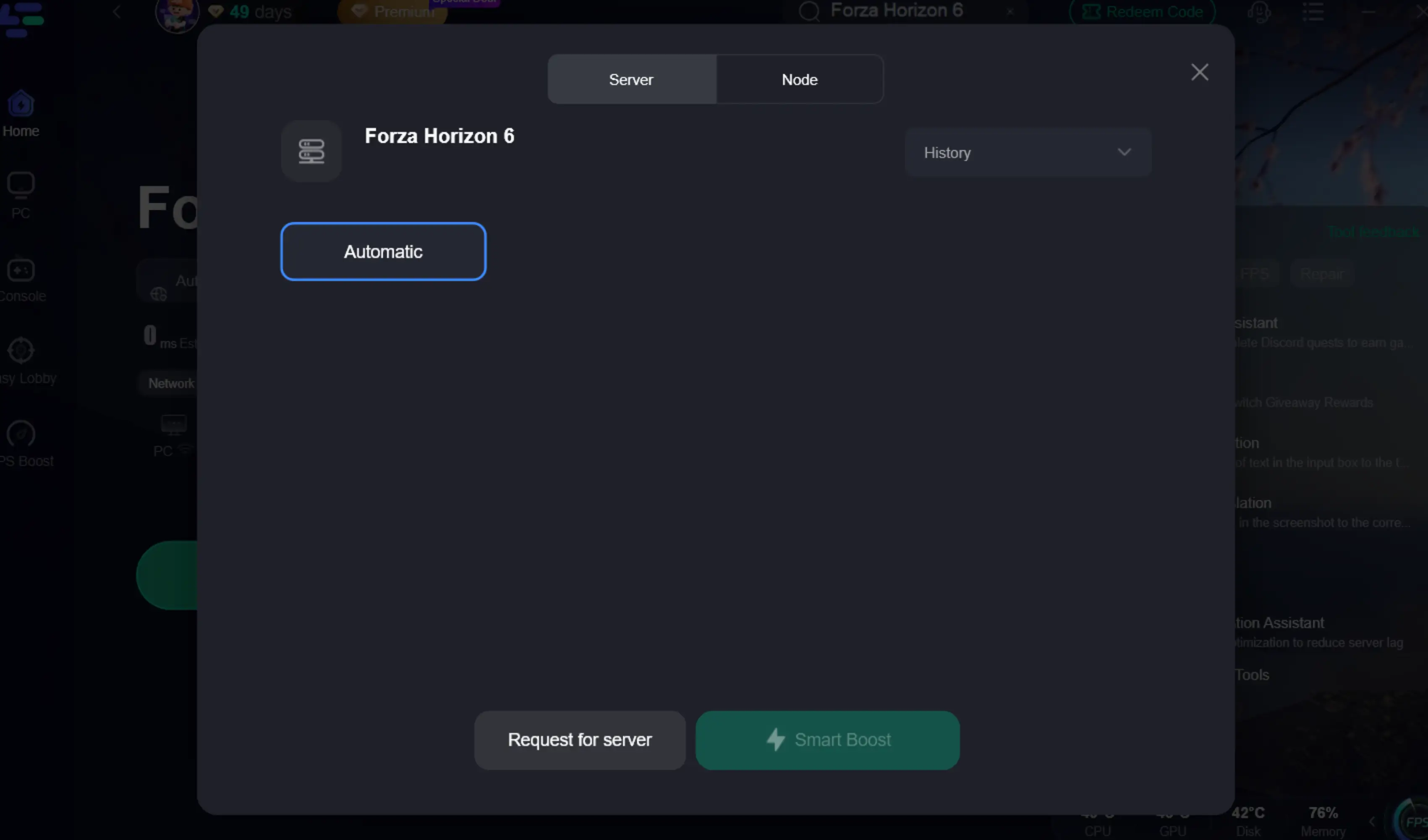
Step 6: Boost and Launch: Click the "Boost" button and then launch the game. You will notice a much smoother "frame time" graph, which is the secret to a game feeling "fluid" rather than just having a high FPS number.
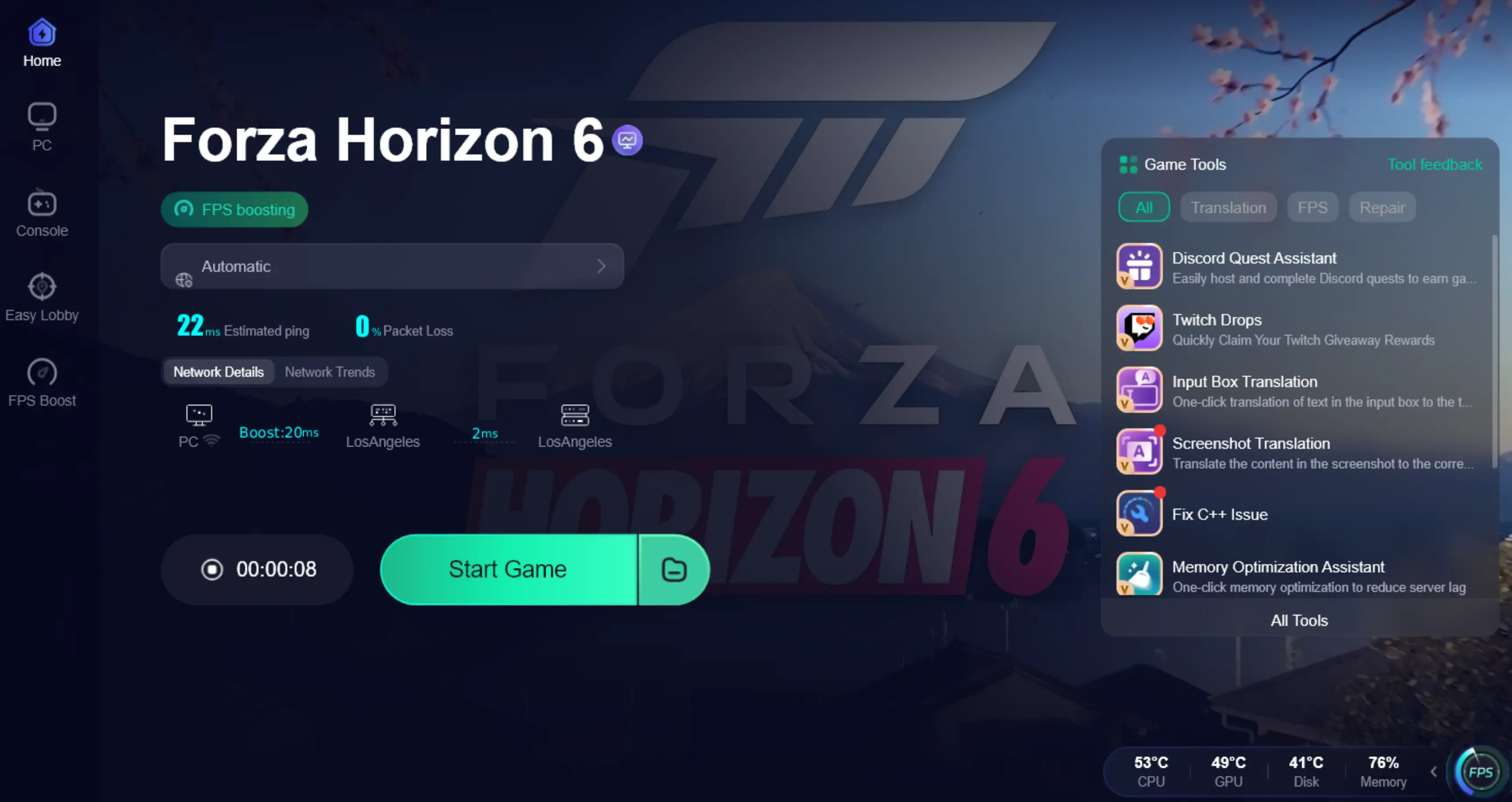
A boosted network environment won’t fix server-wide outages or backend load delays, but it helps ensure your local setup isn’t contributing to extra matchmaking time or failed handshakes.
Part 7: FAQs
1. What is the most important graphics setting in Forza Horizon 6?
For performance, it's Shadow Quality and Ray Tracing. For visuals, it's Texture Quality and Geometry Quality.
2. Can I run Forza Horizon 6 at 4K on a mid-range PC?
Yes, provided you use DLSS or FSR on "Performance" or "Balanced" mode. However, you may need to drop settings like Reflections and Shadows to "Medium."
3. Does Frame Generation increase input lag in FH6?
Technically, yes, but it is largely mitigated by NVIDIA Reflex, which is automatically enabled when you turn on Frame Generation. Using a tool like LagoFast also helps by reducing overall system latency.
4. Why does my game stutter even with high FPS?
This is often due to "frame time inconsistency." Background apps or network jitter in the shared world can cause this. Using the FPS Boost in LagoFast is the best way to solve this.
5. Is DLSS 4.5 better than native 4K?
In many scenarios, DLSS 4.5 "Quality" mode can actually look better than native 4K because its AI-driven anti-aliasing is superior to the game's standard TAA, all while providing a massive performance boost.
Key Takeaways
- Optimize for Your Tier: Don't just hit "Extreme." Use HUB-optimized settings to get the best balance.
- Leverage AI: DLSS 4.5 and Frame Generation are essential for high-resolution gaming in 2026.
- RTX 50 Power: The RTX 50 series can hit 230-330 FPS at 4K using the new 6X Dynamic Frame Generation.
- Don't Ignore Latency: High FPS means nothing if your system is stuttering. Use LagoFast Game Booster to stabilize your performance and network.
- VRAM Matters: If you have less than 8GB of VRAM, keep Texture Quality at "Ultra" or lower to avoid massive stutters.
By following these settings and using the right tools, you'll ensure that your journey through Forza Horizon 6 is as smooth as a perfect drift around a Tokyo corner. See you at the festival!

Boost Your Game with LagoFast for Epic Speed
Play harder, faster. LagoFast game booster eliminates stutter and lags on PC, mobile, or Mac—win every match!
Quickly Reduce Game Lag and Ping!
Boost FPS for Smoother Gameplay!