
Quick Answer
If you're dealing with an infinite loading screen FH6 issue, try these quick fixes first:
- PC: Verify game files through Steam or Microsoft Store, update graphics drivers, and disable overlays like Discord or Xbox Game Bar.
- Xbox: Perform a full power cycle, clear local saved data, and install the latest console updates.
- Both Platforms: Check your internet stability. If the issue continues, try LagoFast Game Booster to optimize network routing and reduce connection timeouts.
Whether you need to fix “Forza Horizon 6 stuck on loading screen PC” or “Forza Horizon 6 stuck on loading screen Xbox,” the solutions below can help restore normal loading performance.
Introduction
Forza Horizon 6 delivers an exciting open-world racing experience set in Japan, but many players have encountered frustrating startup issues such as infinite loading screens, boot freezes, or the game getting stuck at 99%.
These problems can affect both PC and Xbox users and are usually caused by corrupted files, outdated drivers, cache conflicts, or unstable online connections. In this guide, we’ll cover the most effective ways to fix Forza Horizon 6 stuck on loading screen issues and help you get back into the game quickly.

- ✅ Reduce Lag and High Ping.
✅ Boost FPS at the Same Time.
✅ Fix Crashing and Freezing Issues.
✅ Change Server without Latency.
✅ Boost Game Loading Speed. - ✅ Repair Game Disconnected Problems.
Part 1. Why Is Forza Horizon 6 Stuck on the Loading Screen or Boot Screen
Part 2. Fix Forza Horizon 6 Stuck on Loading Screen PC
Part 3. Fix Forza Horizon 6 Stuck on Loading Screen Xbox
Part 4. How LagoFast Game Booster Improves Loading Stability
Part 1. Why Is Forza Horizon 6 Stuck on the Loading Screen or Boot Screen?
Before jumping into fixes, it helps to understand what causes these loading issues.
As the upgraded ForzaTech engine becomes more demanding in 2026, the game relies heavily on stable drivers, fast storage, and smooth online synchronization. Even small issues can cause the game to freeze during startup.
Shader Compilation Problems
One common cause of the “Foza Horizon 6 stuck on loading screen or boot screen” issue is shader compilation failure.
After launching the game for the first time or updating GPU drivers, FH6 needs to rebuild shaders. If the process is interrupted, the game may remain stuck on the splash screen indefinitely.
Corrupted Save or Game Files
Damaged installation files can also trigger an infinite loading screen FH6 problem. Likewise, cloud save synchronization errors may prevent the game from loading correctly.
Network Connection Errors
Some loading freezes are actually online connection failures.
If FH6 cannot properly connect to Horizon Life servers due to:
- NAT restrictions,
- Teredo errors,
- unstable Wi-Fi,
- or server timeout issues,
the game may stop responding while loading into the world.
Slow Storage Devices
Although FH6 can run on HDDs, the game is optimized for SSD and NVMe storage. Slow drives may struggle to load world assets quickly enough, especially during startup.
Now that the causes are clear, let’s look at how to fix them on PC and Xbox.
Part 2. Fix Forza Horizon 6 Stuck on Loading Screen PC
PC players often face the most diverse set of loading issues due to the vast array of hardware and software configurations. If your game is refusing to boot or hanging at 99%, follow these targeted steps.
Verify Game Files and Clear Cache
Before assuming there is a hardware issue, ensure your game installation is intact. Corrupted files are a leading cause of boot-up failures.
- Steam: Right-click Forza Horizon 6 in your Library > Properties > Installed Files > Verify integrity of game files.
- Microsoft Store/Xbox App: Open the Xbox App > Right-click FH6 > Manage > Files > Verify and Repair.
- Clear Windows Store Cache: Press Win + R, type wsreset.exe, and hit Enter. A blank command prompt will appear; wait for it to close and the Store to open automatically.
Update Graphics Drivers and Windows
Forza Horizon 6 utilizes advanced graphical features that require the latest optimizations from hardware manufacturers.
- Clean Install Drivers: Use Display Driver Uninstaller (DDU) to remove old drivers before installing the latest version from NVIDIA (GeForce Experience) or AMD (Adrenalin).
- Windows Version: Ensure you are on Windows 10 version 22H2 or Windows 11. Older versions of Windows often lack the necessary "Gaming Services" updates required for the latest Forza titles.
Disable Conflicting Background Apps and Overlays
Third-party software can often interfere with the game's initial hook.
- Disable Overlays: Turn off Discord, Steam, and NVIDIA in-game overlays.
- Antivirus Exceptions: Add the Forza Horizon 6 folder and the .exe file to your antivirus and Windows Defender exclusion lists. Some aggressive real-time scanning can block the game from accessing its own assets during the loading phase.
Part 3. Fix Forza Horizon 6 Stuck on Loading Screen Xbox
While the Xbox environment is more controlled, it is not immune to loading hangs. These issues are typically related to system cache or account synchronization.
Perform a Full Power Cycle
A simple restart often isn't enough to clear deep-seated system errors.
- Hold the power button on the front of the console for about 10 seconds until it shuts down completely.
- Unplug the power cable from the back of the console and wait for at least 30 seconds.
- Plug it back in and restart. This clears the temporary cache and resets the network hardware.
Clear Local Saved Data
Sometimes the local copy of your save file becomes desynchronized from the cloud, causing the game to hang while trying to resolve the conflict.
- Press the Xbox button to open the guide.
- Select My games & apps > See all > Games.
- Highlight Forza Horizon 6 and press the Menu button on your controller.
- Select Manage game and add-ons > Saved data.
- Select Delete all to clear local saves. Note: Your progress is backed up to the Xbox Cloud and will re-sync the next time you launch the game.
Check for System and Gaming Services Updates
Ensure your console's firmware is up to date. Go to Settings > System > Updates. If an update is available, install it immediately, as these often contain stability patches for newly released titles like FH6.
Part 4. How LagoFast Game Booster Helps Reduce Infinite Loading Problems in Forza Horizon 6
While many loading issues are hardware-related, some are caused by unstable connections to Horizon Life servers.
If the game cannot establish a proper online handshake, it may remain stuck on the loading screen. This is especially common during busy launch periods or seasonal updates.
That’s where LagoFast Game Booster can help.
LagoFast improves network routing by reducing:
- packet loss,
- latency,
- jitter,
- and connection instability.
For players experiencing:
- infinite loading screen FH6,
- matchmaking delays,
- or random online loading freezes,
a game booster can provide a smoother and more stable experience.
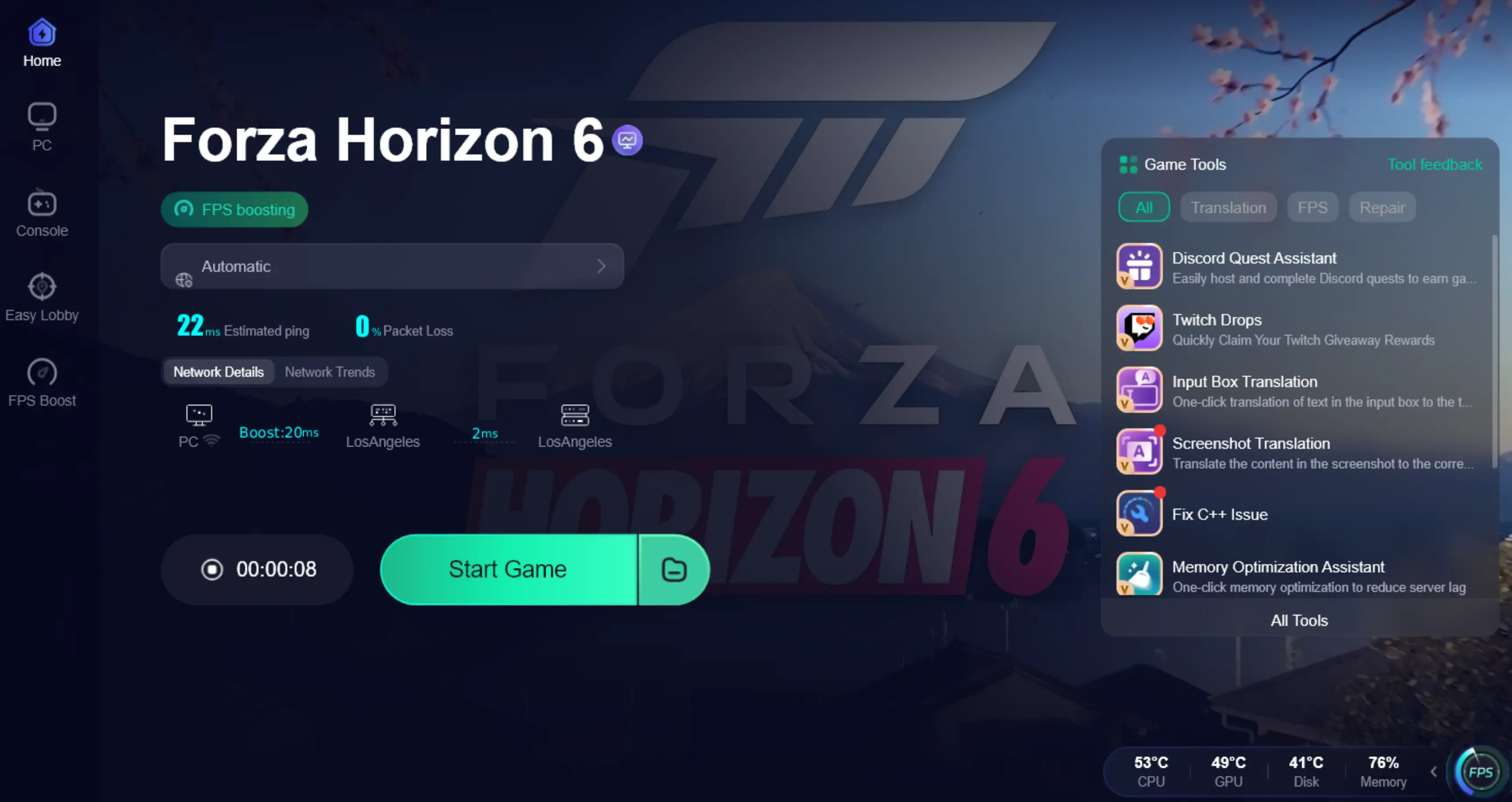
How to Use LagoFast Game Booster to Boost Forza Horizon 6 on PC
Step 1: Click the Free Trial button to download and install LagoFast.
Step 2: After installation, search "Forza Horizon 6" in the search bar and select the game.

Step 3: Choose your preferred server node and click "Smart Boost" to start optimizing.

Step 4: Launch your game and enjoy smooth, optimized gameplay with lower ping and no stutter.
Part 5. FAQs
Why does FH6 get stuck at 99% loading?
This usually happens because of save synchronization problems, shader compilation errors, or network timeout issues.
Can an HDD cause infinite loading in FH6?
Yes. Older mechanical hard drives may load assets too slowly, especially compared to SSD or NVMe storage.
Will reinstalling the game delete my progress?
No. Your progress is stored in the cloud through your Xbox or Microsoft account.
Why is the game loading slower after updating GPU drivers?
After a driver update, FH6 rebuilds its shader cache. The first launch may take longer than normal.
Does Gaming Services affect loading?
Yes. If Gaming Services are corrupted or outdated, FH6 may fail to boot correctly.
Conclusion
Getting stuck on the loading screen in Forza Horizon 6 can be frustrating, but in most cases the issue can be fixed with a few troubleshooting steps. Verifying game files, updating drivers, clearing cache data, and checking your network connection are all effective ways to restore normal startup performance.
For players still facing persistent online loading problems, LagoFast Game Booster can help improve routing stability and reduce server timeout issues.
By following the fixes above, you should be able to solve most “Forza Horizon 6 stuck on loading screen PC” and Xbox issues and get back to racing through Japan smoothly.
Boost Your Game with LagoFast for Epic Speed
Play harder, faster. LagoFast game booster eliminates stutter and lags on PC, mobile, or Mac—win every match!
Quickly Reduce Game Lag and Ping!
Boost FPS for Smoother Gameplay!