
Quick Answer: The Ultimate FH6 Performance Setup
For the best balance of visuals and speed, set Environment Geometry and Shadows to High, disable V-Sync, and enable DLSS 4.5 (Quality) with Frame Generation. To instantly eliminate stuttering and maximize your hardware's output, use LagoFast’s FPS Boost to optimize system resources and stabilize your connection to the Horizon servers.
The wait is finally over. The Horizon Festival has officially landed in Japan, bringing neon-soaked Tokyo streets, misty mountain touge runs, and the most demanding graphical engine in the series to date. While Forza Horizon 6 is a visual masterpiece, it’s also a "hardware eater." If you want to experience the cherry blossoms at 230 FPS rather than a stuttering slideshow, you need more than just a powerful GPU; you need a precision-tuned configuration.

- ✅ Reduce Lag and High Ping.
✅ Boost FPS at the Same Time.
✅ Fix Crashing and Freezing Issues.
✅ Change Server without Latency.
✅ Boost Game Loading Speed. - ✅ Repair Game Disconnected Problems
Part 1: Essential Display & Video Settings
Part 2: Best Forza Horizon 6 PC Settings for High FPS
Part 3: The 4K Ultra Experience: RTX 5080 & 5090 Settings
Part 4: Forza Horizon 6 DLSS 4.5 Settings Guide
Part 5: Optimized Settings for Low-End PCs
Part 6: Unlock Maximum Performance with LagoFast
Part 7: Key Performance Tips & Windows Tweaks
Part 8: FAQs
Part 1: Essential Display & Video Settings
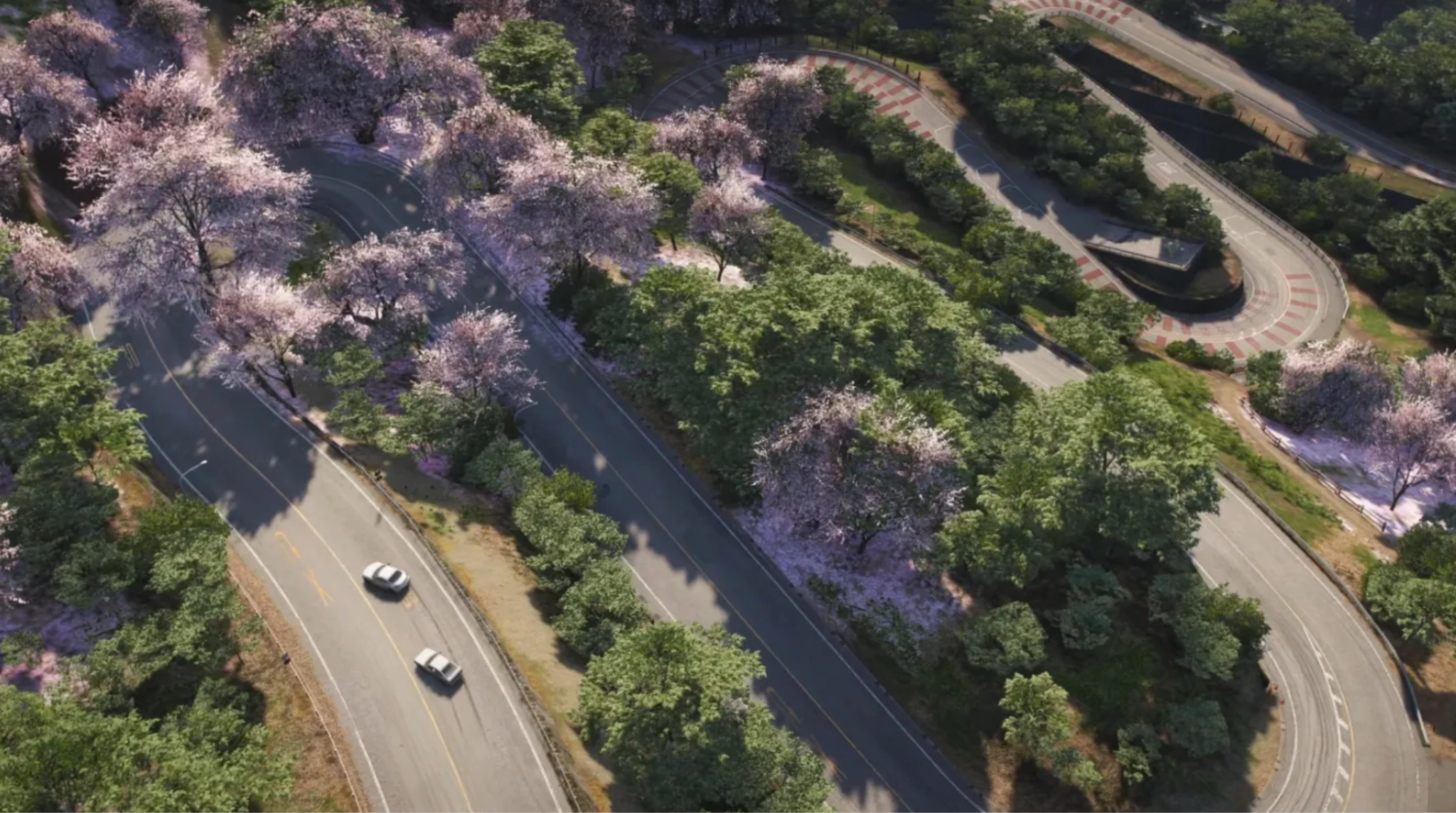
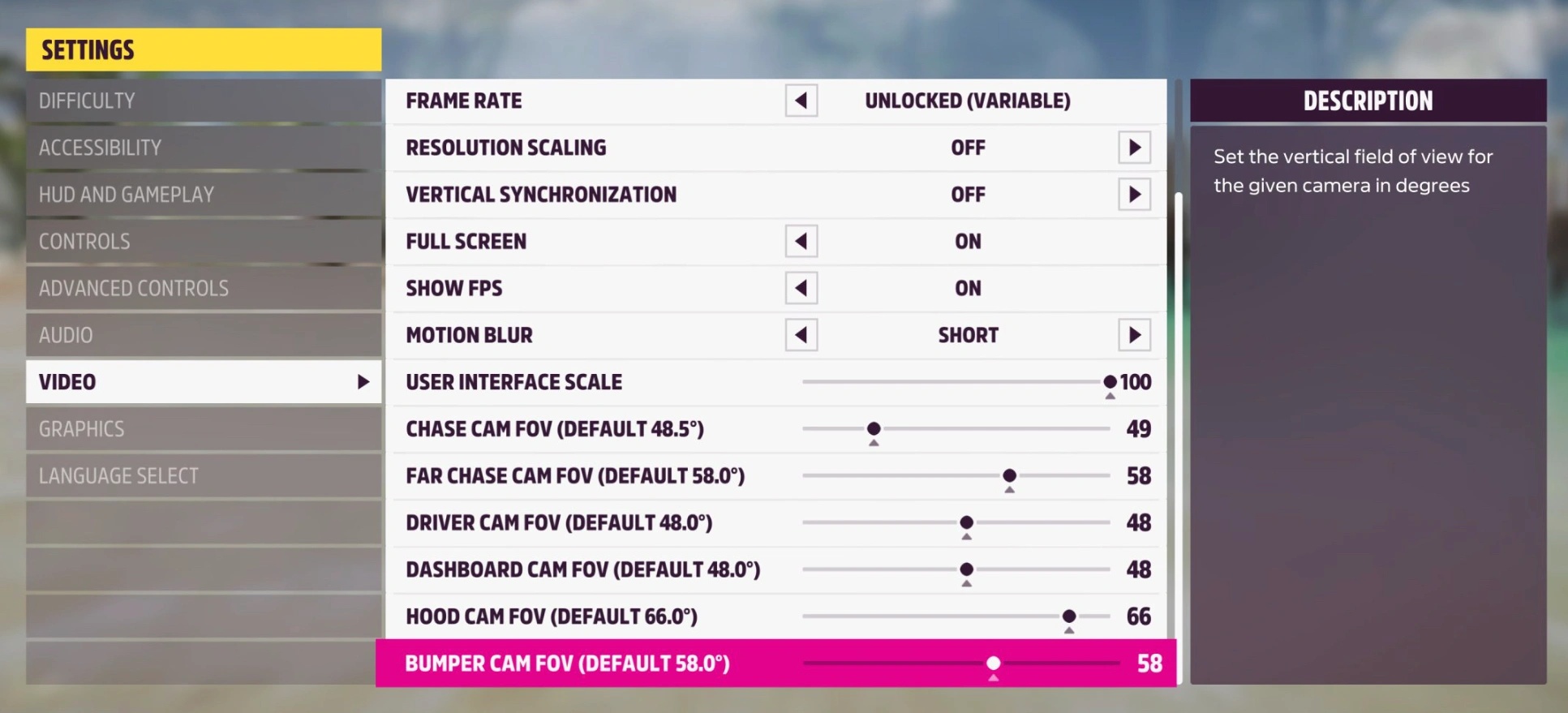
Before diving into the advanced sliders, you need to ensure your basic video configuration isn't bottlenecking your hardware.
- Window Mode: Always set this to Non-Bordered Fullscreen or Fullscreen. This ensures the OS prioritizes GPU resources for the game.
- Resolution: Match your monitor’s native resolution. If you are struggling with performance at 4K, do not lower the resolution here; instead, use DLSS 4.5 or FSR (discussed below) to maintain UI clarity.
- Frame Rate: Set this to "Unlocked" or match your monitor's refresh rate (e.g., 144Hz or 240Hz).
- Vertical Sync (V-Sync): Off. V-Sync introduces noticeable input lag. If you experience screen tearing, use G-Sync or FreeSync via your monitor settings instead.
- Motion Blur: This is subjective, but for competitive racing and better clarity at high speeds, set this to Short or Off.
Related Article: Forza Horizon 6 Benchmarks: RTX 5080 4K 230 FPS & DLSS 4.5 Guide
Part 2: Best Forza Horizon 6 PC Settings for High FPS
To achieve that "buttery smooth" feeling, we need to target settings that impact the CPU and GPU the most. Here are the optimized graphics settings that offer the best "visuals-per-frame" ratio.
Advanced Graphics Settings:
- Anisotropic Filtering: 16x (Minimal performance hit, huge impact on road textures).
- Shadow Quality: High (Ultra and Extreme are resource hogs with diminishing returns).
- Night Shadows: On (Essential for immersion).
- Motion Blur Quality: Low.
- Environment Geometry Quality: High.
- Environment Texture Quality: Ultra (If you have more than 10GB VRAM).
- Static Geometry Quality: High.
- Dynamic Geometry Quality: High.
- MSAA: Off (Use DLSS or TAA instead).
- FXAA: Off.
- Reflection Quality: Medium or High (Real-time reflections are incredibly demanding in FH6).
- Shader Quality: High.
- Particle Effects Quality: Medium.
Part 3: The 4K Ultra Experience: RTX 5080 & 5090 Settings
With the release of the RTX 50-series, 4K gaming has reached a new peak. The forza horizon 6 rtx 5080 settings allow for native 4K with nearly every slider maxed out, but the Forza Horizon 6 4k settings still require some finesse to maintain a consistent 144Hz+ refresh rate.
- Texture Quality: Extreme (The RTX 5080’s VRAM can handle this easily).
- World Car Detail: Extreme.
- Deformable Terrain Quality: Ultra.
- DLSS 4.5: Set to Quality or Balanced. Even on top-tier cards, DLSS 4.5’s Ray Reconstruction is essential for making the rain-slicked asphalt of Japan look photorealistic.
Part 4: Forza Horizon 6 DLSS 4.5 Settings Guide
NVIDIA’s DLSS 4.5 is a game-changer for Forza Horizon 6. Unlike previous versions, DLSS 4.5 introduces Dynamic Multi-Frame Generation, which intelligently adjusts frame interpolation based on the speed of the car.
Should you enable DLSS 4.5?
Yes. For any RTX user, it is the most efficient way to gain performance without a noticeable drop in image quality.
- DLSS Super Resolution: Set to 'Quality' for 1440p/4K.
- DLSS Frame Generation: On. (Note: This requires "Hardware-Accelerated GPU Scheduling" to be enabled in Windows).
- NVIDIA Reflex Low Latency: On + Boost. This offsets the slight latency introduced by frame generation.
Part 5: Optimized Settings for Low-End PCs
Not everyone has a NASA-level rig. If you’re coming from Forza Horizon 5 on an older GTX 1650 or RTX 3050, you can still enjoy FH6 with the right tweaks.
- Environment Texture Quality: Medium.
- Shadow Quality: Low (This is the biggest FPS saver).
- Particle Effects Quality: Low.
- Shader Quality: Medium.
- Resolution Scaling: Use AMD FSR 3.1 or Intel XeSS set to 'Performance' mode.
LagoFast Integration: On low-end builds, CPU/RAM congestion is common. Use LagoFast’s "One-Click Optimization" to close unnecessary background tasks and give FH6 100% of your system resources.
Part 6: Unlock Maximum Performance with LagoFast
Even with the best in-game settings, "system noise" and network instability can ruin your experience. This is where LagoFast, an amazing game booster, comes in as the ultimate Forza Horizon 6 companion.
Why use LagoFast for Forza Horizon 6?
- FPS Boost 2.0 & Frame Generation: LagoFast features a dedicated FPS Boost tool that goes beyond what the game menu allows. It optimizes your Windows Registry and GPU power management to ensure your hardware is actually hitting its rated clock speeds.
- Latency Reduction: Racing in the Horizon Open online modes requires millisecond precision. LagoFast uses a global network of dedicated nodes to find the shortest path to the Forza servers, eliminating "ghosting" and rubber-banding.
- One-Click Optimization: Don’t want to spend hours in the settings menu? LagoFast can automatically apply the Recommended Advanced Settings for Forza Horizon 6 based on your specific hardware.
Tutorial to Optimize Your Forza Horizon 6 Gaming Experience with LagoFast:
Step 1: Click the Free Trial button to download and install LagoFast.
Step 2: Open LagoFast, then click the PC button on the left and search for FH6 in the search bar, and click it after it appears.

Step 3: Click the “FPS Boost 2.0” option in the bottom-right corner.
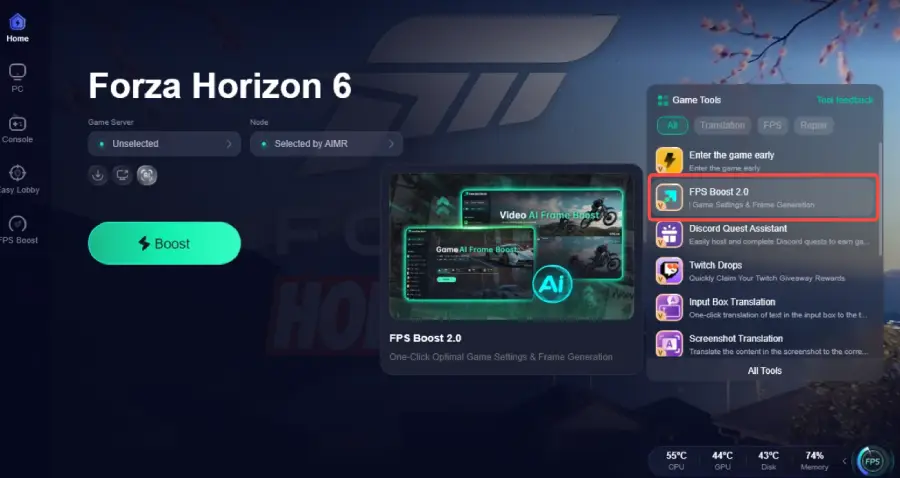
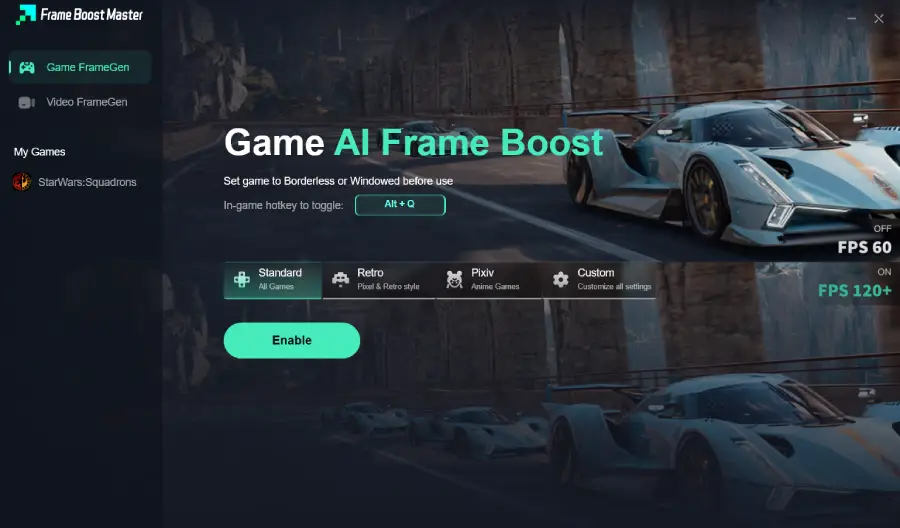
Step 4: Set the game to Borderless or Windowed mode, then click “Enable” to turn on FPS Boost.
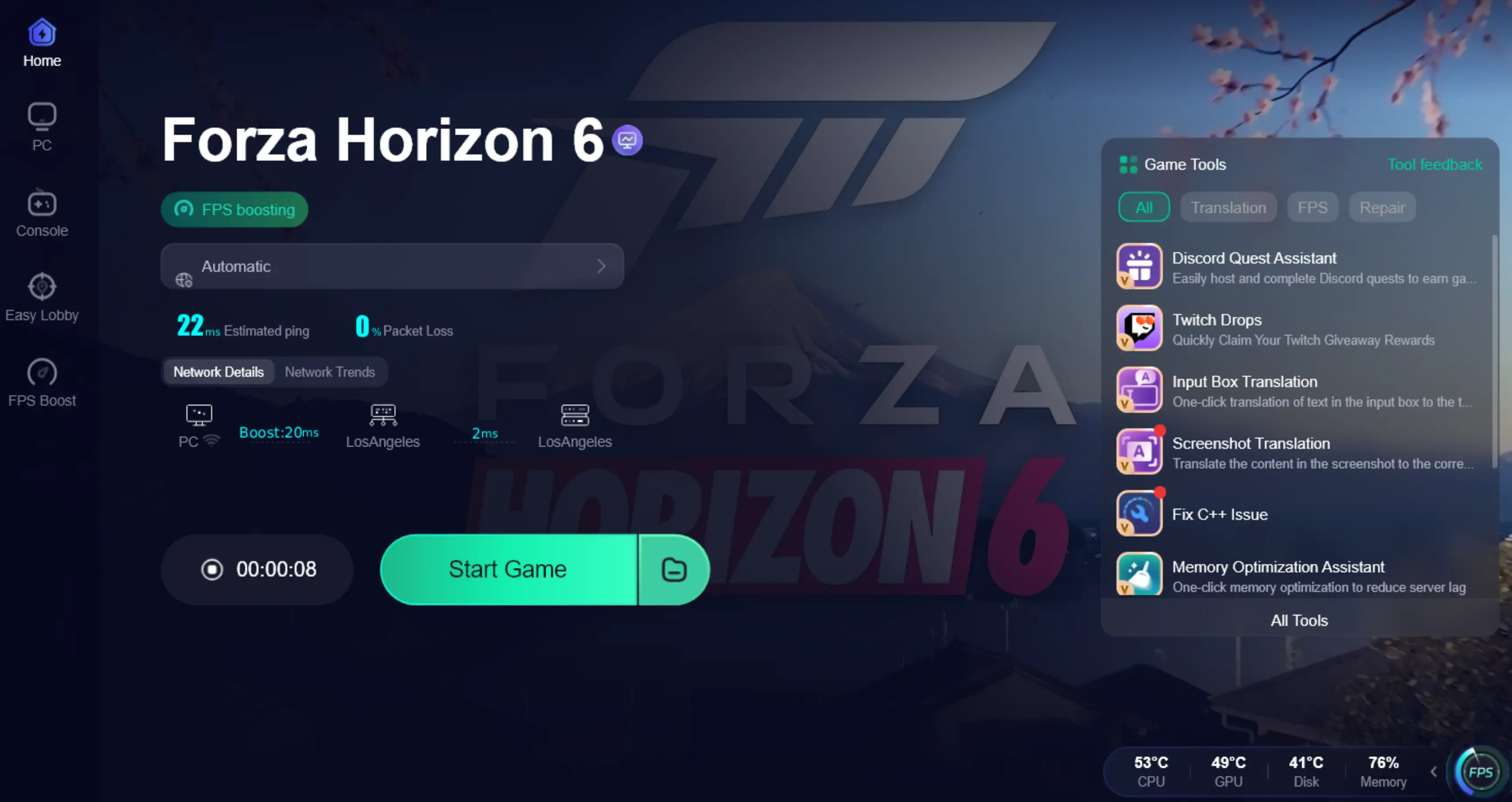
Step 5: Click on “Server” to change to a better server that provides a smooth gaming experience, then click on “Smart Boost” to fix the FH6 common issues.

Step 6: Check the specific game ping, packet loss, and multiple path connections on the right side. Finally, click the “Start Game” to play the game.
Part 7: Key Performance Tips & Windows Tweaks
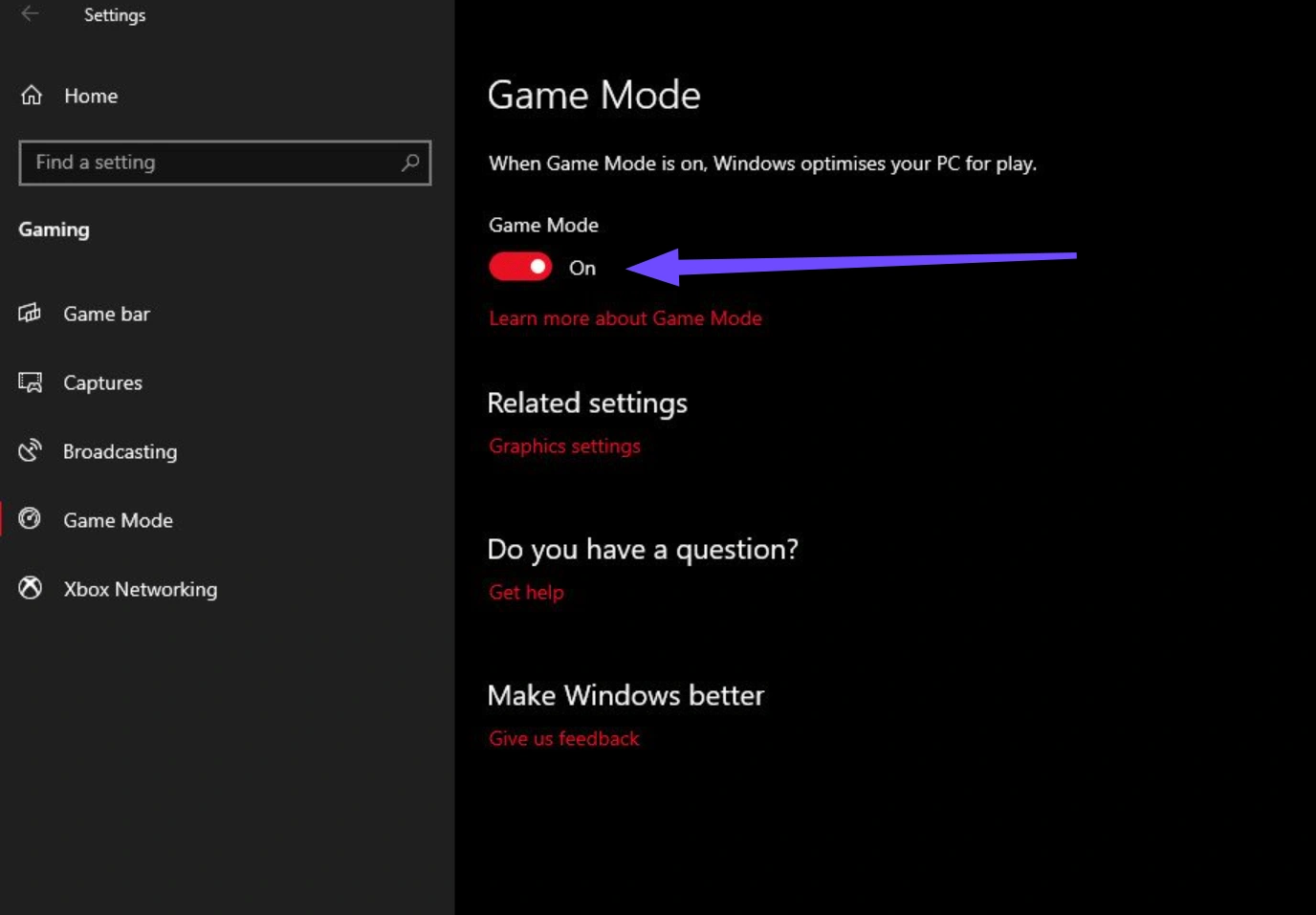
- Game Mode: Ensure Windows "Game Mode" is turned On.
- Power Plan: Set your PC to "Ultimate Performance."
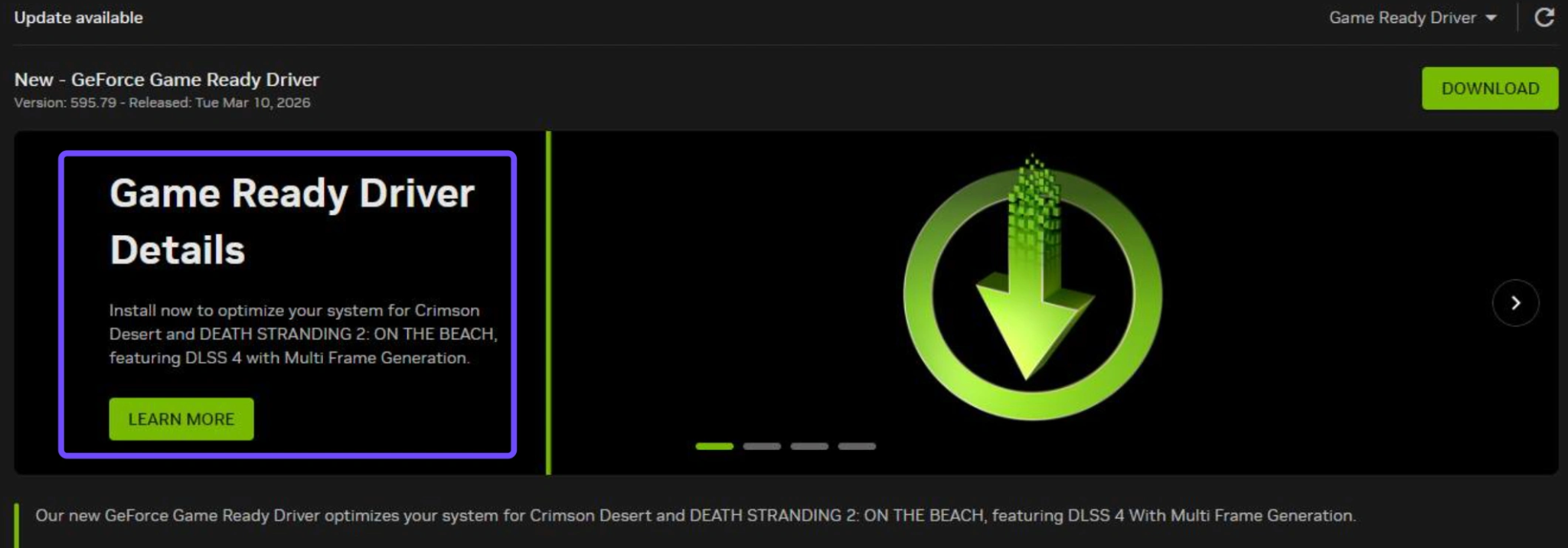
- GPU Drivers: Always update to the latest NVIDIA/AMD Game Ready drivers. FH6 relies heavily on day-one optimizations for its new Japanese map assets.
- SSD Required: Do not install FH6 on an HDD. The asset streaming for a high-speed drive through Tokyo will cause massive stuttering on a mechanical drive.
Part 8: FAQs
Is NVIDIA’s Forza Horizon 6 230 FPS benchmark real?
Yes, but with a catch. This result is typically achieved using an RTX 5080/5090 at 4K with DLSS 4.5 Frame Generation enabled. Native 230 FPS at 4K Ultra is currently out of reach for consumer hardware without AI assistance.
Does DLSS Frame Generation increase input latency?
Technically, it can add a small amount of latency. However, when paired with NVIDIA Reflex (found in the FH6 video settings) and LagoFast’s latency optimization, the difference is imperceptible to most players.
Can RTX 5080 run Forza Horizon 6 at 4K Ultra?
Absolutely. The RTX 5080 is the "sweet spot" for 4K. You can expect over 100 FPS natively and well over 200 FPS with DLSS enabled.
Why is Forza Horizon 6 Frame Generation Greyed Out?
This usually happens for three reasons:
- You aren't using an RTX 40 or 50-series GPU.
- Hardware-Accelerated GPU Scheduling is turned off in Windows Settings.
- You are running the game in an older version of DirectX.
Should I enable DLSS 4.5 in Forza Horizon 6?
Yes. DLSS 4.5 provides superior anti-aliasing compared to TAA and significantly higher performance than native rendering.
What are the best GPUs for Forza Horizon 6?
- RTX 5060: Great for 1080p Ultra / 1440p High.
- RTX 5070 Ti: The king of 1440p 144Hz.
- RTX 5080/5090: Designed for 4K Extreme and 8K experimentation.
Mastering the best settings for Forza Horizon 6 is about balancing the stunning beauty of Japan with the fluid response required for high-speed racing. By following this guide and using LagoFast to stabilize your frame rates and ping, you’ll ensure that the only thing you’re fighting on the track is the competition, not your hardware.

Boost Your Game with LagoFast for Epic Speed
Play harder, faster. LagoFast game booster eliminates stutter and lags on PC, mobile, or Mac—win every match!
Quickly Reduce Game Lag and Ping!
Boost FPS for Smoother Gameplay!