
To achieve the perfect balance in Forza Horizon 6, set Texture Quality and Geometry to "High" or "Ultra," while keeping Shadows and Reflections at "Medium." Always enable NVIDIA DLSS 4.5 or AMD FSR 4.1 for a significant frame rate bump. For the most stable connection and a one-click FPS boost, using a specialized tool like LagoFast is the most effective way to eliminate stuttering and network jitter.
The Horizon Festival has officially landed in the neon-soaked streets of Tokyo and the scenic mountain passes of Japan. Forza Horizon 6 is a visual masterpiece, but its dense urban environments and high-speed racing require precise hardware optimization. Whether you are aiming for 4K cinematic glory or competitive 1440p smoothness, this guide provides the definitive settings to ensure your ride is as smooth as a drift on Mount Fuji.

- ✅ Reduce Lag and High Ping.
✅ Boost FPS at the Same Time.
✅ Fix Crashing and Freezing Issues.
✅ Change Server without Latency.
✅ Boost Game Loading Speed. - ✅ Repair Game Disconnected Problems.
Part 1: Best Settings for Forza Horizon 6 (Graphic, Controller, and More)
Part 2: 4K Visual Quality Settings
Part 3: 4K Low Latency Settings
Part 4: 1440p High FPS Settings
Part 5: 1080p Competitive Smoothness Settings
Part 6: Beyond Settings: Eliminate Lag and Boost FPS with LagoFast
Part 1: Best Settings for Forza Horizon 6 (Graphic, Controller, and More)
Optimization in Forza Horizon 6 isn't just about turning everything to "Ultra." It’s about identifying which settings provide the most visual "pop" versus those that simply eat your GPU for breakfast.
Best Graphics Settings
The proprietary ForzaTech engine is highly scalable. For most mid-to-high-range PCs, these settings provide the "sweet spot":
- Anisotropic Filtering: 16x (Minimal performance hit, huge visual gain).
- Shadow Quality: Medium or High (Extreme settings cause massive FPS drops in Tokyo’s city center).
- Environment Texture Quality: Ultra (If you have at least 10GB of VRAM).
- MSAA: Off (Use TAA or DLSS instead for better edge smoothing).
- Ray Tracing Quality: High (Turn off if you prioritize 144+ FPS).
- Particle Effects: Medium (Reduces stuttering during heavy rain or drift smoke).
Best Controller Settings
Since FH6 features tighter, more technical Japanese roads, your controller response needs to be instantaneous.
- Steering Sensitivity: 55-60 (Helps with quick transitions in Touge battles).
- Vibration Scale: 0.4 (Prevents excessive "noise" that can mask tire grip feedback).
- Deadzone Inside: 0 (Or 1-2 if you have stick drift).
- Deadzone Outside: 100.
Best Difficulty & Assists For Better Performance
Assists don't just change the gameplay; they change how the game processes your inputs.
- Braking: Anti-lock On.
- Steering: Simulation (Provides the most direct feel for PC players).
- Traction/Stability Control: Off (Standard for most players to allow for drifting/sliding).
- Shifting: Manual (Essential for keeping the car in the power band on tight corners).
Best Wheel Settings
If you’re rocking a Logitech G-Series, Fanatec, or Thrustmaster, FH6 has improved "TrueForce" integration.
- Force Feedback Scale: 0.8.
- Center Spring Scale: 0.2 (Keep this low to avoid a "heavy" artificial feel).
- Wheel Damper Scale: 0.1.
- Mechanical Trail Scale: 1.0 (Crucial for feeling the limit of your front tires).
Part 2: 4K Visual Quality Settings for Forza Horizon 6
If you own an RTX 50-series or a high-end 40-series card, you want Japan to look photorealistic.
- Resolution: 3840x2160.
- DLSS: Quality Mode with Frame Generation enabled.
- Ray Tracing: Extreme (Specifically for reflections on puddles and neon signs).
- Motion Blur: Short (Provides a sense of speed without smearing the beautiful scenery).
Part 3: 4K Low Latency Settings for Forza Horizon 6
For 4K competitive racing where every millisecond counts:
- NVIDIA Reflex: On + Boost.
- V-Sync: Off.
- Shader Quality: High.
- World LOD: High.
Part 4: 1440p High FPS Settings for Forza Horizon 6
This is the target for most enthusiasts looking for 120+ FPS.
- Resolution: 2560x1440.
- Upscaling: AMD FSR or DLSS "Balanced."
- Deformable Terrain: Medium.
- Reflection Quality: Medium.
- SSR Quality: High.
Part 5: 1080p Competitive Smoothness Settings
Best for high-refresh-rate monitors (240Hz+) and older hardware.
- Resolution: 1920x1080.
- Texture Filtering: High.
- Static Geometry: Medium.
- Dynamic Geometry: Medium.
- Anti-Aliasing: TAA.
Part 6: Beyond Settings: Eliminate Lag and Boost FPS with LagoFast
Even with the perfect in-game settings, external factors like "bufferbloat," ISP throttling, and background Windows processes can ruin your race. This is where LagoFast becomes a mandatory part of your toolkit. LagoFast is a specialized game booster designed for high-speed titles like Forza Horizon 6. Its primary strength lies in the FPS Boost and Frame Generation features. With a single click, LagoFast optimizes your CPU/GPU priority, clears unnecessary RAM, and updates hidden system configurations to ensure your hardware is dedicated 100% to the Festival.
Key Features of LagoFast:
- One-Click FPS Boost: Instantly stabilizes frame rates and prevents "stuttering" during high-speed transitions between rural areas and the dense Tokyo cityscape.
- Multipath Connection: Automatically finds the fastest route to Forza servers, reducing ping and preventing those frustrating disconnects during Horizon Life sessions.
- Smart Frame Generation: Works alongside your GPU to smooth out visual tearing and ghosting.
- Global Server Coverage: With nodes in over 60 countries, you get local-level latency regardless of where you are racing from.
Tutorial to Optimize Your Forza Horizon 6 Gaming Experience with LagoFast:
Step 1: Click the Free Trial button to download and install LagoFast.
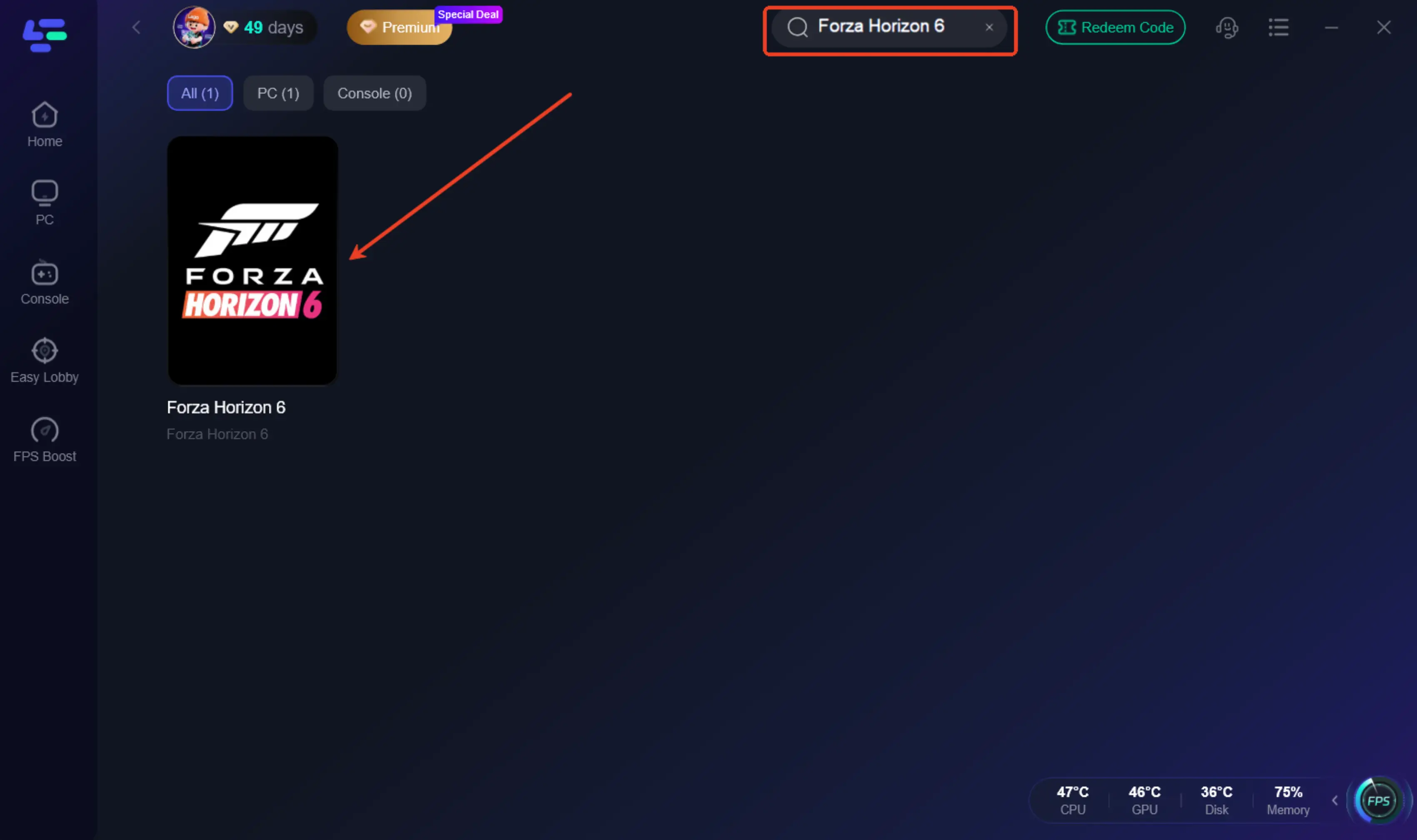
Step 2: After installation, search "Forza Horizon 6" in the search bar and select the game.
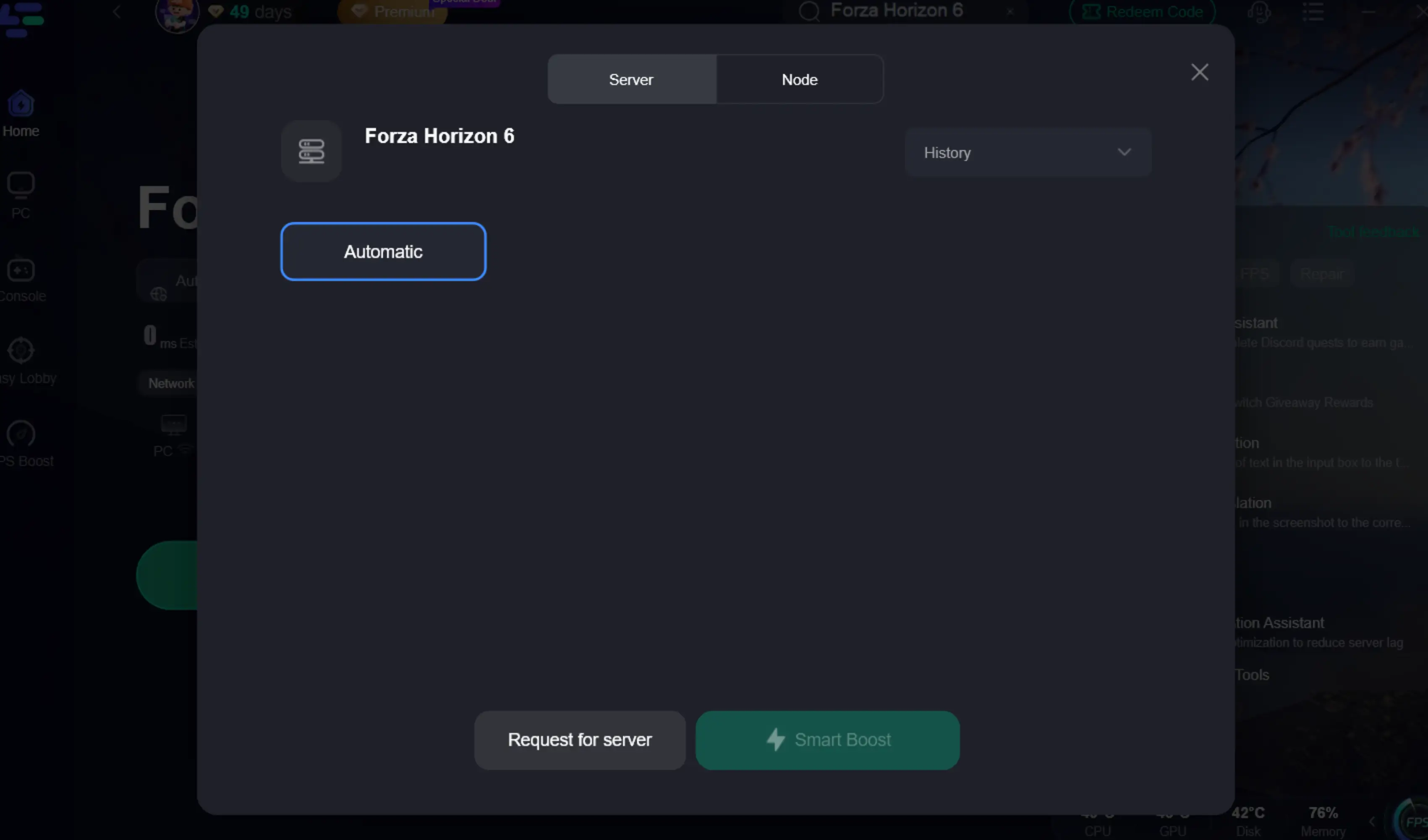
Step 3: Choose your preferred server node and click "Smart Boost" to start optimizing.
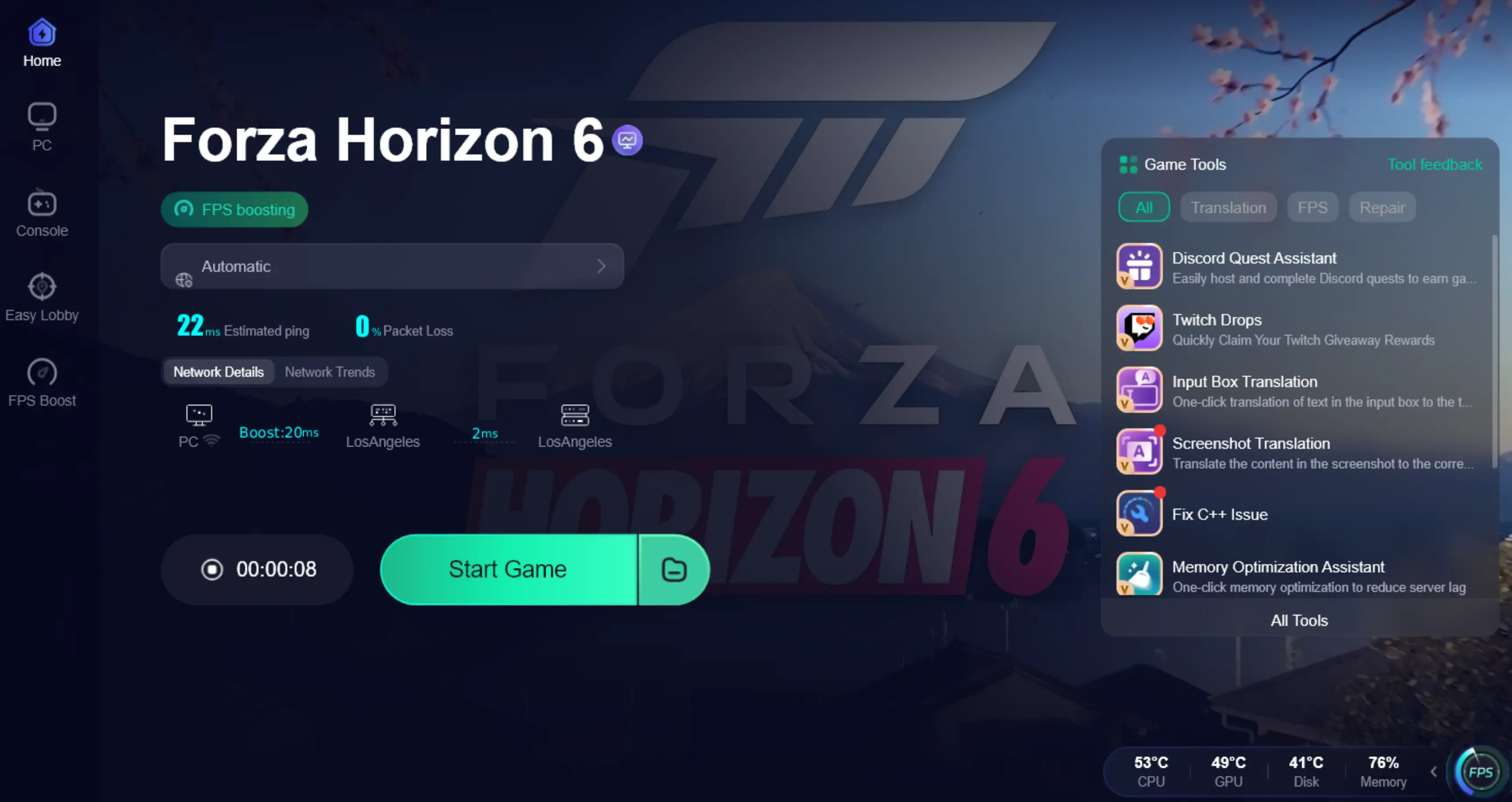
Step 4. After activation, most FH6 invisible players issues and convoy desync problems are greatly reduced.
Part 7: FAQs
Does Forza Horizon 6 support DLSS 4.5?
Yes, FH6 fully supports NVIDIA DLSS 4.5, including Ray Reconstruction and Multi-Frame Generation, which significantly boosts performance on RTX 40 and 50-series cards.
Why am I getting stutters in Tokyo City even with a high FPS?
Stutters are often caused by "frametime variance" or background CPU spikes. Using LagoFast's FPS Boost can help stabilize these spikes by prioritizing the game's execution threads.
What is the minimum RAM requirement for FH6?
The game requires a minimum of 16GB of RAM, though 32GB is recommended for 4K gaming to handle the massive asset streaming required for the Japan map.
How do I fix "Network Disconnected" errors in Forza Horizon 6?
This is usually due to unstable DNS or high packet loss. LagoFast’s smart routing fixes this by bypassing congested ISP nodes and providing a direct path to the Forza servers.
Is a wheel or controller better for Forza Horizon 6?
While FH6 is optimized for controllers, the simulation steering settings have been drastically improved for wheels. It ultimately depends on your preference for immersion versus competitive ease.
Can I play Forza Horizon 6 on an HDD?
It is highly discouraged. FH6 requires an SSD for texture streaming. Running it on an HDD will result in "low streaming bandwidth" warnings and invisible walls.
Conclusion
In conclusion, achieving the best experience in Forza Horizon 6 comes down to smart optimization. Balancing graphics settings, enabling DLSS 4.5 or FSR 4.1, and fine-tuning controller or wheel inputs can dramatically improve both visuals and responsiveness. For players struggling with stutters, lag, or unstable connections, LagoFast provides an additional performance boost through FPS stabilization and network optimization, helping deliver smoother racing across Tokyo’s streets, mountain passes, and online Horizon Life sessions.
Boost Your Game with LagoFast for Epic Speed
Play harder, faster. LagoFast game booster eliminates stutter and lags on PC, mobile, or Mac—win every match!
Quickly Reduce Game Lag and Ping!
Boost FPS for Smoother Gameplay!