
Quick Answer: How to Change Meccha Chameleon Outfit Quickly?
The fastest way to change your outfit or paint preset in Meccha Chameleon is by utilizing the LagoFast Meccha Chameleon One-Click Outfit Tool. While the base game requires players to manually re-apply paint or re-configure layers before a match, costing valuable setup time, LagoFast introduces a seamless external solution. It allows you to extract your favorite cosmetic configurations, bind them to custom in-game hotkeys, and achieve a quick outfit change with a single keystroke.
Introduction
Meccha Chameleon has taken the casual multiplayer world by storm, blending chaotic hide-and-seek mechanics with deep, satisfying character customization. However, as any veteran player knows, the clock is your biggest enemy. Spending ten minutes perfecting a camouflage look only to lose it the next round is incredibly frustrating. This guide breaks down how to bypass the manual grind and master your aesthetic on the fly.

- ✅Less ping and crashes.
- ✅ Higher FPS and better performance.
- ✅ Support for 2000+ games.
- ✅ Stable connection and region switching.
Part 1: What Do Players Mean by “Saved Outfits” in Meccha Chameleon?
Part 2: Can You Save Outfits and Paint Presets in Meccha Chameleon?
Part 3: Benefits of Using One-Click Outfit Switching in Meccha Chameleon
Part 4: What Is the Meccha Chameleon One-Click Outfit Tool?
Part 5: Why Players Want Saved Outfits and Paint Presets
Part 6: LagoFast - Best Meccha Chameleon One-Click Outfit Tool
Part 7: Who Should Use the Meccha Chameleon Outfit Preset Tool?
Part 1: What Do Players Mean by “Saved Outfits” in Meccha Chameleon?
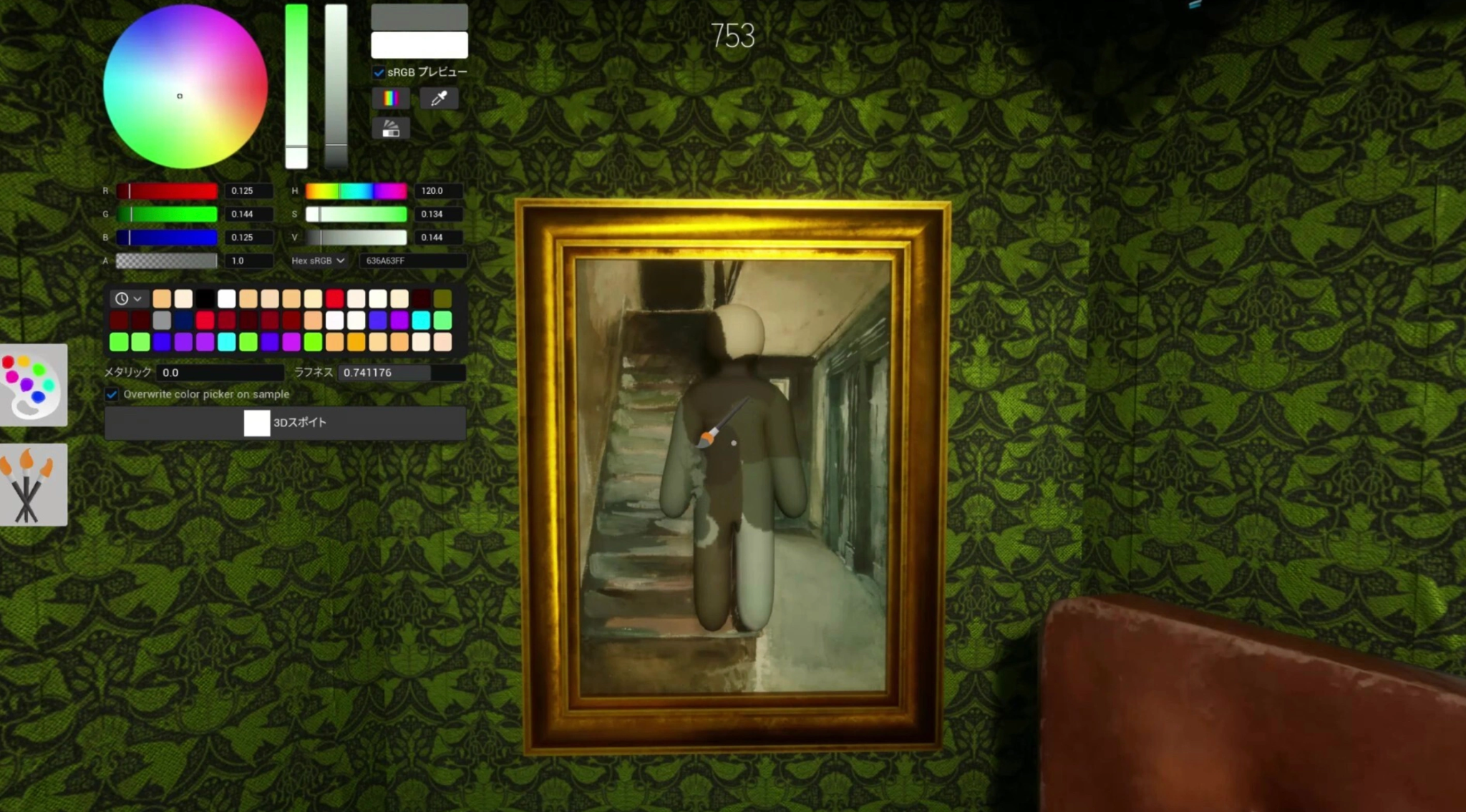
In a game entirely centered around visual deception and personal flair, the community vocabulary has quickly evolved. When players scour forums or Discord servers looking for a way to manage their cosmetics, they generally refer to three core elements of customization.
Seeker Saved Outfits
For seekers, style is all about intimidation and expression. Seekers want to stand out, boasting vibrant colors, rare skin patterns, or terrifying monster aesthetics that strike fear into fleeing hiders. A "seeker saved outfit" represents a complete visual profile—including base armor styles, neon highlights, and custom textures—that a hunter can put on to look distinct in every match without rebuilding the set from scratch.
Hider Saved Presets
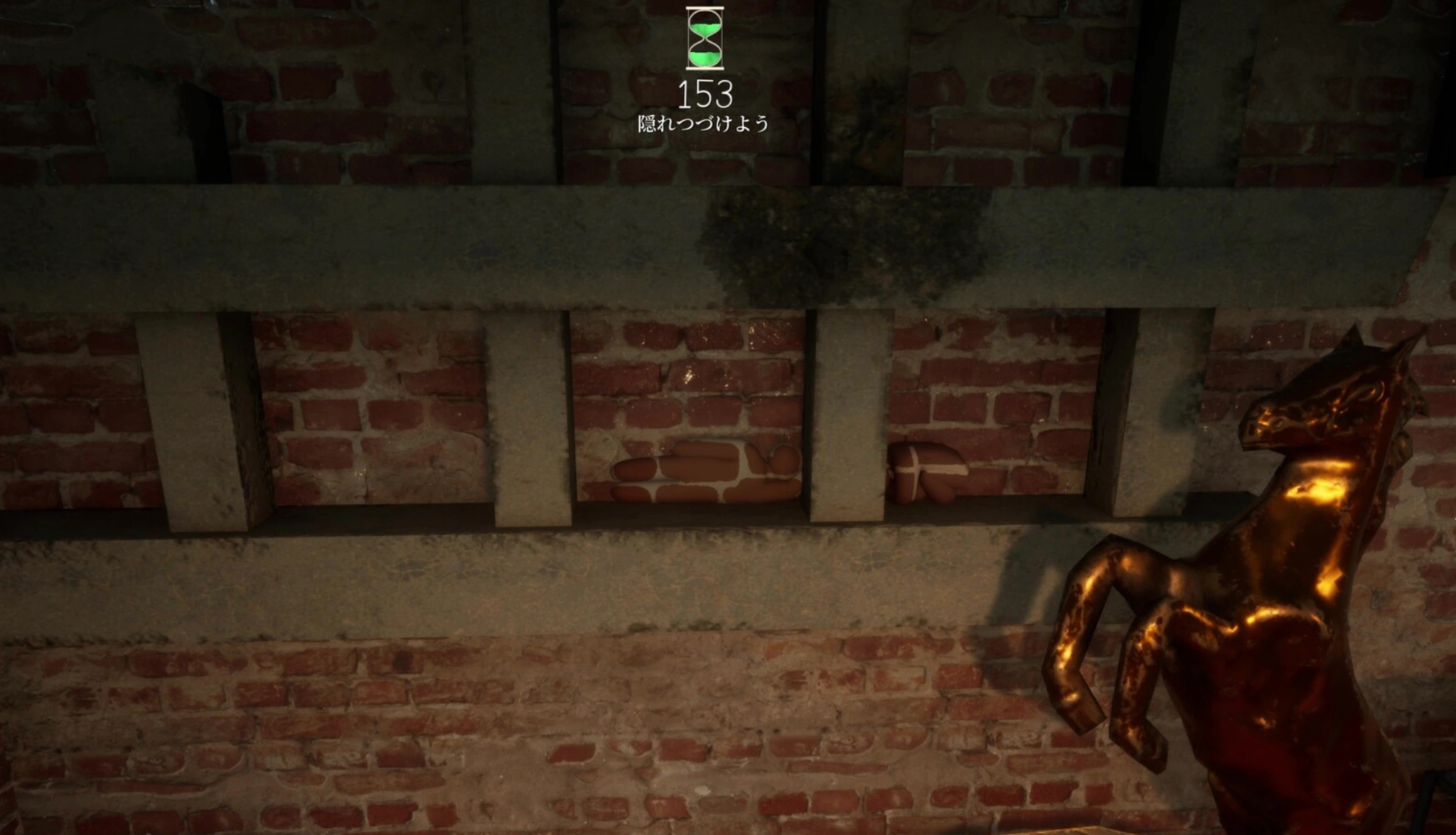
For hiders, outfits aren’t just cosmetic; they are survival gear. A hider saved preset is a highly specialized configuration designed to match specific map zones. Whether it is a brick-red pattern for industrial zones, a leaf-green texture for forest sectors, or a metallic grey for concrete structures, hiders need an arsenal of pre-configured designs ready to deploy at a moment's notice.
Save Painted Character Looks
Beyond competitive advantages, the game boasts a complex painting grid that allows for custom canvas designs directly onto the character model. Saving these painted character looks means preserving hours of pixel-perfect artistic effort. Players treat these designs like digital art pieces, wishing to archive them safely so their hard work isn't overwritten when they want to try a new artistic project.
Related Article: Meccha Chameleon Friends Can't Find Server: 7 Ways to Fix Connection Issues
Part 2: Can You Save Outfits and Paint Presets in Meccha Chameleon?
If you are relying solely on the vanilla, out-of-the-box game client, the answer is a bit complicated. The developer tools provide basic customization slots, but they lack a robust, high-capacity archiving system.
Can hiders save presets in Meccha Chameleon natively? Only to a very limited extent within the lobby menu, and absolutely not while a match is active or during a frantic countdown phase. The same limitation applies when asking: can seekers save outfits in Meccha Chameleon? You are bound to a rigid UI that doesn't easily let you organize, rename, or swap profiles instantly.
This mechanical gap has left players asking several urgent questions across gaming communities:
- Can I save outfits in Meccha Chameleon? Yes, but doing it efficiently requires an external tool.
- Can I switch paint presets quickly? Not through the standard in-game menus, which require multiple clicks and scrolling.
- Can I reuse a good camouflage look? Only if you remember the exact color codes and slider balances, or use an automated manager.
- Can I share my painted look with friends? The base game lacks a direct file-export system for custom paint grids, making sharing incredibly tedious.
Related Article: Meccha Chameleon Multiplayer Guide: How to Play With Friends
Part 3: Benefits of Using One-Click Outfit Switching in Meccha Chameleon
In casual matchmaking, the time between loading screens and the start of a round is incredibly brief. For a hider, those initial seconds are the difference between life and death. If you spawn into a map dominated by rusted metal surfaces, but your character is currently painted like a bright green bush, you are a sitting duck.
Manual re-painting in the lobby wastes precious seconds. You have to navigate sub-menus, adjust primary and secondary tones, and select textures while the match timer ticks down. By introducing a mechanism for a hotkey outfit switch, you eliminate user error and panic. You can read the room, analyze the map loading screen, and change your entire color palette before the seekers are even released from their cages. It transforms cosmetic customizability from a static lobby gimmick into an active, strategic gameplay mechanic.
Related Article: MECCHA CHAMELEON Failed Due to Invalid or Missing Authentication Token Fix
Part 4: What Is the Meccha Chameleon One-Click Outfit Tool?
The phrase "Meccha Chameleon one-click outfit tool" refers to software designed to interact safely with the game’s local cosmetic configuration files. Rather than forcing the player to click through the user interface to change assets, these tools act as an automated management bridge.
A proper tool functions by reading the specific data matrix of your current character, including paint layers, scale factors, and camouflage values, and saving that footprint into a lightweight local file. When prompted, it injects that exact data back into the game environment instantly. This process bypasses manual sliders completely, giving birth to the Meccha Chameleon paint preset tool concept that players have been dreaming of since launch.
Related Article: Meccha Chameleon Not Working? Fix Crashing, Paint Bug, and Login Errors
Part 5: Why Players Want Saved Outfits and Paint Presets
The drive behind seeking out a Meccha Chameleon outfit preset feature comes down to player psychology and tactical necessity.
First, there is the preservation of creativity. Players spend hours crafting unique skins, anime references, or pop-culture homages using the paint system. Without a reliable Meccha Chameleon saved outfits manager, that creativity is highly volatile.
Second, there is the tactical camouflage meta. Advanced hiders know that to quickly blend into surroundings, your color values must precisely match the environment's lighting and shadows. If a player discovers a specific shade of grey that makes them virtually invisible against the factory walls, they need a reliable Meccha Chameleon save camouflage function to store that exact color data forever.
Related Guide: Meccha Chameleon Beginner Guide: Ultimate Painting, Hiding & Seeker Tips
Part 6: LagoFast - Best Meccha Chameleon One-Click Outfit Tool
As demand for faster cosmetic management and reusable paint presets continues to grow within the Meccha Chameleon community, LagoFast is currently developing a dedicated Meccha Chameleon One-Click Outfit Tool designed to simplify outfit switching and cosmetic organization. The upcoming feature aims to provide a smoother way to save, manage, and apply custom appearance configurations without repeatedly navigating in-game menus.
Although the tool is still under development, the planned functionality is centered around reducing setup time and making customization more flexible for different playstyles. Below are some of the core features currently being designed for the upcoming release.
Feature 1: Extract and Save Your Current Paint Look
The cornerstone of the software is its one-click paint extraction capability. Once you have perfected a look in the game's customization bay, you don't need to write down color values or take screenshots of your sliders. With LagoFast running, you simply click a button within the app interface to grab your current design.
The software automatically compiles the configuration into a compact local file on your hard drive. This serves as a permanent Meccha Chameleon save paint registry, ensuring that no matter what updates or patches hit the game, your custom assets are securely backed up on your own PC.
Feature 2: Use Hotkeys to Switch Outfits In-Game
This is where the tool shifts from a convenient archive into a massive competitive advantage. LagoFast allows you to map your saved files to specific keyboard combinations.
By setting up a Meccha Chameleon quick outfit change macro, you can adapt to your environment instantly. If you are running away from a seeker and round a corner into a totally different environmental biome, hitting your designated hotkey instantly flashes your character into the appropriate camouflage pattern. This seamless transitions gives you a massive leg up during high-intensity hide-and-seek matches.
Feature 3: Share Paint Files with Friends
Meccha Chameleon is inherently social, and half the fun is showing off your style to your squad. LagoFast features a built-in file location shortcut that makes sharing incredibly easy.
You can open your local directory through the tool, copy your custom paint preset file, and send it directly to your friends via Discord, email, or any file-sharing service. All your friend has to do is drop that file into their own LagoFast directory. The next time they boot the game, they will have full access to your custom creation, making team-wide matching uniforms or coordinated squad camouflage setups a breeze.
Step-by-Step Tutorial to Use the Best Meccha Chameleon One-Click Outfit Tool and Gaming Booster Tool:
Step 1: Click the Free Trial button to download and install LagoFast.
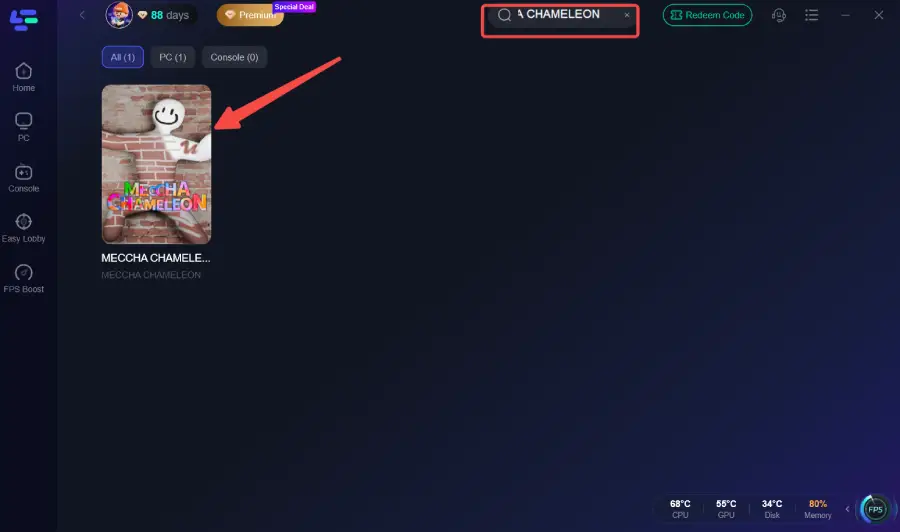
Step 2: Open LagoFast, then click the PC button on the left, search for Meccha Chameleon in the search bar, and click it after it appears.
Step 3. Click One-Click Outfit Tool in the Game tool Section.
Step 4. Select the outfit you preset and click the One-Click Enable button to change your outfit.
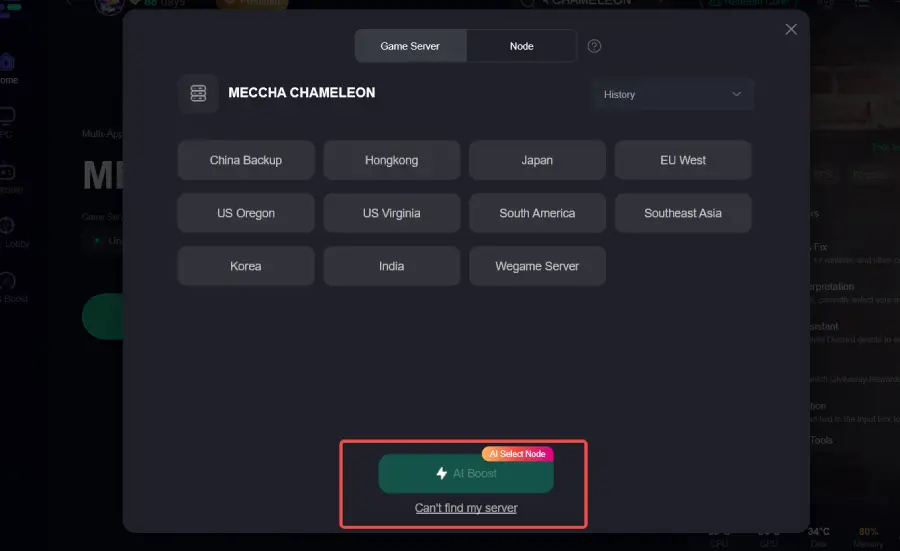
Step 5: Click on “Server” to change to a better server that ensures a better gaming experience, then click on “Smart Boost” to fix Meccha Chameleon common errors.
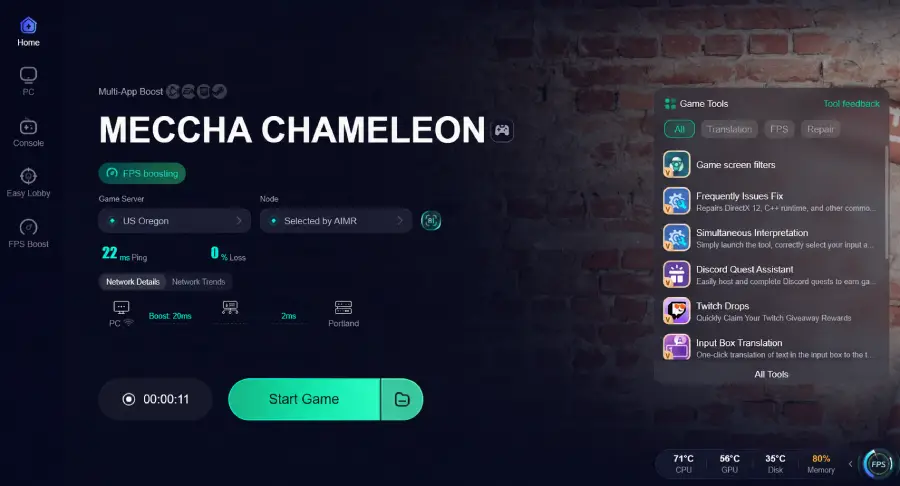
Step 6: Check the specific game ping, packet loss, and multiple path connections on the right side. Finally, click “Start Game” to play the game.
Part 7: Who Should Use the Meccha Chameleon Outfit Preset Tool?
While LagoFast provides powerful outfit management and instant preset switching capabilities, not every player will use these features in the same way. Different playstyles create different customization needs—some players focus on competitive camouflage, others prioritize creativity, content production, or coordinated team identity. Understanding who benefits most from a one-click outfit workflow can help you decide whether this tool fits the way you play Meccha Chameleon.
- Competitive Hiders: Players who want to maximize their win rates by instantly matching the environmental backdrop of any map they spawn into.
- Content Creators & Streamers: Influencers who want to rapidly swap characters or costumes between rounds to keep their streams visually engaging and dynamic.
- Digital Artists: Casual creators who treat the game's canvas system like an art studio and need unlimited storage space for their intricate designs.
- Gaming Communities & Clans: Groups of friends who want to run identical clan colors or matching team aesthetics during community tournaments.
Part 8: FAQs
Is using the LagoFast One-Click Outfit Tool safe?
Yes, it is entirely safe. The tool does not modify game memory, inject malicious scripts, or give you unfair movement hacks. It simply automates the selection of cosmetic configurations that are already locally accessible on your machine, ensuring complete compliance with standard anti-cheat systems.
Can I use the hotkey outfit switch while moving in a match?
Yes! The hotkey functionality is built to recognize keyboard inputs fluidly. However, for the smoothest visual transition, it is recommended to press your assigned hotkey during a brief moment of cover to ensure the engine renders the new texture assets flawlessly without a hitch.
How many presets can I save with the LagoFast tool?
Unlike the limited slots provided within the default game client, the LagoFast tool utilizes your local hard drive storage. This means you can save hundreds of distinct profiles, allowing you to build a massive library of unique styles, seasonal themes, and map-specific camouflage patterns.
Do my friends need to own LagoFast to use my shared outfits?
To import and utilize the one-click file system seamlessly, it is highly recommended that your friends use the tool as well. This allows them to simply drag and drop your shared configuration files directly into their client app, completely skipping any tedious manual setup.
Can I use this tool to save both Seeker and Hider looks?
Absolutely. The extraction engine does not care which faction the cosmetic belongs to. It captures the entire visual layout of your current character model, meaning you can easily organize your library into separate folders for your hunter builds and your survival camouflage builds.
Will updating Meccha Chameleon delete my saved LagoFast presets?
No. Because LagoFast backs up your customized paint files into an independent, secure local directory on your PC, official game updates, Steam file verifications, or patches will not overwrite your hard work. Your visual library remains completely safe.
Conclusion
Ultimately, mastering your look in Meccha Chameleon shouldn’t come at the cost of your survival. By removing the tedious manual grind, LagoFast’s One-Click Outfit Tool lets you archive your creativity, coordinate with friends, and adapt tactically to any map instantly. Save your styles, map your hotkeys, and dominate the arena.
Boost Your Game with LagoFast for Epic Speed
Play harder, faster. LagoFast game booster eliminates stutter and lags on PC, mobile, or Mac—win every match!
Quickly Reduce Game Lag and Ping!
Boost FPS for Smoother Gameplay!