
League Classic brings back Season 3 gameplay, but some players experience League of Legends Classic FPS drops, micro stuttering, or freezing during matches. Unlike League of Legends high ping, these issues are usually caused by your PC, graphics settings, or game optimization.
In this guide, you'll learn how to identify what's causing League of Legends to feel laggy and apply the fastest fixes to eliminate FPS drops and stuttering for smoother gameplay on League of Legends.
Is It FPS Drops, Stuttering, or Network Lag?
Fix League Classic FPS Drops Faster with LagoFast
Other Ways to Fix League of Legends Classic FPS Drops
Best Graphics Settings for Stable FPS in League Classic
Why Does League Classic Stutter Even at High FPS?
FAQs on League Classic FPS Issues
Is It FPS Drops, Stuttering, or Network Lag?
Before trying any fixes, it's important to identify what's actually causing your League Classic performance issue. FPS drops, stuttering, freezing, and network lag can feel similar, but they have different causes and solutions.
|
What You Notice |
Possible Cause |
Best Fix |
|
FPS suddenly drops from 200 to 80 |
CPU bottleneck or graphics settings |
FPS Booster + Optimize graphics settings |
|
High FPS but the game feels choppy |
Frame time instability or background resource usage |
FPS Booster |
|
Champion teleports, rubberbands, or abilities register late |
High ping or packet loss |
Game Booster |
|
Game freezes for 1–2 seconds |
Graphics driver, Riot Client, or background software |
Restart Riot Client + Update drivers |
|
FPS only drops during teamfights |
High CPU workload from abilities and visual effects |
Lower Effects Quality + FPS Booster |
Tip: If your FPS counter stays high but the gameplay still doesn't feel smooth, don't assume it's a network problem. Many players report micro stuttering or unstable frame times even with 150–240 FPS, especially during large teamfights.
Fix League Classic FPS Drops Faster with LagoFast
Nothing is more frustrating than your FPS suddenly dropping in the middle of a teamfight or your game stuttering just as you're about to land a crucial skill shot. If you're looking for a quicker way to improve gameplay, LagoFast provides an all-in-one solution. Instead of manually adjusting Windows settings or background processes one by one, LagoFast optimizes both your PC performance and network connection before you launch League Classic. It helps reduce FPS drops, stabilize frame rates, minimize stuttering, and improve connection stability with just a few clicks.

- ✅ Reduce FPS Drops and Stuttering.
- ✅ Lower Ping and Improve Stability.
- ✅ Support 8000+ Popular Online Games.
- ✅ Stable and Smoother Gameplay.
Steps to Use LagoFast for FPS Drops and Stuttering
Follow the guide to fix League of Legends Classic FPS drops and reduce latency.
Step 1. Download and install LagoFast.
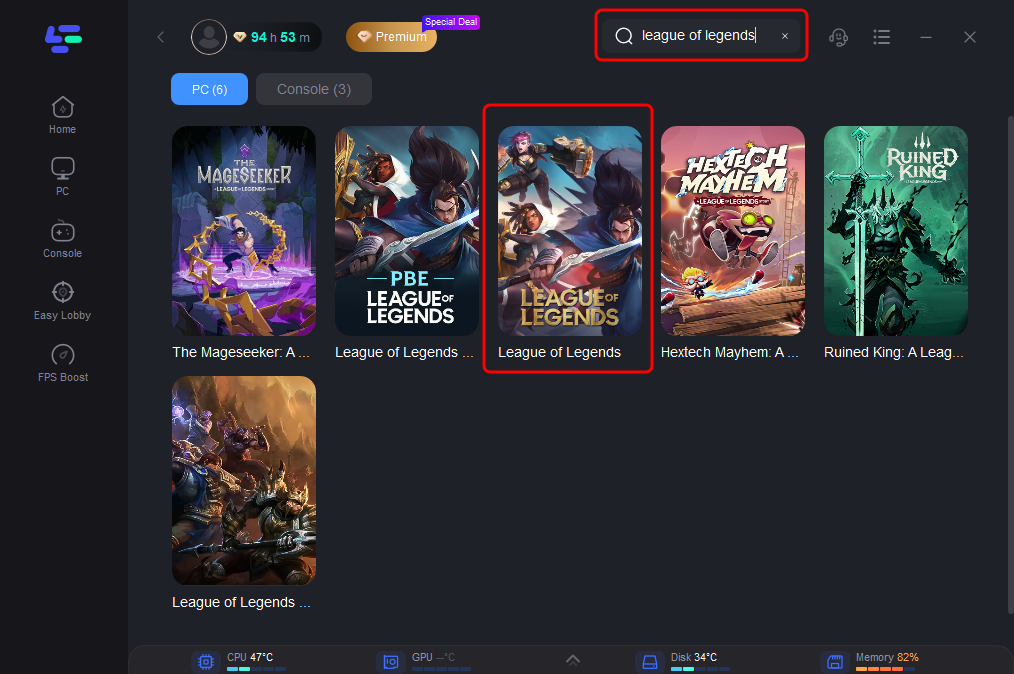
Step 2. Open the app and search for League of Legends.
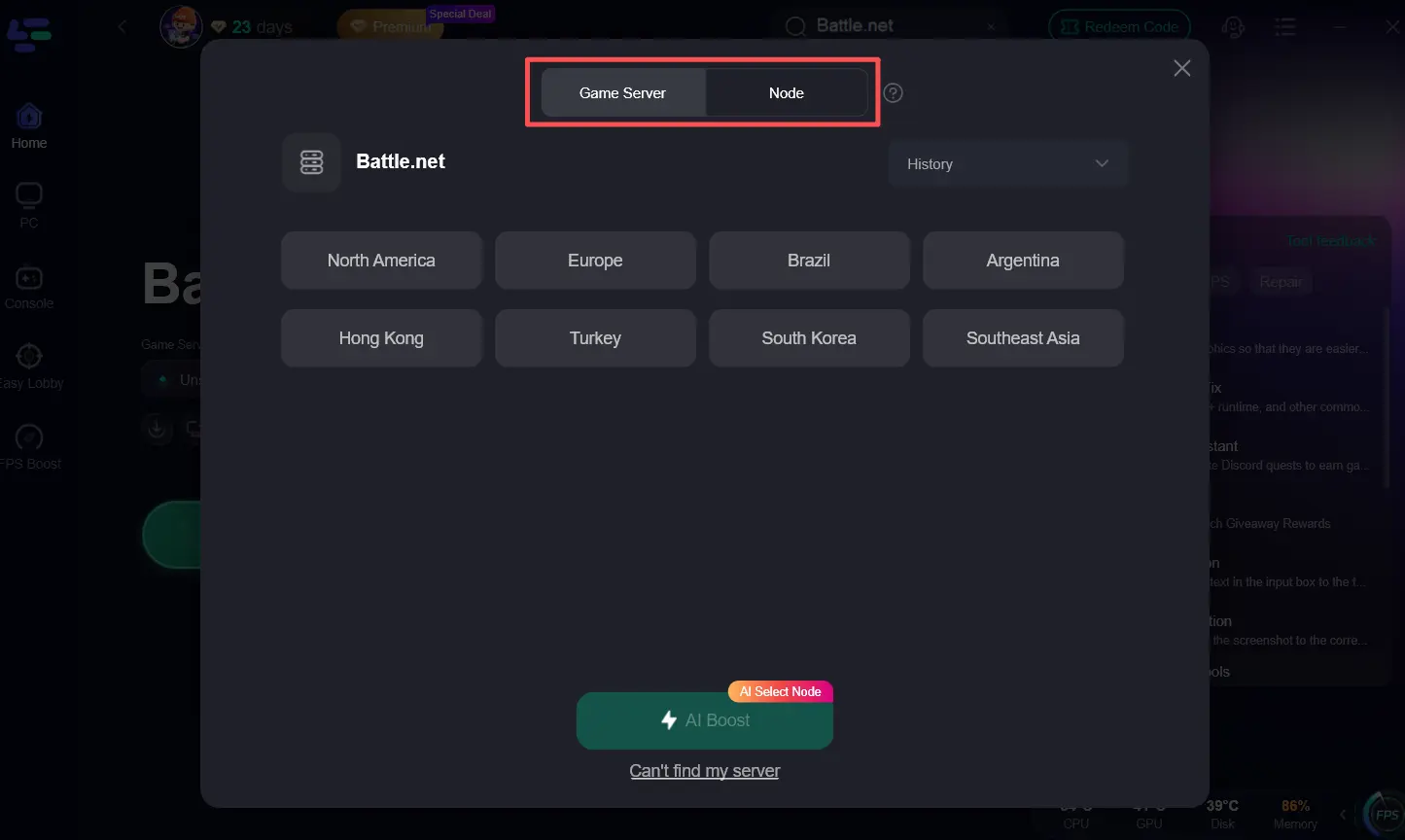
Step 3. Select your desired server and node and click AI Boost. LagoFast will optimize your network and PC resources automatically in the background.
Step 4. Finally, click Start Game to play the game with a good experience.
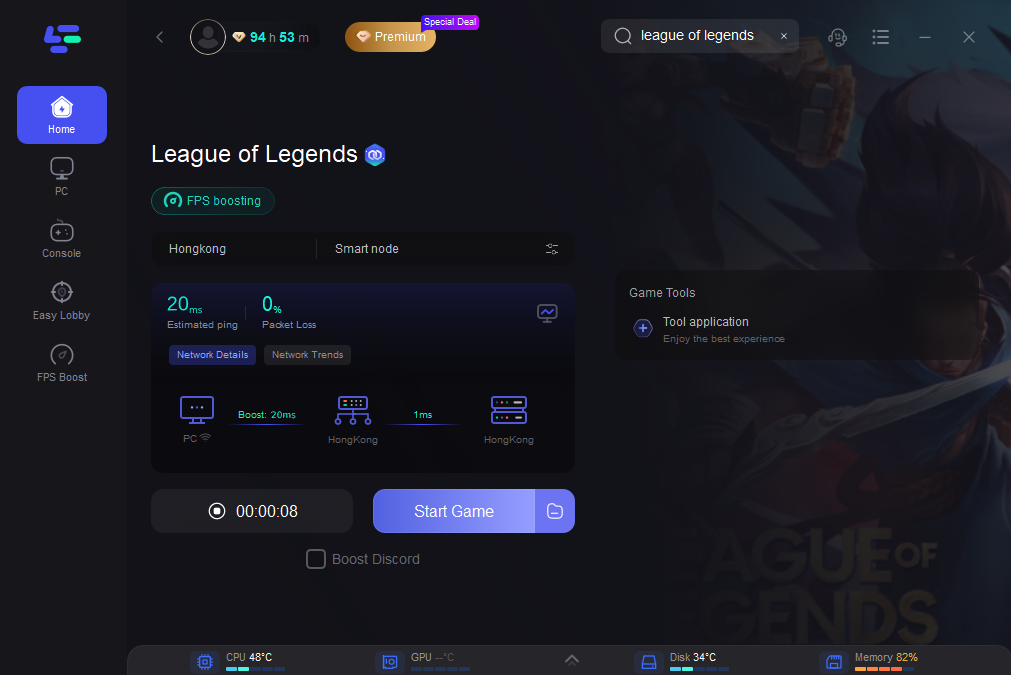
If your FPS is stable but champions teleport, abilities register late, or your character rubberbands, the issue is likely network-related rather than a graphics problem.LagoFast can also help you fix League Classic Ping Spikes and lag.
Other Ways to Fix League of Legends Classic FPS Drops
If League Classic stuttering or low FPS persists, the other fixes below address the most common causes, including Riot Client settings, outdated drivers, graphics options, and background applications.
Solution 1. Restart Riot Client and PC
Sometimes the Riot Client or background processes continue running after previous game sessions, consuming unnecessary system resources. A full restart refreshes these processes and clears temporary memory usage, which may resolve random FPS drops or stuttering.
Best for:
- FPS drops after playing several matches
- Random stuttering
- Client becomes sluggish
Solution 2. Update GPU Drivers
Even though League of Legends relies more on CPU performance than GPU power, outdated or incompatible graphics drivers can still cause frame pacing issues, stuttering, or FPS drops after Windows or game updates. Installing the latest NVIDIA, AMD, or Intel graphics driver can improve compatibility and stability
Solution 3. Lower Shadows and Effects
Visual effects and shadows are among the most demanding graphics options in League. During large teamfights, lowering these settings can significantly reduce CPU workload and help maintain a more stable frame rate.
Recommended for:
- FPS drops during 5v5 teamfights
- Older CPUs
- Mid-range gaming laptops
- Players frequently report that lowering Effects Quality and Shadows improves performance during heavy combat.
Solution 4. Disable Riot Client Hardware Acceleration
Hardware acceleration in the Riot Client can sometimes increase CPU or GPU usage, especially on certain AMD systems. Disabling this option has helped some players reduce stuttering and improve overall responsiveness
Solution 5. Reduce Mouse Polling Rate
If League Classic only stutters while moving your mouse or camera, your mouse polling rate could be contributing to higher CPU usage. Lowering it from 4000 Hz or 8000 Hz to 1000 Hz may improve frame stability without affecting gameplay responsiveness.
Solution 6. Close Background Programs
Applications such as Discord overlays, browsers, RGB software, recording tools, or third-party overlays can consume CPU and memory resources while League is running. Closing unnecessary background programs before launching the game can improve frame consistency and reduce random FPS drops
Solution 7. Use Fullscreen Mode
Fullscreen mode gives League more direct control over rendering than Borderless mode on many systems, helping reduce frame pacing issues and improving overall smoothness. If you frequently experience stuttering after Alt+Tab or while using a second monitor, switching to Fullscreen mode is worth trying.
Best Graphics Settings for Stable FPS in League Classic
If your PC struggles to maintain a stable frame rate, optimizing your in-game graphics settings can significantly improve performance without sacrificing the overall gameplay experience. The settings below are widely recommended for maintaining stable FPS, especially during large teamfights where League Classic places the highest load on your CPU.
|
Setting |
Recommended Option |
Why It Helps |
|
Display Mode |
Fullscreen |
Reduces rendering overhead and improves frame stability. |
|
Resolution |
Native resolution |
Maintains image clarity while avoiding scaling issues. |
|
Frame Rate Cap |
Match your monitor refresh rate (60/120/144/165/240 FPS) |
Prevents unnecessary GPU usage and keeps frame times more consistent. |
|
Character Quality |
Medium |
Preserves champion visibility with minimal performance impact. |
|
Effects Quality |
Low |
Reduces CPU workload during ability-heavy teamfights. |
|
Shadows |
Very Low or Off |
One of the most effective settings for improving FPS. |
|
Anti-Aliasing |
Off |
Lowers GPU usage and improves frame consistency on lower-end hardware. |
Why Does League Classic Stutter Even at High FPS?
High FPS doesn't always mean smooth gameplay. In League Classic, you may still experience micro stuttering, choppy movement, or input delay even at 150 - 200 FPS. That's because FPS measures the average frame rate, while smoothness also depends on stable frame times and consistent system performance. Riot has explained that average FPS alone can be misleading, because it doesn't reflect brief frame-time spikes that players actually notice during gameplay.
Common reasons League Classic may stutter even at high FPS include:
- Unstable frame times, causing inconsistent frame delivery.
- High CPU usage from Riot Client or background applications.
- Mouse polling rates of 4000 Hz or 8000 Hz increasing CPU overhead.
- Heavy teamfights, where multiple champion abilities and visual effects place extra load on the CPU.
- Overlay software or recording tools interfering with rendering.
FAQs on League Classic FPS Issues
What is FPS?
FPS (Frames Per Second) measures how many images your PC renders every second. In general, a higher FPS makes gameplay appear smoother and more responsive. However, FPS alone doesn't determine how smooth a game feels; stable frame times are equally important.
Why does League Classic lag even at 200 FPS?
If you're getting 200 FPS but the game still feels laggy, the problem is likely frame-time instability, CPU bottlenecks, background applications, or input latency rather than low FPS itself. This is why many players experience micro stuttering even on high-end gaming PCs.
Why do FPS drops only happen during teamfights?
Teamfights require your CPU to process multiple champion abilities, visual effects, animations, and game logic simultaneously. As CPU usage increases, FPS may suddenly drop or become inconsistent, especially on older processors or systems running background applications. Riot engineers have also noted that teamfights are one of the most common scenarios where performance issues become visible.
Is League Classic more CPU-intensive than modern League?
Like the current version of League of Legends, League Classic relies heavily on CPU performance. Although the visuals are simpler, large teamfights, multiple particle effects, and background processes can still create significant CPU load, making processor performance more important than GPU power in many situations.
Should I cap my FPS in League Classic?
Yes, in many cases. Capping your FPS to match or slightly exceed your monitor's refresh rate (such as 144 FPS for a 144 Hz display) can improve frame consistency, reduce unnecessary CPU/GPU usage, and minimize micro stuttering compared with running uncapped FPS.
Conclusion
League of Legends Classic FPS drops and unstable frame rates can quickly ruin a match. By identifying whether the issue is caused by graphics settings, CPU load, frame-time instability, or network conditions, you can apply the right fix and enjoy much smoother gameplay.
With over 8 years of routing optimization experience and trusted by 100M+ gamers worldwide, LagoFast helps stabilize FPS, reduce ping, and deliver a smoother League Classic gaming experience. Try LagoFast for free today!

Boost Your Game with LagoFast for Epic Speed
Play harder, faster. LagoFast game booster eliminates stutter and lags on PC, mobile, or Mac—win every match!
Quickly Reduce Game Lag and Ping!
Boost FPS for Smoother Gameplay!