
Forza Horizon 6 appears to be up right now, but players have also reported recent login, matchmaking, and Xbox Network-related issues, so if you can’t get online, the next move is to check whether it’s a wider outage or just your setup.
If your game launches but online freeroam, matchmaking, leaderboards, or tuning won’t load, that usually means one of three things: a temporary service issue, an Xbox Network problem, or a local account/network issue on your side.

- ✅ Lower ping and fewer disconnects.
- ✅ More FPS and better PC performance.
- ✅ Support for 3000+ games.
- ✅ Stable connections and region switching.
Is Forza Horizon 6 down right now?
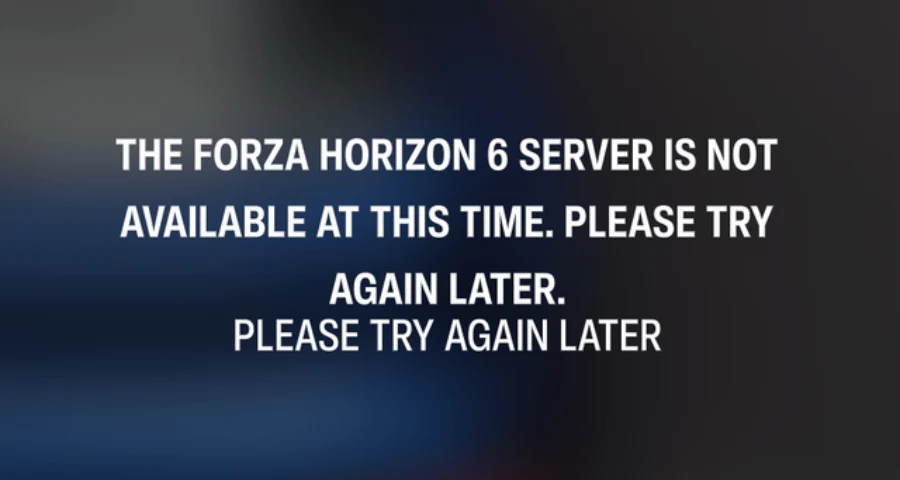
Probably not for most players, but some players report FH6 was down or unstable. When you see that kind of split, it usually means one of these is happening:
outages are intermittent rather than total
a specific region is having problems
Xbox services are having issues
only certain online features are failing
your account session, update state, or network path is the real problem
That matters because FH6 can look “up” overall while specific features still break. Matchmaking, login, leaderboards, tuning, or online convoy/freeroam can fail even if the game itself opens normally.
Quick fix connection issues with LagoFast Game Booster
If you have exhausted manual troubleshooting and are still asking, "Why do I keep disconnecting from FH6?", it is time to utilize a professional network optimization tool. LagoFast Game Booster is specifically designed to tackle the complex routing and protocol issues that plague games like Forza Horizon 6.
LagoFast goes beyond simple VPNs by utilizing a proprietary multipath connection technology. This means it simultaneously routes your game data through multiple optimal paths. If one node experiences packet loss or congestion, LagoFast instantly switches to a stable path, preventing the dreaded disconnect screen. Furthermore, LagoFast includes a one-click fix for the notorious PC Teredo issues, automating the complex command-line processes mentioned earlier.
How to Use LagoFast Game Booster
Step 1: Click the Free Trial button to download and install LagoFast.
Step 2: After installation, search "Forza Horizon 6" in the search bar and select the game.

Step 3: Choose your preferred server node and click "Smart Boost" to start optimizing.

Step 4: Launch your game and enjoy smooth, optimized gameplay with lower ping and no stutter.
What should you check first if FH6 won’t connect?
Check Xbox service health first.
That’s the fastest way to separate a real platform-side problem from a local one. If Xbox services are degraded, FH6 online features may fail even though the game servers themselves look fine on community trackers.
After that, check live outage trackers for report spikes, then scan community posts to see whether players are reporting the same exact symptom.
A good order is:
Check the official Xbox service health page.
Check live outage trackers like Gamebezz, OutageScope, and IsMyGameDown.
Look at recent player reports on places like the Steam community or Reddit.
Why does Forza Horizon 6 seem down when it isn’t?
Usually because the problem is only hitting one part of the online stack.
Common causes, in order of how often they tend to matter:
Xbox Network issues
If Xbox account services, sign-in, or multiplayer services are unstable, FH6 can fail to connect even if its own servers are technically available. Recent reporting around Xbox Network issues lines up with the kind of symptoms players have been seeing.
Peak-hour congestion or heavy player volume
Player reports suggest things can get worse during busy hours. That doesn’t always mean the servers are fully down. It can mean slower matchmaking, disconnects, or failed joins.
Outdated game version
This is an easy one to miss. One player reported that after restarting their console, they found a pending 1.15 GB update and the connection issue was fixed. If you’re on an older build, online compatibility can break.
Frozen Xbox sign-in session or bad tokens
A stuck sign-in session can make the game think you’re offline. Re-signing into your Xbox account is one of the better quick fixes when everything else looks normal.
Firewall or antivirus blocking FH6 on PC
On PC, security software can block the game’s inbound or outbound connections. That can create the exact same symptoms as a server outage.
Regional routing instability
This is the main one to keep in mind if you’re outside the regions most trackers focus on, including Russia. The status checks are still useful, but you may also be dealing with a route problem between you and Xbox/FH6 services rather than a global outage.
How do you quickly tell if it’s global or just you?
Use this shortcut:
Xbox status shows problems: stop troubleshooting FH6 itself and wait or retry later
Trackers show a spike and community posts are piling up: likely a wider issue
Everything looks normal but you still can’t connect: it’s probably local, account-related, update-related, firewall-related, or route-related
Only one feature fails, like leaderboards or tuning: likely partial service trouble rather than a full server outage
What should you try first to get back online?
Start with the basics in this order:
Restart your PC or Xbox.
Check for a pending FH6 update.
Sign out and back into your Xbox account.
Test online features again.
If you’re on PC, confirm the game is allowed through your firewall and antivirus.
If the game looks up everywhere but your connection is unstable, laggy, or inconsistent by region, a route-focused fix can help more than repeating restarts.
Step-by-step fixes for PC and Xbox
Restart your device completely
Do a full restart, not just a quick suspend/resume. This clears temporary network and sign-in issues.
Check for game updates
Before you do anything complicated, make sure FH6 is fully updated. An outdated build can block online compatibility or throw connection errors that look like server issues.
If you’re on PC through Steam, check your Steam library downloads and game update queue.
Re-sign into your Xbox account
If the sign-in session is stuck, FH6 may fail to authenticate online features.
Try this:
sign out of your Xbox account
close the game fully
sign back in
relaunch the game and retry online modes
Some player reports specifically mention clearing tokens or refreshing the Xbox session when the game incorrectly acts like you’re offline.
Check firewall and antivirus rules on PC
Make sure FH6 is allowed for both inbound and outbound connections. If you recently installed new security software, this is worth checking right away.
A good quick test is to:
open Windows Firewall settings
check allowed apps
make sure Forza Horizon 6 and Xbox-related services are not blocked
review antivirus network protection or web shield rules
Retry on a stable network
If possible, switch from weak Wi‑Fi to wired Ethernet, or at least restart your router once after confirming there is no wider outage.
For Russia-based players, this matters a bit more because routing instability can look like random server drops even when global status pages say the game is operational.
Test which features actually fail
This helps narrow the issue down fast.
Check whether you can:
log in
enter online freeroam
matchmake into races
open leaderboards
access tuning/downloads
If only one or two of these fail, you’re probably not dealing with a full outage.
When should you stop troubleshooting and just wait?
Stop burning time on local fixes if any of these are true:
Xbox services are degraded
outage trackers suddenly spike
lots of players report the same issue at the same time
multiple online-only features fail at once
At that point, the issue is likely outside your control. Your best move is to wait, retry later, and watch for service recovery

Boost Your Game with LagoFast for Epic Speed
Play harder, faster. LagoFast game booster eliminates stutter and lags on PC, mobile, or Mac—win every match!
Quickly Reduce Game Lag and Ping!
Boost FPS for Smoother Gameplay!