
Palworld, a lively action-adventure survival game by the Japanese studio Pocket Pair, throws players into an open world teeming with fantastical creatures called Pals like Pokémon but with a unique twist. In Palworld, you can battle and capture these Pals for all sorts of uses, and here's the exciting part – there are guns, lots of guns! Unlike your typical Pokémon game, Palworld lets you not only wield firearms but also gear up your Pals with the same firepower. In the vast and captivating world of Palworld, the prospect of multiplayer gaming is an enticing one.
However, if you’ve found yourself frustrated by the recurring issue of Palworld multiplayer not working, you’re not alone. In this article, we’ll explore the common problems users face and provide practical solutions to ensure you can fully enjoy the multiplayer features of Palworld.

- ✅ Get Palworld multiplayer to work.
- ✅ Reduce Dedicated Server Lag.
- ✅ Boost FPS at the Same Time.
- ✅ Best Palworld Server Hosting.
- ✅ Quick Fix to Connection/ Crashing/ Freezing Issue
Part 1: Why Palworld Multiplayer Not Working
To unravel the mystery of why Palworld multiplayer doesn’t work, we must explore potential culprits. Network issues, server problems, or even device-specific complications can contribute to the frustrating experience. Let’s break down these factors and discuss how each one might affect your multiplayer adventures.
- Network Hiccups: Palworld’s multiplayer functionality heavily relies on a stable internet connection, therefore, ensure that your network is robust, and if issues persist, consider troubleshooting your router or contacting your internet service provider.
- Server Glitches: Sometimes, the problem lies on Palworld’s end. Check for any server-related announcements or downtime. Developers often release patches or updates to address such issues, so keeping your game client updated is crucial.
- Device-Specific Challenges: Palworld Xbox multiplayer users may encounter unique challenges. Ensure that your console’s firmware and the game itself are up to date. Sometimes, a simple software update can resolve compatibility issues.
Hot Read: Palworld Guide: Breeding Combos & How to Breed Fusion Pals >
Part 2. Fixing Palworld Multiplayer Not Working Issue
Now that we’ve identified potential causes, let’s delve into practical solutions to fix the Palworld multiplayer not working issue. Follow these steps to enhance your multiplayer experience:
- Update Your Game: Ensure you have the latest version of Palworld installed. Developers regularly release updates to improve performance and address connectivity issues.
- Check Server Status: Visit Palworld’s official website or social media channels for any announcements regarding server status. If there’s ongoing maintenance, patience is key.
- Verify Network Stability: Run a speed test on your internet connection to rule out network issues. Consider using a wired connection for a more stable experience, especially for Palworld Xbox multiplayer.
Adjust Firewall Settings: Sometimes, security software or firewalls can interfere with multiplayer connections. Temporarily disable them and test if the issue persists.
Palworld Xbox Multiplayer Not Working: Tailoring Solutions for Console Players
If you’re specifically dealing with Palworld Xbox multiplayer not working issues, additional steps may be required. Xbox consoles have their nuances, and addressing them effectively can make a significant difference.
- Check Xbox Live Status: Palworld Xbox multiplayer relies on Xbox Live services. Visit the Xbox Live status page to see if there are any ongoing issues affecting multiplayer functionality.
- Restart Your Console: A simple restart can often resolve minor glitches. Power down your Xbox, unplug it for a few seconds, and then restart.
- Reinstall Palworld: If all else fails, consider reinstalling Palworld on your Xbox. Corrupted game files can sometimes cause multiplayer issues.
Hot Read: How to Create & Set up a Dedicated Server Palworld >
Enjoy a Smooth Gaming Experience Palworld with the best Gaming VPN - LagoFast
If you want to take your Palworld experience to the next level, try using mods like Visible Pal Capture Counter and AlwaysFastTravel to enhance gameplay freedom and convenience. You can easily explore and enjoy many mod-supported games directly through LagoFast, giving you more ways to play the way you like.
Normally, various game issues like lag, high ping, and stuttering tend to occur in multiplayer mode. To fix these problems and ensure a seamless gaming experience in Palworld, we highly recommend LagoFast. It stands out as an all-in-one game optimization tool that simplifies the process of boosting performance, reducing ping, and stabilizing your network connection. LagoFast also helps you switch to the best servers effortlessly while boosting FPS for smoother, more competitive gameplay.
- Effectively fix Palworld’s black screen
- Fix EOS errors quickly & Easily
- Fix Palworld Server Connection Timed Out
- Best Palworld Dedicated Server hosting
- No server lag With Smart servers and route
- Exclusive routes with global coverage
- Support a Free trial
Follow the detailed tutorial to use LagoFast and enjoy a smooth gaming experience:
Step 1: Go to the official website of LagoFast and click on Free Trial Download.
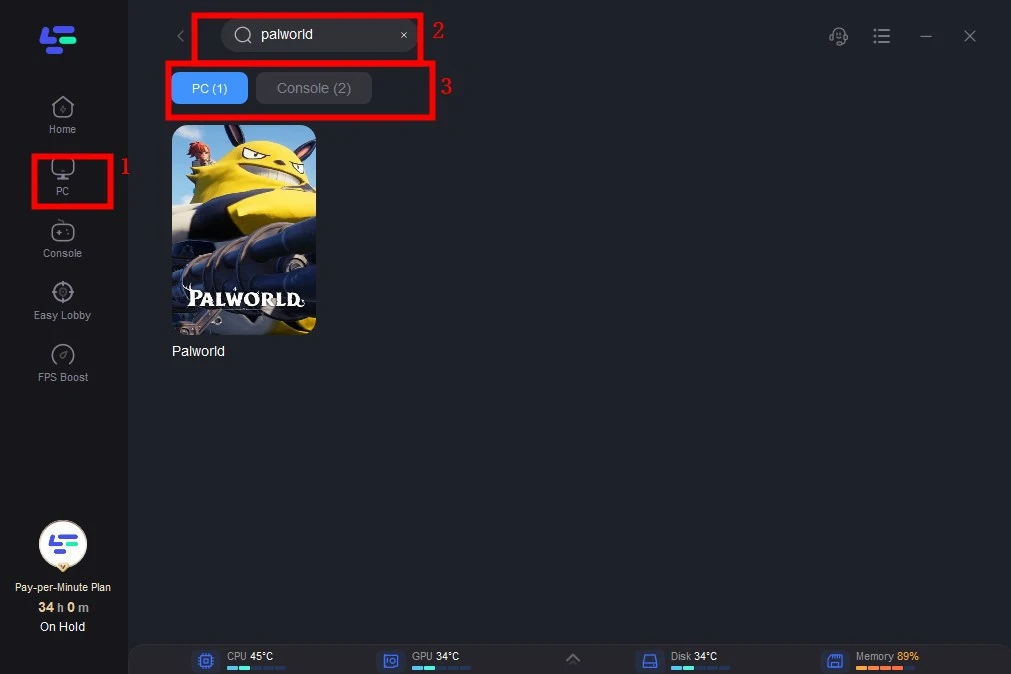
Step 2: Before you start playing Palworld, you should search for it in LagoFast, then click the Game Boost button to explore more features.
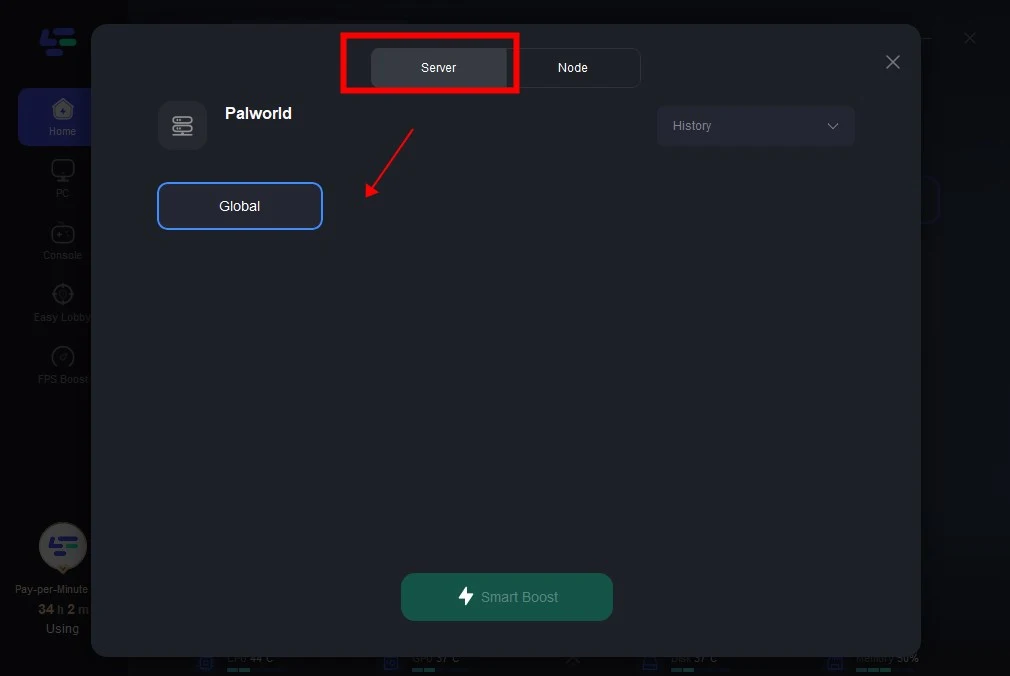
Step 3: Click on Select Server to choose a stable server, then click on the Node on the right, you can also select a connected stable Node, then Click the Smart Boost button.
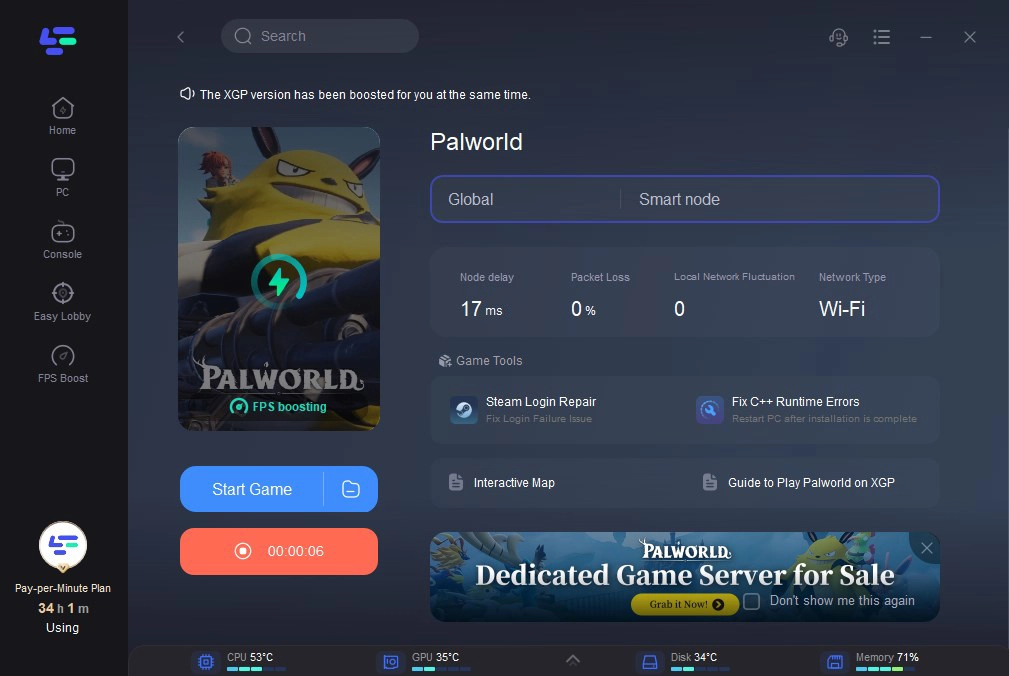
Step 4: By clicking the Smart Boost button, the specific Game ping, Packet Loss, and Network Type are presented on the right side. Finally, click the Start Game button to play Palworld.
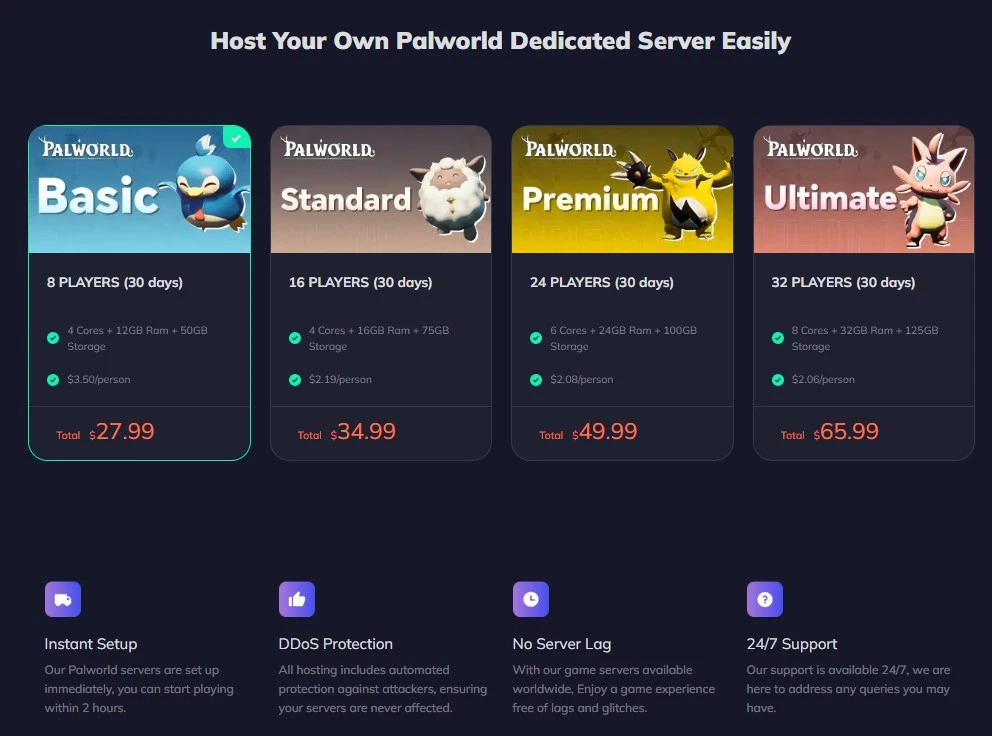
Bonus Tips: Host Your Own Palworld Dedicated Server Easily
LagoFast is not just a renowned gaming VPN in ensures a seamless gaming experience., it is also a top-rated Palworld server hosting provider, that provides a server lag-free for Palworld players. Check out the benefits below:
- Simple and easy to use
- Super Quick Setup
- Advanced DDoS protection
- Great performance by Powerful Hardware
- Low latency with Worldwide Locations Selected
- Mod Support, Mod the server you like
- Automatic Cloud Backups
- 24/7 Support via Discord/Ticket
- Lower Price
- 8+ years of experience in helping gamers have a better game experience
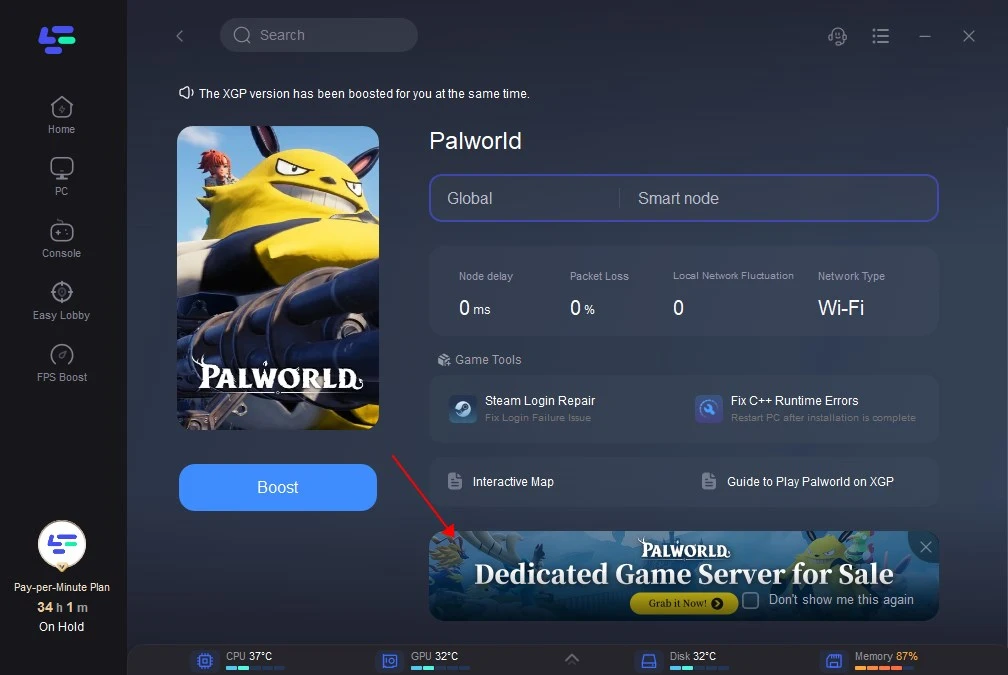
Or you can find the link in the Client app:
Conclusion
In conclusion, Palworld multiplayer not working is a common error, but armed with the right knowledge, you can overcome these challenges. By understanding the potential causes, following the outlined troubleshooting steps, and implementing bonus tips, LagoFast, you’ll be on your way to unlocking seamless multiplayer adventures.
- ✅ Get Palworld multiplayer to work.
- ✅ Reduce Dedicated Server Lag.
- ✅ Boost FPS at the Same Time.
- ✅ Best Palworld Server Hosting.
- ✅ Support 2000+ Popular Online Games.

Boost Your Game with LagoFast for Epic Speed
Play harder, faster. LagoFast game booster eliminates stutter and lags on PC, mobile, or Mac—win every match!
Quickly Reduce Game Lag and Ping!
Boost FPS for Smoother Gameplay!