The Planet Crafter Lag Reducer
The Planet Crafter Overview
Planet Crafter is a multiplayer space survival game where players transform inhospitable planets into habitable ones through terraforming. Players survive, gather resources, and build bases while generating oxygen, heat, and pressure to create a new biosphere. Terraforming involves deliberately altering a planet's atmosphere, temperature, and ecology to resemble Earth's environment, enabling Earth-like life to thrive. The goal is to increase the Terraformation Index by building Machines that enhance oxygen, heat, pressure, and eventually biomass with plants, insects, and animals. As the Index rises, new technologies unlock, requiring a balance of activities to access all items. To operate terraformation machines, players need power generators scattered across the map. Each machine adds to the power requirement, and if demand exceeds supply, operations halt until power production surpasses requirements.
In The Planet Crafter, dealing with issues such as high ping, server lag, and packet loss can seriously spoil the fun. Come with us as we delve into The Planet Crafter's universe and find the best The Planet Crafter lag reducer to reduce lag and lower high ping, guaranteeing a smooth and unforgettable gaming adventure.

The Reasons Why You Encounter Game Lag in The Planet Crafter
- Network Issues: Poor internet connection, high ping, or unstable server connections can lead to lag.
- Hardware Limitations: Insufficient hardware resources such as low RAM, outdated graphics cards, or slow processors can result in lag.
- Background Processes: Other applications running in the background consuming system resources can cause lag by competing with the game for resources.
- Server Performance: If playing multiplayer, server overload or inefficiency can cause lag for all players connected to it.
- Software Optimization: Poorly optimized game code or bugs within the game itself can lead to performance issues and lag.
Identifying and addressing these issues can help reduce or eliminate lag in The Planet Crafter, ensuring a smoother gaming experience.
The Best Planet Crafter Latency Reducer & Booster
Ensure a seamless gaming experience effortlessly with the top-notch Planet Crafter Game Booster - LagoFast. LagoFast serves as your ultimate solution for optimizing performance, guaranteeing flawless execution of every gaming moment. Utilizing advanced technology, LagoFast swiftly identifies and eradicates latency issues, providing lightning-fast responsiveness and unmatched smoothness. Beyond mere lag reduction, LagoFast excels at resolving various game-related issues by enhancing data pathways, optimizing performance, and maintaining network stability, ensuring uninterrupted gameplay. Moreover, it stabilizes connections and minimizes delays, particularly beneficial for multi-server gaming. LagoFast also adjusts device settings to prevent glitches and screen tearing, delivering optimal frame rates and seamless gameplay. Easy to use and cost-effective, LagoFast is dedicated to enhancing players' gaming experiences by addressing any gaming hurdles. Elevate your gaming journey with the premier Planet Crafter Game Booster - LagoFast.
The main features of LagoFast include:
- Effective Latency Reduction
- Wide Range of Supported Games over 1000+
- An accurate real-time ping test performed
- Easy to use
- Greatly increase FPS
- Support a Free trial
Guide to Use LagoFast to Fix Lag and Enjoy a Seamless Gaming Experience
As an excellent VPN service, LagoFast is great at fixing many problems. Now, let's go through how to use this awesome game booster in The Planet Crafter.
Step 1: Click Free Trial to install LagoFast.
Step 2: Click the Game Boost Button on the left and search “The Planet Crafter” in the top search bar.
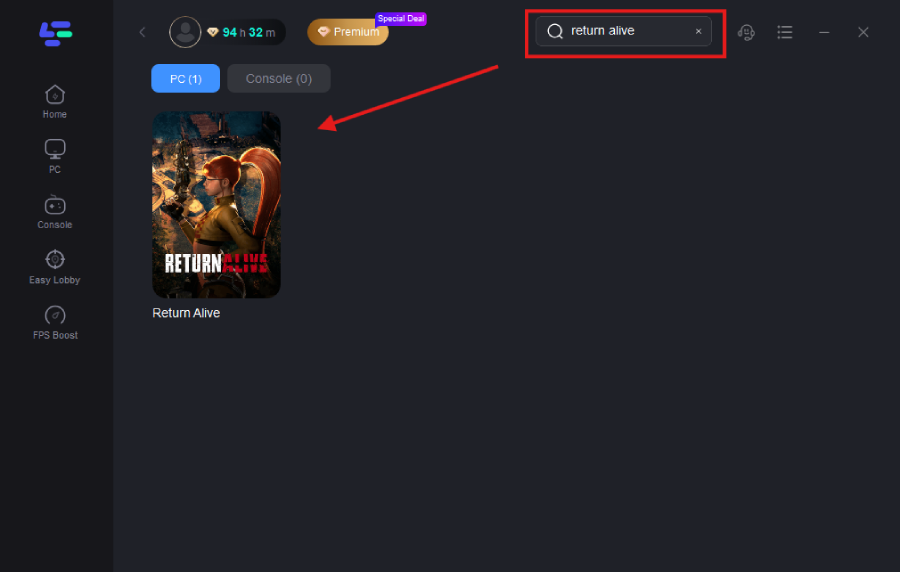
Step 3: Click on Select Server to choose a stable server and node for your region
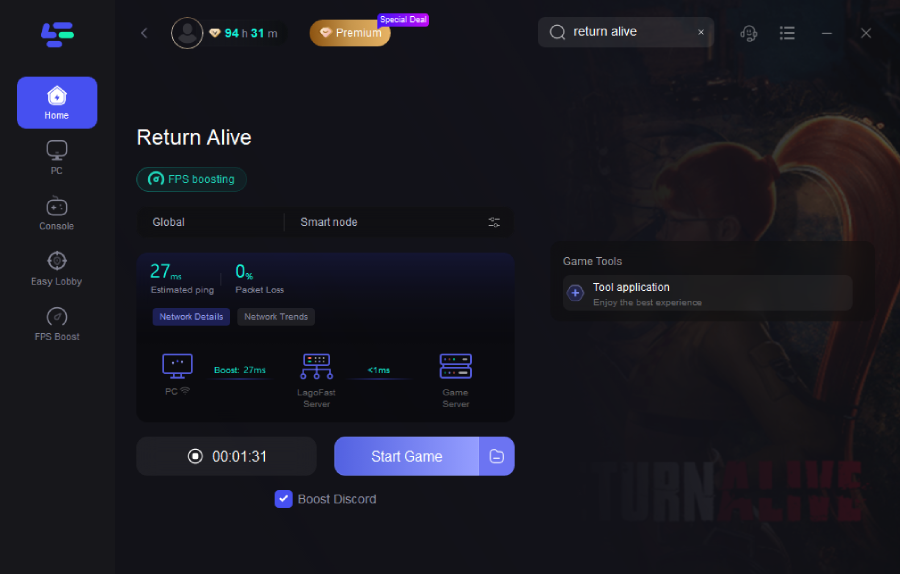
Step 4: Click boost, and then it will show you the real-time ping & packet loss rate.