
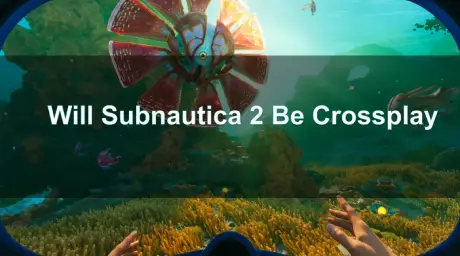
Quick Answer: Does Subnautica 2 Support Crossplay?
Yes, Subnautica 2 fully supports crossplay. Developer Unknown Worlds has confirmed that the game features full cross-platform multiplayer. Since the game is launching in Early Access (scheduled for May 14, 2026) on both PC and Xbox Series X|S, players on those platforms can dive into the same session seamlessly.
For years, fans of the underwater survival franchise have explored the terrifying depths of alien oceans alone. With the upcoming release of Subnautica 2, Unknown Worlds Entertainment is finally introducing official multiplayer co-op. This highly anticipated feature allows up to four players to build bases, gather resources, and face leviathans together. This guide provides a deep dive into Subnautica 2's crossplay capabilities, cross-progression support, platform availability, and essential tips for optimizing your multiplayer experience.

- ✅ Reduce Lag and High Ping.
✅ Boost FPS at the Same Time.
✅ Support 2000+ Popular Online Games.
✅ Change Server without Latency.
✅ Boost Game Loading Speed. - ✅ Fix Game Stuttering Issues
Part 1: What is Subnautica 2 Crossplay & Why It Matters
Part 2: Does Subnautica 2 Support Cross-Platform Progression?
Part 3: Supported Platforms for Subnautica 2
Part 4: Important Limitations to Keep in Mind
Part 5: Network and Latency Optimization
Part 6: How to Enhance Your Game Experience with LagoFast Game Booster
Part 1: What is Subnautica 2 Crossplay & Why It Matters
Crossplay, or cross-platform play, is a feature that allows players on different gaming hardware to play the same game together simultaneously. In the context of Subnautica 2, this means a player on a high-end gaming PC can team up with a friend playing on an Xbox Series X console without any barriers.
The importance of crossplay in modern gaming cannot be overstated. It breaks down hardware silos, unifying the player base and ensuring that friends can play together regardless of their preferred platform. For a survival game like Subnautica 2, where building complex bases and exploring vast, dangerous biomes are core mechanics, having a reliable team can significantly enhance the experience. Crossplay ensures that you are not restricted to finding co-op partners who own the exact same system as you, vastly expanding your pool of potential crewmates.
Related Article: Is Subnautica 2 Multiplayer? Co-Op, Crossplay, Platforms & Multiplayer Details
Part 2: Does Subnautica 2 Support Cross-Platform Progression?
Understanding the distinction between crossplay and cross-progression is crucial for players who utilize multiple devices.
Crossplay (Cross-Platform Multiplayer)
As confirmed by the developers, Subnautica 2 features robust crossplay support. The game utilizes a built-in friends list system, allowing you to easily invite players across different platforms. You can convert a single-player save into a multiplayer session dynamically, or start a fresh co-op world. The multiplayer is entirely optional, preserving the classic, isolating single-player experience for those who prefer it.
Cross-Progression (Cross-Save)
Subnautica 2 also supports cross-progression. By linking your game to an Unknown Worlds account and enabling cloud saves, your character progression, inventory, base blueprints, and research data will synchronize across platforms. This means you can scan a new blueprint on your PC and have it available when you log into your Xbox session later.
Part 3: Supported Platforms for Subnautica 2
At its Early Access launch, Subnautica 2 is confirmed to support the following platforms:
- PC (Steam): The primary platform for many PC gamers, offering full crossplay and cross-progression support.
- PC (Epic Games Store): Players purchasing the game through Epic will have the same multiplayer capabilities as Steam users.
- Xbox Series X/S: Microsoft's current-generation consoles are fully supported, allowing console players to join their PC counterparts.
Currently, there is no official confirmation regarding a PlayStation 5 release at launch, though it remains a possibility for the future full release.
Part 4: Important Limitations to Keep in Mind
While the addition of multiplayer is exciting, there are a few limitations and technical aspects players should be aware of:
- Player Cap: The co-op mode is limited to a maximum of four players per session.
- Resource Sharing: Resources in a multiplayer world are shared. This means friends can take items from your storage, which requires good communication to avoid accidental theft of valuable materials.
- No PvP: The developers have explicitly stated that there is no Player vs. Player (PvP) combat. The focus is entirely on cooperative survival.
- Xbox Live Gold Requirement: Xbox players will need an active Xbox Live Gold (or Game Pass Core/Ultimate) subscription to participate in online multiplayer.
- Early Access Bugs: As the game is launching in Early Access, players should anticipate potential bugs, such as desync issues in large bases or occasional connection drops.
Part 5: Network and Latency Optimization
Crossplay inherently means connecting with players globally, which introduces potential network challenges. When playing with friends in different regions, latency differences can become noticeable. During peak hours, network fluctuations might cause stuttering, especially when rendering massive custom bases or navigating fast-moving vehicles like the Seamoth. High ping can lead to input delay, causing drift or delayed braking, which is particularly dangerous when trying to evade a Reaper Leviathan.
To ensure a smooth and responsive co-op experience, optimizing your network connection is essential.
Part 6: How to Enhance Your Game Experience with LagoFast Game Booster
If you are experiencing high ping, packet loss, or connection drops while playing Subnautica 2 on PC, using a dedicated game booster can significantly improve your network stability. LagoFast (LagoFast Game Booster - Get No Lag and Lower Ping) Game Booster is an excellent tool designed to optimize gaming traffic and reduce latency.
Here is a detailed guide on how to use LagoFast Game Booster for Subnautica 2:
How to Use LagoFast Game Booster
Step 1: Click the Free Trial button to download and install LagoFast Free Trial.
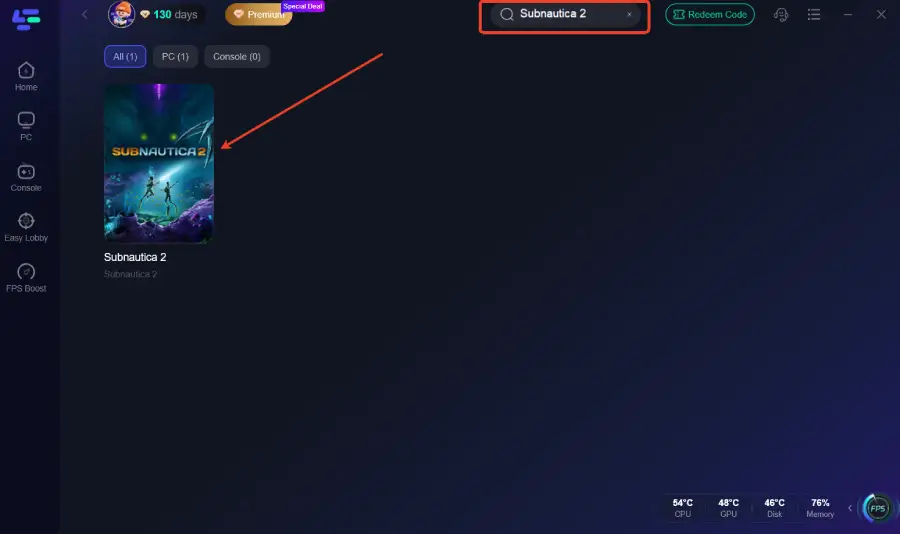
Step 2: Search for the Game: In the search bar at the top of the LagoFast interface, type "Subnautica 2".
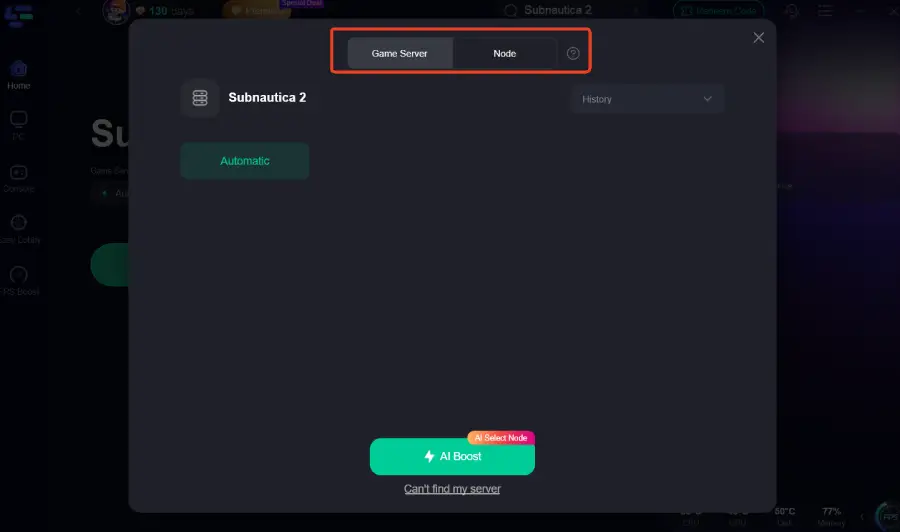
Step 3: Choose a Node: LagoFast will automatically recommend the best server node based on your location and network conditions. You can also manually select a node if you prefer a specific region.
Step 4: Boost: Click the "Boost" button. LagoFast will now optimize your connection, routing your game traffic through its dedicated servers to minimize latency and packet loss.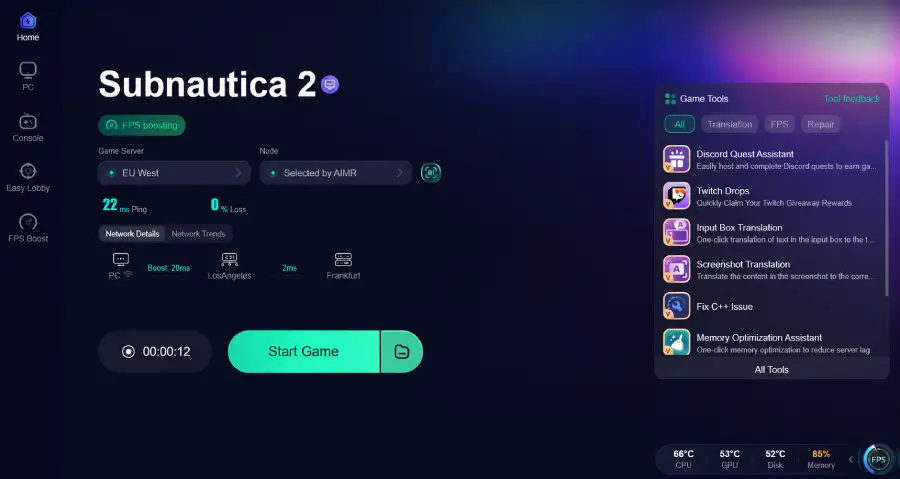
Step 5: Launch Subnautica 2: Once the boost is active, launch Subnautica 2 directly from your game launcher (Steam or Epic Games Store) and enjoy a smoother multiplayer experience.
Part 7: FAQs
Q1: Can I play Subnautica 2 offline?
Yes, Subnautica 2 can be played entirely offline in single-player mode. The multiplayer features are completely optional.
Q2: Will there be split-screen co-op in Subnautica 2?
Currently, there is no official announcement regarding local split-screen co-op. The confirmed multiplayer mode is online only
Q3: Can I transfer my save from the original Subnautica to Subnautica 2?
No, Subnautica 2 is a completely new game with a different map, story, and mechanics. Save files from previous games are not compatible.
Q4: Is Subnautica 2 coming to older consoles like the PS4 or Xbox One?
As of now, Subnautica 2 is only confirmed for current-generation hardware (PC and Xbox Series X/S). It is unlikely to be released on older consoles due to hardware limitations.
Q5: How do I invite friends to my game?
Subnautica 2 features a built-in friends list system. You can invite friends directly through this in-game menu, regardless of which platform they are playing on.
Key Takeaways
Subnautica 2 features full crossplay support between PC (Steam/Epic) and Xbox Series X/S for up to four players.
Cross-progression is supported via an Unknown Worlds account, allowing you to sync your progress across different platforms.
Multiplayer is optional; the game can still be enjoyed as a terrifying, isolating single-player experience.
Optimizing your network connection is crucial for a smooth co-op experience, especially when playing with friends in different regions.

Boost Your Game with LagoFast for Epic Speed
Play harder, faster. LagoFast game booster eliminates stutter and lags on PC, mobile, or Mac—win every match!
Quickly Reduce Game Lag and Ping!
Boost FPS for Smoother Gameplay!