
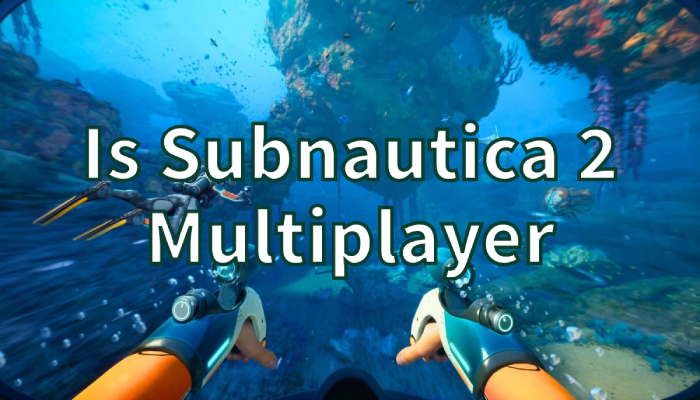
Since the official reveal of Subnautica 2, many players have been asking the same question: is Subnautica 2 multiplayer? The original game focused entirely on solo survival, but the sequel is taking a different approach by adding optional online co-op gameplay. In this guide, we’ll explain how Subnautica 2 co-op works, which platforms are expected to support the game, whether crossplay is available, and how to improve your multiplayer experience.
Quick Answer
Yes, Subnautica 2 will support optional multiplayer co-op for up to four players while still offering a full single-player experience.

- ✅ Reduce Lag and High Ping.
✅ Boost FPS at the Same Time.
✅ Support 2000+ Popular Online Games.
✅ Change Server without Latency.
✅ Boost Game Loading Speed.
Part 1: Is Subnautica 2 Multiplayer?
Part 2: How Subnautica 2 Co-Op Works
Part 3: Subnautica 2 Platforms and Crossplay Explained
Part 4: Bonus Tips: Subnautica 2 Multiplayer Not Working
Part 5: Improve Subnautica 2 Multiplayer and Cross-Platform Gaming with LagoFast
Part 1: Is Subnautica 2 Multiplayer?
If you are wondering “is Subnautica 2 multiplayer?” the answer is officially yes. Unlike the first Subnautica, the sequel introduces online cooperative gameplay for up to four players.
However, the game is not becoming a fully online survival MMO. The developers have confirmed that multiplayer is optional, meaning players can still enjoy the complete adventure alone. This is important for longtime fans who loved the isolated survival atmosphere of the original game.
At the same time, adding co-op gives players a brand-new way to explore alien oceans together, build underwater bases as a team, and survive dangerous environments with friends.
Before jumping into crossplay details, it’s worth understanding exactly how the co-op system works.
Related Article: Subnautica 2 Platforms Guide: Early Access on Xbox, PC, PS5 Status
Part 2: How Subnautica 2 Co-Op Works
Subnautica 2 co-op is designed around small-group survival gameplay. Players can join together in shared worlds and work cooperatively while exploring underwater biomes.
Up to Four Players
Current information shows that multiplayer sessions support up to four players. This creates a balance between teamwork and the tense survival feeling the series is known for.
Players can:
- Explore deep-sea zones together
- Gather crafting materials faster
- Build larger underwater bases
- Coordinate during dangerous encounters
- Share survival responsibilities
Single-Player Still Matters
Many fans also ask: is Subnautica 2 going to be multiplayer only?
The answer is no. Unknown Worlds has made it clear that solo players will still get the full experience. Multiplayer is simply an optional feature rather than the core requirement.
This means you can still:
- Progress through the story alone
- Explore at your own pace
- Build independently
- Experience the classic Subnautica atmosphere
That balance between solo and co-op is one of the biggest reasons players are excited for the sequel.
With multiplayer confirmed, players are naturally curious about platforms and crossplay support.

Part 3: Subnautica 2 Platforms and Crossplay Explained
Another major topic players search for is Subnautica 2 platforms.
Expected Platforms
Based on currently available information, Subnautica 2 platforms are expected to include:
- PC
- Xbox Series X|S
- Potential PlayStation support later
The game is being developed for modern hardware, so older consoles may not be a priority.
Is Subnautica 2 Multiplayer Crossplay?
Right now, full crossplay details are still limited. So if you are asking “is Subnautica 2 multiplayer crossplay,” there is no complete confirmation yet.
Still, many players expect some level of cross-platform functionality because the game is being designed with multiplayer in mind from the beginning.
Is Subnautica 2 Multiplayer Cross Platform?
Similarly, questions like “is Subnautica 2 multiplayer cross platform” are becoming increasingly common.
Although official details are still developing, cross-platform support would allow players on different systems to play together more easily. Since crossplay is now common in modern co-op games, there is a strong chance the developers will continue expanding multiplayer compatibility over time.
As more development updates arrive, players should get clearer answers regarding matchmaking and platform support.
Of course, even the best multiplayer systems can sometimes run into connection problems.
Part 4: Bonus Tips: Subnautica 2 Multiplayer Not Working
If players experience issues related to Subnautica 2 multiplayer not working, several basic troubleshooting methods may help improve stability.
Check for Server Issues
During launches or major updates, multiplayer servers may become overloaded. Always check official announcements for maintenance or outages.
Update the Game
Version mismatches can prevent players from joining multiplayer sessions. Make sure all players install the latest updates before connecting.
Improve Network Stability
Unstable Wi-Fi often causes:
- Lag spikes
- Disconnects
- Matchmaking failures
- High ping
Using a wired Ethernet connection usually improves multiplayer stability.
Close Background Applications
Streaming services, downloads, or browser tabs may consume bandwidth and affect co-op performance. Closing unnecessary applications can reduce lag significantly.
Besides local network problems, unstable routing between players and game servers can also affect multiplayer performance, especially during cross-region sessions. In that situation, using a gaming network optimizer like LagoFast Game Booster may help stabilize server connections, reduce latency, and improve overall co-op smoothness.
To further improve your multiplayer experience, let’s look at how LagoFast works for both PC and console players.
Part 5: Improve Subnautica 2 Multiplayer and Cross-Platform Gaming with LagoFast
Since Subnautica 2 co-op focuses heavily on online teamwork and exploration, maintaining a stable connection is extremely important, especially when playing with friends across different regions or platforms. Problems like lag spikes, packet loss, and unstable routing can quickly affect the multiplayer experience.
If you plan to play long co-op sessions or future cross-platform matches, LagoFast Game Booster can help create smoother and more stable online gameplay.
Why LagoFast Helps Multiplayer Gaming
LagoFast is designed specifically for online multiplayer optimization. It helps improve connection quality between players and game servers, which is especially useful for survival games that rely on stable synchronization during exploration and base building.
Main benefits include:
- Lower ping and latency
- Reduced packet loss during co-op gameplay
- More stable multiplayer server routing
- Faster matchmaking connections
- Better performance during cross-region sessions
- Improved stability for cross-platform gaming
Whether you are teaming up with friends on PC or preparing for possible Subnautica 2 multiplayer cross platform gameplay in the future, stable connectivity can make co-op exploration much smoother.
Another advantage is that LagoFast supports both PC and console acceleration.
How to Use LagoFast on PC
PC players can optimize multiplayer sessions directly through the LagoFast application.
Step 1: Click the Free Trial button to download and install LagoFast.
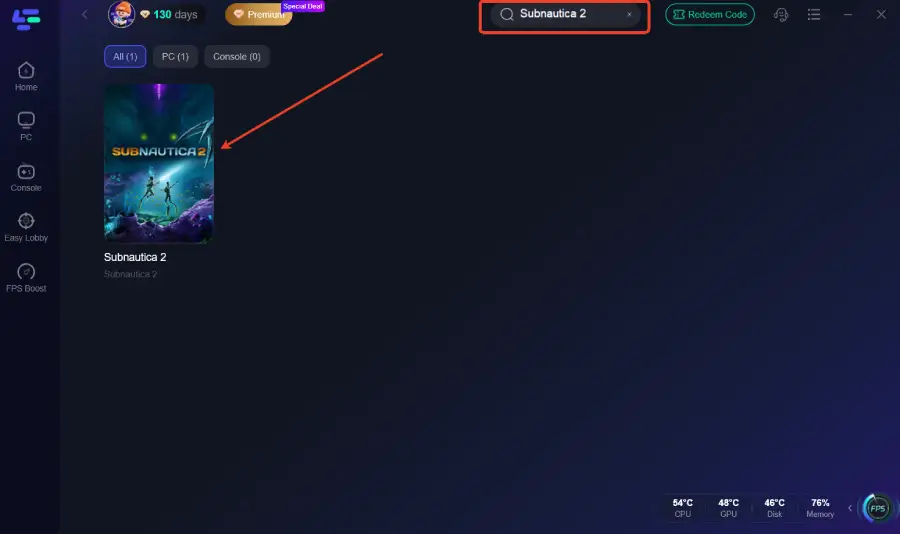
Step 2: Open LagoFast, then click the PC button on the left and search for Subnautica 2 in the search bar, and click it after it appears.
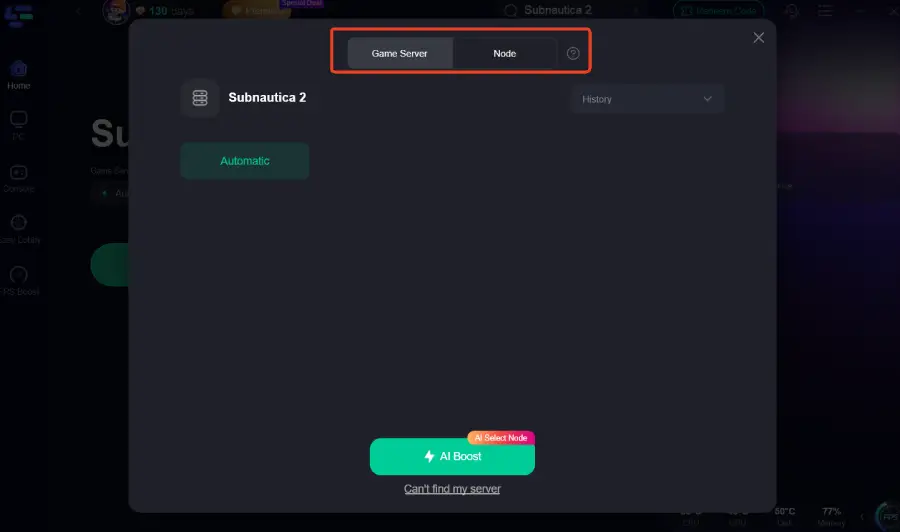
Step 3: Click “Server” to switch to a better server, which can improve the gaming experience. Then click “Smart Boost” to resolve the common issues.
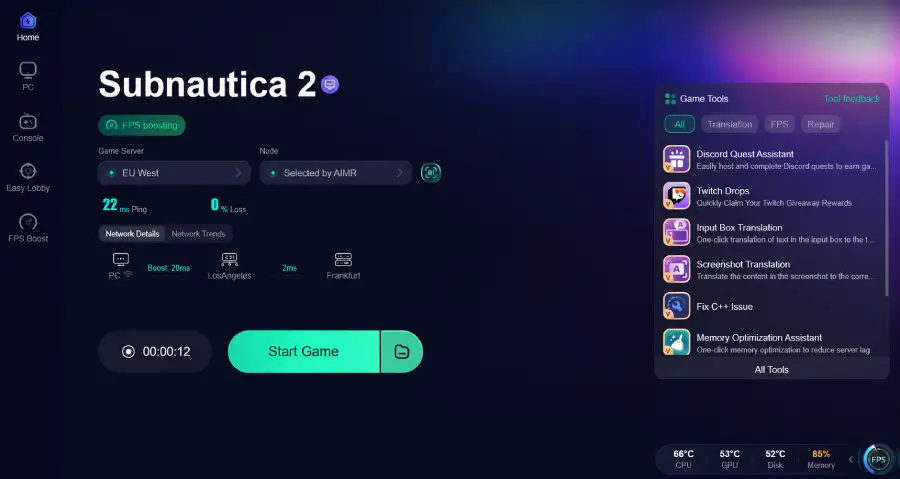
Step 4: Check the specific game ping, packet loss, and multiple path connections on the right side. Finally, click the “Start Game” to play the game.
Conclusion
So, is Subnautica 2 multiplayer? Yes. The game officially supports optional four-player co-op while still keeping the complete single-player experience that made the original game popular.
Subnautica 2 co-op gives players more ways to explore alien oceans together without removing the survival tension and exploration focus fans enjoy. Although questions about crossplay and cross-platform support are still evolving, multiplayer is already shaping up to be one of the sequel’s biggest new features

Boost Your Game with LagoFast for Epic Speed
Play harder, faster. LagoFast game booster eliminates stutter and lags on PC, mobile, or Mac—win every match!
Quickly Reduce Game Lag and Ping!
Boost FPS for Smoother Gameplay!