
Quick Answer
Hell Let Loose: Vietnam screen tearing usually occurs when your game's frame rate is not properly synchronized with your monitor's refresh rate. It can also be caused by disabled V-Sync, incorrect display settings, display synchronization issues, or unstable frame pacing.
To fix screen tearing, try these solutions:
- Enable V-Sync in the game settings.
- Turn on G-Sync or FreeSync if your monitor supports it.
- Cap your FPS to match your monitor's refresh rate.
- Use your monitor's native resolution.
- Update your graphics drivers.
- Switch between Fullscreen and Borderless mode to see which works better.
If you're also experiencing stuttering or lag, optimizing both your display and network settings can help deliver a smoother experience.
Screen tearing can make Hell Let Loose: Vietnam feel far less smooth than it should, especially during fast movement and large-scale battles. In most cases, the issue is caused by display synchronization or graphics settings rather than a hardware problem. This guide explains the most common causes of screen tearing and walks you through the best fixes to help restore a smoother gameplay experience.

- ✅ Reduce Lag and High Ping.
✅ Boost FPS at the Same Time.
✅ Support 8000+ Popular Online Games.
✅ Change Server without Latency.
✅ Boost Game Loading Speed.
Part 1: What Does Hell Let Loose: Vietnam Screen Tearing Mean
Part 2: Common Causes of Hell Let Loose: Vietnam Screen Tearing
Part 3: How to Fix Hell Let Loose: Vietnam Screen Tearing
Part 4: Improve Your Hell Let Loose: Vietnam Experience with LagoFast
Part 1: What Does Hell Let Loose: Vietnam Screen Tearing Mean
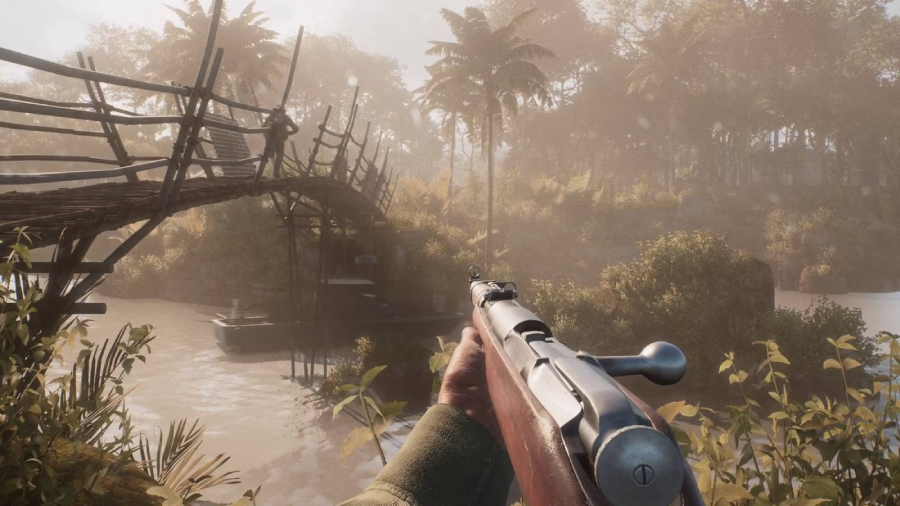
Screen tearing occurs when your monitor and graphics card are not displaying frames at the same pace. As a result, parts of multiple frames can appear on the screen at once, creating a split or broken image during gameplay.
In Hell Let Loose: Vietnam, screen tearing is often easiest to spot when you're turning quickly, scanning the battlefield, or moving through intense combat situations. Common signs include:
- Horizontal lines appearing across the screen
- Split or partially misaligned images during movement
- Visual distortion when rotating the camera
- Gameplay that feels less smooth than it should
Screen tearing is often confused with screen flickering or stuttering. Flickering typically appears as flashing or blinking, while stuttering causes gameplay to freeze or skip frames. Although these issues can look similar, they usually have different causes.
Part 2: Common Causes of Hell Let Loose: Vietnam Screen Tearing
Screen tearing is usually caused by a synchronization issue between your graphics card and monitor, but several factors can contribute to the problem. Some of the most common causes include:
- FPS exceeding your monitor's refresh rate: When the game runs at a much higher frame rate than your monitor can display, tearing becomes more likely.
- V-Sync being disabled: While disabling V-Sync can reduce input lag, it can also allow frames to be delivered out of sync with your monitor.
- Incorrect G-Sync or FreeSync settings: If adaptive sync technology is disabled or not configured properly, screen tearing may still occur.
- Outdated graphics drivers: Older GPU drivers can lead to display instability, compatibility issues, and visual glitches in newer games.
- Incorrect display settings: Using the wrong resolution, refresh rate, or aspect ratio can sometimes cause visual problems that resemble screen tearing.
- Unstable frame pacing: Even with high average FPS, large fluctuations in frame delivery can make gameplay feel less smooth and increase the visibility of tearing.
In many cases, screen tearing is caused by a combination of these factors rather than a single issue, which is why it's worth checking several settings when troubleshooting.
Part 3: How to Fix Hell Let Loose: Vietnam Screen Tearing
If you're experiencing screen tearing, try the following fixes one by one.
Enable V-Sync
V-Sync is one of the most common fixes for screen tearing. It synchronizes the game's frame rate with your monitor's refresh rate, helping prevent image splitting during gameplay.
To enable it:
- Open the game's Graphics settings.
- Find the V-Sync option.
- Turn it on and restart the game.
Enable G-Sync or FreeSync
If your monitor supports G-Sync or FreeSync, make sure the feature is enabled.
Adaptive sync technology helps keep your monitor and GPU synchronized, which can reduce screen tearing and improve visual smoothness.
Cap Your FPS
An uncapped frame rate can increase the chance of screen tearing, especially when FPS is much higher than your monitor's refresh rate.
Try limiting your FPS to match or stay close to your monitor's refresh rate and check whether the issue improves.
Check Your Resolution and Refresh Rate
Make sure the game is running at your monitor's native resolution and refresh rate.
Incorrect display settings can sometimes lead to tearing, flickering, or other visual issues.
Update Graphics Drivers
Outdated graphics drivers can cause display-related problems in newer games.
Install the latest NVIDIA or AMD driver version and restart your PC before testing the game again.
Switch Between Fullscreen and Borderless Mode
Some players report fewer tearing issues after changing the display mode.
Try switching between Fullscreen and Borderless Fullscreen to see which works better on your system.
Part 4: Improve Your Hell Let Loose: Vietnam Experience with LagoFast
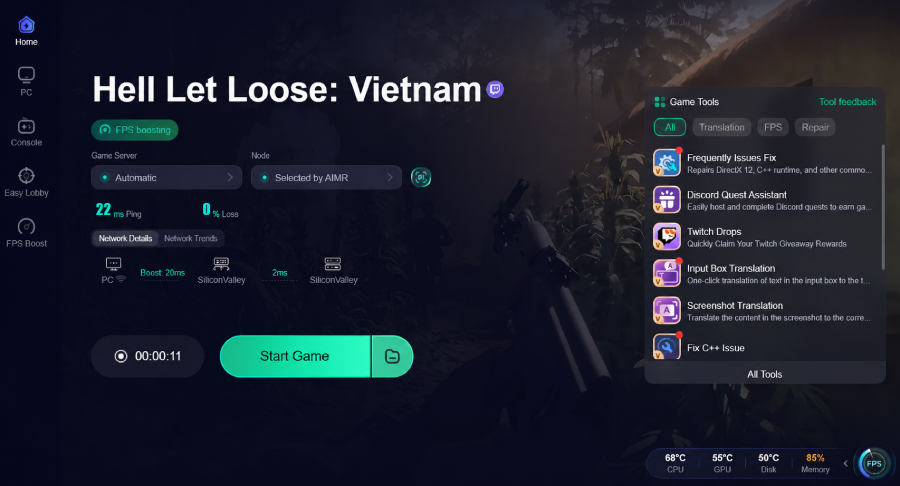
While screen tearing is mainly related to display settings, overall performance and network stability can also impact your gaming experience. If you're experiencing high ping, packet loss, connection spikes, or connection instability in Hell Let Loose: Vietnam, LagoFast can help. Designed specifically for gamers, LagoFast helps lower ping, reduce packet loss, stabilize connections, optimize routing, and improve network performance. It also features FPS Boost to help optimize system resources, along with the Frequently Issues Fix Tool for troubleshooting common gaming problems. Together, these tools can help create a smoother and more stable gameplay experience.
How to Use LagoFast for Hell Let Loose: Vietnam:
Step 1: Click the Free Trial button to download and install LagoFast.
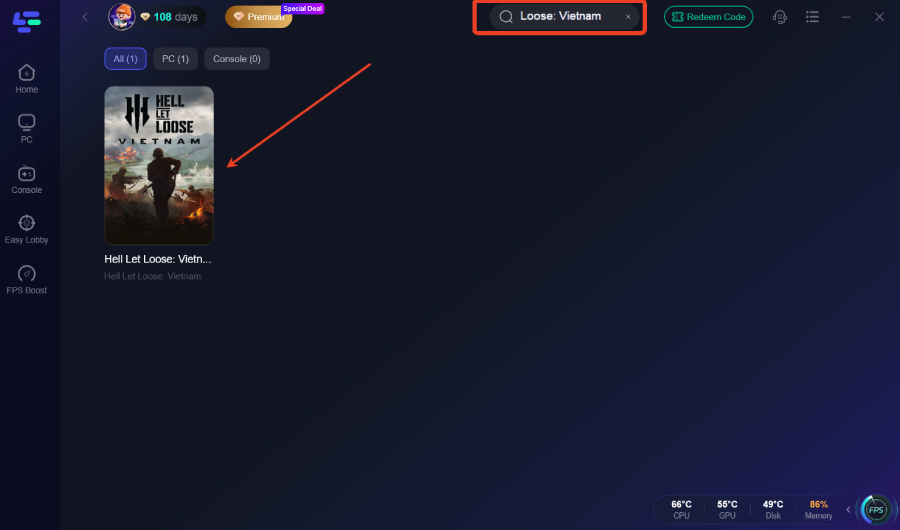
Step 2: After installation, search "Hell Let Loose: Vietnam" in the search bar and select the game.
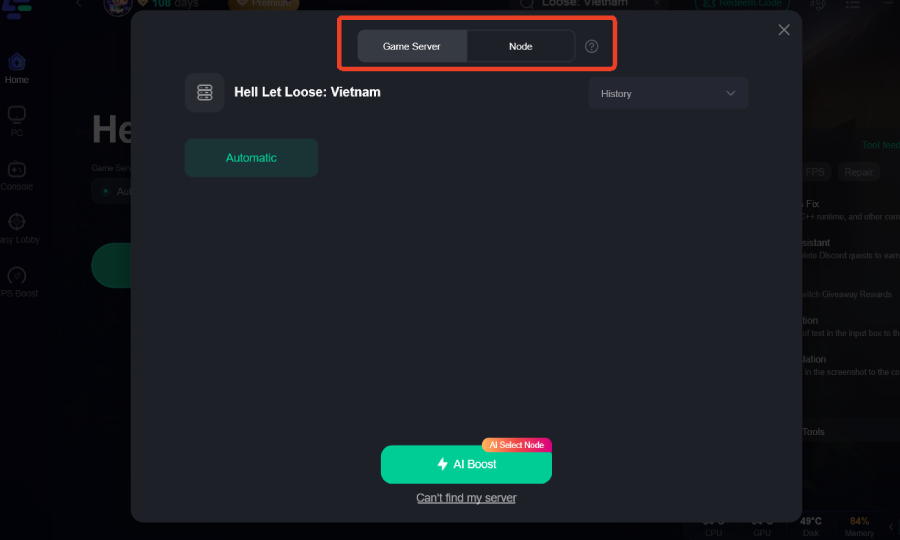
Step 3: Choose your preferred server node and click "Smart Boost" to start optimizing.
Step 4: Launch your game and enjoy smooth, optimized gameplay with lower ping and no stutter.
Part 5: FAQs
Is screen tearing the same as screen flickering?
No. Screen tearing occurs when multiple frames appear on the screen at once, while screen flickering usually appears as flashing or blinking.
Can screen tearing affect gameplay?
Yes. While it doesn't reduce FPS, it can make movement and camera transitions appear less smooth and more distracting.
Does screen tearing lower FPS?
No. Screen tearing is a display synchronization issue and does not directly reduce your FPS.
Can screen tearing happen on high-end PCs?
Yes. Even powerful PCs can experience screen tearing if the frame rate and monitor refresh rate are not properly synchronized.
Why is screen tearing more noticeable during fast movement?
Fast camera movement makes frame mismatches easier to spot, which is why screen tearing often becomes more noticeable during combat or quick turns.
Final Thoughts
Screen tearing can be frustrating during intense battles, but it's usually easy to fix once you identify the cause. In most cases, adjusting settings such as V-Sync, refresh rate, or FPS limits is enough to restore smoother gameplay. If you're also dealing with lag or connection issues, optimizing your overall setup can further improve stability and consistency throughout your matches.
Boost Your Game with LagoFast for Epic Speed
Play harder, faster. LagoFast game booster eliminates stutter and lags on PC, mobile, or Mac—win every match!
Quickly Reduce Game Lag and Ping!
Boost FPS for Smoother Gameplay!