
Quick Answer
If Fortnite is stuck on “finding server,” it’s usually caused by server load, incorrect matchmaking region, or unstable network routing. Fixing your region settings and improving connection stability can often solve it—using a network optimizer like LagoFast alongside simple manual fixes usually gets you back into matches faster.
Introduction
You queue up, hit “Play”… and then it just sits there on “Finding Server,” with no error and no match—just an endless wait that feels longer than it should. This usually happens in Fortnite during peak hours or after updates, and the cause isn’t always obvious. It could be server congestion, a mismatched matchmaking region, or instability in your network connection. This guide walks through the most common reasons behind the issue and shows you simple ways to fix them so you can get back into matches without wasting time stuck in the queue.

- ✅ Reduce Lag and High Ping
- ✅ Boost FPS in Real Time
- ✅ Get the Easiest Server in Fortnite
- ✅ End All Connection Login Issues.
- ✅ Support 2000+ Online Games.
- ✅ Multiplatform: PC, Mobile, Console
Part 1: Why Is My Fortnite Stuck on Finding Server?
Part 2: Best Fixes for Fortnite Matchmaking Stuck on Finding Server
Part 3: Other Fixes for Fortnite Stuck on Finding Server
Part 1: Why Is My Fortnite Stuck on Finding Server?
Servers Are Busy (Matchmaking Delays)
When Fortnite experiences high player traffic—especially during new season launches, updates, or events—matchmaking servers can become congested. This slows down queue processing and can leave you stuck on “Finding Server.”
Wrong Matchmaking Region
If your region is set incorrectly or left on auto, the game may connect you to a less optimal server. This can increase queue time or delay match entry.
Unstable Network or Routing Issues
Even with a working internet connection, unstable routing, packet loss, or ISP-related congestion can interfere with communication between your device and Fortnite servers, causing matchmaking to stall.
Temporary Server-Side Issues
At times, Fortnite may experience backend issues such as matchmaking bugs or partial outages. These are server-side problems that can prevent matches from forming properly.
Common Symptoms Players Experience
- Matchmaking stays stuck on “Finding Server” for a long time
- Queue time is much longer than usual
- Cannot enter a match even after multiple retries
- Matchmaking works intermittently or only after restarting
- High ping or unstable connection in lobby before queuing
- Issue occurs for multiple modes or repeatedly across sessions
Part 2: Best Fixes for Fortnite Matchmaking Stuck on Finding Server
When this issue happens frequently, it’s often tied to connection stability rather than a single setting. LagoFast can help stabilize your connection by lowering ping, reducing packet loss, and optimizing routing to Fortnite servers. It also includes practical utilities like Game Crash Fix and other optimization features, which can improve overall connection reliability and help you get into matches faster without getting stuck on “Finding Server.”
How to Use LagoFast to Boost Fortnite:
Step 1: Click the Free Trial button to download and install LagoFast.
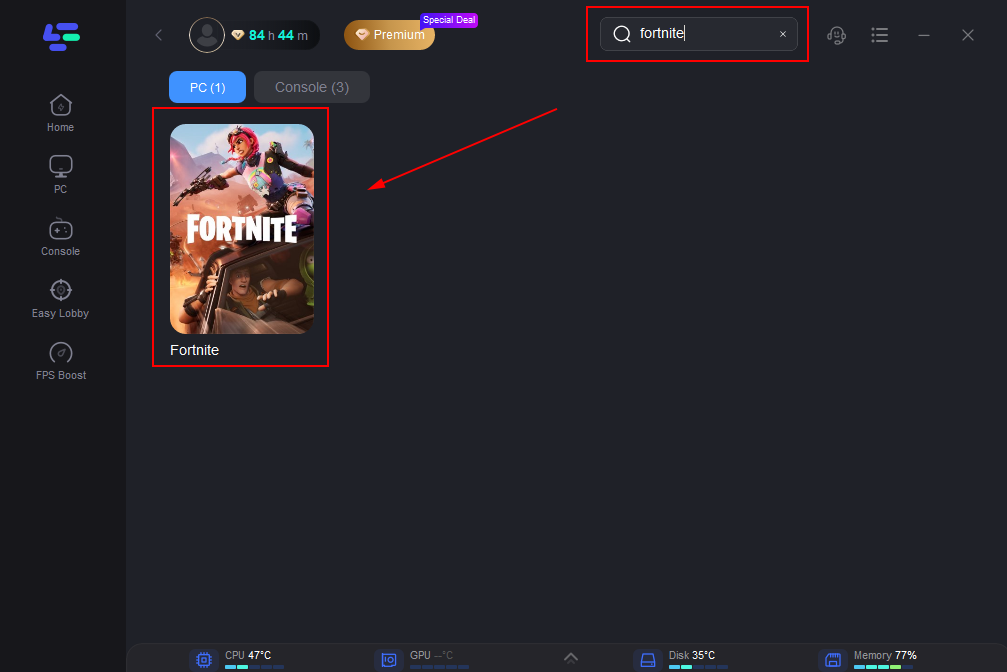
Step 2: After installation, search "Fortnite" in the search bar and select the game.
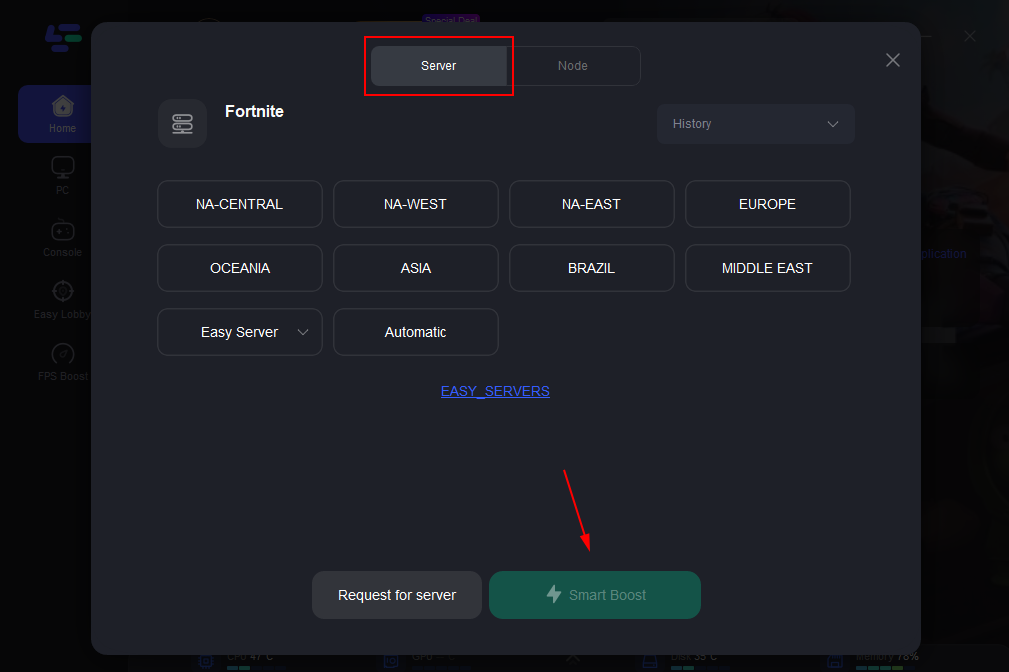
Step 3: Choose your preferred server node and click "Smart Boost" to start optimizing.
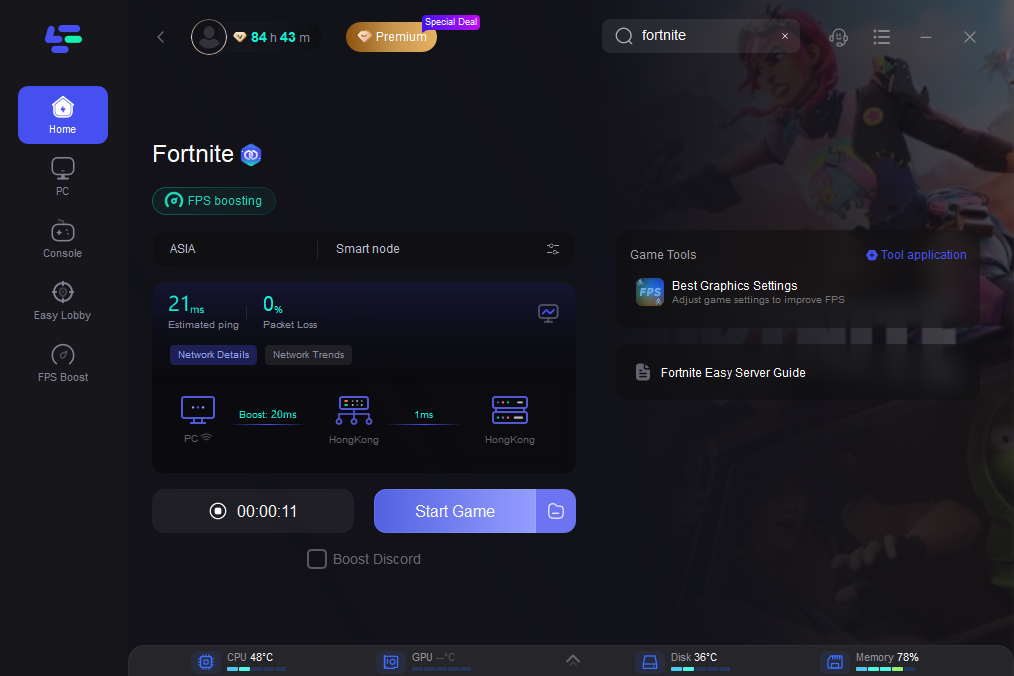
Step 4: Launch your game and enjoy smooth, optimized gameplay with lower ping and no stutter.
Part 3: Other Fixes for Fortnite Stuck on Finding Server
Try a Different Game Mode
Some playlists naturally have higher queue pressure than others. If you’re stuck, switching modes (for example from Ranked to Casual, or changing between Solo/Duo/Squad) can help you avoid crowded queues and get into a match faster.
Avoid Peak Hours
Matchmaking tends to slow down during busy periods such as evenings, weekends, or right after updates. Queuing during off-peak hours can noticeably reduce waiting time.
Restart Your Network Connection
Temporary network hiccups can affect matchmaking. Restarting your router or switching to a wired (Ethernet) connection can help stabilize your connection and reduce interruptions when searching for a server.
Make Sure Your Game Is Fully Updated
An outdated game version can cause matchmaking issues or prevent proper connection to servers. Always check that Fortnite is fully updated before queuing.
Disable Background Network Usage
Other applications using your network (such as downloads, streaming, or updates) can affect matchmaking stability. Closing or pausing background activity can free up bandwidth and improve connection consistency.
Part 4: FAQs
Why does Fortnite get stuck on “Finding Server” after an update?
After major updates, more players log in at the same time, which increases server load and can slow down matchmaking temporarily. This can make queues take longer or appear stuck.
Is this issue related to my internet speed?
Not necessarily. Even with high-speed internet, instability in routing or packet loss can affect how your connection communicates with Fortnite servers. A stable connection is more important than speed alone.
Why does switching regions sometimes fix the issue?
Changing your matchmaking region can route you to a less congested server or a more suitable data center, which may reduce queue delays and improve matchmaking success.
Can this issue happen even if everything seems normal on my end?
Yes. Matchmaking can still be affected by server-side conditions or temporary network routing issues, even if your local setup appears normal.
Conclusion
If Fortnite is stuck on “Finding Server,” it usually comes down to server load, region settings, or connection stability. While server issues aren’t in your control, fixing your region and keeping your connection stable can make a clear difference. With the right setup—and tools like LagoFast when needed—matchmaking becomes faster and more consistent.
Boost Your Game with LagoFast for Epic Speed
Play harder, faster. LagoFast game booster eliminates stutter and lags on PC, mobile, or Mac—win every match!
Quickly Reduce Game Lag and Ping!
Boost FPS for Smoother Gameplay!