
Quick Answer: Does Forza Horizon 6 Support Crossplay?
Yes! Forza Horizon 6 is expected to support full crossplay.
Following the standard set by its predecessor, the upcoming Horizon Festival in Japan will allow players to race together regardless of their hardware. This means the community is unified across:
✔ Xbox Series X|S
✔ Windows PC (Steam & Microsoft Store)
✔ Xbox Cloud Gaming (via Game Pass Ultimate)
✔ PlayStation 5 (Confirmed for a later 2026 release)
The anticipation for Forza Horizon 6 (FH6) has reached a fever pitch, especially with the confirmed setting of Japan's neon-lit streets and scenic mountain passes. For many racers, the biggest question isn't just about the car list, but about who they can play with. In the modern era of gaming, "platform walls" are crumbling. Whether you are on a high-end gaming rig or an Xbox console, the ability to join a convoy with friends is the heart of the Horizon experience. In this guide, we dive deep into the cross-platform mechanics of FH6 and explain how to optimize your network for a lag-free journey through Tokyo.

- ✅ Reduce Lag and High Ping.
✅ Boost FPS at the Same Time.
✅ Support 2000+ Popular Online Games.
✅ Change Server without Latency.
✅ Boost Game Loading Speed.
Part 1: What is Crossplay & Cross-Platform in FH6?
Part 2: Does FH6 Support Cross-Progression?
Part 3: Supported Platforms: At a Glance
Part 4: Important Limitations to Keep in Mind
Part 5: Network Challenges in a Cross-Platform Environment & How to Fix
Part 1: What is Crossplay & Cross-Platform in FH6?
To understand why everyone is asking "Will Forza Horizon 6 be crossplay?", we first need to define what these terms mean for the franchise.
Crossplay (Cross-Platform Multiplayer)
Crossplay allows players on different hardware, for example, a Steam user on PC and an Xbox Series X player, to see each other in the same open world, join the same races, and compete on the same leaderboards. Without crossplay, the player base is split, leading to longer matchmaking times and the inability to play with friends who own different systems.
Why Crossplay Matters for Horizon
Forza Horizon 6 is a "live service" racing game. It thrives on a massive, populated world. Crossplay ensures that the "Horizon Life" feature, where the map is populated by real players, remains active 24/7. It also means that community-created content, like EventLab creations and custom liveries, are available to everyone, regardless of platform.
Related Article: FH6 Slow Download? Make Forza Horizon 6 Download Faster on PC & Xbox
Part 2: Does FH6 Support Cross-Progression?

While crossplay handles multiplayer, cross-progression (or cross-save) handles your data.
- Crossplay: You can play with friends on other platforms.
- Cross-progression: You can start a race on your Xbox, save the game, and resume exactly where you left off on your PC.
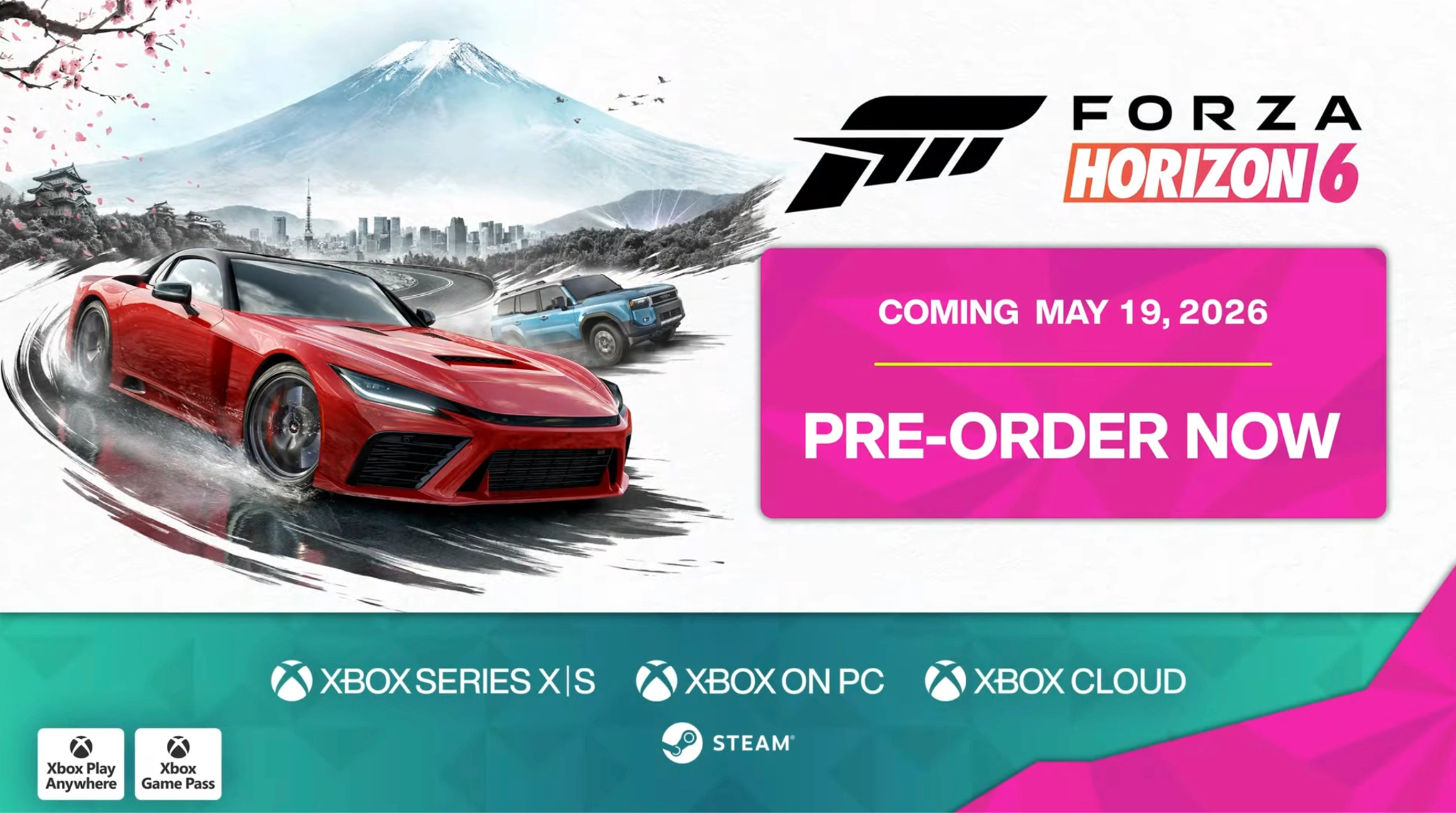
Forza Horizon 6 is an Xbox Play Anywhere title. This means if you purchase the digital version through the Microsoft Store, your progress, cars, and credits are synced via the cloud between Xbox consoles and Windows PCs.
Note for Steam and PS5 Users: Historically, Steam versions of Forza required a Microsoft account login, which allowed for crossplay but sometimes restricted cross-progression. However, latest reports for FH6 suggest a more unified system where a linked Microsoft account will handle saves across all platforms, including the new PlayStation 5 port.
Related Article: Is Forza Horizon 6 Coming to Game Pass?
Part 3: Supported Platforms: At a Glance
Below is the compatibility matrix for Forza Horizon 6's launch and post-launch window:
|
Feature |
Xbox Series X|S |
Windows (MS Store) |
Windows (Steam) |
PlayStation 5 (TBC - Later 2026) |
|
Crossplay |
Yes |
Yes |
Yes |
Yes |
|
Cross-Progression |
Yes |
Yes |
Yes (Linked) |
Yes (Linked) |
|
Day One Game Pass |
Yes |
Yes |
No |
No |
|
4K / 60 FPS |
Yes |
Yes |
Yes |
Yes |
Related Article: Where is Forza Horizon 6 Located?
Part 4: Important Limitations to Keep in Mind
While the "play anywhere" dream is closer than ever, there are a few technical hurdles to watch out for:
- Subscription Requirements: Xbox players still require an Xbox Game Pass Core/Ultimate subscription for online play. PC players (Steam/MS Store) generally do not need a paid subscription to play online.
- Version Parity: To ensure crossplay works, all players must be on the same version of the game. If your PC update is pending while your friend's Xbox has already updated, you won't be able to join the same convoy.
- The "PlayStation Gap": While FH6 is coming to PS5, it is scheduled for a "later in 2026" release. During the initial launch month, the crossplay ecosystem will be limited to Xbox and PC.
Related Article: Forza Horizon 6 System Requirements: Can Your PC Run FH6?
Part 5: Network Challenges in a Cross-Platform Environment & How to Fix
Crossplay brings the world together, but it also brings technical headaches. When a player in New York races against someone in Tokyo on different hardware, several issues can arise:
- Input Lag: In a high-speed drift or a tight Touge battle, a 100ms delay can be the difference between a perfect corner and a wall crash.
- Packet Loss: Cross-platform packets sometimes get "confused" during routing, leading to "ghost cars" that teleport across the track.
- ISP Throttling: Some Internet Service Providers struggle with the high-bandwidth demands of a synced open-world map with 70+ players.
Optimize Your FH6 Experience with LagoFast
If you want to ensure your cross-platform experience is as smooth as possible, we recommend using LagoFast. LagoFast is a dedicated game booster designed specifically to find the shortest, most stable path between your device and the Forza servers.
LagoFast Key Features:
- Multipath Connection: LagoFast uses multiple data paths simultaneously to ensure that if one node lags, your game stays connected without a hitch.
- Reduced Ping: By bypassing congested public internet routes, it significantly lowers your latency, giving you a competitive edge in "The Eliminator" or ranked races.
- One-Click Optimization: You don't need to be a networking expert. Simply select Forza Horizon 6, and LagoFast handles the rest.
- Cross-Platform Support: Whether you are playing on PC or using the LagoFast Box for your Xbox/PS5, it covers the entire ecosystem.
Tutorial to Use LagoFast to Optimize Your Forza Horizon 6 Gaming Experience on PC:
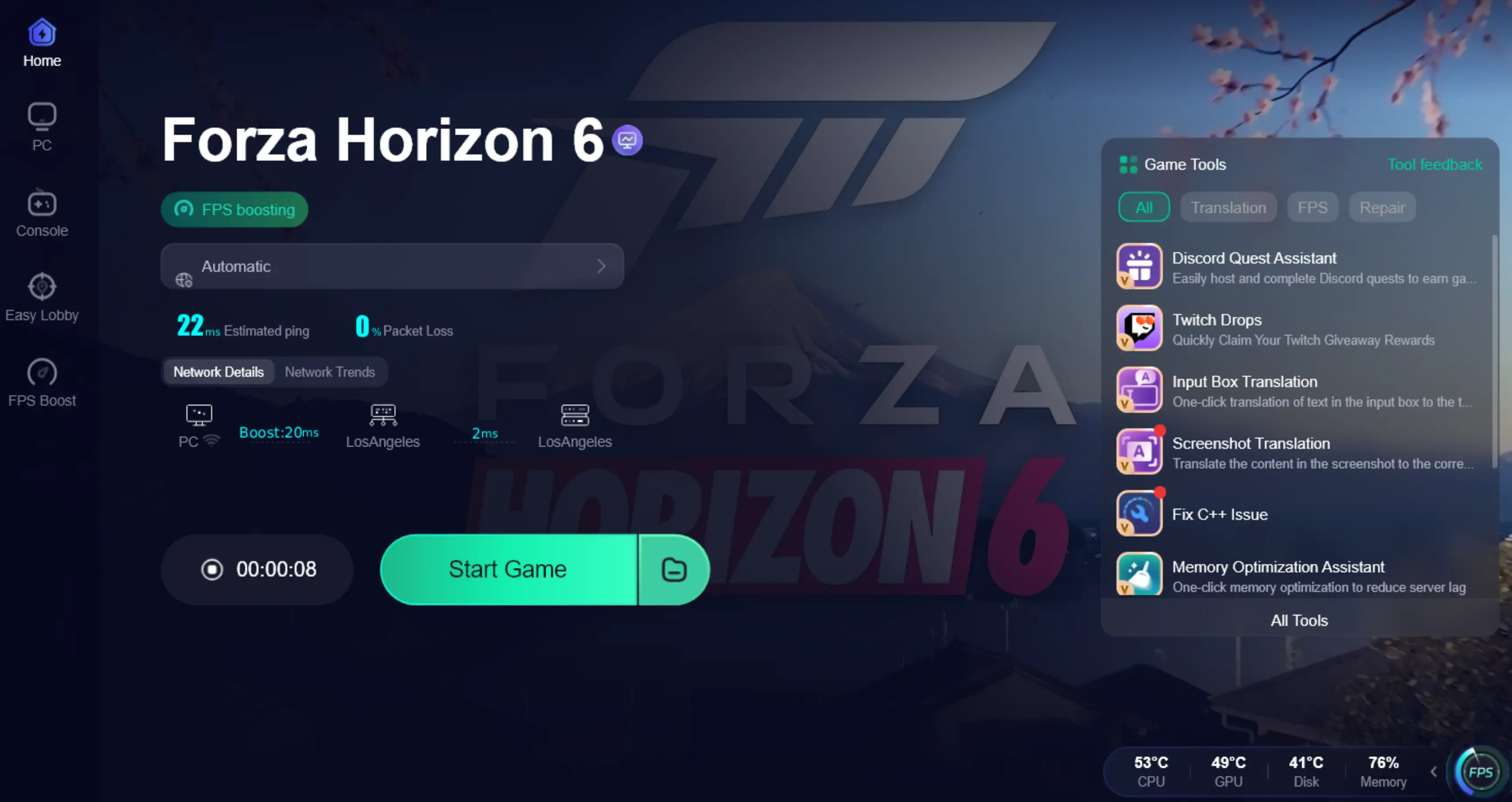
Step 1: Click the Free Trial button to download and install LagoFast.
Step 2: After installation, search "Forza Horizon 6" in the search bar and select the game.

Step 3: Choose your preferred server node and click "Smart Boost" to start optimizing.

Step 4: Launch your game and enjoy smooth, optimized gameplay with lower ping and no stutter.
Related Article: Forza Horizon 6 Preload Guide: Timing, Size & How to Download Early
Key Takeaways
As you prepare for the launch of Forza Horizon 6, keep these points in mind:
- Full Crossplay: You can play with anyone on Xbox, PC, or PlayStation 5 (TBC-Later 2026).
- Unified Progress: Thanks to the Microsoft account system, your garage follows you across devices.
- Japan Awaits: The map is the largest and most dense in the series' history, making a stable connection more important than ever.
- Optimize Early: Use tools like LagoFast to eliminate lag before you hit the starting line.
Whether you're cruising through the neon lights of Shinjuku or climbing the mountain passes of Fuji, Forza Horizon 6 is designed to be a social experience. By embracing cross-platform play and ensuring your network is optimized, you'll never have to race alone.
Boost Your Game with LagoFast for Epic Speed
Play harder, faster. LagoFast game booster eliminates stutter and lags on PC, mobile, or Mac—win every match!
Quickly Reduce Game Lag and Ping!
Boost FPS for Smoother Gameplay!