
Quick Answer
To achieve a reliable Spiritvale lag fix, the most effective solution is to optimize your network route using LagoFast Game Booster. This tool specifically targets high ping and packet loss by finding the most direct path to the game's servers. Additionally, ensuring your GPU drivers are updated and capping your in-game FPS to match your monitor's refresh rate can significantly reduce stuttering and input delay.
Introduction
Spiritvale is an immersive experience that demands precision and fluid movement. However, many players find their journey interrupted by frustrating network lag, sudden ping spikes, and micro-stuttering. Whether you're navigating complex environments or engaging in fast-paced combat, even a split-second delay can be the difference between success and failure. This guide provides a deep dive into the technical causes of these issues and offers a step-by-step roadmap to a smoother experience.

- ✅ Reduce Lag and High Ping.
✅ Boost FPS at the Same Time.
✅ Support 2000+ Popular Online Games.
✅ Change Server without Latency.
✅ Boost Game Loading Speed.
Part 1: Understanding the Causes of Spiritvale Network Lag
Part 2: Spiritvale Network Lag Fix: Optimizing Your Connection
Part 3: How to Fix Spiritvale Stuttering and Low FPS
Part 4: Reducing Packet Loss and Ping Spikes in Spiritvale
Part 5: Advanced Windows Settings for Gaming Performance
Part 6: How to Enhance Your Game Experience with LagoFast Game Booster
Part 7: Spiritvale Lag Fix FAQ
Part 8: The Role of Server-Side Congestion in Spiritvale Lag
Part 9: Troubleshooting ISP Throttling and Routing Issues
Part 10: Final Thoughts on Maintaining a Lag-Free Experience
Part 1: Understanding the Causes of Spiritvale Network Lag
Before applying a Spiritvale lag fix, it's crucial to understand what's happening under the hood. Lag in Spiritvale generally falls into two categories: Network Lag and Hardware Stuttering.
Network lag is often caused by a poor "route" between your PC and the game server. Even if you have high-speed fiber internet, your data might be taking a convoluted path through congested nodes, leading to high ping. On the other hand, hardware stuttering (often confused with lag) occurs when your CPU or GPU struggles to keep up with the game's rendering demands, resulting in "frame time" inconsistencies that feel like a jerky connection.
Related Article: SpiritVale Server Issues & Solutions: Fix Failed to Load Server List & Disconnects
Part 2: Spiritvale Network Lag Fix: Optimizing Your Connection
The first step in any Spiritvale network lag fix is to ensure your local environment is optimized.
- Switch to Ethernet: Wi-Fi is inherently unstable for gaming due to interference from other devices. A physical LAN cable provides a consistent stream of data, which is essential for a game like Spiritvale.
- Flush Your DNS: Over time, your DNS cache can become cluttered or corrupted. Open Command Prompt as an administrator and type ipconfig /flushdns. This forces your PC to clear old network data and can resolve minor connection hiccups.
- Disable Background Downloads: Steam, Windows Update, and even browser tabs can hog your bandwidth. Ensure all non-essential applications are closed before launching the game.
Part 3: How to Fix Spiritvale Stuttering and Low FPS
If your game feels "choppy" despite having a low ping, you're likely dealing with performance-based stuttering.
- Cap Your Frame Rate: Running your GPU at 99% load constantly can lead to thermal throttling and inconsistent frame delivery. Use the in-game settings or the NVIDIA/AMD control panel to cap your FPS to your monitor's refresh rate (e.g., 60Hz or 144Hz).
- Update Graphics Drivers: Developers often release "Game Ready" drivers that include specific optimizations for new titles. Ensure you're running the latest version from your GPU manufacturer's website.
- Adjust V-Sync Settings: While V-Sync prevents screen tearing, it can introduce significant input lag. Try turning it off in-game and enabling "Fast" or "Enhanced" sync in your GPU's control panel instead.
Part 4: Reducing Packet Loss and Ping Spikes in Spiritvale
Packet loss is the silent killer of online gaming. It occurs when "packets" of data fail to reach their destination, causing your character to "teleport" or actions to fail to register.
To combat this, check your router's Quality of Service (QoS) settings. Many modern routers allow you to prioritize gaming traffic over other types of data (like Netflix streaming). Additionally, ensure your router's firmware is up to date, as manufacturers frequently release patches to improve stability and security. If the issue persists, it may be a problem with your ISP's routing, which is where a dedicated game booster becomes invaluable.
Part 5: Advanced Windows Settings for Gaming Performance
Windows 10 and 11 include several features that can interfere with gaming if not configured correctly.
- Enable Game Mode: Go to Settings > Gaming > Game Mode and ensure it's toggled on. This prevents Windows Update from performing driver installations and sending restart notifications while you're playing.
- Disable High Precision Event Timer (HPET): Some players report that disabling HPET in the Device Manager (under System Devices) can reduce micro-stutters in certain game engines.
- Adjust Power Plan: Ensure your PC is set to the "High Performance" power plan in the Control Panel. This prevents your CPU from "parking" cores or downclocking during intense gameplay moments.
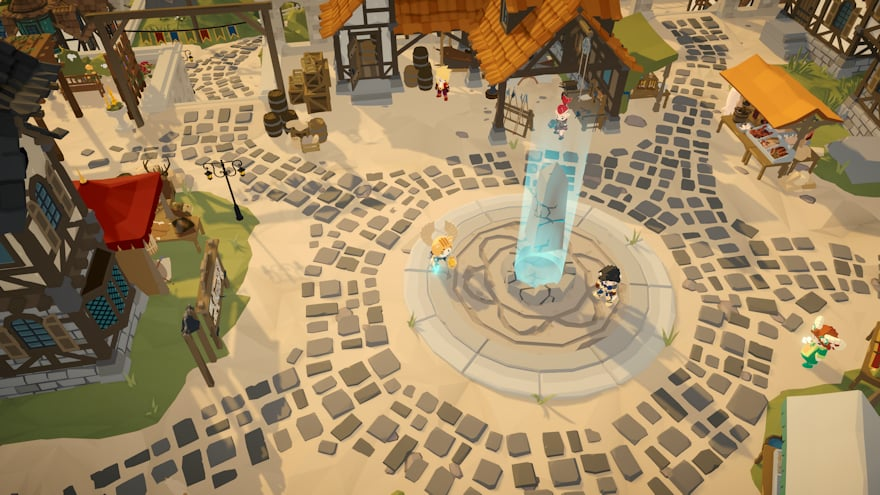
Part 6: How to Enhance Your Game Experience with LagoFast Game Booster
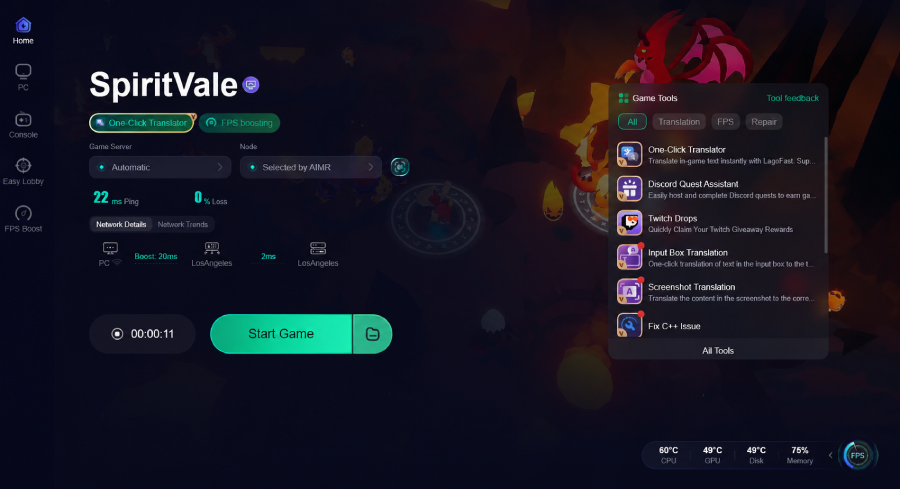
For players who have tried everything and still face issues, LagoFast Game Booster is the ultimate Spiritvale lag fix. Unlike general VPNs, LagoFast is built specifically for gamers. It uses a global network of dedicated servers to find the shortest and most stable path to Spiritvale's servers, effectively bypassing ISP congestion and poor routing.
Detailed Steps to Use LagoFast for Spiritvale:
Step 1: Click the Free Trial button to download and install LagoFast.
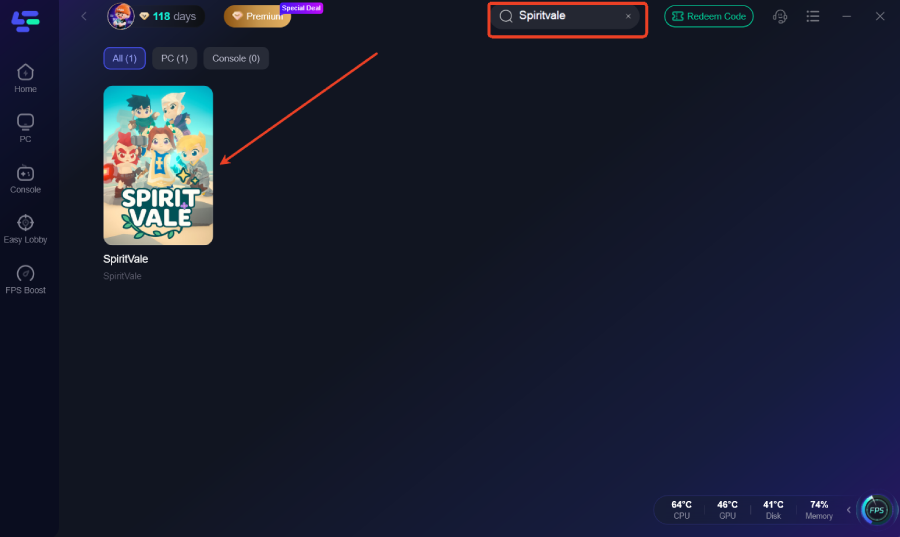
Step 2: After installation, search "SpiritVale" in the search bar and select the game.
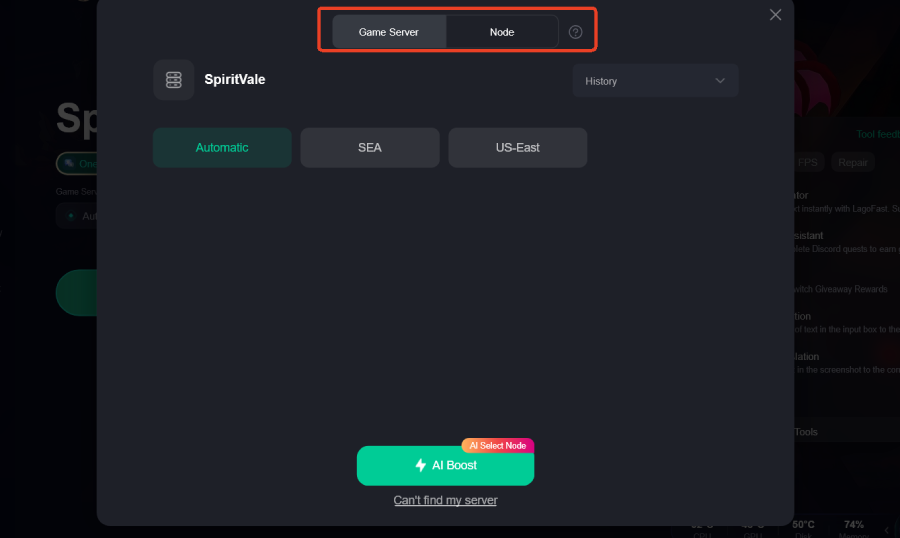
Step 3: Choose your preferred server node and click "Smart Boost" to start optimizing.
Step 4: Launch your game and enjoy smooth, optimized gameplay with lower ping and no stutter.
Part 7: Spiritvale Lag Fix FAQ
1. Why does Spiritvale lag even with high-speed internet?
High speed (bandwidth) is not the same as low latency (ping). You can have a 1Gbps connection but still experience lag if your data is taking a long, congested route to the game server.
2. Can a VPN fix Spiritvale lag?
A standard VPN often increases lag because it adds an extra "hop" to your connection. However, a dedicated game booster like LagoFast is designed to reduce lag by optimizing the route.
3. What is the ideal ping for Spiritvale?
For a smooth experience, aim for a ping under 50ms. Anything over 100ms will result in noticeable delays in combat and movement.
4. Does lowering graphics settings help with network lag?
No. Lowering graphics settings helps with FPS and hardware stuttering, but it has no impact on your network connection or ping.
5. Why do I get ping spikes only in Spiritvale?
This usually indicates a routing issue between your ISP and the specific servers used by Spiritvale. Using a tool like LagoFast can bypass these problematic nodes.
Part 8: The Role of Server-Side Congestion in Spiritvale Lag
Sometimes, the source of the problem isn't your PC or your home network—it's the game's own infrastructure. During peak hours or immediately following a major content update, Spiritvale's servers can become overwhelmed by the sheer volume of concurrent players. This leads to "server-side lag," where the game world itself seems to slow down, even if your personal ping remains low.
In these scenarios, a Spiritvale lag fix requires a bit of patience and strategy. Try playing during "off-peak" hours when the server load is lower. Additionally, keep an eye on the official Spiritvale social media channels or community forums. Developers often acknowledge server issues and provide estimated times for hotfixes. If you notice that everyone in your session is complaining about lag at the same time, it's a clear sign that the issue is on the server end, and no amount of local troubleshooting will fully resolve it until the developers intervene.
Part 9: Troubleshooting ISP Throttling and Routing Issues
A common but often overlooked cause of high ping in Spiritvale is ISP throttling. Some Internet Service Providers identify high-bandwidth or high-frequency data packets—typical of online gaming—and intentionally slow them down to manage overall network traffic. This is particularly common during evening hours when residential internet usage is at its highest.
To determine if your ISP is the culprit, you can perform a "Traceroute" to the game's server IP. This will show you every "hop" your data takes and where the delays are occurring. If you see a massive jump in latency at a specific node owned by your ISP, you've found the bottleneck. While you can try contacting your ISP's technical support, they are often unable or unwilling to change their routing for a single user. This is precisely why many pro gamers rely on LagoFast. By encrypting your gaming traffic and routing it through their private, high-speed network, LagoFast prevents your ISP from identifying and throttling your game data, ensuring a consistent and lag-free experience regardless of the time of day.
Part 10: Final Thoughts on Maintaining a Lag-Free Experience
Achieving a permanent Spiritvale lag fix is not a "one and done" task; it requires ongoing maintenance of your gaming environment. As the game evolves with new patches and your PC's software landscape changes, new issues can arise. Make it a habit to check for driver updates once a month and perform a quick network reset (rebooting your modem and router) every few weeks to clear out any lingering technical "cobwebs."
Ultimately, the goal is to spend less time troubleshooting and more time enjoying the world of Spiritvale. By combining the local optimizations mentioned in this guide with the powerful routing capabilities of LagoFast Game Booster, you create a robust defense against the most common causes of lag. Whether you're a casual explorer or a competitive player, a stable connection is your most valuable asset. Don't let poor networking hold you back from the ultimate Spiritvale experience.
Key Takeaways
- Ethernet is Essential: Always use a wired connection for the most stable experience.
- Optimize Your Route: Use LagoFast Game Booster to bypass ISP congestion and achieve the lowest possible ping.
- Manage Your FPS: Cap your frame rate to prevent GPU-induced stuttering.
- Clean Your Cache: Regularly flush your DNS and close background apps to free up bandwidth.
- Stay Updated: Keep your GPU drivers and router firmware current to benefit from the latest performance patches.
By following these steps, you can finally put an end to the frustration of lag and enjoy Spiritvale the way it was meant to be played—smooth, responsive, and immersive.

Boost Your Game with LagoFast for Epic Speed
Play harder, faster. LagoFast game booster eliminates stutter and lags on PC, mobile, or Mac—win every match!
Quickly Reduce Game Lag and Ping!
Boost FPS for Smoother Gameplay!