
Quick Answer
If RF ONLINE NEXT won't launch on PC, start by running the launcher as administrator, update GPU drivers, install the latest DirectX and Visual C++ packages, verify game files, disable overlays, and check firewall permissions before reinstalling.
Introduction
Trying to launch RF ONLINE NEXT and nothing happens can be frustrating, especially when the launcher opens but the game never starts. Some players report RF ONLINE NEXT Not Launching on PC, while others encounter startup crashes, black screens, DirectX errors, or get stuck after pressing Play. In most cases, the issue is related to permissions, missing runtime components, corrupted files, graphics drivers, or unstable connections. This guide walks through practical fixes step by step.

- ✅ Reduce Lag and High Ping.
✅ Boost FPS at the Same Time.
✅ Support 2000+ Popular Online Games.
✅ Change Server without Latency.
✅ Boost Game Loading Speed.
Part 1: Why RF ONLINE NEXT Is Not Launching on PC
Part 2: Check RF ONLINE NEXT PC System Requirements First
Part 3: Fix 1: Restart the Launcher and Run as Administrator
Part 4: Fix 2: Update Graphics Drivers
Part 5: Fix 3: Check DirectX and Visual C++ Runtime
Part 6: Fix 4: Allow RF ONLINE NEXT Through Firewall or Antivirus
Part 7: Fix 5: Close Overlays and Background Apps
Part 8: Fix 6: Repair or Verify Game Files
Part 9: Fix 7: Reinstall the Game or Launcher
Part 10: Fix Black Screen After Launching RF ONLINE NEXT
Part 12: Fix Game Not Opening After Clicking Play
Part 13: All-in-One Solution: Fix Server Connection and Lag Issues
Part 1: Why RF ONLINE NEXT Is Not Launching on PC
Before applying random fixes, it helps to understand why the issue happens.
Common causes include:
- Corrupted installation files
- Missing DirectX or Visual C++ dependencies
- Outdated GPU drivers
- Launcher permission conflicts
- Antivirus blocking game processes
- Overlay software interference
- Server connection instability
- Damaged cache files
- Unsupported hardware or Windows version
If RF ONLINE NEXT not opening happens immediately after an update, file conflicts are often the first thing to check.
Related Article: RF ONLINE NEXT Download Not Working? Fix Download Failed, Stuck, and Install Issues
Part 2: Check RF ONLINE NEXT PC System Requirements First
Before changing system settings, confirm your PC meets the game requirements.
Minimum checks
- 64-bit Windows installation
- Updated Windows patches
- Enough available storage
- Dedicated GPU support
- Stable internet connection
Quick verification
- Press Win + R.
- Type dxdiag.
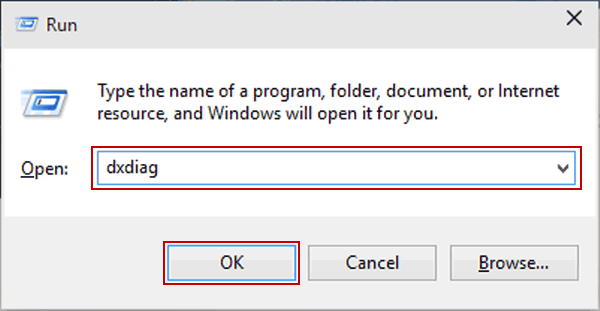
- Review CPU, RAM, GPU, and DirectX version.
- Compare with official game requirements.
Running the requirements below can cause loading failures or crashes before entering the game.
Part 3: Fix 1: Restart the Launcher and Run as Administrator
Permission problems are one of the easiest issues to solve.
Fully restart the launcher
- Close RF ONLINE NEXT.
- Open Task Manager.
- End launcher and game processes.
- Launch again.
Run with admin permission
- Right-click the launcher.
- Select Properties.
- Open Compatibility.
- Enable Run this program as administrator.
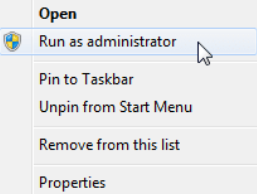
- Apply changes.
This can fix the RF ONLINE NEXT launcher not opening game problem.
Related Article: Best RF Online Next Classes Guide - Optimize Your Gameplay
Part 4: Fix 2: Update Graphics Drivers
Old graphics drivers frequently cause startup issues.
Update manually
For NVIDIA:
- Open GeForce Experience or install latest drivers.
For AMD:
- Use Adrenalin Software.
For Intel:
- Install the latest Graphics Driver package.
Clean install if necessary
Choose clean installation to remove old driver conflicts.
After updating:
- Restart PC
- Launch game again
- Disable driver overlays temporarily
This may also reduce RF ONLINE NEXT PC crash situations.
Part 5: Fix 3: Check DirectX and Visual C++ Runtime
Missing runtime files can stop the game before rendering.
Update DirectX
- Search DirectX End User Runtime.
- Install latest available package.
- Restart PC.
Repair Visual C++
Install both:
- Visual C++ 2015–2022 x64
- Visual C++ 2015–2022 x86
If you receive an RF ONLINE NEXT DirectX error, reinstalling these components is often effective.
Part 6: Fix 4: Allow RF ONLINE NEXT Through Firewall or Antivirus
Security tools sometimes mistake launchers for unknown applications.
Add exceptions
- Open Windows Security.
- Select Firewall & Network Protection.
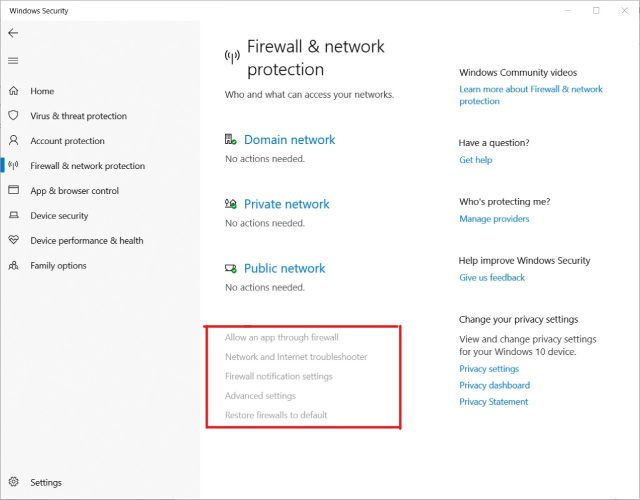
- Allow an app through firewall.
- Add launcher and game executable.
Check antivirus quarantine
Restore blocked files if detected.
This can resolve situations where RF ONLINE NEXT game won't start even though installation completed successfully.
Part 7: Fix 5: Close Overlays and Background Apps
Overlay software may interrupt startup.
Temporarily disable:
- Discord Overlay
- Steam Overlay
- Xbox Game Bar
- MSI Afterburner
- RivaTuner
- RGB control software
Perform a clean boot
- Open msconfig.
- Hide Microsoft services.
- Disable remaining services.
- Restart.
Test the game again.
Part 8: Fix 6: Repair or Verify Game Files
Corrupted assets are common after interrupted downloads.
Verify game files
- Open launcher.
- Locate Repair or Verify.
- Start scan.
- Wait for file replacement.
After verification:
- Restart launcher
- Try launching again
This often helps when RF ONLINE NEXT stuck after clicking Play appears repeatedly.
Part 9: Fix 7: Reinstall the Game or Launcher
If previous methods fail, reinstall.
Clean reinstall steps
- Uninstall launcher and game.
- Delete remaining folders.
- Clear temporary files.
- Restart PC.
- Download a fresh installer.
Install to a different drive if possible.
This can solve persistent RF ONLINE NEXT not opening issues.
Part 10: Fix Black Screen After Launching RF ONLINE NEXT
Some players report RF ONLINE NEXT black screen immediately after startup.
Try these adjustments
- Switch to windowed mode
- Disable fullscreen optimization
- Lower resolution temporarily
- Delete graphics configuration cache
- Disable HDR
Change compatibility settings
- Open game executable.
- Properties → Compatibility.
- Disable fullscreen optimization.
Launch again.
Part 11: Fix Crash on Startup in RF Online Next on PC
If the game closes instantly, focus on crash diagnostics.
Check Event Viewer
- Search Event Viewer.
- Windows Logs.
- Application.
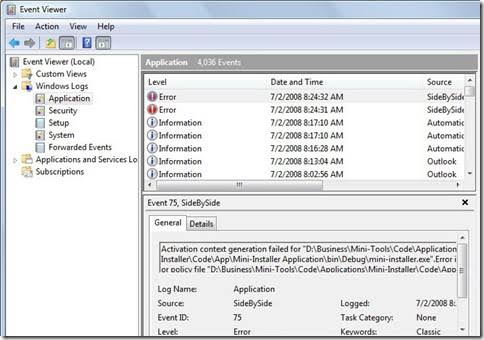
- Find crash entries.
Additional fixes
- Disable overclocking
- Increase virtual memory
- Update Windows
- Repair system files using:
- sfc /scannow
- DISM commands
These methods commonly resolve RF ONLINE NEXT crash on startup.
Part 12: Fix Game Not Opening After Clicking Play
When the launcher responds but gameplay never appears, launch sequence problems are likely.
Test executable directly
- Open installation folder.
- Run game executable manually.
Delete launcher cache
Remove:
- Temp files
- Cache folders
- Download cache
Re-login
Sign out and back into your game account.
These steps help if RF ONLINE NEXT game won't start after pressing Play.
Part 13: All-in-One Solution: Fix Server Connection and Lag Issues
Not every launch issue comes from the game client itself. Unstable routing and server communication problems can trigger loading failures, freezes, or failed authentication.
If the game launches inconsistently or disconnects during loading, network optimization tools may help.
LagoFast is designed to improve route stability and optimize game traffic.
Potential benefits include:
- Reduce high ping
- Lower packet loss
- Improve server connection
- Minimize lag spikes
- Reduce FPS drops caused by unstable networking
- Improve overall gameplay smoothness
How to use
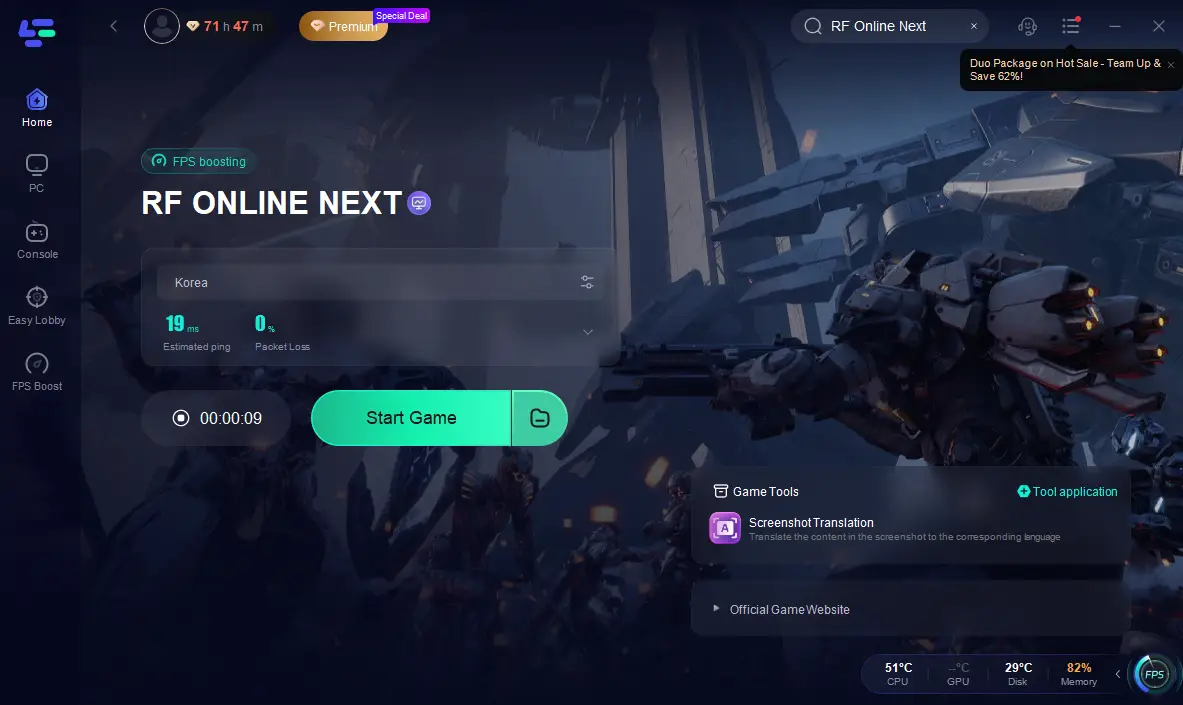
Step 1: Click the Free Trial button to download and install LagoFast.
Step 2: After installation, search "RF Online Next " in the search bar and select the game.
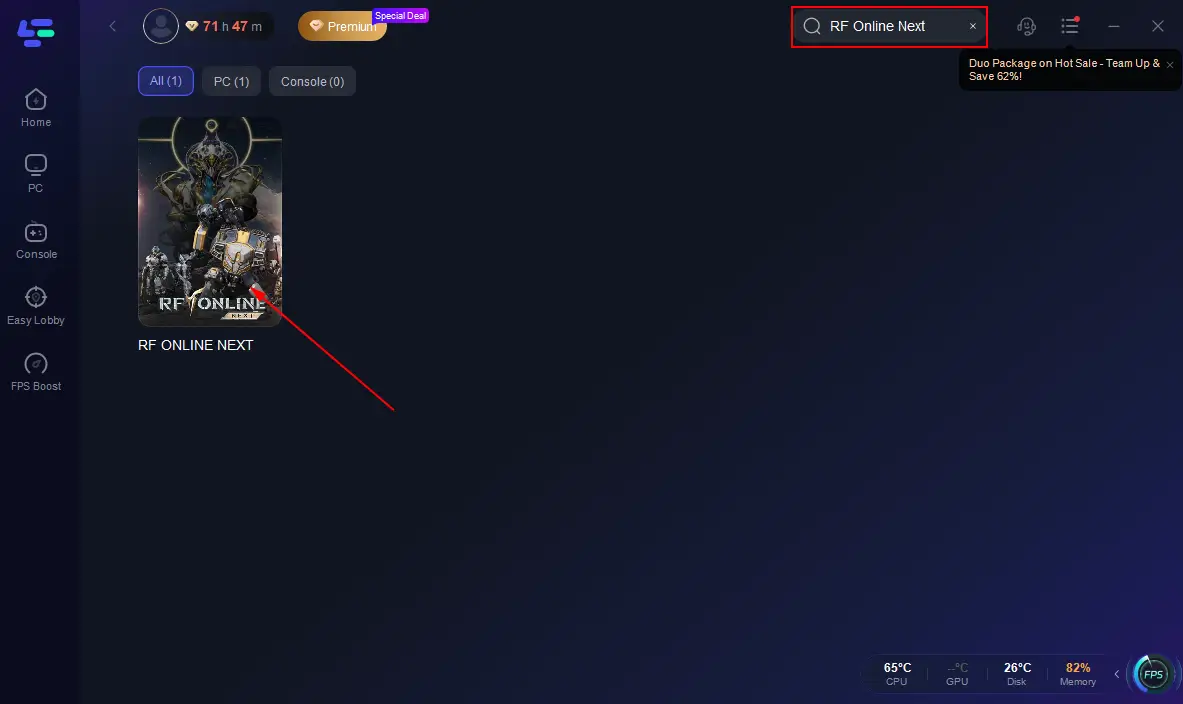
Step 3: Choose your preferred server node and click "Smart Boost" to start optimizing.
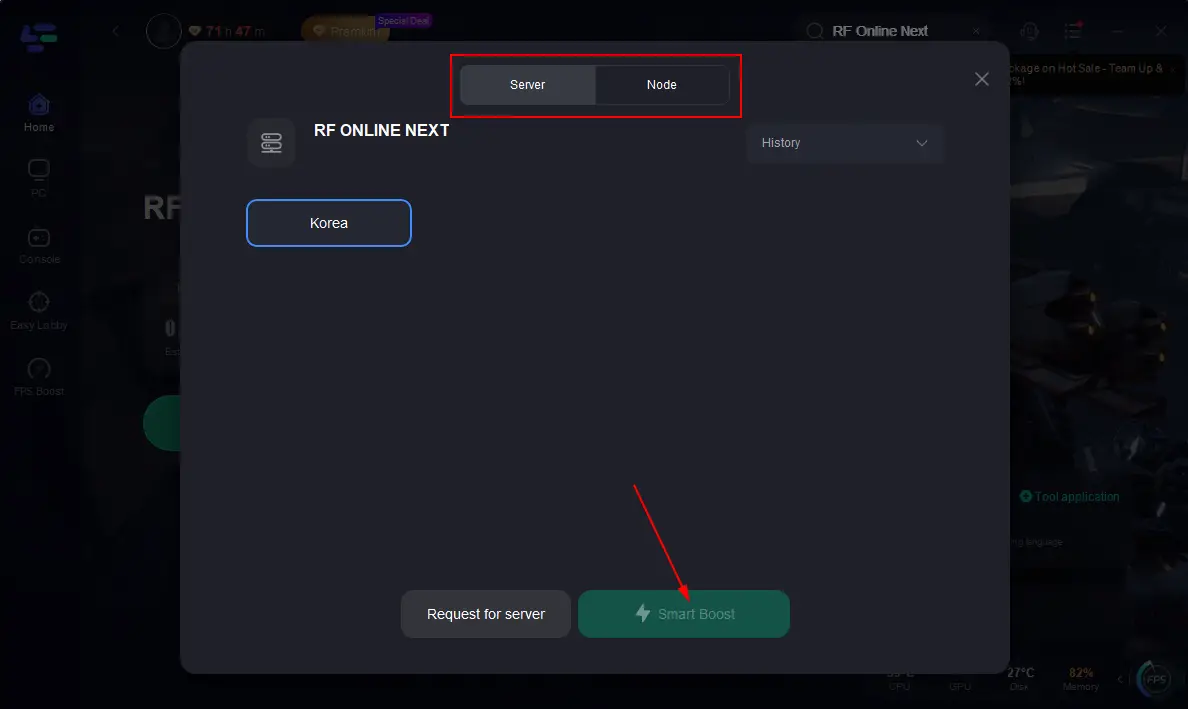
Step 4: Launch your game and enjoy smooth, optimized gameplay with lower ping and packet loss.
Use this together with local troubleshooting for better results.
Part 14: FAQs
Why does RF ONLINE NEXT open the launcher but not the game?
Usually due to missing permissions, damaged files, overlays, or runtime errors.
Can DirectX cause RF ONLINE NEXT launch failure?
Yes. Missing or outdated DirectX components can prevent rendering and trigger startup errors.
Does reinstalling fix launch issues?
If files are corrupted or installation is incomplete, reinstalling can help.
Why does RF ONLINE NEXT crash only after updates?
Updates can create cache conflicts or introduce incompatible files.
Can antivirus stop RF ONLINE NEXT from opening?
Yes. Security software may block launcher communication or executable access.
Conclusion
When dealing with RF ONLINE NEXT Not Launching on PC, start with the basics: administrator permissions, updated graphics drivers, runtime components, firewall rules, and verified game files. Most launch failures, black screens, and startup crashes can be fixed without reinstalling Windows. If everything on the local system looks normal but problems continue, optimizing network stability may improve loading consistency and overall gameplay performance.
Boost Your Game with LagoFast for Epic Speed
Play harder, faster. LagoFast game booster eliminates stutter and lags on PC, mobile, or Mac—win every match!
Quickly Reduce Game Lag and Ping!
Boost FPS for Smoother Gameplay!