
With the launch of the POE 2 0.5 update, Twitch Drops have returned with a new set of limited-time rewards. From exclusive cosmetics to supporter rewards, players can earn valuable items simply by participating in the event. This guide covers the available rewards, how to earn them, and how to claim your POE 2 0.5 Twitch Drops before the campaign ends.

- ✅ Reduce Lag and High Ping.
- ✅ Boost FPS at the Same Time.
- ✅ Support 8000+ Popular Online Games.
- ✅ End Stuck & Crashing Issues.
- ✅ Fix Server Queue Issue.
Part 1: POE 2 0.5 Twitch Drops Rewards Overview
Part 2: How to Get POE 2 0.5 Twitch Drops
Part 3: A Faster and Easier Way to Get POE 2 0.5 Twitch Drops
Part 4: How to Claim POE 2 0.5 Twitch Drops Rewards
Part 1: POE 2 0.5 Twitch Drops Rewards Overview
The POE 2 0.5 Twitch Drops campaign is split into two separate weeks, giving players multiple opportunities to earn exclusive cosmetic rewards simply by watching Path of Exile 2 streams on Twitch. All rewards are guaranteed as long as you meet the required watch time during the event period.
Week 1 Reward: Arbiter of Ash Waypoint
Event Period:
- May 29, 2026, 1:00 PM PDT
- June 6, 2026, 4:59 AM PDT
Requirement: Watch any stream in the Path of Exile 2 Twitch category for a total of 3 hours
Reward: Arbiter of Ash Waypoint
Week 2 Reward: Wendigo's Crown Helmet Attachment
Event Period:
- June 6, 2026, 5:00 AM PDT
- June 13, 2026, 4:59 AM PDT
Requirement: Watch any stream in the Path of Exile 2 Twitch category for a total of 3 hours
Reward: Wendigo's Crown Helmet Attachment
Support a Streamer Reward
Players can also earn an additional cosmetic reward by supporting participating streamers during the campaign.
Event Period:
- May 29, 2026, 1:00 PM PDT
- June 13, 2026, 4:59 AM PDT
Requirement: Purchase or gift a total of two Twitch subscriptions of any tier on a Path of Exile 2 stream (Prime subscriptions do not qualify)
Reward: Verisium Parasite Pet
All POE 2 0.5 Twitch Drops rewards are available to eligible players who complete the requirements during the event period. Since each reward is only available for a limited time, keeping track of the campaign schedule is the best way to avoid missing out.

Part 2: How to Get POE 2 0.5 Twitch Drops
Getting POE 2 0.5 Twitch Drops is fairly simple, but you'll need to complete a few steps before your watch time can count toward rewards.
Step 1: Link Your Twitch and Path of Exile Accounts
First, connect your Twitch account to your Path of Exile account through the official account settings page.
Without linking your accounts, Twitch Drops progress and rewards cannot be tracked.
Step 2: Watch Streams in the Path of Exile 2 Category
Once your accounts are linked, head to Twitch and watch any live stream in the Path of Exile 2 category during the Twitch Drops event period.
For the POE 2 0.5 Twitch Drops campaign, watch any eligible stream in the Path of Exile 2 category and your progress will be tracked automatically.
Step 3: Reach the Required Watch Time
Watch time is accumulated automatically while you're watching eligible streams.
For the POE 2 0.5 Twitch Drops event:
- Watch for 3 hours during Week 1 to earn the Arbiter of Ash Waypoint
- Watch for 3 hours during Week 2 to earn the Wendigo's Crown Helmet Attachment
Once you've met the required watch time, the reward will become available to claim through Twitch.
Part 3: A Faster and Easier Way to Get POE 2 0.5 Twitch Drops
If you want a more convenient way to keep up with POE 2 0.5 Twitch Drops, LagoFast is worth considering. Its Twitch Drops tool can automatically track eligible campaigns and collect rewards after you link your Twitch account and select the corresponding Drops event, helping you save time and avoid the usual manual process.
Beyond Twitch Drops, LagoFast can also help improve your overall gaming experience with features such as ping reduction, packet loss fixes, route optimization, and connection stabilization. It also includes FPS Boost 2.0 and Frequently Issues Fix tools to help optimize performance and resolve common game environment issues.
How to Use LagoFast to Get POE 2 0.5 Twitch Drops Easily
Step 1: Download and install the LagoFast Free Trial.
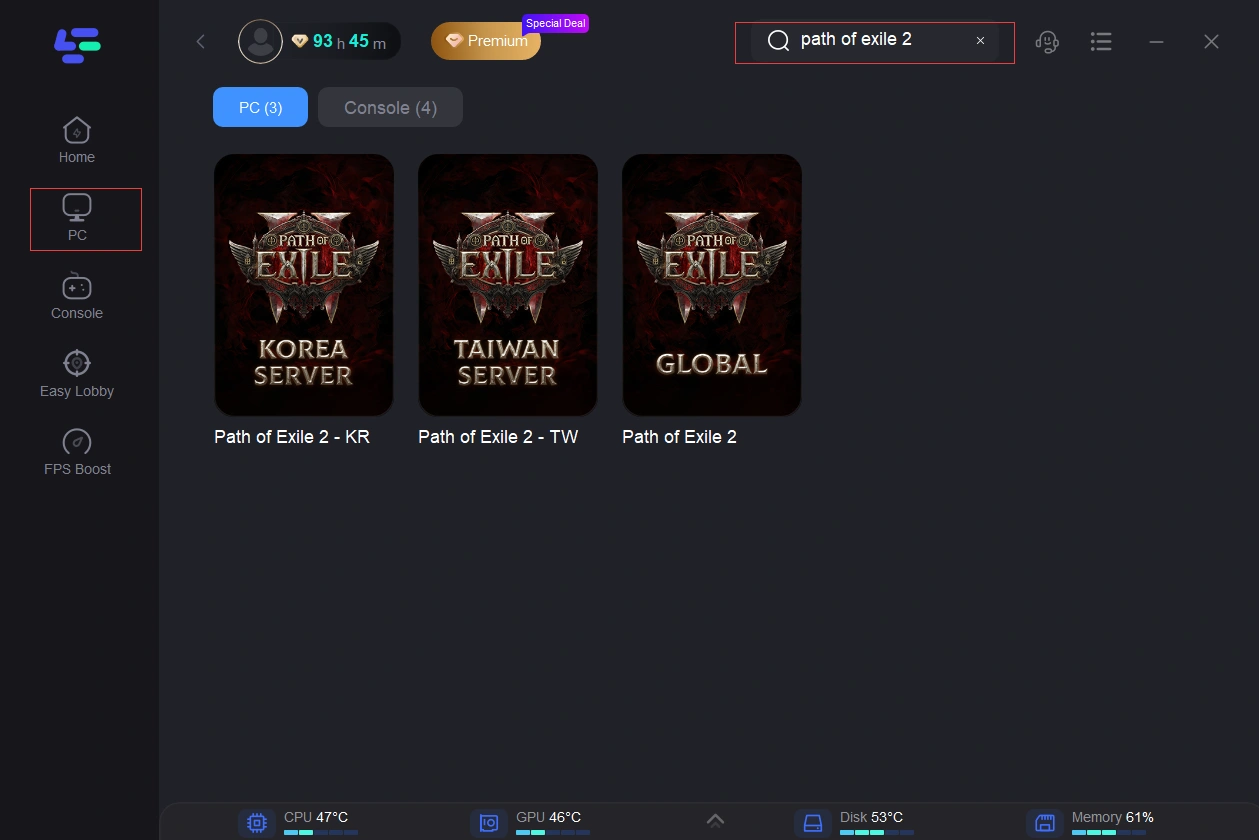
Step 2: Open LagoFast and use the search bar to find Path of Exile 2.
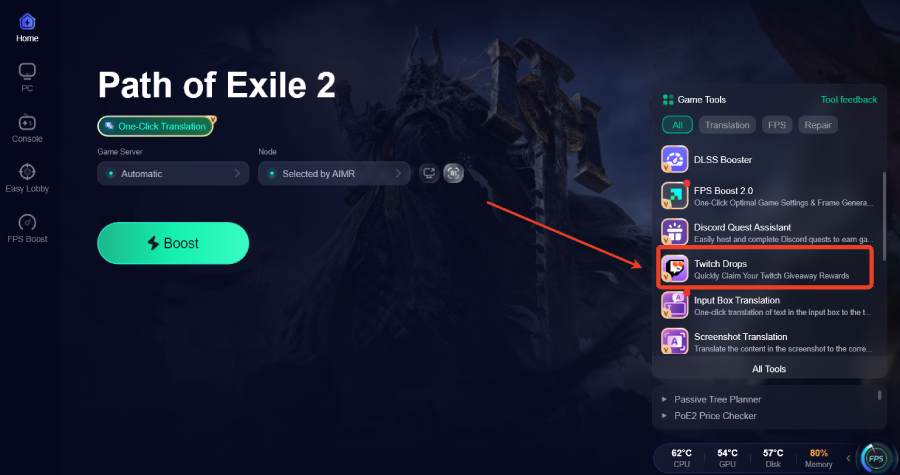
Step 3: Choose the Twitch Drops Tool on the right side.
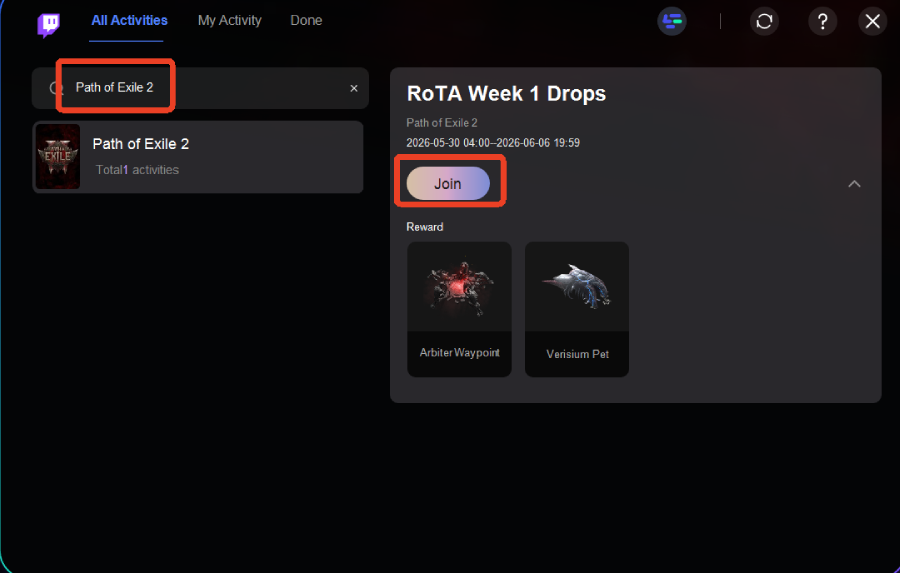
Step 4: Link your accounts and click Join to participate in Path of Exile 2.
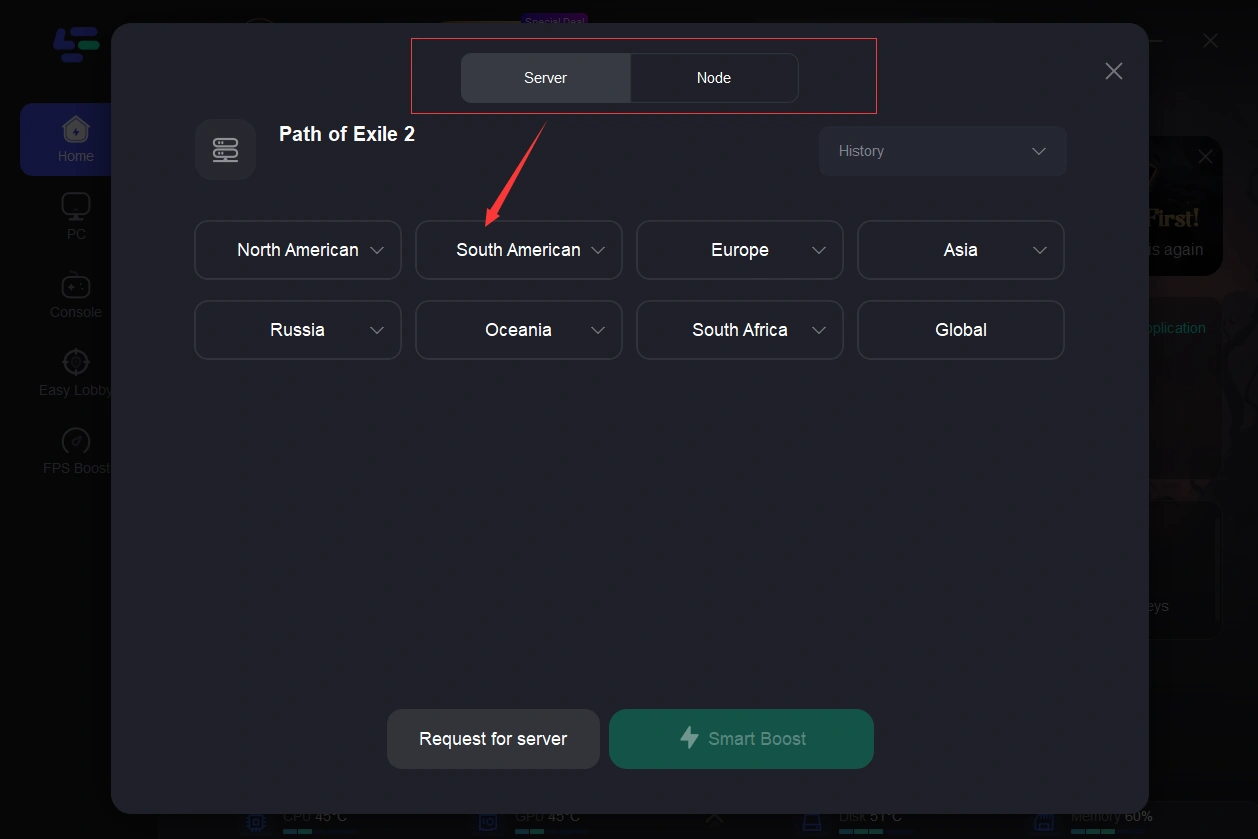
Step 5: Choose your preferred server node and click "Smart Boost" to start optimizing.
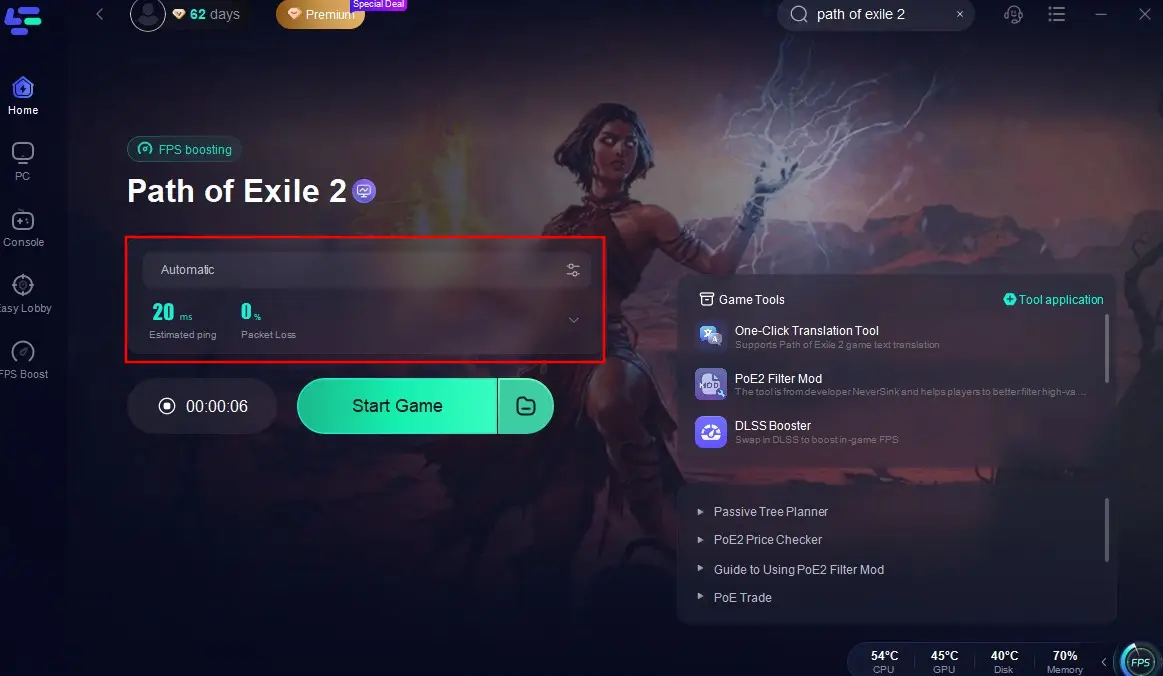
Step 6: Launch your game and enjoy smooth, optimized gameplay with lower ping and no stutter.
Part 4: How to Claim POE 2 0.5 Twitch Drops Rewards
Once you've earned a POE 2 0.5 Twitch Drop, you'll need to claim it through Twitch before the reward is added to your account.
Step 1: Open the Drops & Rewards Page
Log in to Twitch and visit your Drops & Rewards inventory. Any completed POE 2 0.5 Twitch Drops should appear there automatically.
Step 2: Claim Your Reward
Click the Claim button for each available reward. Be sure to claim it before the campaign or claim period expires.
Step 3: Check Your POE 2 Account
After claiming the reward, launch POE 2 and check your cosmetic inventory. As long as your Twitch and Path of Exile accounts are linked correctly, the reward should be added to your account automatically.
Part 5: FAQs
Do I need to link my Twitch account to POE 2?
Yes. Your Twitch account must be linked to your Path of Exile account for Twitch Drops progress and rewards to be tracked correctly.
Why are my POE 2 Twitch Drops not showing up?
Make sure your Twitch and Path of Exile accounts are linked correctly, you've met the watch-time requirement, and you've claimed the reward through Twitch.
Can I claim Twitch Drops after the campaign ends?
It depends on the campaign. Some rewards can still be claimed for a limited time after the event ends, while others may expire once the claim period closes.
Why are my POE 2 0.5 Twitch Drops not working?
This is usually caused by unlinked accounts, incomplete watch-time requirements, or watching streams that aren't eligible for Drops.
Final Thoughts
POE 2 0.5 Twitch Drops are a simple way to earn exclusive cosmetics while following the latest update and community streams. As long as your accounts are linked and you meet the watch-time requirements, claiming the rewards is straightforward. Just remember to keep track of the event dates so you don't miss any limited-time items.

Boost Your Game with LagoFast for Epic Speed
Play harder, faster. LagoFast game booster eliminates stutter and lags on PC, mobile, or Mac—win every match!
Quickly Reduce Game Lag and Ping!
Boost FPS for Smoother Gameplay!