
Nothing sucks the fun out of online play faster than packet loss or sudden stutters—commonly known as packet bursts. You’re locked and loaded… then everything freezes for a split second. Whether you're storming through multiplayer or co-op, we’ve got all the angles covered to get your gameplay back on track.

- ✅ Reduce Lag and High Ping.
- ✅ Boost FPS at the Same Time.
- ✅ Ensure Stable Server Connection.
- ✅ Change Server without Latency.
- ✅ Fix Crashing and Stuck Errors.
- ✅ 0% Packet Loss Rate
- ✅ Boost Game Downloading Speed.
Part 1. Understanding Packet Loss in Call of Duty: Black Ops 7
Part 2. What Causes Packet Burst in Call of Duty: Black Ops 7?
Part 3. Fix Packet Burst or Loss in Call of Duty: Black Ops 7
Part 4. Using LagoFast Game Booster to Eliminate Packet Loss
Part 5. Packet Burst Error & Packet Loss in Call of Duty: Black Ops 7
Part 1. Understanding Packet Loss in Call of Duty: Black Ops 7
Packet loss happens when some data your device sends or receives doesn't make it to its destination—this can lead to lag, rubber banding, or outright disconnects. Even a tiny percentage can throw off the precise timing that CoD requires.
Packet burst refers to brief but intense surges of lag when consecutive data packets fail, resulting in sudden freezes, stutters, or erratic in-game behavior. Call of Duty presents this visually with warning overlays, warning you that your connection performance is compromised.
Related Article: How to Check Ping and Reduce High Latency in Call of Duty Black Ops 7
Part 2. What Causes Packet Burst in Call of Duty: Black Ops 7?
Based on both game mechanics and community feedback, here are the most common culprits:
Hardware Overload (PC)
Overloaded CPUs or GPUs—especially when VRAM is maxed or overlays like ShadowPlay are enabled—can trigger packet bursts even if your network’s fine. Reddit users have found relief by limiting their VRAM usage or disabling overlays.
Network Factors
- Wi-Fi instability or heavy usage from other devices
- ISP routing issues or throttling
- Overcrowded game servers or peak-time congestion
- Outdated or poorly configured routers and network gear
You May Like: Call of Duty: Black Ops 7 Pre-Order Guide — Editions, Bonuses, and Game Pass Access
Part 3. Fix Packet Burst or Loss in Call of Duty: Black Ops 7
Here’s how to tackle the issue head-on:
Optimize Your Graphics & System Resources (PC Only)
- Lower VRAM target to 60–70%—this has stopped packet bursts for many.
- Disable overlays like GeForce Experience or OBS to free system bandwidth.
- Cap your framerate or enable Nvidia Reflex to balance load.
Use Wired Connection over Wi-Fi
Ethernet provides a clear edge in stability for gaming—less interference, lower packet loss. Consider Powerline adapters if cabling isn't feasible.
Optimize Router & Network
- Enable QoS to prioritize gaming traffic.
- Switch to 5 GHz Wi-Fi if still wireless.
- Update router firmware regularly.
- Restart your router occasionally to resolve transient IP or traffic issues.
Close Bandwidth-Hogging Apps
Streaming, downloads, or background syncs can choke your connection—close them before gaming session.
Adjust In-Game Messaging & Visuals
Disable On-Demand Texture Streaming or set it to “Minimal”—this frees up both GPU and network usage.
Switch Launch Platforms (PC)
If you're playing via Steam, try Battle.net or the Xbox app instead—users sometimes report smoother connections depending on the launcher.
Monitor Game Server Status
Sometimes packet loss is not your fault—especially if everyone’s experiencing it due to server overload.
Related Article: Is CoD Black Ops 7 on Game Pass?
Part 4. Using LagoFast Game Booster to Eliminate Packet Loss
LagoFast is a network optimization tool that helps reduce latency, packet loss, and burst-related issues through smarter routing and server connections.
How It Helps:
- Optimizes Routing—finds the best path to game servers to minimize congestion.
- Reduces Latency & Jitter—smoothes your connection across varied network conditions.
How to use LagoFast on PC
Step 1: Click the Free Trial button to download and install LagoFast.
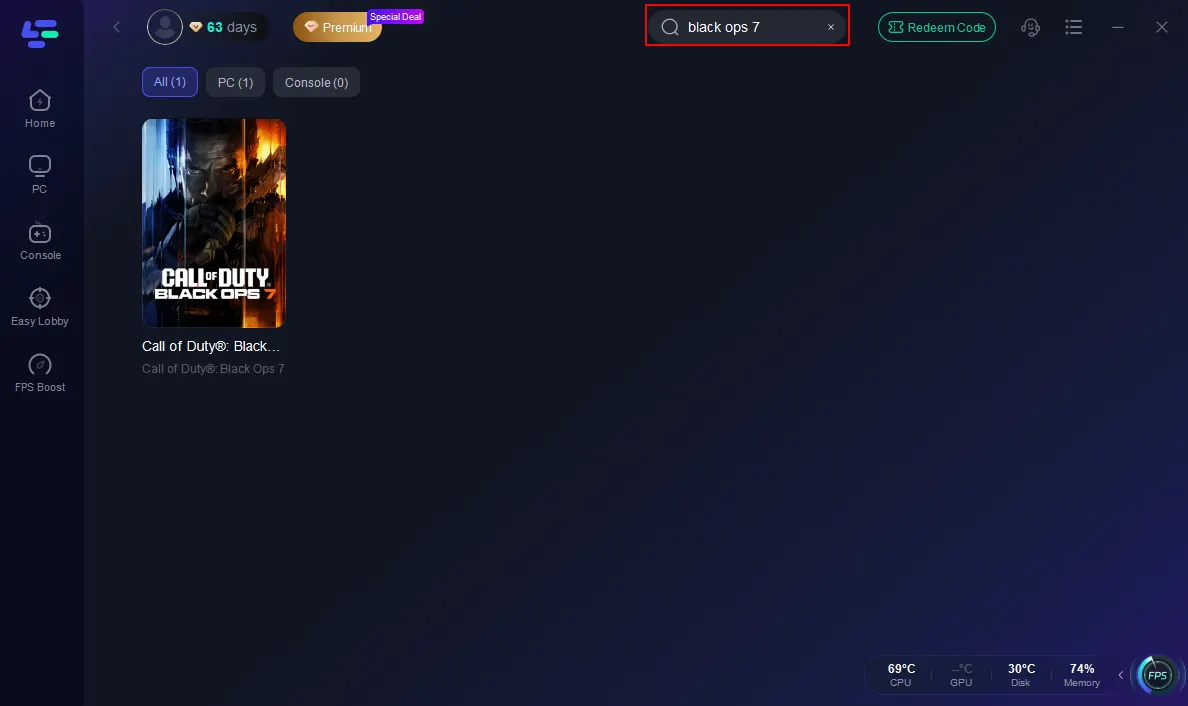
Step 2: Open LagoFast, then click the PC button on the left and search Black Ops 7 in the search bar, and click it after it appears.
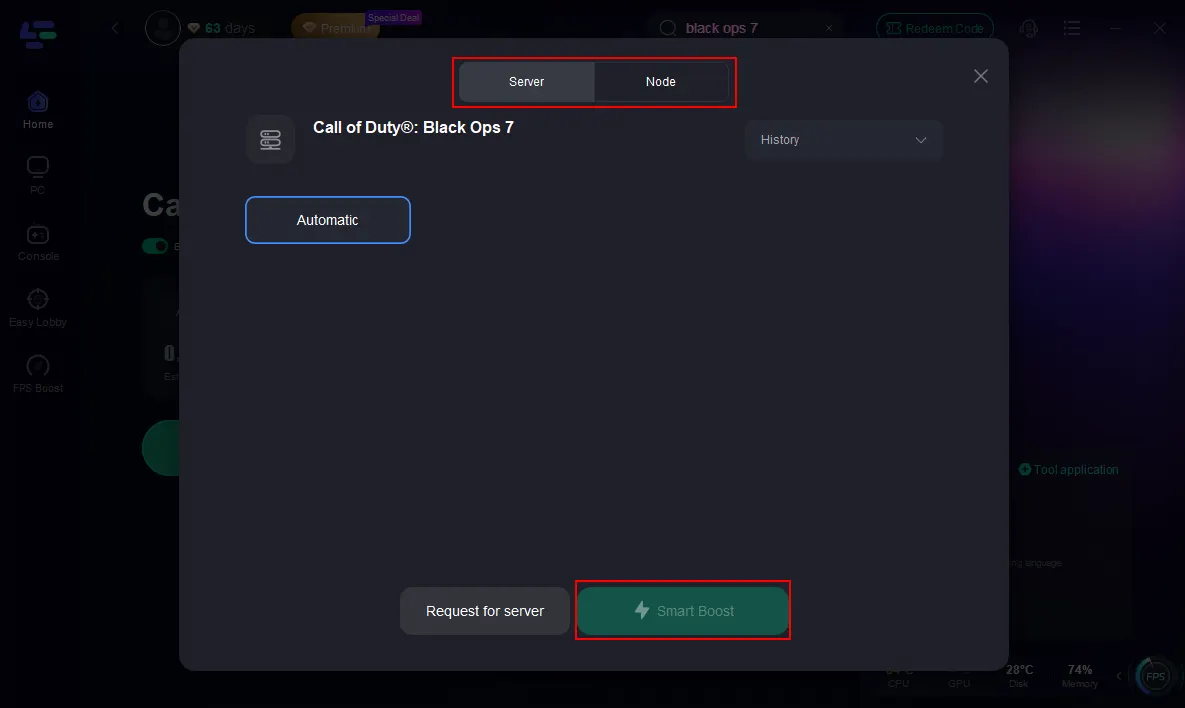
Step 3: Click on “Server” to change to a better server that ensures the Black Ops 7 gaming experience, then click on “Smart Boost”.
Step 4: Launch game and enjoy an enhanced gaming experience with reduced lag and improved stability.
For console players experiencing packet loss or packet bursts in Black Ops 7, the LagoFast Box provides a hardware-based solution that stabilizes network performance on PlayStation and Xbox.
Tutorial on using LagoFast Box to fix BO7 packet loss on consoles:
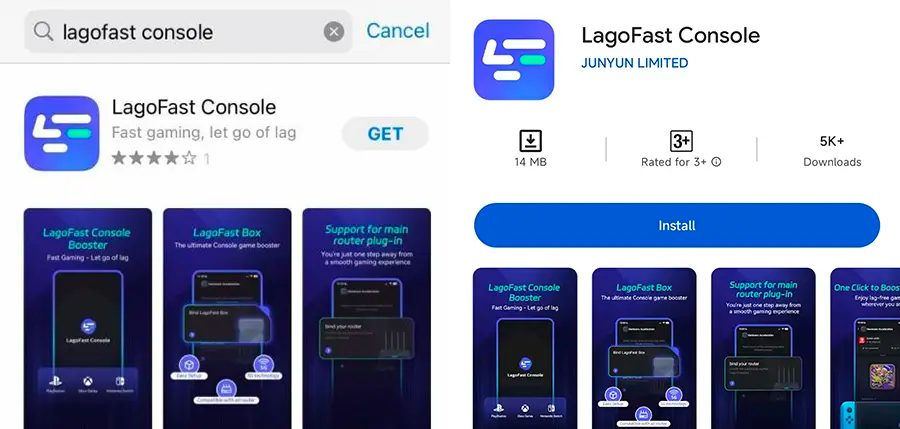
Step 1: Download the LagoFast Console App on your phone to control the LagoFast Box.
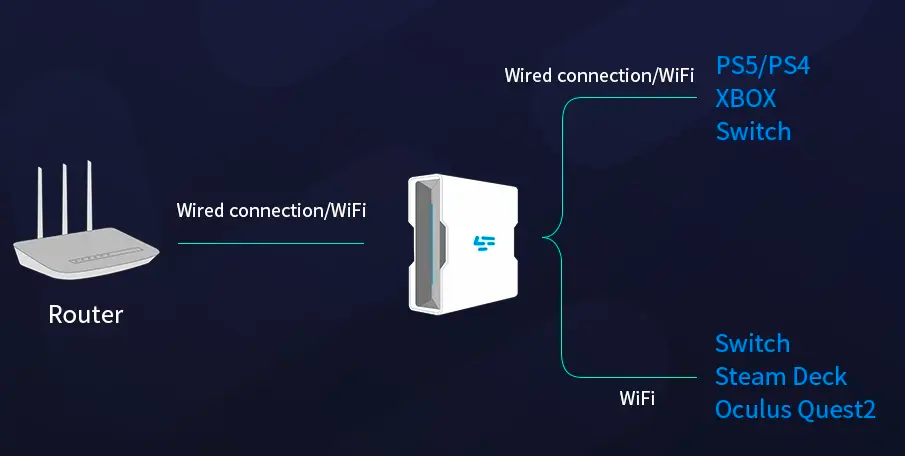
Step 2: Establish a connection between your LagoFast Box, router, and console, choosing between a wired or wireless connection.
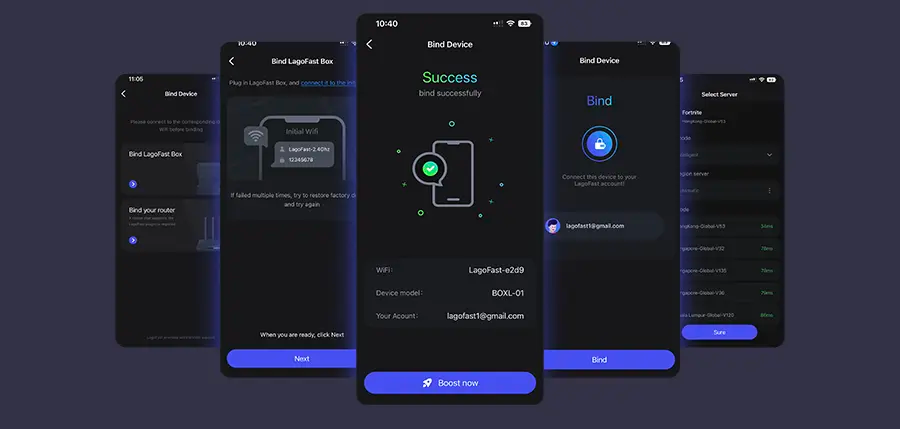
Step 3: Launch the LagoFast Console App and boost Black Ops 7. Once you have completed the binding process with the LagoFast Box, proceed to boost this game within the LagoFast Console App.
You May Also Like: Call of Duty: Black Ops 7 Multiplayer: How to Play Co-Op
Part 5. Packet Burst Error & Packet Loss in Call of Duty: Black Ops 7
Real-world Reports:
- CPU/GPU Saturation: Users with high-end systems still experienced bursts—resolved by limiting VRAM, disabling overlays, or updating BIOS.
- Server-side Problems: Some global packet loss persists regardless of local setups—often due to Treyarch’s servers or ISP routing issues.
Combined Solutions:
If VRAM reduction helps but doesn’t fully fix it, pair with wired Ethernet, quarantine bandwidth hogs, and optionally enable boosters like LagoFast to see sustained improvements.
Part 6. FAQs
Q1: Does packet burst mean my internet is bad?
Not necessarily—many cases trace back to CPU/GPU overload or poor in-game optimization.
Q2: Will updating BIOS or drivers help?
Yes! Some users fixed persistent packet burst by updating BIOS or reinstalling Windows after patch updates.
Q3: Can unplugging overlays like Shadow Play really help?
Absolutely. These overlays can overtax the GPU and interfere with packet flow.
Q4: Why does switching launchers help sometimes?
Different launchers may use distinct network routing or CDN paths—changing them can improve stability.
Q5: Is packet loss fixable if it's a server-side issue?
Sometimes not immediately—but you can switch lobbies, use boosters, or try again during off-peak hours to improve results.
Conclusion
Packet loss and packet bursts in Call of Duty: Black Ops 7 can stem from network issues, software overload, or hardware bottlenecks. By dialing down VRAM usage, eliminating overlays, switching to wired setups, optimizing router settings, and leveraging tools like LagoFast, you can dramatically reduce jitter and lag—restoring fluid, competitive gameplay.
Boost Your Game with LagoFast for Epic Speed
Play harder, faster. LagoFast game booster eliminates stutter and lags on PC, mobile, or Mac—win every match!
Quickly Reduce Game Lag and Ping!
Boost FPS for Smoother Gameplay!