
If you’ve tried launching Neverness to Everness (NTE) and keep running into errors, you’re not alone. Players report issues such as not launching, black screens, login failures, and other gameplay interruptions.
The key point is that most of these problems come from a small number of shared causes. This guide breaks everything down clearly—from the most common errors to their real causes and how to fix them step by step.

- ✅ Reduce Lag and High Ping.
✅ Boost FPS at the Same Time.
✅ Support 8000+ Popular Online Games.
✅ Change Server without Latency.
✅ Boost Game Loading Speed.
Part 1: Neverness to Everness (NTE) Common Errors
Part 2: Why Neverness to Everness (NTE) Errors Happen
Part 3: How to Quickly Fix Neverness to Everness (NTE) Common Errors
Part 4: Manual Fixes for Neverness to Everness (NTE) Common Errors
Part 1: Neverness to Everness (NTE) Common Errors
Before going into fixes, it’s important to identify the exact issue you’re facing. Most NTE errors fall into a few clear categories, each linked to a different system, network, or game-related problem.
- Not Launching / Won't Launch: Happens right after you click play. The game may briefly appear in the background process and then close. Often caused by missing permissions, corrupted game files, or outdated system components.
- Black Screen Error: The game starts but gets stuck on a black screen with no progress. Usually related to graphics driver issues or display configuration conflicts.
- Stuck on Loading Screen: The game loads but never progresses into the main menu or gameplay. Usually caused by slow asset loading, server delay, or system performance bottlenecks.
- Game Crashing: The game closes unexpectedly during launch or gameplay. Common causes include unstable system performance, corrupted files, or background apps interfering with the game.
- Login Issues: Players get stuck on the login screen or fail to connect to servers.Often caused by server overload, authentication delays, or unstable network routing.
- Severe Stuttering & Lag: Gameplay feels choppy or unstable even on decent hardware. Often caused by heavy asset loading, shader processing, background tasks, or overheating.
- Network Access Issues: Some players cannot reach game services before launching. Usually linked to ISP routing issues or unstable regional connections to game servers.
Most of these issues don’t happen in isolation—depending on your system and network conditions, multiple errors can appear at the same time.
Part 2: Why Neverness to Everness (NTE) Errors Happen
These issues don’t usually come from a single cause. In most cases, Neverness to Everness (NTE) common error problems are the result of a mix of server load, network conditions, and local system performance.
Server overload during peak hours
When too many players log in or queue at the same time, the servers can get overwhelmed. This is when login failures, long loading times, or connection drops are most likely to happen.
Network routing instability
Even with stable internet speed, inefficient routing between your device and game servers can cause lag spikes, packet loss, or failed connections.
PC performance and driver issues
Outdated graphics drivers, missing system updates, or too many background processes can trigger crashes, freezing, or black screen errors during launch or gameplay.
Part 3: How to Quickly Fix Neverness to Everness (NTE) Common Errors
If you want a quick fix without going through complicated manual troubleshooting, a more effective approach is often to improve how your connection reaches the game servers. LagoFast is a game-focused network optimization tool built for this purpose.
It automatically optimizes routing paths, reduces ping, helps fix packet loss, and stabilizes your overall connection. By improving how data travels between your device and the server, it helps Neverness to Everness (NTE) run more smoothly, with fewer lag spikes, disconnects, and login-related issues, without requiring complex setup or technical adjustments.
How to Use LagoFast for Neverness to Everness (NTE) on PC
Step 1: Click the Free Trial button to download and install LagoFast.
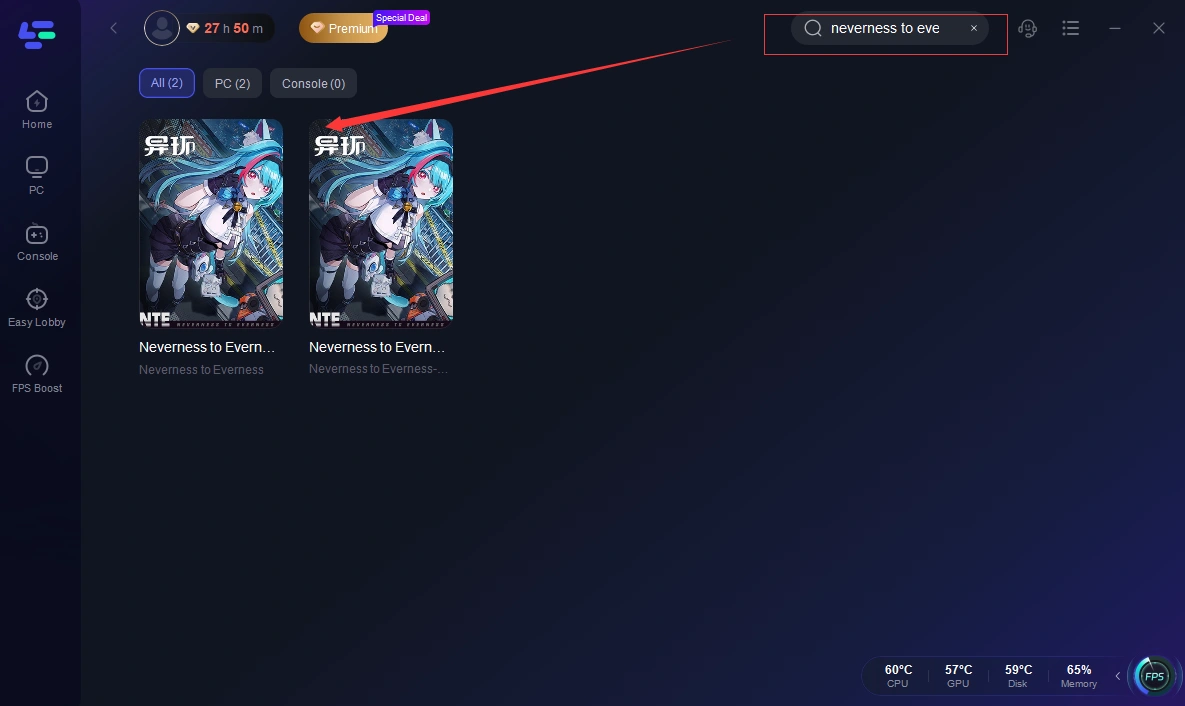
Step 2: After installation, search "Neverness to Everness (NTE)" in the search bar and select the game.
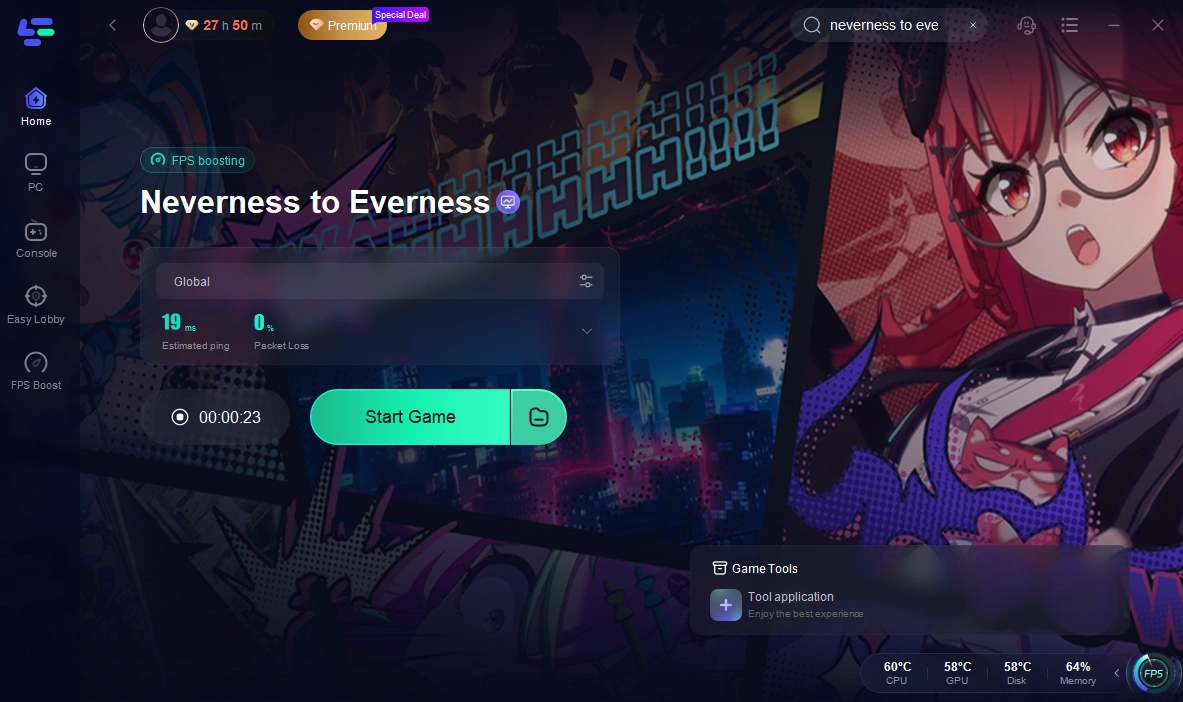
Step 3: Choose your preferred server node and click "Smart Boost" to start optimizing.
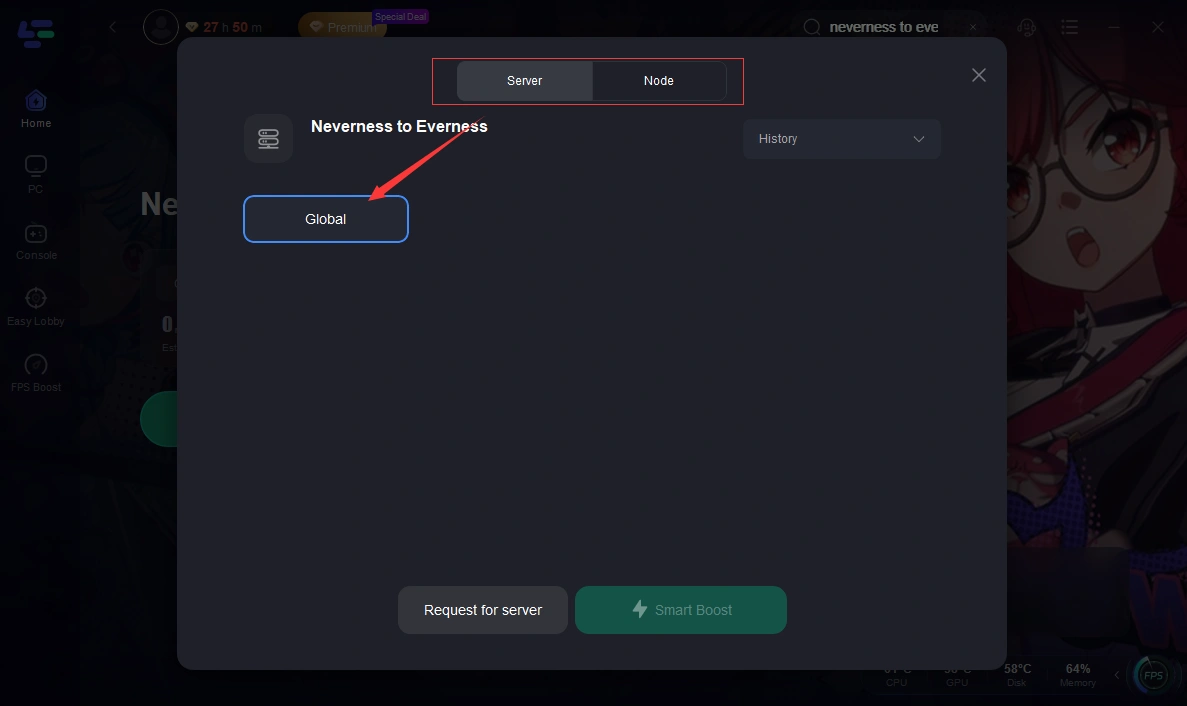
Step 4: Launch your game and enjoy smooth, optimized gameplay with lower ping and packet loss.
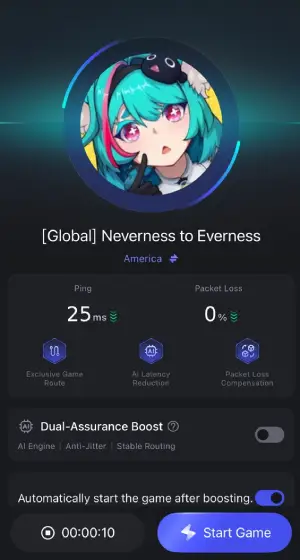
How to Use LagoFast for Neverness to Everness (NTE) on Mobile
Step 1: Click download and install LagoFast Mobile.

Step 2: Open LagoFast, then search for Neverness to Everness (NTE) in LagoFast Mobile.
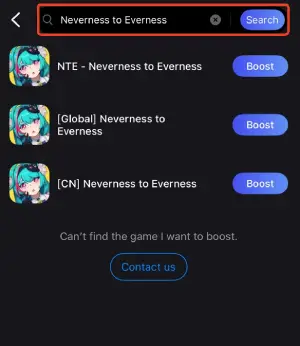
Step 3: Click boost and select your corresponding server region to connect.
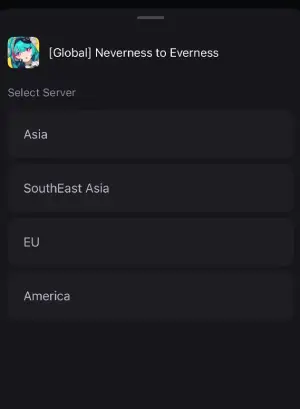
Step 4: Once optimized performance is confirmed, click "Start Game" to launch the game.
Part 4: Manual Fixes for Neverness to Everness (NTE) Common Errors
If you prefer a more manual approach, the following solutions are worth trying, as the issue is usually deeper—related to game files, system settings, or network configuration rather than a simple temporary glitch.
Reinstalling and System Cleanup
If you’re dealing with repeated crashes, black screens, or stuck loading screens, corrupted or missing game data is often the cause. A clean reinstall refreshes all core files, while clearing leftover cache removes hidden errors that restarts can’t fix.
Update Drivers and System Components
Black screens, crashes, and performance drops are often linked to outdated system components. Make sure to:
- Update your GPU drivers
- Install the latest Windows updates
- Keep DirectX and Visual C++ redistributables up to date
These updates help the game run more consistently and reduce unexpected errors.
DNS Reset and Firewall Checks
For persistent login issues or connection errors, network settings are usually involved. Try:
- Resetting DNS settings to clear routing conflicts
- Checking firewall or antivirus permissions
- Allowing the game through security software
This helps prevent the game from being blocked or misrouted.
Close Background Processes and Optimize Performance
If you’re facing stuttering, low FPS, or random freezes, system overload is often the cause. You should:
- Close unnecessary background apps
- Disable overlays (Discord, Steam, etc.)
- Free up CPU and memory usage before launching the game
This helps the game get more stable system resources during gameplay.
Conclusion
Most Neverness to Everness (NTE) common errors come down to a few clear issues—system performance, game files, or unstable network connections. Once you understand the real cause, fixing them becomes much more straightforward. Start with quick solutions, then move to manual fixes if needed. With the right approach, most players can get back into the game without too much hassle.
Boost Your Game with LagoFast for Epic Speed
Play harder, faster. LagoFast game booster eliminates stutter and lags on PC, mobile, or Mac—win every match!
Quickly Reduce Game Lag and Ping!
Boost FPS for Smoother Gameplay!