
Quick Answer: To fix Mistfall Hunter constant disconnections, you should first verify the server status and then optimize your network routing. The most common cause is a timeout during the "handshake" between your client and the server, especially during high-load transitions like extraction or returning to camp. Using a dedicated game booster like LagoFast can stabilize this connection. If you are already disconnected, do not immediately close the game; wait for the in-game reconnect prompt. If that fails, restart the game as quickly as possible to rejoin the session before your character is killed by mobs or other players.
Mistfall Hunter is a high-stakes extraction ARPG where a single network hiccup can mean the difference between a successful haul and losing hours oa6f progress. Players have reported a variety of frustrating scenarios: disconnecting randomly mid-fight, losing connection exactly when the extraction timer hits zero, or getting stuck on a loading screen when returning to camp. Because the game treats a disconnection as an "abandonment" if you don't reconnect in time, these issues often lead to permanent gear loss and "death" penalties.

- ✅ Reduce Lag and High Ping.
- ✅ Higher FPS and better performance.
- ✅ Support for 8000+ games.
- ✅ Stable connection and region switching.
- ✅ Mistfall Hunter Translation Tool
Part 1: Why Does Mistfall Hunter Keep Disconnecting?
Part 2: Why Do You Lose Gear After Disconnecting?
Part 3: How to Fix Mistfall Hunter Constant Disconnections
Part 4: How to Fix Mistfall Hunter Reconnect Not Working
Part 5: Can You Recover Gear Lost After a Disconnect?
Part 6: How to Prevent Disconnects from Costing You Valuable Gear
Part 7: How to Enhance Your Game Experience with LagoFast Game Booster
Part 8: Mistfall Hunter Disconnection FAQ
Part 1: Why Does Mistfall Hunter Keep Disconnecting?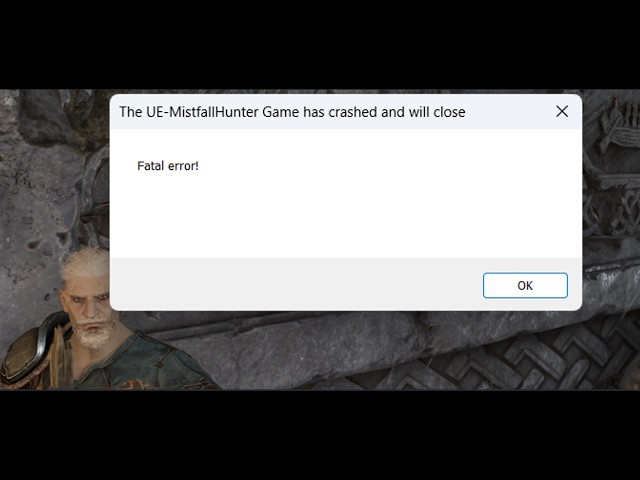
Server Instability During Beta and Launch Phases
Mistfall Hunter is a relatively new title, and its server infrastructure is still being optimized. During peak hours, the servers may struggle to handle the volume of players, leading to "packet bursts" or total connection drops.
Network Timeouts During Loading Transitions
The transition from the dungeon to the camp or the extraction sequence requires a heavy exchange of data. If your ping spikes or your upload speed dips during this critical window, the server may terminate the session, thinking you have timed out.
Conflicts with Windows Security and Exploit Protection
Some players have found that Windows' "Exploit Protection" settings can interfere with the game's network packets. Specifically, the "Control Flow Guard (CFG)" setting has been known to cause sudden game lockups and subsequent disconnections.
ISP Throttling and Poor Routing
If your ISP (Internet Service Provider) does not have an optimized route to the Mistfall Hunter servers, your data may take a long, unstable path across the globe. This results in high jitter, which is the primary cause of "random" disconnections.
Part 2: Why Do You Lose Gear After Disconnecting?
The "Combat Log" Prevention Mechanic
Like many extraction games, Mistfall Hunter has strict rules to prevent players from "alt-f4ing" to avoid death. If you disconnect, your character remains in the world for a short period. If you don't reconnect, the game eventually marks you as "Dead," and your gear is lost.
Disconnecting During Extraction
If you lose connection while the extraction timer is counting down, the server may not register your successful exit. If the match ends while you are disconnected, you are treated as having failed to extract, resulting in the loss of all loot and equipped gear.
Character Vulnerability While Offline
When you disconnect, your character doesn't disappear instantly. You are a "sitting duck" for monsters or opportunistic Gyldhunters. If they kill your character while you are trying to log back in, you will lose everything.
Part 3: How to Fix Mistfall Hunter Constant Disconnections
Use a Wired Ethernet Connection
Wi-Fi is prone to interference that causes "micro-stutters" in your connection. For a game as punishing as Mistfall Hunter, a stable Ethernet cable is the single best hardware upgrade you can make.
Disable Windows Exploit Protection for Mistfall Hunter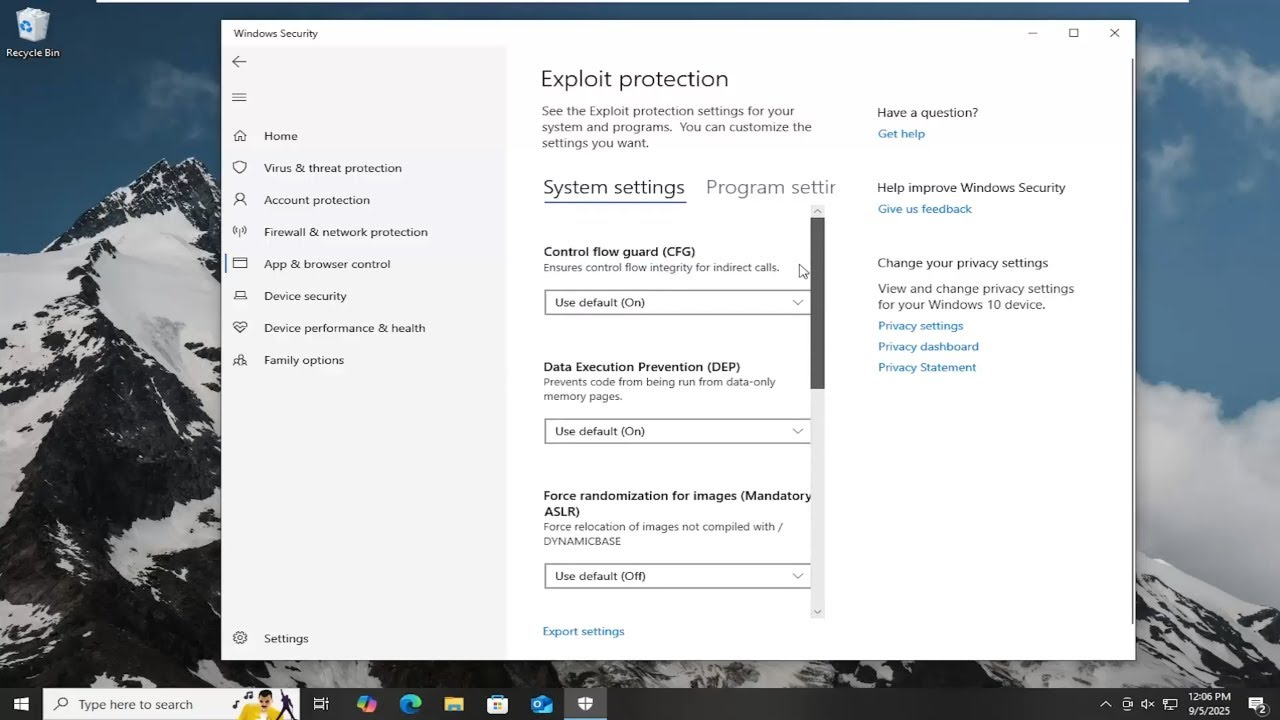
- Open Windows Security.
- Go to App & browser control > Exploit protection settings.
- Switch to Program settings and add MistfallHunter.exe.
- Find Control Flow Guard (CFG) and set it to Override system settings and turn it Off.
Flush Your DNS and Reset Your Network
Open Command Prompt as an administrator and type the following commands:
•ipconfig /flushdns
•netsh winsock reset
Restart your PC afterward to clear any stale network configurations.
Update Your Network Drivers
Outdated motherboard or Wi-Fi drivers can cause compatibility issues with the game's Unreal Engine network stack. Visit your manufacturer's website to ensure you have the latest version.
Part 4: How to Fix Mistfall Hunter Reconnect Not Working
The "Stuck on Loading Screen" Reconnect Bug
Sometimes, when you try to reconnect, the game gets stuck at 0% or 100% on the loading screen. This usually happens because the previous session hasn't been fully cleared by the server. Wait at least 60 seconds before trying again.
Restarting the Game vs. Waiting for the Prompt
If the in-game "Reconnect" button fails twice, do not keep clicking it. Close the game entirely (use Task Manager to ensure no background processes remain) and relaunch. A fresh login often bypasses the "session already exists" error.
Clearing the Local Cache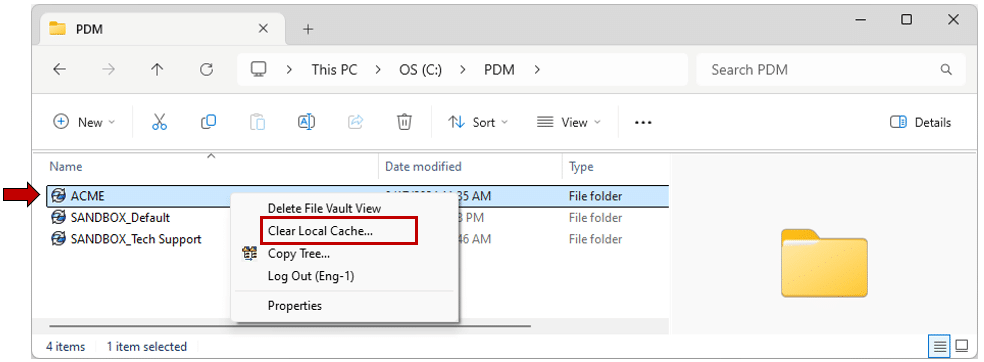
If you consistently cannot reconnect, navigate to %localappdata%\MistfallHunter\Saved and delete the Crashes and Logs folders. This can sometimes resolve corrupted session data that prevents re-entry.
Part 5: Can You Recover Gear Lost After a Disconnect?
Is There a Gear Insurance System?
Currently, Mistfall Hunter does not have a robust "insurance" system like some other extraction shooters. If you die due to a disconnect and your body is looted, that gear is gone forever.
Contacting Suppogrt for Server-Wide Outaes
If your disconnection was part of a documented server-wide crash, the developers occasionally issue compensation in the form of in-game currency or "Starter Kits." Check the official Discord for "Compensation" announcements.
The "Ghost Character" Recovery
In rare cases, if you disconnect and the server crashes shortly after, your character might be "rolled back" to its state before the match started. This is the only way to "recover" gear after a failed extraction.
Part 6: How to Prevent Disconnects from Costing You Valuable Gear
Extract Early if You Notice Lag
If you see your ping fluctuating or notice "rubber-banding" (your character snapping back to a previous position), do not push for high-tier loot. Head to the nearest extraction point immediately.
Play with a Team
If you disconnect while playing with friends, they can protect your "ghost" character while you reconnect. They can also carry your gear out for you if you are unable to get back into the game in time.
Monitor Server Status Before High-Tier Runs
Before equipping your best purple or legendary gear, check the Mistfall Hunter Server Status on sites like OutageScope or the official Facebook page. If there are reports of instability, stick to "budget runs."
Part 7: How to Enhance Your Game Experience with LagoFast Game Booster
For Gyldhunters, the biggest enemy isn't the monsters—it's the network route. Standard internet routing is designed for web browsing, not for the high-speed, low-latency requirements of an extraction ARPG. LagoFast(LagoFast Game Booster - Get No Lag and Lower Ping) Game Booster is specifically designed to solve the "Constant Disconnection" problem in Mistfall Hunter.
Why LagoFast is Essential for Mistfall Hunter:
- Multipath Connection: LagoFast uses multiple data paths simultaneously. If one path becomes unstable or disconnects, the other paths keep your game session alive, preventing the "Lost Connection" screen.
- Real-Time Route Optimization: It automatically finds the shortest and most stable path to the Mistfall Hunter servers, significantly reducing jitter and ping spikes during extraction.
- System Cleaning: LagoFast can clear background processes and optimize your Windows network settings (like the CFG fix mentioned earlier) with a single click.
Steps to Fix Mistfall Hunter Disconnects with LagoFast:
Click the Free Trial button to download and install LagoFast Free Trial.
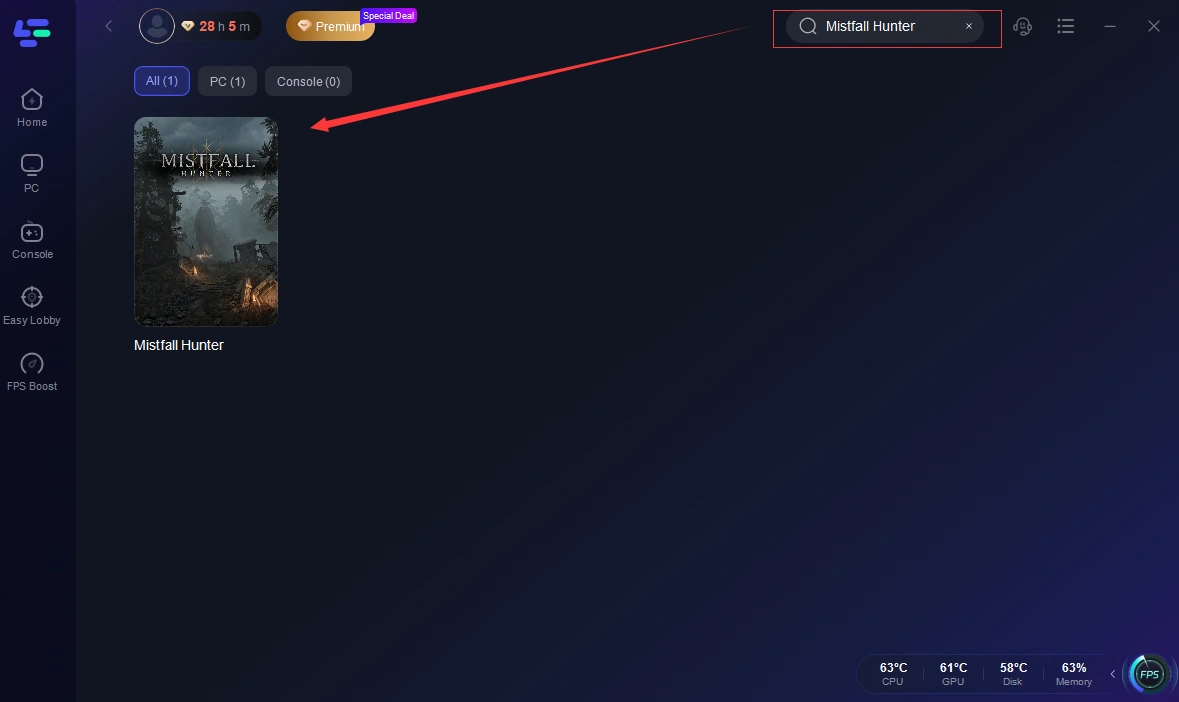
Search: Type "Mistfall Hunter" in the search bar.
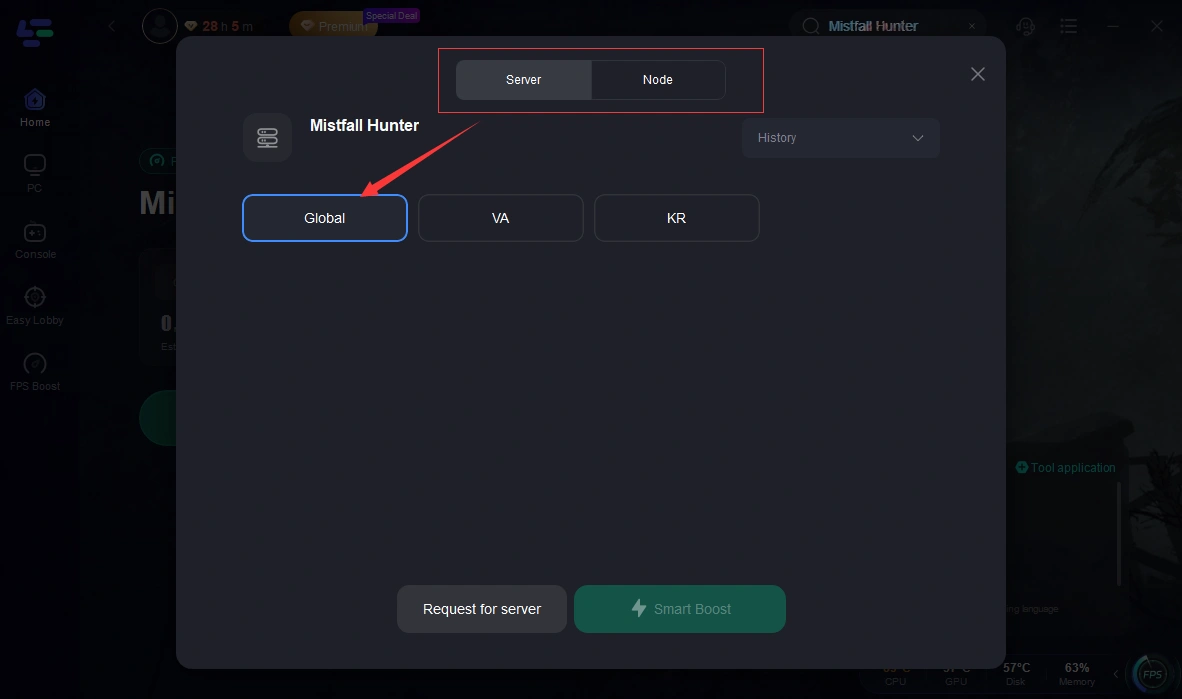
Boost: Click the Boost button. LagoFast will automatically select the best node based on your location.
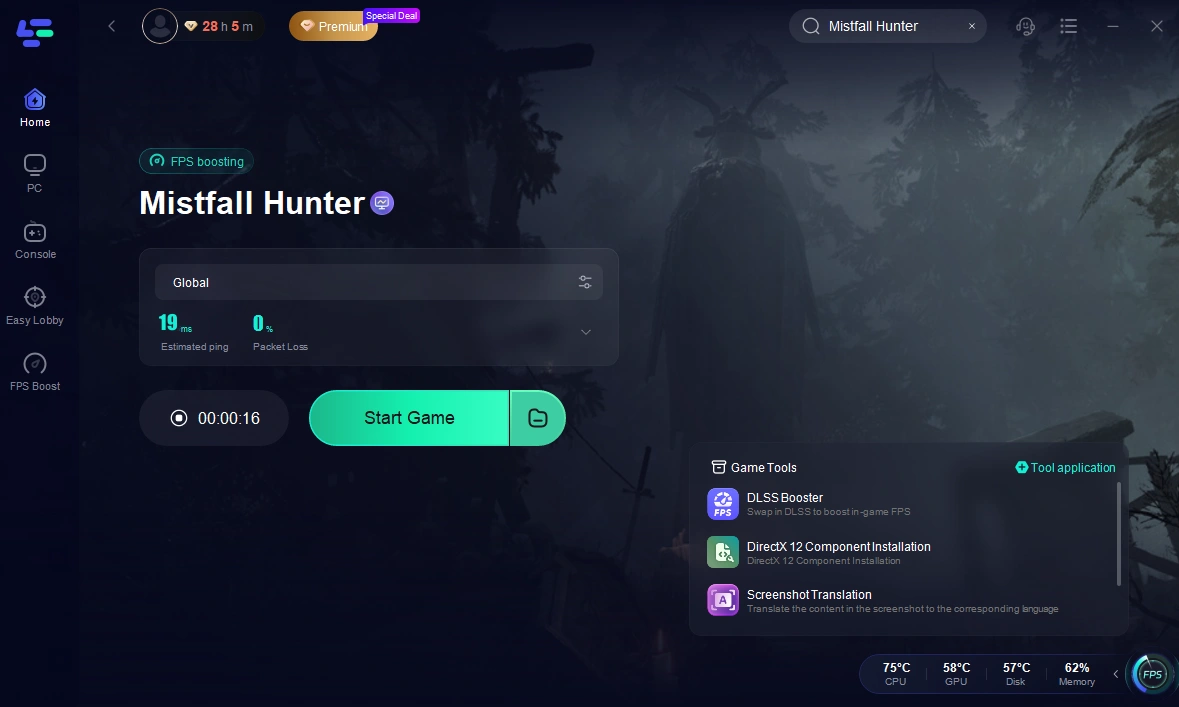
Launch: Start the game through the LagoFast interface. You will notice a much more stable connection, especially during those high-stakes extraction moments.
Part 8: Mistfall Hunter Disconnection FAQ
1. Why did I lose my gear even though I didn't die?
If you disconnect and fail to reconnect before the match timer ends, the game treats it as a "Missing in Action" (MIA) status, which results in total gear loss.
2. Can I reconnect if I've already closed the game?
Yes. As long as the match is still ongoing and your character hasn't been killed, you can relaunch the game and you should receive a prompt to "Rejoin Match."
3. Does Mistfall Hunter have a reconnect limit?
There is no hard limit on the number of times you can reconnect, but each time you are offline, you risk being killed by other players or the environment.
4. Why do I only disconnect during extraction?
Extraction triggers a significant state change on the server. If your connection has high "jitter," the handshake required to finalize your loot and exit can fail, causing a disconnect.
5. Is there a way to get my gear back if the server crashed?
Only if the developers issue a rollback or compensation. There is no manual way to request gear recovery for individual disconnection issues.
Key Takeaway
- Stability Over Speed: A stable 50ms ping is better than a fluctuating 20ms ping. Use LagoFast to eliminate jitter.
- Don't Panic: If you disconnect, try to reconnect immediately. If the in-game button fails, restart the entire client.
- Team Up: Playing in a group is the best "insurance" against disconnection-related gear loss.
- Fix Your Settings: Disable Windows Exploit Protection (CFG) for the game to prevent local lockups.
- Check the Status: Never take your best gear into a match if the servers are reported as unstable.
Boost Your Game with LagoFast for Epic Speed
Play harder, faster. LagoFast game booster eliminates stutter and lags on PC, mobile, or Mac—win every match!
Quickly Reduce Game Lag and Ping!
Boost FPS for Smoother Gameplay!