
Quick Answer
Wondering if Hell Let Loose: Vietnam is down? If you can't join matches or the server browser isn't loading, it may be caused by maintenance, outages, or network issues.
To check Hell Let Loose: Vietnam server status, review official announcements, community reports, and the in-game server list. If servers are online but you still can't connect, the issue is usually related to your network.
Connection issues in Hell Let Loose: Vietnam are often confusing when it's unclear whether the problem is server-side or network-related. This guide helps you quickly identify the cause and restore access to matches.

- ✅ Reduce Lag and High Ping.
✅ Boost FPS at the Same Time.
✅ Support 8000+ Popular Online Games.
✅ Change Server without Latency.
✅ Boost Game Loading Speed.
Part 1: Is Hell Let Loose: Vietnam Server Down Right Now?
Part 2: How to Check Hell Let Loose: Vietnam Server Status
Part 3: Why Can't You Connect Even When Servers Are Online?
Part 4: How LagoFast Helps Stabilize Hell Let Loose: Vietnam Connections
Part 5: Other Ways to Fix Hell Let Loose: Vietnam Connection Issues
Part 1: Is Hell Let Loose: Vietnam Server Down Right Now?
If you're having trouble connecting, you might be wondering if Hell Let Loose: Vietnam servers are down. In most cases, the servers are still online, and the issue is more likely related to your connection or routing.
Before jumping to conclusions, check whether the server browser is loading and if other players are reporting similar issues.
Common signs of a possible server issue include:
- Unable to join any server
- Server browser not loading
- Login or authentication errors
- Frequent disconnects
- High ping across multiple servers
If these problems are widespread, it’s more likely a server-side issue.

Part 2: How to Check Hell Let Loose: Vietnam Server Status
Before troubleshooting your PC or network, it’s important to confirm whether the servers are actually online.
Check Official Announcements
Start with the game’s official channels. Developers usually post updates about maintenance, outages, or known connection issues. If there’s a major server problem, it’s usually reported there first.
Check Community Reports
If many players are reporting the same issues like failed connections, login problems, or server browser errors, it’s likely a wider server issue affecting multiple regions.
Check the In-Game Server List
Open the server browser and see if servers are showing normally. If you can see active servers with player counts and ping values, the servers are likely working.
Choose the Best Server
For the best experience, pick a server with low ping and a nearby region. A stable connection is more important than a full server or long queue time.
Part 3: Why Can't You Connect Even When Servers Are Online?
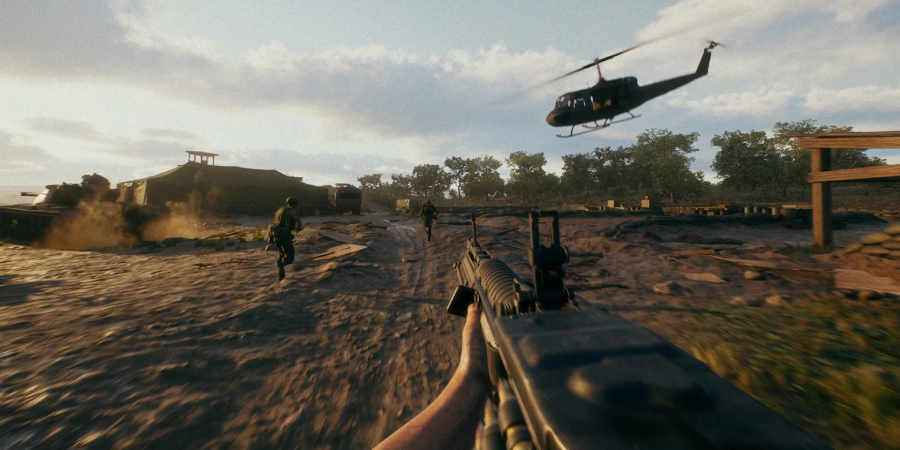
Sometimes servers are working normally, but you still cannot join a match.
Common causes include:
- High ping or unstable latency
- Packet loss
- ISP routing issues
- Unstable Wi-Fi
- Firewall or security restrictions
- Regional congestion
Even in a stable server environment, network instability can prevent successful connections or cause long loading times.
Part 4: How LagoFast Helps Stabilize Hell Let Loose: Vietnam Connections
If you're still having trouble connecting in Hell Let Loose: Vietnam, or keep getting disconnected even when the servers appear to be online, LagoFast can help improve your overall gameplay stability.
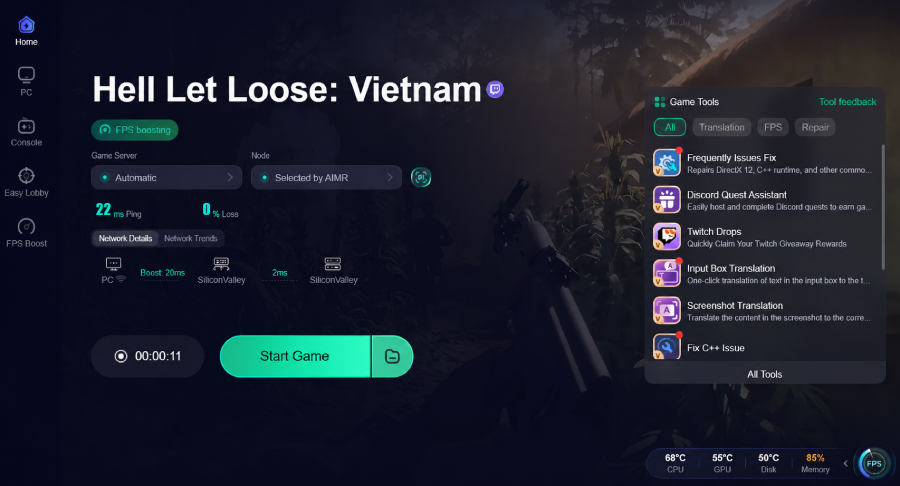
LagoFast uses a multi-path connection system that routes your game data through multiple optimized paths at the same time. If one path becomes unstable or congested, it automatically switches to a more stable route to reduce lag spikes and disconnects. By optimizing routing in real time, it helps lower ping, reduce packet loss, and stabilize your connection. It also includes a Frequently Issues Fix Tool to help quickly resolve common network problems and improve overall game performance with less effort.
How to Use LagoFast for Hell Let Loose: Vietnam:
Step 1: Click the Free Trial button to download and install LagoFast.
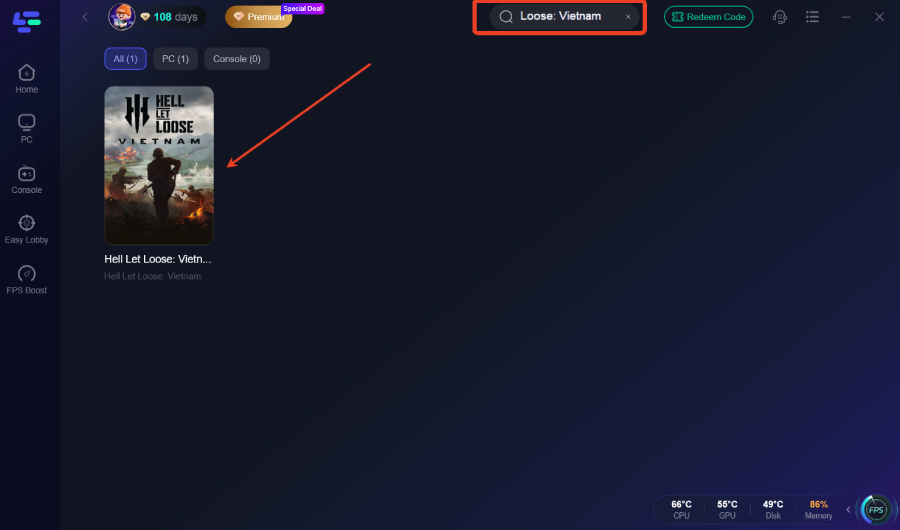
Step 2: After installation, search "Hell Let Loose: Vietnam" in the search bar and select the game.
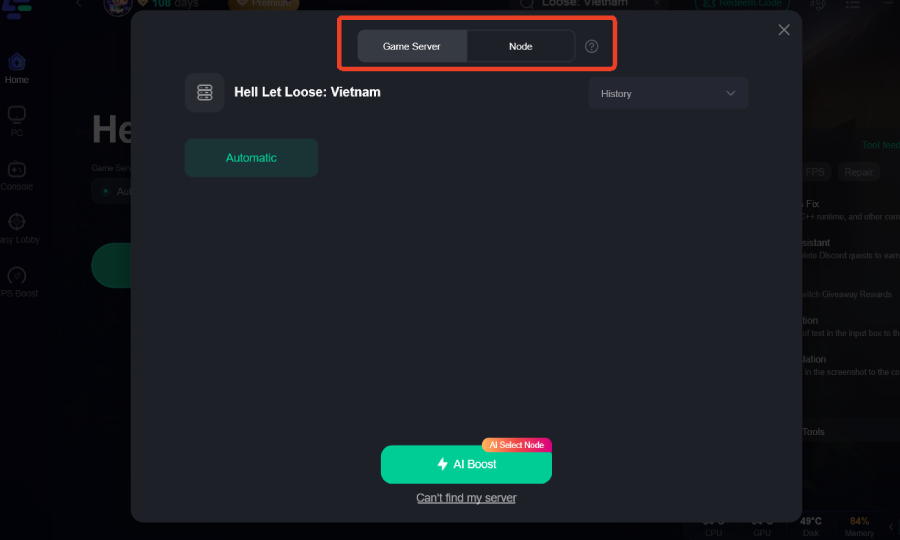
Step 3: Choose your preferred server node and click "Smart Boost" to start optimizing.
Step 4: Launch your game and enjoy smooth, optimized gameplay with lower ping and no stutter.
Part 5: Other Ways to Fix Hell Let Loose: Vietnam Connection Issues
If you prefer to fix the issue manually, try these steps one by one.
Restart the Game
Sometimes the issue is just a temporary session bug.
- Fully close the game (don’t just minimize it)
- Wait a few seconds before relaunching
- Reconnect to a server after restart
This can quickly clear minor connection glitches.
Refresh the Server Browser
If servers are not showing or the list looks empty:
- Refresh the server list manually
- Exit and re-enter the server browser
- Switch tabs or filters if needed
This helps reload available servers properly.
Restart Your Router
Network instability can often be fixed with a simple reset:
- Turn off your router for 10–30 seconds
- Turn it back on and wait for full reconnection
- Reconnect your device before launching the game
This can improve routing stability and reduce connection drops.
Verify Game Files
Corrupted or missing files can affect connectivity:
- Use your platform’s “Verify Integrity” option
- Let the process complete fully
- Restart the game afterward
This ensures your game files are not causing the issue.
Switch Server Region
Some issues only affect specific regions or peak hours:
- Try a nearby server region
- Compare ping before joining
- Avoid overloaded servers if possible
A different region can often provide a more stable connection.
Disable Background Network Conflicts
Other apps may interfere with your connection:
- Turn off VPNs or proxy tools
- Close downloads or streaming apps
- Disable overlays (if causing conflicts)
Then restart the game and test again.
Final Thoughts
Most connection issues in Hell Let Loose: Vietnam come down to either server status or local network stability. Always check official updates first before assuming servers are down. In many cases, switching servers or improving your network setup is enough to restore stable gameplay. If issues continue, tools like LagoFast can help further improve connection stability and reduce interruptions.

Boost Your Game with LagoFast for Epic Speed
Play harder, faster. LagoFast game booster eliminates stutter and lags on PC, mobile, or Mac—win every match!
Quickly Reduce Game Lag and Ping!
Boost FPS for Smoother Gameplay!