
Encountering login errors in Fallout 76 can be incredibly frustrating, especially when you're eager to jump into the game. These errors can occur for various reasons, but there are several effective methods to resolve them. Among all the solutions, using LagoFast is the fastest and the most effective one.
Part 2: Use LagoFast for Stable Network Connection
Part 3: Other Ways to Fix Login Errors
Part 1: What’s a Login Error?
A login error in Fallout 76 occurs when the game cannot establish a connection to the Bethesda servers or when your account credentials are not recognized. This can result from various issues, including server maintenance, incorrect login details, network problems, or issues following a game update. Common messages players encounter include "can't log into Fallout 76 error," "can't log into Fallout 76 unknown error," and "Fallout 76 error during Bethesda.net login."
Hot Related : Why Fallout 76 Lag and Quick Fixe
Part 2: Use LagoFast for Stable Network Connection
Encountering login errors in Fallout 76 can be a frustrating experience, but using LagoFast, a reliable game booster, can help you overcome these issues. Here's how to use LagoFast to resolve login errors and ensure a smoother gaming experience.
Step 1: Click on the Free Trial button on the LagoFast website to download and install the application.
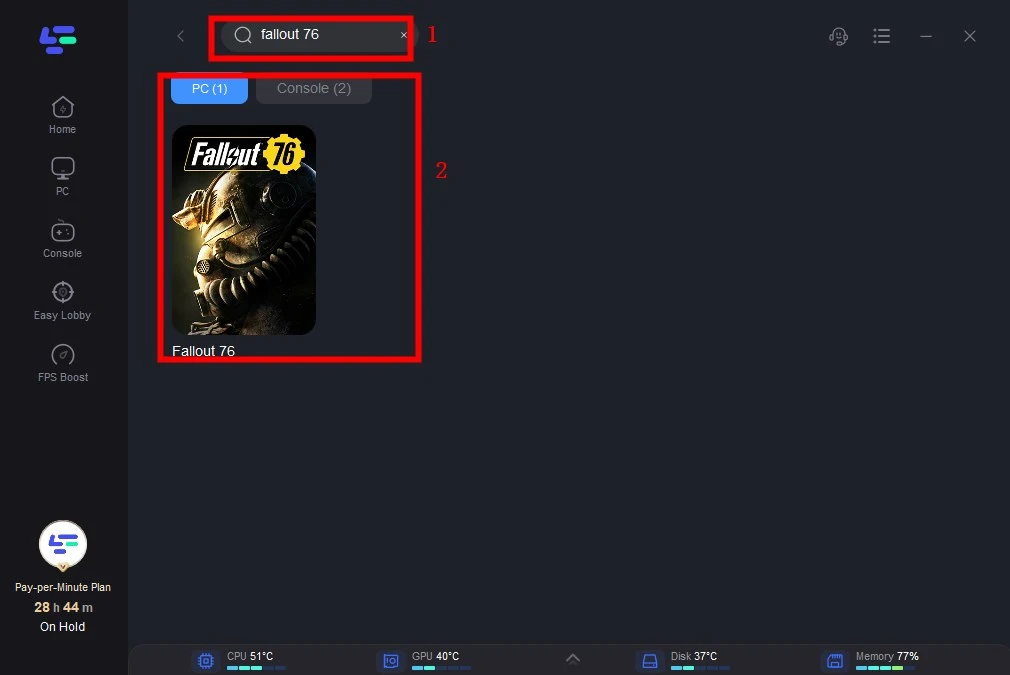
Step 2: Open LagoFast and search for Fallout 76 before launching the game.
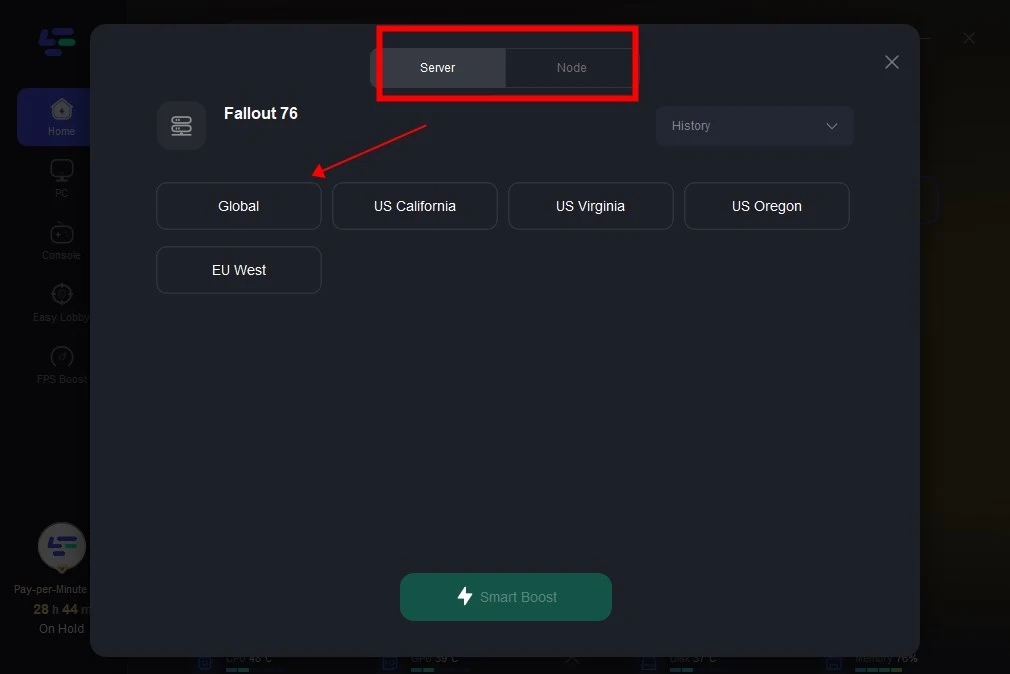
Step 3: Click “Select Server” to choose a stable server, then select the best node by clicking on the “Node” on the right.
Step 4: Click the “Smart Boost” button to view game ping, packet loss, and network type on the right side.
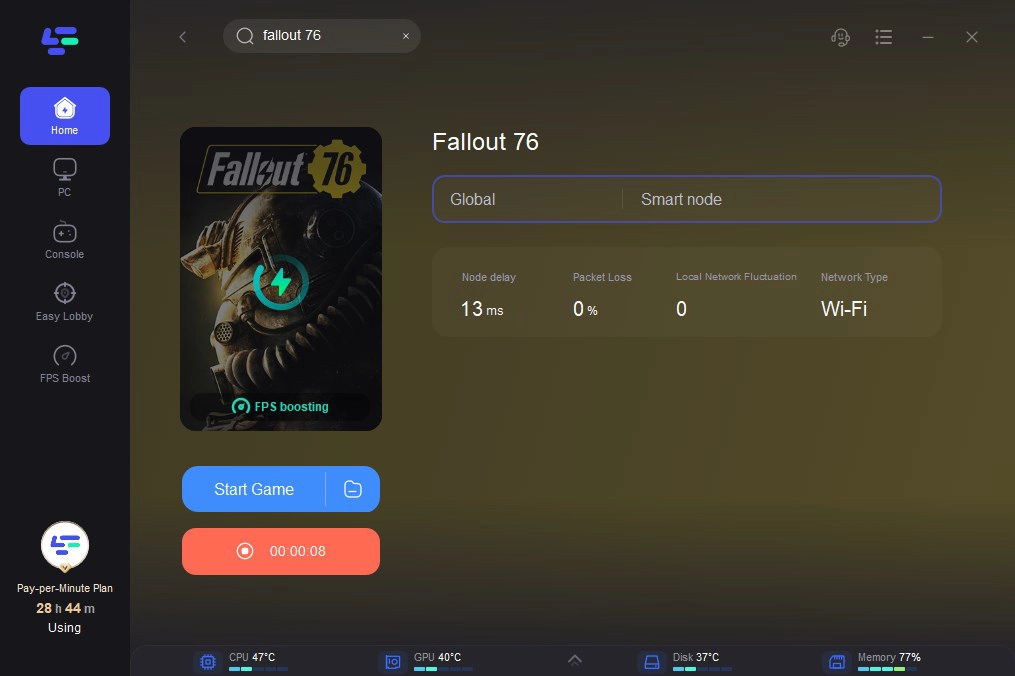
Using LagoFast can significantly enhance your connection stability and reduce the likelihood of encountering login errors in Fallout 76. By following these simple steps, you can ensure a smoother and more enjoyable gaming experience.
Part 3: Other Ways to Fix Login Errors
Here are steps to fix login errors in Fallout 76:
Check Bethesda Support Twitter
Before trying any fixes, check the Bethesda Support Twitter account to see if there are any planned maintenances or outages. If the servers are down, you’ll need to wait until they are back up.
Verify Username and Password
Ensure your login credentials are correct:
- Shift for Capitals: Use [SHIFT] instead of [CAPS LOCK] when entering capitalized letters.
- Verify Details: Sign in to your Bethesda.net account to confirm your username and password are correct.
- Forgot Username/Password: Use the "Forgot Username" or "Forgot Password" options on the sign-in page if necessary.
Switch to a Wired Connection
If you are using a wireless connection, switch to a wired connection to see if there is any improvement. Wired connections are generally more stable and less prone to interference.
Try a Different Network
If another network is available, try connecting to it to determine if the issue is with your current network.
Reboot Your Home Network
Reboot your modem and router:
- Turn off your modem and router.
- Unplug the power connections.
- Wait a few minutes before plugging them back in and turning the devices back on.
- This hard reset can resolve many connectivity issues.
Conclusion
Login errors in Fallout 76 can stem from various issues, but by following these steps, you can troubleshoot and resolve them. From verifying your login details to rebooting your network and using LagoFast for a stable connection, these methods will help you get back into the game. If problems persist, don’t hesitate to reach out to Bethesda support for further assistance.

Boost Your Game with LagoFast for Epic Speed
Play harder, faster. LagoFast game booster eliminates stutter and lags on PC, mobile, or Mac—win every match!
Quickly Reduce Game Lag and Ping!
Boost FPS for Smoother Gameplay!