
Quick Answer
Most Darktide Skitarii Update Problems are caused by one of four things: incomplete game updates, DLC ownership not syncing correctly, account verification delays, or cosmetic entitlement refresh failures.
To fix most issues:
- Fully close Steam or your platform launcher and restart it.
- Confirm the latest Darktide patch is installed.
- Verify game files.
- Recheck DLC ownership and installed content.
- Log out and back into your account.
- Allow several minutes for server-side rewards and Twitch Drops to sync.
- Remove outdated mods after major updates.
If the content still does not appear after completing these steps, contacting official support with screenshots and purchase information is usually the fastest solution.

- ✅Less ping and crashes.
- ✅ Higher FPS and better performance.
- ✅ Support for 2000+ games.
- ✅ Stable connection and region switching.
Part 1. Why Skitarii DLC Is Not Showing Up
Part 2. How to Unlock the Skitarii Class
Part 3. Skitarii Deluxe Content Missing
Part 4. Cosmetic Upgrade Not Appearing
Part 5. Darktide Update Not Available
Part 6. Twitch Drops Not Received
Part 7. Enhance Game Experience With LagoFast
Part 1. Why Skitarii DLC Is Not Showing Up
After purchasing or claiming content, many players notice the Darktide Skitarii DLC not showing immediately inside the game.
Before assuming the purchase failed, check whether the issue comes from installation or entitlement verification.
Confirm DLC Installation Status
Open your game platform and check installed downloadable content.
Common causes include:
- DLC installed but not activated
- Ownership recognized but content not downloaded
- Platform servers delayed
- Wrong account logged in
On Steam:
- Open Library.
- Right-click Darktide.
- Select Properties.
- Open DLC.
- Confirm the Skitarii package is enabled.
Restart the launcher afterward.
Verify Game Files
Corrupted or incomplete updates frequently stop new content from appearing.
To verify:
- Open Darktide Properties.
- Choose Installed Files.
- Select Verify Integrity.
The launcher will replace missing files automatically.
Disable Mods Temporarily
Large updates sometimes break UI behavior.
Disable:
- Mod loaders
- Cosmetic extensions
- Interface overhauls
Then launch vanilla Darktide and check again.
Wait for Server Synchronization
Some purchases activate instantly while others require backend synchronization.
Wait 15–30 minutes after confirming ownership before troubleshooting further.
Transitioning from installation issues, another common concern appears when the content exists but cannot actually be used.
Related Article: Darktide Matchmaking Not Working? Fix Teammate Unavailable, Lobby & Invite Issues
Part 2. How to Unlock the Skitarii Class
A frequent complaint from players is seeing the content available but encountering a Darktide Skitarii class locked message.
This normally happens because unlock conditions are not being recognized correctly.
Complete Required Intro Progress
Some new classes or content systems may remain unavailable until:
- Tutorial completion
- Character creation completion
- Hub access unlocked
Check whether your character meets the minimum requirements.
Restart Account Authentication
Progress and unlock status occasionally become unsynchronized.
Try:
- Exit Darktide.
- Sign out of launcher.
- Close launcher completely.
- Log back in.
- Relaunch.
Check Region and Edition Compatibility
Content purchased from one storefront region may occasionally require account validation before activation.
Verify:
- Correct edition purchased
- Correct game version installed
- Matching platform account
Remove Old Config Files
If unlock status remains stuck:
- Back up settings.
- Delete local cache folders.
- Relaunch.
This forces Darktide to rebuild account data.
Once classes become available, players often discover another issue: missing premium items.
Related Article: Best Skitarii Build in Warhammer 40K Darktide: Full Guide
Part 3. Skitarii Deluxe Content Missing
Another frequent report is Darktide deluxe content missing after updates or reinstalling.
This typically affects:
- Premium cosmetics
- Bonus outfits
- Portrait frames
- Special account rewards
Refresh Ownership Recognition
Many entitlement problems disappear after forcing the launcher to refresh.
Methods include:
- Logging out
- Restarting platform client
- Opening DLC management page
- Relaunching Darktide
Confirm Edition Upgrade Applied
Players who upgraded later rather than buying Deluxe initially sometimes need extra synchronization.
Check:
- Purchase history
- Store ownership page
- Installed add-ons
Clear Local Cache
Cache corruption can prevent bonus content from loading.
Basic process:
- Exit game.
- Locate cache directory.
- Delete temporary files only.
- Relaunch.
Reinstall Only DLC Files
Instead of reinstalling the entire game:
- Disable DLC
- Restart launcher
- Re-enable DLC
- Launch again
After restoring deluxe rewards, cosmetic-related problems may still remain.
Part 4. Cosmetic Upgrade Not Appearing
Players frequently report Darktide cosmetics missing after major patches.
In most cases, cosmetics still exist but fail to render or refresh.
Force Character Inventory Refresh
Try:
- Switch characters
- Enter hub area
- Open cosmetics menu
- Return to character selection
This refreshes appearance data.
Remove Cosmetic Conflicts
Potential conflicts:
- UI mods
- Appearance customization mods
- Outdated texture packs
Disable everything temporarily.
Check Account Synchronization
Cloud synchronization interruptions can delay cosmetic updates.
Recommended order:
- Exit game.
- Sync platform cloud.
- Restart system.
- Launch again.
Verify Platform Status
Sometimes rewards disappear temporarily during maintenance periods.
If multiple players report identical behavior, waiting may be faster than local troubleshooting.
Besides cosmetics, update delivery itself can also become the source of problems.
Part 5. Darktide Update Not Available
When a patch releases but does not appear, players usually describe it as Darktide update not showing.
Others see download progress freeze entirely and experience a Darktide update stuck problem.
Restart Download Services
First attempt:
- Pause update
- Exit launcher
- Restart launcher
- Resume
Change Download Region
Slow or stalled update servers can prevent patch delivery.
Switching regions sometimes refreshes availability.
Clear Download Cache
For Steam users:
- Open Settings.
- Downloads.
- Clear Download Cache.
- Sign back in.
Free Disk Space
Large updates may require significantly more temporary storage than final install size.
Keep extra free space available.
Reinstall Without Removing Saves
If updates repeatedly fail:
- Backup local files
- Remove installation
- Perform clean install
At this stage, gameplay access should return. The final missing content issue often involves rewards from external platforms.
Part 6. Twitch Drops Not Received
A common complaint after events is Darktide twitch drops not received despite watching streams.
Most cases involve account linking rather than reward loss.
Confirm Account Linking
Verify:
- Twitch connected
- Game account linked
- Correct platform selected
Reconnect if uncertain.
Claim Rewards Manually
Watching alone is not enough.
You usually must:
- Open Twitch inventory.
- Claim reward.
- Relaunch game.
Wait for Reward Delivery
Drops may require additional processing time.
Recommended wait period:
- 30 minutes
- Up to 24 hours during heavy traffic
Disconnect and Reconnect Accounts
If rewards never arrive:
- Unlink Twitch.
- Relink.
- Relaunch.
- Check inventory.
This resolves many synchronization failures.
Now that technical issues are covered, improving overall stability can reduce future disruptions.
Part 7. Enhance Game Experience With LagoFast
While update and entitlement issues are usually tied to server synchronization, connection quality can still affect your overall Darktide experience.
To improve stability during downloads and gameplay, some Darktide players use network optimization tools like LagoFast. These tools aim to deliver a smoother connection and reduce interruptions by optimizing network routes.
Potential benefits include:
- More stable connection performance
- Improved download reliability
- Optimized packet routing
- Reduced lag spikes and connection fluctuations
How to Set Up LagoFast for a Better Darktide Experience:
Click the Free Trial button to download and install LagoFast Free Trial.
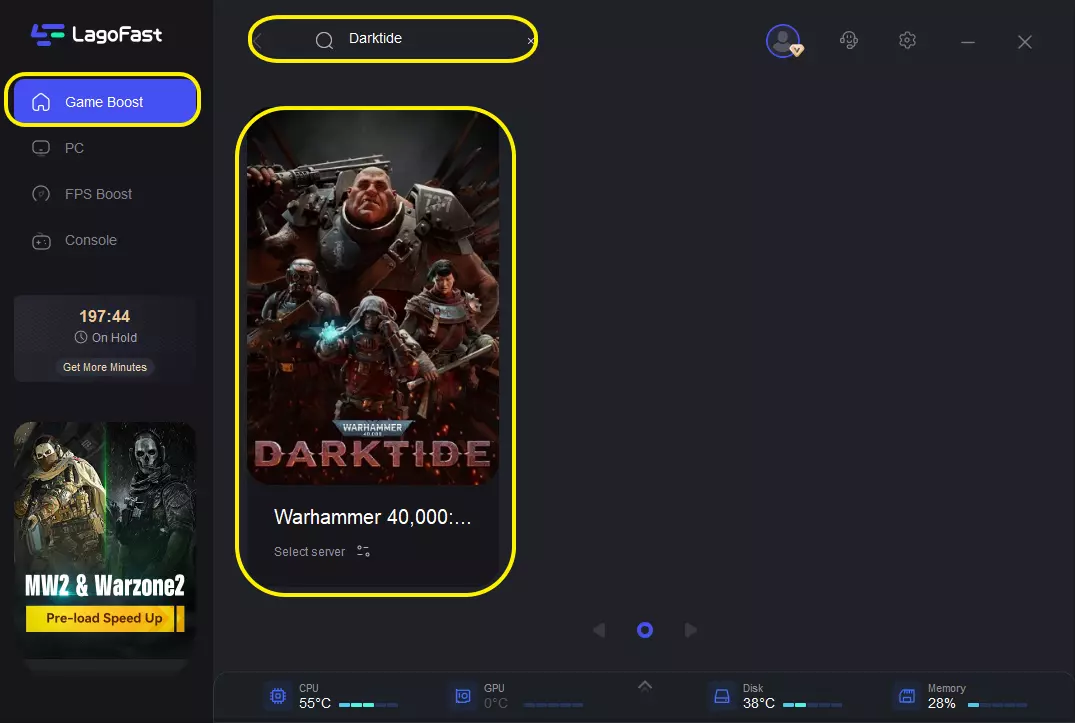
Search for Darktide: Open the app and type "Warhammer 40,000: Darktide" in the search bar.
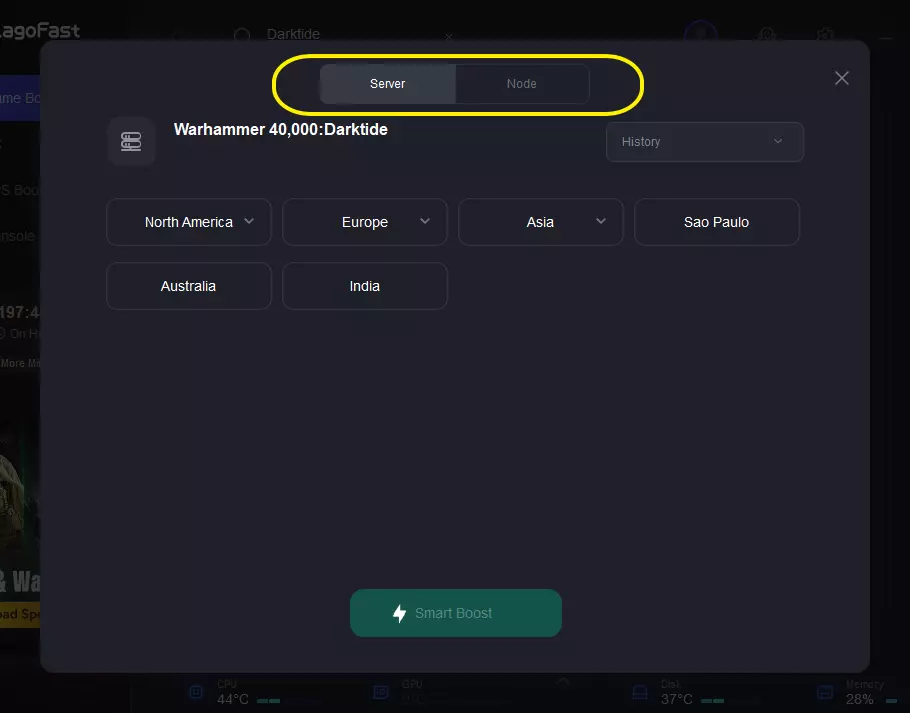
Select Your Server: Choose the server region closest to you. LagoFast will display the real-time ping for each available node.
Smart Boost: Click the "Boost" button. LagoFast will optimize your network connection and apply FPS-boosting configurations to ensure your game runs as smoothly as possible.
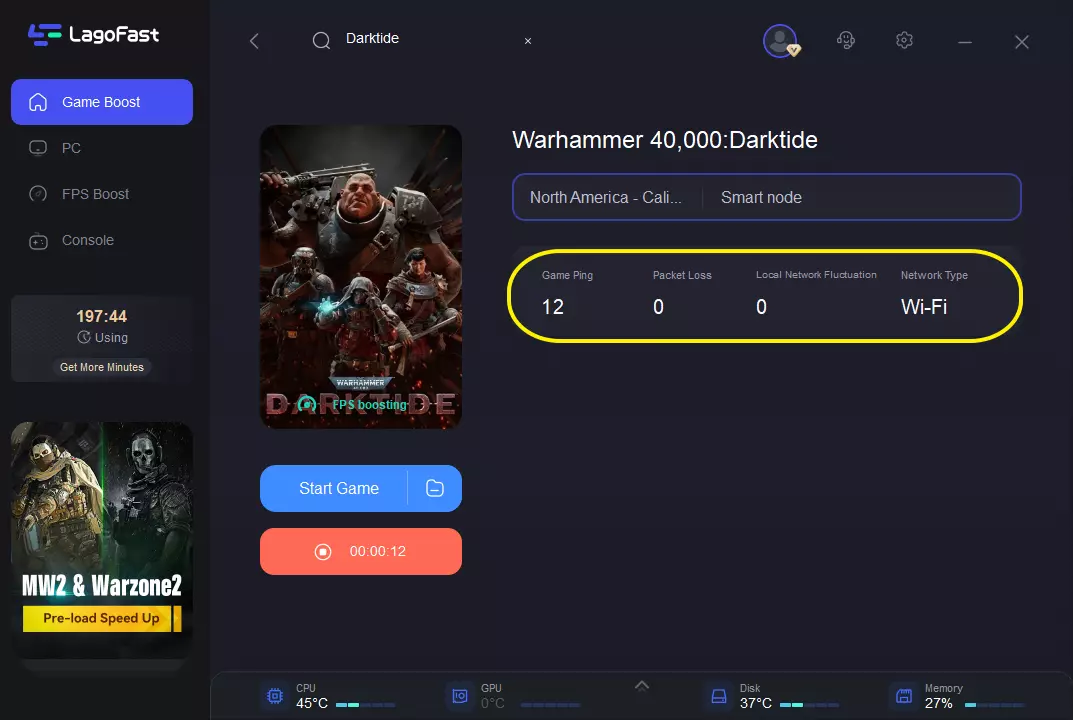
It will not unlock missing DLC or restore purchases, but a stable connection may reduce login and synchronization delays.
With the major troubleshooting scenarios complete, here are answers to common follow-up questions.
Part 8. FAQ
Why is my Skitarii DLC purchased but unavailable?
Usually because ownership has not synchronized yet or DLC installation remains incomplete.
Can mods cause missing cosmetics?
Yes. UI and cosmetic mods frequently break after updates.
How long do Twitch Drops take to appear?
Anywhere from a few minutes to 24 hours depending on event traffic.
Why does Darktide stay stuck updating?
Download cache corruption, insufficient storage, or overloaded servers are common reasons.
Will reinstalling remove my progress?
Most account progress is stored online, but always back up local settings first.
Why does deluxe content disappear after updates?
Updates sometimes require entitlement revalidation before cosmetics return.
Conclusion
Most Darktide Skitarii Update Problems can be solved without drastic measures. Whether you are dealing with Darktide Skitarii DLC not showing, a Darktide Skitarii class locked error, Darktide deluxe content missing, Darktide cosmetics missing, a Darktide update not showing situation, a Darktide update stuck download, or Darktide Twitch drops not received, the fastest approach is usually checking ownership, verifying files, refreshing account synchronization, and removing outdated mods.
Work through the fixes in order rather than changing everything at once. That makes it easier to identify the actual cause and get back into Darktide faster.

Boost Your Game with LagoFast for Epic Speed
Play harder, faster. LagoFast game booster eliminates stutter and lags on PC, mobile, or Mac—win every match!
Quickly Reduce Game Lag and Ping!
Boost FPS for Smoother Gameplay!