
Matchmaking in Counter-Strike 2 (CS2) depends on fast and synchronized communication between players and official servers. However, many players encounter the CS2 server reservation expired error immediately after accepting a match. Instead of entering the game, they are returned to the main menu with a connection failure message.
This guide explains the meaning of the CS2 server reservation expired issue, compares it with similar connection errors such as CS2 matchmaking connection error or connecting to counter-strike network error, and provides effective fixes to stabilize your connection and improve gameplay reliability.

- ✅ Reduce Lag and High Ping.
- ✅ Boost FPS at the Same Time.
- ✅ Add CSGO to Steam Library.
- ✅ Change Server Without Latency.
- ✅ End All Connection crash Issues.
- ✅ Multiplatform: PC, Mobile, Console.
Part 1. CS2 Server Reservation Expired Error Explained
Part 2. Connecting to Counter-Strike Network Error vs CS2 Server Reservation Expired
Part 3. CS2 Common Connection Errors Deep Comparison
Part 4. How to Fix CS2 Server Reservation Expired Error
Part 5. Enhance CS2 Connection Stability with LagoFast Game Booster
Part 1. CS2 Server Reservation Expired Error Explained
What Does Server Reservation Expired Mean in CS2?
The CS2 server reservation expired issue occurs during the final connection stage after matchmaking is completed.
The normal process includes:
- Matchmaking queue: Player enters queue
- Match acceptance: A match is found and accepted
- Server reservation: A slot is reserved for the player
- Connection attempt: The client tries to join the server
- Timeout: Connection takes too long or fails
- Slot release: Server cancels the reservation
When the client fails to respond in time, the system triggers a CS2 server reservation expired error.
Why This Error Happens
This issue is essentially a timeout problem during the handshake phase.
Common causes include:
- High latency spikes: Sudden ping increases delay communication
- Unstable routing: Network paths fluctuate or reroute
- Slow loading speed: Especially when using HDD instead of SSD
- Background resource usage: CPU or disk bottlenecks
In most cases, the server itself is working normally—the problem lies in delayed client response.
Part 2. Connecting to Counter-Strike Network Error vs CS2 Server Reservation Expired
Key Differences Between These Errors
Connecting to Counter-Strike Network Error
- Stage: Login or matchmaking start
- Core issue: Client cannot reach CS2 servers
- Type: Pure network failure
Typical causes:
- Firewall blocking connections
- ISP routing issues
- Unstable internet connection
- Server access failure
This prevents matchmaking entirely.
CS2 Server Reservation Expired
- Stage: After match acceptance
- Core issue: Connection timeout after slot reservation
- Type: Mixed (network + performance)
This means the connection started but did not complete in time.
Why Players Confuse Them
Both errors involve connection failure, but:
- One blocks access entirely
- The other fails at the final step
Understanding this difference is critical for choosing the right fix.
Part 3. CS2 Common Connection Errors Deep Comparison
1. Cannot Connect to Official Server in CS2
When It Happens
- Stage: Beginning of matchmaking
Main Causes
- Firewall restrictions
- Router misconfiguration
- ISP routing instability
This is a classic CS2 cannot connect to official server issue where no server communication is established.
2. Unable to Establish Connection with Game Server
When It Happens
- Stage: After match found, during loading
Main Causes
- Blocked UDP ports
- Packet loss
- Router filtering traffic
This is a typical CS2 matchmaking connection error where the handshake fails midway.
3. Steam Rejected Your Connection
When It Happens
- Stage: Authentication phase
Main Causes
- Steam session expired
- Account verification failure
Fix Focus
- Restart Steam
- Re-login account
- Verify game files
This issue is mostly unrelated to network quality.
4. CS2 Server Reservation Expired
When It Happens
- Stage: Just before entering the match
Main Causes
- Latency spikes
- Slow disk performance
- Delayed client response
Compared to other errors, CS2 server reservation expired is the most sensitive to timing and synchronization.
Part 4. How to Fix CS2 Server Reservation Expired Error
1. Restart the Game and Steam Client
A full restart resets matchmaking sessions and clears temporary errors.
Steps:
- Exit CS2 completely
- Close Steam client
- Restart Steam
- Launch CS2 again
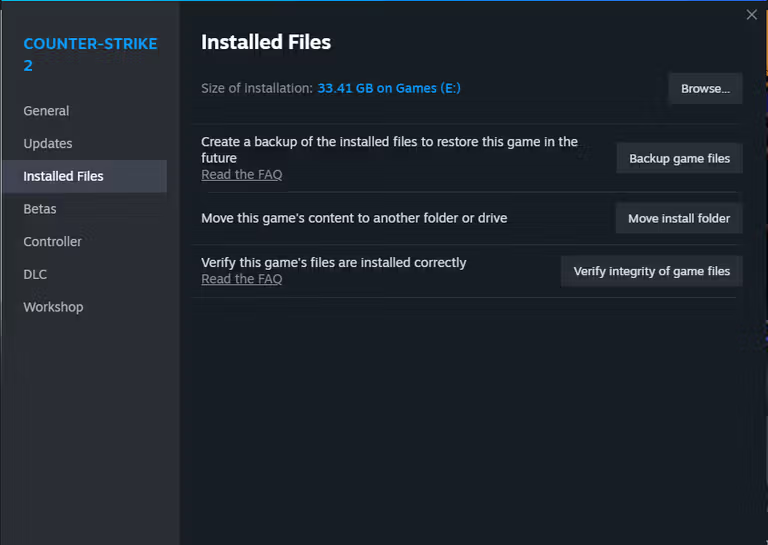
2. Verify Game File Integrity
Corrupted files can delay loading and cause timeout issues.
Steps:
- Open Steam Library
- Right-click CS2
- Select Properties
- Go to Local Files
- Click Verify Integrity of Game Files
3. Check CS2 Server Status
Sometimes the issue is external.
Check:
- Community monitoring platforms
- Official updates
- Outage reporting tools
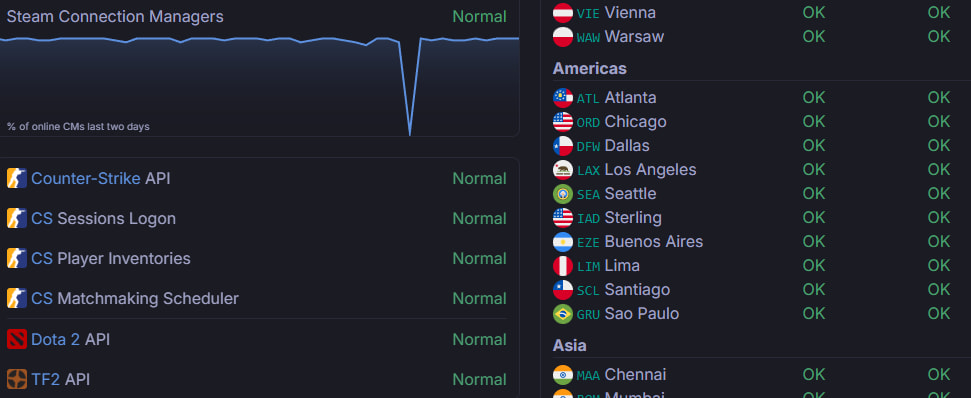
This helps confirm whether the CS2 server reservation expired issue is server-side.
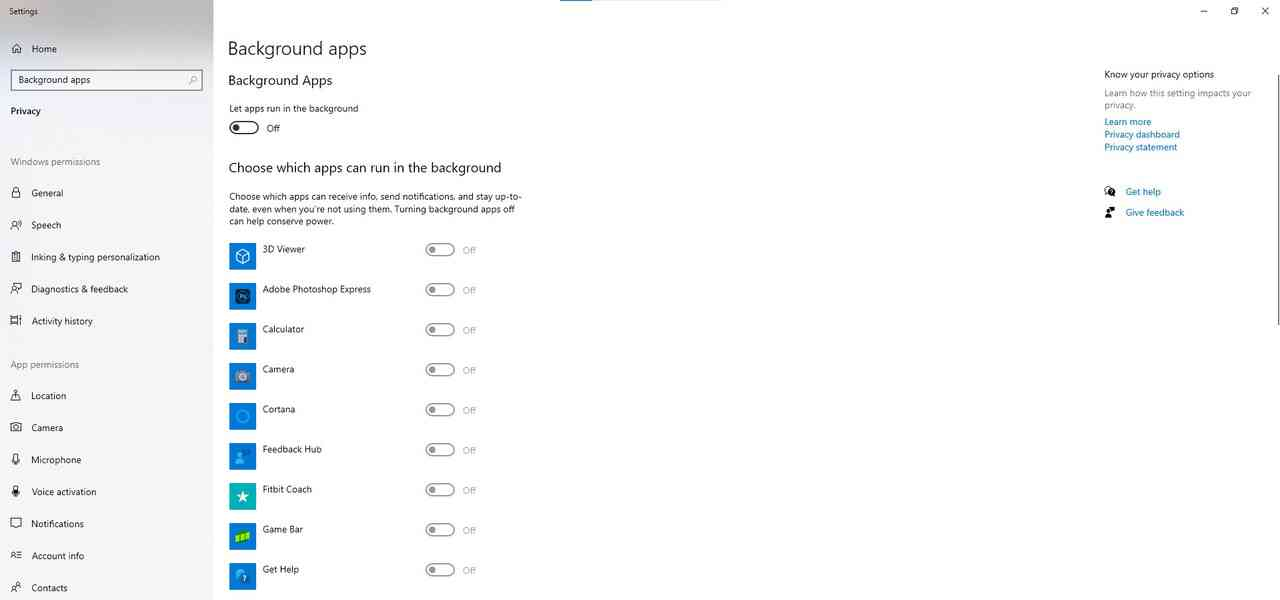
4. Improve System Loading Speed
Hardware Optimization
- Install the game on SSD
- Upgrade RAM if needed
System Optimization
- Close background apps
- Update GPU drivers
Faster loading ensures the connection completes before timeout.
Part 5. Enhance CS2 Connection Stability with LagoFast Game Booster
Unstable routing is one of the main triggers behind CS2 server reservation expired errors. Even if your internet is fast, inefficient routing paths can delay server response. LagoFast Game Booster helps stabilize game connections through optimized network routes and dedicated gaming nodes.
Key Benefits of LagoFast
- Lower latency: Reduces ping spikes
- Reduced packet loss: Stabilizes data transmission
- Faster handshake: Improves connection success rate
- Better matchmaking stability: Fewer dropped sessions
How to Use LagoFast
Click the "Free Trial" button below to download and install LagoFast for free.
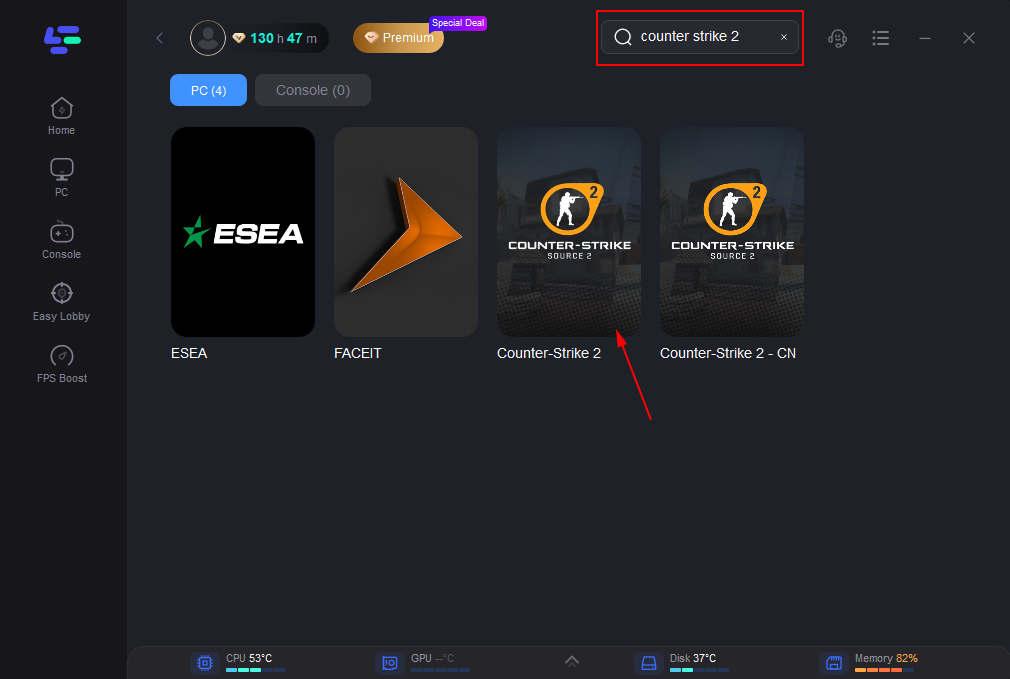
Use the search bar in LagoFast to find Counter-Strike 2.
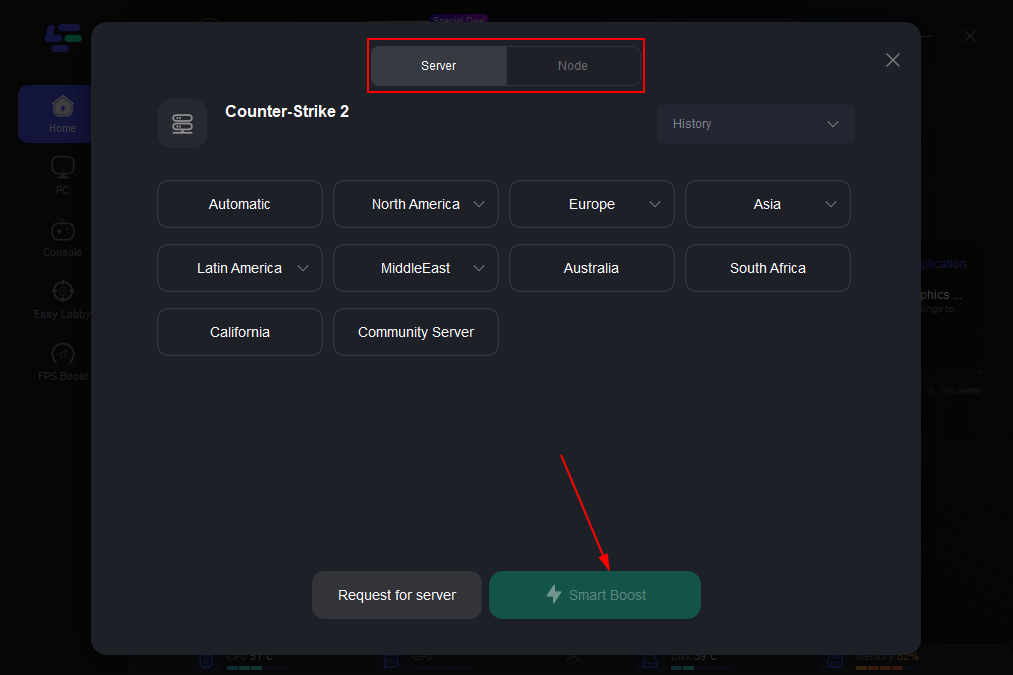
Click on “Server” to change to a better server that ensures smooth gameplay, then click on “Smart Boost”.
Check the specific game ping, packet loss, and multiple path connection on the right side. Finally, click the “Start Game” to play the game.
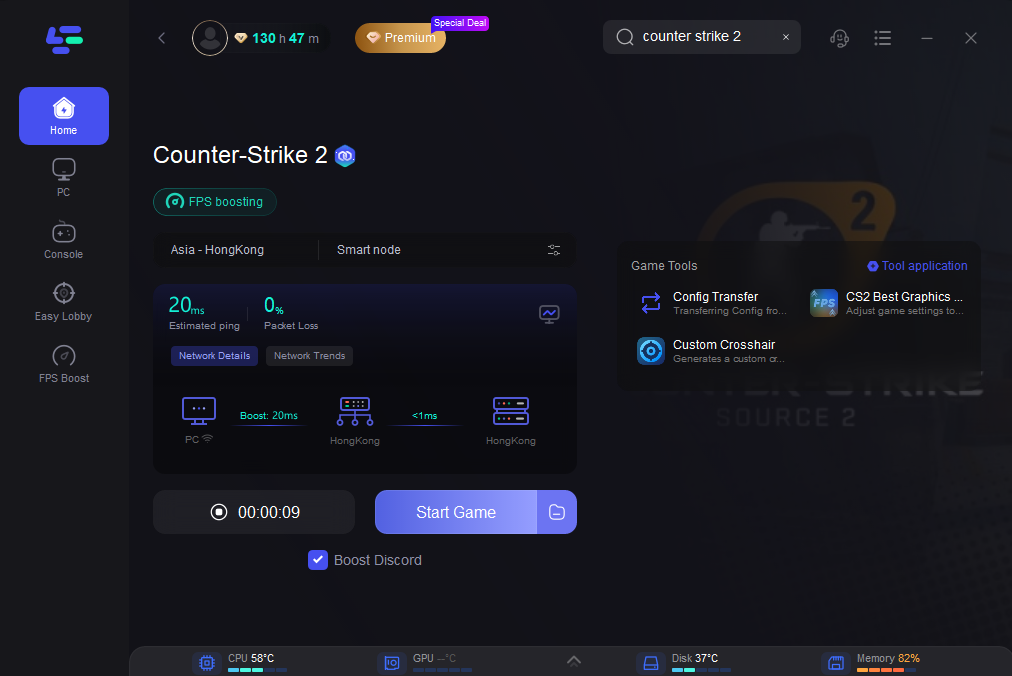
Optimized routing significantly lowers the chance of CS2 server reservation expired problems.
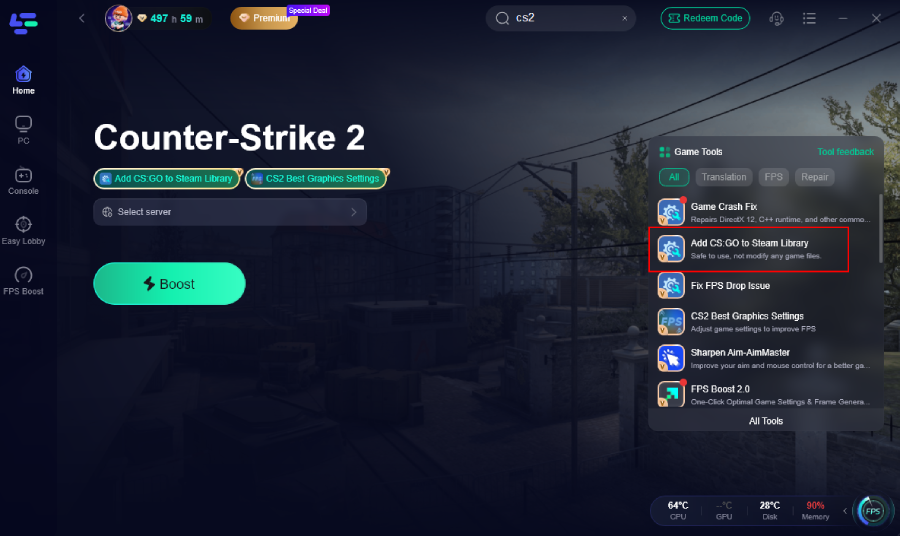
Simplified Access to CS2 Legacy Content
With the transition from CS:GO to CS2, older versions are no longer easily discoverable through standard Steam navigation. This often leads to confusion such as:
- Missing game entries in the library
- Installation inconsistencies
- Verification or recognition errors
LagoFast provides a guided method to restore proper access, helping Steam correctly detect and register the game files without manual troubleshooting.
Advanced Crosshair Customization Without Console Commands
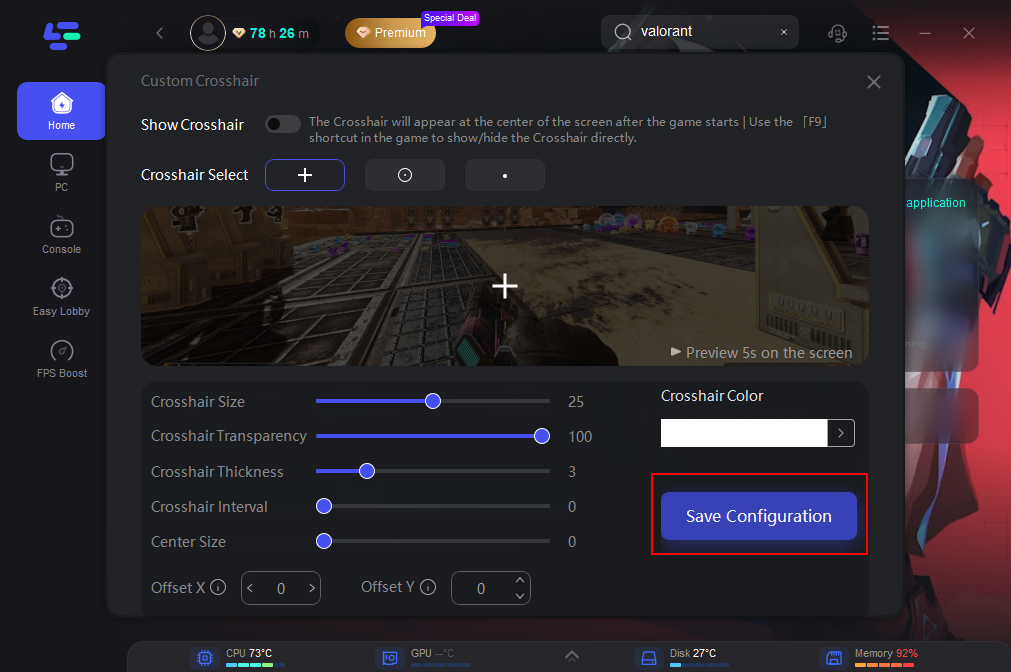
Instead of relying on in-game commands, LagoFast offers a visual configuration tool for crosshair adjustments.
What you can do:
- Fine-tune visuals: Adjust shape, thickness, and color with precision
- Create presets: Save multiple setups for different playstyles
- Instant switching: Apply configurations quickly without restarting the game
This approach makes crosshair setup more intuitive and accessible, especially for players unfamiliar with console commands.
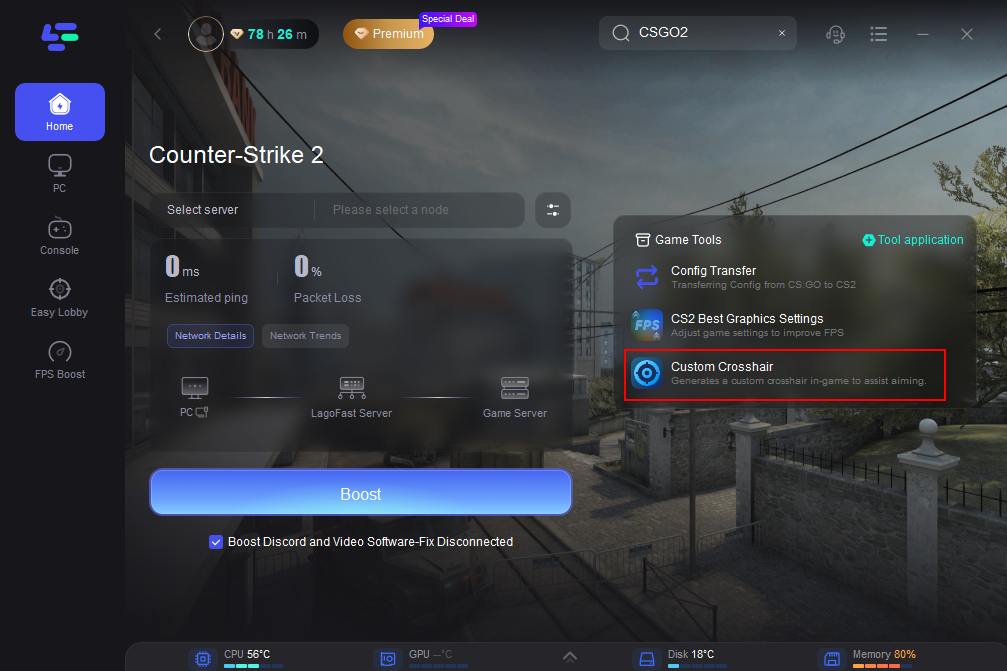
Customize Your Crosshair: This tool lets you modify your crosshair’s appearance to suit your style, including its shape, size, thickness, color, and more. After fine-tuning your settings, click the Save Configuration button.
Performance Boost to Reduce Gameplay Interruptions
Connection issues are not always purely network-related. System performance can also impact how quickly your game responds during matchmaking and loading.
LagoFast includes performance optimization features that:
- Maintain stable FPS levels: Prevent sudden frame drops
- Reduce system-induced lag: Improve consistency during matches
- Enhance responsiveness: Ensure smoother control and timing
By improving both network conditions and system performance, players can significantly lower the chances of encountering cs2 server reservation expired and similar connection-related problems.
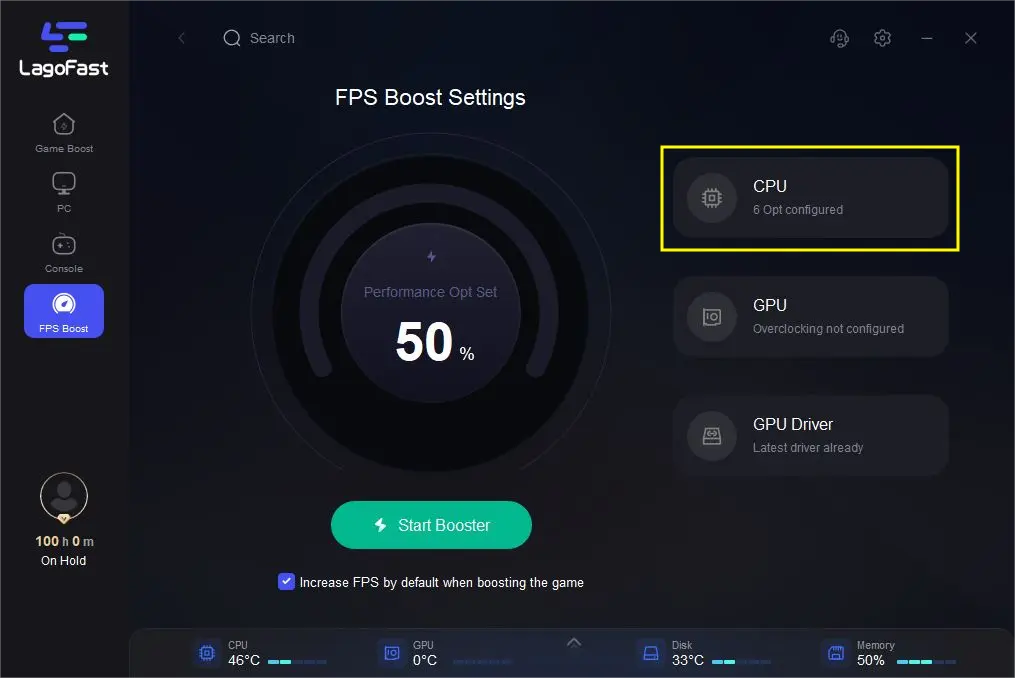
Overall, LagoFast acts as a comprehensive optimization tool, addressing both network inefficiencies and in-game performance limitations, making it easier to maintain stable connections and enjoy uninterrupted CS2 matches.
Part 6: FAQs
1. Why does CS2 server reservation expired happen?
It occurs when the server reserves a slot but the client fails to complete the connection within the allowed time window.
2. Is this caused by server outages?
Not always. Most cases are related to network instability or slow loading performance.
3. Can high ping cause this issue?
Yes. High latency or sudden spikes can delay the handshake and trigger expiration.
4. Do I need to reinstall CS2?
No. Usually unnecessary. Verifying files and fixing network issues is enough.
5. Is this common in competitive matchmaking?
Yes. Especially during peak hours or when servers are under heavy load.
Conclusion
The CS2 server reservation expired error occurs during one of the most critical phases of matchmaking: the transition from lobby confirmation to server connection. When the client fails to respond within the reserved time window, the server cancels the connection attempt.
By understanding how this issue differs from errors like connecting to counter-strike network error or CS2 matchmaking connection error, players can apply the correct fixes more efficiently.
With optimized system performance and stable network routing, you can minimize connection failures and enjoy smoother, more consistent matches in Counter-Strike 2.

Boost Your Game with LagoFast for Epic Speed
Play harder, faster. LagoFast game booster eliminates stutter and lags on PC, mobile, or Mac—win every match!
Quickly Reduce Game Lag and Ping!
Boost FPS for Smoother Gameplay!