

For competitive Fortnite players on PC, configuring the right graphics API can make the difference between stable high FPS and inconsistent performance. With Fortnite’s introduction of DirectX 12 Performance Mode in recent updates, PC gamers now have a way to balance visual clarity with smoother frame pacing and reduced stutters — especially on modern systems.
This guide explains the best DirectX 12 settings for Fortnite, compares DX11 vs DX12 performance, covers stutter fixes, and includes optimization steps using LagoFast Game Booster to improve connection stability and reduce in-game lag.

- ✅ Reduce Lag and High Ping
- ✅ Boost FPS in Real Time
- ✅ Get the Easiest Server in Fortnite
- ✅ End All Connection Login Issues.
- ✅ Support 2000+ Online Games.
- ✅ Multiplatform: PC, Mobile, Console
Part 1. What Is DirectX 12 in Fortnite and How Does It Work?
Part 2. Does DirectX 12 Improve FPS in Fortnite?
Part 3. Fortnite DirectX 11 vs 12 – Which Is Better for Performance?
Part 4. Best DirectX 12 Settings for Fortnite (Competitive Optimization Guide)
Part 5. How to Fix Fortnite DirectX 12 Stuttering and FPS Drops
Part 6. Enhance Fortnite Performance with LagoFast Game Booster
Part 7. FAQs About DirectX 12 in Fortnite
Part 1. What Is DirectX 12 in Fortnite and How Does It Work?
DirectX 12 in Fortnite is a modern rendering API that improves how the game communicates with your CPU and GPU. Compared to older DirectX 11 rendering paths, DX12 uses better multi-threading and modern driver optimization to improve frame pacing.
Fortnite patch 37.00 introduced DirectX 12 Performance Mode as a replacement for the legacy DX11 Performance Mode. It is designed to deliver smoother and more consistent FPS on capable systems.
Why DX12 Matters for Competitive Players
- Better multi-core CPU utilization
- Improved GPU scheduling efficiency
- More stable frame times during heavy combat
- Reduced micro-stutter on modern hardware
Instead of focusing only on raw FPS numbers, DirectX 12 improves frame consistency — which often feels smoother in real gameplay.
How to Enable DirectX 12 in Fortnite
- Press Esc and open Settings
- Navigate to the Video tab
- Scroll to Rendering Mode
- Select DirectX 12 Performance
- Restart Fortnite
This setting prioritizes consistent frame pacing and reduced rendering bottlenecks.
Part 2. Does DirectX 12 Improve FPS in Fortnite?
A common question is whether DirectX 12 actually increases FPS in Fortnite.
The answer depends on your hardware.
When DX12 Improves Performance
- On modern GPUs (RTX series, RX 6000+)
- On CPUs with strong multi-core performance
- During intense fights with many visual effects
In these cases, DX12 can reduce frame time spikes and improve overall smoothness.
When DX12 May Not Help
- Older GPUs may struggle with DX12 optimization
- Shader compilation may cause temporary stutters
- Some driver versions may introduce instability
In many cases, players experience smoother gameplay rather than dramatically higher FPS. The improvement is often in consistency rather than raw numbers.
Part 3. Fortnite DirectX 11 vs 12 – Which Is Better for Performance?
Choosing between DirectX 11 and DirectX 12 depends on your system configuration.
DirectX 11
- More stable on older hardware
- Lower CPU overhead on legacy systems
- Broad compatibility
DirectX 12
- Better multi-threaded CPU usage
- Improved frame pacing
- Optimized for newer GPUs and drivers
Some competitive players still prefer Fortnite Performance Mode for maximum FPS, but on mid-to-high-end PCs, DX12 often delivers smoother overall gameplay during heavy action.
If you are deciding between Fortnite DirectX 11 vs 12, test both and compare frame consistency rather than only average FPS.
Part 4. Best DirectX 12 Settings for Fortnite (Competitive Optimization Guide)

If you choose DX12, pairing it with optimized graphics settings is critical.
Display & Refresh Settings
- Fullscreen Mode: Use exclusive fullscreen to reduce input delay
- Frame Rate Limit: Match your monitor refresh rate (e.g., 144Hz = 144 FPS)
- VSync: Off to avoid input latency
Graphics Optimization
- 3D Resolution: 100% (reduce only if FPS is unstable)
- Dynamic 3D Resolution: Off for consistency
- Shadows: Off
- Reflections: Off
- Global Illumination: Off
- Textures: Low or Medium depending on VRAM
- Effects: Low
- View Distance: Medium for competitive visibility
- Nvidia Reflex: On + Boost (for Nvidia GPUs)
- DLSS or FSR: Enable if available for extra FPS
These settings reduce GPU load while allowing DirectX 12’s efficient rendering pipeline to maintain stable frame delivery.
Part 5. How to Fix Fortnite DirectX 12 Stuttering and FPS Drops
Even with optimal DX12 settings, some players encounter stutter or FPS drops. These issues typically stem from shader compilation, driver conflicts, or configuration mismatches:
- Update GPU drivers: Install the latest stable GPU drivers for your card to ensure DX12 paths operate smoothly.
- Restart Fortnite after setting changes: This ensures shader caches and config updates apply properly.
- Consider Performance Mode if unstable: If DX12 consistently stutters, testing Performance Mode or DX11 can provide more stable results.
- Check background apps: Close memory-intensive software to free CPU cores and RAM.
- Use lower view distance: Reduces geometry load and can mitigate frame dips in populated areas.
Some community discussions also highlight that turning off certain OS features like CFG exclusively for Fortnite can reduce stutters on certain systems, but such tweaks should be tested cautiously.
Part 6. Enhance Fortnite Performance with LagoFast Game Booster
Optimizing rendering is only half the battle — network quality directly impacts hit registration and perceived responsiveness in Fortnite. Using LagoFast Game Booster can significantly reduce in-game lag by optimizing routing and minimizing packet loss.
- Ping Reducer: Significantly lowers ping for a smoother gaming experience.
- Packet Loss Fixer: Reduces packet loss to ensure stable data transmission.
- FPS Booster: Enhances game performance by optimizing system resources.
- Server Connection Optimization: Connects to the fastest servers available for game.
- DirectX 12 Crash Error Fix: Repairs DX12 crashes, initialization failures, Visual C++, .NET Framework issues, and missing DLLs to ensure Fortnite runs smoothly.
How to Use LagoFast on PC
Step 1: Click the Free Trial button to download and install LagoFast.
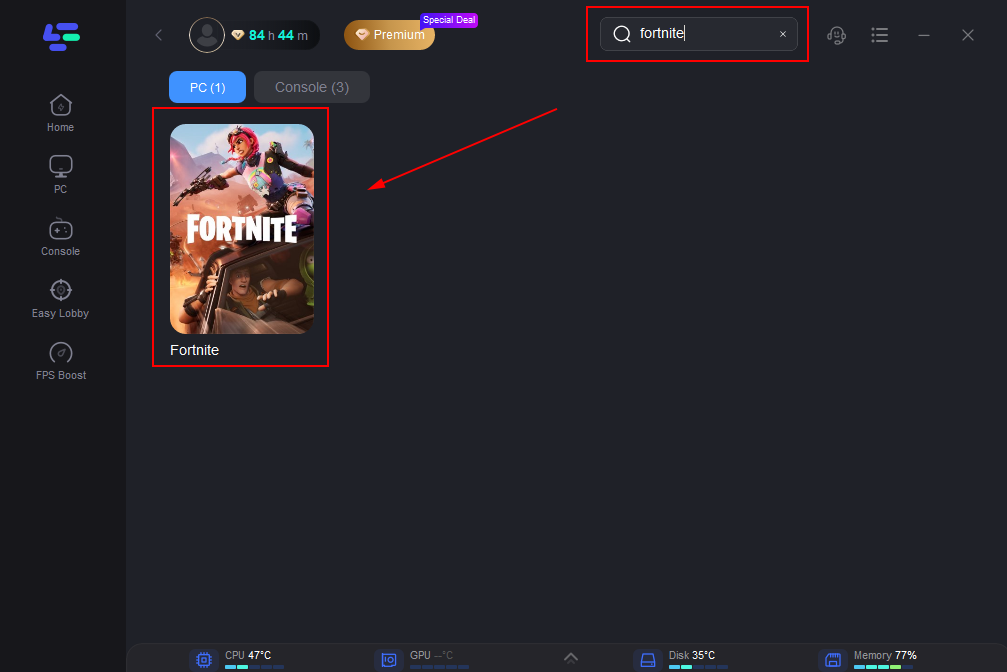
Step 2: After installation, search "Fortnite" in the search bar and select the game.
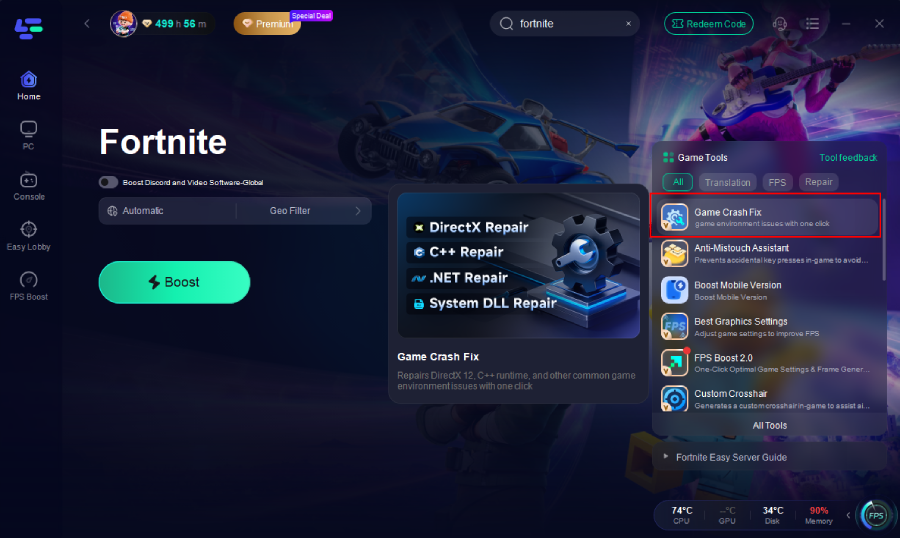
Step 3: Click the Game Crash Fix tool on the right.
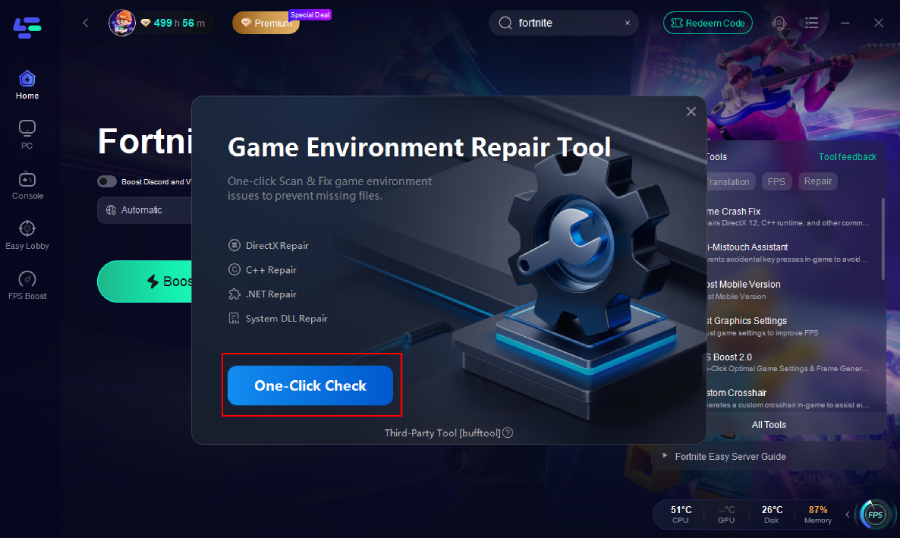
Step 4: Click One-Click Check to apply the fix.
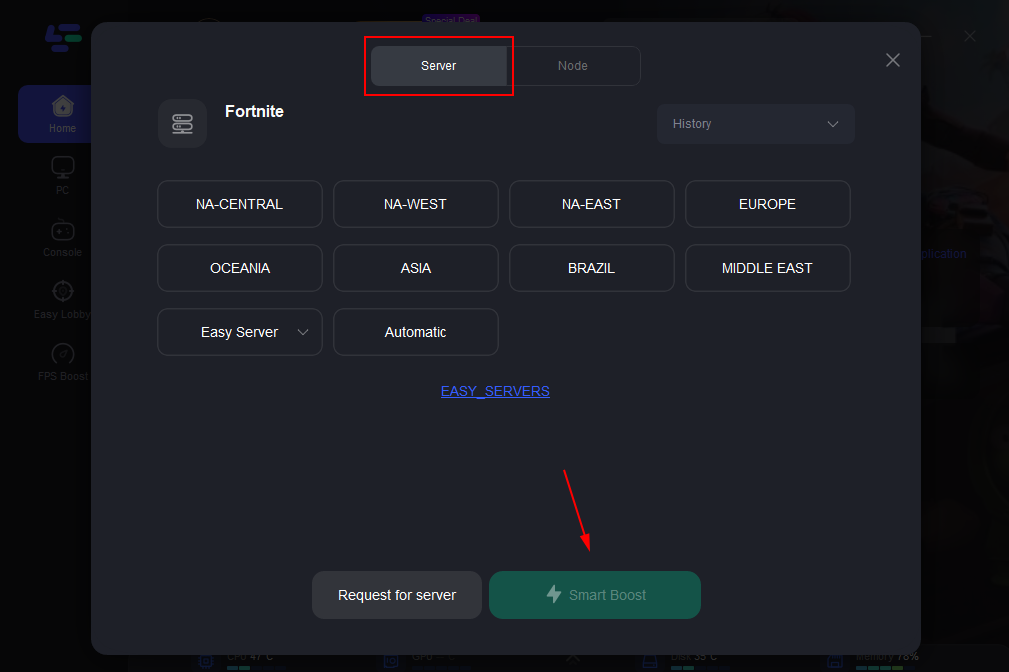
Step 5: Choose your preferred server node and click "Smart Boost" to start optimizing.
Step 6: Launch your game and enjoy smooth, optimized gameplay with lower ping and no stutter.
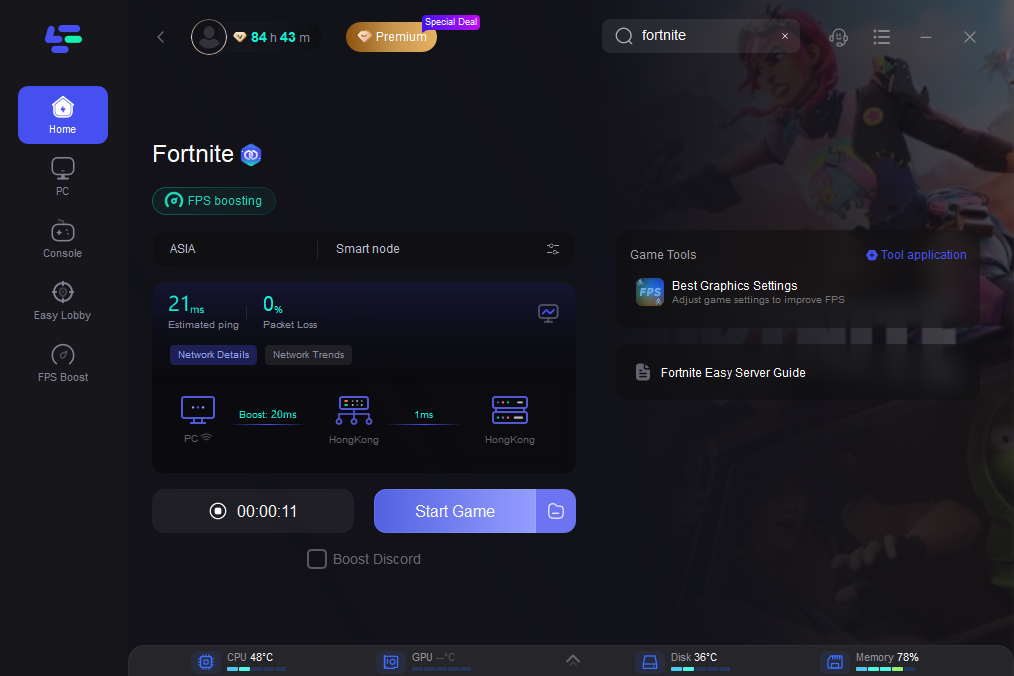
With stable routing and lower latency, your optimized DirectX 12 settings are less likely to be undermined by network spikes.
Part 7. FAQs About DirectX 12 in Fortnite
Does DirectX 12 always improve Fortnite FPS?
Not always. It often improves frame consistency rather than dramatically increasing raw FPS. Results vary by hardware.
Should I choose Performance Mode over DX12?
Performance Mode can deliver higher maximum FPS but sacrifices more visual quality. DX12 is often better balanced on modern systems.
Can DX12 fix FPS stutters?
It can reduce frame-time spikes, but full stutter fixes require updated drivers and clean system configuration.
Is Nvidia Reflex important with DX12?
Yes. Nvidia Reflex reduces input latency and improves responsiveness on supported GPUs.
Should I adjust BIOS settings for better Fortnite performance?
Enabling XMP or DOCP memory profiles improves RAM speed, which can help in CPU-bound situations.
Conclusion
DirectX 12 gives Fortnite PC players a modern rendering pathway that enhances frame pacing and CPU efficiency on updated hardware. By fine-tuning display settings, graphics quality, and hardware acceleration options, you can maximize FPS stability and competitive responsiveness.
Pairing optimized DX12 settings with LagoFast Game Booster ensures your network remains stable, reducing latency and preventing online lag from affecting gameplay. With proper driver updates, system optimization, and consistent maintenance, you can achieve smoother, more reliable performance in every match.

Boost Your Game with LagoFast for Epic Speed
Play harder, faster. LagoFast game booster eliminates stutter and lags on PC, mobile, or Mac—win every match!
Quickly Reduce Game Lag and Ping!
Boost FPS for Smoother Gameplay!