
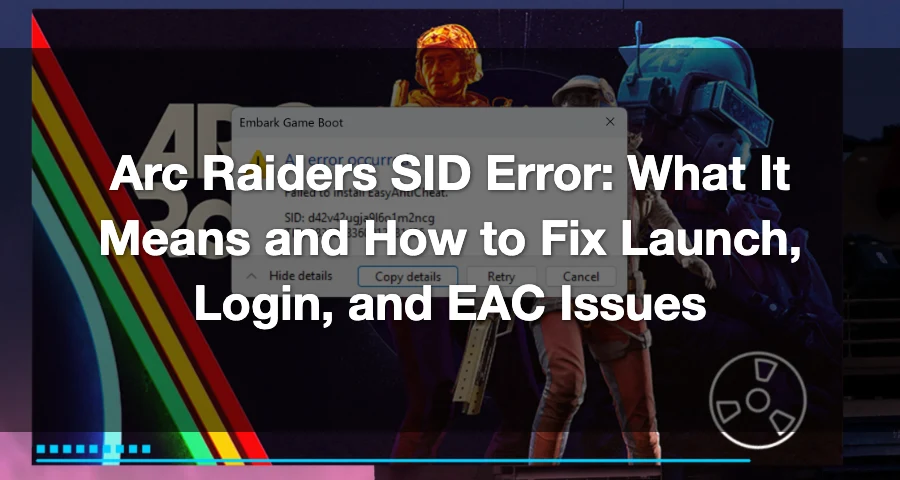
“Fatal error on launch - ‘Cheat software (AutoHotkey) detected.’” That is one of the real SID-related messages Arc Raiders players have reported on Steam. Another common one is “Login failed due to a service interruption, please try again later,” also reported in the Steam discussions.
Arc Raiders SID errors are not one single bug. They usually show up alongside a more useful message tied to launch, login, Easy Anti-Cheat, anti-cheat server connection, or a stuck session. Ignore the SID by itself and match the fix to the exact text beside it.

- ✅ Lower ping and fewer disconnects.
- ✅ More FPS and better PC performance.
- ✅ Support for 3000+ games.
- ✅ Stable connections and region switching.
What Arc Raiders SID errors are showing up right now
These are the main reported SID-related variants on PC:
Cheat software detected — for example, AutoHotkey being flagged during launch.
EasyAntiCheat failed to install — the game cannot complete EAC setup properly.
Login failed due to a service interruption — usually points to a backend or login-side issue.
Generic “An error occurred” at launch — commonly tied to anti-cheat server connection or backend authentication failure.
Maximum simultaneous game instances reached or a duplicate-session-style problem — often caused by a stuck background process or a session that did not close cleanly.
Fastest fixes to try first
If you do not know which SID variant you have, start here. These are the safest and fastest steps with the most overlap across launch, login, and stuck-session errors.
Close Arc Raiders completely.
Open Task Manager and end any Arc Raiders process still running.
Fully exit Steam or Epic Games Launcher. Do not just close the game window.
Restart your PC.
Log out of your launcher account, then sign back in.
Wait 10 to 15 minutes before relaunching. This is especially useful for duplicate-session or “maximum simultaneous instances reached” errors, since it can give the server time to clear the stuck instance.
Launch the game again.
If the message mentions game instances, duplicate sessions, or a launch SID without much detail, this is the first fix to try.
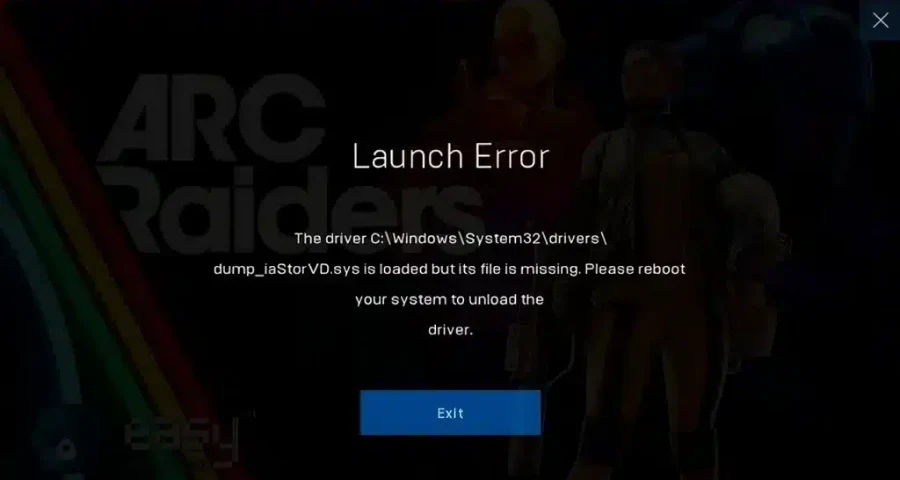
EasyAntiCheat failed to install
If your error mentions EasyAntiCheat failed to install, focus on EAC repair before doing anything drastic.
Try this in order
Verify Arc Raiders game files. A player fix shared on Reddit specifically points to checking file integrity in Steam.
Relaunch and let EAC install again.
If that fails, remove old EAC files and retry. Another fix in the Steam discussions says to delete both
EasyAntiCheatandEasyAntiCheat_EOSfromProgram Files (x86).If you find only specific EAC files instead of the folders, delete
EasyAntiCheat_EOS.sysor, if that file is not there,EasyAntiCheat_EOS.exe, then relaunch it.Verify files again after cleanup. This helps restore anything the game actually needs.
Temporarily disable antivirus only as a test. but treat it as temporary and only for troubleshooting.
Should you reinstall the whole game?
Not first. A fresh install has been suggested by some players, but it is slower and less targeted than verifying files and repairing or removing broken EAC files first. Use reinstall as a last resort if EAC cleanup and verification do not work.
Cheat software detected, including AutoHotkey
If Arc Raiders throws a fatal error saying cheat software was detected, the fix is usually straightforward: close the flagged program and any related background tools before launching again.
If you use automation tools, macro software, overlay-heavy utilities, or anything that injects into games, close them first and retry.
If the game still refuses to launch:
Reboot the PC to clear anything still attached in the background.
Make sure Arc Raiders is not still running in Task Manager.
Relaunch through your normal launcher after the restart.
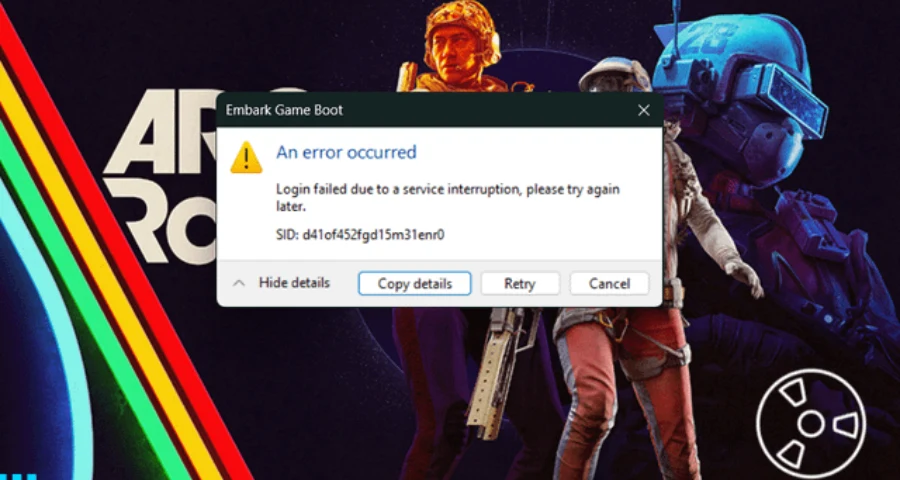
Login failed due to a service interruption or “An error occurred”
This group is trickier because it can be either a server-side issue or a local connection/authentication problem.
A real reported message on Steam says: “Login failed due to a service interruption, please try again later.”
Another reported launch issue described as the generic “An error occurred” message can appear when the game cannot connect to the anti-cheat server.
Start with the low-risk checks
Wait a few minutes and try again. Backend authentication failures and temporary login interruptions do happen.
Fully close Steam or Epic, then reopen it.
Log out and back into your launcher account.
Verify game files. This is one of the most repeated fixes for launch and login-related problems.
If you suspect EAC corruption, uninstall or delete the broken EAC component, then verify files again. One player specifically said they deleted EAC using the uninstall option in the game files and then verified files to fix the issue in the Steam discussion.
Allow the game and launcher through your firewall.
Restart your router.
Use Ethernet if possible. A wired connection can remove Wi-Fi interference during login and anti-cheat handshake.
When it is probably your connection vs probably Arc Raiders servers
A good rule: if the error changes between login failure, anti-cheat connection, and generic launch failure, your local connection or routing may be part of the problem. Connection instability during login can lead to authentication failure, session rejection, or duplicate-session behavior.
It is more likely to be your connection when:
The game sometimes gets further on the second or third try.
File verification does not find major problems.
Launcher relogging helps temporarily.
You are on unstable Wi-Fi.
Rebooting the router or switching to Ethernet improves the result.
It is more likely to be server-side when:
The message explicitly says service interruption.
Multiple players are posting the same login error at the same time.
Waiting 10 to 15 minutes changes nothing locally but later the game works without any file or network changes.
How to Enhance Your Game Experience with LagoFast Game Booster
Even after fixing error 30005, network instability can still affect gameplay. LagoFast Game Booster is designed to optimize your connection and reduce lag:
Reduces High Ping: Finds the fastest route to game servers, lowering latency.
Eliminates Packet Loss: Stabilizes your connection so actions register instantly.
Fixes Connection Errors: Optimizes the handshake between PC and server, reducing network-related crashes.
Multi-Platform Support: Works for both PC and consoles.
How to Use LagoFast Game Booster
Step 1: Click the "Free Trial" button below to download and install LagoFast for free.
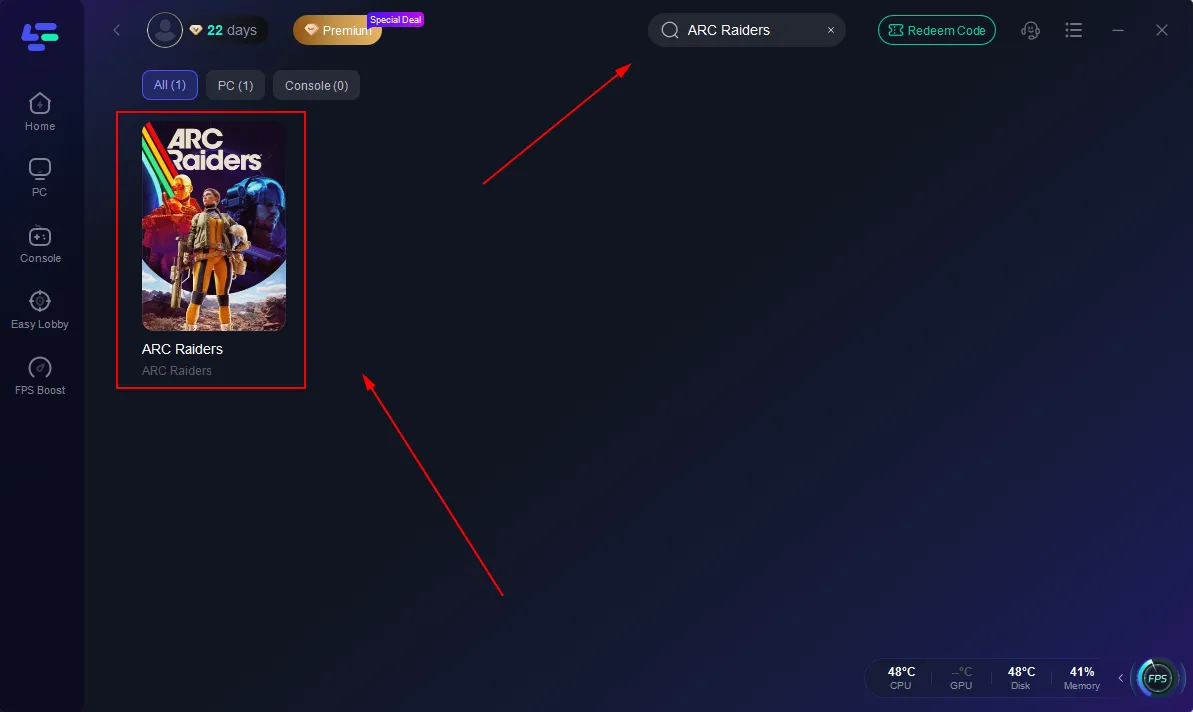
Step 2: Launch LagoFast, search for "ARC Raiders" in the search bar, and select the game.
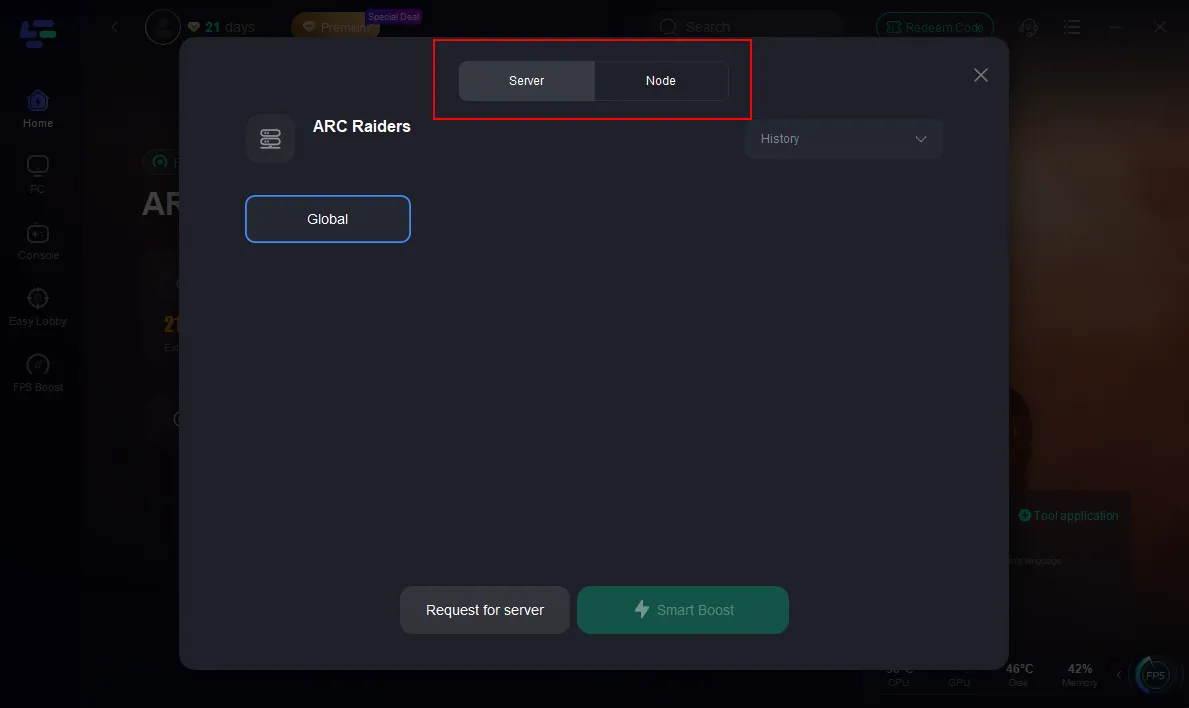
Step 3: Click the "Select Server" button to connect to a stable server node, then activate optimization via "Smart Boost".
Step 4: After enabling real-time optimization, check the live ping and packet loss rates, then click "Start Game" to begin playing.
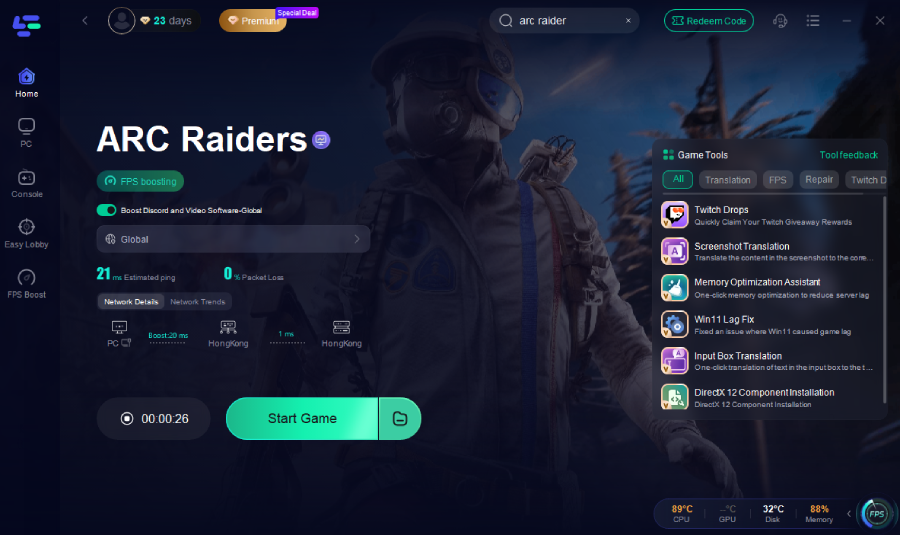
Once the optimization is active, launch ARC Raiders normally. You should notice smoother gameplay with fewer interruptions.
How to contact support without wasting time
If you need support, send a clean report the first time. Include:
The exact full error text
Your SID and TID, if shown
Platform: PC
Launcher: Steam or Epic Games Launcher
What happened right before the error
Everything you already tried
A screenshot of the message
The time and date it happened
That gives support enough detail to separate a local EAC problem from a login backend issue or stuck session problem.
Boost Your Game with LagoFast for Epic Speed
Play harder, faster. LagoFast game booster eliminates stutter and lags on PC, mobile, or Mac—win every match!
Quickly Reduce Game Lag and Ping!
Boost FPS for Smoother Gameplay!