
Part 1: Quick Answer: How to Fix Apex Legends Stuck on Matchmaking
Part 2: Why Does Apex Legends Matchmaking Get Stuck?
Part 3: Apex Legends Stuck on Matchmaking Fix: Step-by-Step
Part 4: Common Symptoms: Starting Server Loops and Infinite Wait Times
Part 5: Apex Legends Stuck on Matchmaking on PS5 and Xbox
Part 6: How to Enhance Your Game Experience with LagoFast Game Booster
Part 7: Apex Legends Matchmaking FAQ
Quick Answer: How to Fix Apex Legends Stuck on Matchmaking
If Apex Legends is stuck on "Matchmaking" or "Starting Server," the fastest fix is to cancel the queue and restart the search. If that fails, change your Data Center from the main menu to a different server with low ping, as your current server may be experiencing an outage. For persistent issues, restart your game and router, and ensure your Cross-Play settings are enabled. If your connection is unstable, using LagoFast Game Booster can optimize your route to Respawn's servers, resolving packet loss and connection timeouts that often cause the matchmaking process to hang.
The thrill of dropping into King's Canyon or World's Edge is often cut short by a technical wall: the matchmaking screen. You click "Ready," the checkmark appears, but the "Matchmaking..." text stays frozen for minutes. This isn't just a minor lag spike; it’s a failure of the client-to-server handshake. Whether you're a solo queue warrior or part of a full squad, being stuck in the lobby is one of the most common frustrations in the 2026 Apex Legends landscape. Understanding the difference between a local network glitch and a server-side outage is the key to spending more time in-game and less time staring at the lobby.
Why Does Apex Legends Matchmaking Get Stuck?
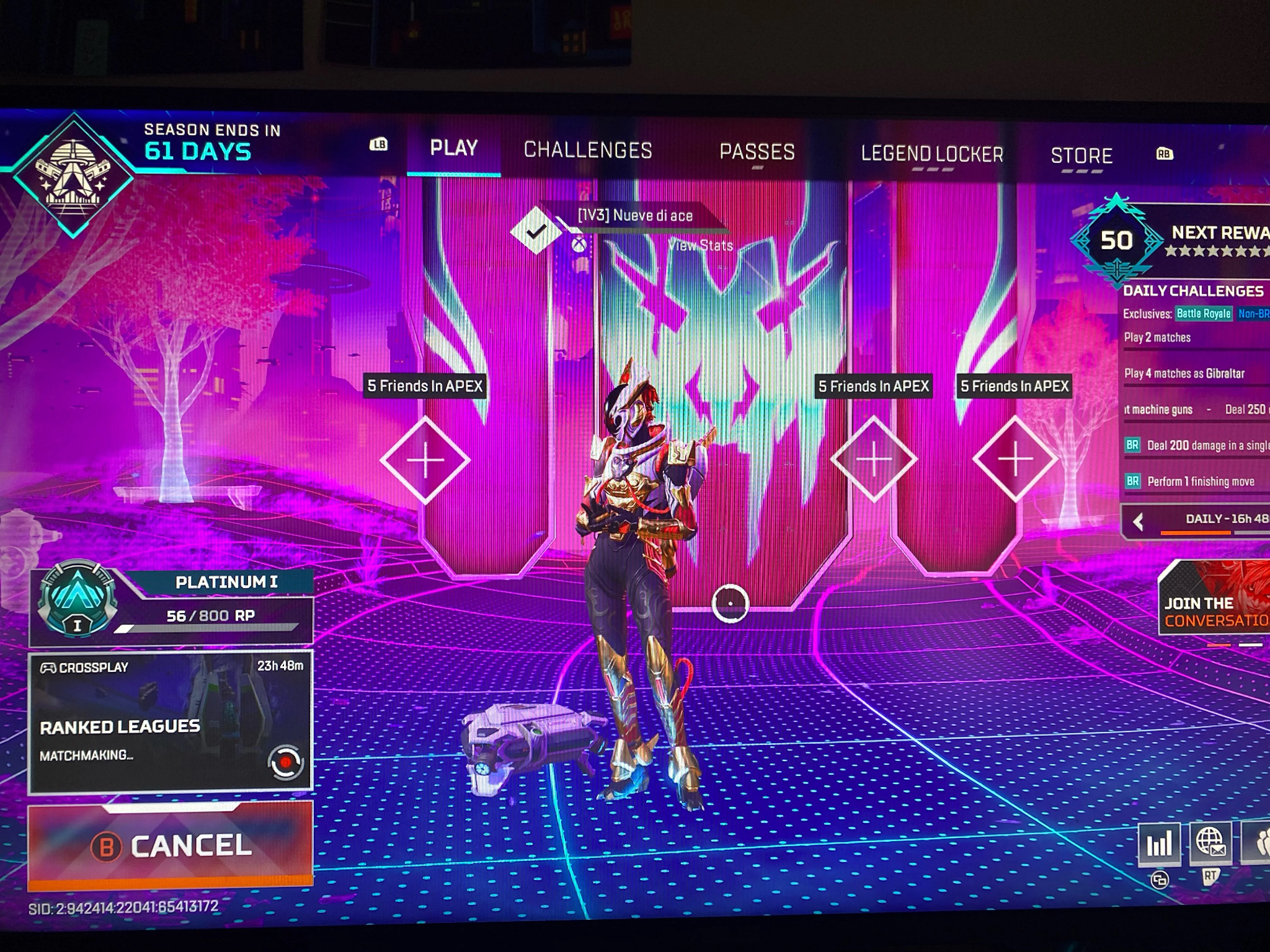
Matchmaking in a battle royale is a complex process involving hundreds of variables. When it "gets stuck," it’s usually due to one of several core issues.
- Server Desync: Sometimes the lobby server thinks you are in a match, while the game server hasn't actually received your connection request. This creates a "ghost" state where you are queued but not actually searching.
- Version Mismatch: If a small "hotfix" patch was released while your game was open, you might still be able to enter the lobby, but the matchmaking servers will reject your outdated client.
- Data Center Congestion: Certain servers (like those in Singapore or Tokyo) can become overwhelmed during peak hours, leading to "Starting Server" loops where the system cannot find a vacant instance for your match.
- Cross-Play Conflicts: If your group has mixed platforms (PC and Console) and someone has Cross-Play disabled, the matchmaking algorithm may struggle to find a compatible lobby.
- Network Packet Loss: If your internet is dropping packets during the "handshake" phase, the server might miss your "Ready" signal entirely, even if it shows as active on your screen.
Apex Legends Stuck on Matchmaking Fix: Step-by-Step
Before you assume the game is down, work through these proven fixes to clear the matchmaking loop.
1. The "Ready/Unready" Toggle
It sounds simple, but toggling your "Ready" status off and back on can force the client to resend its request to the matchmaking server. If you're in a squad, have everyone unready and then the host re-queues the group.
2. Change Your Data Center
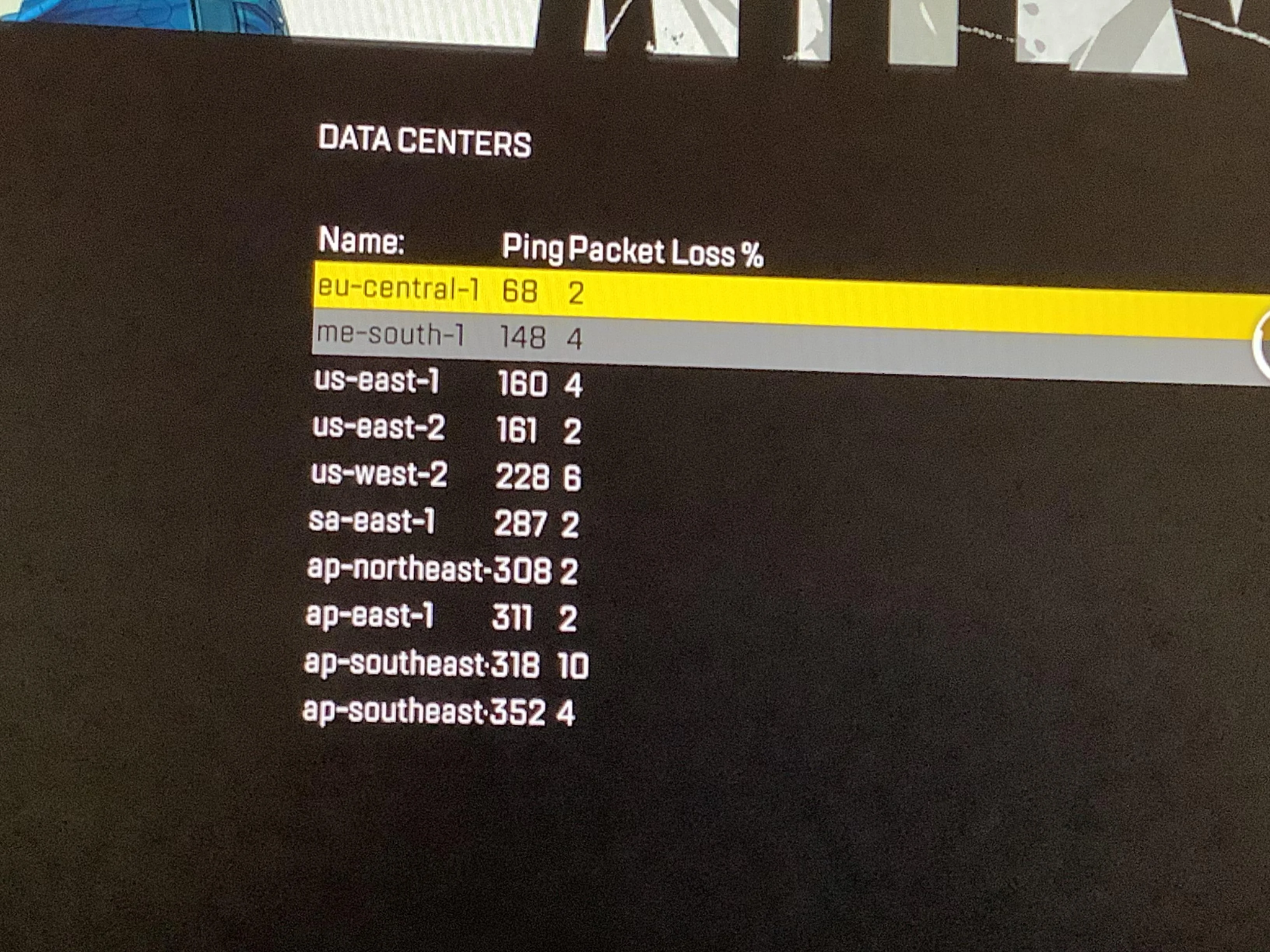
From the main title screen (before you enter the lobby), you can select your Data Center. If your default server is stuck, try switching to a nearby one with a similar ping. For example, if Virginia 1 is failing, try Virginia 2 or New York. This often bypasses regional server-side glitches.
3. Check for "Ninja" Updates
Apex often pushes small background updates. Close the game entirely and check your Steam, EA App, or Console dashboard for any pending downloads. A version mismatch is a silent killer for matchmaking.
4. Enable Cross-Play
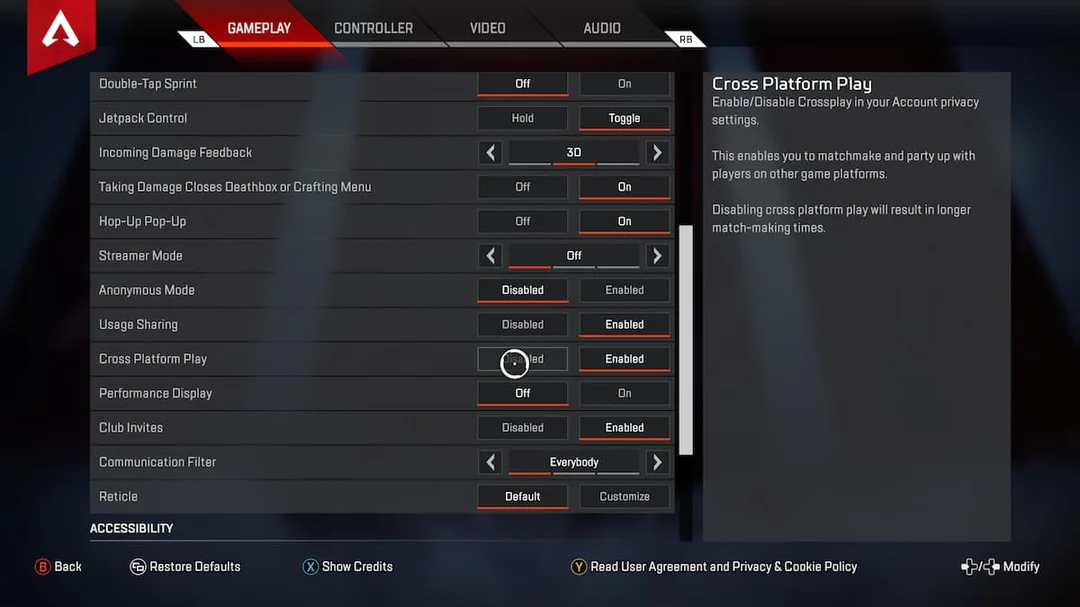
Apex Legends is designed for a massive player pool. If you have Cross-Play disabled in your settings, the game will only try to match you with other players who also have it disabled. This pool is tiny, often leading to matchmaking times that never end.
Common Symptoms: Starting Server Loops and Infinite Wait Times
The matchmaking bug manifests in several distinct ways. Identifying yours can help you pick the right fix.
Stuck on "Starting Server"
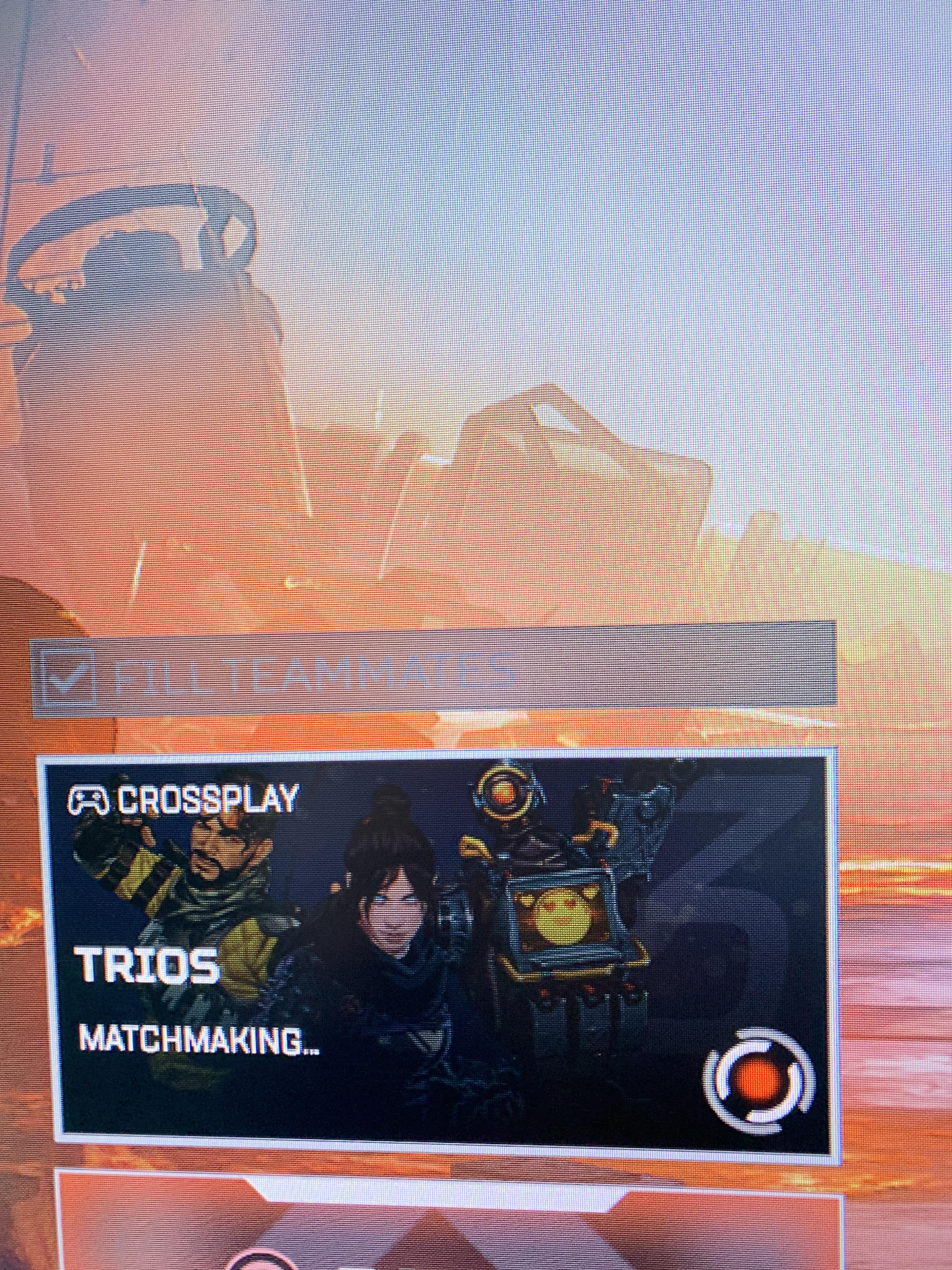
This is different from "Matchmaking." It means the game has found a match for you, but it cannot find a physical server instance to host the game. This is almost always a server-side issue. If this persists, switching to a different Data Center is your best bet.
Player Count Not Increasing
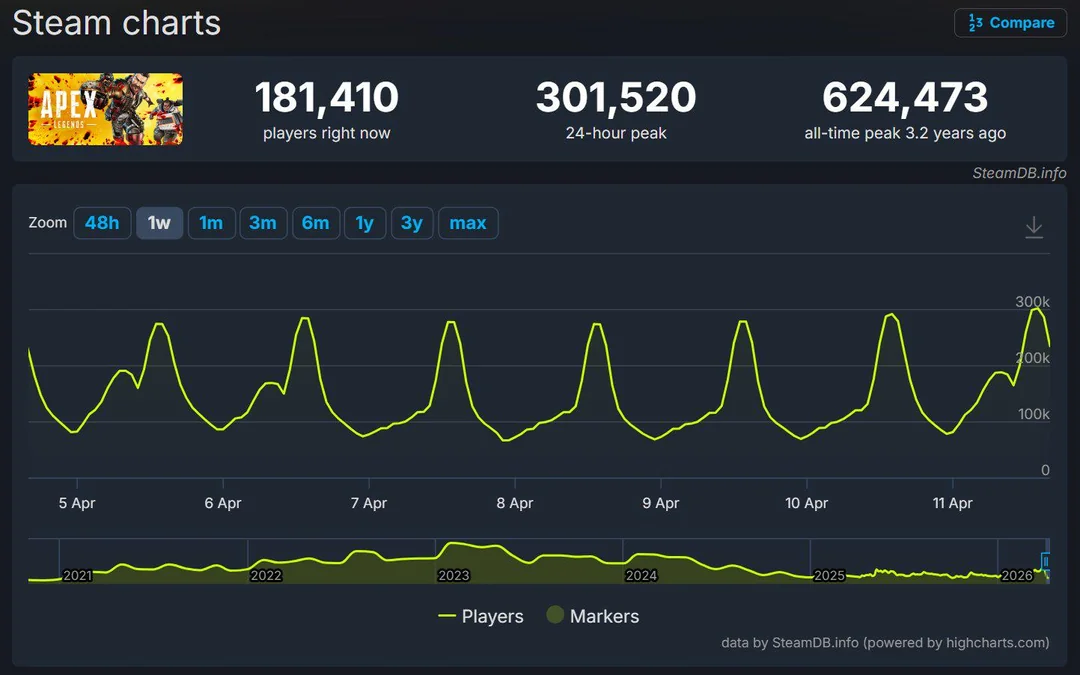
You see "Matchmaking... 12 players in queue," and the number never moves. This usually indicates a local connection issue where your client has lost its "heartbeat" with the matchmaking server. A quick game restart usually fixes this.
Squad Member "Not Ready" Bug
Sometimes, you see your teammates as "Ready," but they see themselves as "Unready," or vice-versa. This is a lobby synchronization error. The only fix is for everyone to leave the party and the host to send new invites.
All Modes Inaccessible
If you can't even select Trios, Duos, or Ranked, the game's "Playlist" server is likely down. Check a site like ApexLegendsStatus to see if there is a widespread outage.
Apex Legends Stuck on Matchmaking on PS5 and Xbox
Console players face unique hurdles, often tied to their platform's specific network services.
- NAT Type Issues: If your console’s NAT type is "Strict" or "Type 3," you will struggle to connect to other players. Ensure your router has UPnP enabled or consider Port Forwarding for the specific ports used by Apex Legends.
- Console Sleep Mode: If you leave Apex running while your console is in "Rest Mode," the connection to the EA servers will often time out. When you wake the console, the game might look like it's connected, but matchmaking will never work. Always restart the game app after waking your console.
- PSN/Xbox Live Status: Sometimes the issue isn't EA; it's the platform itself. If PSN or Xbox Live is having issues with its social or matchmaking services, Apex will be affected.
How to Enhance Your Game Experience with LagoFast Game Booster
When your matchmaking issues are caused by network instability, a standard VPN isn't enough. LagoFast(LagoFast Game Booster - Get No Lag and Lower Ping) Game Booster is a specialized tool built for gamers who need a reliable, high-performance connection to competitive servers.
Solving Connection Timeouts and Packet Loss
LagoFast uses a global network of optimized routes to ensure your data takes the most stable path to Apex's servers. By reducing "jitter" and packet loss, LagoFast prevents the communication failures that lead to "Matchmaking" loops. If you're playing in a region with poor routing or trying to play with friends in a different part of the world, LagoFast ensures your "Ready" signal reaches the server every time.
Key Benefits of LagoFast for Apex Legends:
- Reduce High Latency: Lower your ping by finding the most direct path to the game server.
- Fix Packet Loss: Eliminate the "blips" in your connection that cause matchmaking to hang.
- Server Connection Optimization: Ensure a rock-solid handshake between your client and EA's servers.
- Cross-Region Experience: Improve your experience when playing on distant servers with friends.
Note: LagoFast is a performance optimization tool. It does not modify your MMR, influence who you are matched with, or change your rank distribution.
Detailed Steps to Use LagoFast for Apex Legends:
Click the Free Trial button to download and install LagoFast Free Trial.
- Search for Apex Legends: Open the app and search for "Apex Legends."
- Select Your Server: Choose the Data Center you intend to play on.
- Boost: Click the "Boost" button. LagoFast will optimize your network route and stabilize your connection.
- Launch Apex: Start the game. You should notice a much more responsive lobby and faster matchmaking transitions.
Apex Legends Matchmaking FAQ
Q: Why does Apex Legends matchmaking take so long?
A: It could be due to a low player count in your specific region/mode, a strict NAT type, or an issue with your Data Center. If it takes more than 5 minutes, try switching servers.
Q: Does my rank affect matchmaking speed?
A: Yes. At very high ranks (Master/Predator), the pool of available players is much smaller, which can naturally lead to longer wait times. However, it should never be "stuck" indefinitely.
Q: Can I fix matchmaking by reinstalling the game?
A: This is rarely necessary. Most matchmaking issues are either server-side or related to your network configuration. Try the "Data Center" fix first.
Q: Is "Starting Server" a bug?
A: It's usually a sign of server congestion. The game is trying to spin up a new instance for your match but is waiting for hardware availability.
Q: Why can't I play with my friends in the same squad?
A: If one person is stuck on "Matchmaking" while others are "Ready," it's likely a synchronization error. Have everyone leave the lobby and rejoin.
Key Takeaway
Being stuck on matchmaking in Apex Legends is a hurdle that can usually be cleared with a few tactical adjustments. Whether it's a quick server swap, a client restart, or using a dedicated booster like LagoFast to stabilize your connection, you have the tools to bypass the lobby loops. Don't let a "Starting Server" message keep you from the action—troubleshoot your connection and get back to being the Champion.
Boost Your Game with LagoFast for Epic Speed
Play harder, faster. LagoFast game booster eliminates stutter and lags on PC, mobile, or Mac—win every match!
Quickly Reduce Game Lag and Ping!
Boost FPS for Smoother Gameplay!