Best Odin: Valhalla Rising Game Booster
Odin: Valhalla Rising is one of the most visually impressive MMORPGs inspired by Norse mythology. Developed by Lionheart Studio and published by Kakao Games, it sets a new standard for open-world RPGs on PC and mobile. Powered by Unreal Engine 4, Odin offers stunning visuals, massive open-world exploration, and epic PvE and PvP battles.
Despite its technical strengths, many players—especially those outside Korea or Taiwan—experience lag, high ping, or server delays when connecting to distant servers. These network issues can disrupt combat, slow response times, and reduce overall enjoyment. That’s where LagoFast, a dedicated game booster, comes in, ensuring smoother gameplay and stable performance.

- ✅ Reduce Lag and High Ping.
- ✅ Boost FPS at the Same Time.
- ✅ Support changing server all around the world.
- ✅ Download Odin: Valhalla Rising Global from Anywhere
- ✅ Odin: Valhalla Rising Translation Tool
Game Overview: What is Odin: Valhalla Rising?
Odin: Valhalla Rising transports players to the mythological realms of Norse lore, including Midgard, Jotunheim, and Niflheim. The game combines a semi-realistic art style with seamless world exploration, offering an immersive MMORPG experience.
Key Features of Odin:
- Open-World Exploration: Seamlessly travel across vast regions without loading screens, discovering new lands, quests, and challenges.
- Real-Time Combat System: Dodge, block, and execute skills in dynamic combat against monsters and rival players.
- Multiple Playable Classes: Choose from Warrior, Sorceress, Priest, or Rogue, each with unique abilities and playstyles.
- High-End Graphics: Unreal Engine 4 powers breathtaking visuals, from detailed environments to intricate character models.
- Mounts and Pets: Summon creatures to assist in battle and exploration.
- Large-Scale PvP: Engage in guild wars, territory battles, and massive multiplayer skirmishes.
- Cross-Platform Support: Play seamlessly across PC, Android, and iOS.
Even with these impressive features, players connecting from overseas often encounter issues like rubber-banding, lag spikes, and slow combat response. A solution like LagoFast is essential for maintaining optimal performance in high-intensity battles.

Key Features of LagoFast for Odin: Valhalla Rising
LagoFast is a professional game booster designed to optimize your network for MMORPGs like Odin: Valhalla Rising. It reduces latency, prevents packet loss, and ensures a smooth connection across regions.
Why Use LagoFast?
- Ping Reduction: Optimizes routing to reduce latency and improve in-game responsiveness.
- Packet Loss Fix: Minimizes rubber-banding and combat desync caused by lost data packets.
- Smart Node Switching: Automatically selects the fastest and most stable server node for your connection.
- One-Click Boost: Easy setup with instant acceleration, no technical knowledge required.
- Cross-Platform Support: Compatible with PC, Android, and iOS devices.
- Bypass Regional Restrictions: Access servers in restricted or overseas regions without interruptions.
Whether you are raiding dungeons, participating in guild wars, or exploring new realms, LagoFast ensures consistent performance and a lag-free experience.
How to Use LagoFast to Boost Odin: Valhalla Rising
For PC:
Step 1: Install LagoFast on your advice by clicking the "Free Trial" button.
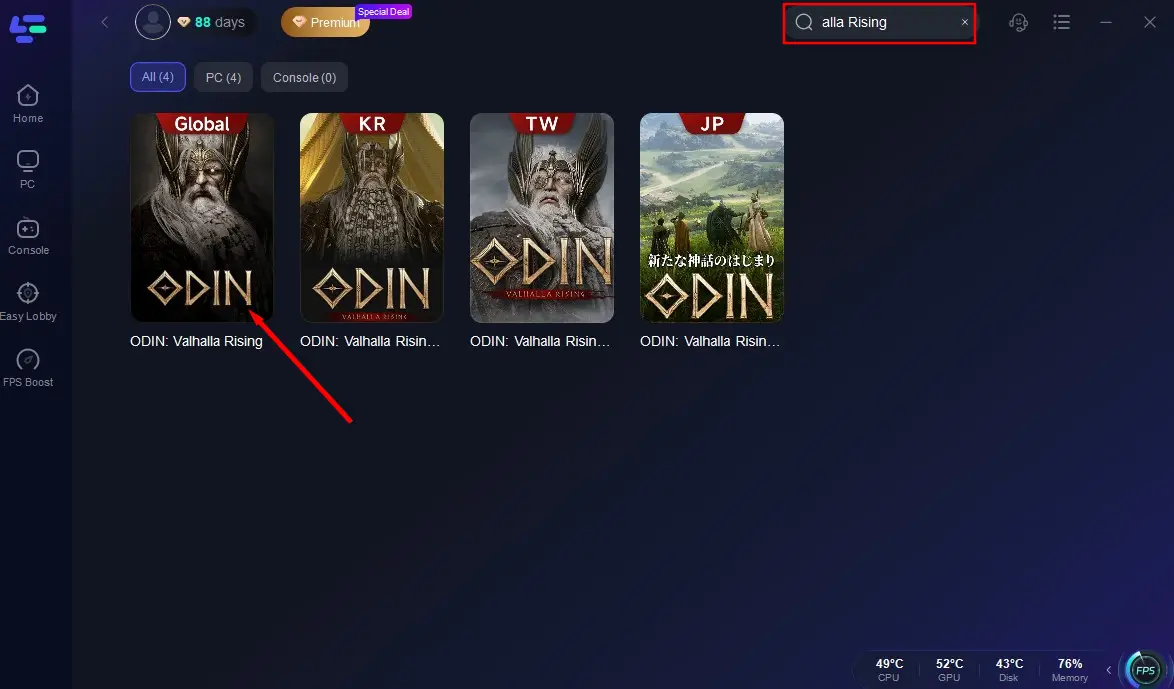
Step 2: Find Odin: Valhalla Rising Global in search bar of LagoFast, and click it.
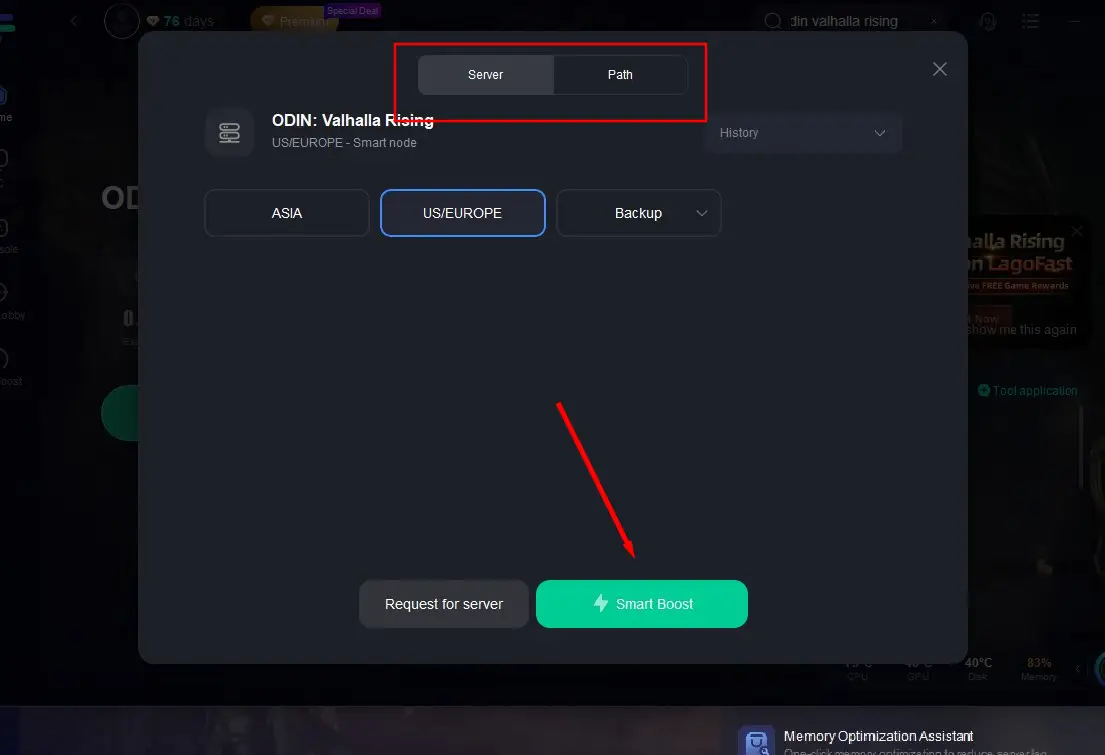
Step 3: Choose a better server and a better node. Then click the "Smart Boost".
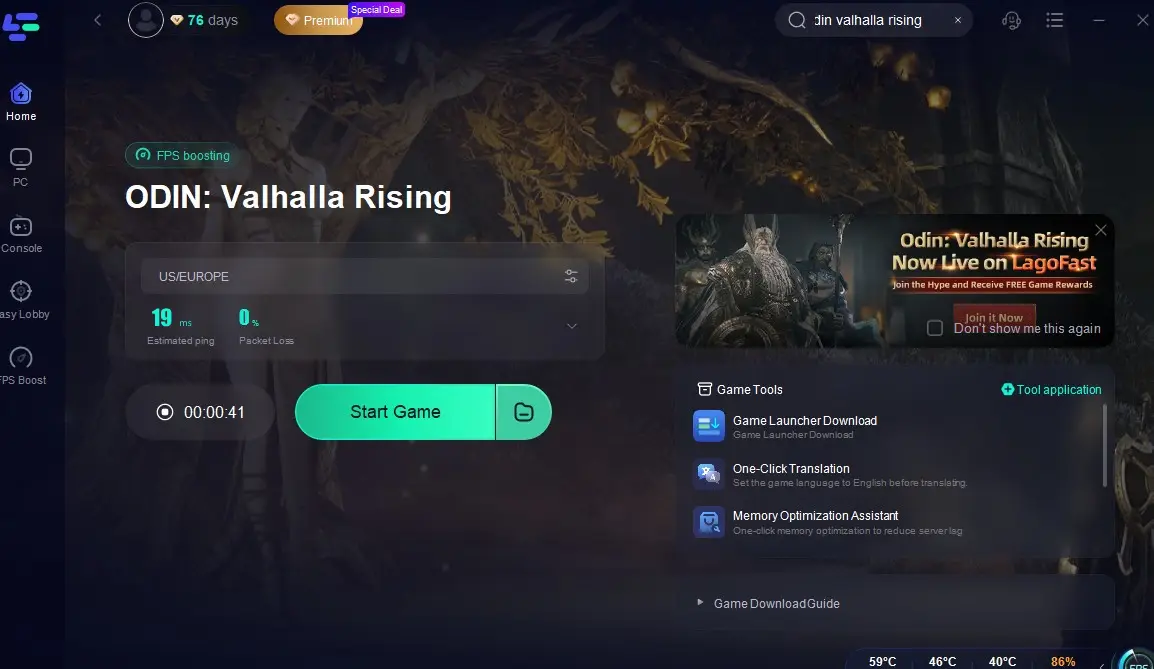
Step 4: Jump into the game world after checking the real-time ping and pocket loss.
For Mobile:
Step 1: Download LagoFast Mobile from Google Play or the App Store. Or scan the QR code to download it.

Step 2: Enter LagoFast, search for Odin: Valhalla Rising in the search box, and click download.
Step 3: Wait for the installation package to download successfully and complete the download.
With just a few clicks, LagoFast stabilizes your connection, reduces latency, and eliminates interruptions, allowing you to fully enjoy Odin: Valhalla Rising’s massive open world and real-time battles.
Break the Language Barrier with LagoFast’s One-Click Translation Tool
If you want to expand your gaming social circle while playing Odin: Valhalla Rising and explore servers in different languages and regions, you can use LagoFast’s one-click translation tool to break through language barriers. This feature helps players communicate easily across servers and join international guilds or parties without worrying about language differences.
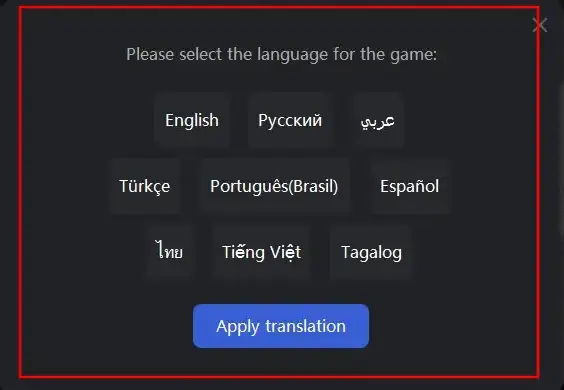
Currently, LagoFast supports in-game text translation for Odin: Valhalla Rising in Russian, French, Portuguese (Brazilian), German, Turkish, and Arabic, making it easier to connect and cooperate with players worldwide.
How to Use LagoFast’s Translation Tool:
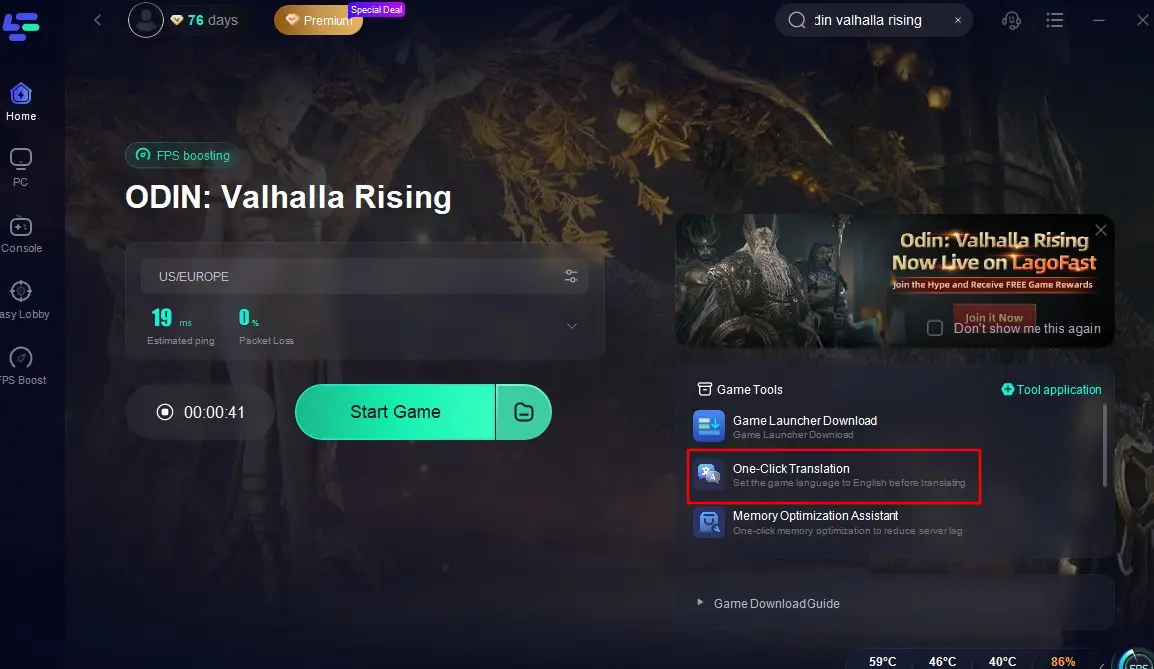
Open LagoFast and search for "Odin: Valhalla Rising Global".
Select a server to start the acceleration. Click the One-Click Translation tool located at the bottom right of the screen, and import the installation path of Odin: Valhalla Rising.
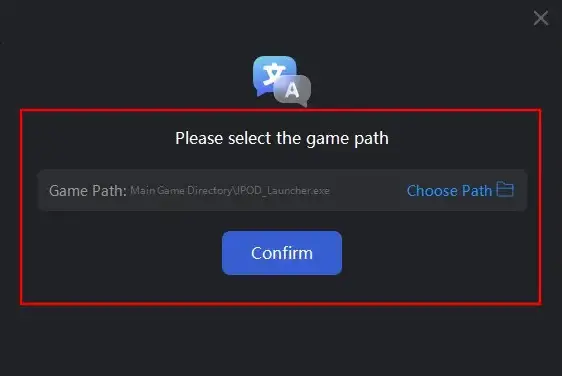
Select your target language for translation and click "Apply Translation".
Wait a moment for the translation to complete, and then you can return to the game!
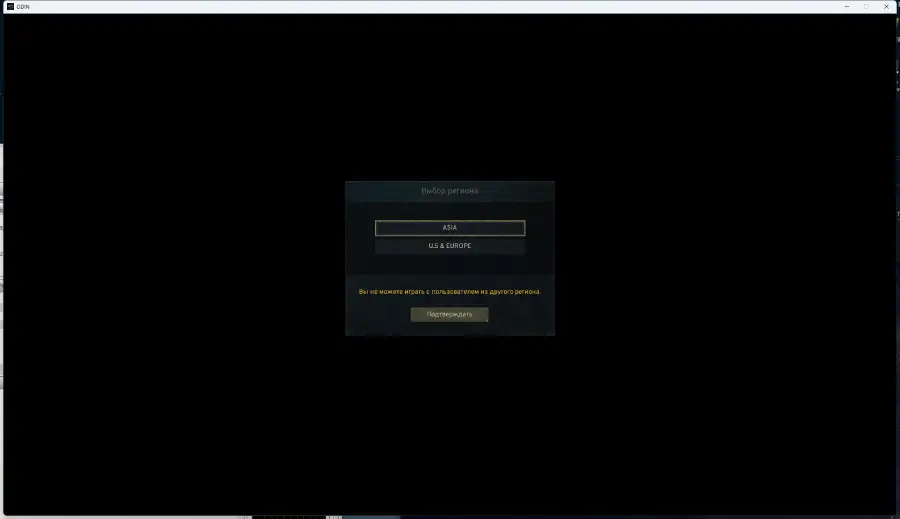
Whether you’re coordinating raid strategies, joining international communities, or chatting with friends from other countries, LagoFast’s translation tool ensures you never miss a word.
LagoFast Game Download Tool – Play Odin: Valhalla Rising from Anywhere
Some regions still face restrictions when downloading or launching Odin: Valhalla Rising. LagoFast’s Game Download Tool is designed specifically to overcome these barriers. It allows you to safely and quickly download the game from anywhere, even if it’s blocked in your country.
How to Use LagoFast’s Download Tool:
Step 1. Click the Game Launcher Download tool.
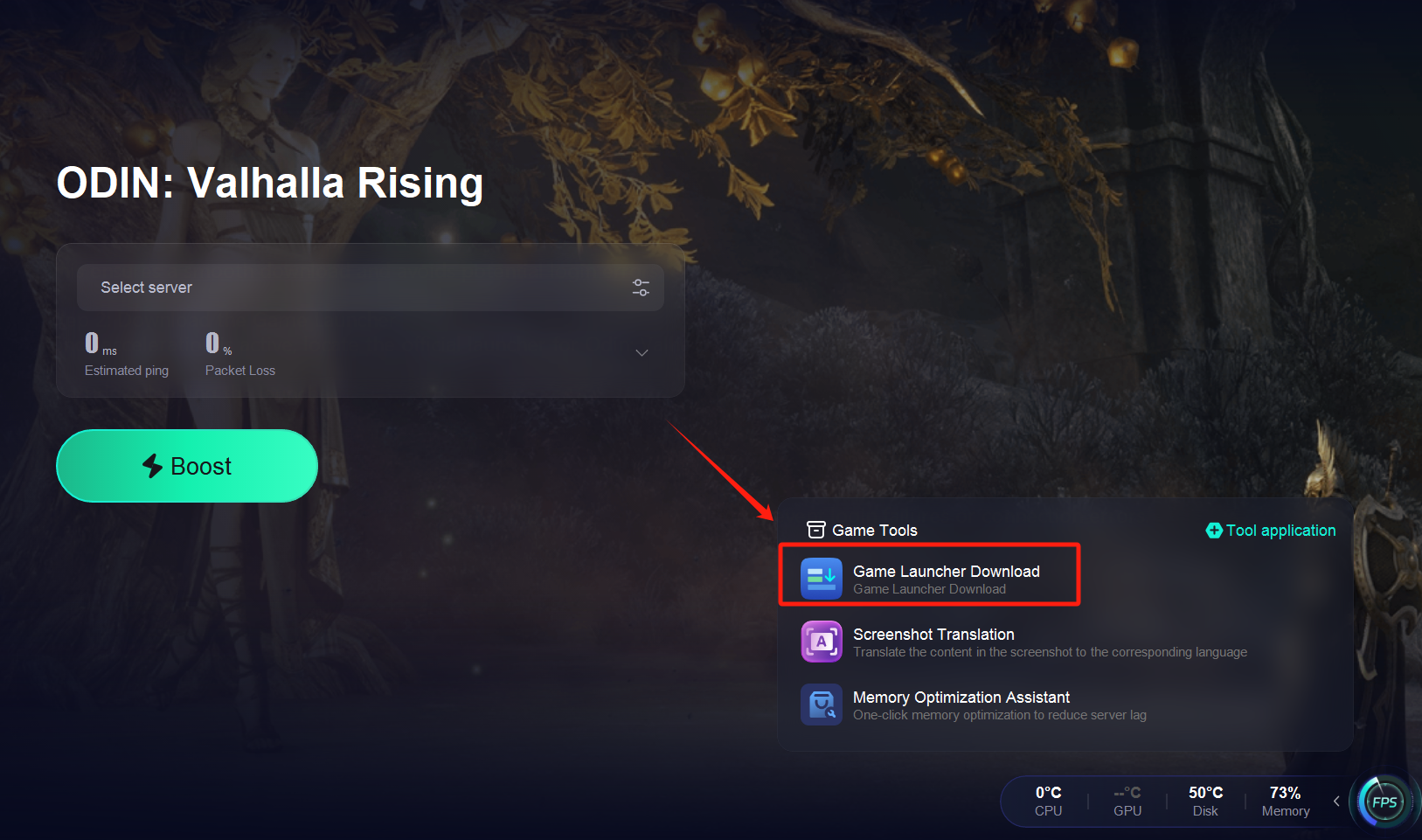
Step 2: Download the Game Launcher
Once acceleration is active, locate the official launcher for Odin: Valhalla Rising.
Start downloading the launcher.
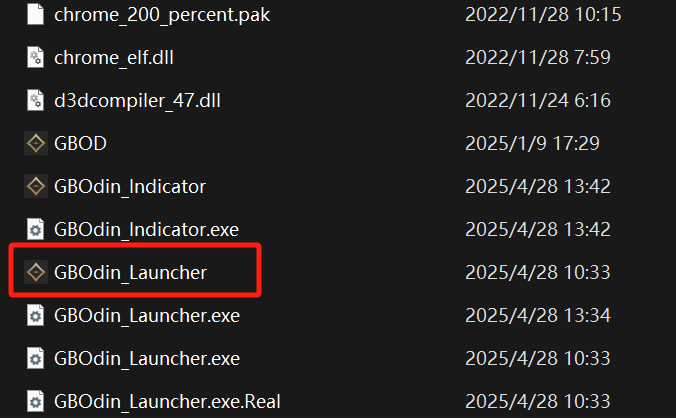
Step 3: Log In with Your Google Account
After installing the launcher, sign in using your Google account.
Important: Make sure you remain connected to LagoFast during this step to prevent login failures or connection errors.

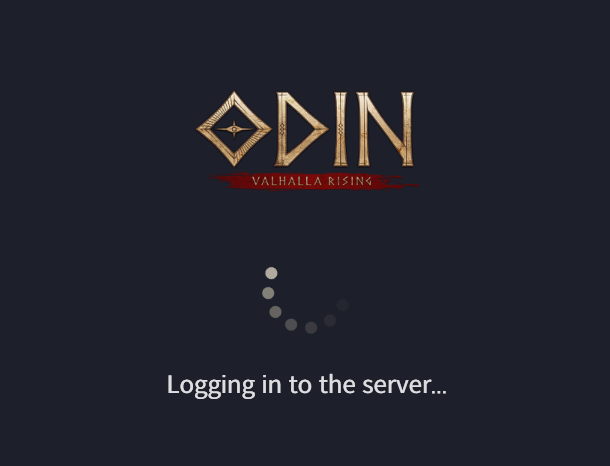
Step 4: Download and Install the Game
After a successful login, proceed to download and install the full game.
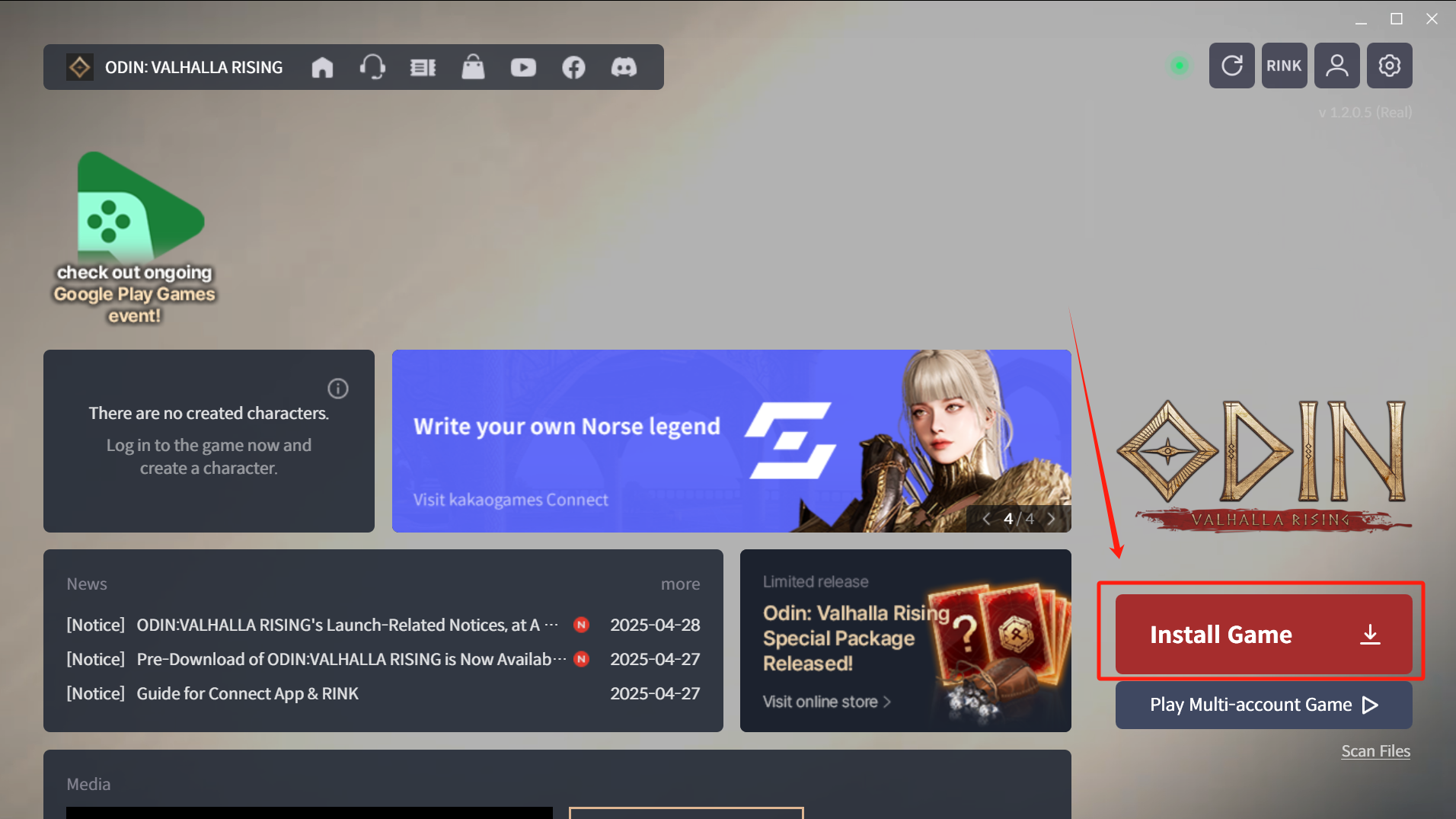
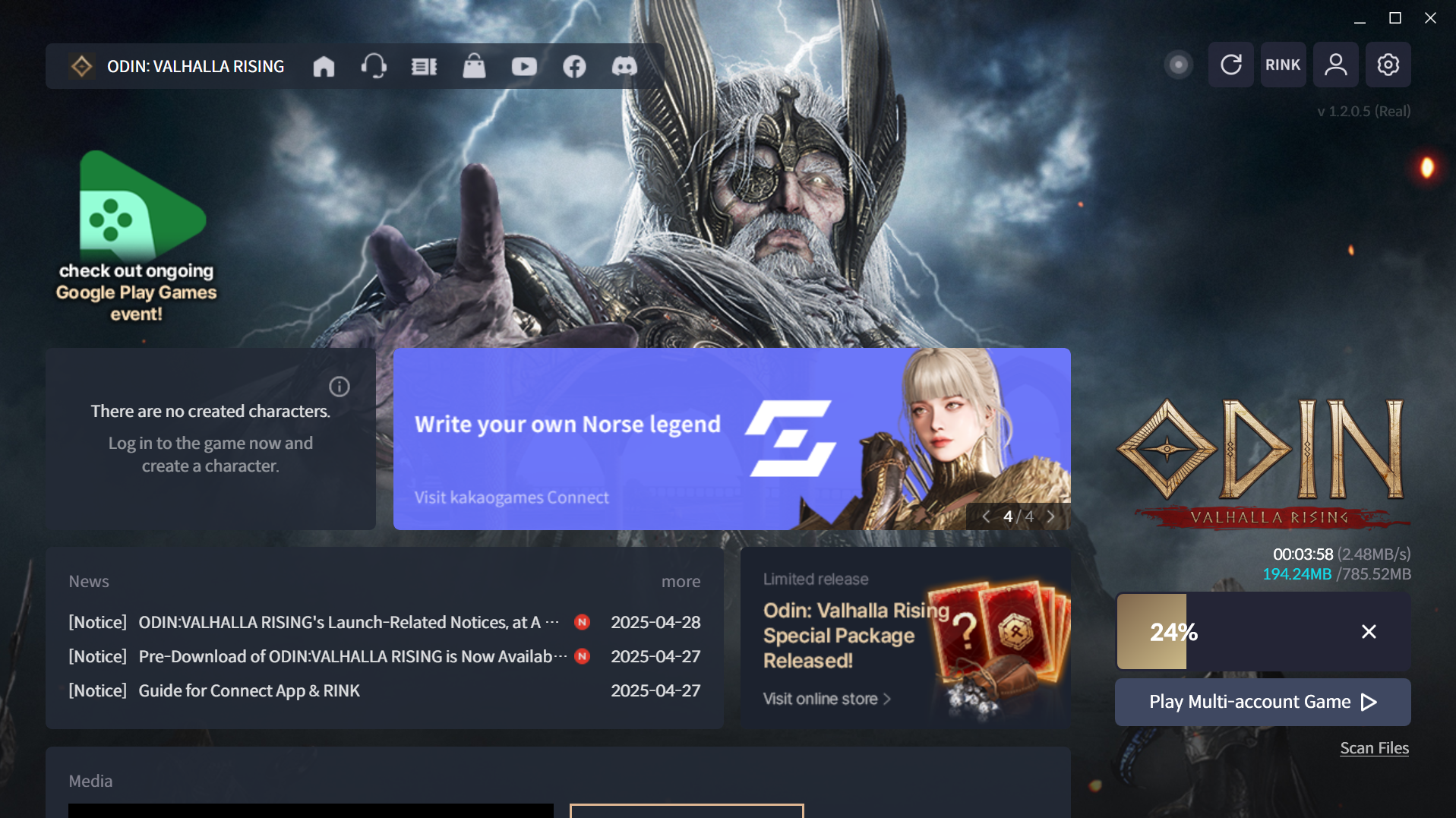
This method bypasses geo-blocks and ensures a secure, high-speed download, even in previously restricted countries.
This process not only bypasses geo-blocks but also ensures a stable, high-speed download experience—perfect for global players who want to enter Odin’s world without limitations.
In conclusion, Odin: Valhalla Rising delivers an epic Norse MMORPG experience, but network issues can hinder gameplay. LagoFast provides a reliable, cross-platform solution to reduce lag, stabilize connections, and enhance combat responsiveness, letting players enjoy Odin at its fullest potential.