Best Lost Light Lag Reducer & Ping Booster 2024
Lost Light Overview
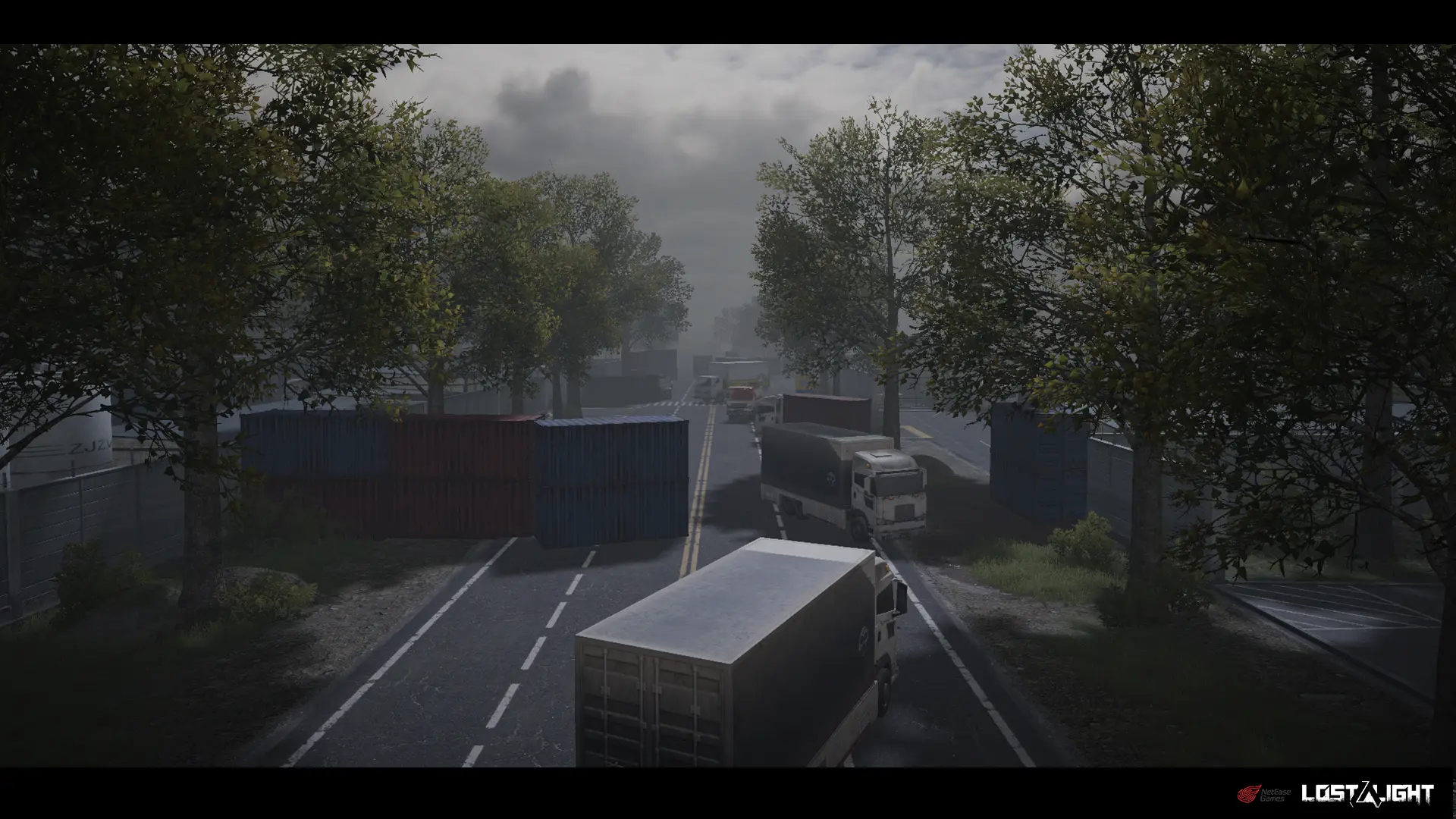
Lost Light is a popular multiplayer online game developed by NetEase Games that combines elements of war, nurturing, and competition. In Lost Light, players become part of the "Fireflies" mission and are forced to enter a restricted area. Stealth, searching for supplies, looting enemy equipment, and building and managing your shelter are just a few of the survival challenges you'll face. Are you ready to take on this challenge?
Lost Light is a highly popular multiplayer online game that has captivated many players. However, a common issue faced by numerous gamers is the experience of high latency and high ping values during gameplay, which can significantly impact their overall gaming experience. In this article, we will introduce the best methods to utilize the Lost Light Latency Reducer and Ping Booster to achieve top-notch gaming performance.
How to Reduce Ping and Lag in Lost Light
In the beloved multiplayer online shooter game Lost Light, many players have encountered the frustrating issues of network high lag and high ping values. These problems not only impact the overall gaming experience, but also significantly affect players' competitive performance. Fortunately, the professional Game Booster, LagoFast, can effectively resolve these challenges.
LagoFast is a software specifically designed to optimize network conditions for gamers. It helps players improve their game's network status in multiple ways. LagoFast boasts a vast global server network, and its smart routing optimization feature can automatically select the best network path, dramatically reducing data transmission delays. Additionally, LagoFast employs proprietary network acceleration algorithms to effectively enhance network transfer speeds and reduce lag. By using LagoFast, players can enjoy a more seamless gaming experience in Lost Light.
The quick response, stable frame rates, and low-lag control feedback provided by LagoFast will greatly enhance players' competitive abilities. If you want to reduce ping or even achieve 0 ping while playing Lost Light on PC or mobile, please follow the steps below:
How to Use LagoFast on PC
Step 1: Click the Free Trial button to download and install LagoFast Free Trial.
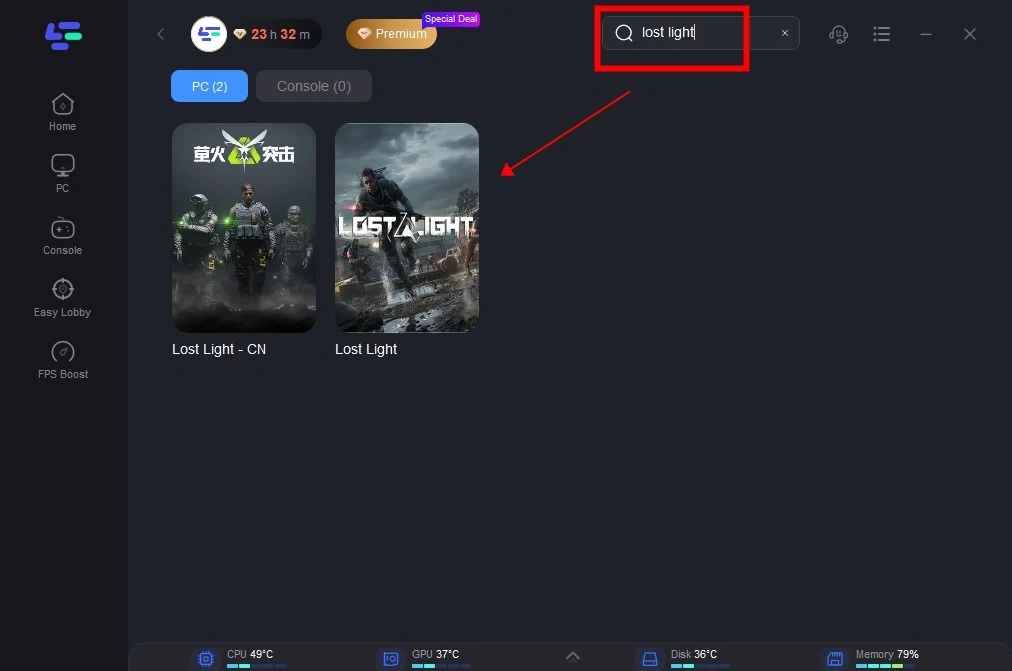
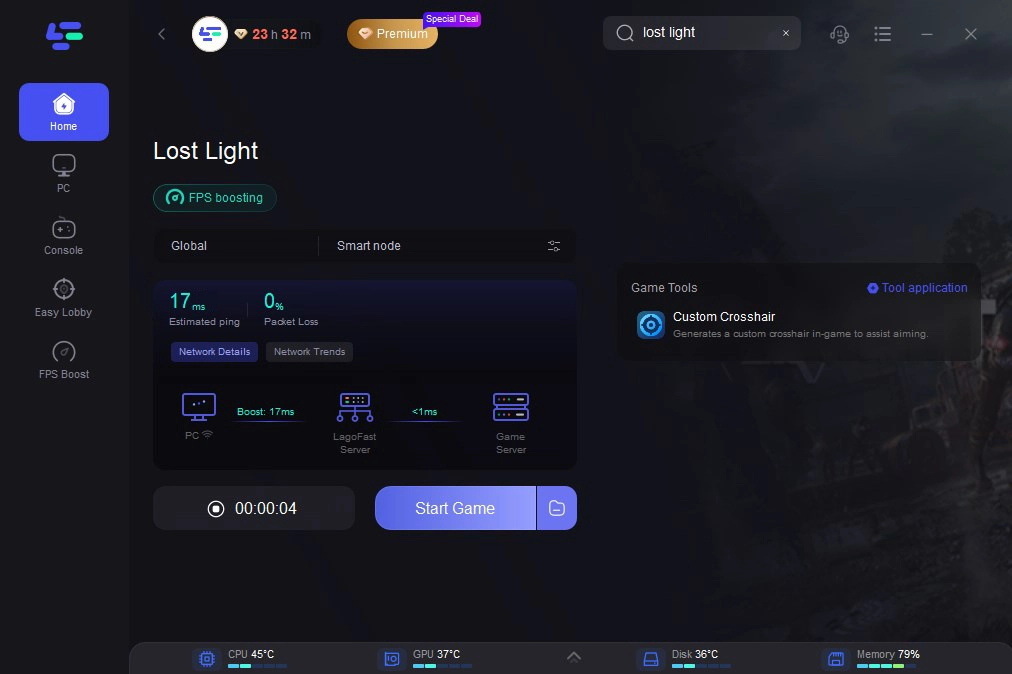
Step 2: Open LagoFast then click the PC button on the left and search Lost Light in the search bar, click it after appearing.
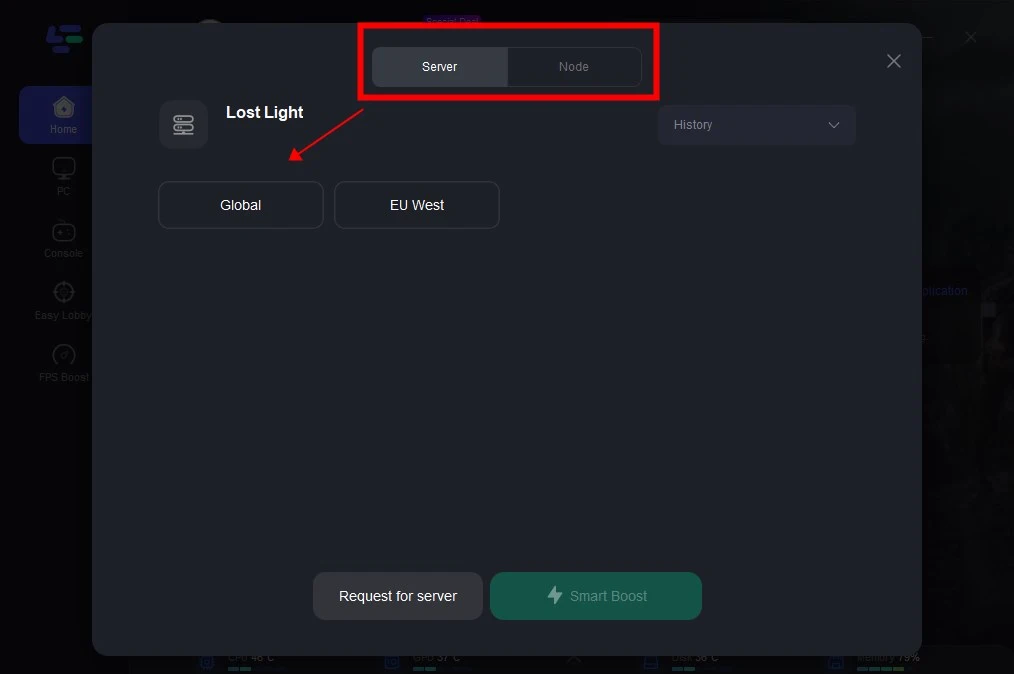
Step 3: Click on the server you want to play, or directly select the Global server.
Step 4: After completing the above network optimization steps, you will clearly find that the high lag and high Ping issues have been effectively resolved.
How to Use LagoFast on Mobile
Step 1: Search and download LagoFast Mobile Booster from the App Store or Google Play.
Or scan the QR code below to start a free trial.
Step 2: Launch LagoFast Mobile Booster, then search Lost Light in LagoFast Mobile Booster.
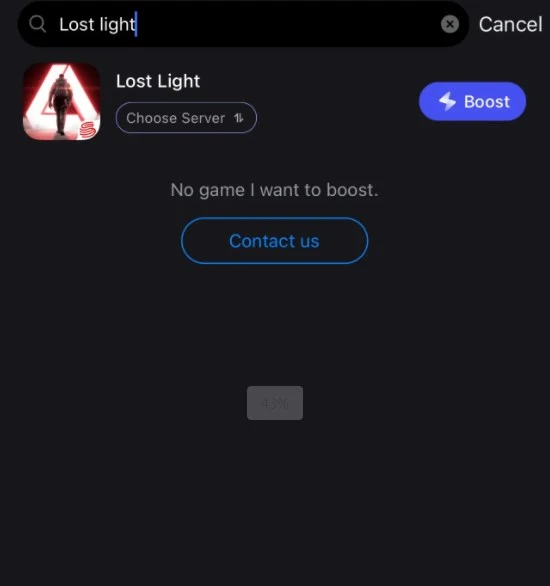
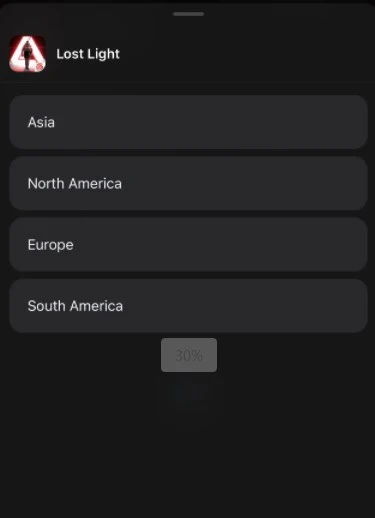
Step 3: Choose the Server and Routes you like, then click the Boost button.
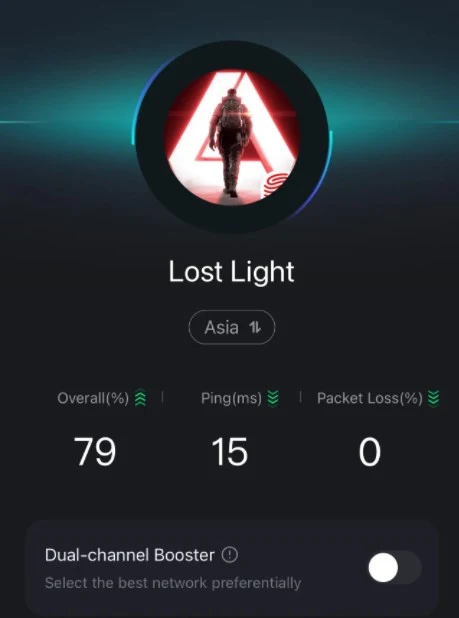
Step 4: After the acceleration is completed, you can experience a smooth gaming network environment.
Part 3: How to Boost FPS in Lost Light
For avid players of Lost Light, a smooth and fluid gaming experience is undoubtedly the most crucial aspect. However, many players have encountered the frustration of declining frame rates during gameplay, which not only impacts the visual experience but can also severely hamper overall game performance. If you seek to boost FPS and resolve the FPS drop issues in Lost Light, LagoFast can be a reliable ally in your quest for exceptional frame rate performance.
With the help of LagoFast, players can achieve outstanding FPS in Lost Light. It's as easy as 1-2:
Step 1: Within the LagoFast application, select the FPS Boost feature.
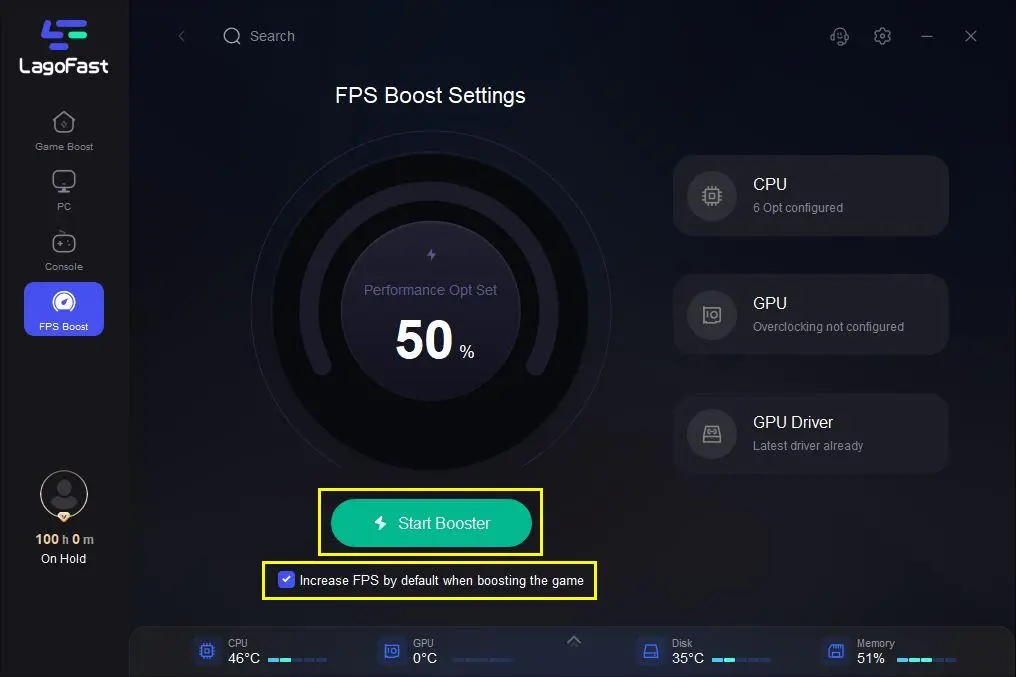
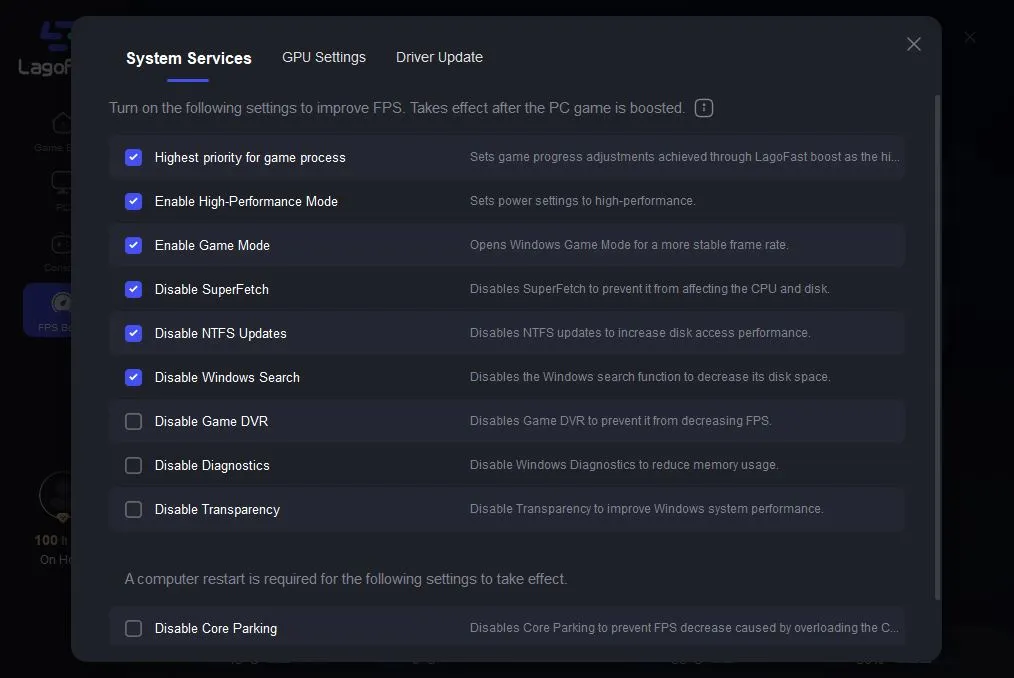
Step 2: Click and enable the approved settings to increase FPS.
With the power of LagoFast, players can enjoy a superior frame rate experience in Lost Light. The FPS Boost function optimizes your system's resources, ensuring your gameplay remains fluid and responsive, even during the most intense moments.
Part 4: Lost Light Ping Reducer for Gamers
For avid FPS game enthusiasts, a smooth and fluid gaming experience is undoubtedly the key to success. So, how can you achieve better latency and higher frame rates in the beloved game, Lost Light? While there are numerous methods to address these challenges, most of them require significant time and financial investment. The simplest and most effective solution is to utilize LagoFast's dedicated FPS Booster for Lost Light.
By leveraging LagoFast's Lost Light FPS Booster, you can easily:
- Significantly reduce latency in Lost Light
- Boost the game's frame rate for a more responsive experience
- Eliminate stuttering and lag issues
- Enjoy a high-definition, smooth visual experience
- Easily adjust settings to maximize Lost Light's FPS
- Achieve superior in-game ping values (even reaching 0 ping)
- Benefit from acceleration services for over 1 million PC gamers
- Fix Lost Light crashes and other network connectivity problems
- Support for 2000+ popular online games

- ✅ Reduce Lag and High Ping.
- ✅ Boost FPS at the Same Time.
- ✅ Support 1000+ Popular Online Games.
- ✅ Change Server Easily without Lag
- ✅End Connection and Crashing Issues
LagoFast's Lost Light FPS Booster is undoubtedly the best choice to elevate your gaming experience. With a hassle-free installation and setup, you can enjoy seamless gameplay in Lost Light and unleash your full gaming potential without any constraints.
Part 5: Video on how to use LagoFast