Battlefield 6 Lag Fix & FPS Boost with LagoFast
Battlefield 6 Overview
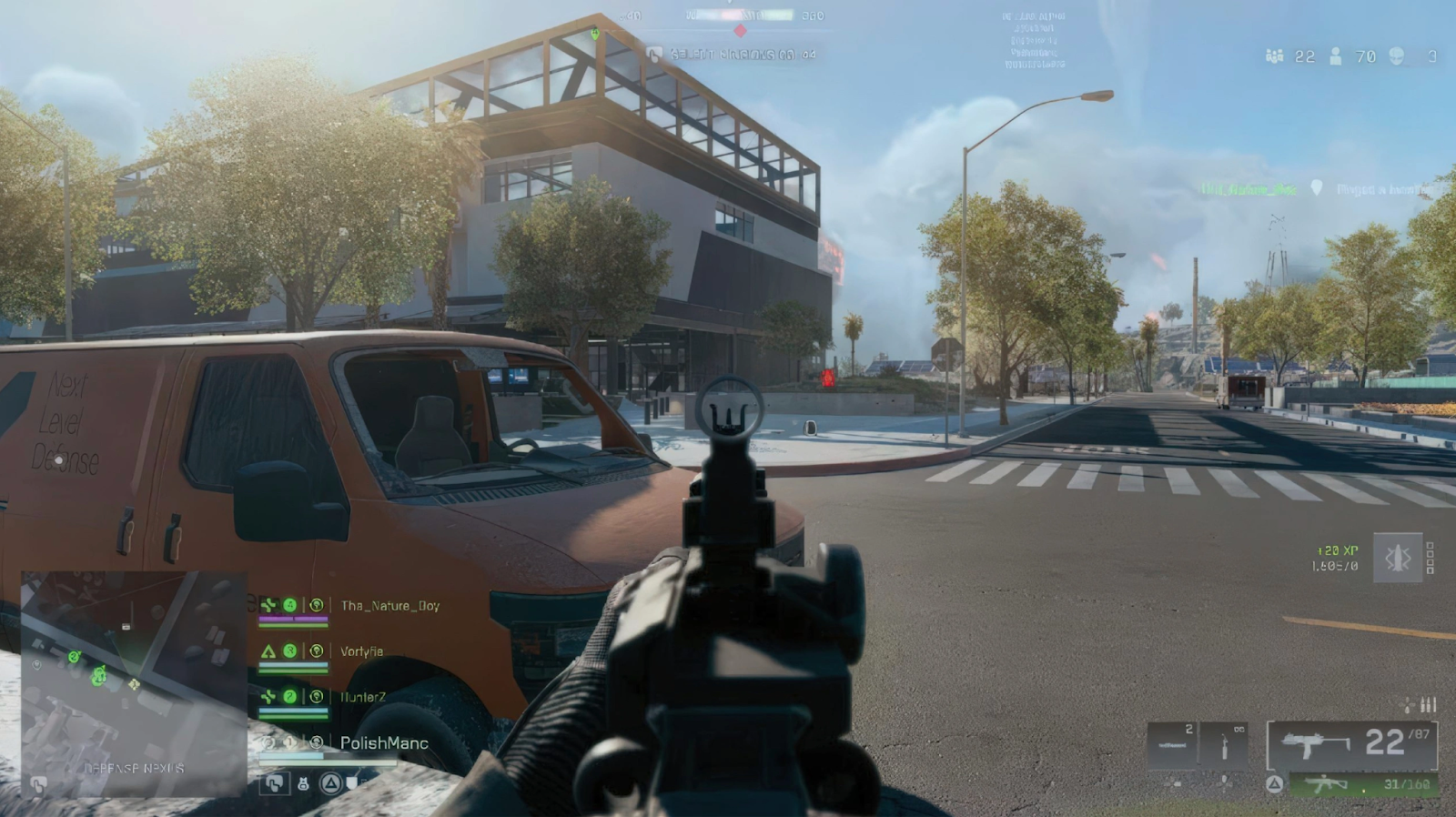
The arrival of Battlefield 6 has given fans exactly what they wanted: large-scale chaos, more destruction than ever, and a gritty modern-war setting that feels intense from the moment a match starts. The game leans heavily into dynamic events, city-level battles, drone engagements, and fast-paced infantry pushes. With improved physics and destructible environments, every match feels different, making teamwork and quick reaction time matter more than before. Whether you’re fighting through narrow urban alleys or controlling armored vehicles in wide-open zones, the experience is immersive and cinematic in a way the series is known for.
Battlefield 6 REDSEC
REDSEC is one of the standout additions to Battlefield 6. It’s a fast, ruthless battle-royale-style mode that blends survival mechanics with the tactical depth of classic Battlefield gunplay. Instead of relying solely on luck or random loot, REDSEC introduces objective-driven systems, extraction points, and team-based strategies. Matches tend to be shorter but more intense, making every decision matter. What makes it approachable is the way it rewards awareness and skill over pure loot RNG. Because REDSEC involves fast rotations, close-quarters fights, and constant movement, having a stable connection, consistent FPS, and a quick-loading client can dramatically change your overall performance.
How LagoFast Enhances Battlefield 6 Performance in Battlefield 6 and REDSEC
LagoFast functions as a Battlefield 6 game booster that targets multiple performance factors at once. Instead of relying only on hardware upgrades or aggressive system tweaks, it improves the game from a network and optimization standpoint.Here’s what it can do for you:
Battlefield 6 Lag Fix & Ping Reduction
LagoFast uses dynamic route optimization—an intelligent routing system that detects congested nodes and redirects your connection through a faster path.
This results in:
- Lower ping
- Smoother hit registration
- Fewer rubber-banding issues
- More stable server connections
Players in Europe, Asia, LATAM, and North America can all benefit because the system adjusts routes based on real-time traffic.
Tutorial to Boost Aion 2 with LagoFast:
Step 1: Begin by clicking the Free Trial button to download and install the LagoFast Free Trial.
Step 2: Search for Your Game: Open LagoFast and find your game in the search bar.

Step 3: Choose the Best Server: Click "Select Server" and pick a stable server for your region.

Step 4: Activate Smart Boost: Hit the "Smart Boost" button to monitor your ping, packet loss, and network type in real time.

Battlefield 6 FPS Boost
Although LagoFast is often known for network optimization, it includes features to help reduce background load, stabilize CPU resource usage, and prevent spikes caused by system tasks.
This can help you:
- Maintain consistent frame pacing
- Reduce stutters during explosions or vehicle collisions
- Improve rendering times
It’s not a magic button that changes your hardware, but it helps you extract stable performance from what you already have.
Battlefield 6 Secure Boot Setup
Some players face launch issues due to Secure Boot requirements, especially when installing the game on new hardware or switching platforms.
LagoFast’s secure-launch tutorials walk you through:
- Enabling Secure Boot in BIOS
- Fixing TPM-related errors
- Ensuring all drivers are properly signed
- Restarting the game in compliance mode
Click the Secure Boot Check tool on the interface.
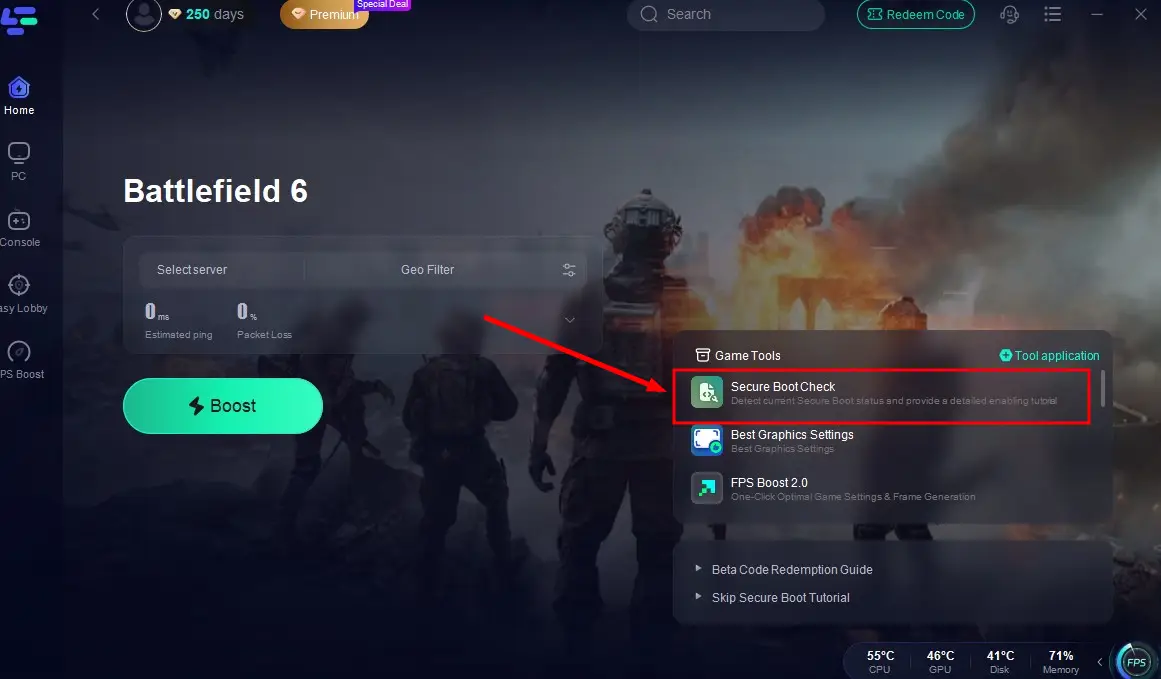
Then you can see the whole process of the Secure Boot, precisely locate the error and fix it with the tutorial provided by LagoFast!
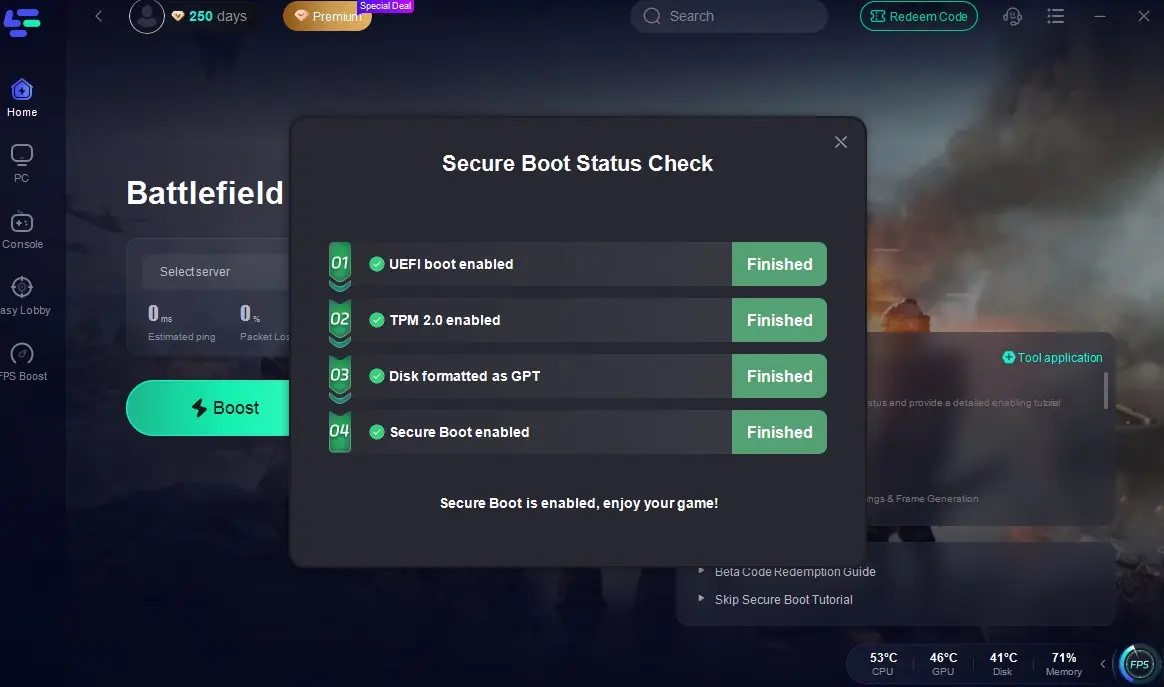
This helps eliminate crashes related to anti-cheat or system validation failures.
Battlefield 6 Translation Tool
One of the underrated strengths of LagoFast is its built-in game translation tool.
For Battlefield 6, this is extremely helpful in:
- Reading in-game instructions
- Understanding squad commands
- Communicating with teammates
- Navigating menus and settings
Click the Translation tool at the bottom right corner.
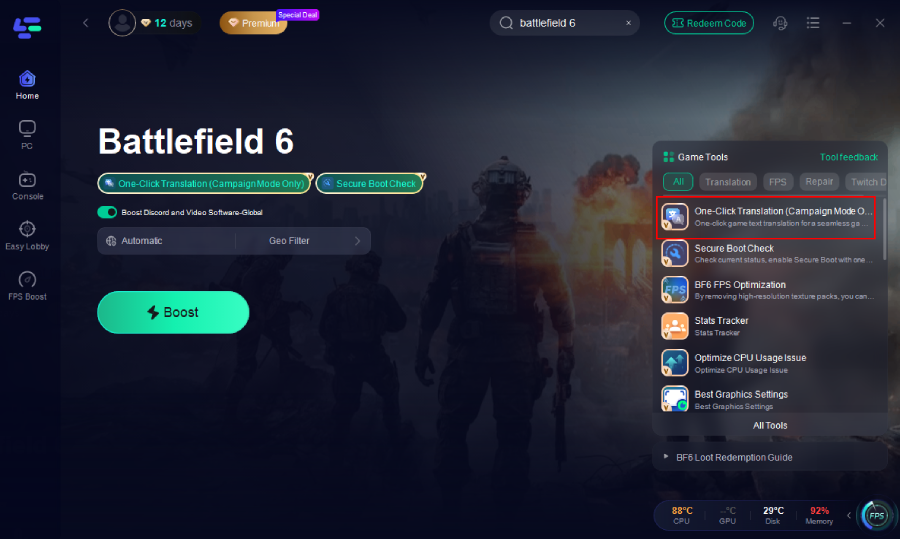
Choose the game file path and install the translation file. The tool will automatically replace the in-game text with the translated version, seamlessly integrating it into the interface.

Return to the game and click on the game screen to instantly get a translated version of your Battlefield 6 interface!
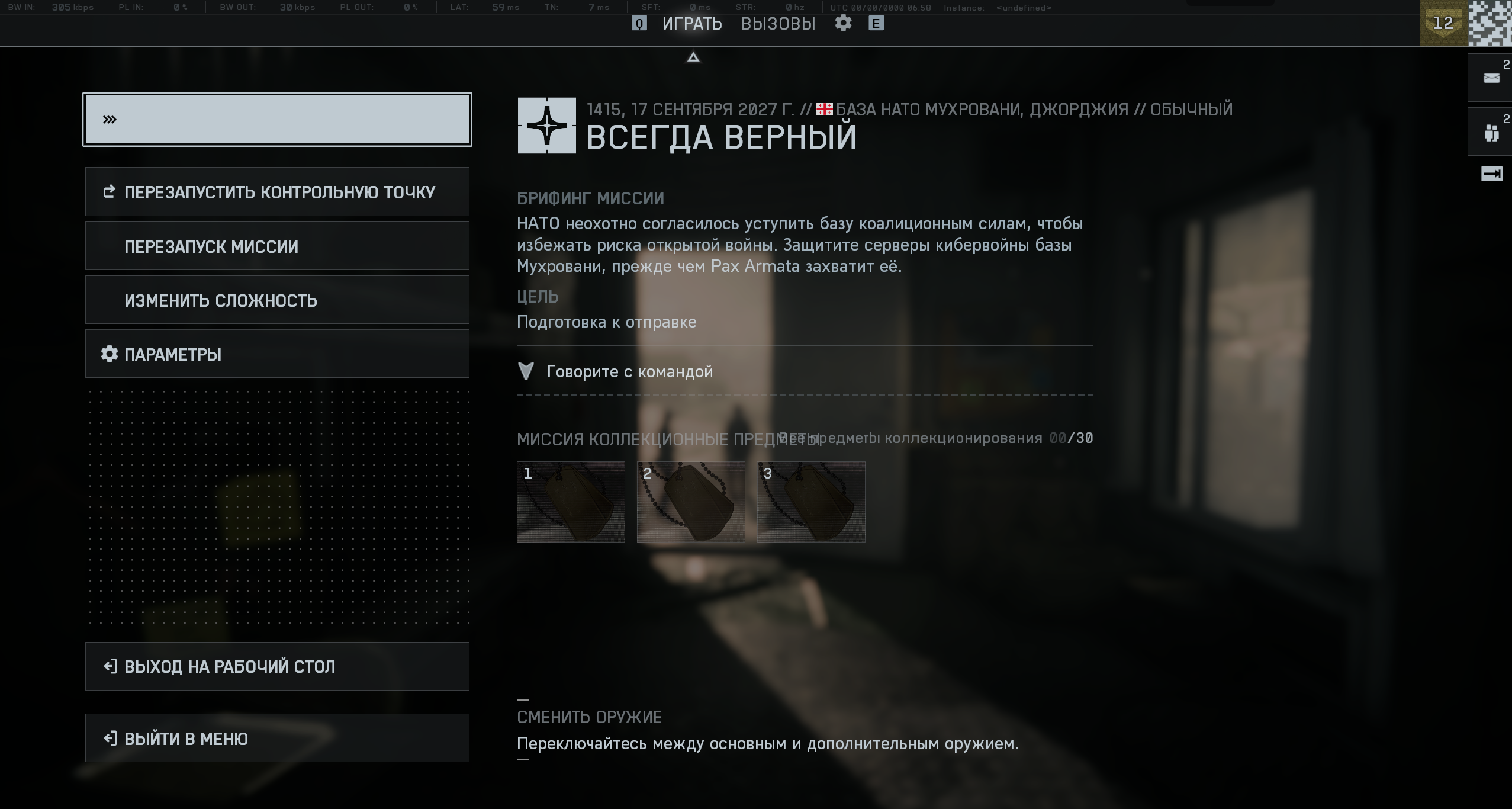
Players who prefer Russian or Turkish will find this especially useful during fast-paced RedSec matches.
Stable Gameplay in RedSec Battle Royale Mode
RedSec is chaotic, aggressive, and much more fast-paced than the traditional conquest mode. The mode’s shrinking zones, randomized loot, and vertical combat force servers to process thousands of movement calculations simultaneously.
LagoFast ensures:
- Fewer disconnects mid-combat
- Stable ping during final circles
- Faster server handshakes
- Smoother transitions between zones
Its network balancing can be a real advantage in high-pressure gunfights.





Battlefield 6 FAQs
 Battlefield 6 Won’t Launch — The Real Reasons and Best Fixes in 2025
 Does Battlefield 6 RedSec need Secure Boot?
 Battlefield 6 “Can’t Log In” - How to Fix It Fast
 Battlefield 6 Can't Connect to Servers: Causes & Fixes
 Battlefield 6 System Requirements: Everything You Need to Know
 Step-by-Step Guide to Solve Battlefield 6 Not Working Problems
 How to Fix Battlefield 6 Low FPS Issue