
Quick Insight
A Taskbar Hero tracker is a strategy or utility used by players to monitor the game's strict 12-minute blue chest cooldowns, map out optimal stage farming routes, and log gray chest completions. Because the game runs unobtrusively while you work or browse, missing these timers means losing out on high-tier gear and gold. To completely eliminate manual tracking and prevent your inventory from clogging up during long idle sessions, players use the LagoFast Auto AFK Assistant to automate chest opening, storage sorting, and alchemy.
Introduction
Taskbar Hero (TBH) has taken the incremental RPG world by storm, offering the perfect blend of background progression and strategic loot management. However, because the game lives right on your screen's margin, maximizing your efficiency requires precision. If you aren't tracking your drops, you are leaving massive amounts of gold, runes, and legendary gear on the table.

- ✅ Reduce Lag and High Ping.
✅ Boost FPS at the Same Time.
✅ Support 8000+ Popular Online Games.
✅ Change Server without Latency.
✅ Boost Game Loading Speed.
Part 1: What Is a Taskbar Hero Tracker?
Part 2: Why Players Need a Chest Cooldown Tracker?
Part 3: How Blue Chest Cooldowns Work?
Part 4: How to Track Farming Routes by Stage and Difficulty?
Part 5: Best Tracker Setup for AFK Farming
Part 6: How to Avoid Missing Chests While Farming – LagoFast Auto AFK Assistant
Part 7: Manual Tracker vs Automation Tool
Part 1: What Is a Taskbar Hero Tracker?
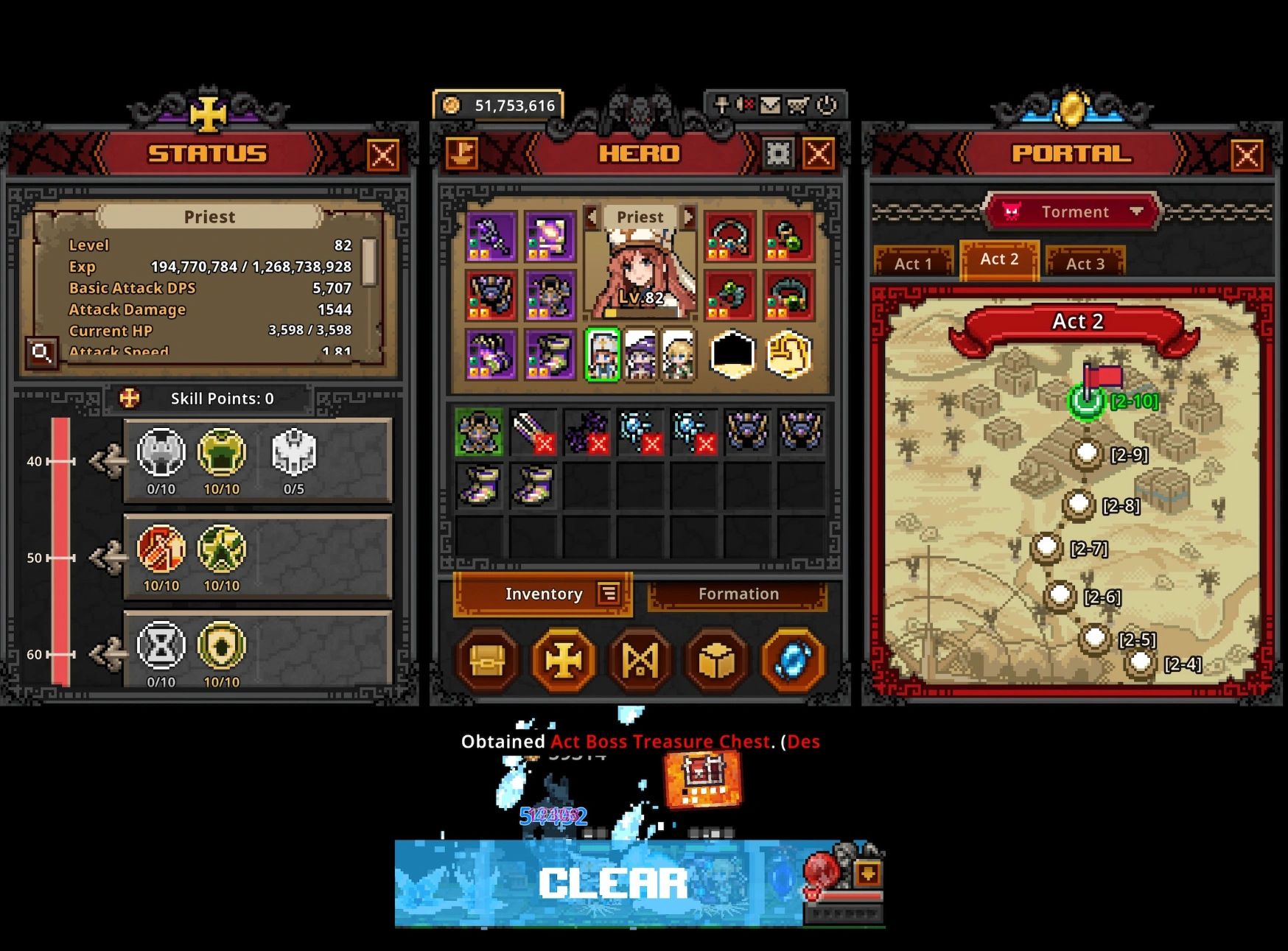
A TBH Taskbar Hero Tracker is a framework, either managed manually via spreadsheets, community timers, or automated tools, that allows players to keep tabs on the hidden and visible cycles governing the game's reward systems.
Unlike traditional idle games where rewards accumulate infinitely without penalty, Taskbar Hero demands active management of its stage drops. A proper tracker monitors several crucial metrics:
- The exact remaining time on specific chest tiers.
- Which portal stages have been cleared and flagged for daily rewards.
- Active farming loops based on your character’s current clear speed and survivability.
- The state of your inventory slots and stash pages.
Without a structured way to track these elements, players often find themselves hitting progression walls, dying repeatedly to bosses they aren't equipped to handle, or leaving their characters running for hours only to realize their bags filled up within the first twenty minutes.
Related Article: TBH Task Bar Hero Auto Crafting Guide: How to Manage Materials and Gear
Part 2: Why Players Need a Chest Cooldown Tracker?
The core loop of Taskbar Hero revolves around clearing stages to earn equipment, which is then fed into the Rune Tree to unlock game-changing nodes like gold gain, inventory slots, and stash pages. However, progression isn't linear. According to top Steam community beginner guides, when your character hits a hard wall against a specific boss, the optimal strategy is to retreat through the Portal and farm earlier stages.
This is where a taskbar hero chest tracker becomes mandatory. Players constantly struggle with these exact roadblocks:
- Stage Confusion: Forgetting which exact stages and difficulties have already been optimized for maximum efficiency.
- Wasted Cooldowns: Not knowing when the lucrative blue chests are eligible to drop again.
- Inefficient Paths: Guessing which farming routes yield the highest gold and material ratios per hour.
- The Idle Penalty: Leaving the game running in the background only to miss premium chests because the manual interaction window closed.
By implementing a strict tracking habit, you transform the game from a guessing game into a highly optimized, automated resource generator.
Part 3: How Blue Chest Cooldowns Work?
The absolute highest priority for any mid-to-late game player is managing the taskbar hero blue chest timer. Unlike common gray chests, blue chests hold the keys to high-tier crafting materials and rare equipment that can drastically boost your stats.
The Golden Rule of Blue Chests: Blue chests operate on a strict 12-minute internal cooldown.
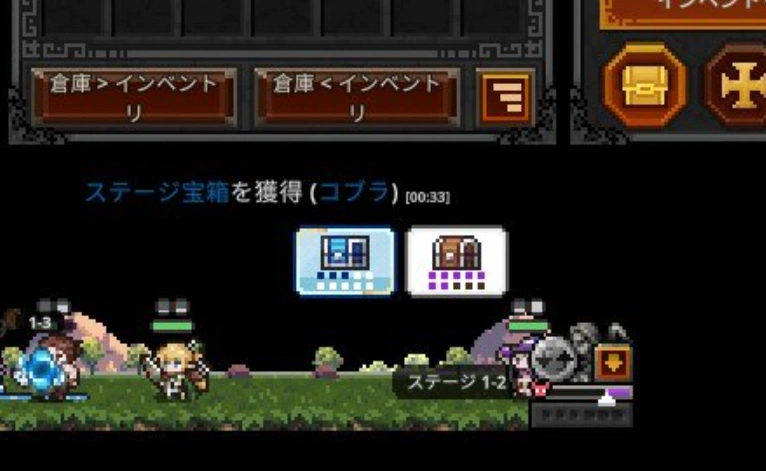
Once a blue chest drops, the timer begins. During this 12-minute window, no matter how many high-level bosses or elite mobs you defeat, another blue chest will not spawn.
An effective taskbar hero chest cooldown system tells you exactly when that 12-minute window expires. If you complete a route too quickly, you risk triggering a drop sequence when only low-tier chests are available. Conversely, if you wait too long after the timer resets to push high-reward stages, you lose out on multiple chest cycles throughout the day. Tracking this allows you to perfectly time your stage transitions, ensuring that your highest-yield maps always align with an active blue chest availability window.
Part 4: How to Track Farming Routes by Stage and Difficulty?
An optimized taskbar hero route tracker isn't just about picking the highest stage you can clear; it's about balancing speed, difficulty, and drop quality. If a stage takes your character four minutes to clear and risks a sudden death, it is vastly inferior to an earlier stage you can sweep through in thirty seconds.
To build an efficient farming route, your tracker needs to account for three variables:
The Portal Reset Mechanics
When farming gears or specific runes, you must map out your loop relative to the Portal. If a boss pushes you back, your route tracker should dictate exactly how many steps back you need to go to find the "sweet spot"—the highest difficulty where your character can sustain zero-death farming while maintaining a high kill-per-minute ratio.
Rune Tree Synergies
Your route should shift depending on what you are currently targeting in the Rune Tree. If you are rushing gold gain nodes, your route tracker should prioritize maps with dense mob layouts. If you are chasing inventory slots or stash pages, your tracker should guide you toward stages known for high material drops needed for trade or crafting.
Difficulty Tiers
Keep a clear log of your clear times across Normal, Hard, and Elite difficulties for each zone. A spreadsheet or dedicated notes layout tracking these times ensures you never waste half a day running a sub-optimal difficulty tier.
Part 5: Best Tracker Setup for AFK Farming
If you want to maintain a pure, uninterrupted idle setup, you need an organized system to prevent resource waste. A comprehensive taskbar hero afk tracker setup requires tracking both time and space.
- Calculate Bag Capacity: Check your total inventory slots against your average drop rate. If your bags fill up in 45 minutes, setting an AFK timer for four hours is fundamentally inefficient.
- Time Your Runs: Establish how long it takes to clear a full inventory cycle.
- Log Your Upgrades: Keep a close eye on your Rune Tree progress, specifically targeting the auto open chests node to ease the mechanical burden of your setup.
However, even with the most immaculate spreadsheet or secondary monitor timer, manual tracking has an unavoidable ceiling. The game's design naturally punishes players who cannot check their screens every dozen minutes. Your bags fill up, chests stop opening, and your progression grinds to a complete halt.
Part 6: How to Avoid Missing Chests While Farming – LagoFast Auto AFK Assistant
To solve the inherent flaws of manual tracking, players are turning to dedicated automation tools. The LagoFast Auto AFK Assistant is the ultimate companion software designed specifically to manage your Taskbar Hero sessions seamlessly in the background. It acts as an all-in-one Taskbar Hero AFK Farming Assistant and inventory manager, ensuring you get 100% value out of your idle hours.
Key Features of LagoFast Auto AFK Assistant:
- Taskbar Hero Chest Tracker and Inventory Manager: Automatically tracks drop rates and manages your bag space in real time.
- Taskbar Hero Auto Chest and Storage Helper: Fully automates the opening of all chest types, including high-tier chests that standard in-game automation can't handle, and instantly deposits items to your stash.
- Taskbar Hero Inventory Full Fix Tool: Automatically triggers synthesis and alchemy routines the moment your bags reach capacity, turning junk gear into high-level fodder.
- Automated Steam Market Trading: Safely queues up eligible drops and automates the listing process on the Steam market, transforming your drops into real balance while you sleep.
Beyond Auto AFK Assistant, LagoFast is also a dedicated game booster that can fix the game lag and connection issues, ensuring you have the best performance during the gaming time.
Step-by-Step Tutorial to Use LagoFast Auto AFK Assistant & Optimize Your Gaming Experience:
Step 1: Click the Free Trial button to download and install LagoFast.
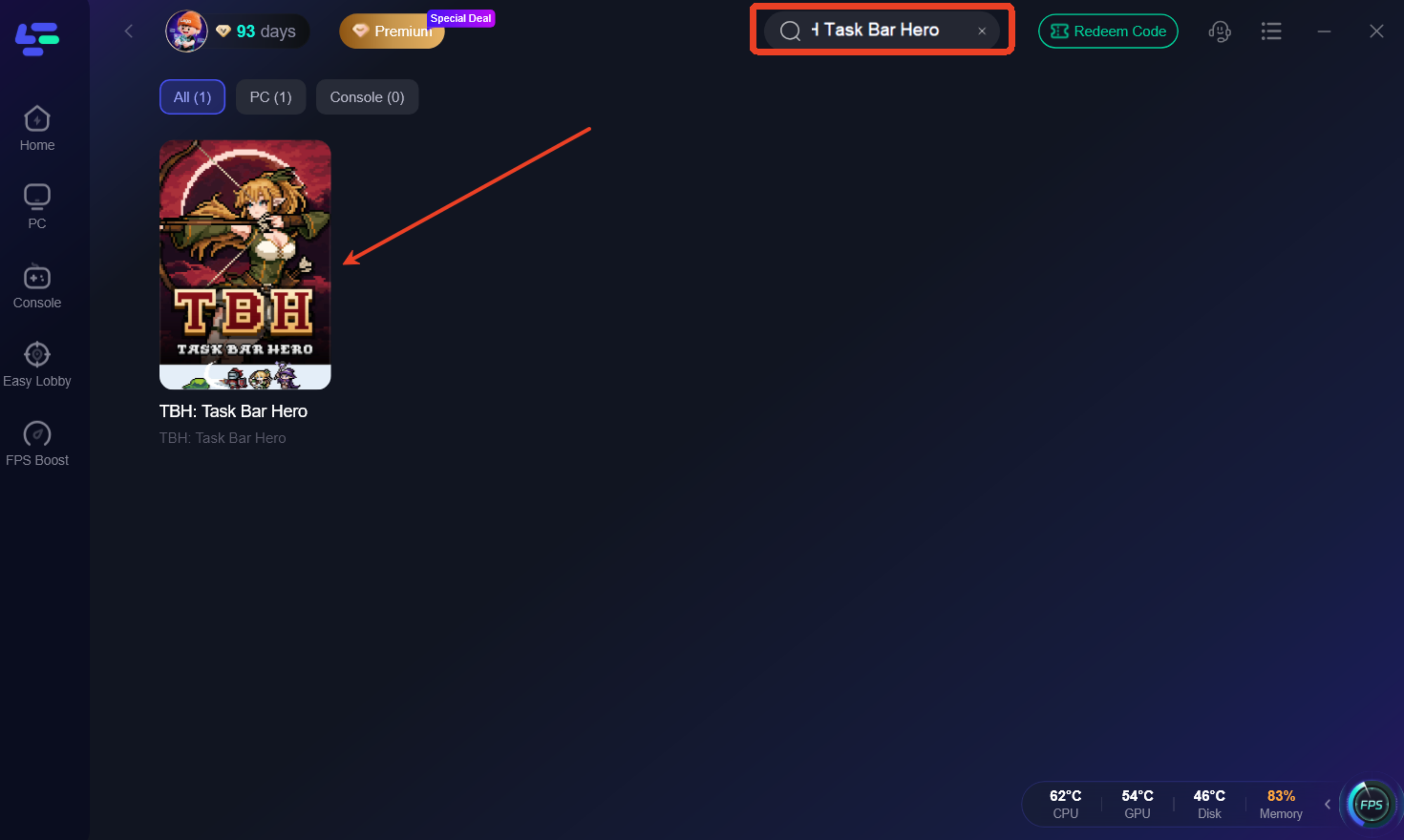
Step 2: Open LagoFast, then click the PC button on the left, search for TBH: Taskbar Hero Tracker in the search bar, and click it after it appears.
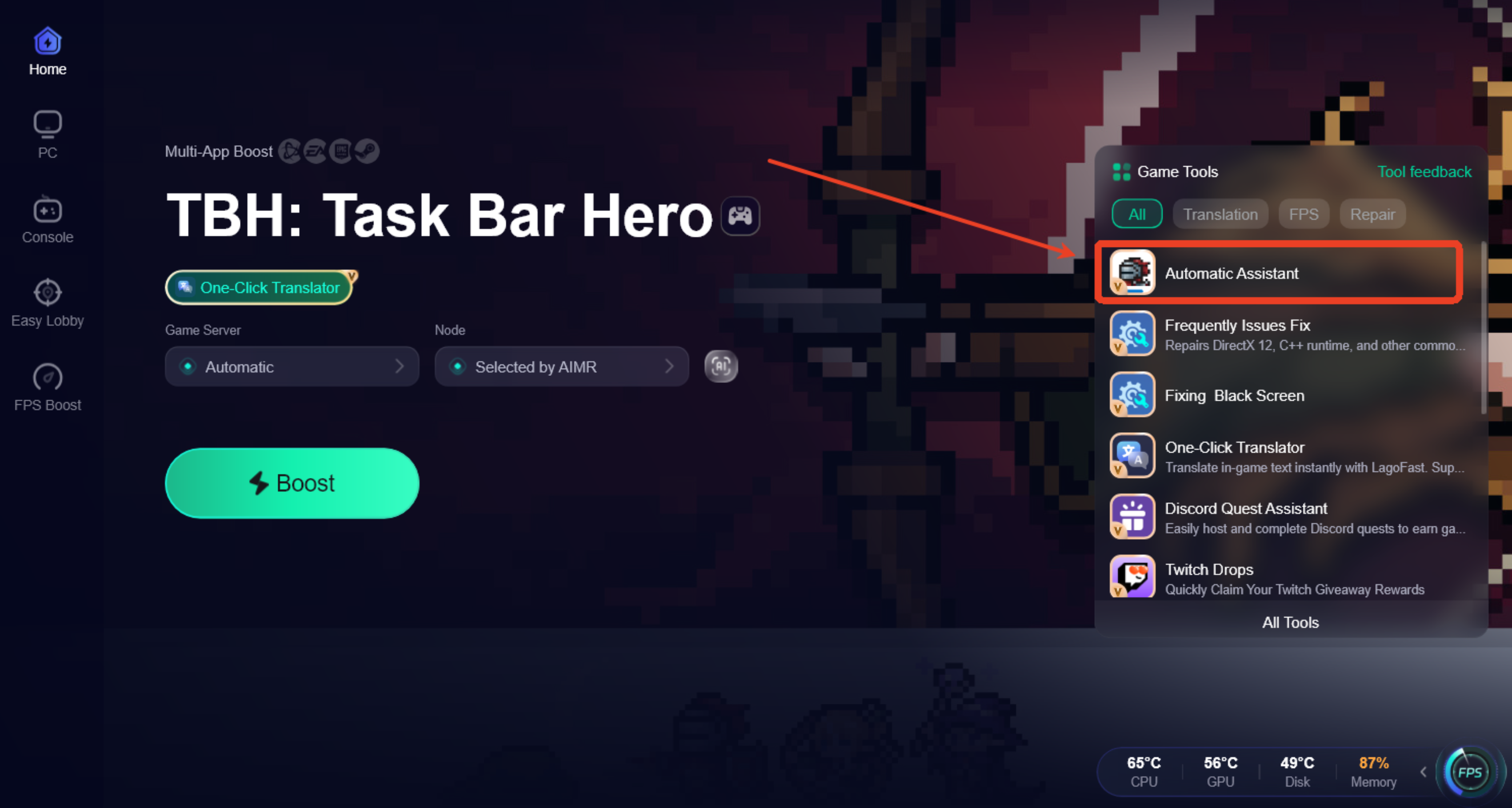
Step 3. Click the Automatic Assistant icon in the Game tool Section.
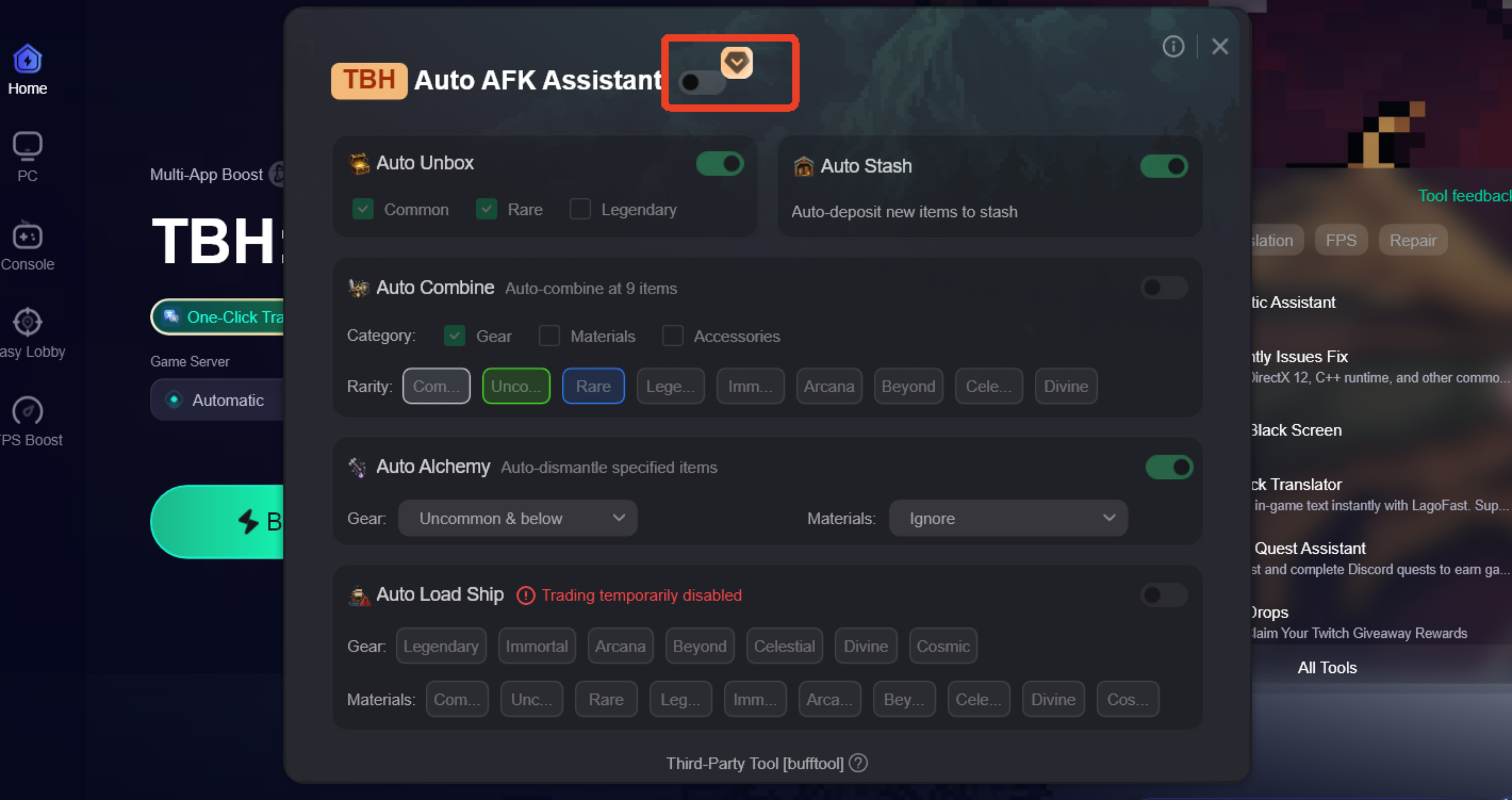
Step 4. Launch the Auto AFK Assistant, and the assistant will sync with your active portal session and begin managing your cooldowns, chest openings, and storage automatically.
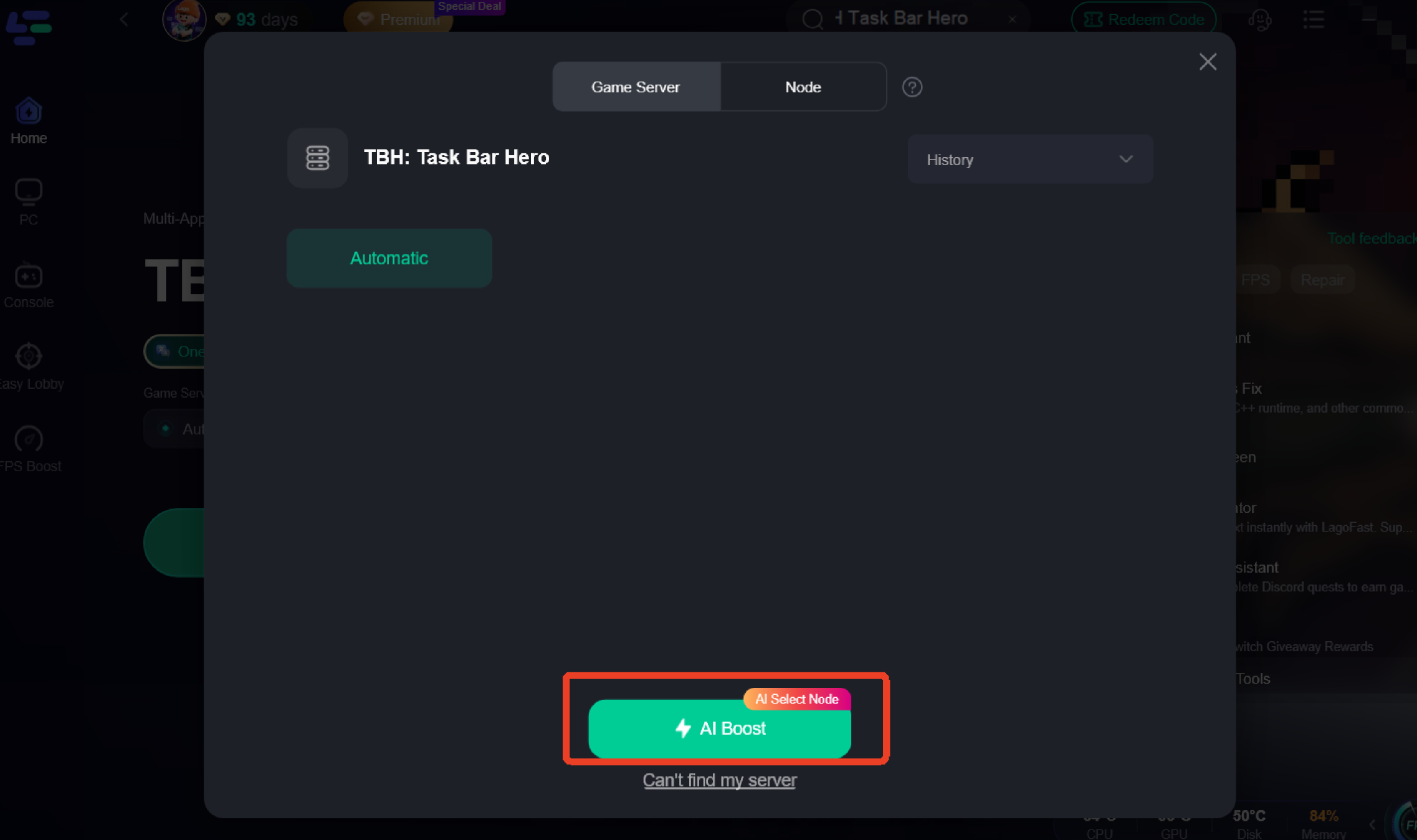
Step 5: Go back to the main interface and click on Server to change to a better server that ensures a better gaming experience, then click on Boost to fix TBH: Taskbar Hero Tracker lag and stuttering.
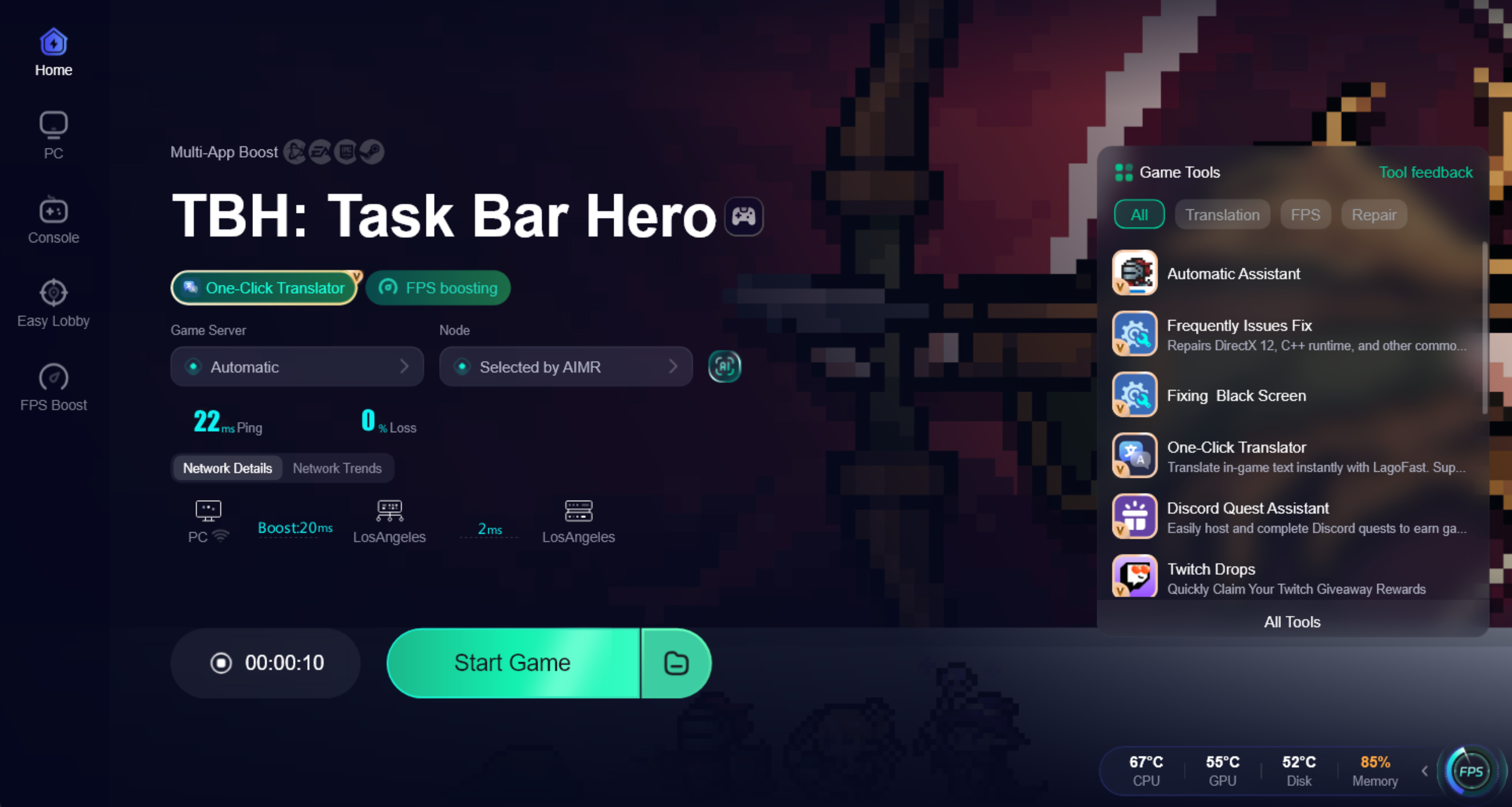
Step 6: Check the specific game ping, packet loss, and multiple path connections on the right side. Finally, click “Start Game” to play the game.
Part 7: Manual Tracker vs Automation Tool
|
Feature / Metric |
Manual Tracker (Spreadsheets/Timers) |
LagoFast Auto AFK Assistant |
|
Blue Chest Cooldown Tracking |
Requires manual stopwatch or mental math. |
Fully automated internal tracking. |
|
High-Tier Chest Opening |
Must be clicked manually when they drop. |
Opens premium chests instantly upon drop. |
|
Inventory Management |
Game halts when bags fill; requires manual sorting. |
Inventory Full Fix Tool moves items to stash. |
|
Loot Optimization |
Requires manual item synthesis and alchemy. |
Auto-combines lower gear into high-tier fodder. |
|
Steam Market Integration |
Manual listing, pricing, and posting. |
Fully automated Steam market execution. |
|
AFK Capability |
Limited to your maximum bag capacity duration. |
100% infinite, loop-de-loop overnight farming. |
Part 8: FAQs
What is the exact cooldown of a blue chest in Taskbar Hero?
The taskbar hero blue chest cooldown is precisely 12 minutes. During this period, no additional blue chests will drop from any monsters or bosses, making it essential to time your high-tier farming routes around this specific window.
Why does my character stop picking up items while AFK farming?
This is caused by your inventory slots running out of space. In Taskbar Hero, once your bags are completely full, chests will no longer open and items will be lost. Using a tool like the Taskbar Hero Inventory Full Fix Tool solves this by automatically clearing space.
Can the in-game auto-open chest feature handle all drops?
No. The native auto open chests node found within the Rune Tree has structural limitations. It has an internal delay and cannot open certain high-grade or event-specific chests automatically, which still requires manual intervention unless you use an external assistant.
What should I do if I cannot defeat a Portal boss?
As recommended in prominent Steam community guides, if you hit a progression wall against a boss, you should utilize your route planner to backpedal to earlier portal levels. Farm these safer zones for gold, materials, and gear upgrades before attempting the boss again.
How do stash pages affect my long-term AFK farming?
Stash pages are vital for expanding your total storage pool. When utilizing the Taskbar Hero Auto Chest and Storage Helper, the tool automatically transfers items from your immediate backpack into your stash pages, allowing your character to farm continuously for hours without stopping.
Is it safe to automate Steam market trading for Taskbar Hero items?
Yes, when using premium, secure software like the LagoFast Auto AFK Assistant. It safely coordinates with your inventory data to list your designated farming items directly on the Steam market, optimizing your economy safely and efficiently.
Conclusion
Mastering Taskbar Hero requires a balance between patience and optimization. While a manual tracker helps you understand the underlying math of chest timers and farming routes, it ultimately binds you to your desk. By integrating the LagoFast Auto AFK Assistant, you lift those restrictions entirely, allowing your hero to farm, sort, store, and trade around the clock with absolute peak efficiency.
Boost Your Game with LagoFast for Epic Speed
Play harder, faster. LagoFast game booster eliminates stutter and lags on PC, mobile, or Mac—win every match!
Quickly Reduce Game Lag and Ping!
Boost FPS for Smoother Gameplay!