
If you’re trying to join a Rust server but keep seeing “Disconnected: EAC Authentication Timed Out (1/2)”, you’re not alone. This error occurs when Easy Anti-Cheat (EAC) fails to verify your connection, kicking you out or preventing you from connecting. This guide provides step-by-step solutions for PC and mobile players to fix the error efficiently.

- ✅ Reduce Lag and High Ping.
- ✅ Boost FPS at the Same Time.
- ✅ Support 2000+ Popular Online Games.
- ✅ Change Server without Latency.
- ✅ Boost Game Loading Speed.
- ✅ Fix Game Crashing Issues
Part 1. Why EAC Authentication Timed Out Happens in Rust
Part 3. Step-by-Step Solutions for Rust EAC Timeout
Part 4. Fresh Reinstall of Rust
Part 5. LagoFast Optimization for Rust
Part 1. Why EAC Authentication Timed Out Happens in Rust
Several factors can cause Rust to display the EAC Authentication Timed Out error:
- EAC didn’t start correctly when you launched Rust.
- Network issues, including Steam updates, bandwidth overload, or unstable Wi-Fi connections.
- Corrupted Easy Anti-Cheat files or cache.
- Outdated Rust client or missing Windows updates.
- Antivirus or firewall blocking EasyAntiCheat.
- Forbidden background applications flagged by EAC.
Understanding the root causes helps in applying the correct fix without repeated trial and error.
Part 2. Quick Fix Checklist
Before attempting full troubleshooting, try these quick fixes:
- Launch Rust only via Steam.
- Close other heavy downloads or updates that may overload bandwidth.
- Restart your PC and router.
- Switch to a wired Ethernet connection if possible to reduce instability.
These steps often resolve minor network-related authentication timeouts.
Part 3. Step-by-Step Solutions for Rust EAC Timeout
1. Close Rust & Wait 10 Minutes
- Completely exit the game.
- Wait 10 minutes to allow EAC to refresh its authentication cache.
2. Verify Game Files in Steam
- Open Steam.
- Right-click Rust → Properties → Installed Files → Verify Integrity of Game Files.
- Wait for Steam to re-download missing or corrupted files.
3. Repair Easy Anti-Cheat
Navigate to the Rust install folder:
...\Steam\steamapps\common\Rust\EasyAntiCheat
Run the following in File Explorer:
EasyAntiCheat_EOS_Setup.exe repair
Approve any prompts and wait for the process to complete. (A small console window will flash.)
4. Delete Corrupted EAC Cache
- In the same folder, locate
RustClient.exe.eac. - Delete it if present.
- Launch Rust again via Steam.
5. Restart Your Network
- Restart your PC and router.
- Use a wired connection for stability.
- Test another network (mobile hotspot) if issues persist.
6. Whitelist Rust & EAC in Antivirus
Add the following files to exceptions in your antivirus/firewall:
RustClient.exeEasyAntiCheat_EOS.exe- Easy Anti-Cheat Bootstrapper (EOS)
7. Check for Windows & GPU Updates
Install all pending Windows updates.
Update GPU drivers for NVIDIA, AMD, or Intel:
- NVIDIA: nvidia.com/drivers
- AMD: amd.com/drivers
- Intel: intel.com/drivers
8. Remove Forbidden Apps
Open output_log.txt in Rust folder:
...\Steam\steamapps\common\Rust\
Scroll to the bottom to see apps flagged as “forbidden” by EAC.
Close or uninstall these applications.
(Common culprits: cheat engines, debuggers, overclocking tools.)
9. Run Rust as Administrator
- Navigate to Rust folder.
- Right-click
RustClient.exe→ Properties → Compatibility → Enable Run this program as an administrator. - Apply changes and restart Rust.
Part 4. Fresh Reinstall of Rust
If none of the previous solutions work:
- Back up your Rust settings.
- Uninstall Rust from Steam.
- Delete leftover folders:
...\Steam\steamapps\common\Rust\ - Reinstall Rust completely via Steam.
A clean reinstall ensures all corrupted or missing files are replaced.
Part 5. LagoFast Optimization for Rust
LagoFast is a network optimization tool designed to reduce latency, jitter, and packet loss for Rust players. It stabilizes connections, improves first-time loading, and ensures Easy Anti-Cheat operates correctly. LagoFast supports PC and mobile and provides one-click network boosts for smoother gameplay in PvP and co-op modes.
Using LagoFast on Mobile
Step 1: Click here to download the APK File of LagoFast mobile.
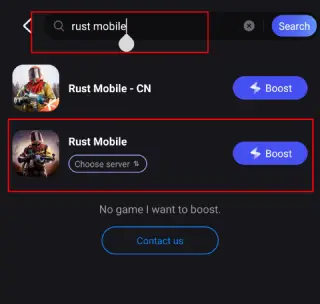
Step 2. Search for your game and select it.
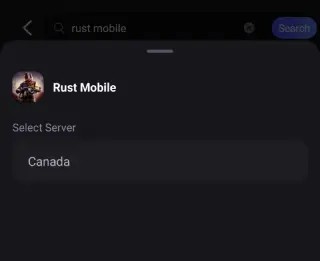
Step 3. Pick the server that suits you best.
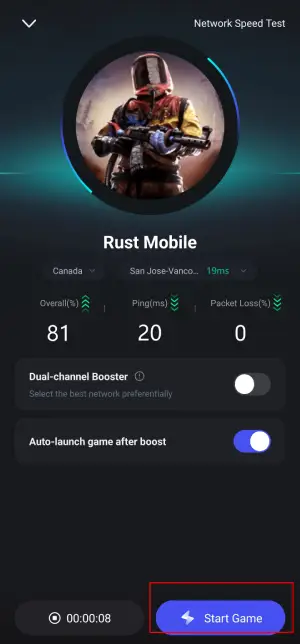
Step 4. Tap Boost, and LagoFast will display real-time ping and packet loss stats.
Using LagoFast on PC
Step 1: Click the Free Trial button to download and install LagoFast.
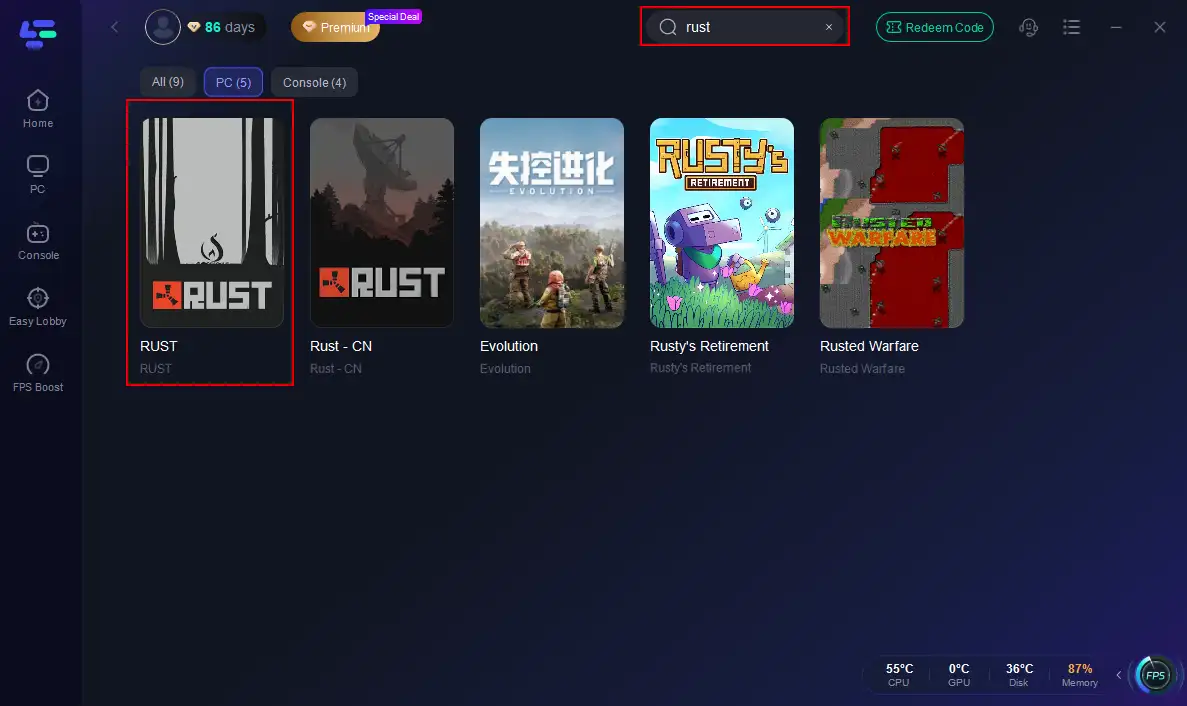
Step 2: Open LagoFast, then click the PC button on the left and search for Rust in the search bar, and click it after it appears.
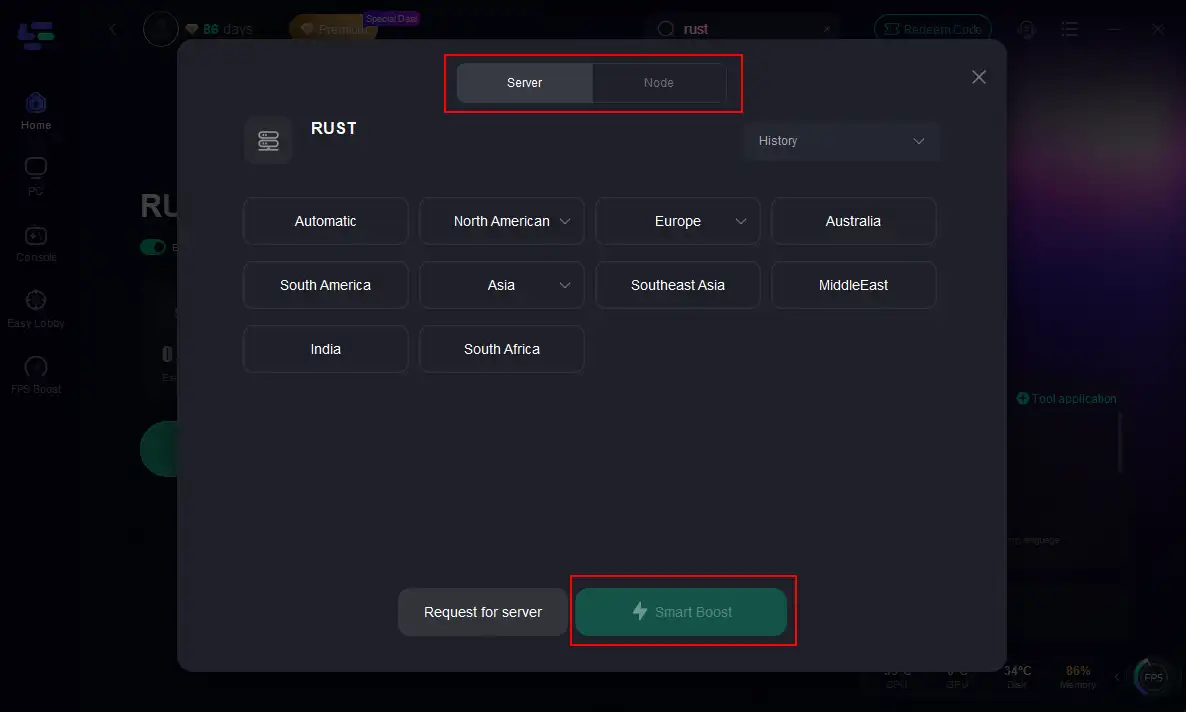
Step 3: Click on “Server” to change to a better server that maximizes the gaming experience, then click on “Smart Boost”.
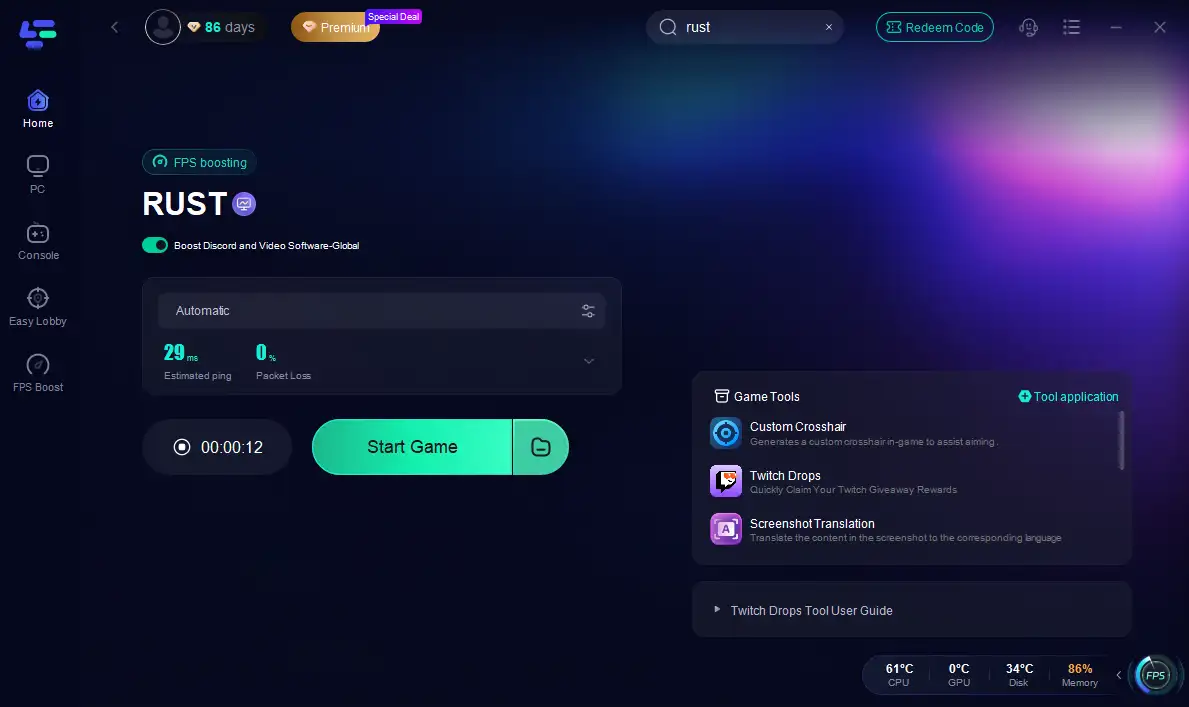
Step 4: Check the specific game ping, packet loss, and multiple path connections on the right side. Finally, click the “Start Game” to play Rust.
LagoFast is especially helpful for players who experience repeated network-related disconnects or long load times.
Conclusion
Most players fix this error by repairing Easy Anti-Cheat, verifying files, and whitelisting Rust/EAC in antivirus. If that fails, a full reinstall clears corrupted files. Network stability is also crucial—pause all Steam updates before playing.
Boost Your Game with LagoFast for Epic Speed
Play harder, faster. LagoFast game booster eliminates stutter and lags on PC, mobile, or Mac—win every match!
Quickly Reduce Game Lag and Ping!
Boost FPS for Smoother Gameplay!