
A Rust crash is infuriating, but it’s not a death sentence. And with the Rust Chinese server, confirming its dual-platform PC and Mobile test for September 19, 2025, the battlefield is about to get a lot more crowded. With PC early access recruitment starting in July 2025 and Mobile test recruitment kicking off in August, a fresh wave of survivors is preparing to drop in.
Whether you're a veteran or a new recruit, this guide breaks down every reason your game is crashing and provides the clear-cut fixes to get you back in the fight, fast.
Part 1: Why Rust Crashes? And How to Fix
Part 2:How to Fix Rust Crashes in 2025
Part 1: Why Rust Crashes? And How to Fix
A crash can strike at any moment, from startup to loading into the world. Here are the most common culprits and their solutions.
Case 1: Rust crashes when entering the server / loading on server
Why it happens
This is Rust's most common crash point. Usually, it boils down to one of three things: a flaky network connection timing out, some corrupted game files, or simply not enough memory (RAM or VRAM). Loading a huge server map packed with player bases is demanding – if your connection hiccups or a file's damaged, it can overwhelm the game engine and make it crash.
How to fix it
- Check your game files first! Head to your Steam Library, right-click Rust, go to Properties > Installed Files, and hit “Verify integrity of game files.” If corrupted data is the culprit, this is the golden fix.
- Update your graphics drivers. Pop over to NVIDIA's or AMD's website (depending on your card) and grab the latest drivers. Outdated drivers cause all sorts of headaches.
- Give it more breathing room (Virtual Memory). Running low on physical RAM? Bumping up your Windows Page File (virtual memory) can give Rust the extra space it needs when things get intense.
Case 2: Rust freezes on startup
Why it happens
If Rust freezes solid before you even hit the main menu, you're likely dealing with a software conflict. Often, it's your security software (like an overprotective antivirus or firewall) or something with an on-screen overlay – Discord is a common culprit – blocking the game or Easy Anti-Cheat (EAC) from starting up properly.
How to fix it:
- Check your security bouncers first. Tell your antivirus or firewall to let Rust through. Add it to the exception list. If you're not sure, try temporarily pausing your security software to see if that fixes it.
- Close down background apps. Especially anything that puts stuff on your screen (like Discord overlays, recording software, or fancy RGB controllers). Just shut 'em down for now.
- Give Easy Anti-Cheat a refresh. Hop into your Rust folder (inside your Steam library), find the EasyAntiCheat folder, and run EasyAntiCheat_Setup.exe. Choose Reinstall – it just needs a fresh coat of paint.
Case 3: Rust keeps crashing without error
Why it happens
This is the worst situation – Rust just vanishes without a trace, no crash report, nothing! Nine times out of ten, this points to a hardware gremlin. Your CPU or GPU might be cooking itself, that overclock you pushed might be unstable, a RAM stick could be acting up, or your power supply (PSU) might just not be cutting it anymore.
How to fix it:
- Check if your rig's overheating. Fire up a tool like MSI Afterburner while you play and keep an eye on those CPU and GPU temps. If they're hitting the roof, you've found your culprit.
- Kill any overclocks (temporarily!). If you've overclocked your CPU, GPU, or RAM, seriously – dial everything back to stock speeds and see if Rust stops disappearing. Unstable OCs love causing this ghosting act.
- Test your RAM for errors. Run the built-in Windows Memory Diagnostic tool. Faulty RAM sticks are sneaky crash causers, and this tool can sniff them out.
Case 4: Rust crashing on finalizing world
Why it happens
This stage loads all the complex player-built structures and terrain details. A crash here means your system, specifically your VRAM (graphics memory) or RAM, ran out of resources to handle the massive amount of data.
How to fix it:
- Lower Graphics Settings: Before launching, lower your graphics settings, especially texture quality, shadows, and object detail, to reduce memory consumption.
- Verify Game Files: Run the file integrity check again to rule out any corrupted assets.
Case 5: Rust crashing on bootstrap systems
Why it happens: This is a very early loading phase that initializes the game's core systems. A crash here strongly suggests corrupted core files or a conflict with essential system components like .NET Framework or Visual C++ Redistributables.
How to fix it:
- Verify Game Files: This is your first and most important step.
- Update Windows & System Components: Make sure your Windows is fully updated and install the latest Visual C++ Redistributable packages directly from Microsoft's website.
Part 2: How to Fix Rust Crashes in 2025?
Let's be honest, you want to spend your time surviving in Rust's world, not troubleshooting your PC or phone. That's why the first—and best—solution is an all-in-one tool designed to eliminate the root causes of crashes. LagoFast isn't just a simple ping reducer; it's a comprehensive game accelerator that tackles both network instability and system performance, the two biggest culprits behind a Rust crash.
Think of it as your personal IT expert and network engineer, all working with a single click. It cuts through the digital chaos that causes crashes during critical loading phases and ensures your hardware is running at peak condition for a smooth, uninterrupted experience.
- Stable connection, no more loading crashes: Many loading crashes are essentially network timeouts. LagoFast’s global network of dedicated routes finds the most stable path to the game server. Its Multi-Path Connection technology prevents the packet loss that causes loading to fail and the game to crash.
- One-click optimization, less resource strain: The PC version of LagoFast includes an FPS Boost feature that optimizes your system with one click, freeing up vital CPU and RAM resources. This is especially effective at solving "Finalizing World" crashes caused by a lack of memory.
- Plays on all your devices: Got a beastly gaming PC? Check. Planning to dominate on Rust Mobile in 2025? Check. LagoFast has dedicated apps for both, ensuring a seamless experience everywhere.
- Pay for what you play: Forget expensive monthly subscriptions. LagoFast's unique pay-per-minute plan means your wallet only takes a hit when you're actually boosting your game. It's smarter and fairer.
Getting LagoFast Running for Rust on PC:
Step 1: Click the Free Trial button to download and install LagoFast.
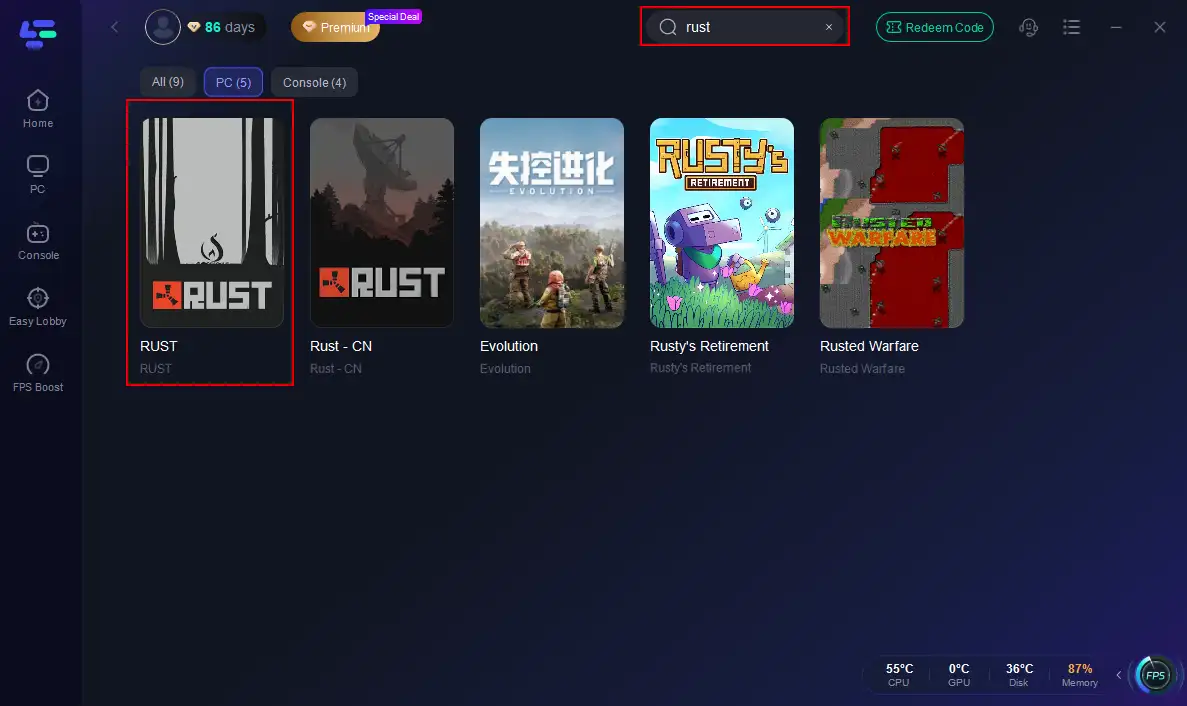
Step 2: Open LagoFast, then click the PC button on the left and search for Rust in the search bar, and click it after it appears.
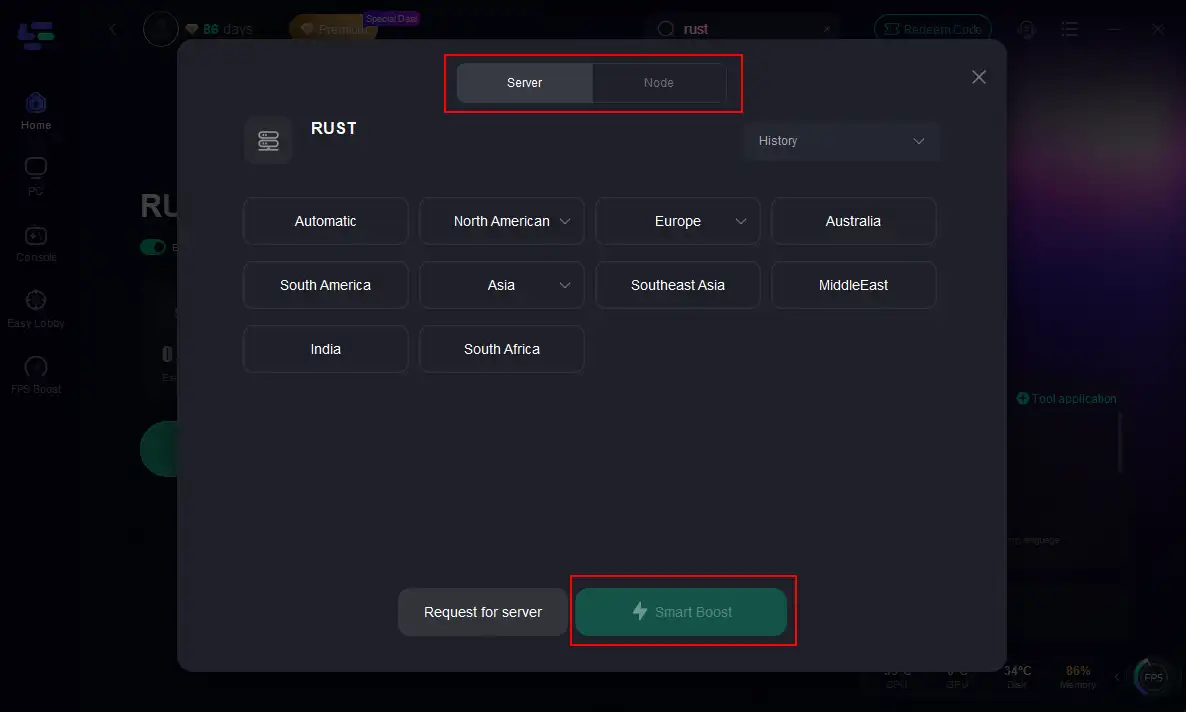
Step 3: Click on “Server” to change to a better server that maximizes the gaming experience, then click on “Smart Boost”.
Step 4: Check the specific game ping, packet loss, and multiple path connections on the right side. Finally, click the “Start Game” to play Rust.
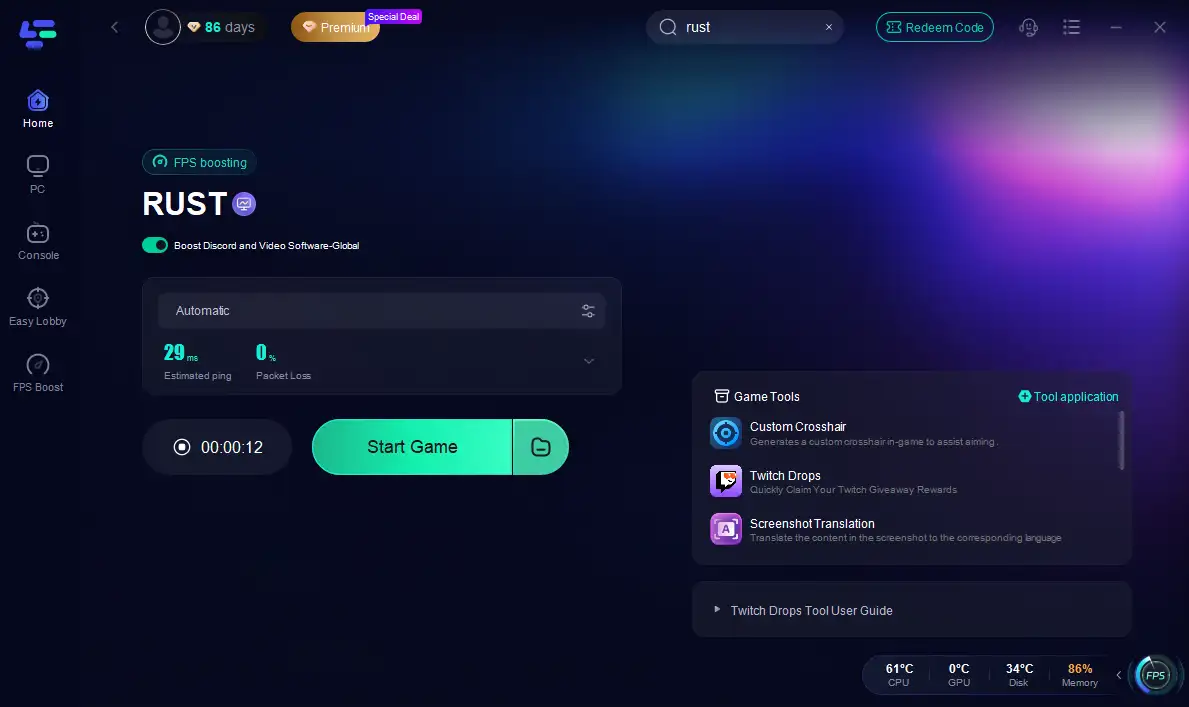
Unleashing LagoFast for Rust on Mobile:
Step 1: Click here to download the APK File of LagoFast mobile.
Step 2. Search for your game and select it.
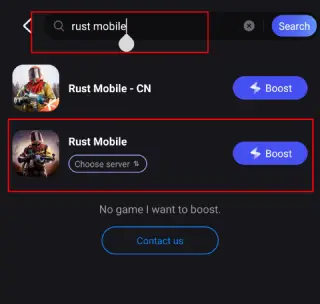
Step 3. Pick the server that suits you best.
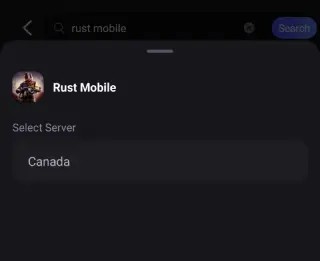
Step 4. Tap Boost, and LagoFast will display real-time ping and packet loss stats.

Conclusion
Don't let a technical hiccup be the final boss of your Rust experience. You can fix it, but digging through manual fixes is time-consuming and hit-or-miss.Skip the hassle. LagoFast tackles crashes in one click by strengthening your connection and fine-tuning your system. Get back to building your base and raiding rivals – not staring at crash screens.Stop letting crashes dictate your playtime—download LagoFast and take back control.

Boost Your Game with LagoFast for Epic Speed
Play harder, faster. LagoFast game booster eliminates stutter and lags on PC, mobile, or Mac—win every match!
Quickly Reduce Game Lag and Ping!
Boost FPS for Smoother Gameplay!