
Quick Answer: How to Fix RF ONLINE NEXT Server Status & Server Connection Error?
The fastest, most reliable way to bypass these network bottlenecks, reroute your connection around congested ISP nodes, and completely eliminate region-lock barriers is by using a dedicated gaming booster like LagoFast. It optimizes your data pathways directly to the game's servers, instantly clearing up connection errors with a single click.
Introduction
Getting booted from a highly anticipated gaming session is incredibly frustrating. If you are battling the dreaded RF ONLINE NEXT Server Connection Error, staring at a frozen loading screen, or getting blocked by a Login Failed prompt, you aren't alone. Modern multiplayer launches are notoriously heavy on server infrastructure.

- ✅ Reduce Lag and High Ping.
✅ Boost FPS at the Same Time.
✅ Support 2000+ Popular Online Games.
✅ Change Server without Latency.
✅ Boost Game Loading Speed.
Part 1: Is RF ONLINE NEXT Down Right Now?
Part 2: Check Official Maintenance and Launch Notices
Part 3: Why RF ONLINE NEXT Login Failed
Part 4: RF ONLINE NEXT Connection Error: Server or Network?
Part 5: RF ONLINE NEXT Stuck on Loading Screen
Part 6: RF ONLINE NEXT Server-Region Error
Part 8: Fix RF ONLINE NEXT Server Status & Server Connection Error With LagoFast – 100% Working
Part 1: Is RF ONLINE NEXT Down Right Now?
When you cannot connect to the game, the very first question you need to ask is whether the problem lies on your end or with the game developers themselves. If the entire global server network is offline, no amount of local troubleshooting will get you past the main menu.
During peak launch windows, major content updates, or unexpected server crashes, Netmarble's infrastructure can experience massive traffic spikes. When thousands of players attempt to log in simultaneously, authentication servers bottleneck, resulting in widespread login rejections. Checking the real-time server status should always be your first line of defense before tweaking your PC settings.
Related Article: RF ONLINE NEXT Download Not Working? Fix Download Failed, Stuck, and Install Issues
Part 2: Check Official Maintenance and Launch Notices
To verify if the servers are intentionally offline, you should check the official communication channels maintained by the development and publishing teams. Developers use these platforms to broadcast scheduled maintenance windows, emergency hotfixes, and known deployment issues.
Step 1. Official Website & Launcher: Always check the main landing page or the game's dedicated launcher for prominent ticker tape notices or maintenance banners.
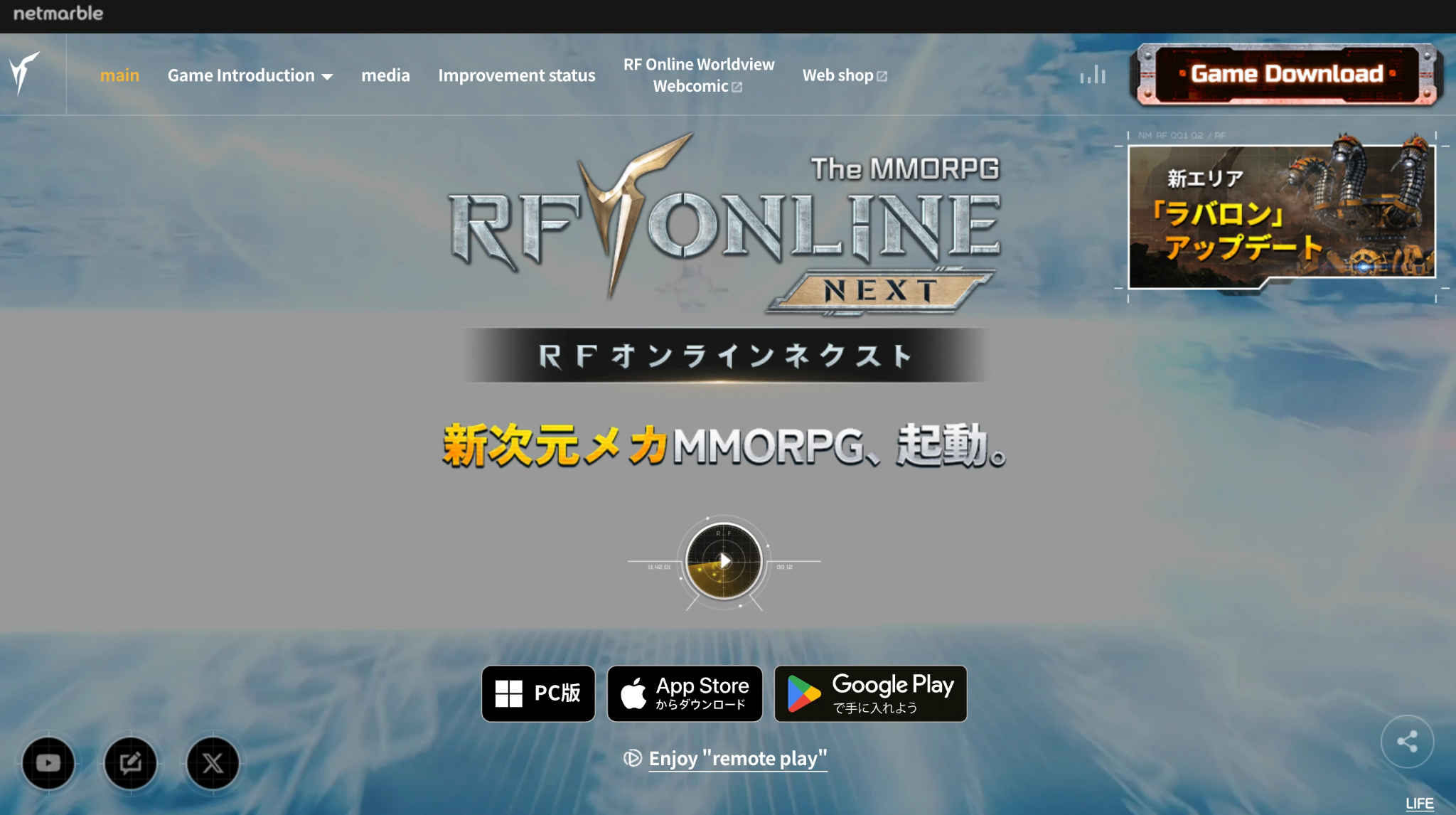
Step 2. Official Discord Server: The community Discord is usually the fastest place to find real-time updates. Check the #announcements or #server-status channels to see if community managers have acknowledged a widespread outage.
Step 3. Official Social Media (X / Twitter): Follow the official game handles. They regularly post exact countdown timers for maintenance windows, detailing when the servers will go down and exactly when they are expected to return online.
Part 3: Why RF ONLINE NEXT Login Failed Happens
If the official channels state that the servers are fully operational, yet you are still staring at an RF ONLINE NEXT Login Failed screen, the issue is specific to your connection or account state. This error typically triggers during the initial handshake process between your PC and the game's identity verification servers.
Server Not Open Yet or Under Maintenance
If you are trying to access the game during a closed beta test, a pre-download phase, or right in the middle of a scheduled maintenance window, the client will throw a generic login failure error. In this scenario, your game client is technically communicating with the server gateway, but the gateway is actively rejecting all non-developer credentials until the official live countdown hits zero.
Region Lock or Unsupported Region
Publishers often restrict access to certain game servers based on geographic IP ranges due to licensing agreements, local regulations, or regional publishing rights. If you reside outside the officially supported operational zones, the authentication server will automatically block your IP address the moment you attempt to log in, resulting in a persistent login failure.
Account Login / Platform Login Issue
RF ONLINE NEXT relies heavily on third-party platform integrations (such as Steam, Epic Games Store, or Netmarble’s proprietary launcher) to verify your identity. If the underlying platform's API is experiencing a micro-outage, or if your local security tokens have expired, the game will fail to authenticate your account. Logging completely out of your storefront client and restarting it as an administrator frequently forces a fresh session token.
Part 4: RF ONLINE NEXT Connection Error: Server or Network?
A RF ONLINE NEXT Server Connection Error differs slightly from a login failure. While login issues happen at the front gate, connection errors typically occur while you are actively trying to establish or maintain a stable stream of data gameplay packets.
Server Overload
When a game undergoes a massive surge in active players, the physical hardware hosting the game worlds can run out of available bandwidth or processing power. When a server hits 100% capacity, it begins dropping incoming data packets to prevent a total system crash. To the player, this looks like a sudden disconnection error, high jitter, or getting booted back to the lobby.
Cross-Region Connection Problem
Playing with friends who are located on an entirely different continent forces your data packets to travel thousands of miles across underwater fiber-optic cables. The further your data has to travel, the more physical nodes it must pass through. If any single node along that global path is misconfigured or congested, your connection will suffer from severe packet loss and disconnect timeouts.
Unstable Wi-Fi / Mobile Data / ISP Routing
Wireless connections are highly susceptible to environmental interference, signal degradation, and local network congestion. Even a split-second drop in your Wi-Fi signal can cause the game client to lose synchronization with the server's anti-cheat software, triggering an immediate disconnect. Furthermore, standard Internet Service Providers (ISPs) do not prioritize gaming traffic; they route your data through the cheapest paths rather than the fastest, shortest routes.
Part 5: RF ONLINE NEXT Stuck on Loading Screen
Getting stuck on a loading screen is a hybrid issue that can be caused by either corrupted local game files or a complete breakdown in network data transmission. The exact moment the loading bar freezes gives a massive clue as to what is going wrong.
Stuck Before Login
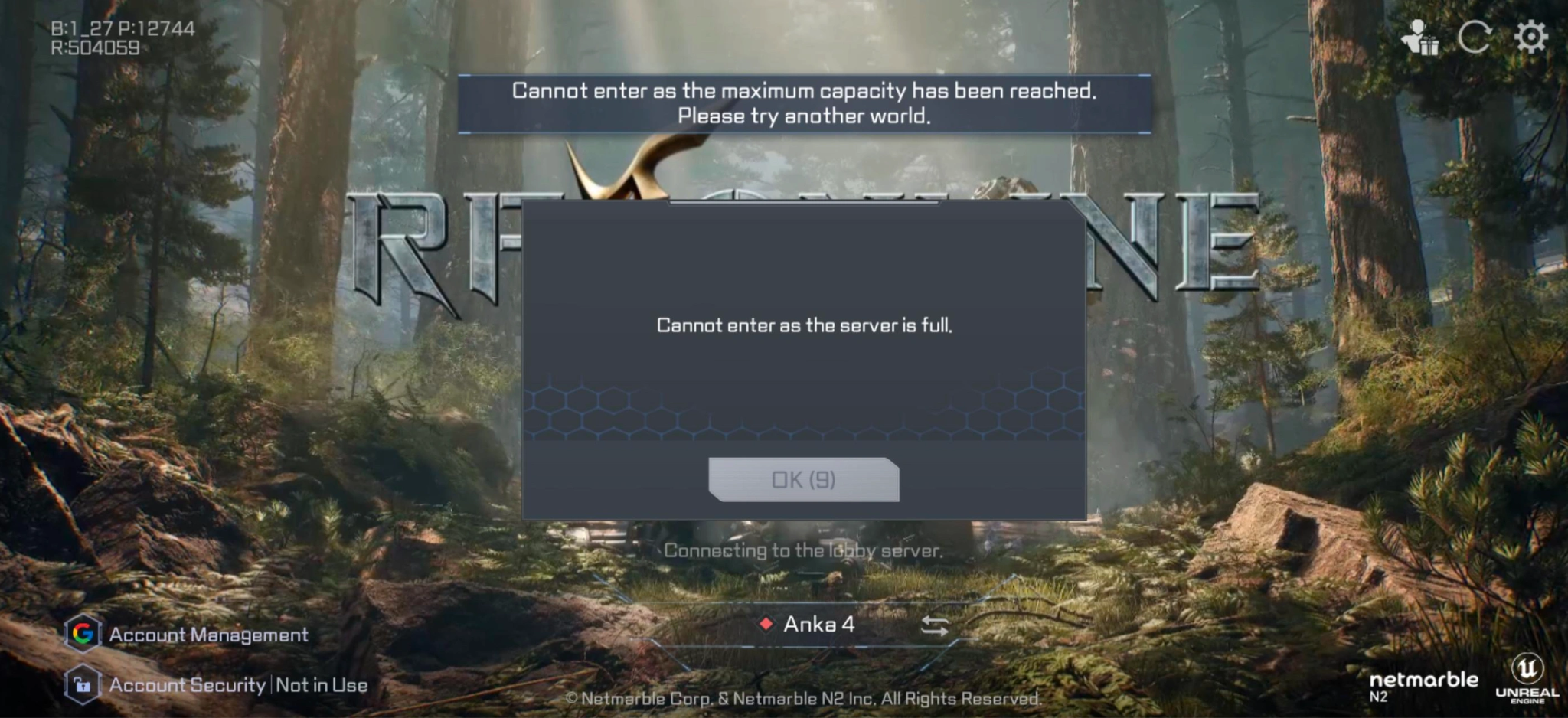
If the game hangs on the initial splash screens or freezes before you even reach the main user interface, the client is usually struggling to communicate with the content delivery network (CDN). The game is trying to check for critical day-one micro-patches or verify its anti-cheat modules. If your firewall blocks this check, or if the CDN is unresponsive, the game will sit on an infinite loading loop.
Stuck After Login
Freezing immediately after you successfully enter your account credentials indicates that the game has validated who you are, but the matchmaker or lobby server is failing to assign your account to an available gameplay instance. Your client is waiting indefinitely for a response packet containing server assignment data that never arrives.
Stuck After Character Selection
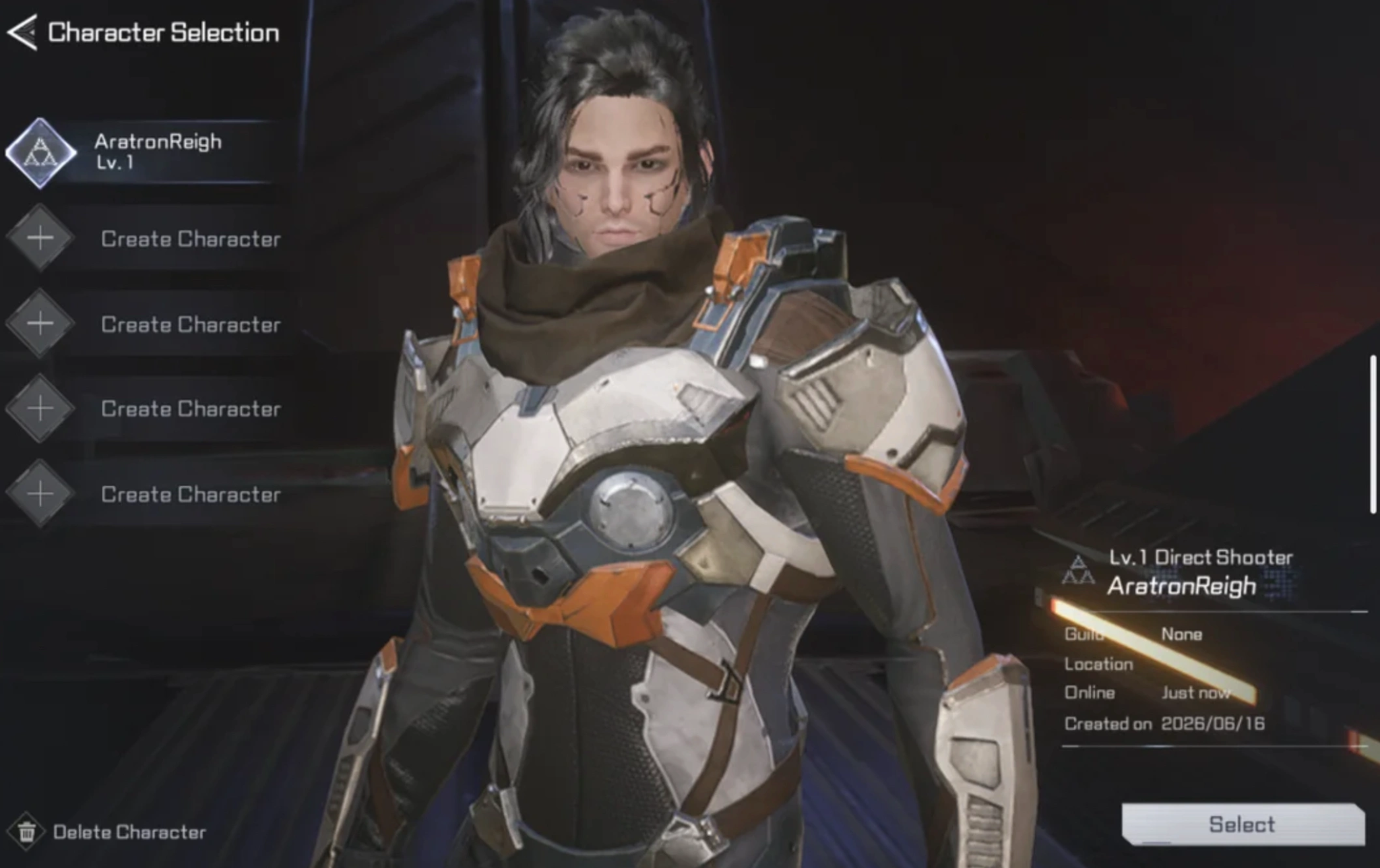
If you can see your character, hit "Enter World," and then get stuck on an infinite loading screen, the game is failing to load the specific map assets or synchronize your character's spatial data with the live game world. This is often caused by a combination of slow storage drive speeds (HDD vs. SSD) and severe packet loss that prevents your PC from downloading the real-time positions of surrounding entities.
Part 6: RF ONLINE NEXT Server-Region Error
A server-region error occurs when your regional location does not match the server configuration selected within your game client. This mismatch causes severe latency differentials that often trigger automated kicks from the server's built-in latency protection protocols. If your client defaults to an incorrect region, or if you manually select a distant server to play with overseas communities, the extreme physical distance creates an unplayable environment where your client cannot keep up with the server's tick rate.
Part 7: Quick Fix Checklist
|
Issue |
Root Cause |
Recommended Manual Fix |
|
Login Failed |
Maintenance / Region Lock |
Verify server schedule; use an optimized proxy/game booster to mask location. |
|
Server Connection Error |
Server Overload / Bad ISP Routing |
Restart router; switch from Wi-Fi to a wired Ethernet connection. |
|
Stuck Before Login |
Anti-cheat / Firewall Block |
Add the game's executable file to your Windows Firewall whitelist. |
|
Stuck After Character Selection |
Asset Loading / Packet Loss |
Move game files to an SSD; flush your DNS cache via Command Prompt. |
|
Server-Region Error |
Incorrect Client Region Choice |
Double-check launcher settings; use LagoFast to force optimal region matching. |
Part 8: Fix RF ONLINE NEXT Server Status & Server Connection Error With LagoFast – 100% Working
While manual fixes like power-cycling your router or messing around with command-line DNS flushes can sometimes help, they cannot fix bad ISP routing, server-side congestion, or strict geographic region locks.
To guarantee a completely stable, lag-free experience, you need a specialized network optimization solution. LagoFast is a premium, all-in-one gaming booster engineered explicitly to eliminate network errors, stabilize your ping, and maximize your PC's hardware performance.
Key Features of LagoFast:
- Multipath Connection Optimization: LagoFast dynamically analyzes all available global routes and locks your connection onto the shortest, most stable pathway directly to the game servers, bypassing congested ISP nodes entirely.
- High Ping Reducer & Packet Loss Elimination: By stabilizing the data stream, LagoFast permanently solves high latency spikes and eliminates the packet loss responsible for sudden disconnections.
- One-Click Region Bypass: Easily connect to any international server region regardless of local geographic restrictions, fixing server-region and login failures instantly.
- One-Click FPS Boost & Crash Fix: Beyond network tuning, LagoFast features an integrated hardware optimizer that cleans up background RAM processes, optimizes CPU allocation, and adjusts Windows registry settings to boost frame rates and prevent sudden desktop crashes.
Tutorial to Use LagoFast to Fix RF ONLINE NEXT Server Status & Server Connection Error:
Step 1: Click the Free Trial button to download and install LagoFast.
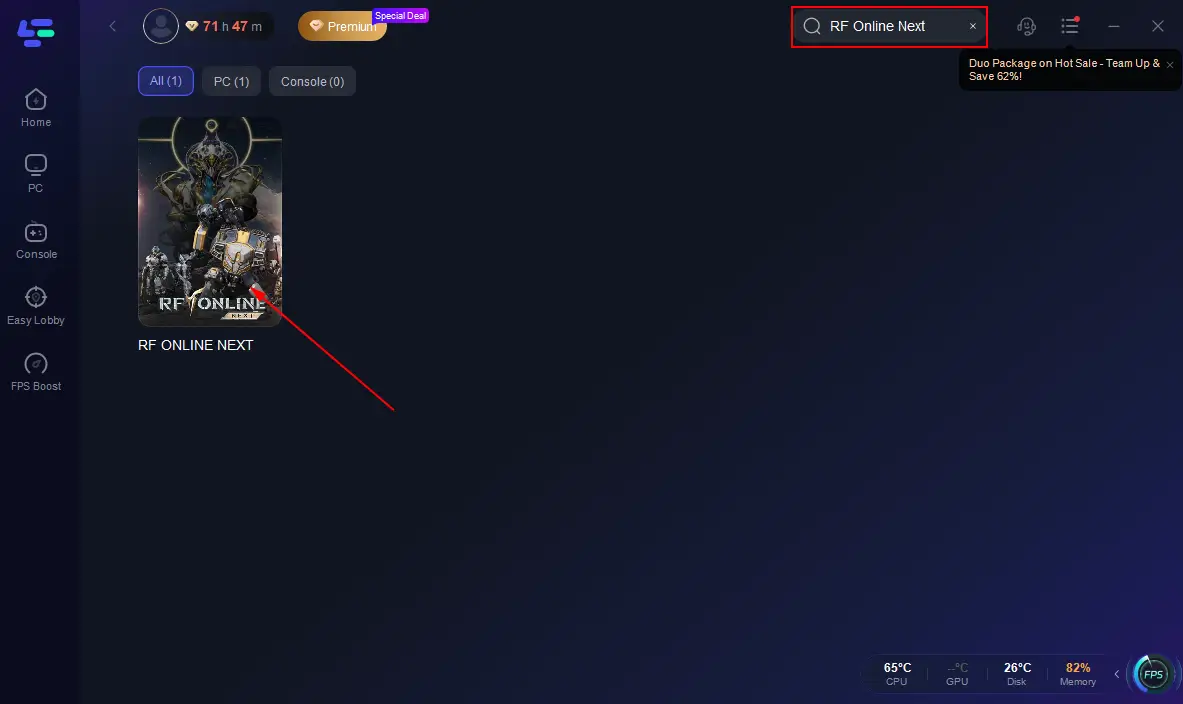
Step 2: After installation, search "RF Online Next " in the search bar and select the game.
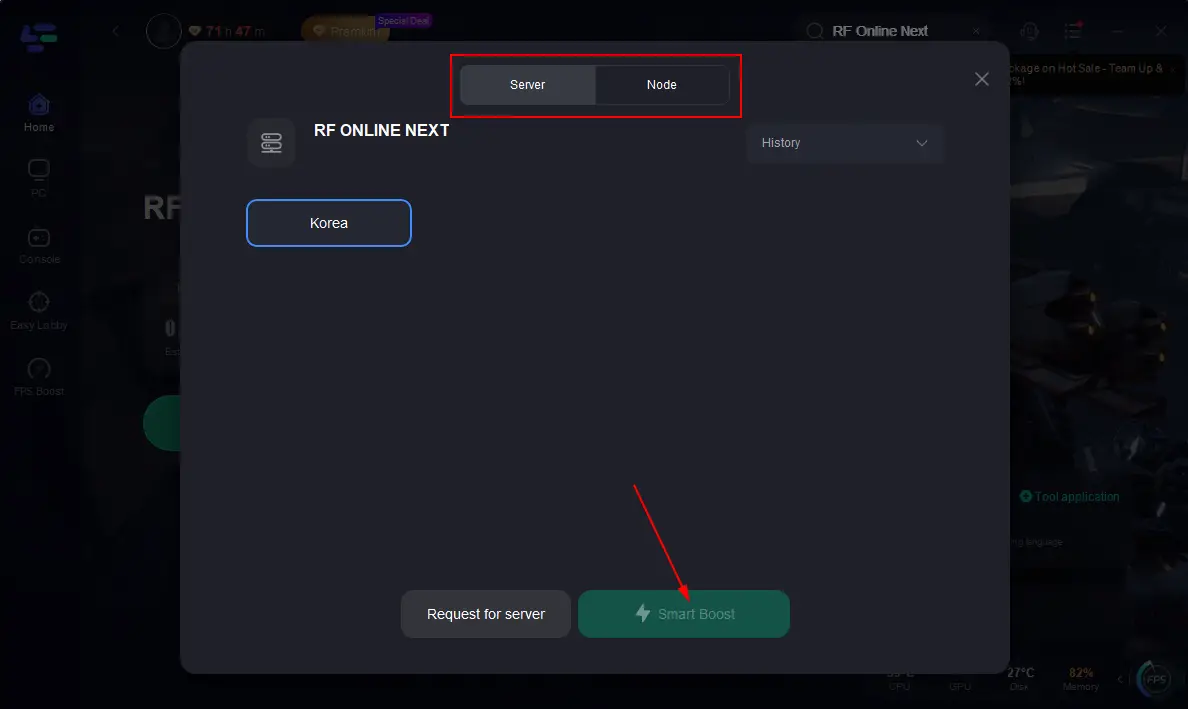
Step 3: Choose your preferred server node and click "Smart Boost" to start optimizing.
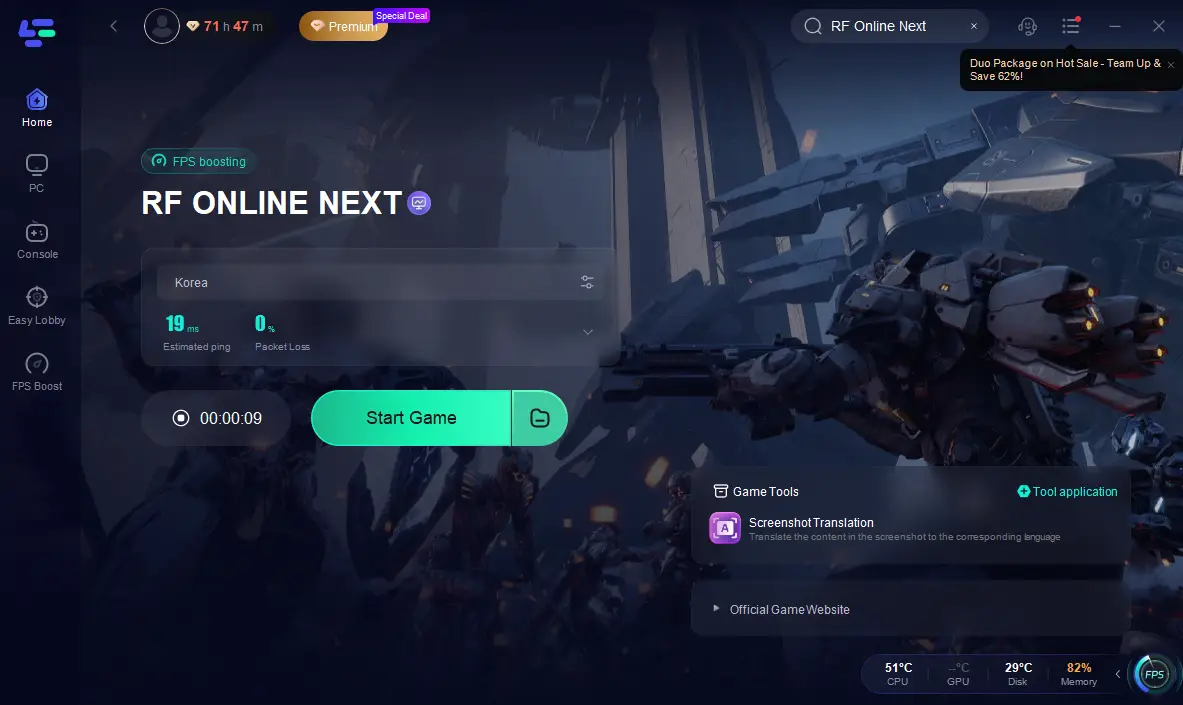
Step 4: Launch your game and enjoy smooth, optimized gameplay with lower ping and packet loss.
Part 9: FAQs
How do I know if the RF ONLINE NEXT servers are down or if it's just my internet?
Check the official Discord or X (Twitter) handles first. If other players are not reporting issues and the official status is green, the issue resides within your local network or your ISP's routing paths.
Why is LagoFast more effective than standard manual solutions for fixing connection errors?
Manual troubleshooting can be incredibly time-consuming and often fails to solve the root problem. Unlike general fixes, LagoFast isolates and optimizes only your game traffic, routing it through a clean, dedicated network path built specifically to eliminate packet loss and slash lag.
Why does my game get stuck on the loading screen after character selection?
This usually means your game client is failing to establish a stable connection with the specific instance server hosting that zone, or your data packets are being dropped. Verifying your game files via your launcher and switching to a wired connection can help.
How do I fix the region lock issue if I want to play with international friends?
You need to route your connection through a server node located within the supported region. Running LagoFast allows you to select your target server destination with a single click, masking your local IP with a gaming-optimized node that the authentication servers accept.
Why do I keep getting "Login Failed" even when servers are active?
This is typically caused by a corrupted login token between your PC platform launcher (like Steam) and the game servers. Log completely out of your account, close the launcher, restart it as an administrator, and try logging in again.
Will switching from Wi-Fi to Ethernet fix server connection drops?
In most cases, yes. Wi-Fi suffers from frequent micro-interruptions due to smart devices, walls, and channel interference. A physical Ethernet cable provides a continuous, uninterrupted line of data transmission, which is critical for staying synced with online multiplayer servers.
Conclusion
Dealing with connection roadblocks right when you want to dive into a new sci-fi world can be incredibly frustrating. Most RF ONLINE NEXT server errors stem from launch-window congestion, regional locks, and inefficient internet routing paths. By tracking official maintenance channels, cleaning up your local network setup, and using specialized optimization tools like LagoFast, you can easily bypass these technical hurdles and focus on dominating the cosmic battlefield.
Boost Your Game with LagoFast for Epic Speed
Play harder, faster. LagoFast game booster eliminates stutter and lags on PC, mobile, or Mac—win every match!
Quickly Reduce Game Lag and Ping!
Boost FPS for Smoother Gameplay!