
Persona 5: The Phantom X, the latest installment in the beloved Persona series, is finally launching on both PC and Mobile platforms on June 26th, 2025! Players can now enjoy this stylishly visual, strategically intense game with its unique dual-identity gameplay on their preferred devices. However, before diving into the download and gameplay, understanding Persona 5: The Phantom X system requirements is crucial, as it directly impacts your gaming experience and performance. This article will guide you through the minimum and recommended system specifications for the game, along with tips to optimize your gameplay.

- ✅ Reduce Lag and High Ping.
- ✅ Boost FPS at the Same Time.
- ✅ Support 2000+ Popular Online Games.
- ✅ Support Game Download Tool.
- ✅ Stable Server Connection.
Part 1: Persona 5: The Phantom X System Requiremnts on PC
Part 2: Persona 5: The Phantom X System Requirements on Mobile
Part 3: How to Optimize Persona 5: The Phantom X Performance
Part 4: How to Enhance Gaming Experience in Persona 5: The Phantom X
Part 1: Persona 5: The Phantom X System Requiremnts on PC
PC gamers can download and play Persona 5: The Phantom X for free via Steam, or access the Google Play version through Google Play Games - both options deliver a robust gaming experience on PC. The Persona 5: The Phantom X PC system requirements are as follows:
Minimum
- Operating System: Windows® 10 64 bit, Windows® 11 64 bit
- CPU: Intel® Core™ i3-7300
- Memory: 8 GB RAM or Higher
- Hard Disk/SSD Available Space: 70 GB or Higher
- Graphics: NVIDIA® GeForce® GTX 750Ti 2G
- DirectX: Version 11
Recommended
- Operating System: Windows® 11 64 bit
- CPU: Intel® Core™ i5-8500
- Main Memory: 16 GB RAM or Higher
- Hard Disk/SSD Available Space: 70 GB or Higher
- Graphics Card: NVIDIA® GeForce® GTX 1060 6G
- DirectX: Version 12
Part 2: Persona 5: The Phantom X System Requirements on Mobile
As the first Persona series title launching simultaneously on PC and mobile platforms, Persona 5: The Phantom X now lets mobile gamers enjoy the game's signature dual-life experience anytime, anywhere. Below are the Persona 5: The Phantom X mobile system requirements:
iOS
Minimum:
- Operating System: iOS 13.4.1 or Later
- Supported Devices: iPhone 11 or Higher, iPad 9 or Higher
- Available Storage Space: 30 GB or Higher
Recommended:
- Operating System: iOS 16.0 or Later
- Supported Devices: iPhone 14 or Higher, iPad 10 or Higher
- Available Storage Space: 30 GB or Higher
Android
Minimum:
- Operating System: Android 8.0 or Later
- CPU:Snapdragon 835 / Kirin 810 / Dimensity 700 / Exynos 9810 or Higher
- Memory: 6 GB or Higher
- Available Storage Space: 30 GB or Higher
Recommended:
- Operating System: Android 13.0 or Later
- CPU:Snapdragon 8 Gen 1/ Kirin 9000E 5G / Dimensity 9000 / Exynos 1080 or Higher
- Memory: 8 GB or Higher
- Available Storage Space: 30 GB or Higher
Part 3: Optimize Persona 5: The Phantom X System Performance
Using certain configuration adjustments can optimize Persona 5: The Phantom X's system performance:
Adjust Settings
- Lower shadow quality and crowd density in dense areas.
- Enable DLSS/FSR for improved frame rates without significant visual loss.
Mobile-Specific Tweaks
- Use External Coolers: For extended sessions, attach a cooling fan to prevent thermal throttling.
- Lower Resolution: Reduce to 720p on mid-range devices for stable 30fps.
- Enable Game Mode: Disable background app refreshes and notifications via device settings.
PC-Specific Tweaks
- Disable Background Apps: Close resource-heavy programs like Chrome or Discord to free up RAM.
- Update Drivers: Use NVIDIA GeForce Experience or AMD Radeon Software for driver updates.
Part 4: How to Enhance Gaming Experience in Persona 5: The Phantom X
Meeting Persona 5: The Phantom X's system requirements is just the first step for smooth gameplay. To ensure stable connections and seamless gameplay, avoiding lag and disconnections is equally critical. LagoFast optimizes gaming performance to deliver a buttery-smooth experience with these key features:
- Global Coverage: With servers in over 60 countries and 150+ cities, players worldwide can connect to local servers without leaving home.
- Stable Connections: Connects players to the nearest server and uses smart routing to bypass congestion, ensuring reliable connections.
- FPS Boost: Combines stable connections and reduced ping to support higher graphics settings, enhancing visual clarity and resolution.
- One-Click Optimization: Get instant performance improvements with a single click - no complicated setup required.
How to Play Persona 5: The Phantom X on PC with LagoFast
1. Click "Free Trial" to download and install LagoFast, then complete the setup.
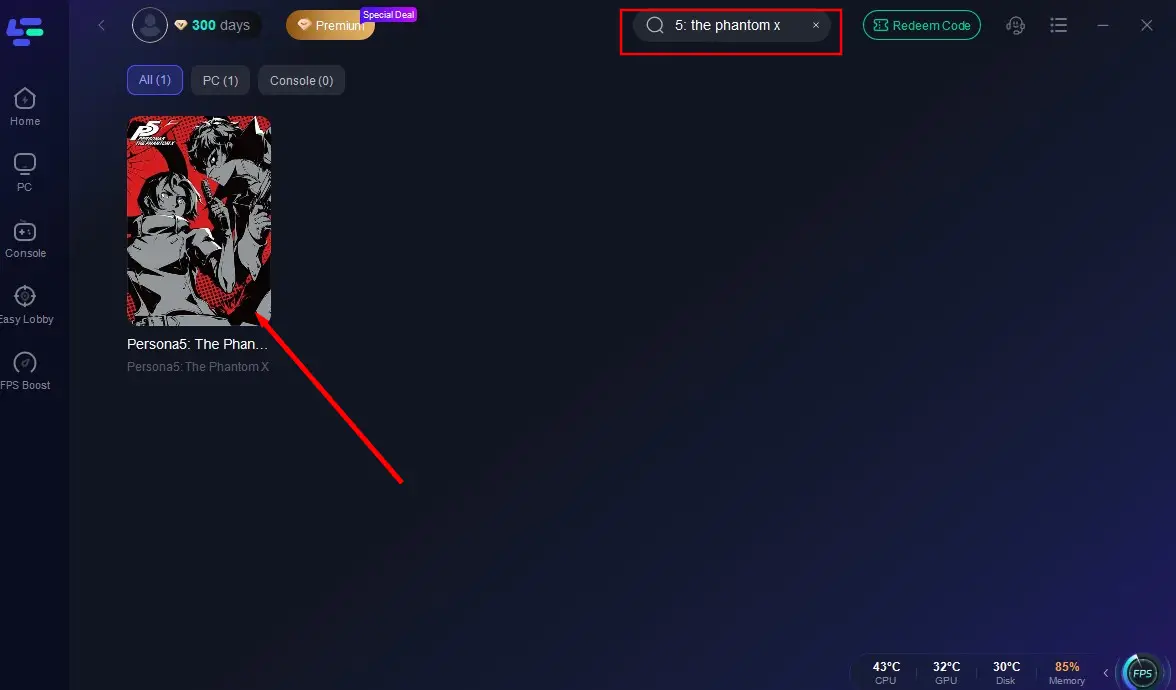
2. Search for "Persona 5: The Phantom X" in the search bar.
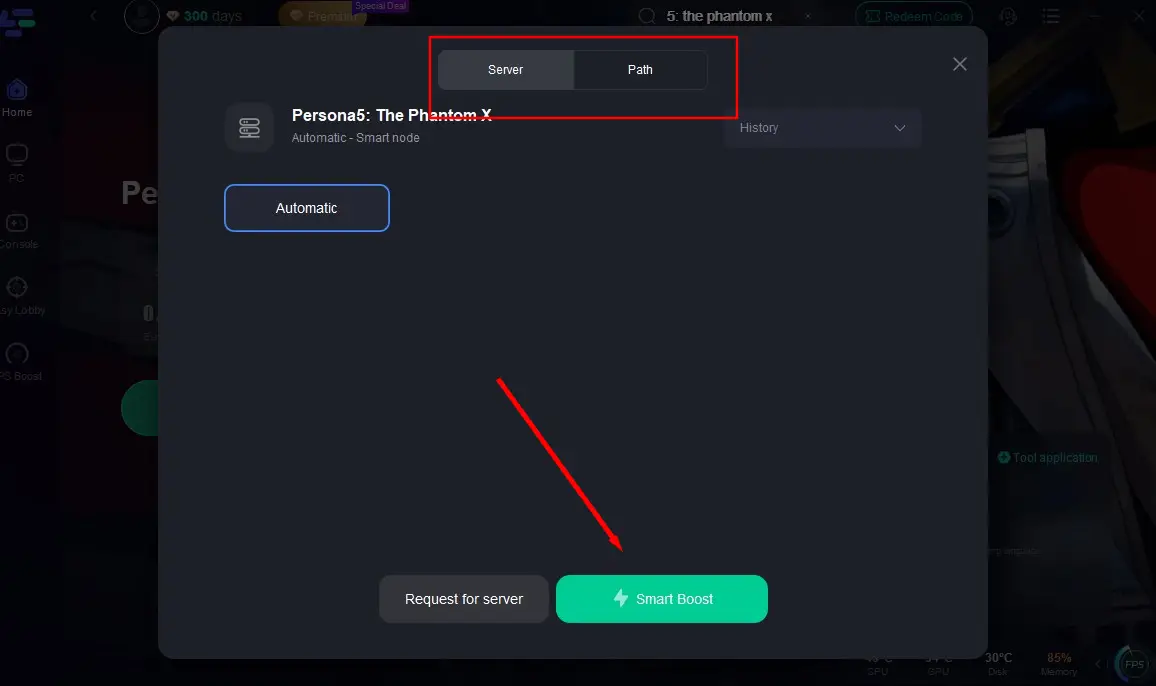
3. Select your preferred server and click "Smart Boost" to start optimization.
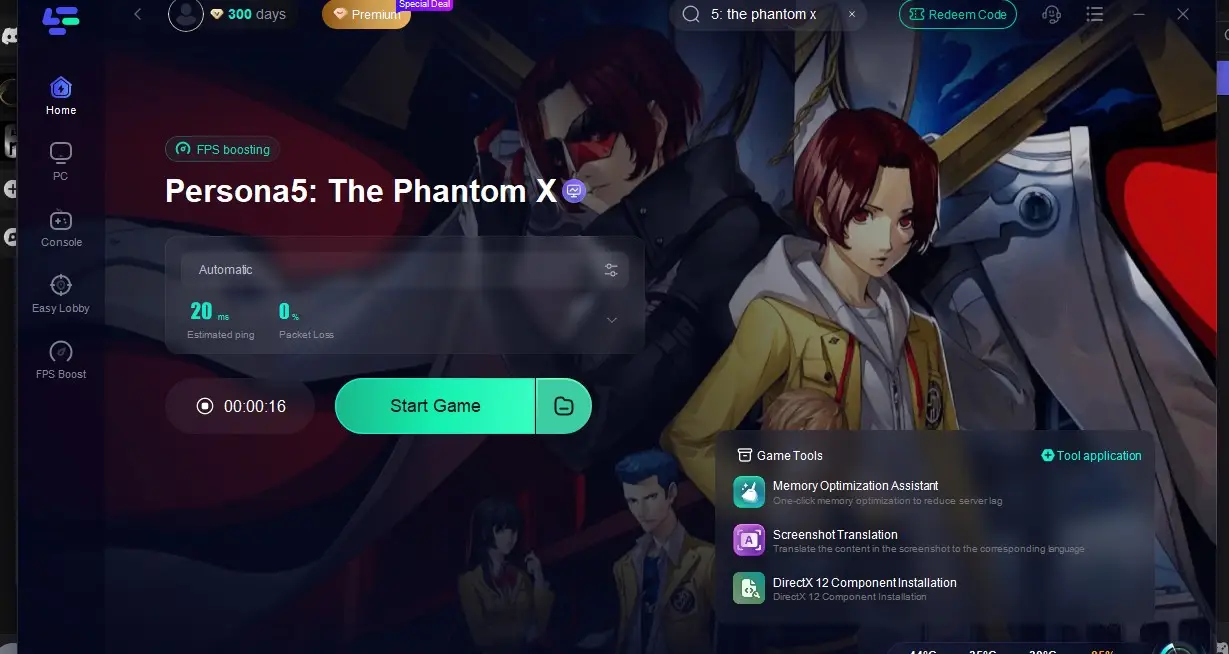
4. After acceleration begins, verify real-time performance and click "Start Game".
How to Play Persona 5: The Phantom X on Mobile with LagoFast Mobile
1. Download from Google Play/App Store or scan the QR code below.

2. Open the app and find Persona 5: The Phantom X via search or game library.
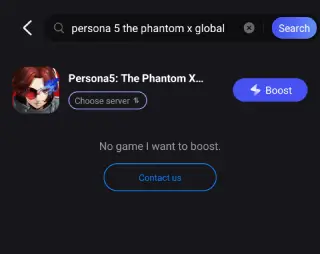
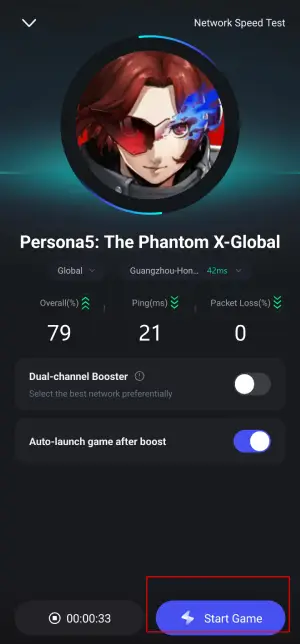
3. Choose the optimal server and initiate acceleration.

4. Confirm performance improvements and tap 'Start Game' to launch the title.
Conclusion
Persona 5: The Phantom X pushes the boundaries of cross-platform JRPGs, offering a narrative-rich experience accessible to both high-end PC gamers and mobile users. By aligning your hardware with the recommended specs and applying optimization tweaks, you can immerse yourself in the Metaverse without technical hiccups. And with the help of LagoFast, whether you’re infiltrating Palaces or building bonds with Confidants, a stable device ensures every heist and social link unfolds seamlessly.

Boost Your Game with LagoFast for Epic Speed
Play harder, faster. LagoFast game booster eliminates stutter and lags on PC, mobile, or Mac—win every match!
Quickly Reduce Game Lag and Ping!
Boost FPS for Smoother Gameplay!