
The survival game Rust has captivated players worldwide with its intense gameplay and thriving community. One of the most exciting aspects of Rust is the opportunity to earn exclusive in-game items through Twitch Drops. As we step into 2026, a new series of Twitch Drops rounds are on the horizon, offering players a chance to collect rare skins, tools, and more.
Part 1: What Are Rust Twitch Drops?
Rust Twitch Drops are time-limited rewards earned by watching eligible streams on Twitch. In collaboration with the developers, players can unlock exclusive skins that are not available through normal gameplay.
These rewards include:
Weapon skins
Clothing and armor
Base-building items
Emotes and gestures
Part 2: Why Participate in Twitch Drops?
Participating in Twitch Drops offers several benefits:
- Exclusive Items: Obtain rare and unique items that enhance your gameplay and showcase your dedication.
- Community Engagement: Connect with the Rust community and favorite streamers.
- Stay Updated: Learn about new game updates, strategies, and events while earning rewards.
Part 3: Latest Rust Twitch Drops Event (April 2026 – Peanut’s Wasteland)
The most recent Twitch Drops event began on April 16, 2026 (6 PM ET) and runs until April 27, 2026 (1 AM ET).
Event Theme: Peanut’s Wasteland
Players can unlock the following rewards:
|
Item |
Type |
Watch Time |
|---|---|---|
|
TheBurntPeanut Rock |
Rock skin |
2 hours |
|
The Nutsack |
Sleeping bag skin |
4 hours |
|
TheBurntPeanut Door |
Garage door skin |
6 hours |
|
TheBurntPeanut L96 |
L96 rifle skin |
8 hours |
Key mechanics:
- Rewards unlock in sequence
- Each drop must be claimed manually
- Only one stream contributes to progress at a time
Part 4: Previous 2024 Twitch Drops Rounds Overview
Rust Twitch Drops Round 28
- Date: Jan 15 – Jan 22, 2024
- Focus: Weapon skins
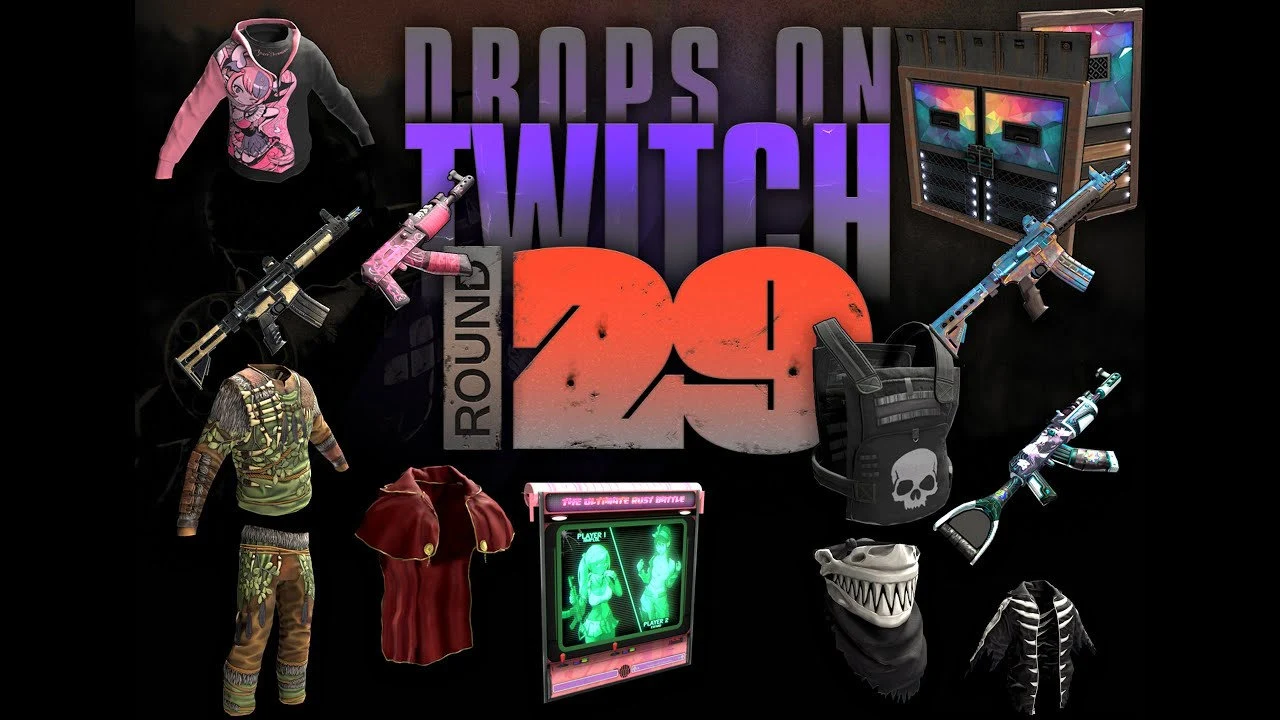
Rust Twitch Drops Round 29
- Date: Feb 10 – Feb 17, 2024
- Focus: Apparel and decorative items
Rust Twitch Drops Round 30
- Date: Mar 5 – Mar 12, 2024
- Focus: Vehicle skins
Rust Twitch Drops Round 31
- Date: Apr 20 – Apr 27, 2024
- Focus: Base decorations
Rust Twitch Drops Round 32
- Date: May 15 – May 22, 2024
- Focus: Tools
Rust Twitch Drops Round 33
- Date: Jun 10 – Jun 17, 2024
- Focus: Emotes and gestures
Part 5: How to Participate in Rust Twitch Drops
Participating in Rust Twitch Drops is straightforward:
1. Link Your Accounts:
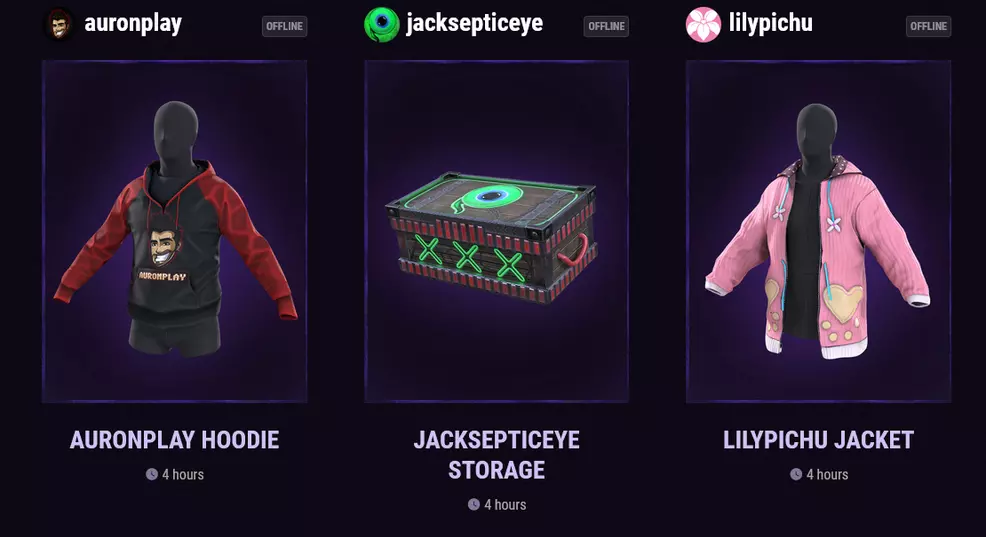
- Go to the Rust Twitch Drops page to link your Steam and Twitch accounts.
- Ensure both accounts are correctly linked to receive the drops.
2. Watch Participating Streams:
- Look for Rust streams with the "Drops Enabled" tag.
- Watch during the active drop periods specified for each round.
- You can find a list of participating streamers on the official Rust website or Twitch directory.
3. Meet Watch Time Requirements:
- Each drop may require you to watch for a certain amount of time (e.g., 2 hours).
- You can accumulate watch time across multiple streams if they are all participating in the event.
4. Claim Your Rewards:
- After meeting the watch time, claim your drops from the Twitch inventory page.
- The items will then appear in your Rust inventory when you next log into the game.
Part 6: Maximizing Your Rewards
To get the most out of Twitch Drops:
- Enable Notifications:
- Turn on notifications for participating streamers to know when they go live.
- This ensures you don't miss any watch time opportunities.
- Use Multiple Devices:
- While you can only earn drops on one account, watching on multiple devices can help prevent stream lag and ensure continuous viewing.
- Stay Logged In:
- Make sure you're logged into your Twitch account at all times while watching.
- Interact in Chat:
- Some streamers may host giveaways or additional events for active chat participants.
Part 7: Purchasing Twitch Drops: Is It Worth It?
While the primary method to obtain Twitch Drops is by watching streams, some players consider purchasing them from third-party sellers.
FunPay Twitch Drops Rust
FunPay is an online marketplace where players can buy and sell in-game items, including funpay twitch drops rust items. If you missed a drop or want to collect items from previous rounds, FunPay might be an option.
- How to Buy:
- Visit [FunPay's Rust section](https://funpay.com/en/rust/).
- Search for the specific Twitch Drop items you desire.
- Check the seller's ratings and reviews before making a purchase.
- Risks Involved:
- Purchasing items from third-party sites may violate Rust's terms of service.
- There's a risk of scams or account bans.
- Always proceed with caution and understand the potential consequences.
Rust Twitch Drops Round Buy
Some players offer entire Rust Twitch drops round buy packages, which include all items from a specific round.
- Considerations:
- Ensure that buying such packages doesn't breach any game policies.
- Verify the legitimacy of the seller.
- Be aware of the legal and ethical implications.
Part 8: Tips and Tricks for Twitch Drops
- Monitor Official Channels:
- Follow Rust's official social media accounts for announcements and updates.
- Join the Community:
- Participate in Rust forums and Discord servers to stay informed.
- Set Reminders:
- Use calendar apps to set reminders for upcoming Twitch Drops rounds.
- Avoid Idle Watching:
- Make sure the stream is not muted, and the browser tab is active, as Twitch may not count idle viewing.
- Support Streamers:
- Engage with streamers by following, subscribing, or donating if you enjoy their content.
Part 9: Enhance Rust Gaming Experience with LagoFast Game Booster
For players who want a smoother experience while earning Twitch Drops, using LagoFast can significantly improve both gameplay and streaming stability.
LagoFast is designed to optimize your connection when playing Rust, especially in situations where you’re running the game alongside Twitch streams.
Key advantages include:
- Lower latency and reduced lag
LagoFast intelligently optimizes network routes to reduce ping, helping you avoid lag spikes during intense gameplay. - Stable connection for multitasking
Running Rust and Twitch at the same time can strain your network. LagoFast helps maintain a stable connection, ensuring your stream watch time continues to count without interruptions. - Fewer packet losses and disconnects
It minimizes packet loss, which is a common cause of stuttering, rubber-banding, or sudden disconnections. - Easy setup and automatic optimization
With a simple interface, LagoFast quickly identifies the best server routes without requiring manual configuration. - Improved overall gameplay smoothness
Whether you’re farming resources or engaging in PvP, a more stable connection results in a more responsive and consistent experience.
By using a dedicated game booster, you can not only enjoy smoother gameplay but also ensure uninterrupted Twitch Drops progress, making it easier to collect all available rewards.
Getting LagoFast Running for Rust on PC:
Step 1: Click the Free Trial button to download and install LagoFast.
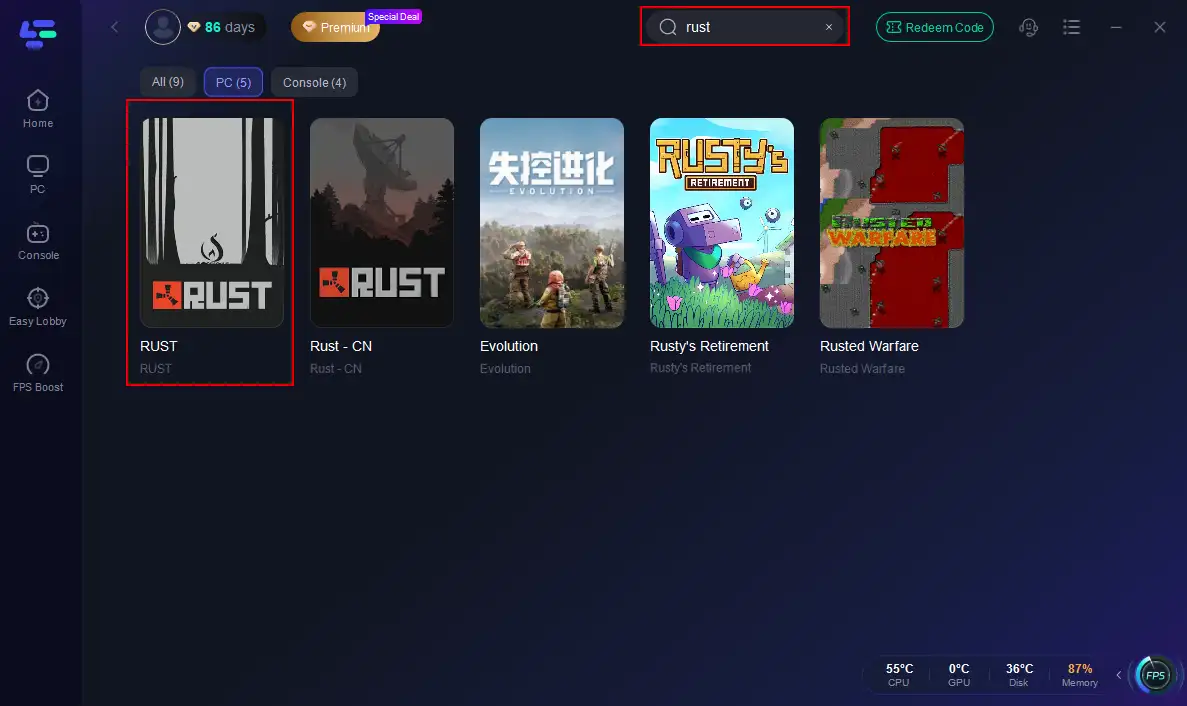
Step 2: Open LagoFast, then click the PC button on the left and search for Rust in the search bar, and click it after it appears.
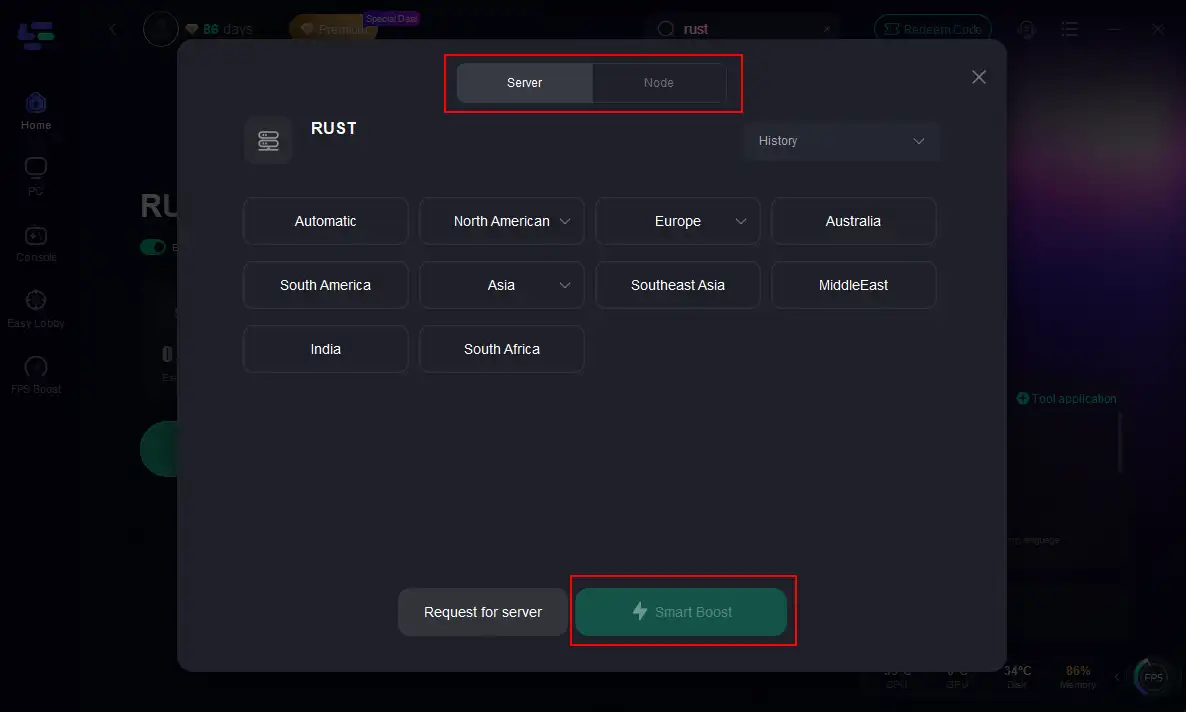
Step 3: Click on “Server” to change to a better server that maximizes the gaming experience, then click on “Smart Boost”.
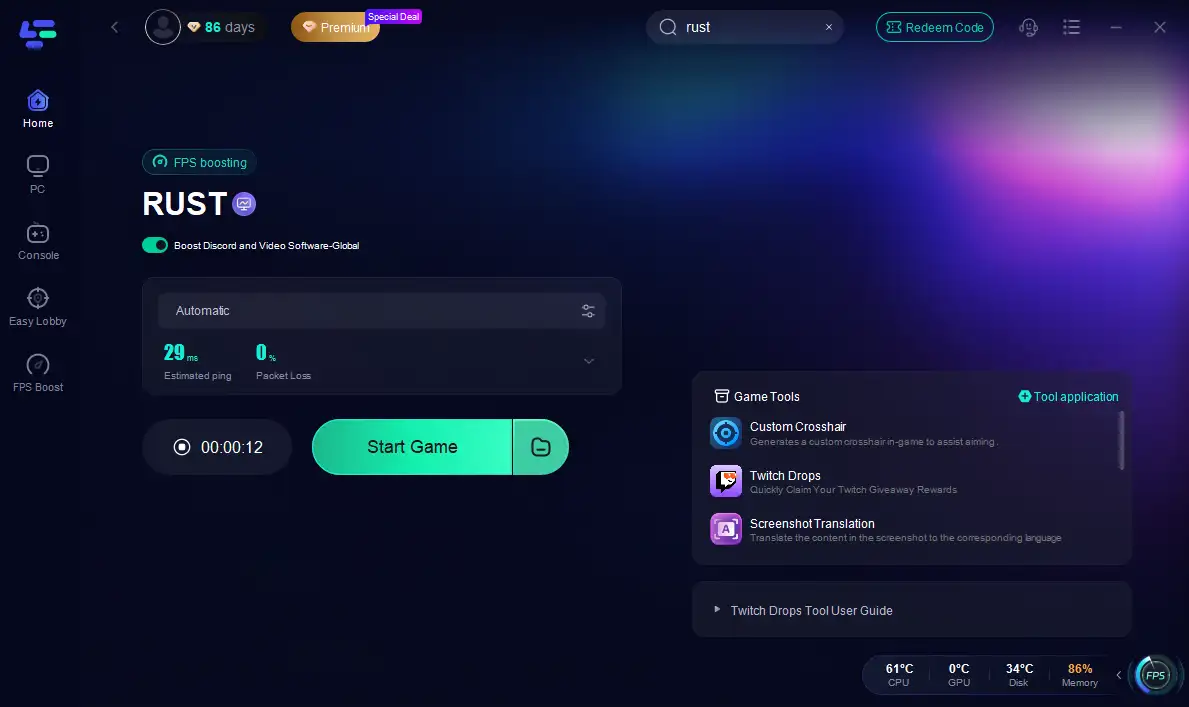
Step 4: Check the specific game ping, packet loss, and multiple path connections on the right side. Finally, click the “Start Game” to play Rust.
Part 10: Frequently Asked Questions
Q1: Can I earn Twitch Drops by watching any Rust stream?
A: No, you must watch streams that have "Drops Enabled" during the active drop period.
Q2: Do I need to watch the entire duration in one sitting?
A: No, you can accumulate the required watch time across multiple sessions and streams.
Q3: Are Twitch Drops available on all platforms?
A: Yes, as long as you're logged into your Twitch account, you can earn drops on PC, mobile, or other devices.
Q4: What happens if I forget to claim my drop on Twitch?
A: Unclaimed drops may expire after a certain period. Always claim them promptly to ensure they appear in your Rust inventory.
Q5: Can I trade or sell Twitch Drops items in-game?
A: Some items are tradeable, while others are bound to your account. Check the item's properties in-game.
Conclusion
Participating in Twitch Drops Rust 2024 is an exciting way to enhance your Rust experience. With multiple rounds offering a variety of exclusive items, there's something for every player. Whether you're aiming to collect rare skins, improve your tools, or simply engage with the community, Twitch Drops provide a rewarding opportunity. Remember to link your accounts, watch participating streams, and claim your rewards promptly.
Boost Your Game with LagoFast for Epic Speed
Play harder, faster. LagoFast game booster eliminates stutter and lags on PC, mobile, or Mac—win every match!
Quickly Reduce Game Lag and Ping!
Boost FPS for Smoother Gameplay!