
Since its release, Path of Exile has become a haven for countless players worldwide to immerse themselves in exploring a fantastical world. With the launch of Path of Exile: Secrets of the Atlas, the excitement surrounding the game has reached new heights. However, at the same time, issues with server instability or outages have caused significant frustration for players around the world, particularly in Europe.
Therefore, this article will guide you through exploring the latest updates of Path of Exile server status, uncovering the causes behind their anomalies or interruptions, and providing solutions.

- ✅ Reduce Lag and High Ping.
- ✅ Boost FPS at the Same Time.
- ✅ Support 8000+ Popular Online Games.
- ✅ End Stucks & Crashing Issues.
- ✅ Support Game Translation Tool.
Part 1: Recent Path of Exile Server Status Updates
Part 2: Causes of Path of Exile Server Errors
Part 3: How to Check Path of Exile Server Status
Part 4: How to Fix Path of Exile Server Errors
Part 5: How to Ensure a Stable Connection to Path of Exile Server
Part 1: Recent Path of Exile Server Status Updates
Players eagerly logged in to explore the new content, only to find that European servers, along with others globally, were under attack from Distributed Denial of Service (DDoS) attacks. These attacks flooded the servers with traffic, causing instability and preventing legitimate players from accessing the game.
Grinding Gear Games acknowledged the issue promptly, expressing deep regret for the inconvenience caused to players. They emphasized that resolving the DDoS attacks was their highest priority, despite the challenge of predicting a timeframe for resolution due to the unpredictable nature of such attacks.
Part 2: Causes of Path of Exile Server Errors
The Path of Exile's server errors can stem from various circumstances. Here are some common causes:
Massive Player Influx
League launches, major content updates, and popular races draw in a huge number of players, pushing server capacity to its limits. Especially with the highly anticipated release of Path of Exile: Secrets of the Atlas last week, along with periodic loot drop events that attract even more players to connect to its servers.
Distributed Denial-of-Service (DDoS) Attacks
Malicious actors sometimes target GGG's infrastructure, overwhelming servers with fake traffic and causing widespread outages. For instance, Path of Exile's servers worldwide, especially in Europe, have been subjected to such attacks in recent days.
Hardware Failures
Like any complex system, individual servers or network components can malfunction.
Software Bugs/Patches
Updates to the game client or server software can introduce unforeseen issues causing instability.
Network Routing Issues
Problems occurring between players' ISPs and GGG's data centers (e.g., issues with major internet backbone providers) can cause latency and packet loss for specific regions, even if GGG's servers are fine.
Regional Gateway Overload
Specific gateways can become overloaded if too many players congregate there.
ISP Problems
Internet Service Providers (ISPs) can experience outages or routing issues that affect connectivity to Path of Exile's servers. Or DNS-related problems can prevent players from resolving the game's domain name to the correct IP address.
Local Device Issues
Outdated network drivers, firewall settings, or antivirus software can interfere with game connections.
Hot Related: Checking the Status of Broken Arrow Servers: Is It Down
Part 3: How to Check Path of Exile Server Status
While you are facing the Path of Exile server error, before assuming the problem is on your end, check the official sources:
1. Official Path of Exile Status Page:
- https://www.pathofexile.com/status
- This is the most authoritative source. GGG posts real-time updates about ongoing issues, maintenance, and DDoS attacks here.
2. Official Path of Exile Forums & Announcements:
- https://www.pathofexile.com/forum/view-forum/announcements
- GGG developers, especially Community Manager Bex, regularly post updates about server issues, maintenance schedules, and fixes in the Announcements section.
3. Official Path of Exile Twitter Account :
- @pathofexile
- GGG often uses Twitter for quick announcements about server status and urgent issues.
4. Third-Party Aggregators:
- DownDetector (Path of Exile Page): Shows user-reported problems on a map and timeline.
- IsItDownRightNow: Provides a simple up/down check and user comments (as per your link).
Part 4: How to Fix Path of Exile Server Errors
If you have checked the official server's status of Path of Exile through the aforementioned methods and no issues or faults are indicated, you can try the following approaches to resolve server-related errors from the your side:
1. Check Network Connectivity:
- Ensure the internet connection is stable. Try restarting your router or modem.
- Switch to a different network environment (e.g., from Wi-Fi to wired connection) to test if the issue is network-related.
2. Restart Game and Device:
- Close the game completely and restart it. This can sometimes resolve temporary software or connection issues.
- Restart your computer or gaming console to refresh the system state and clear any temporary glitches.
3. Update Game and Drivers:
- Make sure your game client is up to date. Developers often fix known bugs and vulnerabilities in updates.
- Update your network drivers, graphics drivers, etc., to ensure compatibility and proper functioning with the game.
4. Review Firewall and Security Software Settings:
- Firewalls or security software might block the game from connecting to the server. Try temporarily disabling these programs and then restarting the game to see if the issue is resolved.
- If the problem is resolved, consider adjusting the firewall or security software settings to allow the game through.
5. Check Official Forums and Community:
- Other players might have found solutions to similar problems, and you can benefit from their experiences.
6. Contact Customer Support:
- If none of the above methods work, you can contact the game's customer support team. They might be able to provide more specific help or guide you through troubleshooting steps.
Part 5: How to Ensure a Stable Connection to Path of Exile Server
If you want to enhance your network status while playing Path of Exile to ensure a stable connection with its servers, we recommend using LagoFast. It's a game accelerator that utilizes intelligent algorithms to help players find the most stable connection routes. In addition, it offers the following advantages:
- Global Server Network: Access low-latency nodes worldwide for stable connections.
- Packet Loss Prevention: Advanced algorithms minimize data loss for smooth gameplay.
- Smart Routing Optimization: Dynamically selects the fastest path to game servers.
- FPS Enhancement: Optimizes system resources to reduce frame drops.
- User-Friendly Interface: One-click solutions for gamers of all skill levels.
Here's how to use LagoFast to play Path of Exile
Step 1: Click the "Free Trial" button to download LagoFast.
Step 2: Search for Path of Exile in the app (other versions are also available).
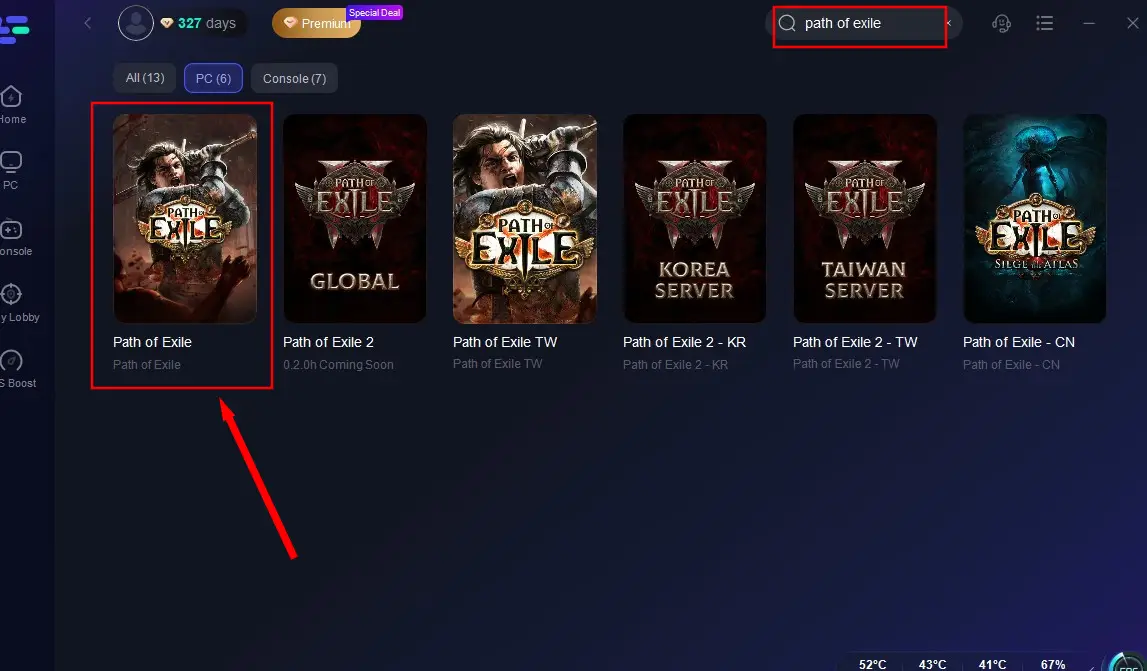
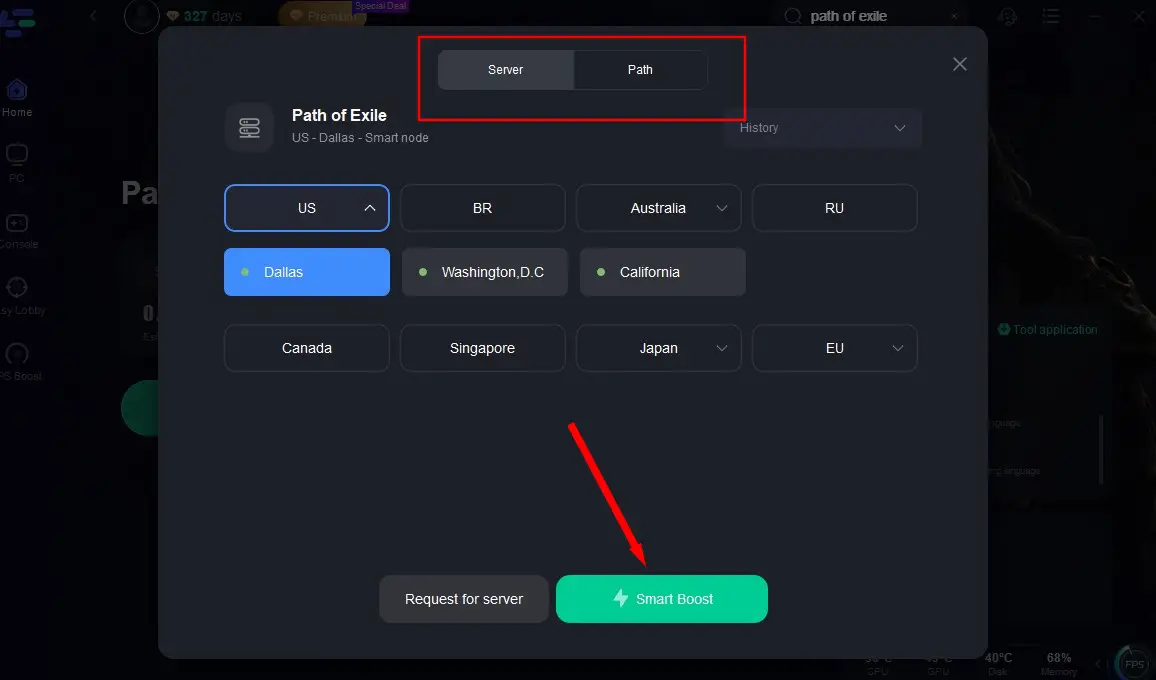
Step 4: Click "Select Server" to choose the optimal node and start acceleration.
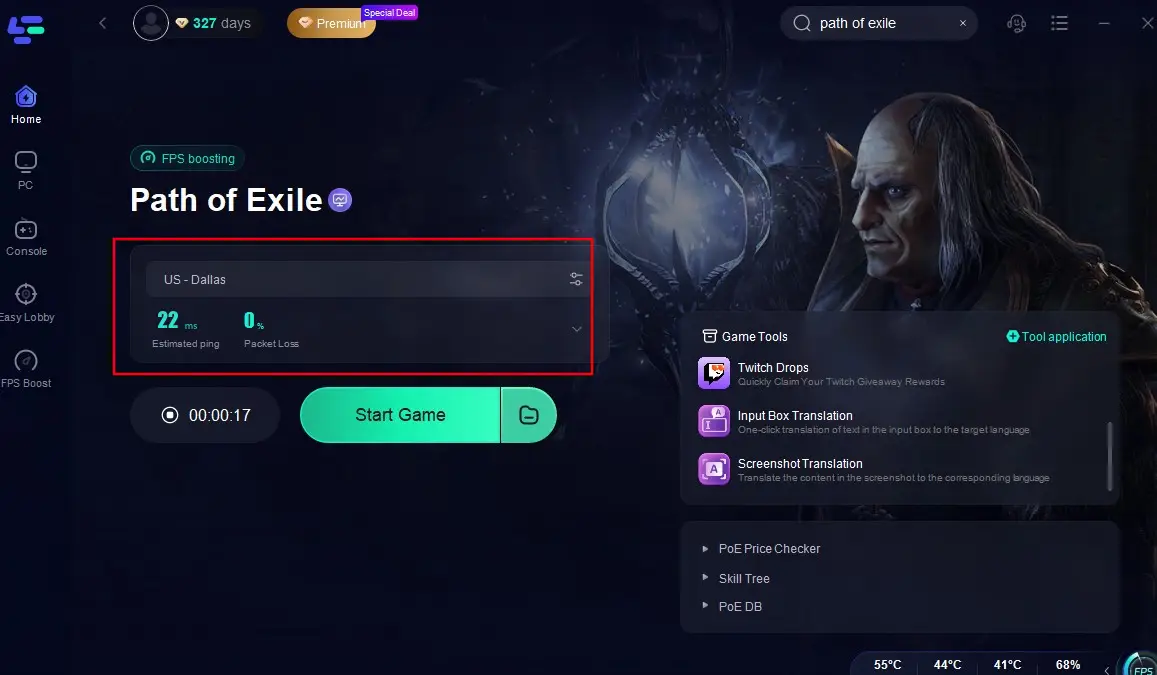
Step 4: Check the optimized packet loss and Ping rates, then click "Start Game" to enjoy a lag-free PoE experience!
Conclusion
Maintaining a stable server status is crucial for providing players with a seamless and enjoyable gaming experience in Path of Exile. While server disruptions can occur due to various reasons, including DDoS attacks and unexpected player traffic spikes. But by staying informed about the Path of Exile server status, checking for updates regularly and learn the correct solutions, players can enhance their gaming experience and enjoy all that Path of Exile has to offer.

Boost Your Game with LagoFast for Epic Speed
Play harder, faster. LagoFast game booster eliminates stutter and lags on PC, mobile, or Mac—win every match!
Quickly Reduce Game Lag and Ping!
Boost FPS for Smoother Gameplay!