
Few things are more frustrating than playing online in NBA 2K26 and watching your player stutter across the court, shots delay, or passes vanish into thin air. This problem is often caused by packet loss—when data fails to travel smoothly between your console or PC and the game servers. If you’re experiencing lag spikes, rubber-banding, or random disconnections, understanding and fixing packet loss is key. This article will explain what packet loss is, why it happens in NBA 2K26, and how you can fix it for a smoother gameplay experience.

- What is Packet Loss in NBA 2K26?
- Causes of Packet Loss in NBA 2K26
- How to Check for Packet Loss in NBA 2K26
- How to Fix NBA 2K26 Packet Loss
- Fix NBA 2K26 Packet Loss with LagoFast
1. What is Packet Loss in NBA 2K26?
Packet loss occurs when small units of data (packets) sent from your device to the game servers (or vice versa) are dropped along the way. Even a small percentage of loss can result in:
- Lag spikes that ruin timing in MyCAREER or MyTEAM.
- Delayed inputs making your player feel sluggish.
- Rubber-banding, where your character snaps back to a previous spot.
- Disconnections from matches or The City.
In competitive games like NBA 2K26, packet loss can be the difference between a win and a frustrating loss.
2. Causes of Packet Loss in NBA 2K26
Several issues can cause packet loss, including:
- Weak Wi-Fi Connections – Wireless signals are more prone to interference.
- Network Congestion – Too many devices streaming or downloading on your network.
- ISP Routing Problems – Poor routing from your Internet Service Provider to 2K’s servers.
- Server Overload – NBA 2K26 servers may be congested, especially at peak hours.
- Outdated Hardware – Old routers or damaged Ethernet cables can lead to unstable connections.
3. How to Check for Packet Loss in NBA 2K26
To confirm if packet loss is your issue:
- Run a speed test (check for packet loss %, not just download/upload).
- Use the in-game connection stats (when available).
- Enable network monitoring tools or third-party boosters like LagoFast, which show packet loss in real time.
4. How to Fix NBA 2K26 Packet Loss
1. Use a Wired Connection
Switch from Wi-Fi to Ethernet. A direct connection reduces interference and ensures more stable data transfer.
2. Restart Your Router & Console/PC
Simple but effective—refreshing your hardware clears cached network problems.
3. Close Background Apps
Shut down streaming, downloads, or other online activity on your network that competes with NBA 2K26.
4. Change DNS Settings
Switch to faster DNS servers like Google DNS (8.8.8.8 / 8.8.4.4) or Cloudflare DNS (1.1.1.1) for more reliable routing.
5. Change Servers
If packet loss is high, connecting to another server region may help reduce congestion and stabilize gameplay.
6. Use a Game Booster (LagoFast)
A dedicated tool like LagoFast optimizes your routing path, reduces ping, and displays real-time packet loss, ping, and network type. It automatically connects you to the most stable server node, minimizing disruptions.
5. Fix NBA 2K26 Packet Loss with LagoFast
When packet loss keeps ruining your NBA 2K26 matches, a dedicated game booster like LagoFast can give you the stability you need. Instead of relying only on your ISP’s routing, LagoFast optimizes your network path, connects you to the most reliable servers, and ensures your data reaches the game without interruptions.
Benefits of LagoFast
- Reduce packet loss and improve stability
- Lower ping for smoother gameplay
- Connect to optimized global servers
- Real-time monitoring of network performance
With LagoFast running, you’ll minimize packet loss and enjoy fluid, responsive gameplay in NBA 2K26, whether you’re competing in The City, Pro-Am, or MyTEAM.
How to Use LagoFast on PC
Step 1: Download LagoFast by clicking the Download button below and activate the free trial.
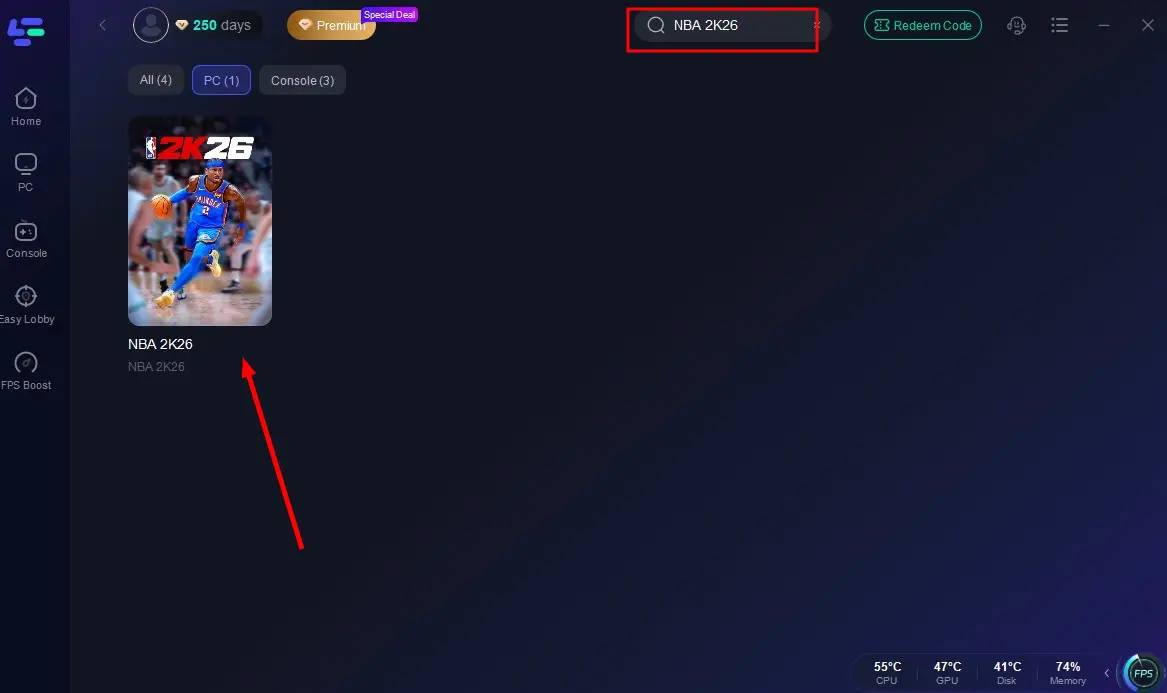
Step 2: Launch LagoFast and search for NBA 2K26 in the search bar.
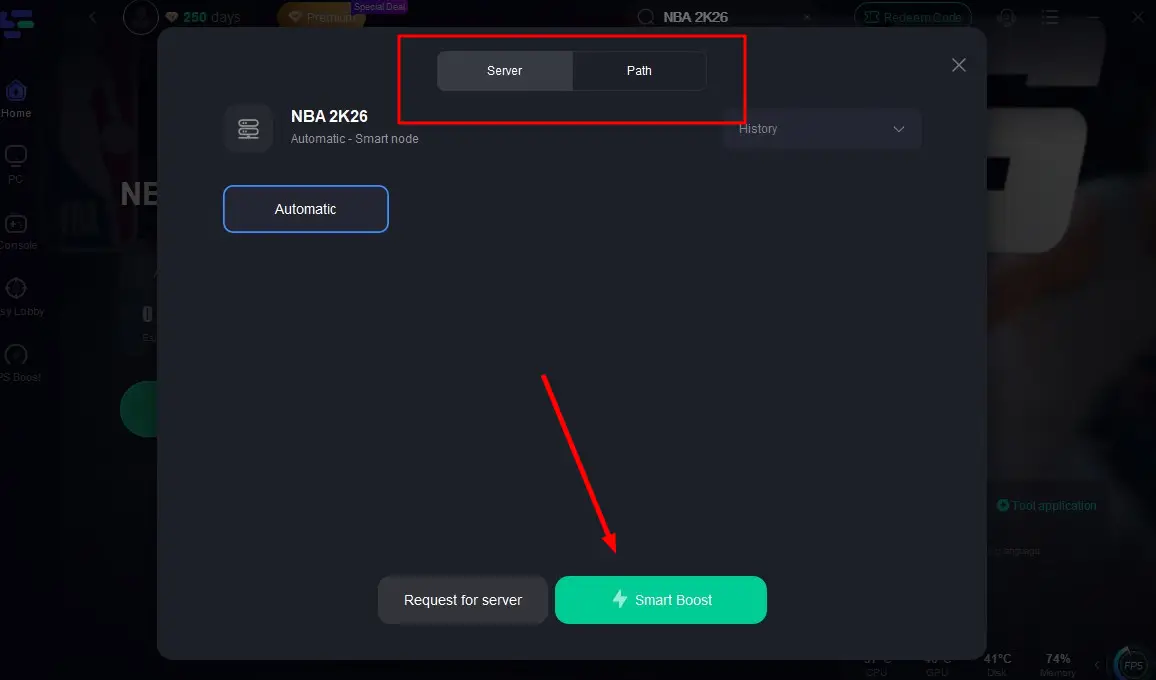
Step 3: Select the server with the best connection and choose the optimal Node. Click "Smart Boost" to start optimizing your connection.
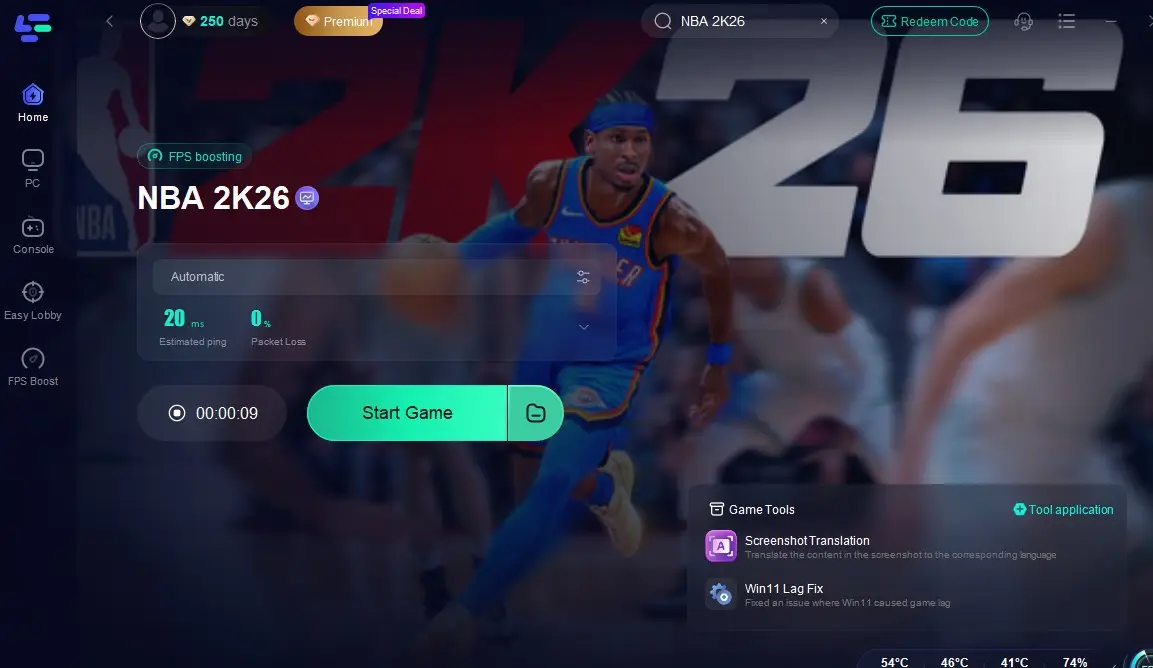
Step 4: Check real-time stats such as ping, packet loss, and network performance, then click the "Start Game" to play NBA 2K26 without any lag!
LagoFast Box: Eliminate Lag on Console Gaming
For console gamers, lag and unstable connections can ruin even the best matches. The LagoFast Box is a dedicated device that optimizes your console’s internet connection, cutting down packet loss and latency for a smoother online experience. Managed entirely through an easy-to-use smartphone app, it ensures your console always connects through the most stable network path.
How to Set Up the LagoFast Box
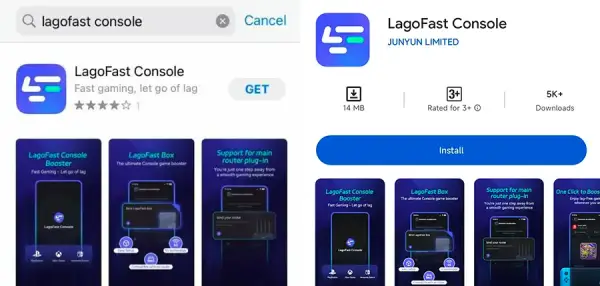
Step 1: Download the LagoFast Console App on your phone to control the LagoFast Box.
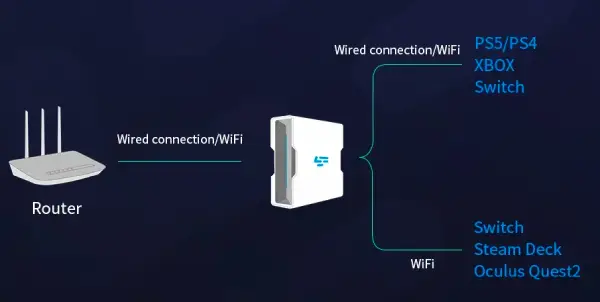
Step 2: Establish a connection between your LagoFast Box, router, and console, choosing between a wired or wireless connection.
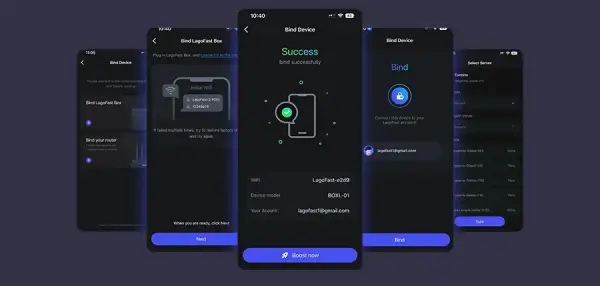
Step 3: Launch the LagoFast Console App and boost NBA 2K26. Once you have completed the binding process with the LagoFast Box, proceed to boost this game within the LagoFast Console App.
With these simple steps, the LagoFast Box transforms your console’s connection into a high-performance gaming network. Whether you’re grinding through competitive Pro-Am matches or enjoying casual runs in The City, it ensures your console performs at its best with minimal lag.
Conclusion
NBA 2K26 packet loss is one of the most common causes of lag, delayed inputs, and disconnections. By switching to a wired connection, adjusting your DNS, and reducing network congestion, you can often fix the issue. For players who want the most stable and optimized experience, tools like LagoFast provide a powerful solution to cut packet loss and ensure smooth basketball action in The City and beyond.

Boost Your Game with LagoFast for Epic Speed
Play harder, faster. LagoFast game booster eliminates stutter and lags on PC, mobile, or Mac—win every match!
Quickly Reduce Game Lag and Ping!
Boost FPS for Smoother Gameplay!