
Welcome back to the fantasy world of Erinn! The highly anticipated Mabinogi Mobile is finally bringing the beloved, classic MMORPG experience to our phones and PC screens. Whether you are a returning veteran ready to shear some sheep and play music around the campfire, or a complete newcomer eager for a cozy-yet-epic adventure, the hype surrounding this launch is absolutely real.
But there is a major hurdle standing in the way for many eager adventurers: the language barrier. Navigating a deeply social and story-rich MMORPG is incredibly frustrating when you can't understand the menus, skill descriptions, or quest dialogues. If you want to dive in without waiting for localization, you are going to need a solution.

- ✅ Reduce Lag and High Ping.
✅ Boost FPS at the Same Time.
✅ Support 8000+ Popular Online Games.
✅ Change Server without Latency.
✅ Boost Game Loading Speed.
Part 1: Mabinogi Mobile Officially Supported Languages
Part 2: Mabinogi Mobile Game Translation Tool - LagoFast
Part 4: Mabinogi Mobile & PC Clients System Requirements
Part 5: Mabinogi Mobile Gameplay Features
Part 6: Mabinogi Mobile Common Errors & Fixes
Part 1: Mabinogi Mobile Officially Supported Languages
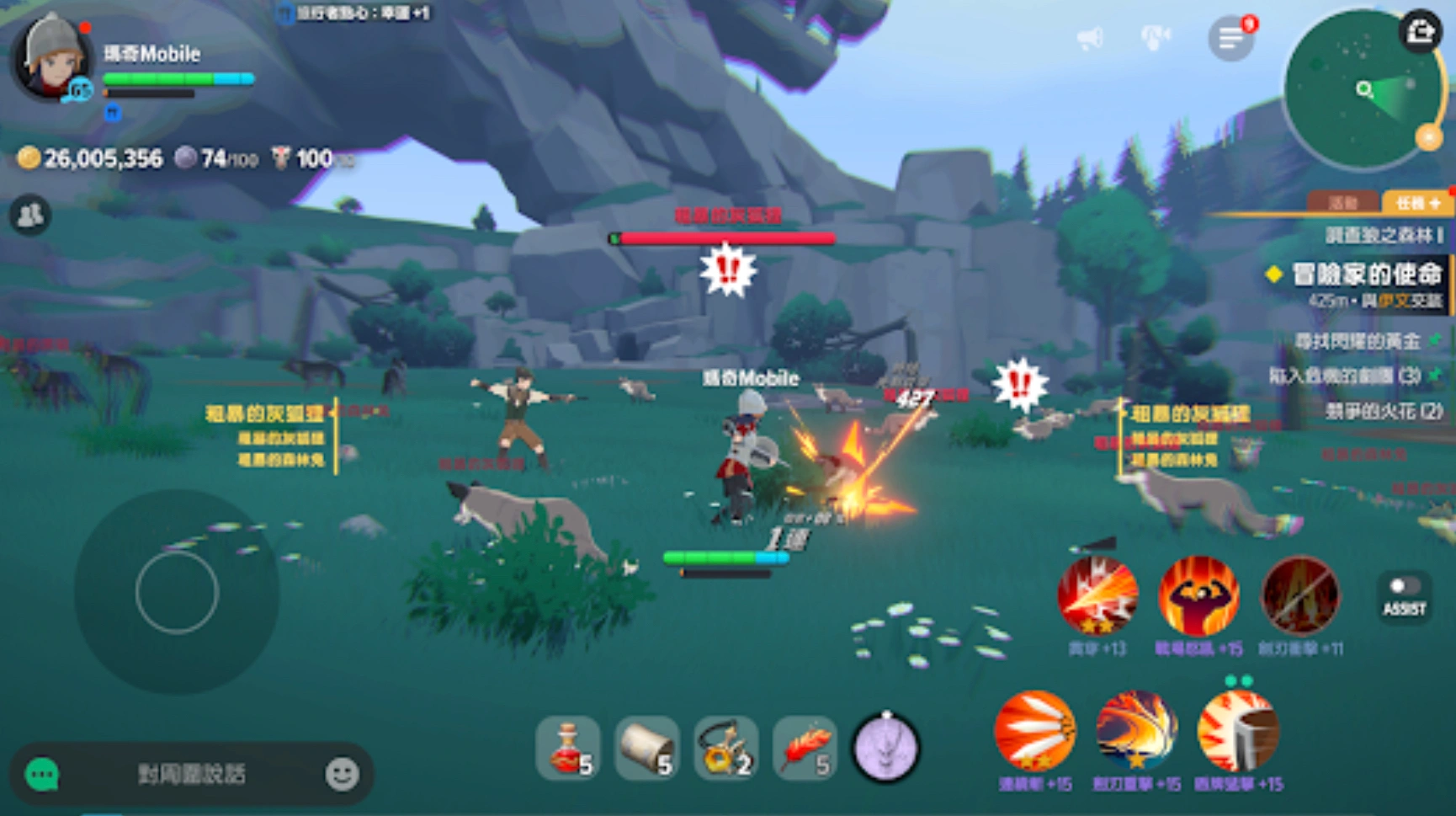
As it stands right now, Mabinogi Mobile officially supports only a very limited set of languages, specifically, Traditional Chinese and English.
For a game with a massive global following spanning Europe, South America, Southeast Asia, and beyond, this leaves a huge portion of the player base out in the cold. In an MMO where crafting recipes, intricate lore, and complex skill trees are at the core of the experience, playing in a language you don’t fully grasp completely ruins the immersion. You don't want to accidentally craft the wrong armor set or miss out on a beautiful storyline just because the official language support falls short.
Part 2: Mabinogi Mobile Game Translation Tool - LagoFast
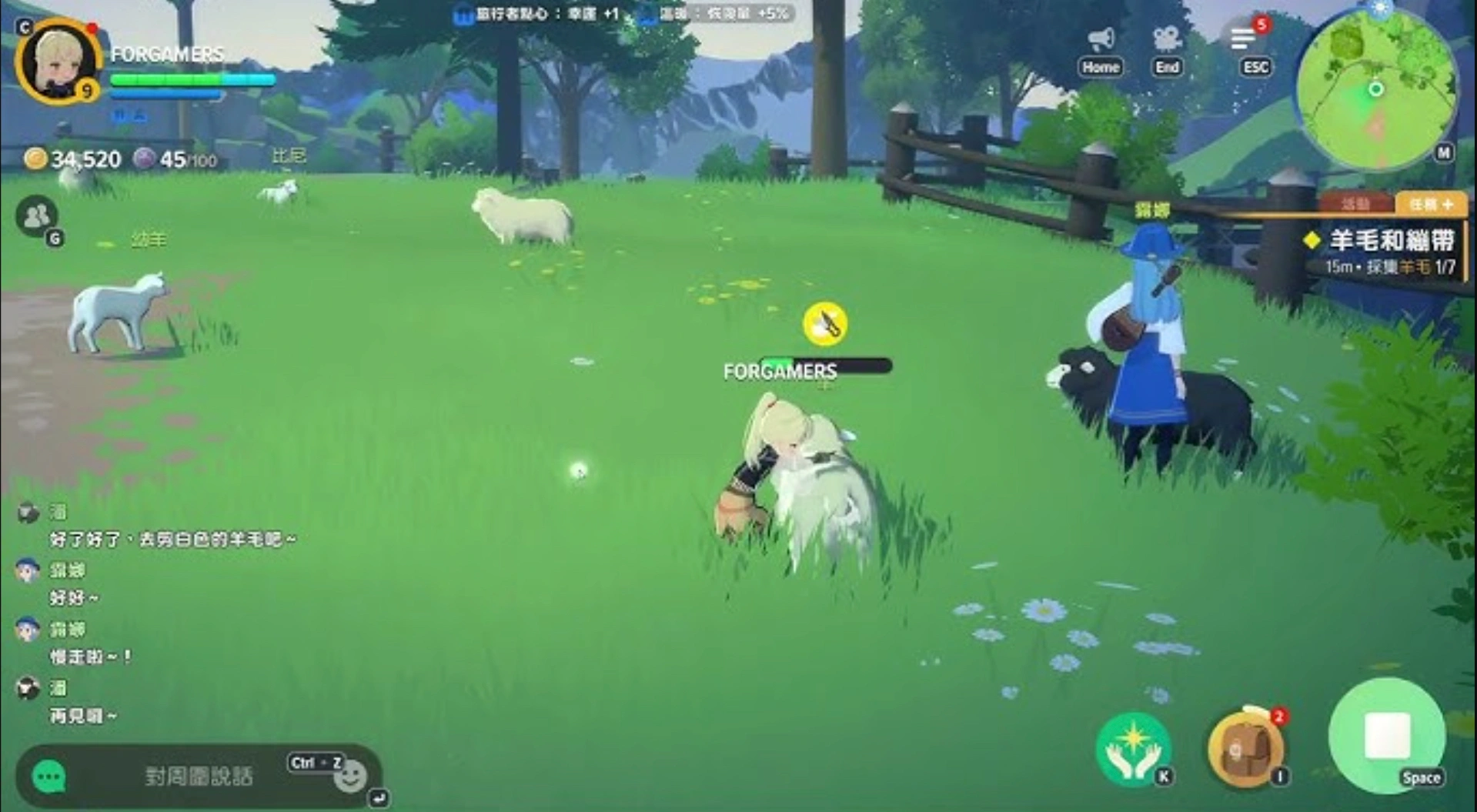
When the official language options just don't cover your native tongue, a powerful outbound game translation tool becomes an absolute necessity. If you are looking for the most reliable Mabinogi Mobile translation tool, LagoFast stands out as the ultimate solution for modern gamers who want instant, frictionless access to multilingual gameplay.
Instead of forcing you to pull out your phone's camera to scan your screen or repeatedly copy-paste text into external web translators, LagoFast works silently and seamlessly directly within your game environment. It overlays translated text in real time, meaning you can keep fighting dungeons, chatting with guildmates, and managing your inventory without a single interruption.
Key Features of the LagoFast Translation Tool:
- Real-time in-game translation: Menus, NPC dialogues, long mission descriptions, and system alerts are translated instantly while you play. There is zero delay, and absolutely no need to pause the game to figure out what to do next.
- OCR + AI-powered accuracy: Mabinogi Mobile features stylized fantasy fonts and a unique UI. LagoFast uses advanced OCR (Optical Character Recognition) paired with AI translation to recognize and accurately translate even the most complex visual elements on your screen.
- One-click translation system: You can turn the translation on or off with a simple keyboard shortcut or via a handy floating widget on your screen. It’s incredibly user-friendly, even if you've never used a mod or tool before.
- Chat and input translation: MMOs are all about community. LagoFast can translate incoming chat messages from foreign players and convert your typed responses into their language automatically. Co-op dungeons just got a whole lot easier.
- Screenshot translation: If a specific rare item description or obscure piece of text isn’t auto-detected immediately, you can grab a quick screenshot and have it translated in a split second.
Step-by-Step Tutorial to Use the LagoFast Translation Tool:
Step 1: Click the Free Trial button on the LagoFast website to download and install the client.
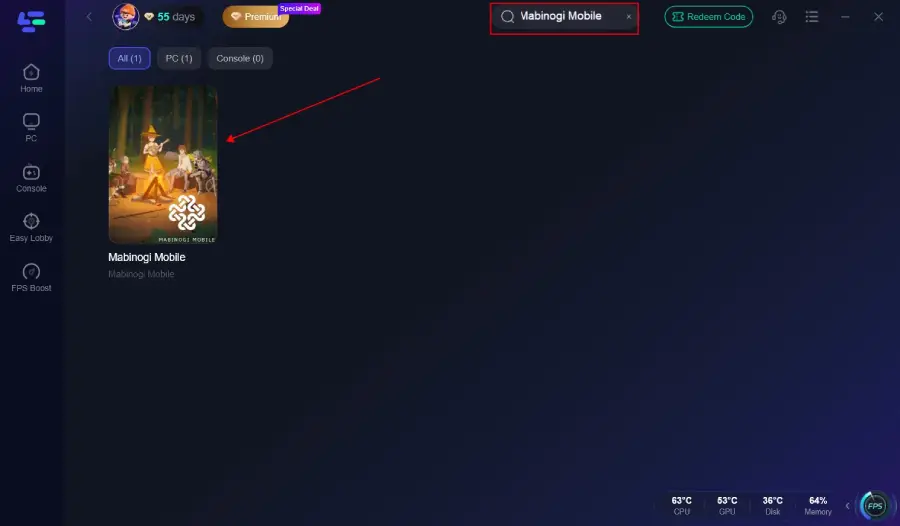
Step 2: Open the app and type "Mabinogi Mobile" into the main search bar, then add it to your game library.
Step 3: Enable Translation. On the game’s dashboard within LagoFast, locate the "Translation Tool" icon on the right-hand sidebar.
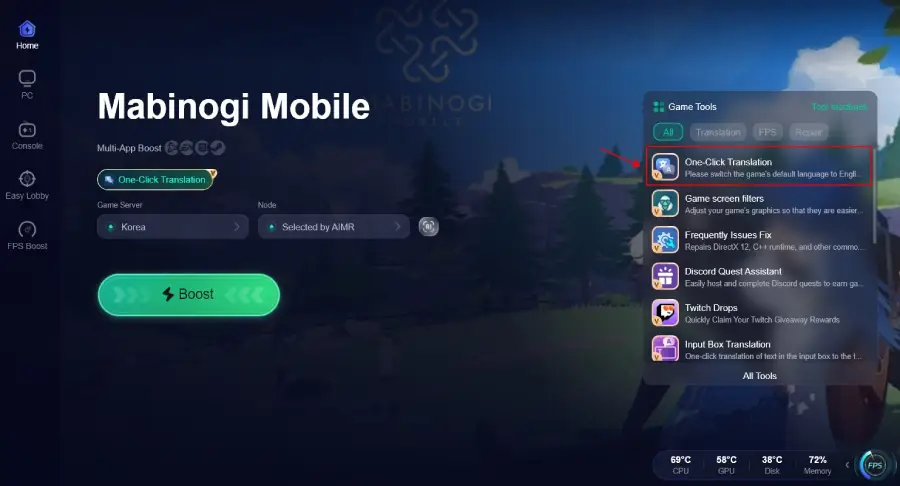
Step 4: Set Your Language. Choose your target language from the drop-down menu (e.g., Spanish, German, Thai, Turkish, etc.).
Step 5: Launch & Play! Start the game directly through LagoFast. Your UI and text will automatically translate into your chosen language as soon as you load into Erinn.
Part 3: Beyond Translation: Optimize Your Mabinogi Mobile & PC Client Gaming Experience with LagoFast
LagoFast is far more than just a premium Mabinogi Mobile translation tool; it is actually a comprehensive, all-in-one gaming booster engineered from the ground up to eliminate hardware lag and network bottlenecks. By dynamically optimizing your system's connection routes and freeing up critical CPU resources, LagoFast ensures that your journey across Erinn's diverse regions remains completely fluid, stutter-free, and highly responsive.
Key Advantages of Using LagoFast for Mabinogi Mobile:
- Dedicated Taiwan & Hong Kong Nodes: Because the game has strong roots in the Asian market (with Traditional Chinese support), many players will connect to overseas servers. LagoFast utilizes multipath routing protocols to connect you directly to server nodes closest to the official game servers, slashing your ping by up to 40-60%.
- Bypass Region & IP Restrictions: If the publisher enforces strict IP geolocation checks on game launchers or login portals, LagoFast allows you to bypass these restrictions instantly without having to change your entire PC or phone network setup.
- Fixes Packet Loss & Rubberbanding: Real-time action combat in Mabinogi Mobile requires precise dodge timing and rapid skill combinations. LagoFast stabilizes packet delivery to eliminate that frustrating rubberbanding effect during boss fights.
- Cross-Platform Support: LagoFast supports both Windows PC clients and mobile devices (iOS/Android), protecting your connection no matter where you choose to play.
- One-Click Acceleration: It features a simple, user-friendly interface that requires zero complex manual proxy configurations.
Tutorial: Use LagoFast to Play Mabinogi PC Client Smoothly
Step 1. Download and install LagoFast on your PC.
Step 2. Search for the Game: Type "Mabinogi Mobile" or "瑪奇 Mobile" into the search bar.
Step 3. Select Server & Node: Choose the Taiwan or Hong Kong server region. Select "Auto-Path" or pick the lowest-latency node provided.
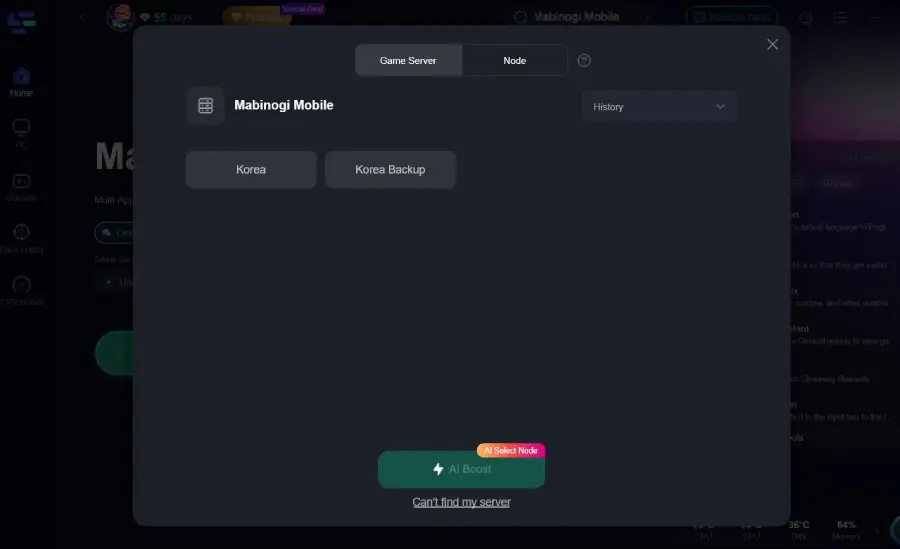
Step 4. Boost the Connection: Click the Boost button.
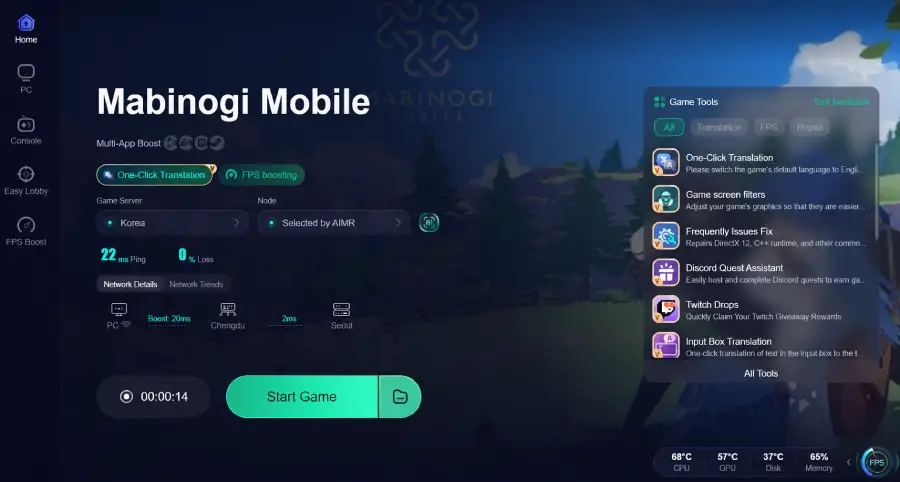
Step 5. Launch the Game: Keep LagoFast running in the background, open your Mabinogi Mobile PC client, and log in cleanly without region lock restrictions.
Tutorial: Use LagoFast to Play Mabinogi Mobile Smoothly
Step 1: Search for “LagoFast Mobile Booster” in the Google Play Store or Apple App Store.
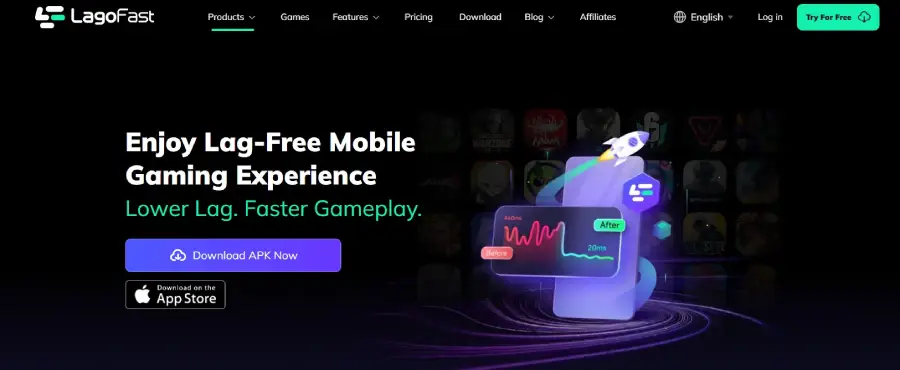
Step 2: Tap “Download”, then install and launch LagoFast Mobile Booster.
Step 3: Open Mabinogi Mobile, then switch back to LagoFast Mobile and search for the game.
Step 4: Select Mabinogi Mobile from the list in the app.
Step 5: Enter the server selection screen, choose Taiwan or Hong Kong server region, and tap “Boost” to reduce lag and improve performance.
Step 6: Return to Aion 2 and enjoy smooth, lag-free gameplay.
Part 4: Mabinogi Mobile & PC Clients System Requirements
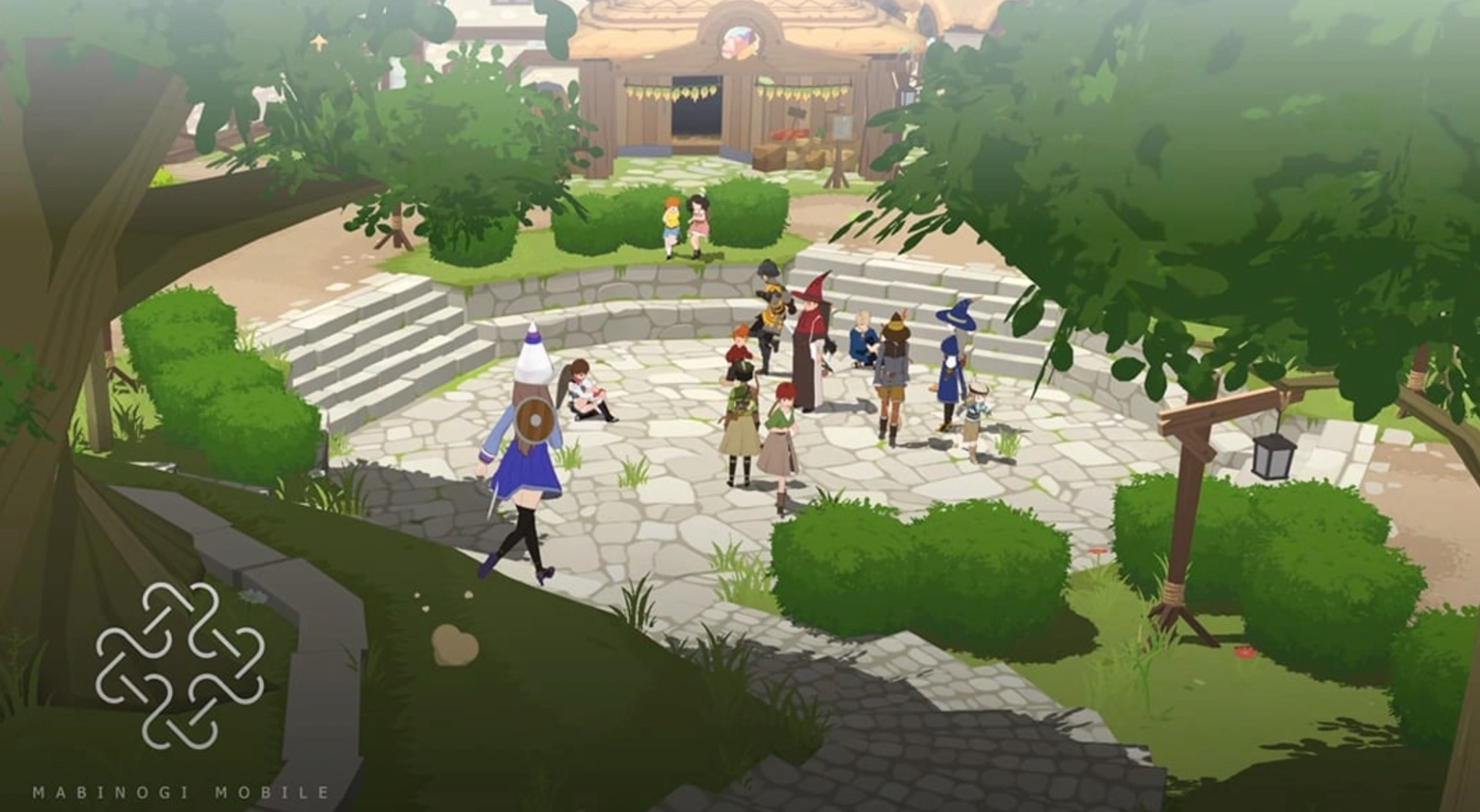
To enjoy the beautifully shaded, anime-style graphics of Mabinogi Mobile without your device overheating or your PC dropping frames, you'll need to meet the system requirements. Here is what you need to run the game smoothly on both platforms.
|
Platform |
Minimum Requirements |
Recommended Requirements |
|
Android |
Snapdragon 845 / 4GB RAM / Android 9.0+ |
Snapdragon 8 Gen 1 (or equivalent) / 8GB RAM / Android 12+ |
|
iOS |
iPhone 11 (A13 Bionic) / iOS 14.0+ |
iPhone 13 or newer / iOS 16.0+ |
|
PC Client |
Intel Core i5 / 8GB RAM / GTX 1050 / Win 10 |
Intel Core i7 / 16GB RAM / RTX 2060 / Win 10 or 11 |
|
Storage |
10 GB available space (Mobile & PC) |
15 GB+ available space (SSD highly recommended) |
Part 5: Mabinogi Mobile Gameplay Features

What made the original Mabinogi so iconic wasn't just killing monsters—it was the concept of living a "fantasy life." The mobile adaptation brings this exact philosophy to modern devices, blending cozy life simulation with intense dungeon crawling.
- Classless Progression System: You are never locked into being just a Warrior, Mage, or Archer. The famous "Rebirth" system allows you to learn every skill in the game. You can cast fireballs in the morning and swing a heavy broadsword in the afternoon.
- Deep Life Skills: Combat is completely optional if you just want to chill. You can spend your days shearing sheep for wool, composing actual sheet music to play on your lute, cooking intricate meals, or forging weapons for other players.
- Campfire Socializing: The iconic campfire system returns. Players can gather around fires out in the wild to share food, play instruments together, and gain stat buffs before heading into a dungeon.
- Real-Time Action Combat: Unlike basic auto-play mobile MMOs, combat here requires timing. You'll need to recognize enemy attack patterns, use counter-attacks, and physically dodge out of the way of heavy strikes.
- Stunning Cel-Shaded Art: The game utilizes a gorgeous, updated anime-style aesthetic that makes the world of Erinn look like a playable cartoon, complete with dynamic day/night cycles and weather systems.
Part 6: Mabinogi Mobile Common Errors & Fixes
Even the most polished MMO launches come with a few technical hiccups. If you run into trouble while trying to log in, here are the most common errors and how to solve them fast.
High Ping / Network Disconnects
If you are playing from outside the game's official server regions, you will likely experience input delay or random disconnects.
Fix: Boot up LagoFast and use the Smart Boost feature to route your connection through a dedicated Asian node. This prevents packet loss and keeps you securely connected to the server.
Regional Block (IP Restriction)
Sometimes game launchers will block you from downloading patches or logging in if they detect you are outside the permitted launch region.
Fix: Use LagoFast to bypass the region lock without altering your device's core DNS.
Black Screen on PC Launch
You hit "Play" and nothing happens except a black window.
Fix: This is almost always a graphics driver issue. Update your Nvidia or AMD drivers to the latest version. If that fails, verify the integrity of the game files in the launcher to replace any corrupted data.
Crashing on Mobile (Out of Memory)
The game suddenly closes while loading into a crowded town.
Fix: Mabinogi Mobile is RAM-heavy. Clear all background apps before launching. If you only have 4GB of RAM, lower the in-game crowd density and shadow settings to prevent your phone from crashing.
Part 7: Mabinogi Mobile FAQs
Is Mabinogi Mobile fully cross-platform?
Yes! You can play on your PC at home and pick right back up on your phone while commuting. Your character data, inventory, and progress are seamlessly linked across both PC and mobile platforms via your account login.
Can I use the LagoFast translation tool on my mobile device?
LagoFast offers a mobile app version for network boosting and optimization. For the most robust, real-time screen translation features, the PC client version of LagoFast is highly recommended for the best experience.
Will I get banned for using a game translation tool?
No. LagoFast is incredibly safe to use because it does not alter, modify, or inject code into the game’s actual files. It acts purely as a visual overlay over your screen and a network optimizer, keeping you completely compliant with standard MMO terms of service.
Does Mabinogi Mobile have an auto-combat or auto-pathing system?
While many mobile MMOs play themselves, Mabinogi Mobile places a heavy emphasis on manual control, especially during dungeon boss fights and complex crafting minigames. There may be minor quality-of-life pathing features for basic quests, but you actually have to play the game to succeed.
Do I need to play the original PC Mabinogi to understand the story?
Not at all. While veterans will recognize famous NPCs like Nao, Duncan, and Ferghus (and the heartbreak of him breaking your weapons), the game serves as a fresh reimagining of the original storyline. It’s the perfect jumping-on point for brand-new players.
How does the Rebirth system work in the mobile version?
Just like the classic game, as your character ages, you can "Rebirth" them. This resets your character's physical level and age back to 1 (allowing you to earn stat points fast all over again), but you get to permanently keep all the skills, ranks, and abilities you previously learned!
Conclusion
Language barriers shouldn't keep you from experiencing one of the most charming and feature-rich MMORPGs on the market. By utilizing a dedicated Mabinogi Mobile translation tool like LagoFast, you can dive straight into the world of Erinn without waiting for official localization. Combine that with LagoFast's powerful ping-reducing network boosters, and you guarantee yourself a smooth, understandable, and lag-free fantasy life. See you around the campfire!

Boost Your Game with LagoFast for Epic Speed
Play harder, faster. LagoFast game booster eliminates stutter and lags on PC, mobile, or Mac—win every match!
Quickly Reduce Game Lag and Ping!
Boost FPS for Smoother Gameplay!