
Quick Answer: To check the Mabinogi Mobile server status, visit the official Nexon Mabinogi news page or the dedicated community server trackers. If you encounter a login failed error or a stuck queue, first verify if there is an ongoing scheduled maintenance. For global players facing high ping or frequent disconnections on the TW/HK/MO servers, using LagoFast Game Booster is the most effective way to stabilize your connection and reduce packet loss.

- ✅ Reduce Lag and High Ping.
✅ Boost FPS at the Same Time.
✅ Support 8000+ Popular Online Games.
✅ Change Server without Latency.
✅ Boost Game Loading Speed.
Part 1: Is Mabinogi Mobile Down?
Part 2: How to Choose the Best Mabinogi Mobile Server
Part 3: How to Fix Mabinogi Mobile Login Failed
Part 4: How to Fix Mabinogi Mobile Queue Not Moving
Part 5: How to Fix Mabinogi Mobile Lag and High Ping
Part 6: How to Fix Mabinogi Mobile Disconnecting
Part 7: How to Enhance Your Game Experience with LagoFast Game Booster
Part 8: Mabinogi Mobile Server and Connection FAQ
Part 1: Is Mabinogi Mobile Down?
Before you start troubleshooting your hardware, you need to determine if the issue is server-side.
Check Server Maintenance
Nexon regularly conducts scheduled maintenance to apply patches and optimize server performance. These typically occur once a week and can last several hours. If you see an "Erinn is under maintenance" message, the servers are intentionally offline. Always check the official website's "News" section for the exact start and end times.
Check Whether Your Region Has Launched
If you are trying to access the game from outside the initial launch regions (like Taiwan, Hong Kong, or Macau), you may encounter a "Service not available in your region" error. This isn't a server outage but a regional restriction.
Check Official Announcements
Follow the official Mabinogi Mobile social media channels on Facebook or Discord. The developers often post real-time updates regarding emergency maintenance or unexpected server crashes that might not yet be reflected on the main website.
Part 2: How to Choose the Best Mabinogi Mobile Server
Your choice of server directly impacts your latency and social experience.
Choose a Server Near Your Region
For the lowest possible ping, always select the server physically closest to you. If you are in Southeast Asia, the Taiwan or Hong Kong servers will generally provide the best performance.
Choose a Server with Friends
Mabinogi is a social game. Ensure you and your friends coordinate on the same server, as cross-server play is often limited or requires specific items.
Avoid Overloaded Servers
During peak hours or immediately after a major update, certain servers may show a "Busy" or "Full" status. Choosing a "Normal" status server can help you avoid long login queues and in-game lag.
Can You Change Servers Later?
Server transfers are rarely available at launch and often cost premium currency later in the game's lifecycle. Choose wisely during character creation to avoid losing progress.
Part 3: How to Fix Mabinogi Mobile Login Failed
If the servers are online but you still can't get in, try these fixes:
Restart the Game and Launcher
A "stale" login token is a common cause of login failures. Completely close the Nexon Launcher or the mobile app and restart it to refresh your session.
Check Your Nexon Account
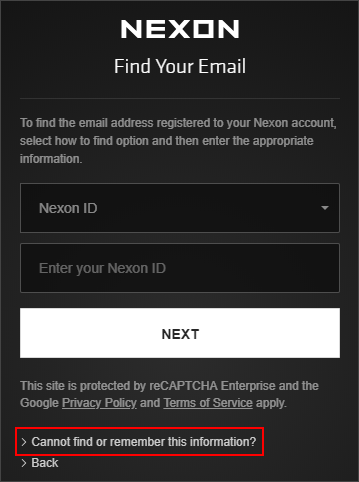
If you haven't used your account in a long time, it may be "frozen" for security reasons. Log into the Nexon website on a browser to ensure your account is active and not blocked.
Disable Conflicting Background Programs
On PC, ensure that other launchers or heavy background apps aren't interfering with the game's authentication process. On mobile, clear your RAM by closing other open apps.
Repair or Reinstall the Client
If you consistently crash at the login screen, use the "Repair" function in the Nexon Launcher to scan for corrupted files. As a last resort, a clean reinstallation can fix persistent errors.
Part 4: How to Fix Mabinogi Mobile Queue Not Moving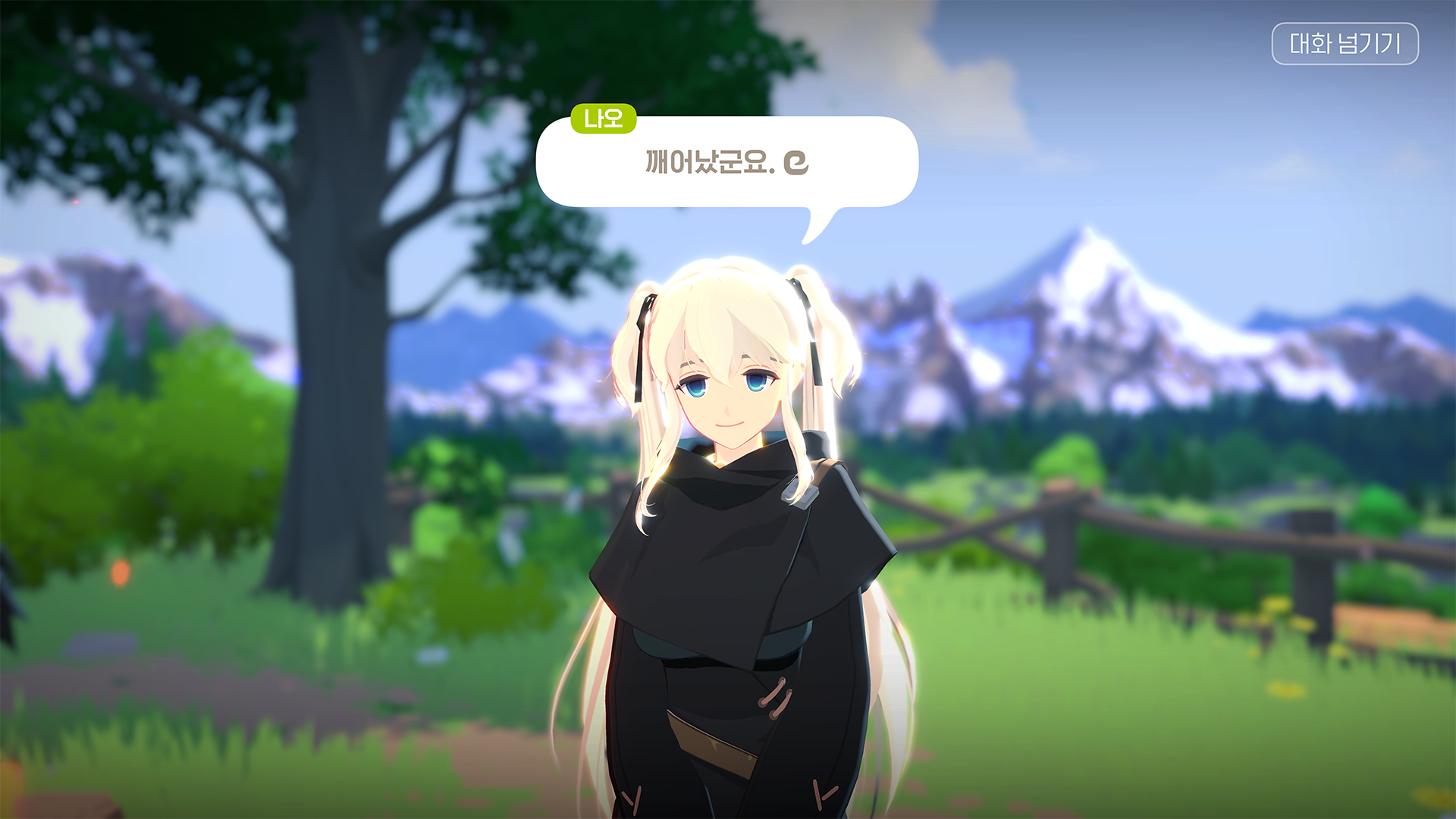
Stuck in a queue that doesn't seem to progress?
- Wait During Peak Launch Hours: During the first few days of a launch, queues are inevitable. The numbers may not update every second, so give it at least 10-15 minutes before giving up.
- Reconnect Without Repeatedly Switching Servers: If you leave the queue to try another server, you lose your spot. Stick to one server unless it is clearly down.
- Check for Emergency Maintenance: If the queue number hasn't moved for 30 minutes, the login server itself may have crashed, necessitating a quick check of official announcements.
Part 5: How to Fix Mabinogi Mobile Lag and High Ping
Lag is the biggest enemy of a smooth Mabinogi experience, especially for global players.
Use a Stable Wired or 5 GHz Connection
Avoid using 2.4 GHz Wi-Fi, which is prone to interference. A wired Ethernet connection for PC or a 5 GHz Wi-Fi band for mobile will significantly reduce jitter.
Stop Background Downloads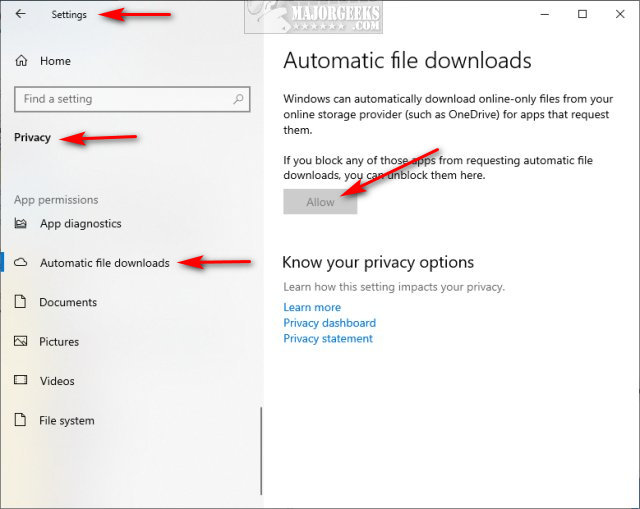
Ensure that Windows Update, Steam, or other devices on your network aren't hogging your bandwidth while you play.
Select a Better Network Route
Your ISP may not always use the most direct path to the game servers in Taiwan or Hong Kong. This "indirect routing" is a primary cause of high ping.
Reduce Packet Loss and Network Jitter with LagoFast
For players outside the primary service regions, standard internet routing often results in High Ping, Packet Loss, and Network Jitter. LagoFast Game Booster solves this by providing a dedicated pathway to the Mabinogi Mobile servers. It bypasses congested public nodes, ensuring that your data takes the shortest possible route, which drastically lowers your ping and eliminates the "teleporting" or delayed skill triggers caused by packet loss.
Part 6: How to Fix Mabinogi Mobile Disconnecting
Frequent "Connection Lost" errors can be frustrating.
- Check Wi-Fi Stability: If your signal drops for even a second, the game will kick you to the login screen. Ensure you have a strong, consistent signal.
- Switch Between PC and Mobile Networks: If you are playing on mobile, try switching from Wi-Fi to 5G/LTE to see if the issue is with your home router.
- Update the Game Client: Outdated versions of the game can have bugs that lead to frequent disconnections.
- Check Firewall and Antivirus Settings: Ensure the game is allowed to communicate through your PC's security software.
Part 7: How to Enhance Your Game Experience with LagoFast Game Booster
If you are serious about playing Mabinogi Mobile at a high level, especially if you are connecting from overseas, LagoFast(LagoFast Game Booster - Get No Lag and Lower Ping) Game Booster is a must-have tool. It doesn't just "speed up" your internet; it optimizes the entire connection chain specifically for gaming.
Detailed Steps to Use LagoFast Game Booster:
Click the Free Trial button to download and install LagoFast Free Trial.
Search for Mabinogi Mobile: Find the game in the LagoFast library and add it.
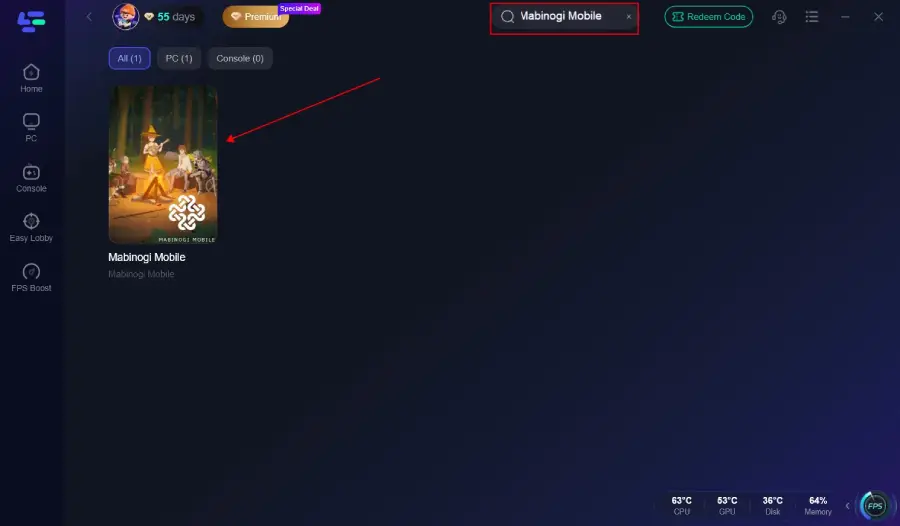
Choose the Best Node: Select the server region you are playing on (e.g., Taiwan). LagoFast will automatically recommend the best node based on your current location.
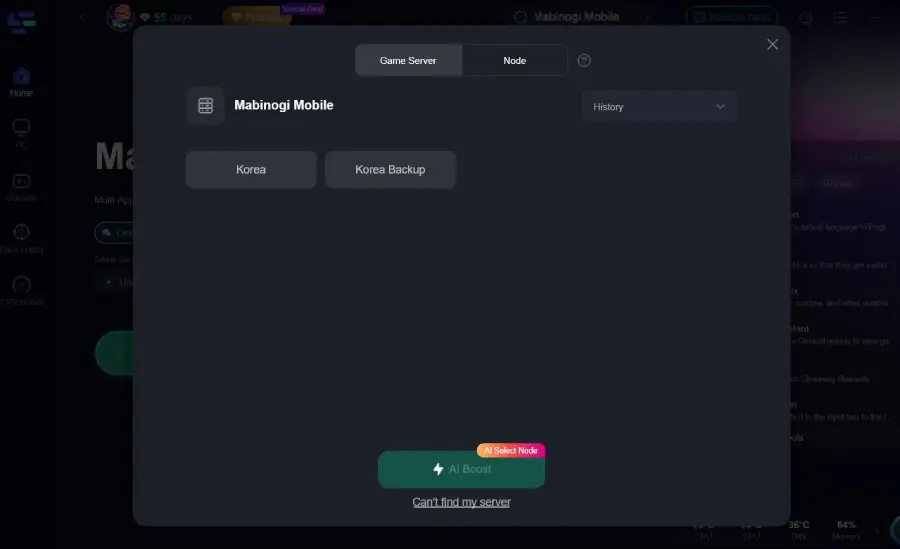
One-Click Boost: Hit the "Boost" button. You will see your real-time ping drop and your connection stabilize.
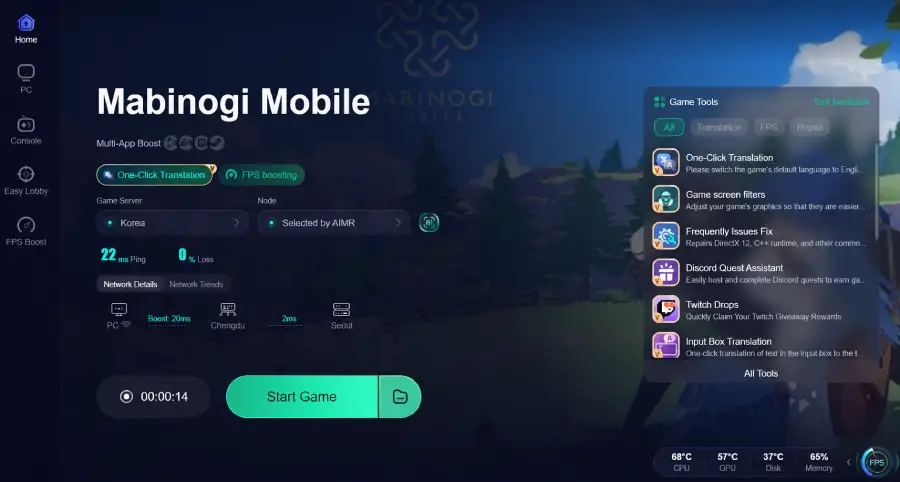
Enjoy Erinn: Launch the game and experience the combat as it was meant to be—fluid, responsive, and lag-free.
Part 8: Mabinogi Mobile Server and Connection FAQ
Q1: Why is my ping so high even though my internet is fast?
A: High ping is usually caused by the physical distance between you and the server, or poor routing by your ISP. "Fast" internet (bandwidth) doesn't always mean "low latency" (ping).
Q2: Can I play Mabinogi Mobile with a VPN?
A: While a standard VPN can change your IP, it often increases your ping because it adds extra steps to the routing process. A game booster like LagoFast is specifically optimized for low-latency gaming.
Q3: How long does scheduled maintenance usually last?
A: Standard maintenance typically lasts between 3 to 6 hours, depending on the size of the update.
Q4: What does "Network Jitter" mean?
A: Jitter is the variance in your ping. If your ping jumps from 50ms to 200ms and back, that's jitter, and it causes the game to feel stuttery or unstable.
Q5: Will I lose my character if I reinstall the game?
A: No, your character data is stored on Nexon's servers, linked to your account. Reinstalling the client will not delete your progress.
Key Takeaway
To maintain a perfect Mabinogi Mobile server status, always stay informed through official maintenance schedules. If you are struggling with login errors or high ping, ensure your local network is optimized and use LagoFast Game Booster to bridge the gap between your location and the servers in Erinn.
Boost Your Game with LagoFast for Epic Speed
Play harder, faster. LagoFast game booster eliminates stutter and lags on PC, mobile, or Mac—win every match!
Quickly Reduce Game Lag and Ping!
Boost FPS for Smoother Gameplay!