
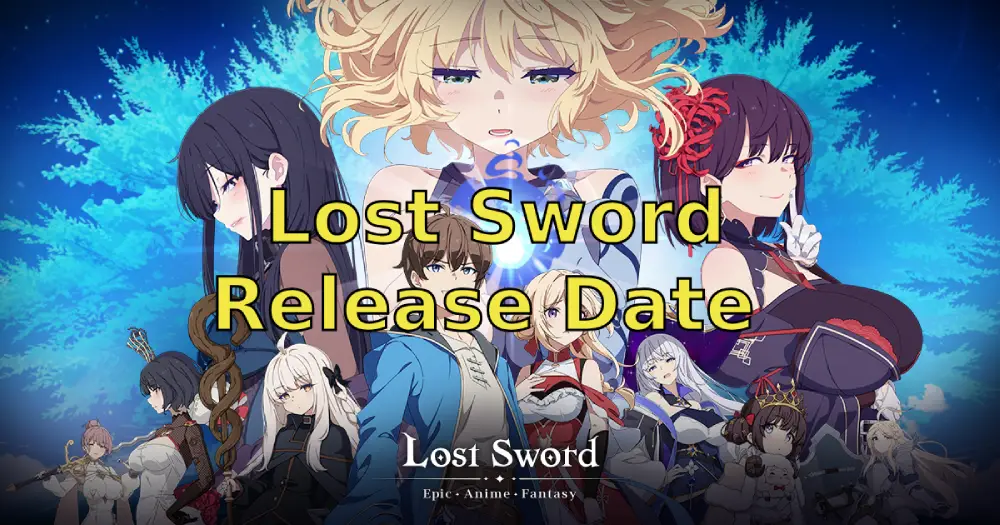
The 2D anime-style RPG Lost Sword captured the attention of manga and gaming enthusiasts when it debuted in South Korea in January 2025. Combining side-scrolling action with card collection elements, it offers players an enchanting fantasy journey. This article provides all the essential details about Lost Sword's global release, including release date, server information, system requirements, download instructions, and tips to enhance your gameplay experience!
Thai version: วันที่วางจำหน่าย Lost Sword - รวมทุกรายละเอียด

- ✅ Reduce Lag and High Ping.
- ✅ Boost FPS at the Same Time.
- ✅ Support 2000+ Popular Online Games.
- ✅ Change Server without Latency.
- ✅ Boost Game Loading Speed.
Part 1: Lost Sword Global Release Date
Part 2: Lost Sword Gameplay Overview
Part 3: How to Download Lost Sword
Part 4: How to Enhance Gaming Experience in Lost Sword
Part 1: Lost Sword Global Release Date
The Lost Sword's global release is scheduled for July 10, 2025 at 17:00 (UTC+9). Note that this date may change based on final testing results. Players who pre-registered can download and start playing immediately upon release! For the latest release details, visit the official Discord or website.
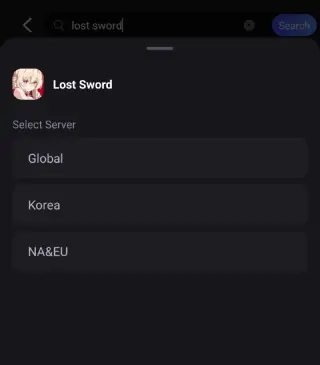
Three servers will be available for this global launch: Korea, Global, and NA & EU. For optimal gameplay, it is recommended to connect to the server suggested in-game.
Lost Sword System Requirements on Android & iOS
Android:
- Operating System:Android 6.0 or higher
- RAM: 4GB or more
iOS:
- iPhone: Requires iOS 13.0 or later.
- iPad: Requires iPadOS 13.0 or later.
- iPod touch: Requires iOS 13.0 or later.
- Mac: Requires macOS 11.0 or later and a Mac with Apple M1 chip or later.
- Apple Vision: Requires visionOS 1.0 or later.
Part 2: Lost Sword Gameplay Overview
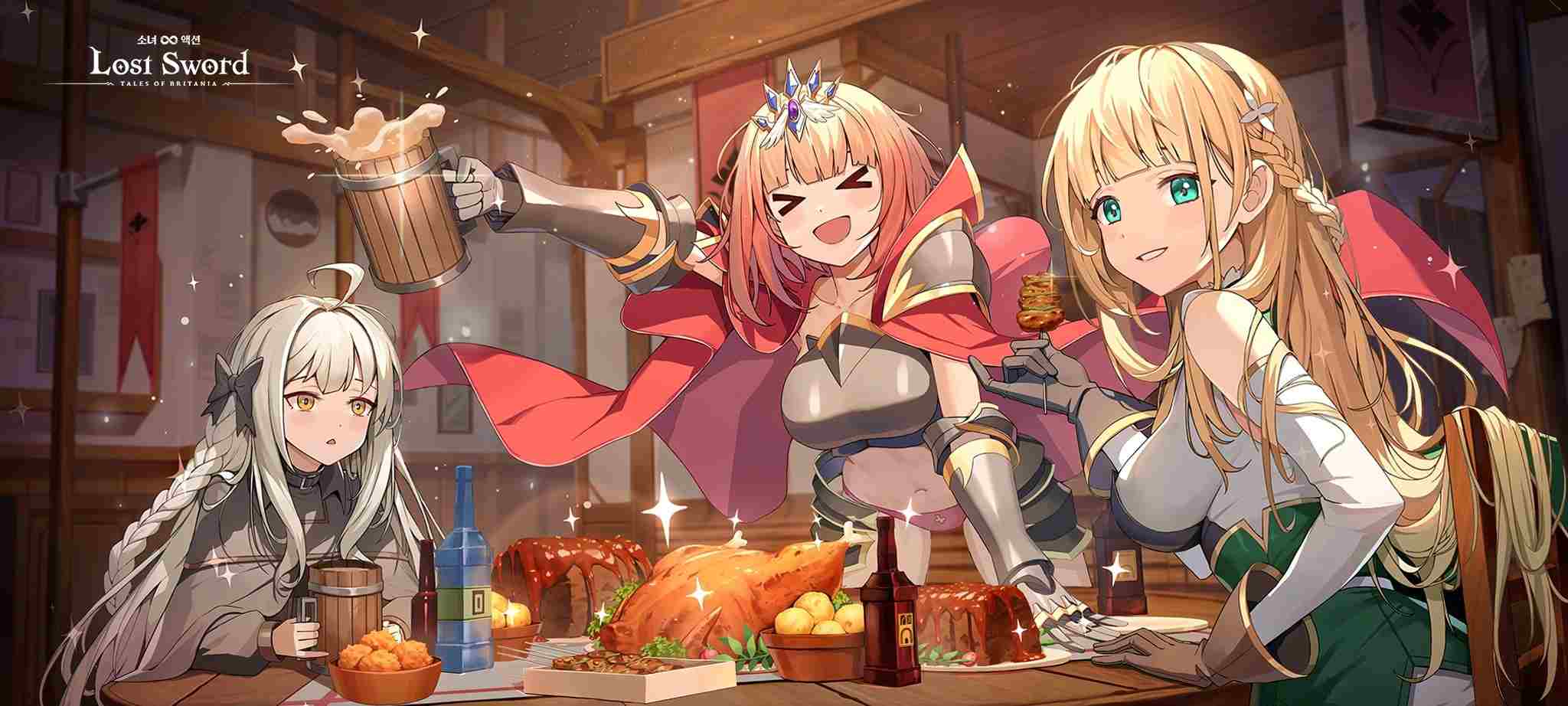
As an RPG designed to deliver epic story-driven adventures, Lost Sword offers stunning visuals where players can meet a diverse cast of female companions and embark on thrilling journeys filled with action and excitement!
Lost Sword Gameplay Overview
1. Subculture RPG Hybrid: Combines 2D anime-style visuals with deep RPG mechanics, including:
- Over 40 playable characters (e.g., Elizabeth Pendragon, Morgan le Fay)
- Strategic team-building with elemental affinities (Fire/Water/Earth/Light/Dark)
- Guild wars and real-time PvP arenas
2. Battle Damage System ("War Dress Burst"):
- Characters' clothing tears progressively during combat, enhancing immersion
- Visual effects intensify with critical hits and ultimate abilities
3. Cross-Platform Progression:
- Seamless gameplay across Android/iOS devices
- Cloud save integration for account continuity
Part 3: How to Download Lost Sword
After confirming your device meets the system requirements, players can download and install Lost Sword directly from their platform stores starting July 10th:
For Android Players:
Go to the Google Play Store, search for "Lost Sword," and tap the download button.
For iOS Players:
Visit the Apple App Store, locate "Lost Sword," and tap the download button to install.
Bonus Tip:
Players can play Lost Sword PC on larger screens via Google Play Games for a better gaming exprience.
Best Way to Download Lost Sword - LagoFast
For a smoother experience, use LagoFast—a gaming booster designed to bypass network congestion, stabilize connections, and ensure safe, complete game file downloads.
Visit LagoFast's official website, download the LagoFast Mobile APK, and install it.

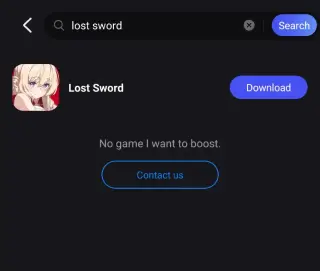
Launch the app, search for "Lost Sword" in the search bar, and tap the download button.
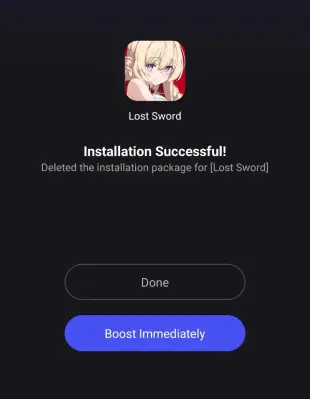
Wait for the download to finish, then complete the installation steps.
Part 4: How to Enhance Gaming Experience in Lost Sword
When Lost Sword launches globally, players worldwide will join the adventure. To minimize in-game lag, avoid crowded servers, and ensure smooth gameplay, use LagoFast with these advantages:
- Faster Downloads: Accelerates game pre-loads, updates, and downloads through optimized delivery routes.
- Cross-Platform Support: Support players to play games seamlessly across mobile, PC, and console devices.
- Stable Connections: Avoids congested networks to minimize disconnects and maintain connection reliability.
- Ping Reduction: Lowers latency by optimizing data transmission routes and avoiding server congestion.
How to Play Lost Sword with LagoFast Mobile
Download LagoFast Mobile from Google Play or the App Store (or scan the QR code below).

Install LagoFast Mobile after downloading.
Launch LagoFast Mobile and search for "Lost Sword" in the app.
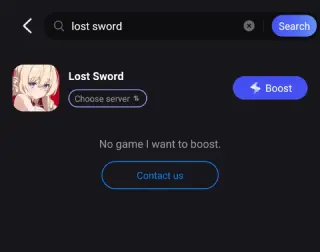
Select the best server node from LagoFast's server list.
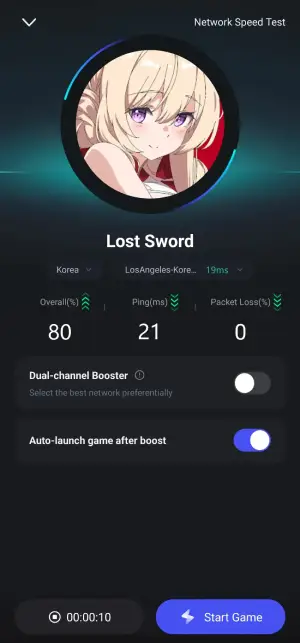
Enable real-time acceleration and tap "Start Game" to play Lost Sword with zero lag!
Conclusion
Lost Sword combines cinematic combat with deep strategic gameplay, and its global launch is set to spark a new wave in the mobile RPG scene! Head to official download channels or use LagoFast Mobile's direct download path to get Lost Sword. Activate LagoFast's optimization feature to ensure smooth performance as you team up with beautiful companions for an unforgettable RPG adventure!
Boost Your Game with LagoFast for Epic Speed
Play harder, faster. LagoFast game booster eliminates stutter and lags on PC, mobile, or Mac—win every match!
Quickly Reduce Game Lag and Ping!
Boost FPS for Smoother Gameplay!