
Quick Answer
Yes. FC 27 crossplay connects PC, PlayStation 5, and Xbox Series X|S players in supported online modes. PlayStation 4 and Xbox One share a separate older-generation pool. Nintendo Switch 2 does not crossplay with PC or consoles, even though it receives selected FC 27 modes such as The Grounds.

- ✅ Reduce Lag and High Ping.
- ✅ Boost FPS at the Same Time.
- ✅ Support 8000+ Popular Online Games.
- ✅ Stable Server Connection
Part 1: Does EA SPORTS FC 27 Have Crossplay?
Part 2: Which FC 27 Platforms Can Play Together?
Part 3: Do FC 27 Clubs and The Grounds Support Crossplay?
Part 4: How to Turn FC 27 Crossplay On or Off
Part 5: Reduce FC 27 Crossplay Lag and High Ping With LagoFast
Part 6: FC 27 Crossplay Not Working and Matchmaking Issues
Part 7: FAQs on EA SPORTS FC 27 Crossplay
Part 1: Does EA SPORTS FC 27 Have Crossplay?
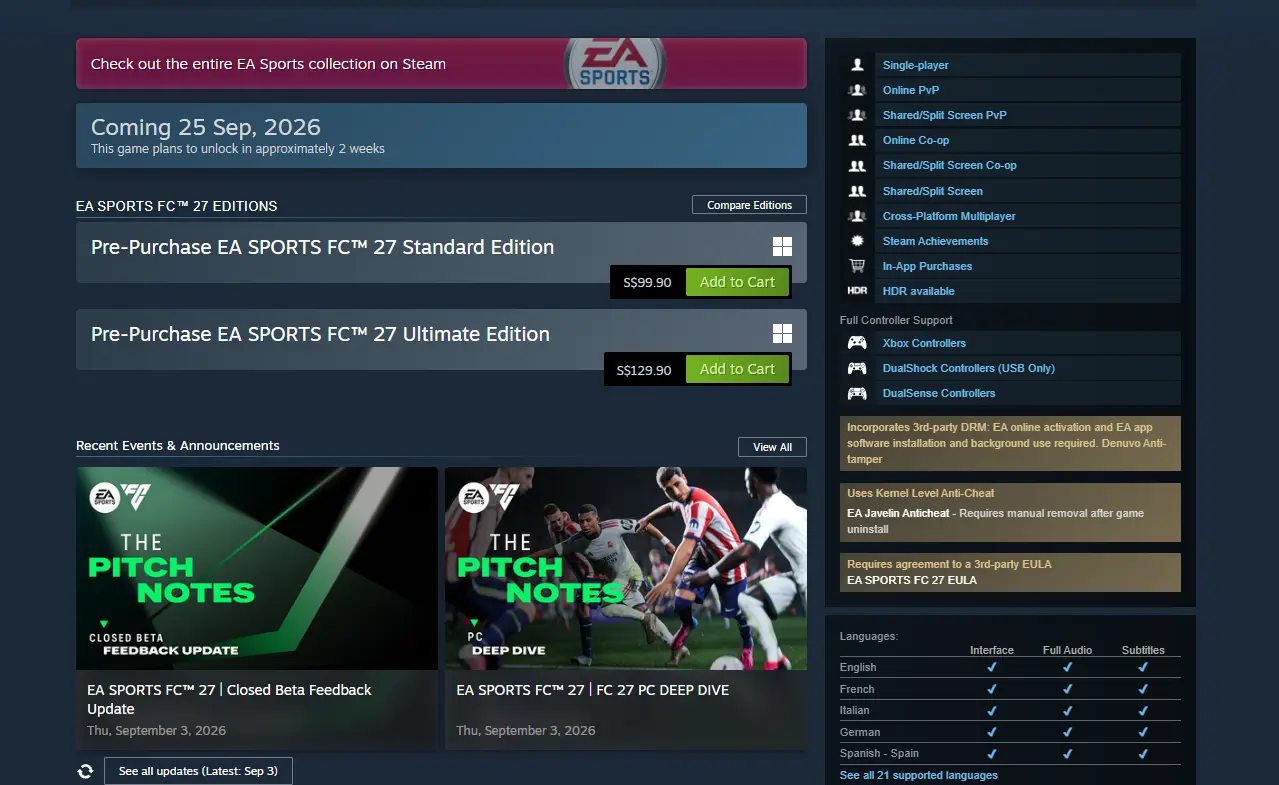
The short answer to is FC 27 crossplay is yes, but platform generation matters. EA groups players by the version of the game they run, not simply by the brand printed on the console. Current-generation players can meet across PC, PS5, and Xbox Series X|S, while last-generation players remain in a separate pool.
Crossplay applies to multiplayer modes that support online matchmaking. It does not merge every account system or guarantee shared progression. Cross-platform play means two players can enter the same match; cross-progression describes saved progress moving between platforms, and those are different features.
|
Player platform |
Crossplay group |
|
PC |
With PS5 and Xbox Series X |
|
PlayStation 5 |
With PC and Xbox Series X |
|
Xbox Series X |
S |
|
PlayStation 4 |
With Xbox One |
|
Xbox One |
With PS4 |
|
Nintendo Switch 2 |
Nintendo ecosystem only; no wider FC crossplay |
Keeping crossplay enabled normally produces a larger matchmaking pool. That can shorten search times, especially outside peak hours, but it also means your opponents may use a different display, controller setup, or input environment.
Part 2: Which FC 27 Platforms Can Play Together?
The clearest FC 27 cross-platform group is PC, PS5, and Xbox Series X|S. This is the important answer for friends planning to play together across Windows and current-generation consoles.
FC 27 crossplay PC, PS5 and Xbox rules
- PC players can match with PS5 and Xbox Series X|S players.
- PS5 and Xbox Series X|S players can play together.
- PS4 and Xbox One players form a separate older-generation group.
- PS5 cannot directly match with PS4 through crossplay.
- Xbox Series X|S cannot directly match with Xbox One through crossplay.
- Nintendo Switch and Switch 2 do not join the PC, PlayStation, or Xbox crossplay pool.
Part 3: Do FC 27 Clubs and The Grounds Support Crossplay?
Clubs and The Grounds are among the modes where platform boundaries matter most because players form groups rather than entering only a one-off match. The official FC 27 description lists The Grounds on PS5, Xbox Series X|S, PC, and Nintendo Switch 2. However, Nintendo Switch 2 is not part of the wider EA crossplay network.
|
Mode or platform |
Current crossplay position |
|
Clubs on PC |
Crossplay with PS5 and Xbox Series X |
|
Clubs on PS5 |
Crossplay with PC and Xbox Series X |
|
Clubs on Xbox Series X |
S |
|
The Grounds on PC/PS5/Xbox Series |
Shared current-generation crossplay group |
|
The Grounds on Switch 2 |
Available on the platform, but no PC/PlayStation/Xbox crossplay |
|
Clubs on PS4/Xbox One |
Not part of the current-generation Clubs group |
For fc 27 Clubs crossplay, every teammate should confirm the same generation group and enable crossplay before accepting an invite. A party can fail to form when one member is on Switch 2, an old-generation edition, or a mode with different availability.
Part 4: How to Turn FC 27 Crossplay On or Off
Crossplay is generally enabled by default, but the setting can be changed from the main menu. Do this before matchmaking because EA does not allow the option to be changed during an active match.
Using EA Connect
- Open EA Connect from the bottom-right of the main menu.
- Select Social Settings.
- Open Cross-Play, then Cross-Play Settings.
- Set Cross-Play Enabled to Yes or No.
Using mode settings
In Ultimate Team, open Settings, choose Matchmaking Settings, and change the same cross-play option. From the broader menu, use Customise > Online Settings > Matchmaking Options when that route is shown in your game version.
Turn crossplay off only when you have a specific reason, such as testing platform-specific matchmaking or isolating a connection issue. The trade-off is a smaller player pool and potentially longer queues. It will not remove every cause of delay because server distance, packet loss, and frame pacing still affect a match.
Part 5: How to Reduce FC 27 Crossplay Lag and High Ping With LagoFast
Crossplay can expose route differences between regions and internet providers. If actions feel late only in online matches, compare ping and packet loss instead of immediately changing passing or shooting controls. LagoFast Game Booster can help PC players test a recommended route and monitor connection stability.
Step-by-step tutorial for optimizing FC 27 crossplay matchmaking
Step 1. Click the Free Trial button to download and install LagoFast Free Trial.
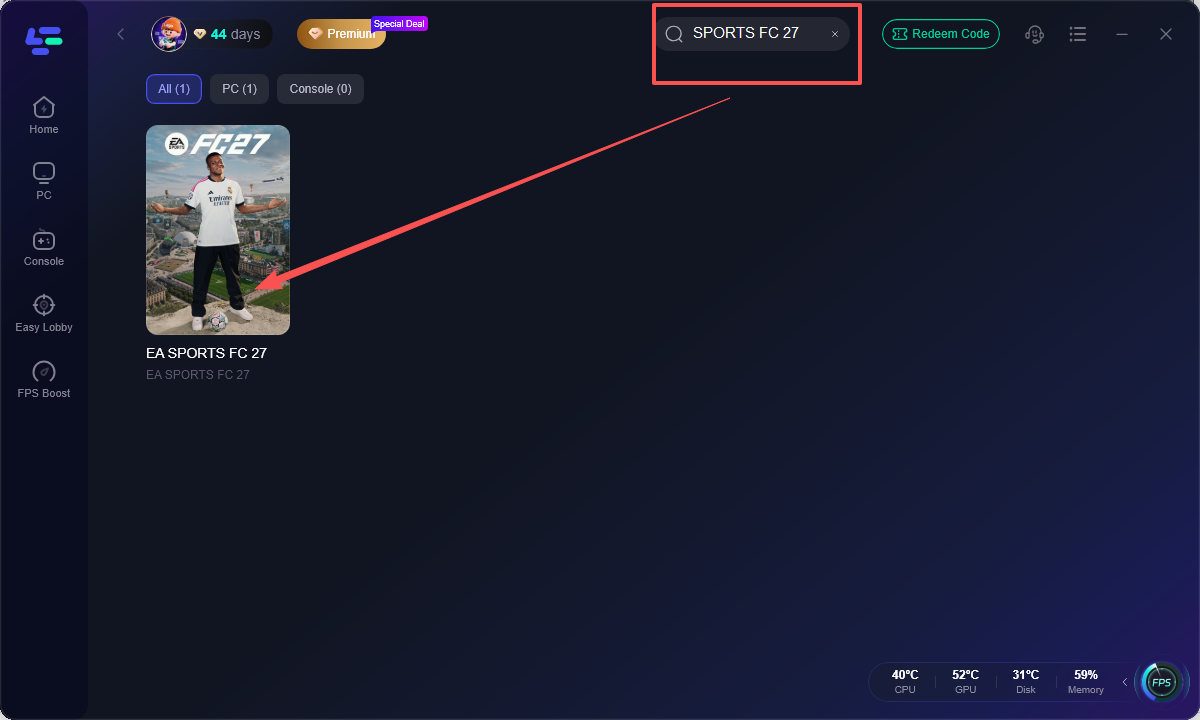
Step 2. Search for EA SPORTS FC 27. Select the correct entry so the booster prepares the relevant network profile.
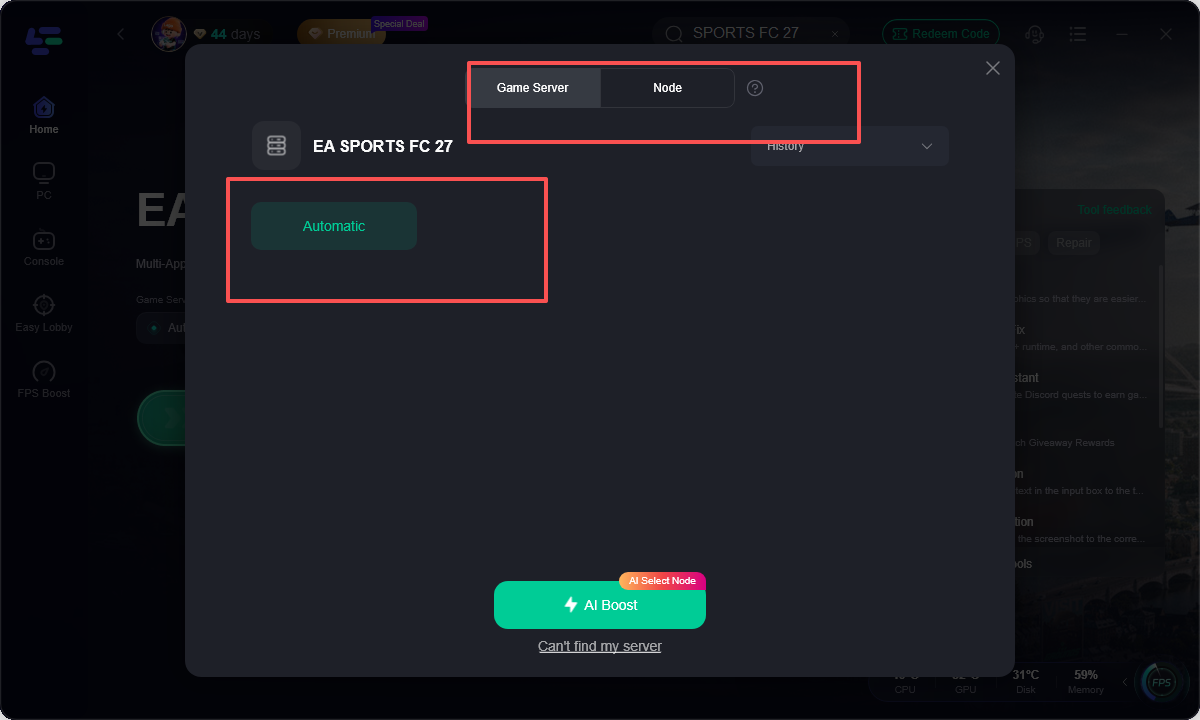
Step 3. Choose a nearby recommended server route. Begin with the closest stable region. Compare another suggested node only when the first route shows inconsistent ping.
Step 4. Activate Smart Boost or network optimization. Pause downloads, streaming, and cloud synchronization while testing to avoid adding local congestion.
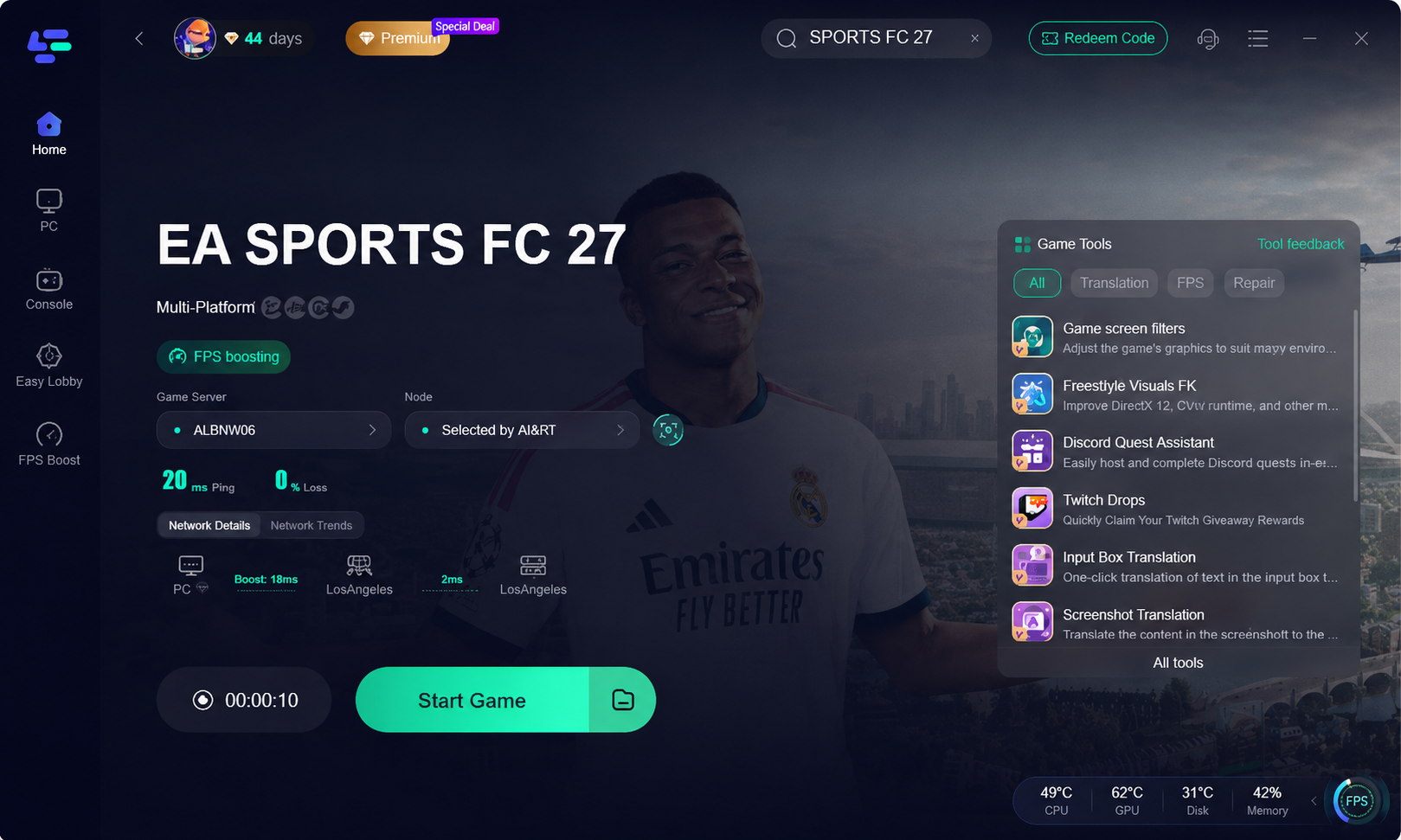
Step 5. Play a complete crossplay match and compare the data. Check ping consistency, packet loss, disconnects, and delayed actions. If the same delay occurs offline, inspect display settings, controller input, and FPS instead of treating it as a routing issue.
LagoFast can reduce route-related instability, but it cannot change EA’s platform-generation rules or guarantee a specific opponent region. The useful result is a cleaner comparison between local input delay and network delay.
Part 6: FC 27 Crossplay Not Working and Matchmaking Issues
When crossplay fails, identify the boundary first. Most problems come from different game generations, disabled settings, unavailable modes, platform privacy controls, or a temporary service issue.
Troubleshooting checklist
- Confirm that both players use the same generation group.
- Check that crossplay is enabled for every account.
- Add the friend through EA Connect using the correct EA ID.
- Restart the game after changing crossplay settings.
- Confirm both clients are fully updated.
- Check EA service status before changing router settings.
- Test a supported mode such as Online Friendlies or a standard matchmaking playlist.
- On PC, close VPNs, duplicate network tools, and overlays that interfere with the game client.
If invitations arrive but the match never starts, compare regions and NAT behavior. Strict NAT, packet loss, or unstable Wi-Fi can interrupt party formation. If only one mode fails, it may be a mode-specific outage.
Part 7: FAQs on EA SPORTS FC 27 Crossplay
Is FC 27 crossplay available on PC and PS5?
Yes. PC and PS5 belong to the same current-generation crossplay group, provided the mode supports crossplay and both players have it enabled.
Does FC 27 PS5 Xbox crossplay work?
Yes. PS5 and Xbox Series X|S can play together in supported online modes. PS4 and Xbox One use a separate group.
Does FC 27 have crossplay with Switch 2?
No wider crossplay is available between Switch 2 and PC, PlayStation, or Xbox. Switch 2 can receive selected FC 27 content but remains outside the main crossplay pool.
Does FC 27 Clubs have crossplay?
Clubs supports crossplay among PC, PS5, and Xbox Series X|S. Switch 2 and older-generation editions are not part of that current-generation Clubs group.
Does FC 27 The Grounds support crossplay?
The Grounds is available on PC, PS5, Xbox Series X|S, and Switch 2. The PC, PS5, and Xbox versions share the main crossplay group; Switch 2 does not connect to it.
Can PS5 players play with PS4 players?
No. Crossplay is restricted by generation. PS5 belongs to the current-generation group, while PS4 belongs to the older-generation group with Xbox One.
Does turning off crossplay improve lag?
Not automatically. It reduces the matchmaking pool but does not repair packet loss, high ping, weak Wi-Fi, or display latency. Test the network cause before disabling the feature.
Why is FC 27 crossplay matchmaking taking so long?
A disabled crossplay setting, low regional population, platform-generation mismatch, service issue, or strict NAT can extend the search. Re-enable crossplay and test during a busier period.
Key takeaway
FC 27 crossplay connects PC, PS5, and Xbox Series X|S in supported modes, while PS4 and Xbox One form a separate group. Switch 2 has selected FC 27 content, including The Grounds, but does not join the wider crossplay pool. Confirm platform generation first, then check settings, game versions, service status, and connection quality. When online matches remain unstable, LagoFast Game Booster provides a practical way to compare routes and reduce network-related disruption.
Boost Your Game with LagoFast for Epic Speed
Play harder, faster. LagoFast game booster eliminates stutter and lags on PC, mobile, or Mac—win every match!
Quickly Reduce Game Lag and Ping!
Boost FPS for Smoother Gameplay!