

Quick Answer: How to Get Jungle Timers in League Classic
League of Legends Classic does not include built-in countdown timers for jungle camps, as it faithfully recreates the Season 3 experience where players had to track respawns manually. To get jungle timers, you can use a third-party overlay like the LagoFast PBE Classic Jungle Timer, which automatically tracks camps cleared by you and your teammates. Alternatively, you can track respawns manually by checking the game clock when a camp is cleared and adding the respawn duration (50 seconds for small camps, 5 minutes for buffs) to the team chat. For the best experience, using a dedicated tool like LagoFast is the most efficient way to plan your jungle rotation without constant mental math.
The return of League of Legends Classic has sent ripples through the community, offering a nostalgic trip back to the era of brutal jungle clears and high-impact roaming. However, players quickly realized that the modern UI comforts they’ve grown accustomed to—specifically the automatic jungle timers on the minimap—are missing. In the S3-inspired world of League Classic, the jungle is a "dark" place where information is a resource you have to earn. Whether you're a veteran looking to sharpen your old skills or a new player struggling with the lack of guidance, mastering the clock is the only way to dominate the map.

- ✅ Reduce Lag and High Ping.
- ✅ Boost FPS at the Same Time.
- ✅ No more PBE Queue Issues.
- ✅ Full Guides For Novice Players.
- ✅ Support 3000+ Online Games.
Part 1: Does League Classic Have Jungle Timers?
Part 2: Why Are Jungle Timers Not Showing in League Classic?
Part 3: How to Get Jungle Timers in League Classic
Part 4: Method 1: Use the League Classic Jungle Timer
Part 5: Method 2: Manually Track Jungle Camp Respawn Times
Part 6: How to Show Jungle Timers on the League Classic Minimap
Part 7: How Jungle Timers Improve Your Classic Jungle Path
Part 8: Can You Track Enemy Jungle Camps?
Part 9: Is It Safe to Use a Jungle Timer in League Classic?
Part 10: How to Enhance Your Game Experience with LagoFast Game Booster
Part 11: Frequently Asked Questions
Does League Classic Have Jungle Timers?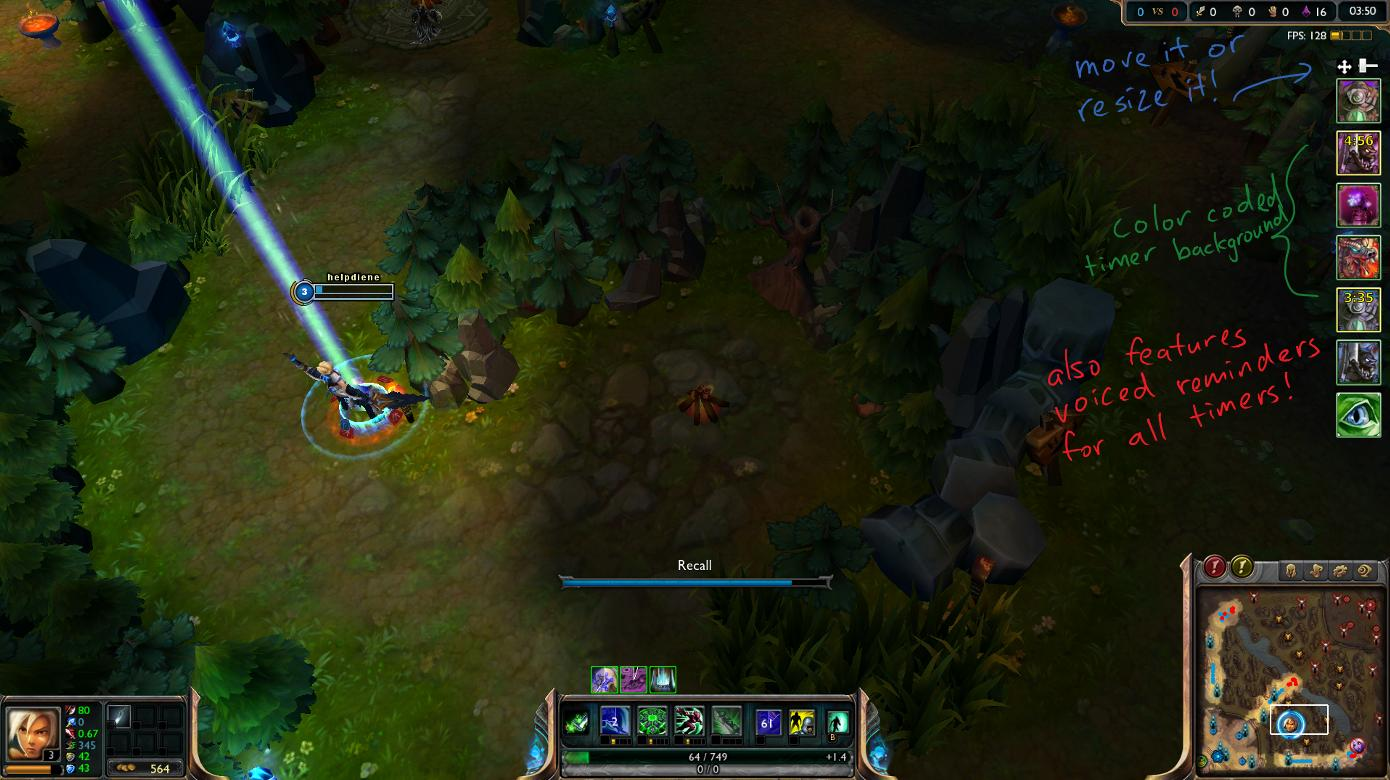
The short answer is: not in the way you're used to. League Classic is designed to be a faithful recreation of the game's earlier years, specifically around the Season 3 period.
What timer information League Classic shows
In the current version of League Classic, you get very limited information. You can see the "camp icons" on the minimap when a camp is up, but once it's cleared, the icon simply disappears. There is no greyed-out icon with a countdown, and there is no visual indicator at the top of the screen for major objectives like Dragon or Baron until they are about to spawn or have been recently scouted.
What modern jungle timer features are missing
Modern League of Legends provides a wealth of information: countdowns for small camps, exact timers for buffs (Red/Blue), and a dedicated objective bar for Dragon, Rift Herald, and Baron. All of these are absent in Classic. You won't see a timer ticking down on the minimap, and you won't get an automatic notification when a camp is 20 seconds away from respawning.
Why Classic preserves the older jungle tracking experience
Riot’s goal with Classic is "authenticity." In Season 3, "Jungle Tracking" was a specialized skill that separated good junglers from great ones. By removing the timers, the game forces players to pay attention to the game clock, communicate with their team, and use their intuition to predict enemy movements. It’s about the "hardcore" feel of the game's roots.
Is the missing timer a bug or an intended feature?
It is 100% an intended feature. While some players on the PBE initially reported it as a bug, Riot has clarified that the UI is meant to mirror the S3 experience. If you don't see a timer, it's because there isn't supposed to be one.
Why Are Jungle Timers Not Showing in League Classic?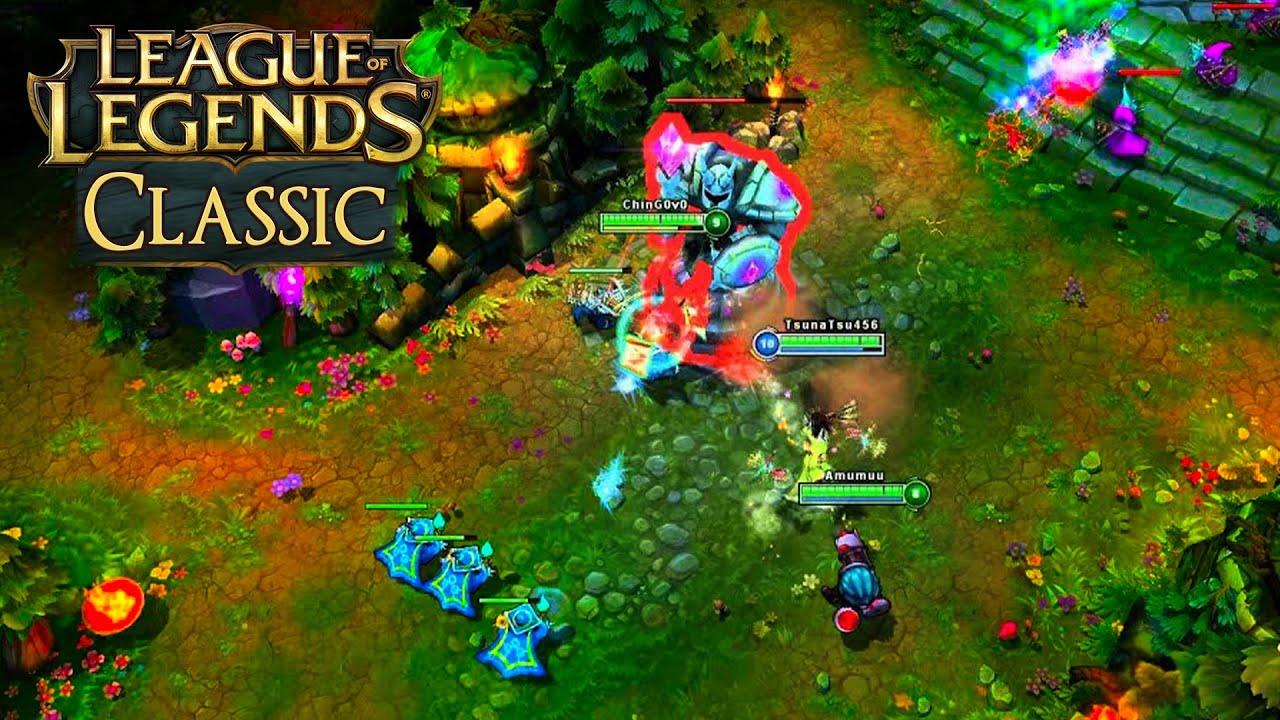
If you've been digging through the settings menu looking for a "Show Jungle Timers" toggle, you're going to be disappointed.
League Classic does not use the same timer system as modern League
The codebase for Classic is separate from the "Live" game. The logic that handles the modern minimap overlays simply isn't active in the Classic environment. This is a deliberate choice to ensure the gameplay loop remains true to the original design.
There is no hidden setting to enable full camp countdowns
Many players assume there’s a hidden "Legacy" or "Advanced" UI setting that will bring back the timers. Unfortunately, no such setting exists. The game client is hardcoded to use the simplified S3 minimap logic.
PBE bugs and temporary UI issues
While the lack of timers is intentional, the PBE (Public Beta Environment) does occasionally suffer from UI bugs where even the basic "camp up" icons might flicker or fail to appear. These are usually fixed with a client restart, but they don't bring back the countdowns.
Third-party overlay compatibility problems
Standard tools like Porofessor, Blitz, or OP.GG are built for the modern League of Legends API. Because League Classic uses a different data structure and game logic, most of these overlays currently do not support Classic, or they show incorrect information.
Differences between objective timers and normal camp timers
In Classic, you might see a slight indicator for Dragon or Baron if your team had vision when they were killed, but even these are far less precise than modern timers. Normal camps (Wraiths, Wolves, Golems) have zero built-in tracking.
How to Get Jungle Timers in League Classic
Since the game won't give them to you, you have to find other ways to get that information.
Method 1: Use a League Classic jungle timer overlay
This is the most effective modern solution. Specialized tools like the LagoFast PBE Classic Jungle Timer are built specifically to hook into the Classic client. These overlays provide a visual countdown on your minimap or side-bar, filling the gap left by the game's default UI.
Method 2: Track jungle camps with the game clock
This is the "Old School" way. Every time you kill a camp, you look at the game clock (e.g., 07:15) and add the respawn time. It requires focus and mental effort, but it’s how the pros did it back in 2013.
Method 3: Record camp clears in team chat
A common sight in Season 3 was players typing "ob 1230" (Our Blue at 12:30) or "tr 1545" (Their Red at 15:45) in the chat. This serves as a timestamp that the whole team can see and reference.
Method 4: Use map pings and teammate communication
If you see a teammate clearing a camp, ping the map or ask them for the time. In Classic, the jungle is a team effort.
Method 1: Use the League Classic Jungle Timer
If you want the convenience of modern League without the mental fatigue, a dedicated overlay is the way to go. The LagoFast PBE Classic Jungle Timer is currently the leading tool for this.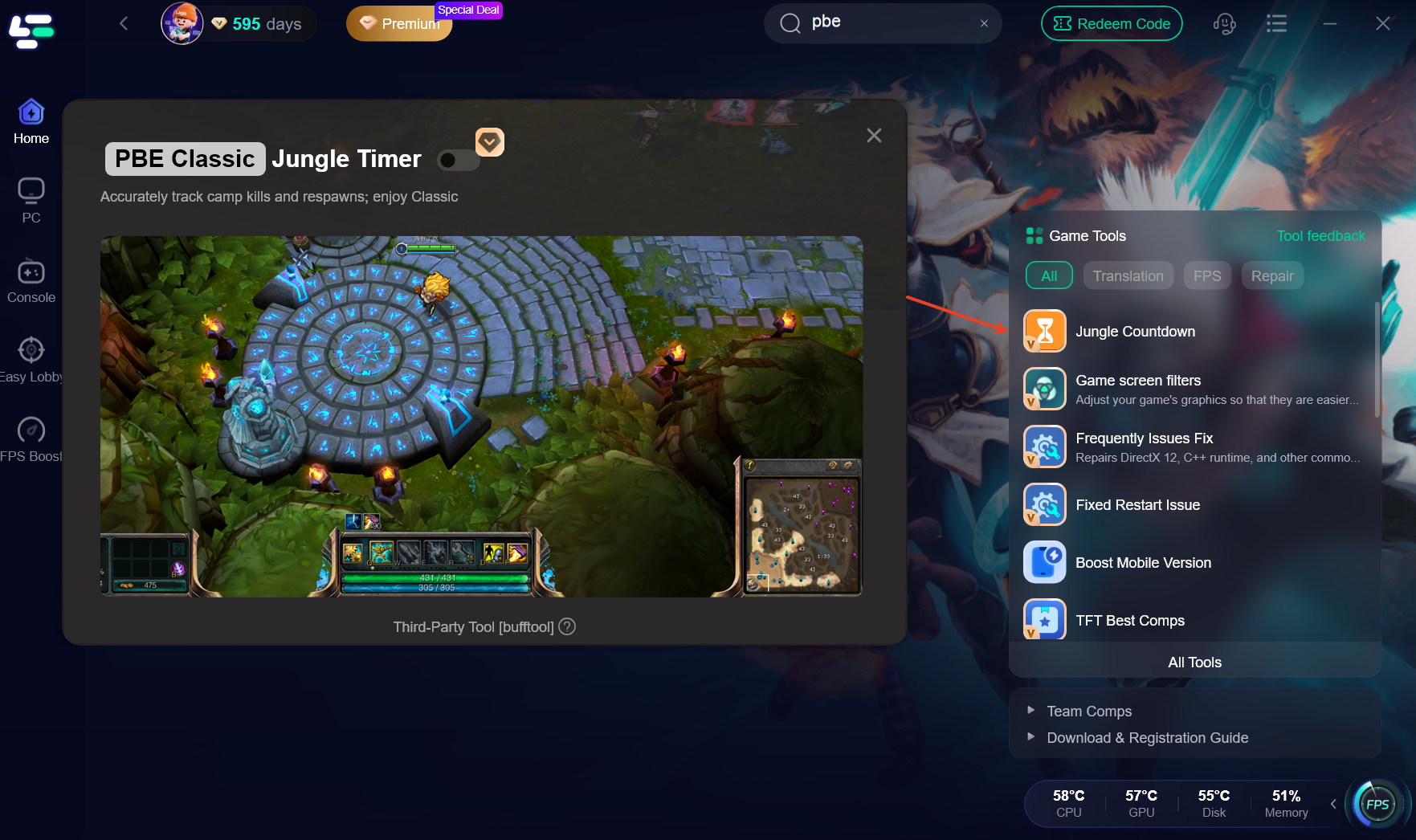
Launch the jungle timer before entering a match
To ensure the overlay syncs correctly, you should open your tool (like LagoFast) and enable the Classic Jungle Timer feature before you actually hit "Play" in the Riot Client. This allows the software to prepare the hooks for the game's process.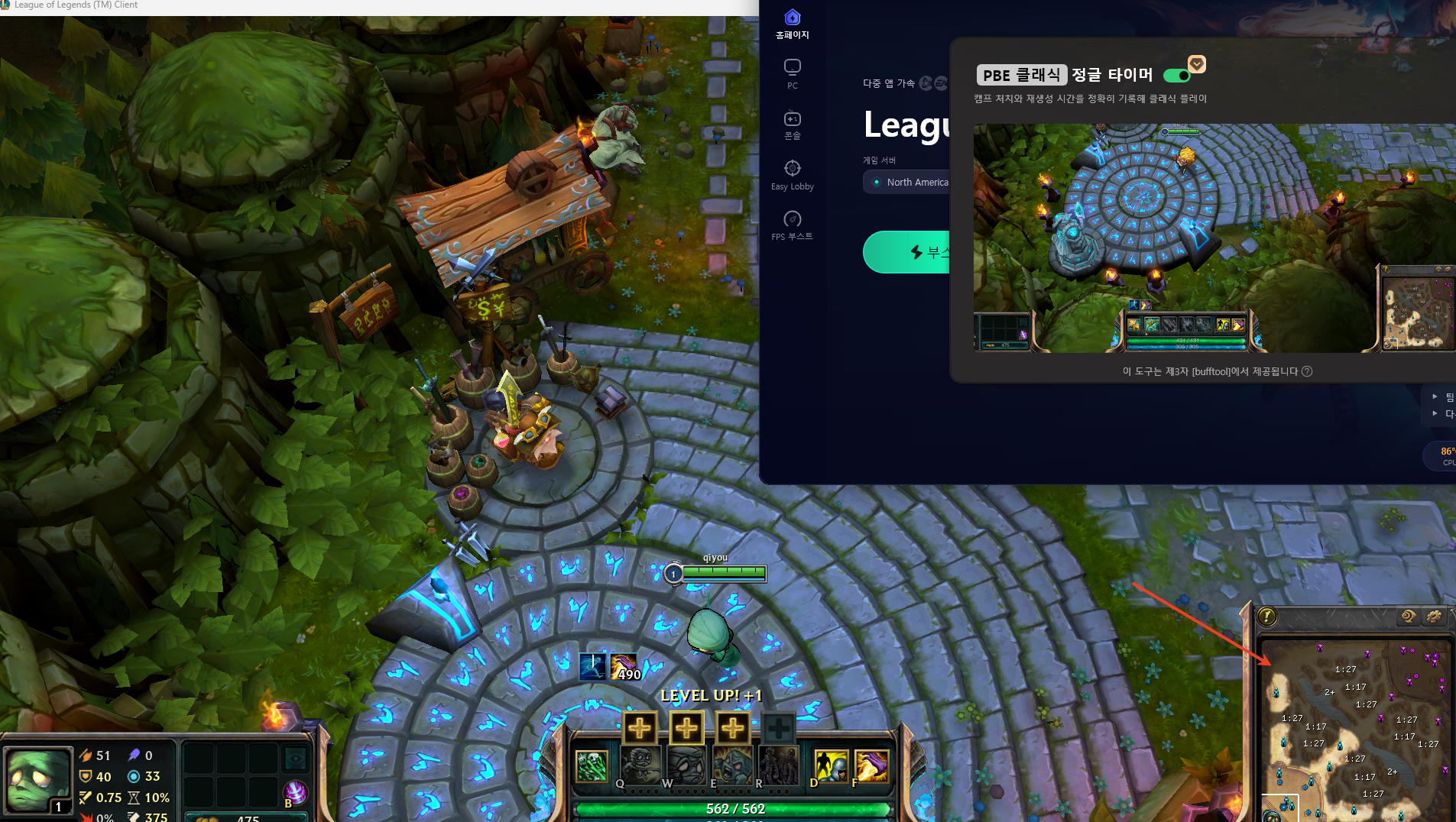
Enable the minimap overlay
Once in-game, you’ll see a small interface or icons appearing near your minimap. This is your "source of truth." You can often customize where these timers appear so they don't block your vision of the action.
Clear a jungle camp to start the countdown
The timer works by "listening" to the game events. The moment a camp in your vision is cleared, the tool starts a countdown. For small camps, this is usually 50 seconds; for buffs, it’s 5 minutes.
Track camps cleared by teammates
One of the best features of a tool like LagoFast is that it can track camps cleared by your teammates as well, provided they were in your team's vision. This helps you coordinate with your mid-laner when they take your Wraiths or your top-laner when they take Golems.
Check the next respawn before planning your route
Before you decide to gank bot lane, a quick glance at your timers might show that your Blue Buff is respawning in 15 seconds. This allows you to "Plan your next jungle rotation" and avoid "wasting time walking to camps that are still respawning."
Method 2: Manually Track Jungle Camp Respawn Times
If you want to play the game exactly as it was in 2013, you’ll need to master manual tracking.
Check the game clock when a camp is cleared
The moment the last monster in a camp dies, look at the top right of your screen. Let's say it's 08:00.
Add the camp's respawn duration
You need to memorize these numbers:
- Small Camps (Wraiths, Wolves, Golems): 50 Seconds
- Buffs (Blue/Red): 5 Minutes
- Dragon: 6 Minutes
- Baron: 7 Minutes
If you cleared Blue at 08:00, it will be back at 13:00.
Type the expected respawn time in team chat
Type "1300 OB" in the chat. This creates a permanent record you can scroll back to if you forget.
Return shortly before the camp respawns
A good jungler arrives at the camp 5-10 seconds before it spawns. This maximizes your "Gold per Minute" and keeps your experience lead high.
Prioritize Red and Blue Buff timers
In Classic, buffs are incredibly powerful. Losing your Blue Buff to an enemy invade because you didn't know the timer can lose you the game. Always prioritize these over small camps.
How to Show Jungle Timers on the League Classic Minimap
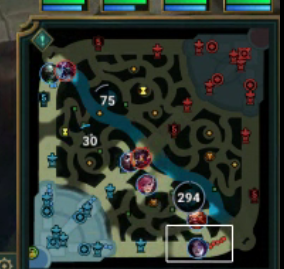
Using an overlay like LagoFast allows you to see the timers exactly where you need them.
Enable the timer overlay
In the LagoFast settings, find the "League Classic" section and toggle the "Jungle Timer Overlay" to ON.
Select the camps you want to track
You might only want to track buffs and major objectives to keep your UI clean, or you might want every single camp tracked for maximum efficiency. Most tools allow you to filter these.
Adjust timer position and opacity
You don't want the timers to be a distraction. Set the opacity to around 50-70% so you can see through them, and position them so they align with the camp icons on the minimap.
Make sure the overlay appears above the game
If you play in "Full Screen" mode, some overlays might struggle. It is often recommended to play in "Borderless Windowed" mode to ensure the timers stay visible at all times.
Test the timer in a practice or PBE match
Before jumping into a ranked match, load into a practice game. Clear a few camps and make sure the timers are triggering correctly and the numbers are accurate.
How Jungle Timers Improve Your Classic Jungle Path
Efficiency is everything in the jungle. Without timers, you are guessing; with timers, you are calculating.
Plan your second clear around camp respawns
Your first clear usually ends around 3:30. If you know exactly when your Wolves will be back, you can time your recall and buy so that you arrive back in the jungle just as the first camp respawns.
Avoid walking to empty jungle camps
There is nothing worse than walking all the way to the Golem camp only to find it's still 15 seconds away from spawning. Timers eliminate this "dead time," allowing you to stay active on the map.
Choose between farming, ganking, and recalling
If your timers show that no camps are up for the next 30 seconds, that is your "window" to gank a lane or recall for items. If a buff is up in 10 seconds, you stay and farm.
Prepare for buff respawns
Buffs are the most contested resources. Having a timer allows you to ward the area and prepare for a potential fight or a "smite-off" against the enemy jungler.
Coordinate camps cleared by teammates
If your mid-laner takes the Wraiths, your timer will show you that they are gone. You won't waste time pathing toward them, and you'll know exactly when they'll be back for your next rotation.
React to invades and stolen camps
If you walk into your jungle and find a camp is gone, you can estimate the timer based on when you last had vision. If you have an overlay, it might even help you mark the "death time" to help you predict the enemy's next move.
Can You Track Enemy Jungle Camps?
This is a controversial topic, but a vital part of high-level play.
Track camps you directly see being cleared
If you invade the enemy jungle and see them kill their Red Buff, you now have the exact timer for their next spawn. This is a massive strategic advantage.
Use wards to confirm enemy camp activity
Placing a ward at the enemy Wraiths or Blue Buff isn't just about seeing the jungler; it's about getting the "death timer" of the camp.
Estimate respawns from visible information
If the enemy jungler appears in top lane with a fresh Blue Buff, you can estimate that they cleared it about 30-60 seconds ago. You can then "rough in" a timer for their next spawn.
Why tools should not reveal hidden enemy camp data
Ethical tools like LagoFast will only track what you or your team has actually seen. Revealing hidden enemy timers would be considered cheating and could lead to an account ban. Always use tools that respect the "Fog of War."
Is It Safe to Use a Jungle Timer in League Classic?
Whenever you use third-party software, safety is a concern.
Riot’s general stance on overlays is that they are acceptable as long as they don't provide information that is otherwise "hidden" by the game's Fog of War. A jungle timer that simply automates the mental math of a visible camp clear is generally considered a "Quality of Life" tool. Thousands of players use overlays for modern League, and the same logic applies to Classic.
How to Enhance Your Game Experience with LagoFast Game Booster
Mastering the jungle is about more than just timing; it’s about performance. LagoFast(LagoFast Game Booster - Get No Lag and Lower Ping) Game Booster is an all-in-one solution designed to tackle both the technical and strategic hurdles of League of Legends Classic.
Optimize Your Connection and Performance
LagoFast isn't just a timer tool; it’s a powerful game booster. It uses a global network of dedicated servers to ensure your connection to the PBE or Live servers is as stable as possible. This means lower ping, zero packet loss, and no frustrating lag spikes during a crucial Smite fight.
The LagoFast PBE Classic Jungle Timer
Specifically for the launch of League Classic, LagoFast has introduced the PBE Classic Jungle Timer. This feature is a game-changer for anyone struggling with the Season 3 UI. It allows you to:
- Track cleared camps: Automatically starts a countdown the moment a camp is cleared in your vision.
- Plan your next jungle rotation: Visualizes respawn times so you never waste a second of your pathing.
- Coordinate with teammates: Keeps track of camps cleared by your allies.
Detailed Steps to Use LagoFast for League Classic:
Click the Free Trial button to download and install LagoFast Free Trial.
Search for League of Legends: In the LagoFast app, search for "League of Legends" and select the "Classic" or "PBE" version.
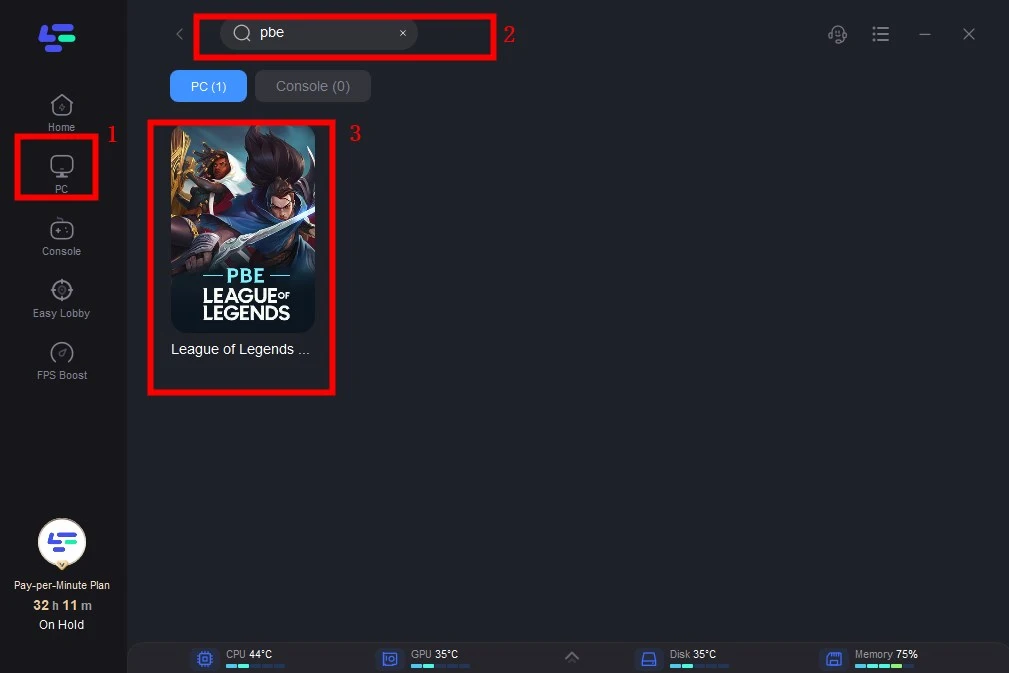
Enable FPS & Jungle Boost: Navigate to the "FPS Boost" and "Tools" section to find the Classic Jungle Timer. Toggle it to ON.
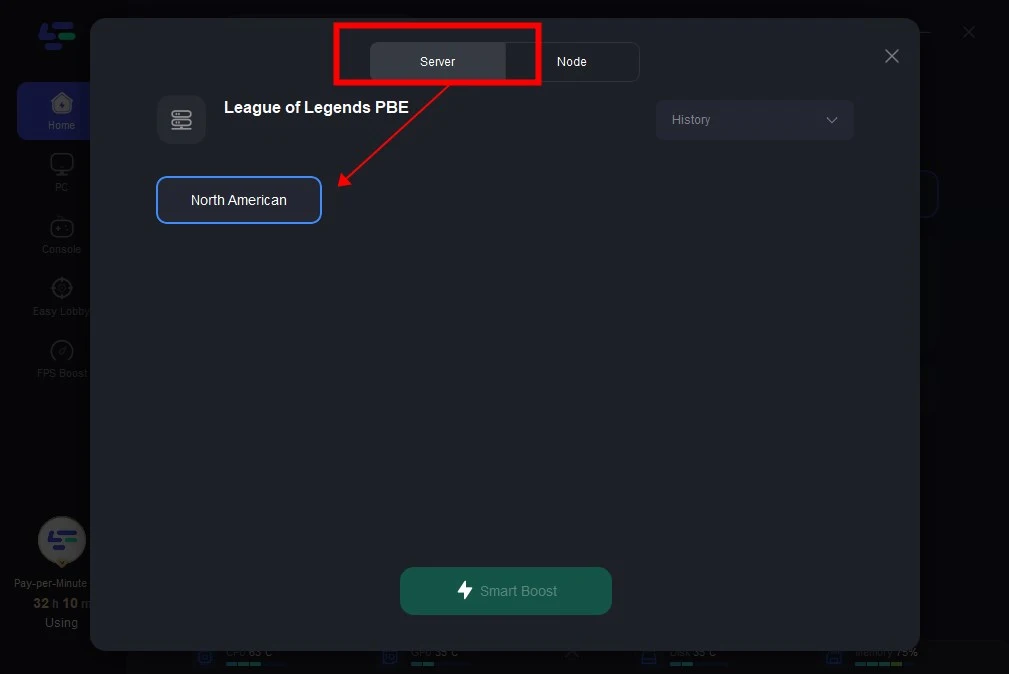
Smart Boost: Click the "Boost" button. LagoFast will optimize your network route and prepare the jungle timer overlay.
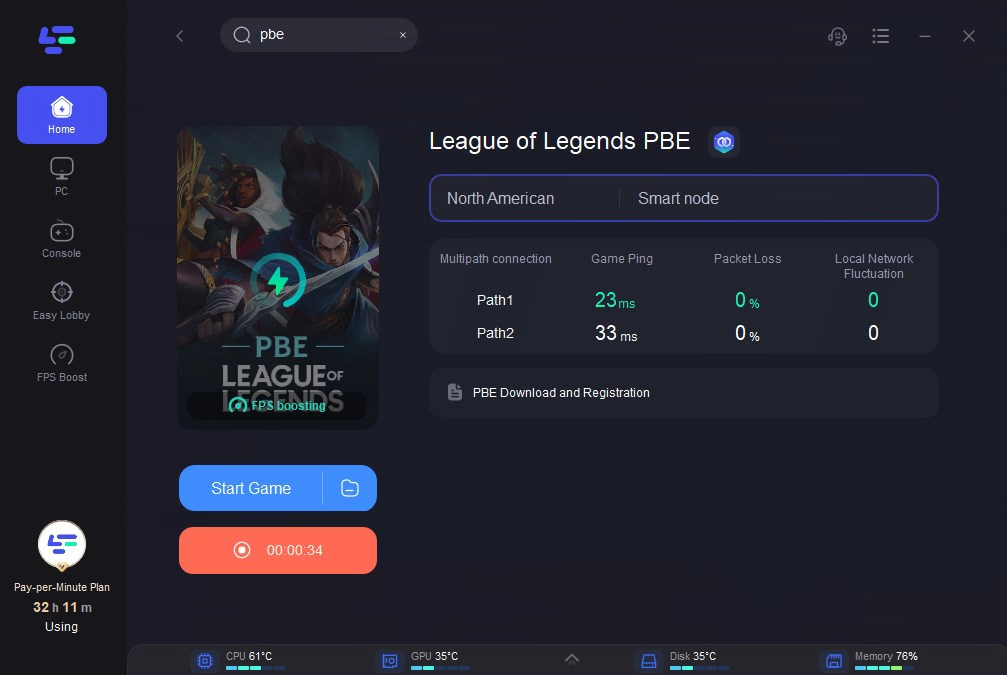
Launch the Game: Start League Classic. You will now have a professional-grade jungle timer appearing on your screen, ready to help you dominate the Season 3 jungle.
Frequently Asked Questions
Q: Does League Classic have an in-game setting for jungle timers?
A: No. League Classic intentionally omits these timers to preserve the Season 3 experience. You must track them manually or use a third-party overlay.
Q: Will Riot ban me for using a jungle timer overlay?
A: Generally, no. As long as the overlay only tracks information that your team has seen (i.e., it doesn't "cheat" through the Fog of War), it is considered a Quality of Life tool. Reputable boosters like LagoFast are designed to be safe for use.
Q: What are the respawn times for camps in League Classic?
A: Small camps (Wolves, Wraiths, Golems) respawn in 50 seconds. Buffs (Red/Blue) respawn in 5 minutes. Dragon respawns in 6 minutes, and Baron respawns in 7 minutes.
Q: Can I use Blitz or Porofessor for League Classic?
A: Most modern overlays currently do not support the League Classic PBE due to differences in the game client's data. You will need a specialized tool like LagoFast that has been updated specifically for Classic.
Q: Why can't I see timers for the enemy jungle?
A: You can only see timers for camps that were cleared while your team had vision of them. If the enemy clears a camp in the Fog of War, the timer will not start. This is a core mechanic of the game's strategy.
Key Takeaway
League of Legends Classic is a return to a more challenging era of gaming where information is power. While the lack of built-in jungle timers can be jarring, it offers an opportunity to improve your map awareness and strategic planning. By mastering manual tracking or utilizing the LagoFast PBE Classic Jungle Timer, you can navigate the Season 3 jungle with confidence, ensuring your pathing is always efficient and your buffs are always secured. Don't let the "dark" jungle slow you down—take control of the clock and lead your team to victory.
Boost Your Game with LagoFast for Epic Speed
Play harder, faster. LagoFast game booster eliminates stutter and lags on PC, mobile, or Mac—win every match!
Quickly Reduce Game Lag and Ping!
Boost FPS for Smoother Gameplay!