
If you’re fed up with shooting enemies point-blank only to watch your bullets go right through them, you’re not imagining it—bad hit registration in Call of Duty: Black Ops 7 is real, and it can completely ruin a match. But the frustrating part is, it’s not always your aim that’s at fault. In this guide, we’ll explain why hit reg fails, break down what skill-based hit reg may mean, and share practical ways to make your shots hit where they should.

- ✅ Reduce Lag and Boost FPS
- ✅ Ensure Stable Server Connection.
- ✅ Change Server without Latency.
- ✅Fix Crashing and Stuck Errors.
- ✅ 0% Packet Loss Rate
Part 1: What Is Skill-Based Hit Reg in Call of Duty: Black Ops 7
Part 2: Why Is Call of Duty: Black Ops 7 Hit Reg So Bad?
Part 3: How to Improve Hit Reg in Call of Duty: Black Ops 7
Part 4: Boost Your Connection to Improve Hit Reg in Call of Duty: Black Ops 7 with LagoFast
Part 1: What Is Skill-Based Hit Reg in Call of Duty: Black Ops 7
One reason your shots sometimes feel “off” is skill-based hit registration. Simply put, the game may subtly adjust how easily your bullets connect based on your performance in a match.
- If you’re dominating, the game might make it slightly harder for your shots to register.
- If you’re struggling, more of your bullets might count as hits, giving you a small boost.
This doesn’t mean the game is cheating—it’s just a hidden mechanic some players report to balance matches. Understanding it is important because it shifts your focus to what you can actually control: your positioning, timing, and connection. Once you know how skill-based hit reg works, you can adapt your playstyle and make your shots count more consistently.
Part 2: Why Is Call of Duty: Black Ops 7 Hit Reg So Bad?
Even without skill-based adjustments, there are several reasons why hit registration in Call of Duty: Black Ops 7 can feel frustratingly inconsistent. Understanding these will help you know what’s really going on when your perfect shots don’t connect.
1. Server Lag
When you fire a shot, it’s first registered on your own client before the server confirms it. If the server is experiencing delays, your hits might not be recognized in time. This is especially noticeable in high-intensity firefights where milliseconds matter.
2. High Ping Differences
Playing against opponents with significantly higher ping can make your bullets seem like they missed, even if they actually hit. The game tries to reconcile two different timelines—yours and your opponent’s—which can create the illusion of missed shots.
3. Game Updates and Bugs
Call of Duty frequently rolls out patches and updates. While these are meant to fix problems, they can sometimes introduce temporary hit detection issues. This is why some matches feel “off” right after a patch is released.
4. Input Delay and FPS Drops
Low frames per second (FPS) or laggy input can make your shots register late. Even a slight delay between pressing the trigger and the server recognizing it can mean the difference between a hit and a miss in close-range fights.
Part 3: How to Improve Hit Reg in Call of Duty: Black Ops 7
If you want your bullets to actually land, hit registration isn’t just about aim. It’s a combination of your network, game settings, weapon choice, and playstyle. Here’s a practical step-by-step guide:
1. Optimize Your Network Connection First
Your internet connection is the most critical factor in hit registration. No matter how good your aim is, a laggy or unstable network will make bullets feel like they “miss.”
- Use a wired connection: Ethernet is far more stable than Wi-Fi and reduces packet loss.
- Choose the closest server: Playing on a server with low ping ensures faster communication between your client and the game server.
2. Optimize Game Settings to Reduce Input Delay
Even with a good network, input lag or FPS drops can make shots feel inconsistent. These adjustments help your bullets register more reliably:
- Keep a stable FPS: Avoid dips during intense fights; consistent frames ensure your shots are tracked properly.
- Lower graphics settings: Reducing shadows, textures, and visual effects can improve responsiveness.
- Disable V-Sync and motion blur: These add small delays between your input and the game registering it.
3. Choose Weapons That Are Forgiving
Some guns are more prone to feeling inconsistent under lag or skill-based hit reg:
- Use fast-firing or mid-range weapons: High rate-of-fire weapons allow multiple chances for bullets to register.
- Avoid single-shot long-range weapons in unstable connections: Snipers or low-fire guns can make missed hits more noticeable.
4. Adjust Your Playstyle
Your positioning and firing habits can compensate for both skill-based hit reg and latency issues:
- Use cover and short bursts: Controlled firing is more accurate than spraying and helps each bullet count.
- Position smartly: Avoid running blindly into fights; careful movement ensures more shots land.
- Lead your shots: Slightly aiming ahead of moving enemies can counter minor delays caused by ping or server sync.
5. Keep the Game Updated
Finally, don’t forget that updates can fix server-side and hit reg issues:
- Install patches promptly: Developers often tweak hit detection and server performance.
- Check your network regularly: Even small improvements in stability can noticeably improve hit registration.
Part 4: Boost Your Connection to Improve Hit Reg in Call of Duty: Black Ops 7 with LagoFast
To further improve hit registration in Call of Duty: Black Ops 7, optimizing your network connection is key. A game booster like LagoFast can help by optimizing routing paths, reducing ping, stabilizing your connection, and minimizing packet loss and jitter. While it can’t change the game’s hit detection or server tick rates, using a network booster ensures your shots reach the server more reliably. With a more stable connection, gunfights feel smoother, and your hit registration becomes noticeably more consistent. Even small improvements in network stability can make a big difference in how responsive your matches feel.
How to Use LagoFast to Boost Call of Duty: Black Ops 7 on PC:
Step 1: Click the Free Trial button to download and install LagoFast.
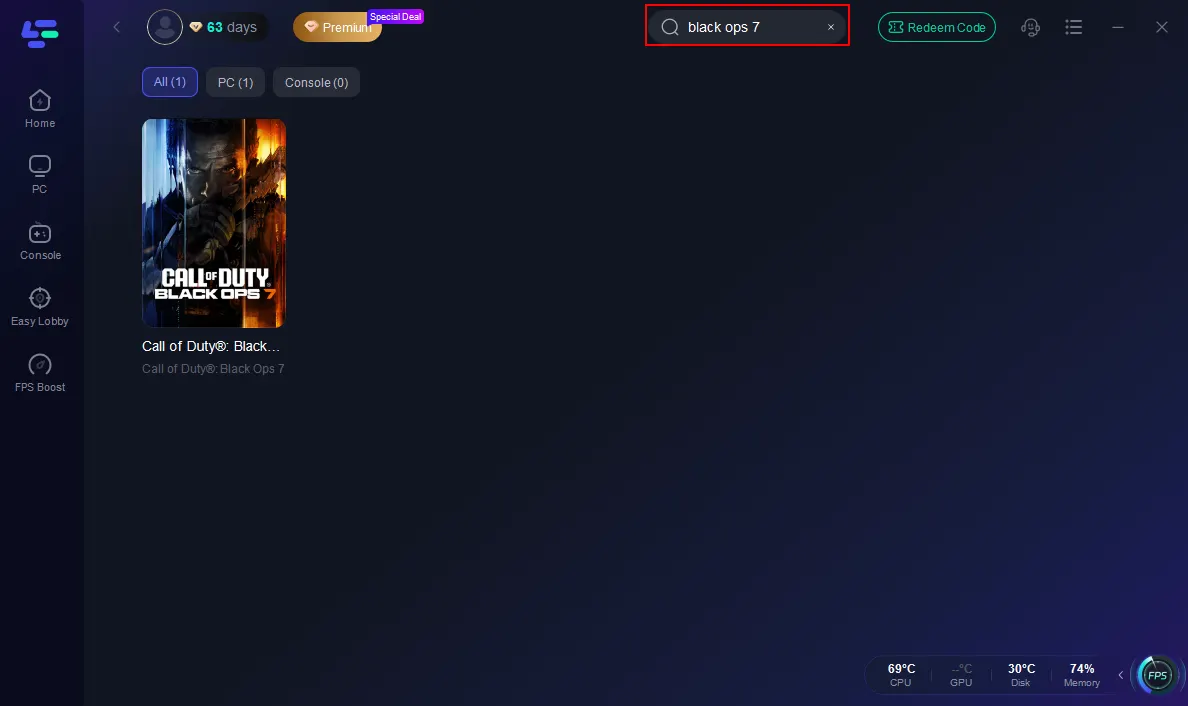
Step 2: After installation, search "Call of Duty: Black Ops 7" in the search bar and select the game.
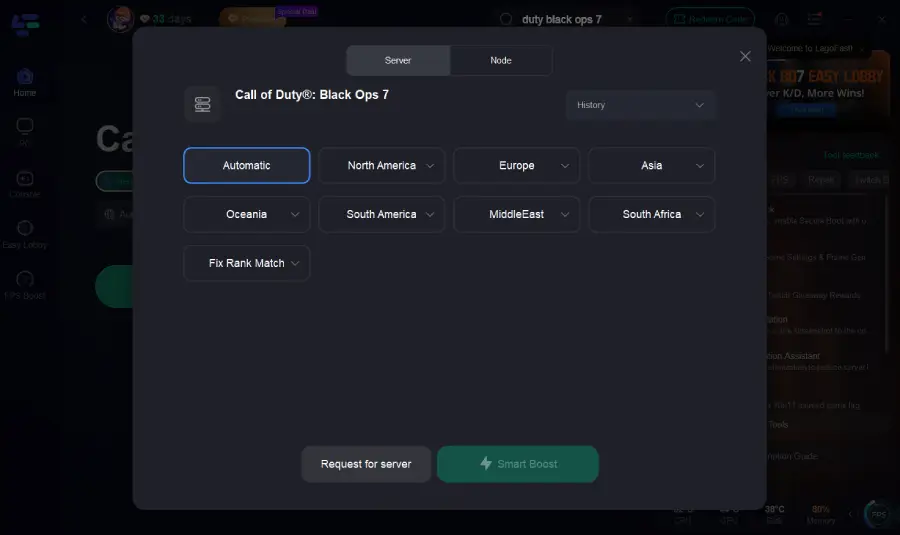
Step 3: Click on “Select Server” to view a list of available servers. Choose a stable server, then select the most efficient “Node” for the best connectivity.
Step 4: Hit the “Smart Boost” button. This will not only optimize your connection but also display real-time stats like ping and packet loss on the dashboard.
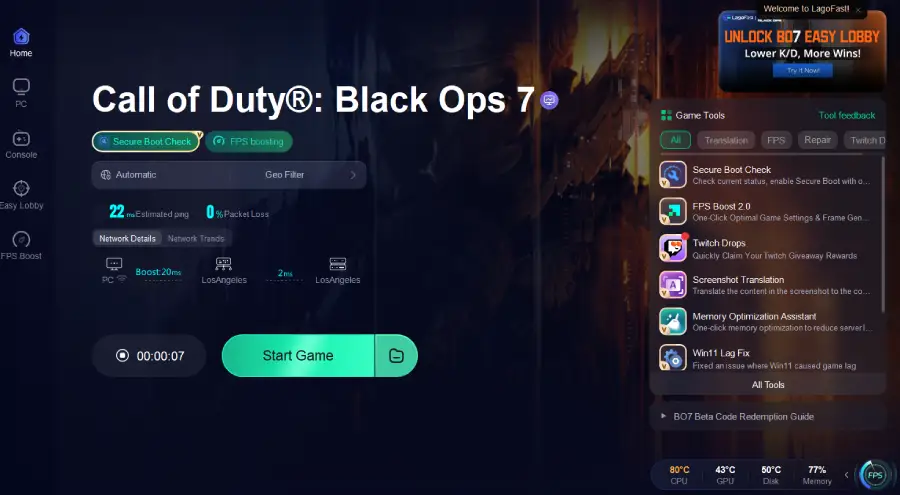
Many Call of Duty: Black Ops 7 players using LagoFast report smoother, more responsive gunfights and more consistent hit registration. A stable, predictable connection reduces mismatches between what you see and what the server registers, making your shots feel more reliable in fast-paced combat.
Conclusion
Bad hit registration in Call of Duty: Black Ops 7 can be frustrating, but understanding why it happens puts you back in control. By optimizing your network, adjusting settings, choosing the right weapons, and adapting your playstyle, you can significantly improve your shots. Tools like LagoFast make stabilizing your connection easier, helping your bullets register more reliably. Focus on what you can control, and your matches will feel smoother and more fair.

Boost Your Game with LagoFast for Epic Speed
Play harder, faster. LagoFast game booster eliminates stutter and lags on PC, mobile, or Mac—win every match!
Quickly Reduce Game Lag and Ping!
Boost FPS for Smoother Gameplay!