

Quick Answer: Where Can You Play League Classic?
League of Legends Classic, often referred to as Genesis mode, is played directly within the existing League of Legends client. It is not a separate download or standalone game. The official launch date for League Classic is July 29, 2026, when it will become accessible to all players through the Riot Client. You won't need a new account; your current League of Legends account will grant you access to this nostalgic experience. Simply navigate to the dedicated Classic section within the Riot Client to jump into the game modes, which include a single PvP draft queue, Co-op vs AI, and custom games.

- ✅ Reduce Lag and High Ping.
✅ Boost FPS at the Same Time.
✅ Support 8000+ Popular Online Games.
✅ Change Server without Latency.
✅ Boost Game Loading Speed.
Part 1: League Classic Official Release Date and Access
Part 2: Downloading & Playing League Classic: Step-by-Step Guide
Part 3: Exploring League Classic Game Modes
Part 4: First-Time Setup: Runes, Masteries, and Returning Player Tips
Part 5: Early Access to League Classic on PBE
Part 6: How to Enhance Your Game Experience with LagoFast Game Booster
Part 7: Frequently Asked Questions
League Classic Official Release Date and Access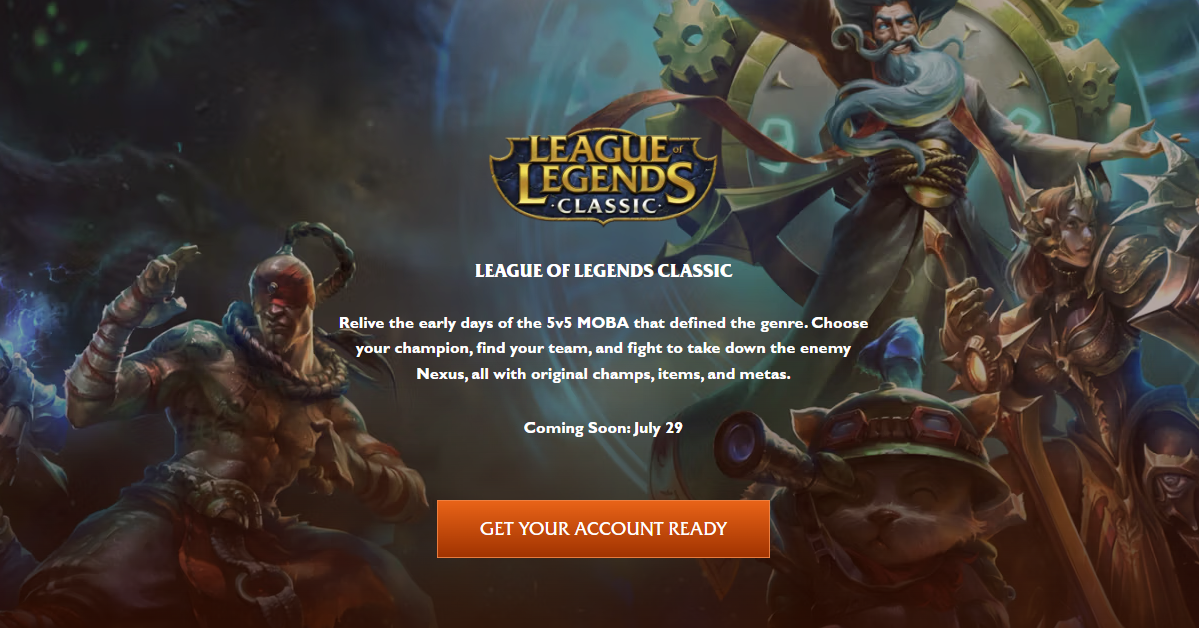
Riot Games has officially confirmed that League of Legends Classic will launch on July 29, 2026, coinciding with Patch 26.15. This highly anticipated release brings back a
nostalgic version of the game, primarily inspired by the Season 3 era (2012–2013).
Crucially, League Classic is not a standalone client. It is fully integrated into the existing League of Legends launcher. This means you will not need to download a separate game or create a new account. Your current Riot account and League of Legends client will serve as your gateway to this classic experience. This seamless integration ensures a smooth transition for both veteran players and those new to the Classic format.
Downloading & Playing League Classic: Step-by-Step Guide
Getting into League Classic is straightforward, as it leverages your existing League of Legends installation. Here’s how to download and play:
1. Ensure Your League of Legends Client is Updated: Since League Classic is integrated, the first step is to make sure your standard League of Legends client is fully updated to the latest patch (Patch 26.15 or newer, as of the July 29, 2026 release). The Riot Client will automatically handle updates when you launch it.
2. Launch the Riot Client: Open your Riot Client. This is the central hub for all Riot Games titles, including League of Legends.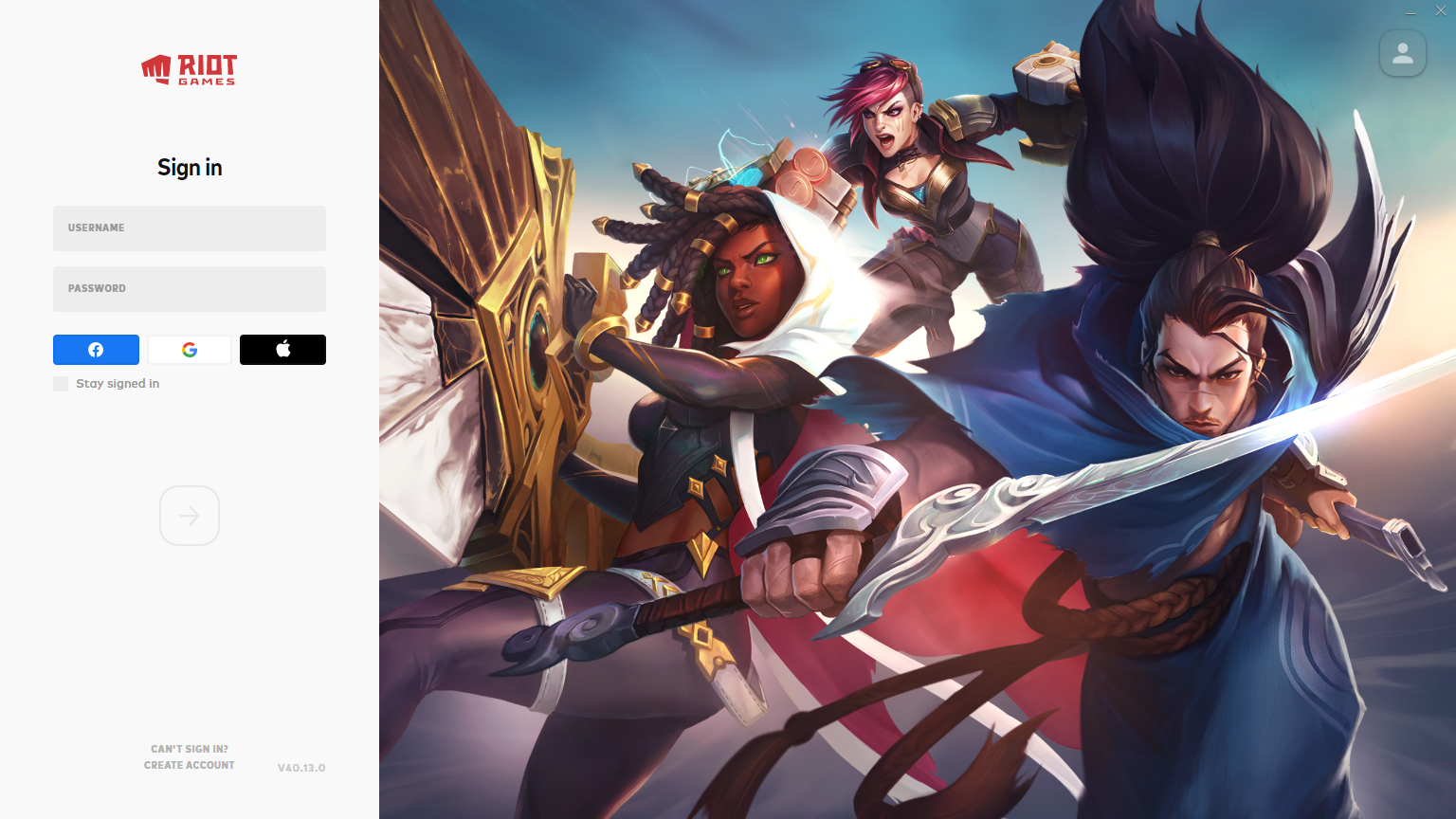
3. Navigate to League of Legends: From the Riot Client, select League of Legends. You should see an option or a dedicated section for "League Classic" or "Genesis Mode" once it's officially live.
4. Select League Classic: Click on the League Classic option. The client will then prepare the Classic environment. This might involve a small, quick download of specific Classic assets if it's your first time accessing the mode, but it won't be a full game download.
5. Log In (if prompted): You will use your existing Riot account credentials to log in. No new account is necessary.
6. Start Playing: Once inside the League Classic interface, you can select your desired game mode and begin playing. Your existing champion unlocks will carry over, and you'll manage Classic-specific runes and masteries.
Exploring League Classic Game Modes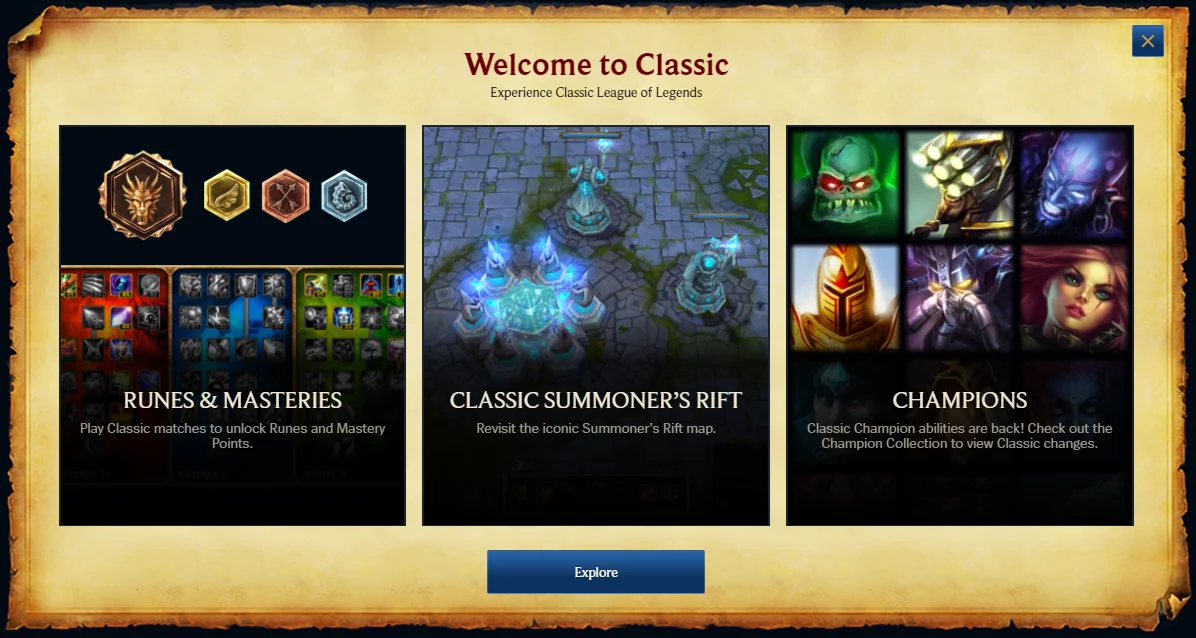
League Classic is designed to bring back the core gameplay experience of early League of Legends. At launch, it will feature a focused selection of game modes to maintain the authentic feel:
- Single PvP Draft Queue: This will be the primary competitive mode, allowing players to draft champions in a structured environment reminiscent of the old days.
- Co-op vs AI: For those looking to practice or enjoy a more relaxed experience, Co-op vs AI will be available.
- Custom Games: Custom games will also be supported, providing a sandbox for players to experiment with builds, strategies, or simply play with friends in a private setting.
Riot has stated that the main goal for Classic is to be a place for fun with friends rather than a "sweaty Ranked grindfest". While a Ranked mode might be considered in the future, the initial focus is on recreating the joy of early League gameplay.
First-Time Setup: Runes, Masteries, and Returning Player Tips
For veteran players returning to the classic era and new players experiencing it for the first time, there are a few key differences in setup and gameplay:
Runes and Masteries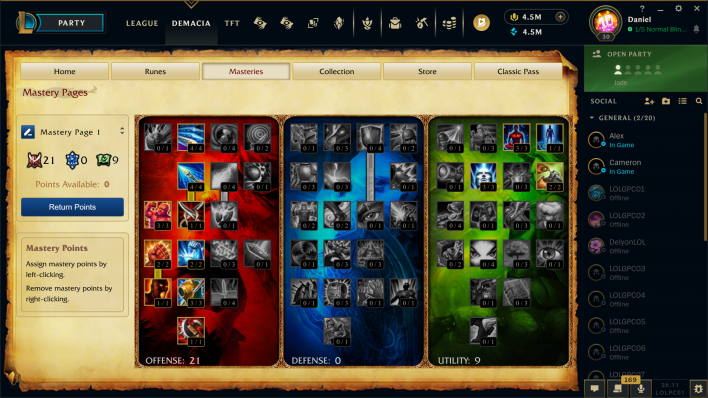
Before loading into a game of Classic, you will need to pre-select your Runes and Masteries. Unlike modern League, these are distinct systems that significantly impact your champion's performance. Riot has made the unlock process much simpler for Classic: you'll unlock both just by playing, and there's no need to upgrade them. All are effectively old Tier 3 as a baseline. You'll get three Rune Pages to start, with additional ones unlockable through Classic Levels or purchasable with IP (Influence Points), which are also making a return. Masteries will be fully unlocked after hitting Classic Level 4.
What Should Returning Players Do First?
If you're a returning player, here's a quick checklist to get started:
- Update Your Client: Ensure your Riot Client and League of Legends are fully updated.
- Familiarize Yourself with Classic Mechanics: Review the changes to champions, items, runes, and masteries. Many champions will have their pre-rework kits, and item builds will be vastly different.
- Set Up Runes and Masteries: Spend some time in the client setting up your Rune and Mastery pages for your favorite Classic champions. Don't worry if you forget; a default page is provided.
- Play Co-op vs AI or Custom Games: Before jumping into PvP, consider a few Co-op vs AI or custom games to re-acclimate to the slower combat pace, higher spell costs, and different jungle dynamics.
- Explore the Shop: Revisit the Classic shop to see which iconic items have returned and plan your builds accordingly.
Early Access to League Classic on PBE
For players eager to experience League Classic before its official launch, Riot often provides early access through the Public Beta Environment (PBE). The PBE allows players to test upcoming features, champions, and game modes. While PBE access is typically limited and requires an eligible account, it offers a sneak peek into the Classic experience.
Accessing the PBE and playing League Classic there can sometimes come with its own challenges, particularly high ping due to server locations. For a detailed guide on how to log into the PBE and address potential high ping issues, you can refer to resources like LagoFast Game Booster's dedicated articles on PBE access and optimization. LagoFast can help stabilize your connection and reduce latency, making your PBE testing experience much smoother.
How to Enhance Your Game Experience with LagoFast Game Booster
Whether you're diving into League Classic on the main servers or testing it on the PBE, a stable and low-latency connection is paramount for an optimal gaming experience. High ping, packet loss, or unstable network routes can severely impact your gameplay, especially in a game like League of Legends where precise timing and quick reactions are key. LagoFast(LagoFast Game Booster - Get No Lag and Lower Ping) Game Booster is designed to address these issues, providing a smoother and more responsive gaming environment.
Here are the detailed steps to use LagoFast Game Booster:
Click the Free Trial button to download and install LagoFast Free Trial.
Register/Sign In: Launch the LagoFast application. You will need to either create a new LagoFast account or sign in using your existing credentials.
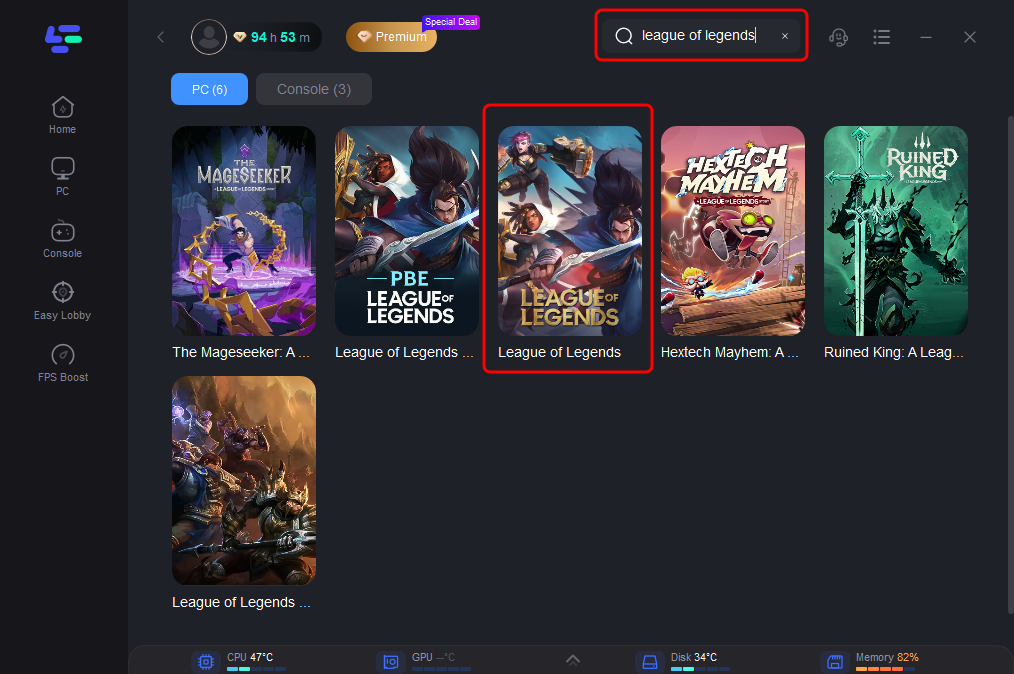
Choose Your Game: Within the LagoFast interface, use the search bar to locate "League of Legends" or "League Classic" from the extensive list of supported games.
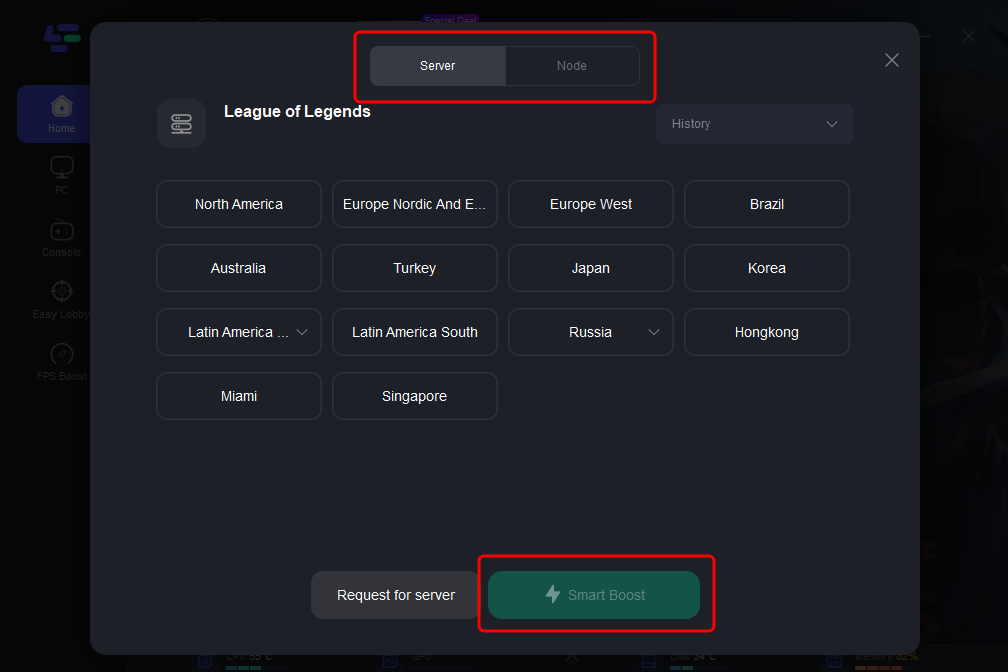
Select Your Server Region: After selecting the game, LagoFast will present you with various server and node options. Choose the one that offers the lowest ping for your geographical location. You can also opt for the "Automatic Server" feature, which intelligently identifies and connects you to the most efficient network route.
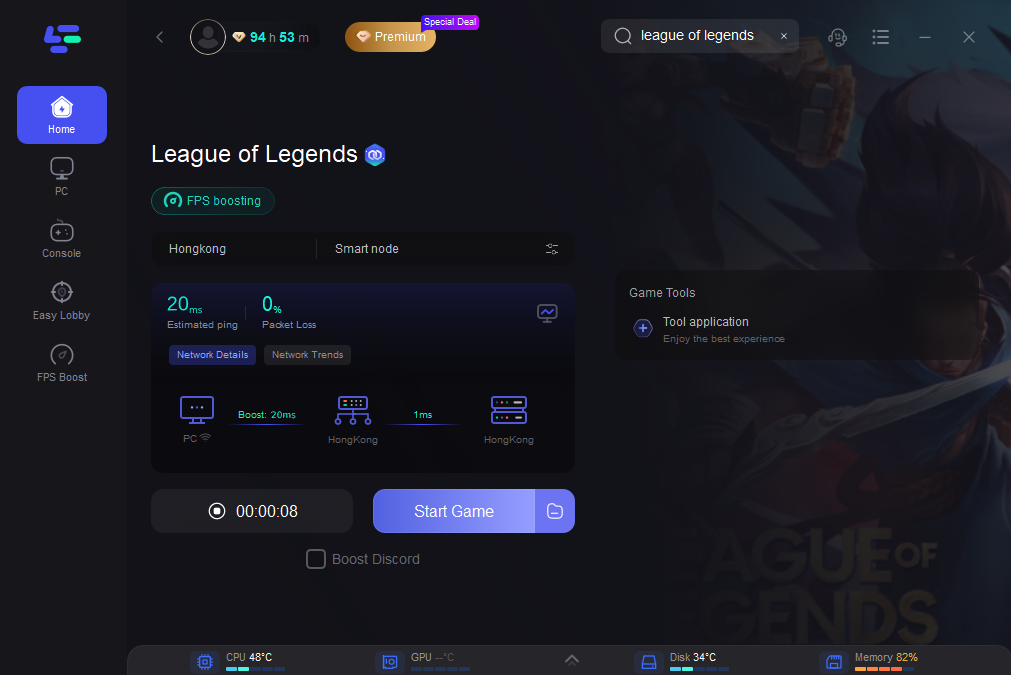
Start Boosting: Once your preferred server is selected, click the "Boost" button. LagoFast will then activate its optimization protocols, routing your game traffic through the most stable and fastest path available, thereby minimizing latency and improving connection stability.
Launch Your Game: With the boost actively running, launch League of Legends (and then select League Classic from within the client). You should immediately notice a significant improvement in your in-game ping and overall network performance, leading to a more enjoyable and competitive experience.
Frequently Asked Questions
1. Is League Classic a separate game download?
No, League Classic is integrated into the existing League of Legends client. You will not need to download a separate game or client to play it.
2. Do I need a new account for League Classic?
No, your existing Riot account and League of Legends account will grant you access to League Classic. All your champion unlocks will carry over.
3. What are the main differences in gameplay for League Classic?
League Classic features a slower combat pace, higher spell costs, pre-rework champion kits, and the original Rune and Mastery systems, providing a distinct experience compared to modern League of Legends.
4. Will League Classic have a ranked mode?
At launch, League Classic will feature a single PvP draft queue, Co-op vs AI, and custom games. While Riot has indicated a focus on casual play, a ranked mode might be considered for future updates.
5. Can I use my modern League of Legends skins in Classic?
Many existing skins will be available in Classic at launch. Riot is also introducing "Classic Skins" and "Classic Chromas" that recreate the visuals of champions from the 2009-2013 era, usable exclusively in League Classic.
Key Takeaway
League of Legends Classic offers a compelling return to the game's roots, launching on July 29, 2026, directly within the existing Riot Client. With its unique blend of nostalgic mechanics and modern accessibility, it promises a fresh yet familiar experience. For PC players, optimizing your connection with LagoFast Game Booster is highly recommended to ensure a smooth, low-latency journey back to the Classic Rift.

Boost Your Game with LagoFast for Epic Speed
Play harder, faster. LagoFast game booster eliminates stutter and lags on PC, mobile, or Mac—win every match!
Quickly Reduce Game Lag and Ping!
Boost FPS for Smoother Gameplay!