
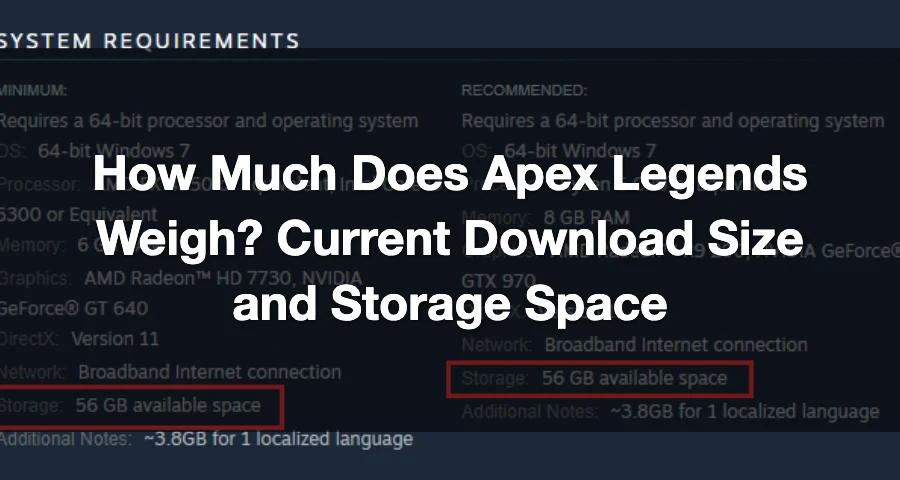
Apex Legends weighs about 75 GB on PC, roughly 70–80 GB on PlayStation/Xbox, and about 24–30 GB on Nintendo Switch, with PS5 commonly landing around 80 GB.
That’s the number to care about before you download or update it. If you want the safest bet, keep more free space than the listed install size, because Apex updates can be chunky and launchers sometimes need extra room to unpack files.

- ✅ Lower ping and fewer disconnects.
- ✅ More FPS and better PC performance.
- ✅ Support for 8000+ games.
- ✅ Stable connections and region switching.
How much storage do you need for Apex Legends on each platform?
Here’s the clean snapshot.
PC: 75 GB free space is the strongest current number, based on the official Apex Legends system requirements.
**PS5: around 80 GB.
PlayStation overall: often shows up in the ~70–80 GB.
Xbox: usually falls in the ~70–80 GB range too.
Nintendo Switch: about 24–30 GB.
If you just want one quick recommendation: reserve 85–100 GB on PC or console if you can, and 30+ GB on Switch.
Is Apex Legends 75 GB or 80 GB?
Both numbers can be correct.
On PC, the clearest official requirement is 75 GB of free space from EA. On PS5, the weight is around 80 GB**. That’s why you see both numbers online.
So if you’re on PC, use 75 GB as your baseline. If you’re on PS5, assume around 80 GB.
Why do players see so many different Apex Legends file sizes?
Because people mix up download size, install size, and free space required.
Here’s the difference:
Download size: how much data you actually pull from the launcher or console store
Install size: how much space the game occupies after it’s installed
Free space required: how much empty storage your system may need so it can download, unpack, replace files, and finish the install or update
That last one is where people get caught.
A patch might say 10 GB, but your launcher may still want much more free space while it rearranges files. There are also cases where a big update redownloads changed files without permanently increasing the total game size by the same amount.
What should PC players expect specifically?
For PC, the most reliable number to plan around is 75 GB free space, straight from EA’s official requirements.
There’s one extra detail worth knowing: some PC listings also note about 3.8 GB per additional localized language. So if you install extra language packs, your total storage use can go up beyond the base requirement.
That’s also why two PC players can report slightly different sizes even when both are technically right.
If you want the official spec page, check the Apex Legends system requirements.
What should console players expect?
The safest platform-by-platform expectation is:
PS5: around 80 GB
PS4 / PlayStation versions overall: often around 70–80 GB
Xbox: commonly around 70–80 GB
Switch: roughly 24–30 GB
If your console storage is tight, don’t aim for the exact minimum. Leave extra room so seasonal patches don’t fail halfway through.
How much extra free space should you keep for updates?
Keep at least 10–20 GB of extra headroom beyond the listed game size if possible.
That’s the practical move.
Apex gets regular updates, and seasonal patches can be much larger than a normal hotfix. Even when the final installed size stays close to the same number, the system may need spare space during the update process.
So in real terms:
PC: if the requirement is 75 GB, try to keep 85–100 GB free
PS5 / Xbox / PlayStation: if the game is around 70–80 GB, try to keep 90 GB+ free
Switch: if the game is around 24–30 GB, try to keep 30–35 GB free
This won’t change the game’s actual weight, but it does help you avoid annoying install errors and interrupted updates.
Optimize Your Apex Legends Experience with LagoFast
As you prepare to dive into Apex Legends, it's important to consider not just the game's storage requirements but also how to ensure a smooth gaming experience. Network issues can sometimes disrupt gameplay, leading to frustrating lag or connection drops. This is where a game booster can come in handy, helping to enhance your connection and overall performance while playing.
How to Use LagoFast for Apex Legends
To enhance your gaming experience, start with a free trial download of LagoFast today.
If you're looking to optimize your Apex Legends experience, understanding the game's storage requirements is just the beginning. Network performance can also play a significant role in how smoothly the game runs. This is where a game booster like LagoFast can be beneficial, helping to reduce lag and improve connection stability during gameplay.
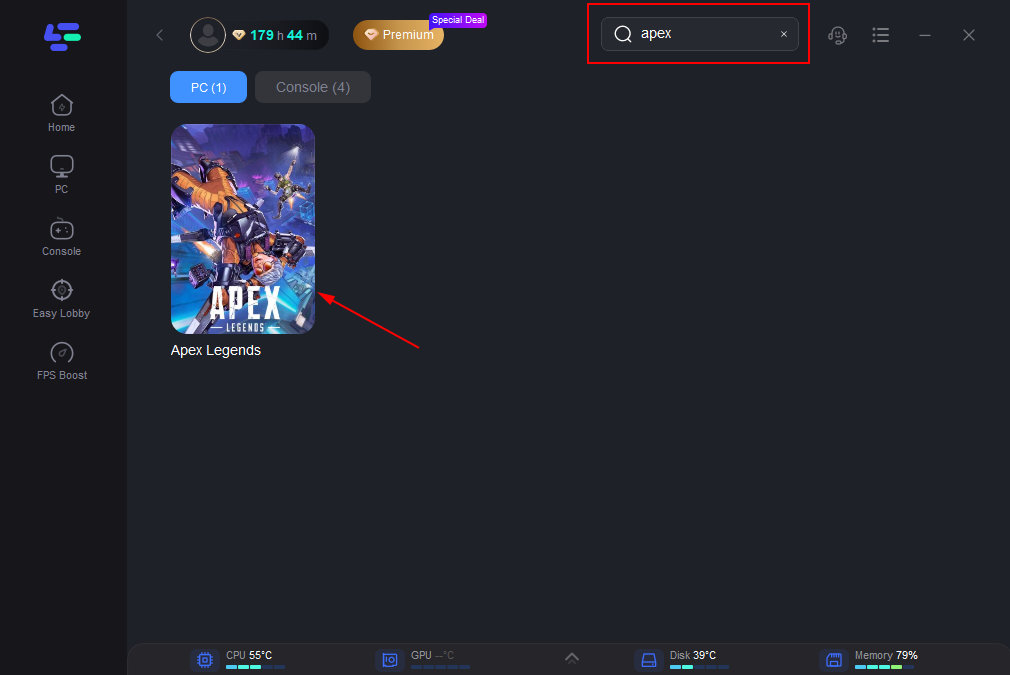
Once you have LagoFast installed, you can easily select Apex Legends from the list of supported games. This allows the software to tailor its performance enhancements specifically for your gaming session, ensuring that you get the best possible experience while playing.
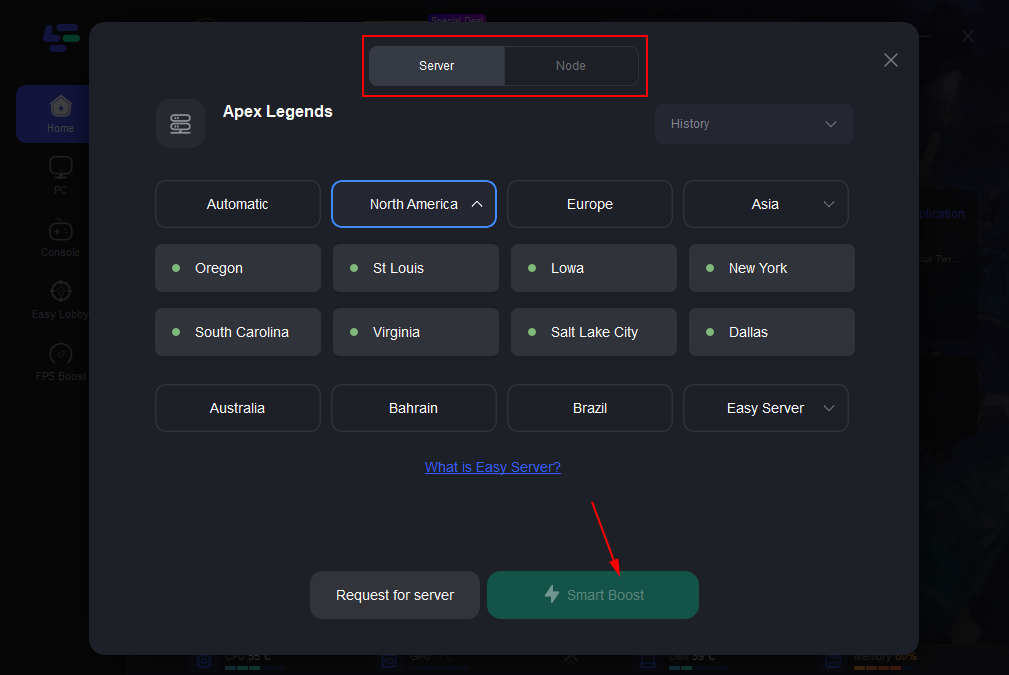
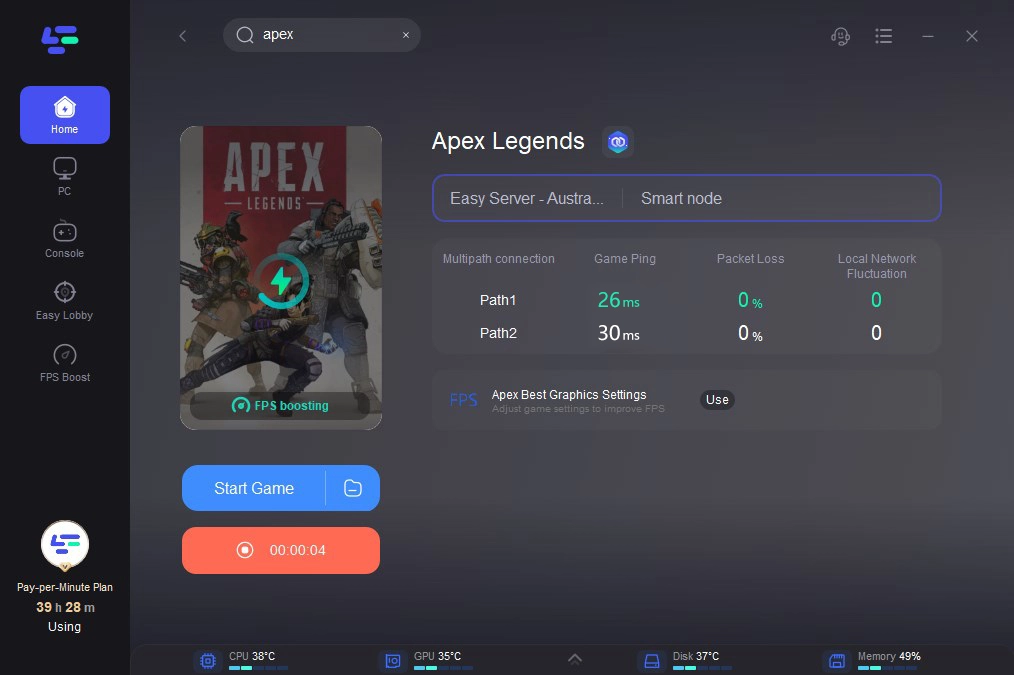
LagoFast also provides real-time monitoring of your network performance. This feature can help you identify any potential issues that may arise during gameplay, allowing you to make adjustments as needed to maintain a smooth connection.
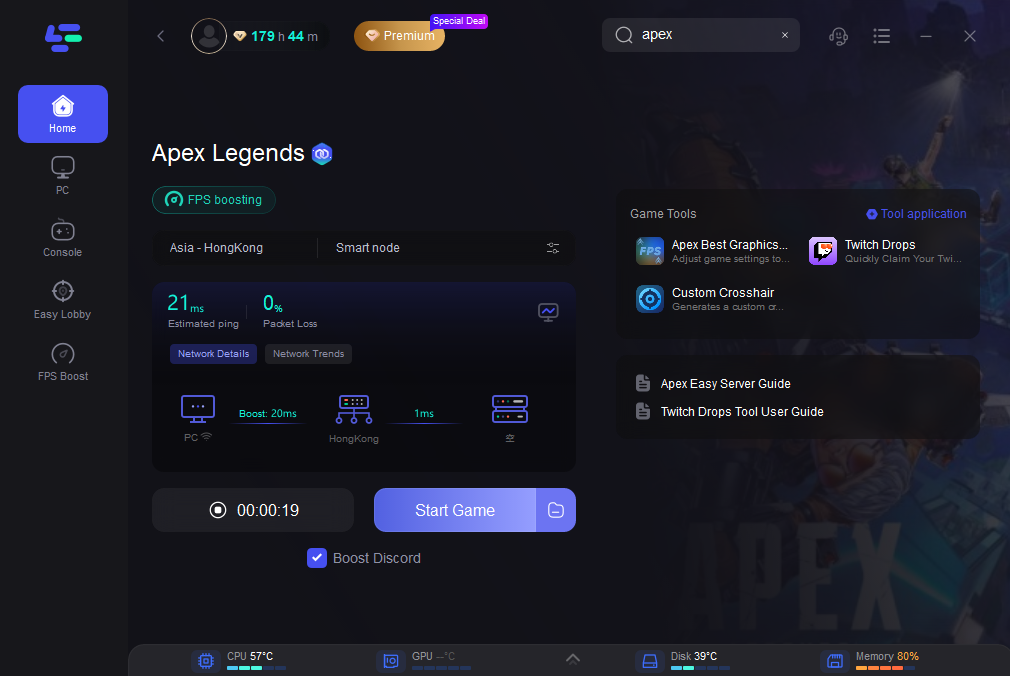
With LagoFast, you can enjoy a more stable connection, which is crucial for competitive games like Apex Legends. By minimizing lag and optimizing your network settings, you'll be able to focus on your gameplay without worrying about interruptions.
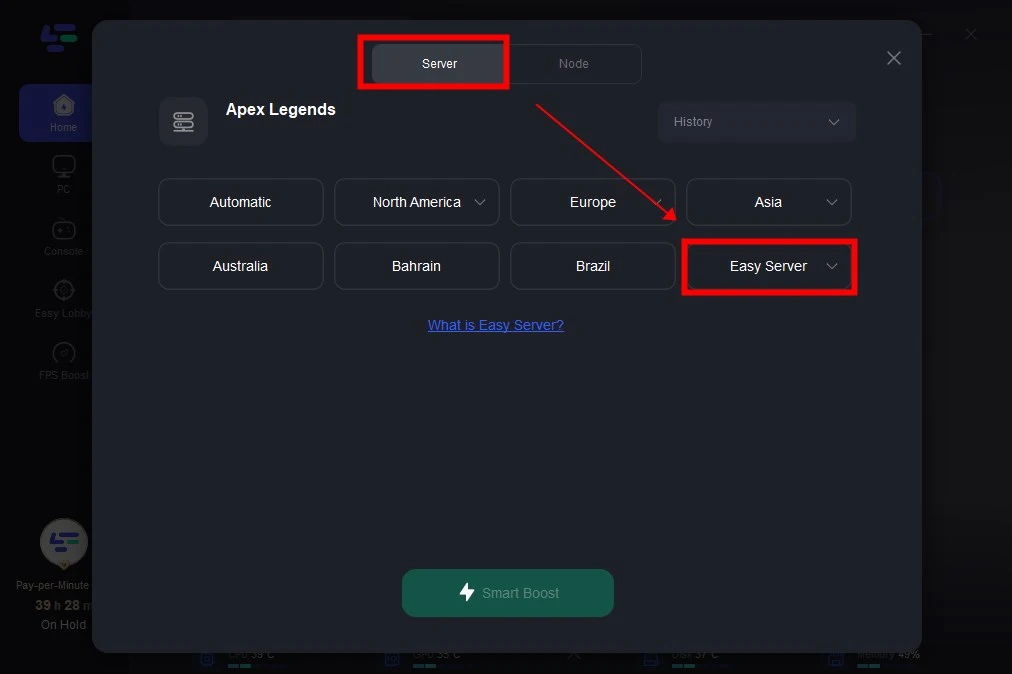
Finally, LagoFast's user-friendly interface makes it easy to switch between different games and optimize your settings on the fly. Whether you're jumping into a quick match or preparing for a longer gaming session, LagoFast is designed to keep your experience seamless.
Does an SSD change the Apex Legends install size?
No. An SSD does not meaningfully reduce the amount of storage Apex Legends needs.
What it does help with is loading times and general responsiveness. So if you have the choice, installing Apex on an SSD is still the better experience. Just don’t expect it to magically make the file size smaller.
FAQ
Why does Apex Legends size vary by platform?
Because each platform handles textures, compression, packaging, and updates a bit differently. PS5 and other console versions can also differ from PC because of how assets are stored and optimized.
How much free space should I keep for Apex Legends updates?
A good rule is 10–20 GB extra beyond the listed game size. If your drive is almost full, that’s when update failures and reinstall loops become more likely.
Is Apex Legends free to play?
Yes. The game is free to play, but you still need the storage space for the full install and future updates.
Bottom line
Reserve 75 GB for Apex Legends on PC, around 80 GB on PS5, roughly 70–80 GB on PlayStation and Xbox overall, and 24–30 GB on Switch. If you want to avoid update headaches, leave extra room on top of that instead of trying to install it at the exact limit.

Boost Your Game with LagoFast for Epic Speed
Play harder, faster. LagoFast game booster eliminates stutter and lags on PC, mobile, or Mac—win every match!
Quickly Reduce Game Lag and Ping!
Boost FPS for Smoother Gameplay!