

Master Chief’s iconic first adventure has returned in Halo: Campaign Evolved, completely rebuilt from the ground up on Unreal Engine 5. While longtime fans and PlayStation newcomers alike are eager to jump into the ringworld, a lot of confusion surrounds how multiplayer works in this modernized remake.
If you are searching for answers on whether you can play with friends on other consoles, how mission progression works, or why your connection lags during a 4-player campaign run, you are in the right place.
Here is the definitive guide to Halo Campaign Evolved multiplayer, crossplay, progression rules, split-screen limitations, and how to fix high ping for a flawless co-op experience.

- ✅ Reduce Lag and High Ping.
✅ Boost FPS at the Same Time.
✅ Support 8000+ Popular Online Games.
✅ Change Server without Latency.
✅ Boost Game Loading Speed.
Part 1: Does Halo Campaign Evolved Have Multiplayer? (PvP vs. Co-Op)
Part 2: PS5, Xbox, and PC Crossplay Rules
Part 3: Is a Microsoft Account Required for Halo Campaign Evolved?
Part 4: How to Add Friends and Invite Cross-Platform Squads
Part 5: Halo Campaign Evolved Co-Op Progression Rules
Part 6: Split-Screen vs. Online Co-Op: What PC Players Need to Know
Part 7: Can You Play Halo Campaign Evolved Offline? & Disabling Crossplay
Part 8: How to Fix Crossplay Lag and High Ping in Halo Campaign Evolved with LagoFast
Part 9: Halo Campaign Evolved FAQs
Part 1: Does Halo Campaign Evolved Have Multiplayer? (PvP vs. Co-Op)

The short answer is yes, but not traditional PvP arena multiplayer.
One of the biggest misconceptions surrounding Halo: Campaign Evolved is what kind of "multiplayer" it actually includes. Halo Studios focused their entire focus on reimagining the single-player and cooperative campaign experience.
- No Arena or Competitive PvP: The game does not include classic competitive player-versus-player (PvP) modes like Slayer, Capture the Flag, or Big Team Battle.
- 4-Player Online Co-Op: The multiplayer in Halo: Campaign Evolved consists entirely of online cooperative story mode for up to four players across all supported platforms.
- 2-Player Local Split-Screen: Console players (Xbox Series X|S and PlayStation 5) can also play couch co-op with two players on a single TV screen.
If you are looking to experience the campaign with a squad of Spartans, Campaign Evolved offers the most flexible co-op setup in the history of the franchise.
Part 2: PS5, Xbox, and PC Crossplay Rules
For the first time in Halo history, Master Chief has landed on PlayStation. Naturally, players want to know: Can PS5 gamers play Halo Campaign Evolved with friends on Steam or Xbox?
Yes! Halo: Campaign Evolved features full crossplay and cross-progression across PC (Steam and Microsoft Store), Xbox Series X|S, and PlayStation 5.
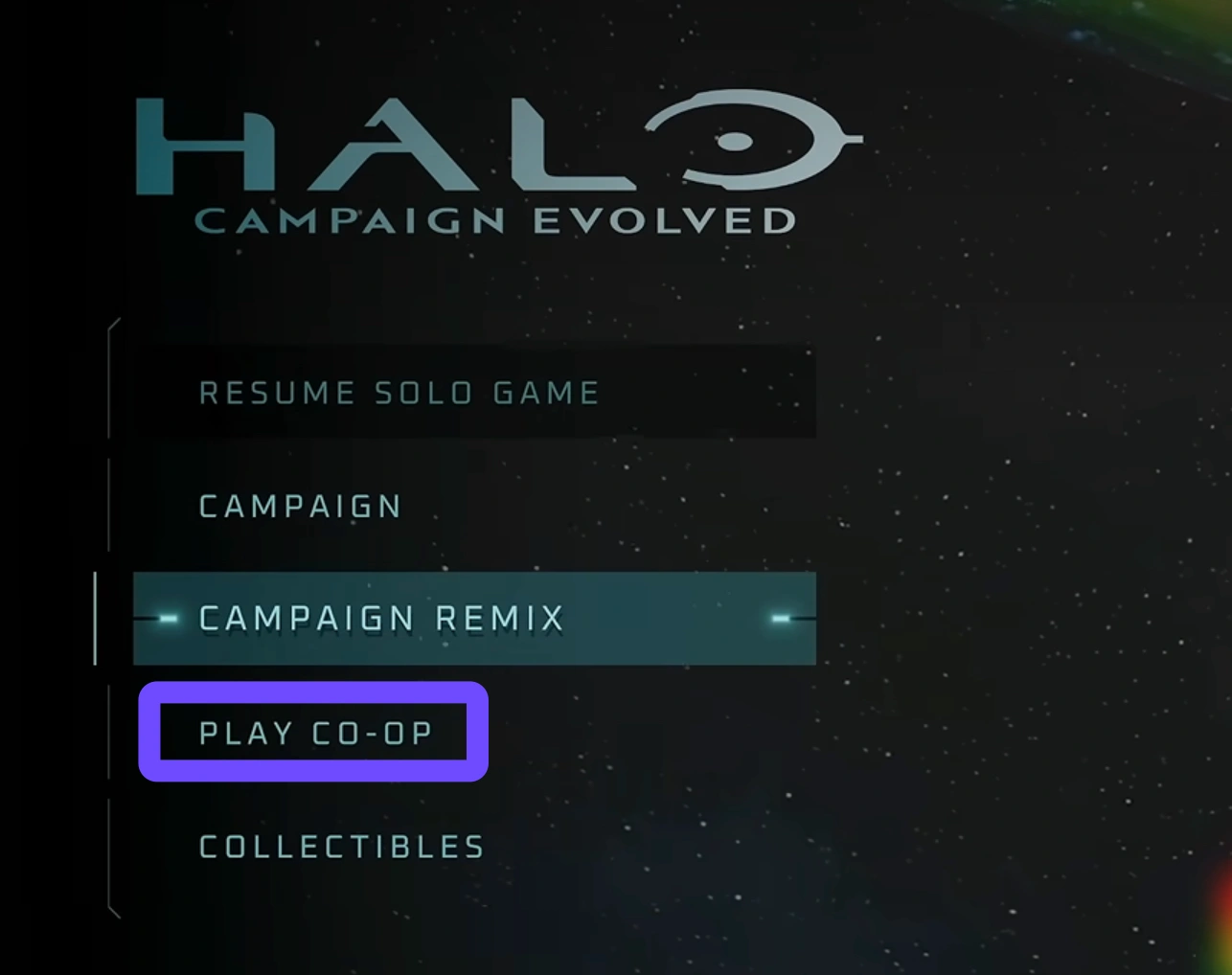
How Crossplay Works Between Platforms
You can build a four-player co-op squad where every single player is on a different gaming ecosystem. For instance:
- Player 1 on PlayStation 5
- Player 2 on Steam (PC)
- Player 3 on Xbox Series X
- Player 4 on Xbox Series S
Everyone connects to the same campaign lobby without platform restrictions or artificial barriers.
|
Feature |
Xbox Series X|S |
PlayStation 5 |
PC (Steam / MS Store) |
|
Online Co-Op |
Up to 4 Players |
Up to 4 Players |
Up to 4 Players |
|
Crossplay Support |
Yes |
Yes |
Yes |
|
Cross-Progression |
Yes |
Yes |
Yes |
|
Local Split-Screen |
2 Players |
2 Players |
Not Supported |
|
Microsoft Account Required |
Yes |
Yes |
Yes |
Part 3: Is a Microsoft Account Required for Halo Campaign Evolved?
Yes. A free Microsoft Account (Xbox Gamertag) is strictly required to play Halo: Campaign Evolved online, regardless of your platform.
Even if you buy the game on PS5 or Steam, the crossplay network architecture relies on Xbox Live infrastructure to connect players across different ecosystems.
Why Is a Microsoft Account Necessary?
- Cross-Platform Friendships: PS5 and Steam natively cannot read each other’s friends lists. An Xbox Gamertag serves as the universal player ID.
- Cross-Progression: Your campaign saves, unlocked Skulls, weapon skins, and achievement progress sync to your Microsoft account. If you start playing on PS5 and later switch to PC, your save carries over automatically.
- Safety & Invites: It allows seamless in-game invites across PSN, Steam, and Xbox Network.
Note: On PS5, you will still need a PlayStation Plus subscription for online co-op. On Xbox, an active Xbox Game Pass Ultimate or Game Pass Core subscription is required for online play. PC players do not need any paid subscription.
Part 4: How to Add Friends and Invite Cross-Platform Squads
Because players are spread across PlayStation, Steam, and Xbox, adding friends across platforms requires using their Xbox Gamertag rather than their PSN Online ID or Steam Profile name.
Here are the three easiest ways to add cross-platform friends in Halo: Campaign Evolved:
Method 1: Using the In-Game Menu (Easiest)
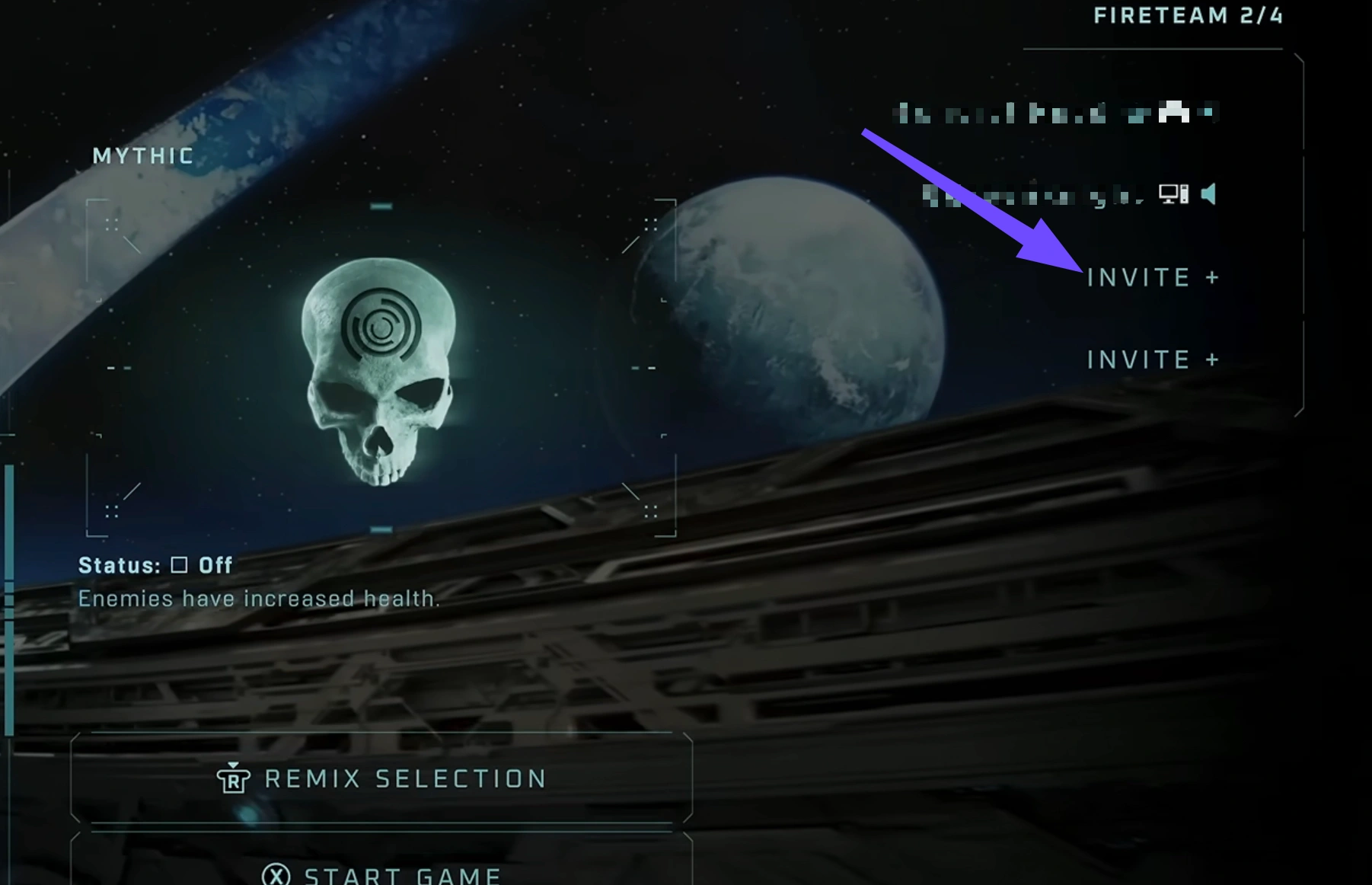
Step 1. Launch Halo: Campaign Evolved on your console or PC.
Step 2. From the Main Menu, press the Friends Menu button:
- PlayStation: Touchpad
- Xbox: View button
- PC: Tab key
Step 3. Tab over to the Cross-Platform tab.
Step 4. Search for your friend’s exact Xbox Gamertag (include the # suffix if they have one, e.g., MasterChief#1234).
Step 5. Send a friend request and invite them directly to your lobby.
Method 2: Using the Free Xbox Mobile App
Step 1. Download the Xbox App on iOS or Android.
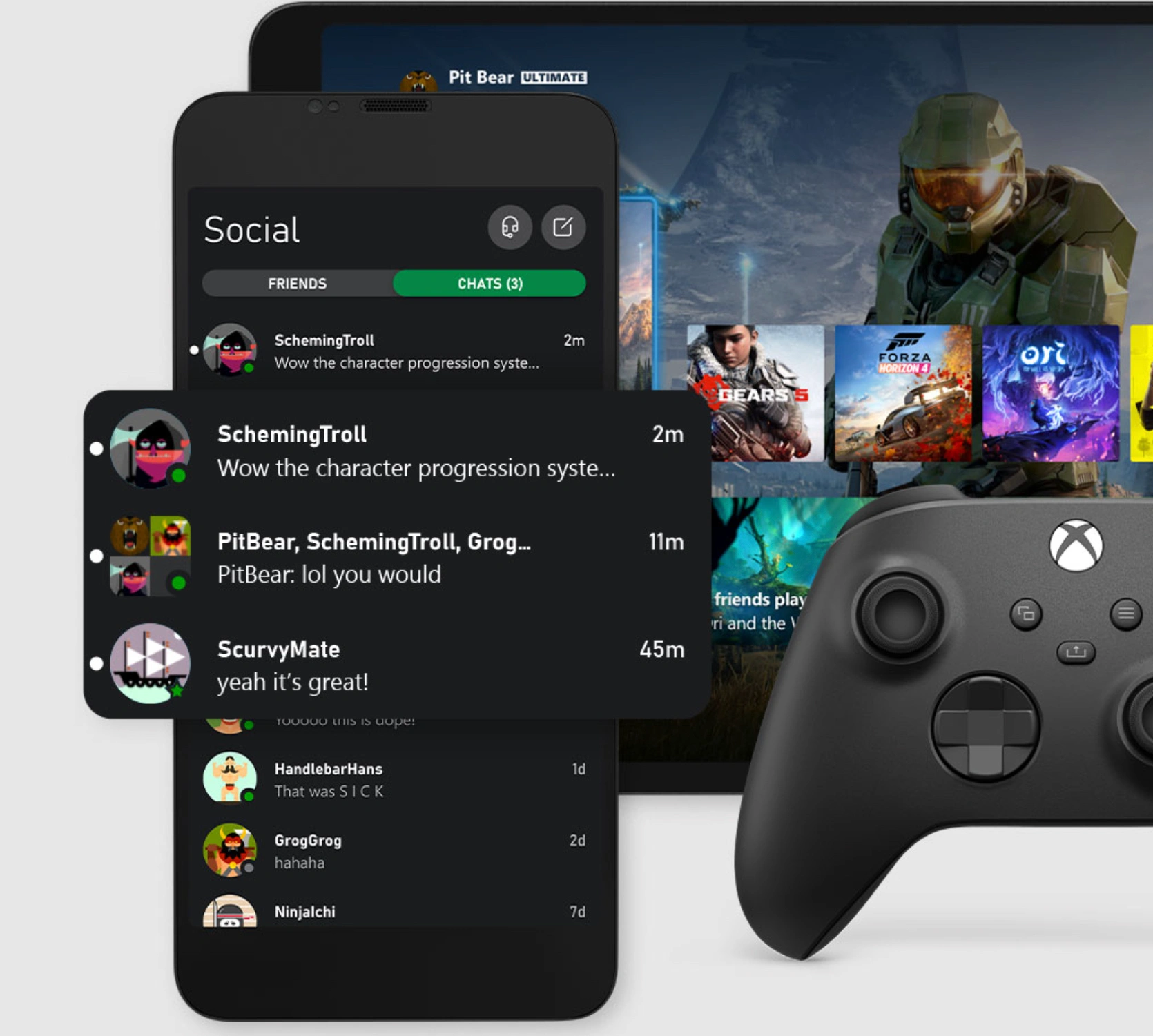
Step 2. Sign into the Microsoft account linked to your game.
Step 3. Search for your friend's Xbox Gamertag and tap Add Friend.
Step 4. Once accepted, they will permanently appear in your in-game cross-platform friends list.
Method 3: Using Xbox Game Bar (Windows PC)
Step 1. Press Windows Key + G on your PC keyboard.
Step 2. Open the Xbox Social widget.
Step 3. Type your friend’s Gamertag in the search bar and select Add Friend.
Part 5: Halo Campaign Evolved Co-Op Progression Rules
A frequent concern among co-op gamers is how mission progress is saved when playing together. Nobody wants to play a 2-hour mission on Legendary only to find out their own profile didn't count it.
How Co-Op Save Progression Works:
- Shared Mission Completion: If you join a friend's campaign session and complete missions you haven’t done yet on your own save, your progress is saved. You do not need to replay those missions in solo mode.
- Collectibles and Skulls: Any hidden Skulls or terminal collectibles gathered during a co-op session unlock for all players in the lobby, not just the host.
- Drop-In / Drop-Out Support: Friends can join mid-mission or disconnect without kicking the host back to the main menu.
- Cross-Save Syncing: Because your campaign data ties directly to your Microsoft account, switching between Xbox, PC, or PS5 keeps all mission completes, difficulty badges, and cosmetics perfectly in sync.
Part 6: Split-Screen vs. Online Co-Op: What PC Players Need to Know

While Halo: Campaign Evolved brings modern graphical upgrades, couch co-op rules differ depending on your hardware.
Console Split-Screen (PS5 & Xbox Series X|S)
Consoles support 2-player local split-screen.
- Combined Online/Local Play: You can combine local split-screen with online co-op. Two players playing split-screen on one PS5 can invite two online friends on PC/Xbox to create a full 4-player squad.
- Do both split-screen players need a Microsoft account? Player 1 must be signed into a main profile linked to a Microsoft Account. Player 2 can join as a local guest or log into their own Microsoft Account if they wish to earn achievements and sync personal progression.
Why Doesn't PC Have Split-Screen?
PC does not support split-screen co-op in Halo: Campaign Evolved. PC players must use online co-op to team up with others. Halo Studios cited performance scaling across varying PC hardware configurations and complex multi-input display management as the primary reasons for keeping split-screen console-exclusive.
Part 7: Can You Play Halo Campaign Evolved Offline? & Disabling Crossplay

Can Halo Campaign Evolved Be Played Offline?
Yes. If you are playing solo campaign mode, you do not need an active internet connection after the initial game setup. However, online features, such as 4-player co-op, cross-progression cloud saves, and cosmetic syncing, will be unavailable until you reconnect.
How to Turn Off Crossplay
If you prefer to play online co-op exclusively with players on your same platform (for instance, PS5 players with PS5 players only), you can disable crossplay in the menu:
Step 1. Open the Settings menu.
Step 2. Navigate to the Account tab.
Step 3. Locate Cross-Play and toggle the switch to Off.
Part 8: How to Fix Crossplay Lag and High Ping in Halo Campaign Evolved with LagoFast
Playing a fast-paced FPS like Halo: Campaign Evolved in 4-player cross-platform co-op can put heavy demands on your network connection.
Because crossplay bridges three entirely different networks (PlayStation Network, Xbox Network, and Steam), multiplayer lobbies often route traffic inefficiently across regional servers.
Common Network Issues in Halo Co-Op:
- High Ping & Latency: Connecting to a host located in another region or on a different platform causes delayed shot registration and sluggish movement.
- Rubberbanding & Stuttering: Packet loss during intense firefights with Flood swarms or vehicle drives (like 4 Spartans crammed in a Warthog) can freeze your screen or warp your character back.
- P2P Connection Drops: Mid-mission disconnects that force you to restart checkpoint progress.
The Best Solution: Optimize Your Connection with LagoFast
If you are experiencing lag, latency spikes, or cross-platform stutter in Halo: Campaign Evolved, LagoFast Game Booster is the ultimate tool to stabilize your gameplay.
Why Choose LagoFast for Halo Crossplay?
- Multi-Path Routing Technology: LagoFast routes your game traffic through dedicated, optimized server paths, bypassing congested public ISP nodes. This significantly lowers your ping when connecting to cross-platform lobbies.
- Eliminates Packet Loss: LagoFast stabilizes your data packets in real-time, preventing rubberbanding and sudden lag spikes during heavy combat.
- Cross-Region Node Optimization: Whether your co-op host is on Steam in North America while you play on PS5 in Europe, LagoFast automatically matches you to the fastest intermediate node.
- FPS Boost: On PC, LagoFast optimizes background system processes to prevent GPU throttling and frame drops during intense firefights.
Tutorial: Use LagoFast to Fix Lag in Halo Campaign Evolved
Step 1. Download and install LagoFast on your PC.
Step 2. Launch LagoFast and type Halo Campaign Evolved into the search bar.
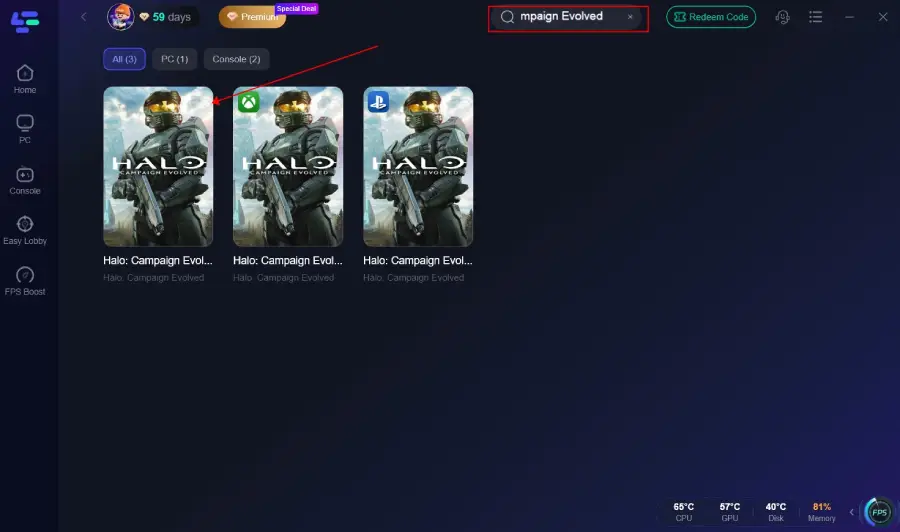
Step 3. Select the game node and choose the region closest to your actual location (or the server region you play on).
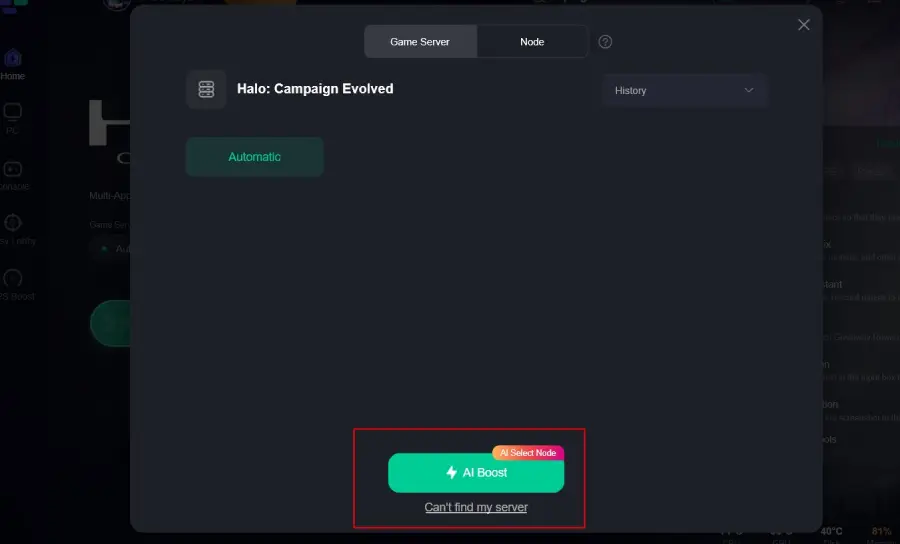
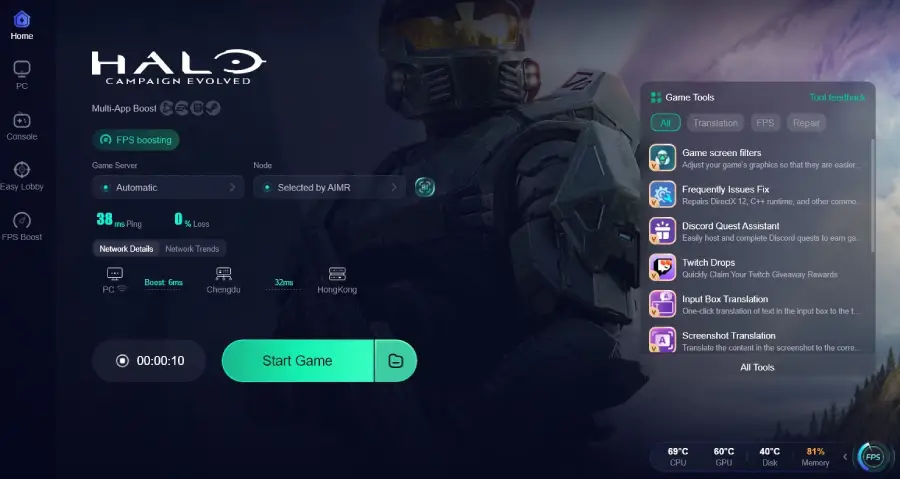
Step 4. Click the "Boost" button. LagoFast will instantly optimize your routing, stabilize your packet transfer rate, and lower your ping. Launch the game directly from the boosted screen and enjoy the smooth gaming experience.
Part 9: Halo Campaign Evolved FAQs
Is Halo: Campaign Evolved on Xbox Game Pass?
Yes! Halo: Campaign Evolved is available on Day One for Xbox Game Pass Ultimate and PC Game Pass subscribers. PlayStation 5 players must purchase the game standalone.
Do I need PlayStation Plus to play co-op on PS5?
Yes, active PS Plus membership is required for online co-op on PS5. Offline solo play does not require PS Plus.
Will competitive Arena PvP be added later?
Halo Studios built Campaign Evolved strictly as a campaign-focused remake. There are currently no announced plans to add original 2001 competitive multiplayer to this title.
Can 4 players play on 2 split-screen consoles?
Yes! Two players on PS5 split-screen can join two players on Xbox split-screen over online crossplay to make a full 4-player team.
Does Halo: Campaign Evolved support cross-platform voice chat across PS5, Xbox, and PC?
Yes. The game includes built-in cross-platform in-game voice chat powered by Xbox Network services, allowing PS5, Xbox, and PC players to communicate directly in the campaign lobby. Alternatively, players on all three platforms can also use native Discord integration if they prefer private group voice calls.
Can LagoFast help prevent game crashes during heavy UE5 campaign battles?
Yes. Beyond reducing ping and packet loss, LagoFast features a built-in Game Crash Fix tool. With a single click, it cleans up background process conflicts, optimizes memory allocation, and fixes common direct driver errors to prevent Halo: Campaign Evolved from crashing during intense graphics-heavy firefights or cutscenes.
Conclusion
Halo: Campaign Evolved delivers the ultimate nostalgia trip with modern features that fans have wanted for decades. With full 4-player crossplay, shared mission progression, and seamless Microsoft account linking, gathering your squad on PS5, Xbox, and PC has never been easier. Don't let high ping, cross-platform latency, or lag spikes ruin your Legendary campaign run. Download LagoFast today to guarantee smooth, low-latency co-op action across every platform!

Boost Your Game with LagoFast for Epic Speed
Play harder, faster. LagoFast game booster eliminates stutter and lags on PC, mobile, or Mac—win every match!
Quickly Reduce Game Lag and Ping!
Boost FPS for Smoother Gameplay!