
Changing servers in Guild Wars 2 can significantly improve your gameplay, especially when it comes to World vs. World (WvW) matchups or connecting with friends in different regions. Whether you’re a returning player or just starting out, this guide will walk you through everything you need to know about how to change server in Guild Wars 2, including the latest steps, costs, restrictions, and tips.
- What Does Changing Server Mean in Guild Wars 2?
- How to Change Your Server in Guild Wars 2
- Recommended Servers for 2025
- Best Way to Change Guild Wars 2 Server: LagoFast
1. What Does Changing Server Mean in Guild Wars 2?
Changing server in GW2 refers to switching your home world, which only affects World vs. World gameplay. Your PvE (Player vs. Environment) and PvP experience is not tied to your server—thanks to megaservers, players from different home worlds can play PvE content together.
Why Players Change Servers
- Join friends or guild members for WvW.
- Look for better WvW matchups or active communities.
- Escape low-population or unbalanced servers.
- Improve connection or reduce lag in specific regions.
2. How to Change Your Server in Guild Wars 2
Changing servers in Guild Wars 2 is done through the in-game menu. Here’s how:
Step-by-Step Instructions
- Launch Guild Wars 2 and Log In
- Go to Character Select Screen
- Click the ‘World Selection’ Button (Bottom Left)
- Browse available servers categorized by region (NA/EU) and population status.
- Choose your new server and click Transfer.
Note: You can only transfer once every 7 days, and it only impacts WvW.
Server Transfer Costs
|
Server Population |
Gem Cost |
|---|---|
|
Low |
500 Gems |
|
Medium |
1000 Gems |
|
High |
1800 Gems |
|
Full |
Transfer Not Available |
Prices may vary slightly due to promotions or updates.
How to Get Gems
- Purchase directly from the Gem Store using real money.
- Convert Gold to Gems in-game (rates fluctuate).
- Use gift cards or promotional codes.
Free vs Paid Transfers
Free Transfers are sometimes offered during special events or updates.
- Otherwise, all transfers are paid, and the gem cost depends on the target server’s population.
Important Restrictions
- PvE content is not affected by server choice.
- Your WvW rank, progress, and matchup will change after transfer.
- Guild affiliations remain intact.
- Friend list and mail are unaffected.
3. Recommended Servers for 2025
Here are some popular and balanced servers (as of May 2025):
|
Region |
Recommended Server |
Type |
|---|---|---|
|
NA |
Blackgate |
Competitive WvW |
|
NA |
Tarnished Coast |
Roleplay Friendly |
|
EU |
Gandara |
Balanced WvW |
|
EU |
Desolation |
Hardcore WvW |
Always check the population status before transferring.
Tips Before You Change Server
-
Coordinate with your guild: Ensure your guildmates are on the same world.
-
Check WvW matchups on community websites like GW2Mists or WvW Reset tools.
-
Avoid peak times if you’re looking for lower gem costs.
4. Best Way to Change Guild Wars 2 Server: LagoFast
If you’re experiencing lag or delays after changing servers in Guild Wars 2, using a game booster like LagoFast can help stabilize your connection and reduce ping. Especially during large-scale World vs. World (WvW) battles, a smoother network experience makes a big difference.
To get started with LagoFast:
1. Download LagoFast via the Free Trial button.
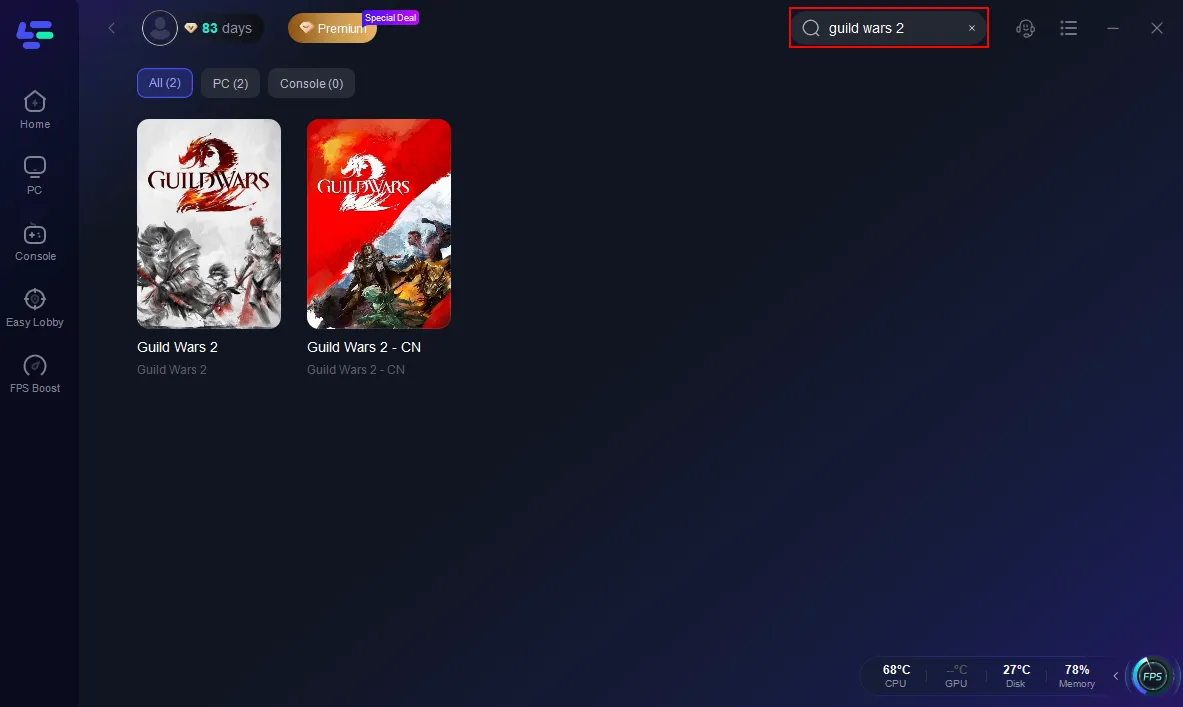
2. Search for Guild Wars 2 inside the app.
3. Select your preferred server and optimal node.
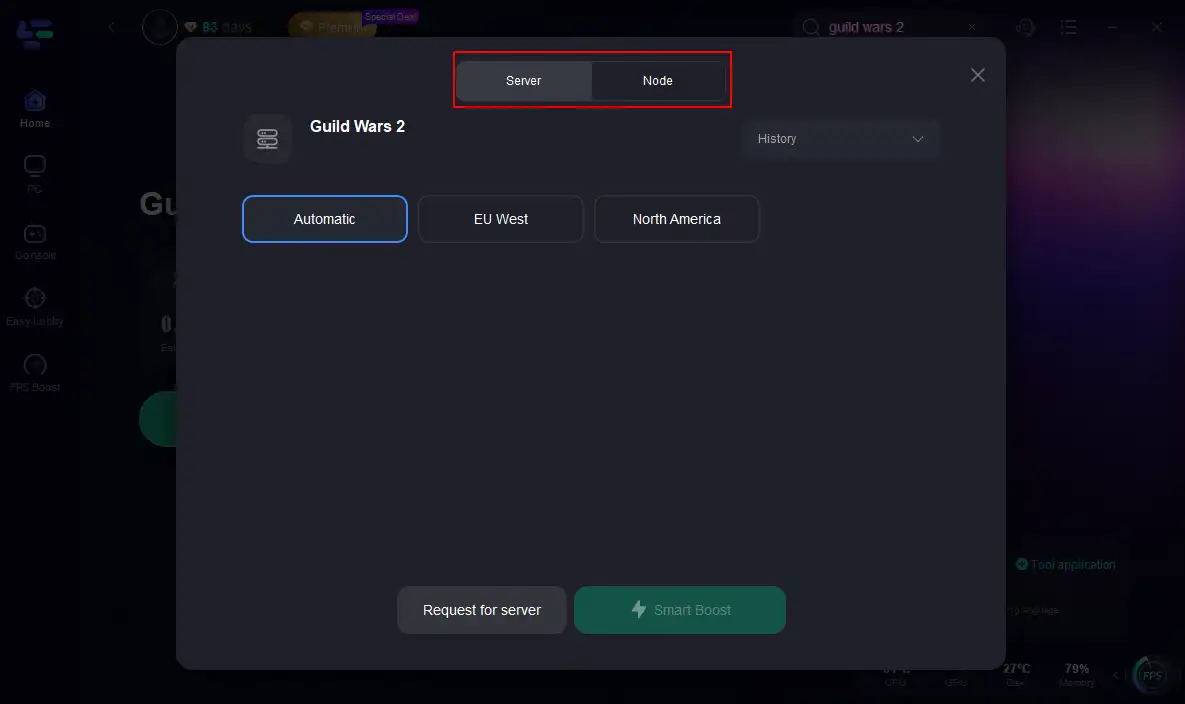
4. Hit Smart Boost to check and enhance your real-time ping, packet loss, and network quality.
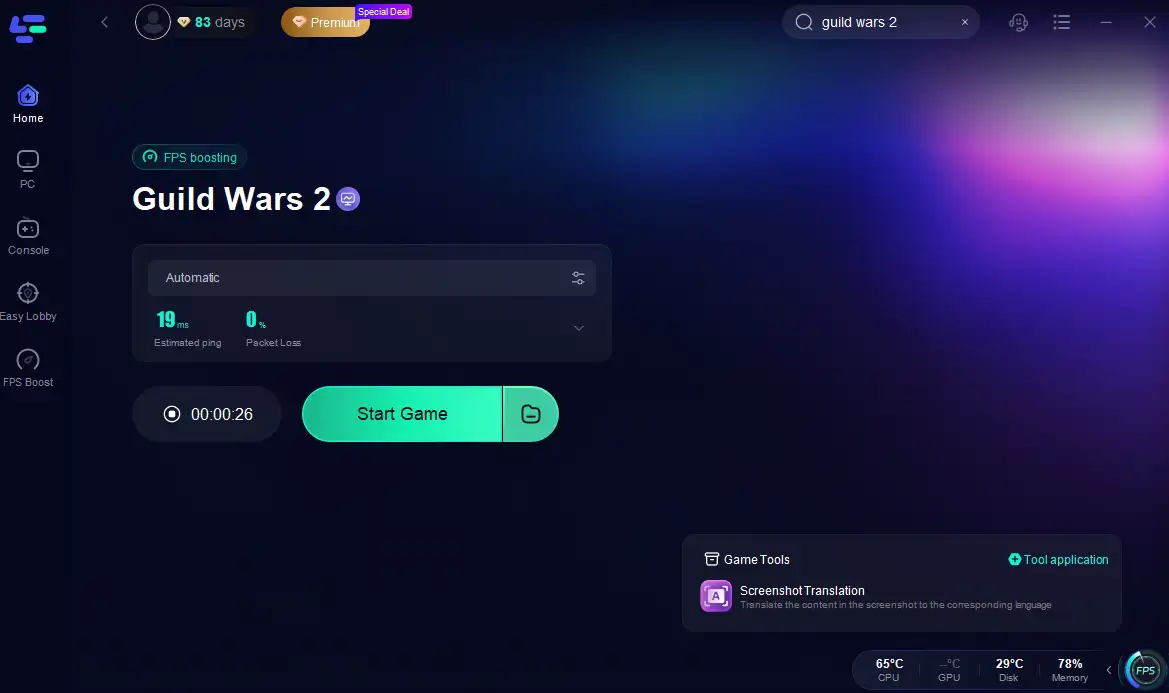
With just a few clicks, LagoFast helps you achieve better performance across regions, ensuring your server switch doesn’t come at the cost of gameplay quality.
Conclusion
Changing your server in Guild Wars 2 can dramatically improve your WvW experience or help you connect better with friends and guildmates. While the process requires spending gems, the ability to realign your gameplay with your goals or community is well worth it. Make sure to check server populations and plan accordingly before initiating a transfer.

Boost Your Game with LagoFast for Epic Speed
Play harder, faster. LagoFast game booster eliminates stutter and lags on PC, mobile, or Mac—win every match!
Quickly Reduce Game Lag and Ping!
Boost FPS for Smoother Gameplay!