
Grounded 2, the highly anticipated sequel by Obsidian Entertainment, launches into Early Access on July 29, 2025, offering deeper survival mechanics, insect mounts, and larger cooperation-focused gameplay. While visually impressive, the multiplayer experience has drawn criticism for frequent lag, stuttering, and synchronization problems.
Many players report that poor connection, rather than weak hardware, is at the root of these issues. Let’s explore why Grounded 2 is so laggy—and how to fix the lag issues.
Brazilian Portuguese: Resolução de Problemas de Lag no Grounded 2: Guia Completo
Part 1: Grounded 2 is so Laggy? What Happened?
Part 2: Understanding Grounded 2 Lagging on PC
Part 3: Identifying Grounded 2 Lag Issues
Part 4: Grounded 2 High Ping: Causes and Solutions
Part 5: Fixing Grounded 2 Stuttering
Part 6: How to Solve Lag Issues and Make Grounded 2 Run Better
Part 1: Grounded 2 is so Laggy? What Happened?
Most performance troubles stem from Grounded’s peer-to-peer (P2P) multiplayer architecture, where one player hosts and others connect as clients. Numerous reports point to lag when players are geographically distant or hosting sessions on unstable networks. Grounded 2 lag issues manifest as:
- Delayed movement, attacks, or item interactions
- Rubberbanding characters or teleporting enemies
- Materials or structures taking seconds to load
- Sync failures, especially during resource pickups or chest access
Hardware limitations can also contribute—but most lag is rooted in real-world latency rather than insufficient GPU/CPU performance.
Part 2: Understanding Grounded 2 Lagging on PC
Players should distinguish between network lag, stuttering, and performance bottlenecks:
- Network Lag / High Ping: Occurs during multiplayer—especially when connecting to a host far away. Several Steam and Reddit users confirm ping spikes even with fast internet.
- Stuttering or FPS Drops: Often associated with long-running sessions or bug-dense areas. Players report performance degradation over hours of play—solved temporarily by restarting the game .
- Single-Player Hardware Limitations: Low FPS or consistent slowdowns even offline usually point to GPU, CPU, or storage bottlenecks.
Part 3: Identifying Grounded 2 Lag Issues
Common Causes
- Long-distance host-client connections in P2P setup
- ISP routing inefficiencies or firewall interference
- Hosting on Wi‑Fi rather than wired Ethernet
- NAT/firewall restrictions, especially for Xbox Game Pass players
Recommended Fixes
- Use Ethernet: Wired connections improve stability.
- Open NAT/Ports (especially for Xbox-based players) to reduce NAT-related packet loss.
- Restart router and game client before each session to refresh network paths .
- Temporarily disable firewalls or antivirus to see if connection improves.
- Use public DNS, like Google DNS (8.8.8.8), to bypass ISP-related issues.
Part 4: Grounded 2 High Ping: Causes and Solutions
Common Causes
- Long-distance host-client connections in P2P setup
- ISP routing inefficiencies or firewall interference
- Hosting on Wi‑Fi rather than wired Ethernet
- NAT/firewall restrictions, especially for Xbox Game Pass players
Recommended Fixes
- Use Ethernet: Wired connections improve stability.
- Open NAT/Ports (especially for Xbox-based players) to reduce NAT-related packet loss.
- Restart router and game client before each session to refresh network paths .
- Temporarily disable firewalls or antivirus to see if connection improves.
- Use public DNS, like Google DNS (8.8.8.8), to bypass ISP-related issues.
Part 5: Fixing Grounded 2 Stuttering
Even solo players can encounter periodic stutter or FPS drops. To mitigate:
- Install the game on a fast SSD or NVMe drive
- Keep graphics drivers up to date, and close unneeded background programs
- Lower graphics settings: choose High instead of Epic if your hardware struggles
- Restart the game periodically, especially after extended play sessions, to counter performance decay over time
Part 6: How to Solve Lag Issues and Make Grounded 2 Run Better
When network latency is the issue, a game booster like LagoFast can help deliver a smoother experience—even in P2P host sessions.
Why Use LagoFast?
- Smart routing dynamically reduces latency by choosing optimal paths between players
- Removes jitter, packet loss, and ping spikes in real-time
- Auto-selects best server region, even in P2P setups
Step 1: Begin by clicking the Free Trial button to download and install the LagoFast Free Trial.
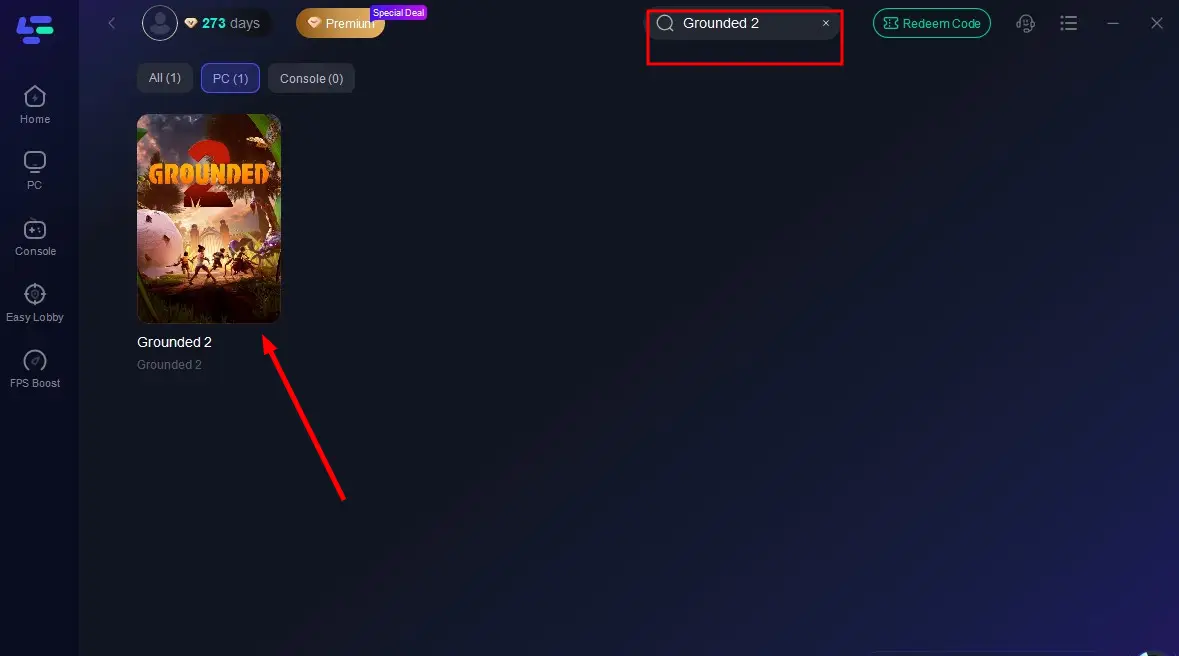
Step 2: Launch LagoFast, search for “Grounded 2” and select it from the list.
Step 3: Choose your nearest recommended server region—ideally a region near the host or yourself.
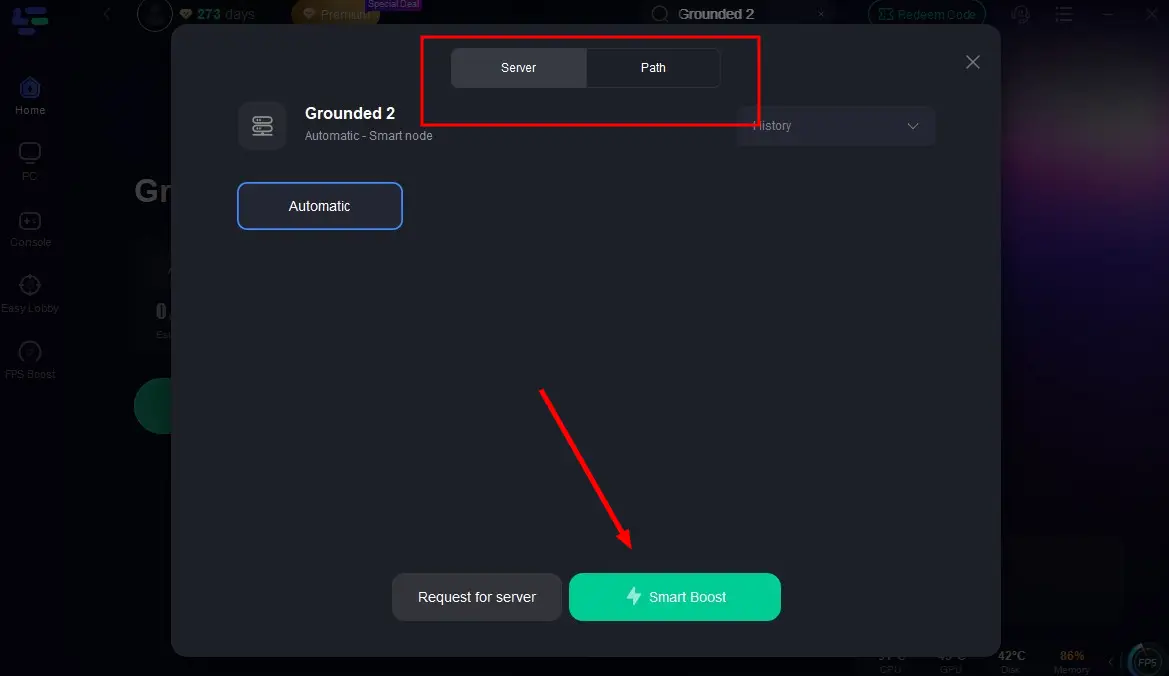
Step 4: Click Smart Boost to begin optimization. The UI will display real-time ping, packet loss, and routing status.
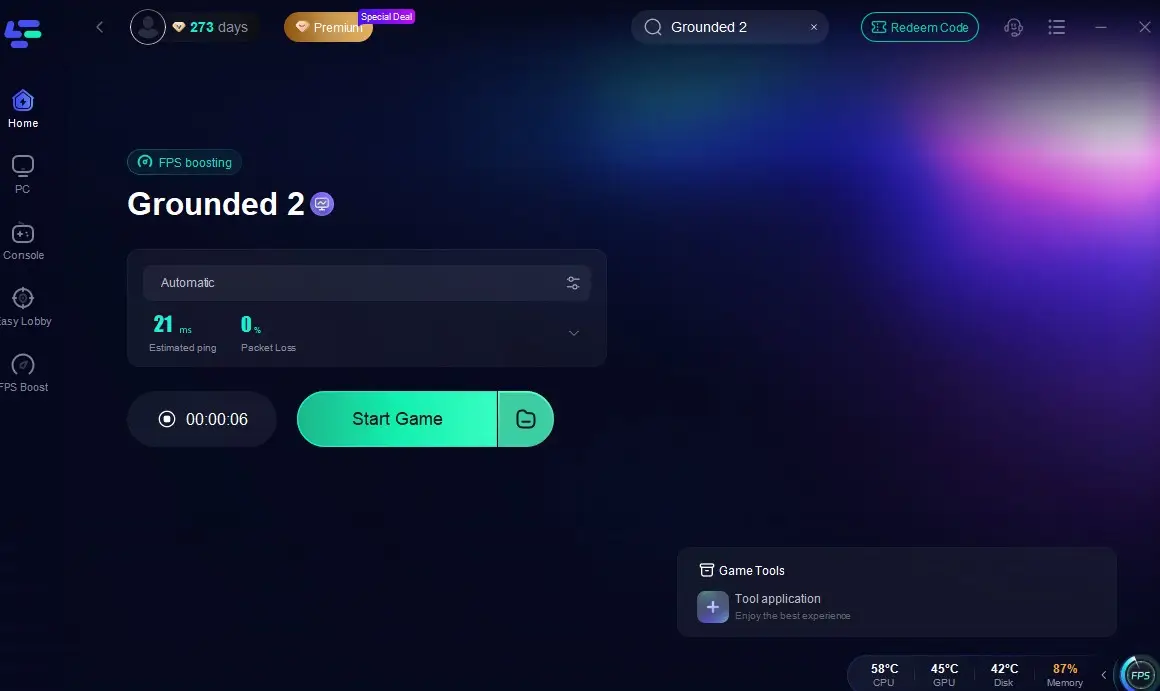
Launch Grounded 2 and join or host a multiplayer session—LagoFast will continuously reroute to maintain stability, minimizing lag and improving synchronization.
Part 7: FAQs
Q1: I’m playing single-player but still lag—why?
Most likely performance-related: lowered CPU, GPU bottlenecks, or old hardware. Use lower presets and verify system compatibility.
Q2: Grounded 2 is very laggy only when joining friends—why?
If friends are far away or host on Wi‑Fi, P2P architecture leads to high latency or packet loss—regardless of your own internet.
Q3: Does restoring default graphics help?
Not significantly—Grounded 2 has limited presets and no finer tuning options, so switching from Epic to High or Medium is your best bet.
Q4: What if a specific location like near many ants causes lag?
Some players report that certain in-game zones (e.g. ant nests hoarding hundreds of items) can trigger performance issues. Removing object spam or restarting can help .
Q5: Can dedicated servers be used to avoid P2P lag?
Not currently—Grounded and its sequel remain P2P-based. Until dedicated servers are supported, network lag remains dependent on host conditions.
Conclusion
Grounded 2 delivers ambitious visuals and gameplay—but early access reveals persistent lag and performance hiccups, especially during multiplayer. Most lag originates from network latency in the P2P setup rather than hardware deficits. Solutions include wired connections, NAT configuration, graphics downgrades, and restarting overlong sessions.
When internet routing remains problematic, LagoFast Game Booster offers a practical, real-time optimization to minimize lag and packet loss. This combination of hardware tuning and network acceleration gives players the best chance at a smoother, more enjoyable Tiny-World survival journey.
With the right setup and tools, lag won't stop you from conquering backyard giants.
Boost Your Game with LagoFast for Epic Speed
Play harder, faster. LagoFast game booster eliminates stutter and lags on PC, mobile, or Mac—win every match!
Quickly Reduce Game Lag and Ping!
Boost FPS for Smoother Gameplay!