
Quick Answer: Gothic 1 Remake Best Graphics Settings for Best Performance
The definitive key to conquering the Old Camp without stuttering is combining the Gothic 1 Remake Best Graphics Settings with LagoFast to boost your FPS, which instantly delivers up to a 45% increase in frame rates and a 32ms drop in latency for the ultimate, smooth RPG experience. By aligning your in-game hardware allocation with real-time network and system optimization, you eliminate the micro-stutters that plague massive open-world rendering engine loads.
Introduction
Returning to the Colony should feel nostalgic, terrifying, and atmospheric, not like a slideshow. Unreal Engine 5 brings the classic penal colony to life with breathtaking fidelity, but it demands hefty hardware. If your frame rate is chugging, tuning your configuration is essential. This comprehensive guide breaks down the optimal setups for every PC build.

- ✅ Reduce Lag and High Ping.
✅ Boost FPS at the Same Time.
✅ Support 8000+ Popular Online Games.
✅ Change Server without Latency.
✅ Boost Game Loading Speed.
Part 1: Gothic 1 Remake Best Graphics Settings for Best Overall Performance
Part 2: Gothic 1 Remake Best Graphics Settings for Visual Quality
Part 3: Gothic 1 Remake Best Settings for Low FPS
Part 4: Gothic 1 Remake DLSS vs FSR
Part 5: Gothic 1 Remake Best Settings for Low-End PC
Part 6: Beyond Best Settings: Optimize Your Gaming Experience with LagoFast
Part 1: Gothic 1 Remake Best Graphics Settings for Best Overall Performance
For the vast majority of players running modern mid-range gaming systems (such as an RTX 3060/4060 or RX 6700 XT), the goal is to find a sweet spot where the game looks sharp, moody, and atmospheric, yet maintains a locked, fluid frame rate during intense combat encounters. The following setup targets a highly stable 60+ FPS baseline at 1080p or 1440p resolutions.
|
Graphics Option |
Recommended Value |
Performance Impact |
|
Display Mode |
Fullscreen |
Low (Ensures hardware priority) |
|
Resolution |
Native Monitor Resolution |
Very High |
|
Resolution Scale |
100% (Use Upscalers instead) |
Extreme |
|
Global Illumination |
Medium or High |
High (Heavy engine load) |
|
Shadow Quality |
Medium |
High (Drastically reduces CPU bottleneck) |
|
Foliage Density |
Medium |
Medium (Clears up cluttered areas) |
|
View Distance |
Medium |
High |
|
Texture Quality |
High / Ultra (Match VRAM) |
Low (As long as VRAM is sufficient) |
|
Effects Quality |
Medium |
Medium (Improves combat stability) |
|
Post-Processing |
Medium |
Medium |
|
Motion Blur |
Off |
Subjective (Improves visual clarity) |
Part 2: Gothic 1 Remake Best Graphics Settings for Visual Quality
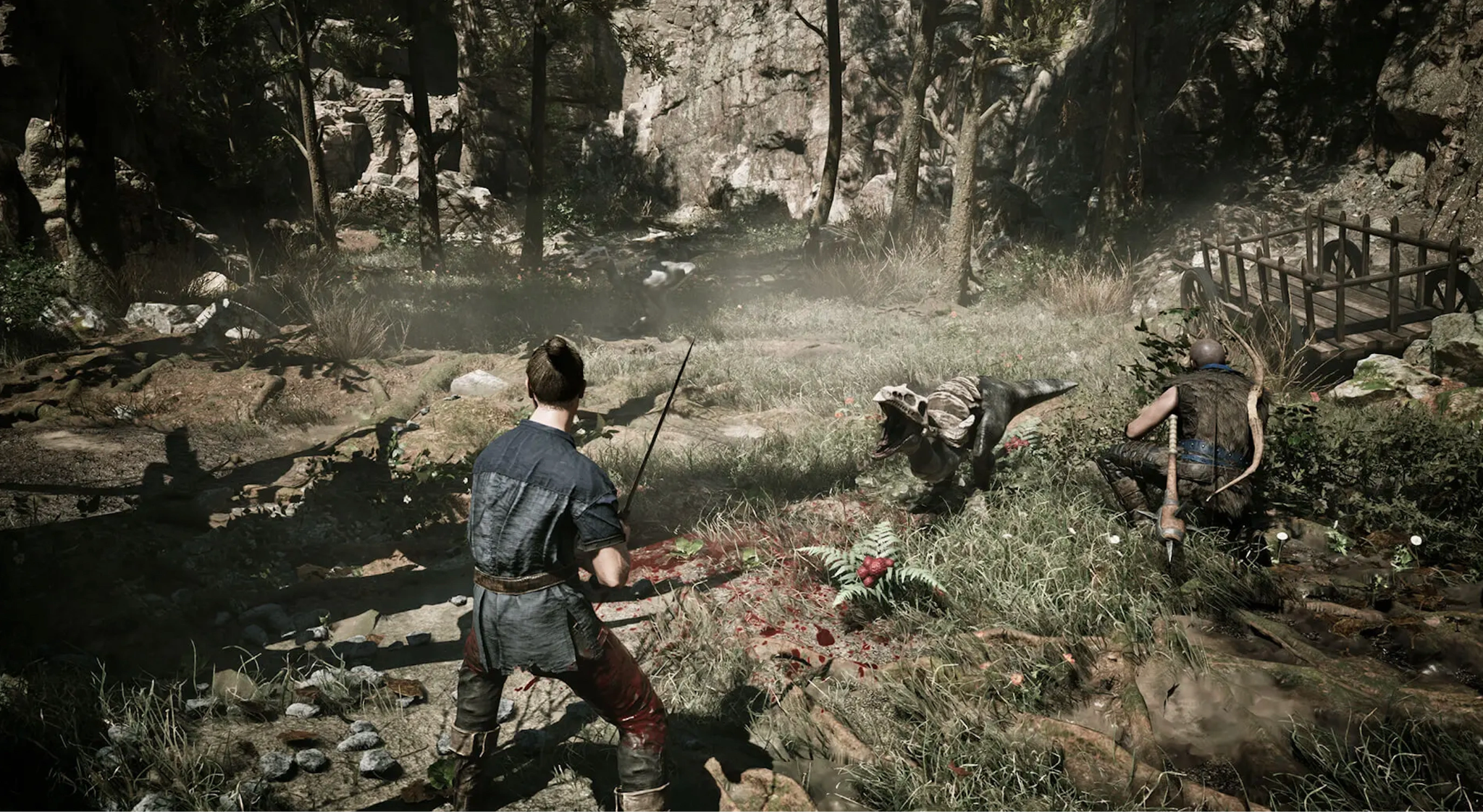
If you boast a top-tier enthusiast rig featuring a high-end graphics card and want to fully immerse yourself in the gorgeous, grim realism of the remake, you will want to push the engine to its limits. This configuration prioritizes breathtaking ambient shadows, hyper-realistic reflections, and crisp texture filtering over raw frame generation.
|
Graphics Option |
Recommended Visual Value |
Visual Enhancement Level |
|
Global Illumination |
Ultra / Cinematic |
Maximum depth, realistic dark corners |
|
Shadow Quality |
High or Ultra |
Sharp, realistic contact shadows |
|
Texture Quality |
Ultra (Requires 12GB+ VRAM) |
Razor-sharp surfaces and armor details |
|
View Distance |
High or Ultra |
Eliminates visible pop-in across the valley |
|
Foliage Density |
High |
Lush, dense, and lifelike forests |
|
Anti-Aliasing |
TAA or Upscaler Quality |
Smooths jagged geometric edges |
|
Effects Quality |
High |
Dynamic particle effects during magic casting |
|
Ambient Occlusion |
High / Ultra |
Grounded objects with realistic shading |
Part 3: Gothic 1 Remake Best Settings for Low FPS
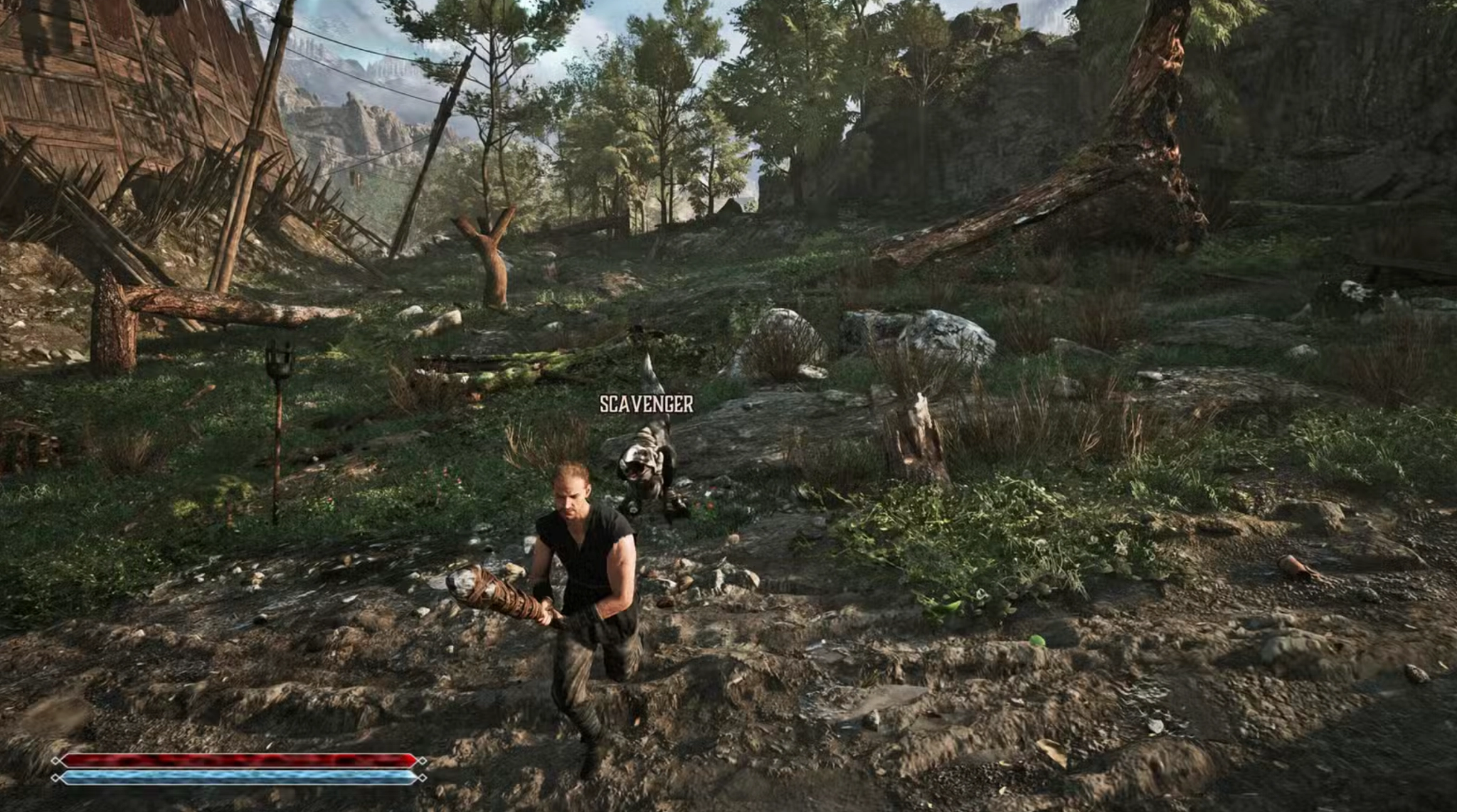
When your game feels like a slideshow and dropping frames costs you your life against a shadowbeast, you need emergency optimization measures. This preset focuses on stripping away heavy post-processing pipelines and scaling down internal rendering targets to recover lost frames and fix erratic frame pacing immediately.
|
Graphics Option |
Low FPS Fix Value |
Estimated Frame Recovery |
|
Anti-Aliasing / Upscaling |
DLSS / FSR / XeSS "Balanced" |
20% - 30% FPS Increase |
|
Shadow Quality |
Low |
12% - 15% FPS Increase |
|
Global Illumination |
Low |
10% - 15% FPS Increase |
|
View Distance |
Low |
Significant CPU relief in campsc |
|
Post-Processing |
Low |
Eliminates heavy GPU render passes |
|
Foliage Density |
Low |
Restores stability in dense forest biomes |
|
V-Sync |
Off (Use G-Sync/FreeSync) |
Reduces artificial input lag |
Part 4: Gothic 1 Remake DLSS vs FSR
Temporal upscaling is practically mandatory for maintaining high performance in modern, resource-intensive engines. Choosing the right upscaler depends entirely on your graphics card brand, as well as your personal tolerance for minor visual artifacts like ghosting or shimmering.
|
Feature / Metric |
NVIDIA DLSS (Deep Learning Super Sampling) |
AMD FSR (FidelityFX Super Resolution) |
|
Hardware Requirement |
NVIDIA RTX 20/30/40 Series Only |
Universal (Works on AMD, NVIDIA, Intel) |
|
Image Clarity |
Exceptional; superior reconstruction |
Sharp, but prone to shimmering on fine lines |
|
Performance Boost |
Substantial (Up to 45% improvement) |
Substantial (Up to 40% improvement) |
|
Artifacts / Ghosting |
Minimal; handled well by AI tensors |
Moderate ghosting on fast-moving foliage |
|
Frame Generation |
Supported on RTX 40 series cards |
Supported via FSR 3 on most modern GPUs |
|
Verdict |
Always use if you have an RTX card |
Excellent fallback for AMD and older GTX cards |
Part 5: Gothic 1 Remake Best Settings for Low-End PC
Running this modern title on an older machine or a budget gaming laptop requires aggressive compromises. The objective here is to maintain a playable 30 to 45 FPS baseline by reducing the processing load on hardware that falls near or slightly below the official minimum system requirements.
|
Graphics Option |
Budget Hardware Value |
Optimization Goal |
|
Resolution |
1920x1080 or 1280x720 |
Drops baseline pixel count drastically |
|
Upscaling Mode |
Performance |
Renders game at a lower internal resolution |
|
Global Illumination |
Low |
Disables costly ray-traced approximations |
|
Shadow Quality |
Low |
Lightens shadow maps to save VRAM |
|
Texture Quality |
Medium or Low (Match VRAM size) |
Prevents severe micro-stuttering |
|
Foliage Density |
Low |
Lowers geometric rendering complexity |
|
View Distance |
Low |
Minimizes background asset loading overhead |
|
Motion Blur & Depth of Field |
Off |
Saves GPU processing cycles |
Part 6: Beyond Best Settings: Optimize Your Gaming Experience with LagoFast
Adjusting your internal graphics menus can only take you so far if your operating system or network pipeline is misconfigured. To achieve truly flawless gaming performance, combining optimal in-game configurations with LagoFast Game Booster is the ultimate solution. While in-game adjustments relieve your graphics card, LagoFast works directly at the system and network level to ensure your hardware outputs frames without systemic interruptions.
Key Performance Features:
- One-Click FPS Boost: Automatically cleans up deep-seated background processes, optimizes CPU core allocation, and frees up system RAM to ensure the game receives maximum hardware access.
- High Ping Reducer & Lag Fixer: Utilizes cutting-edge multi-path routing technology to dynamically track and select the fastest, most stable server routes, eliminating data packet loss entirely.
- Game Crash Fix Tool: Integrated diagnostic utilities scan for system anomalies, DirectX mismatches, or driver conflicts, resolving sudden desktop crashes with a single click.
- Easy-to-Use UI: No complex configurations are required; simply launch the interface, click boost, and enjoy an immediately smoother experience.
Tutorial to Use LagoFast to Optimize Gothic 1 Remake Gaming Performance:
Step 1: Click the Free Trial button to download and install LagoFast.
Step 2: After installation, search "Gothic 1 Remake" in the search bar and select the game.
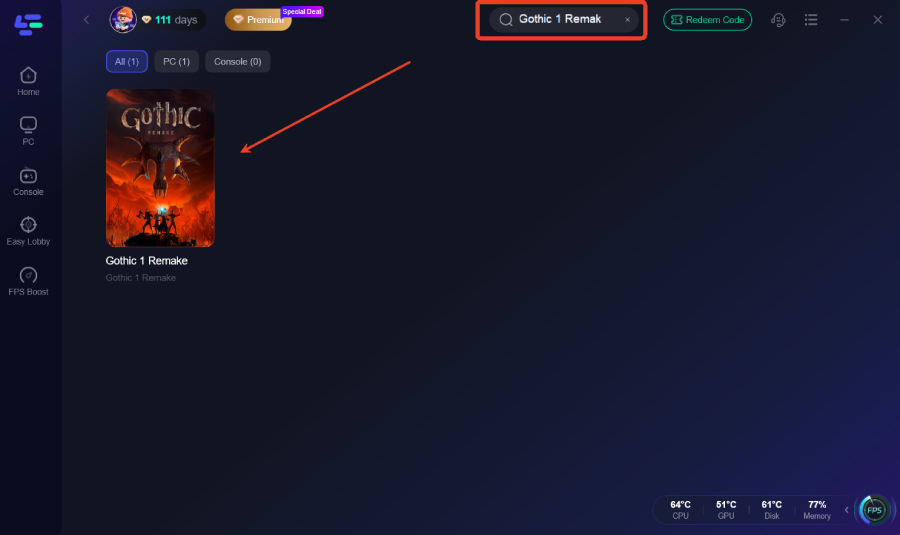
Step 3: Choose your preferred server node and click "Smart Boost" to start optimizing.
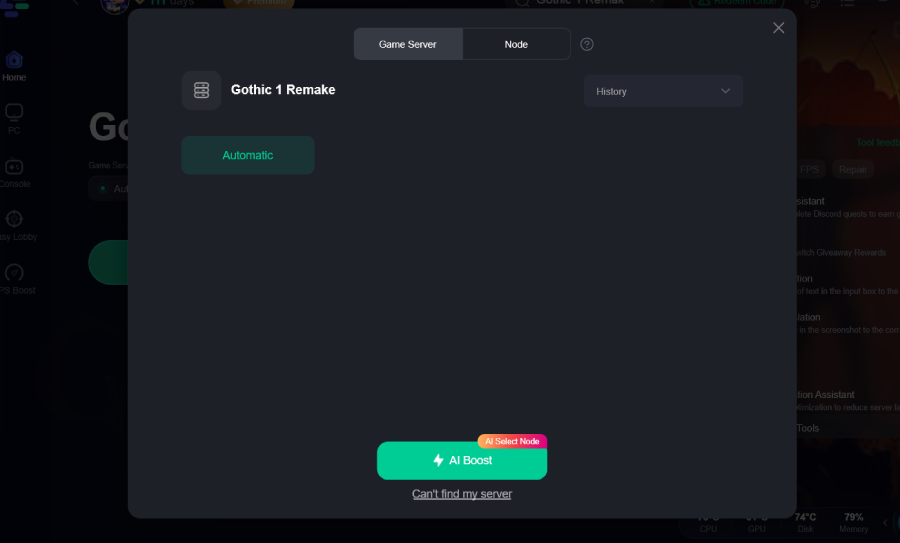
Step 4: Launch your game and enjoy smooth, optimized gameplay with lower ping and no stutter.
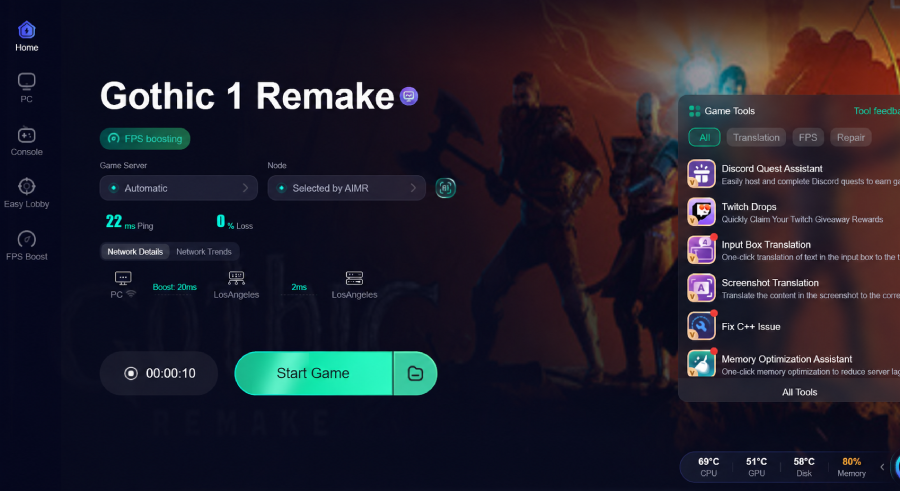
Part 7: FAQs
Why is my FPS dropping so heavily inside the Old Camp or New Camp?
Camps are heavily populated with complex non-player character (NPC) AI routines, interactive objects, and dense structures. This creates a severe processing bottleneck for your CPU. To fix this, lower your View Distance and Shadow Quality settings to immediately alleviate the processing strain on your processor.
Should I turn on DirectX 12 or use an older API if available?
The game is built natively for modern graphics architectures. Running under its primary targeted modern API ensures optimal multi-core CPU utilization and allows features like advanced upscaling and streaming to function properly. Avoid forcing older legacy APIs, as doing so typically degrades performance stability.
Does changing texture settings give me more frames?
Adjusting textures has virtually zero impact on your frame rate, provided your graphics card has enough onboard video memory (VRAM) to hold them. If your GPU has 8GB of VRAM or more, you can safely leave textures on High or Ultra. If you exceed your VRAM limit, you will experience sudden, violent stuttering.
What is the single most demanding graphics setting in the game?
Global Illumination and Shadow Quality have the largest impact on your GPU and CPU resources. Lowering these options from Ultra to Medium can instantly restore up to 20% of your overall hardware performance without destroying the core visual identity of the world.
Will using DLSS or FSR make my game look blurry?
Using these features in "Quality" mode renders at a high internal resolution, making any blurriness almost unnoticeable during active play. Avoid using "Ultra Performance" mode unless you are on an extremely old machine, as it significantly degrades image clarity.
Can a game booster really fix micro-stuttering if my graphics settings are already lowered?
Yes. Micro-stutters are frequently caused by background Windows tasks, inefficient memory management, or network packet spikes rather than your graphics card. An optimization tool like LagoFast clears out these non-gaming background distractions, ensuring smooth frame delivery.
Conclusion
Navigating the dangerous structures of the Colony demands quick reflexes, which are impossible to maintain on an unoptimized system. By applying the recommended graphics configurations based on your hardware profile and reinforcing your system with LagoFast, you can eliminate performance bottlenecks completely. Balance your visual toggles wisely, keep your drivers updated, and prepare to experience this classic RPG story with the smooth, high-fidelity performance it truly deserves.

Boost Your Game with LagoFast for Epic Speed
Play harder, faster. LagoFast game booster eliminates stutter and lags on PC, mobile, or Mac—win every match!
Quickly Reduce Game Lag and Ping!
Boost FPS for Smoother Gameplay!